Most monitor arms get sent back because of the desk, not the arm. The arm was fine; the desktop edge was too thin, too thick, or the existing hole was in the wrong place. This is monitor arm clamp types explained from the mounting end first, because the attachment decides whether one screen or a pair of screens stays where you aimed it, and no amount of tilt range rescues a clamp that never had a proper bite.
Related: Monitor arm height and eye level: how to set yours →
Quick answer
A clamp mount squeezes the front and back of the desktop edge with a C-shaped jaw. A grommet mount passes a bolt through a hole in the desktop and tightens from underneath. A pole or freestanding mount sits on the desk surface and uses no edge at all, which makes it the workable choice when a drawer, an apron, or a welded frame blocks the underside. Match the mount to the desk first, then match the arm to the monitor weight capacity and the VESA pattern on the back of the screen.
4 useful options
| Model | Best fit | What stands out |
|---|---|---|
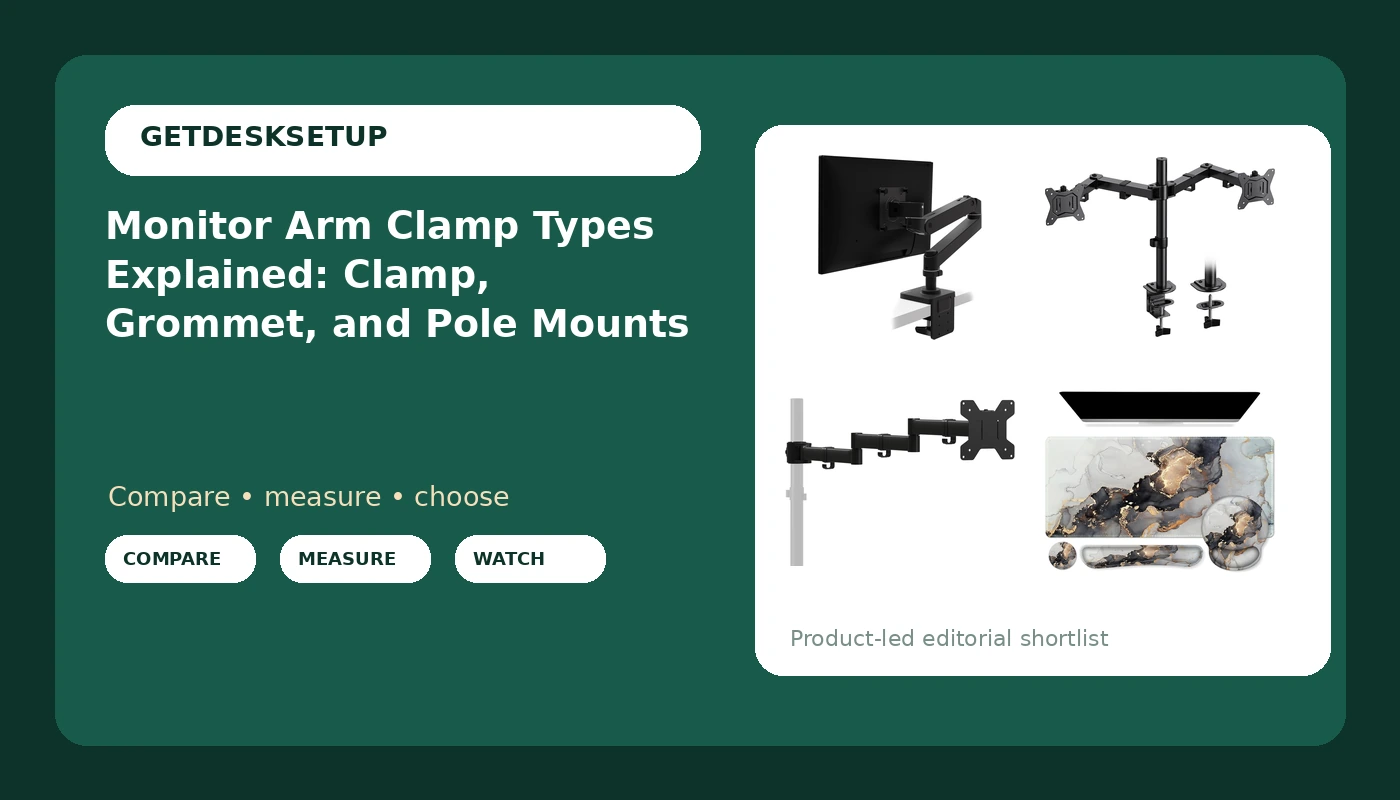
| Ergotron LX Pro Premium Monitor Arm | One screen, flat or curved, up to 34 inches | Listed 4 to 22 lb weight range with 75x75mm and 100x100mm VESA support |
| HUANUO Dual Monitor Mount | Two screens up to 32 inches | Dual arms with height, tilt, swivel, and rotate adjustment |
| suptek Single Monitor Arm | One screen from 13 to 27 inches | Three-tier pole design with a listed 22 lb capacity |
| iCasso Grey Marble Mouse Mat | The desk surface layer | 35.4 by 15.7 inch pad |
Single screen on a desk clamp: Ergotron LX Pro Premium Monitor Arm
The weight band is the interesting part. A 4 to 22 lb range is the only stated lower and upper bound in this group, which matters when you are hanging a light panel that a stiff arm will not hold down or a heavier one that a cheap arm will droop under. A 34 inch ultrawide that weighs more than 22 lbs is out. Skip this one if you run two screens, since it is a single mount, or if the underside of your desktop has a drawer or a frame that blocks a clamp jaw. Confirm which mounting hardware ships in the box before ordering.
Two screens on one clamp: HUANUO Dual Monitor Mount
This is the two screen answer, and the trade-off is desk edge real estate: one attachment carrying two arms concentrates load on a smaller footprint than two separate mounts. Check that the desktop edge is clear enough for the jaw and that both screens stay inside the listed 17.6 lb hold. Skip it if either monitor is heavier than that, if your screens are larger than 32 inches, or if your desk edge has a bevel that leaves the jaw with nothing flat to grip.
One screen on a pole base: suptek Single Monitor Arm
A pole design is a different animal from a clamp. The base sits on the desk, the three tiers set height in steps, and the arm carries 13 to 27 inch screens up to a listed 22 lbs. It solves the blocked-edge problem that kills clamp mounts on desks with drawers, but it needs open desk depth for the base, and it will not help a 32 inch panel. Skip it if you want the continuous travel of a gas spring arm, if desk surface space is already tight, or if your screen falls outside the listed size range.
The surface layer: iCasso Grey Marble Mouse Mat
Two practical notes. First, a clamp jaw needs to bite the bare desktop edge, so keep the pad behind the jaw rather than under it. Second, a 35.4 inch pad needs at least that much desk width, and it will overhang anything narrower. Skip it on a compact desk, or if you want a plain dark surface instead of a marble finish.
Prices and availability may change. Product images, names, and retailer links are matched to verified listings. No current price, rating, stock status, or measured result is stated here without current evidence.
Monitor arm clamp types and what each one grips
A clamp mount, also called a C-clamp, has a jaw that opens around the desktop edge and a screw or lever that pulls it closed. It needs three things: a flat edge, a desktop thickness inside the listed range, and clear space underneath for the jaw. A beveled or rounded edge, a thick apron, a drawer body, or a welded frame directly below the edge all reduce the bite. Whichever of the monitor mount clamp types you end up with, the desk edge is the limiting factor, not the arm.
A grommet mount, sometimes sold as a bolt-through mount, uses a hole that already exists in the desktop. You feed a bolt down through the hole and tighten a plate or nut underneath. The two measurements that matter are the hole diameter and the desktop thickness, because the bolt has to pass through and still leave room for the hardware. If your desk already has a cable grommet in a convenient spot, this is often the sturdier option, since the load spreads around a hole instead of hanging off an edge.
A pole or freestanding mount skips the edge entirely. The base plate rests on the surface, the pole rises from it, and the arm attaches to the pole. That makes it the fallback for desks with blocked undersides, at the cost of desk depth for the base and, usually, stepped height positions instead of the continuous travel of a gas spring arm.
VESA pattern is a separate question from all of this. It describes the four bolt holes on the back of the monitor, typically 75x75mm or 100x100mm, and it has to match the plate on the arm. If you are reading up on vesa monitor arm clamp types, the phrase really covers two decisions: how the arm attaches to the desk, and whether the plate fits the screen. The same rules apply to screen arm clamp types across brands, because the desk side of the interface is fairly consistent even when the arm side is not.
Check the desk before you order
- Measure desktop thickness at the exact spot the clamp will sit, not at the front corner where it is easiest to reach.
- Look under that spot: drawers, aprons, frames, and cable trays all steal clearance from the jaw.
- For a grommet mount, measure the hole diameter and the desktop thickness at the hole, then check the bolt length in the listing.
- Weigh the monitor, add the VESA plate and any adapter, and compare that number with the arm's listed weight capacity.
- Confirm the VESA pattern on the back of the screen and the screen size range the arm supports.
Practical guidance for a clamp that stays tight
- Tighten the clamp with the arm empty, hang the monitor, then re-check the tension.
- Re-tighten after the first week, because wood and laminate compress under load.
- Leave slack at both ends of every cable in the cable channel; a taut cable pulls the arm and shifts tilt range and swivel within a week.
- Keep the jaw on the bare desk edge, clear of pads, risers, and bevels.
- Do not clamp a glass top or a hollow-core door unless the listing states the mount is rated for it.
- If the screen ends up too high or too low once it is mounted, work through desk setup order and wobble checks before you blame the arm.
Which option should you choose?
Choose the Ergotron LX Pro Premium Monitor Arm when you run one screen, including a curved ultrawide up to 34 inches, and you want a stated weight band at both ends of the range. Choose the HUANUO Dual Monitor Mount when you need two screens up to 32 inches each on a single desk attachment. Choose the suptek Single Monitor Arm when the desk underside is blocked and a pole base is the only workable attachment, with a single screen between 13 and 27 inches. Choose the iCasso Grey Marble Mouse Mat when you want the surface layer sorted and your desk is at least 35.4 inches wide.
Every figure above comes from the listings rather than from a test bench, and bundled mounting hardware can change between revisions of the same arm. Check the current listing for the included clamp or grommet hardware, the desk thickness range, and the supported VESA sizes before you commit.
The bottom line
Get the attachment right and the arm becomes a detail. Measure desktop thickness, check the underside clearance, confirm whether you have a usable hole, then match the arm to the monitor's weight and VESA pattern. A clamp mount on a clear, flat, correctly sized edge will hold for years; the same clamp on a beveled edge or a drawer-blocked desktop will not, no matter how much you paid for it.