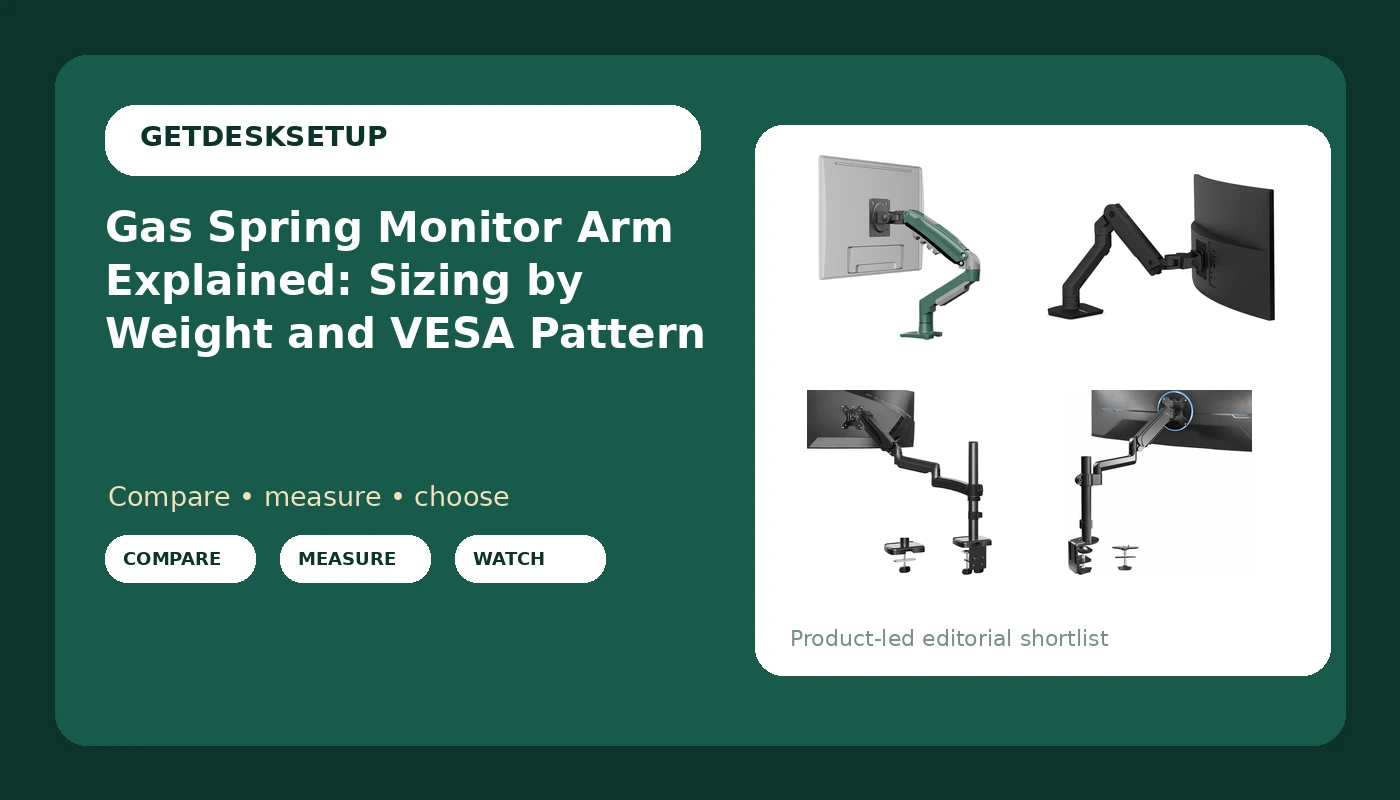
An arm that swings with one finger and stays where you let go is not magic. It is a spring with a stated weight range, and a monitor outside that range will sag, drift, or float upward on its own. This is the gas spring monitor arm explained in the terms that decide the purchase: how much screen weight the cylinder counterbalances, which VESA pattern the plate accepts, and whether the clamp mount or grommet mount fits the desk you actually own.
Related: Monitor arm weight capacity and desk thickness →
Quick answer
A gas spring monitor arm holds a screen with a sealed spring cylinder rather than a hand-tightened friction joint, so the monitor moves under light pressure and stays where you release it. What decides whether it works is weight capacity, not the screen size in the listing title. The arm has to be rated to carry your panel's actual weight, and the mounting plate has to match the VESA pattern on the back of the monitor. Wide-range arms, roughly 4.4 to 19.8 lbs in the four options below, cover most 22 to 32 inch panels. A 49 inch ultrawide sits in a heavier class entirely.
Four useful options
| Model | Best fit | What stands out |
|---|---|---|
| F80 Desktop Gas Spring Monitor Mounting Arm | 17 to 30 inch screens weighing 2 to 9 kg | A gas spring cylinder with full motion travel |
| Ergotron HX Premium Heavy Duty Monitor Arm | Flat or slightly curved ultrawides up to 49 inches | Rated 20 to 42 lbs with the standard pivot |
| MOUNTUP 27 inch Extra Long Monitor Arm | 22 to 32 inch screens from 4.4 to 19.8 lbs | Extra long, tall reach with C-clamp or grommet base |
| VIVO Single Monitor Arm Mount | 17 to 32 inch screens set once and left alone | Tension height adjustment with tilt and swivel |
Gas spring pick: F80 Desktop Gas Spring Monitor Mounting Arm
As a gas spring monitor mount, this one is the closest thing here to the textbook version of the category. Two checks before you buy. First, weigh the panel with its VESA plate attached, not the shipping weight. A 32 inch screen near the top of that 9 kg limit will hold position, but it will not feel light to move, and a screen under about 2 kg may drift up when you let go. Second, look under the desk edge. A clamp needs a flat lip with clear space beneath it, and a steel frame, thick apron, or cable tray can block the clamp completely. Skip this one if you run a 49 inch ultrawide.
Heavy ultrawide pick: Ergotron HX Premium Heavy Duty Monitor Arm
The minimum weight matters as much as the maximum on this one. A 20 lb floor means a light 27 inch panel sits below the rated range, and no adjustment will make a counterbalance built for heavier mass behave on a screen that weighs half of it. Where the HX earns its place is a single large ultrawide or a heavy 32 inch panel that would overwhelm a lighter arm within weeks. It is also the option to think about if you rotate between portrait and landscape often, since a big panel puts real torque on the mounting plate. If your screen weighs 15 lbs, this is the wrong arm, and the cheaper ones below are the right ones.
Tall desk pick: MOUNTUP 27 inch Extra Long Monitor Arm
Extra length is not a vanity feature. On a 30 inch deep desk, or on a standing desk where the screen has to rise 8 to 10 inches above the work surface, a short arm runs out of travel and you end up pulling the monitor toward your face to gain height. A longer arm reaches over a keyboard tray and still leaves the screen at a sane viewing distance. The trade-off is stability at full extension: the further the load sits from the clamp, the more leverage it puts on the joint, so a tall arm wants a panel in the lower half of its weight range, not at the ceiling. The grommet base is the better choice when the desk has a usable hole and a hollow core, because it spreads the load instead of pinching an edge.
Set-and-forget pick: VIVO Single Monitor Arm Mount
Tension adjustment means you set the arm's spring force to your panel with a tool, then leave it alone. That is not a flaw, it is a different workflow: cheaper to build, stable once dialed in, and slower to change if you swap monitors often. If you upgrade from a 24 inch to a heavier 32 inch panel later, plan on re-tuning rather than expecting the arm to adapt. The articulation covers the daily motions, tilt for glare and viewing angle, swivel for sharing or shifting between tasks, and it mounts either way, clamp or grommet, so a desk with no drillable hole is still an option.
Prices and availability may change. Product images, names, and retailer links are matched to verified listings. No current price, rating, stock status, or measured result is stated here without current evidence.
How a gas spring monitor arm holds a screen
A gas spring is a sealed cylinder with a piston rod inside it. Push the screen down and the gas compresses; release and it pushes back with a force set at the factory. That is the whole trick, and it is why a gas spring screen arm feels different from the friction joints on older mounts, where you loosen a knob, reposition the screen, then tighten the knob again. The counterbalance is matched to a weight band. Inside the band, the monitor stays where you put it. Below the band, the arm drifts upward on its own. Above it, the screen sinks and no tension screw fully rescues it.
Weight capacity is the number that matters most, and it always has two ends. The bottom end is not a formality. An arm rated 20 to 42 lbs is the correct tool for a large ultrawide and the wrong tool for a 12 lb panel, because the spring is calibrated for more mass than the screen has.
Then there is the plate. A gas spring VESA monitor arm is only as good as the connection to the back of the screen. Search "gas spring vesa monitor arm" and nearly every listing leads with screen size while burying the weight range two lines lower. The mounting plate has to match the hole spacing on the monitor, and while most desktop panels use a 75 x 75 mm or 100 x 100 mm VESA pattern, you should confirm the plate covers yours rather than assuming it.
The remaining specs shape daily use. Tilt range sets how far the panel angles up or down, which matters if you sit low in the chair or work standing. Swivel sets how far it swings side to side, which matters if you pivot between a document and a second task. A cable channel routes display cables along the arm instead of letting them hang, and that detail is not cosmetic: a cable with no slack becomes a constant pull on the joint, and the monitor angle changes within a week.
Five steps to size the arm before you buy
- Find your panel's weight in its own specification sheet, listed without the stand.
- Confirm the VESA pattern on the back of the monitor and check that the included plate covers it.
- Measure the desk edge where the clamp will sit: thickness, plus any steel frame, apron, or cable tray underneath.
- Decide between clamp mount and grommet mount based on whether the desktop has a usable hole and what it is made of.
- Pick the arm whose rated weight range puts your panel near the middle, not at the very top of the band.
Setup notes that keep the arm behaving
- Clamp first, load second, tighten third. Reversing that order is how hollow-core desktops crack.
- Leave slack in the cable channel. A tight cable changes the monitor angle within a week.
- Set gas spring tension with the panel already mounted, at the height you actually work at.
- Check the sweep. An arm at full extension needs clear space behind and beside the desk.
- Re-tighten the clamp after the first week, then once a season.
Which option should you choose?
Choose the F80 Desktop Gas Spring Monitor Mounting Arm when you want a true gas spring cylinder and your panel sits between 2 and 9 kg. Choose the Ergotron HX Premium Heavy Duty Monitor Arm when your screen weighs 20 lbs or more, or when it is a large ultrawide up to 49 inches. Choose the MOUNTUP 27 inch Extra Long Monitor Arm when the desk is deep or the setup is a standing desk that needs the screen carried high. Choose the VIVO Single Monitor Arm Mount when you want a 17 to 32 inch arm that gets tuned once and left alone.
None of the four is a universal answer, and none should be picked by screen size alone. Each is defined by a weight range and a mounting method, and the arm that sits outside your panel's weight will drift no matter what it costs.
The bottom line
Sizing a gas spring monitor arm is a measurement problem before it is a shopping problem. Weigh the panel, confirm the VESA pattern, check the desk edge for clamp clearance, then choose the weight class. A gas spring monitor arm running near the middle of its rated range holds position for years. One chosen by the screen size in the title drifts from the first week.