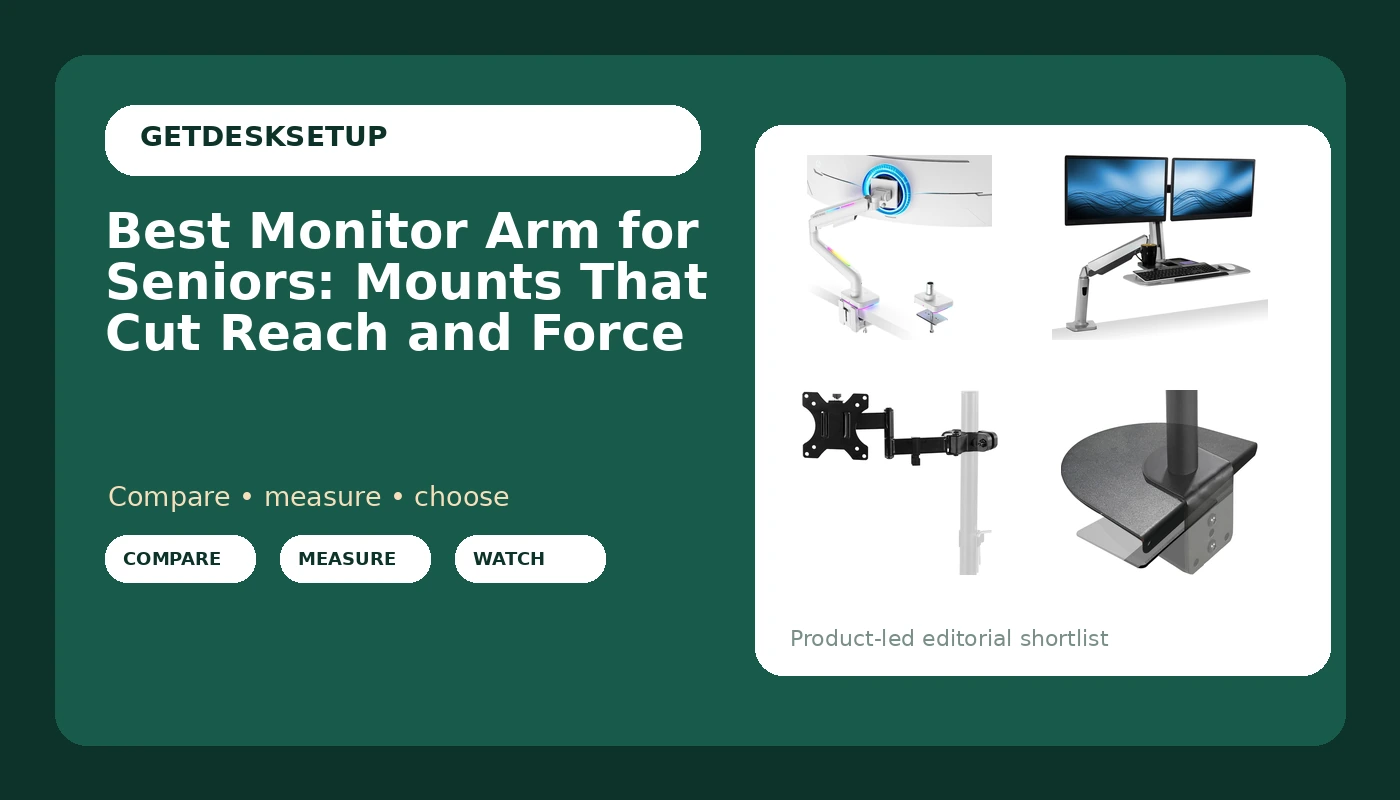
Reaching for a screen that sits too low is one of the quiet ways a desk setup stops working. The monitor edge drops below eye level, the neck tips forward to compensate, and the arm resists every correction because the joint was tightened for someone with a stronger grip. The best monitor arm for seniors solves the opposite problem. It holds the display where your eyes already rest, moves under light pressure instead of a hard pull, and mounts without asking anyone to kneel under a desk with a drill.
This guide compares six products that approach that job from different directions: a single gas spring arm, two dual-screen arms, a pole mount, a steel reinforcement plate for thin desktops, and a tall drafting chair for setups where the desk surface sits higher than standard. I size and install desk hardware for home offices, and the pattern never changes. The arm is only half the decision. The desk surface, the listed screen size range, and the height of your eyes decide the rest.
Related: How High Should a Monitor Sit?
Quick answer
The ARES WING Gas Spring Monitor Arm with RGB for 17-49 Inch Screen, White is the strongest fit for a single-screen desk where the monitor needs to move with one hand, because a gas spring carries the weight of the panel and holds its position instead of depending on a knob you loosen and retighten. Choose the VIVO Black Pole Mount Monitor Arm for 17 to 32 in Screen, MOUNT-POLE01A instead when you want the simplest possible motion: a fixed post, one height collar, and the fewest joints to fight.
What to compare in a monitor arm for seniors
Adjustment force comes first. A friction arm uses a knob or a bolt at each joint, and the screen stays where you put it only as long as that joint is tight enough. Tight enough for a 27 inch panel is also tight enough to turn small corrections into a two-hand job. A gas spring arm uses a charged cylinder to counterbalance the display, so the screen follows a light push and stays put when you let go. That single difference matters more than any other spec when the goal is a monitor arm for seniors.
Mounting style is the second filter. A clamp mount grips the back edge of the desktop and needs a clear lip plus enough thickness for the clamp to bite. A grommet mount passes a bolt through a hole in the desk, which is steadier but requires drilling or an existing hole. If you would rather not drill, stay with a clamp mount and inspect the desk build first. Hollow-core and thin laminate tops flex under a clamp, and that is where a reinforcement plate earns its place.
Then check the published ranges. Every arm lists a screen size range and a weight capacity, and both have to cover your display with room left over. A rating that tops out at your panel size does not mean the arm holds that panel easily at the top of the weight range. Reach matters just as much: the arm has to be long enough that the screen sits at a comfortable viewing distance without you leaning in, and short enough that it does not push the monitor past the back edge of the desk.
Finally, look at tilt range, swivel, and cable routing. Tilt lets you angle the panel down slightly when it sits high, swivel lets you swing it aside without moving the base, and a cable channel keeps the display cable from tugging the arm out of position. The VESA pattern on the back of the display has to match the plate the arm ships with, so confirm that before ordering. A cable that pulls on a joint will change the monitor angle within a week, which is exactly the drift you are trying to avoid.
Top pick
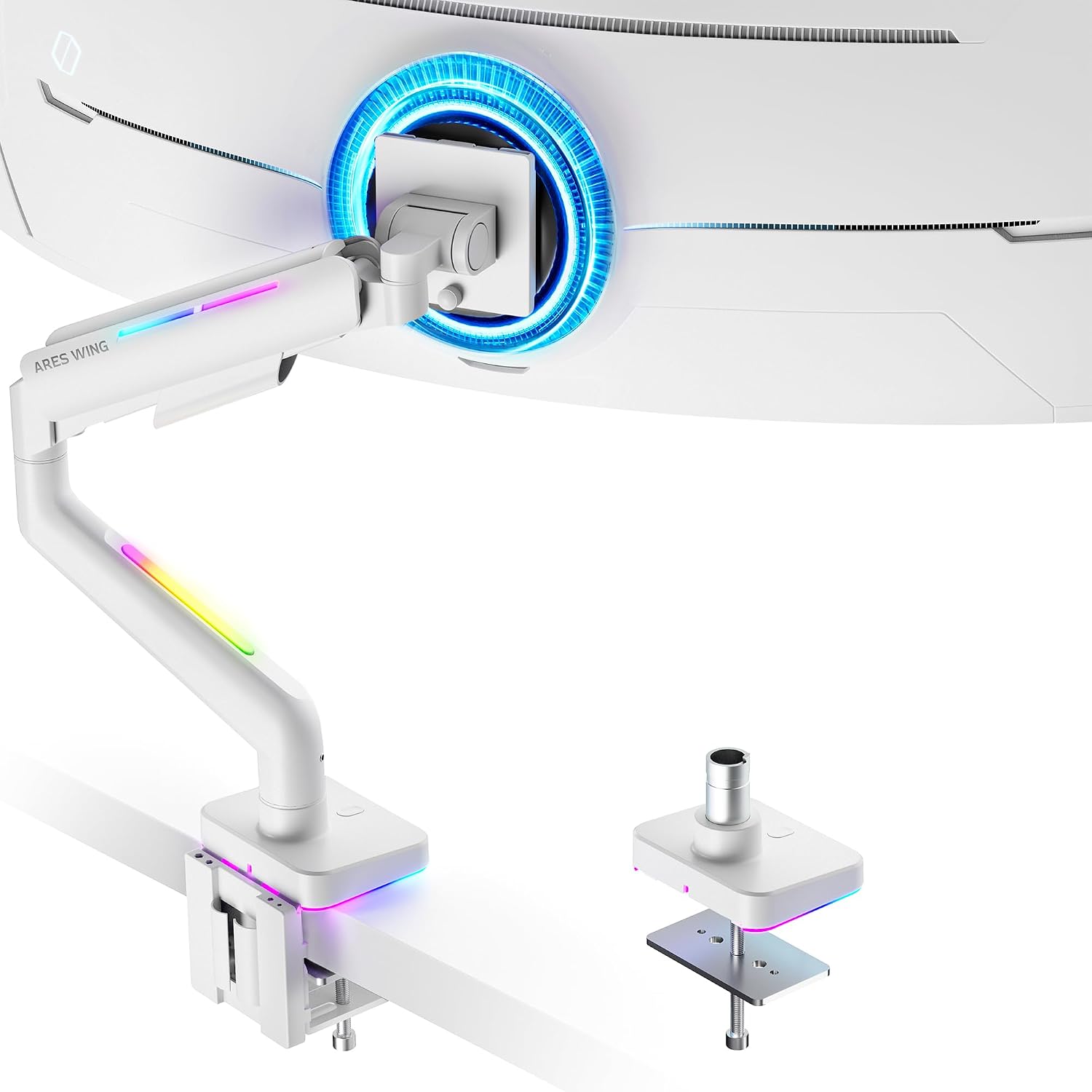
ARES WING Gas Spring Monitor Arm with RGB for 17-49 Inch Screen, White
Check current Amazon price
A gas spring arm rated for 17 to 49 inch screens, so one mount covers a small secondary panel or a large single display. The spring carries the panel weight, which means light pressure to reposition instead of a knob you have to loosen. White finish with RGB lighting on the arm.
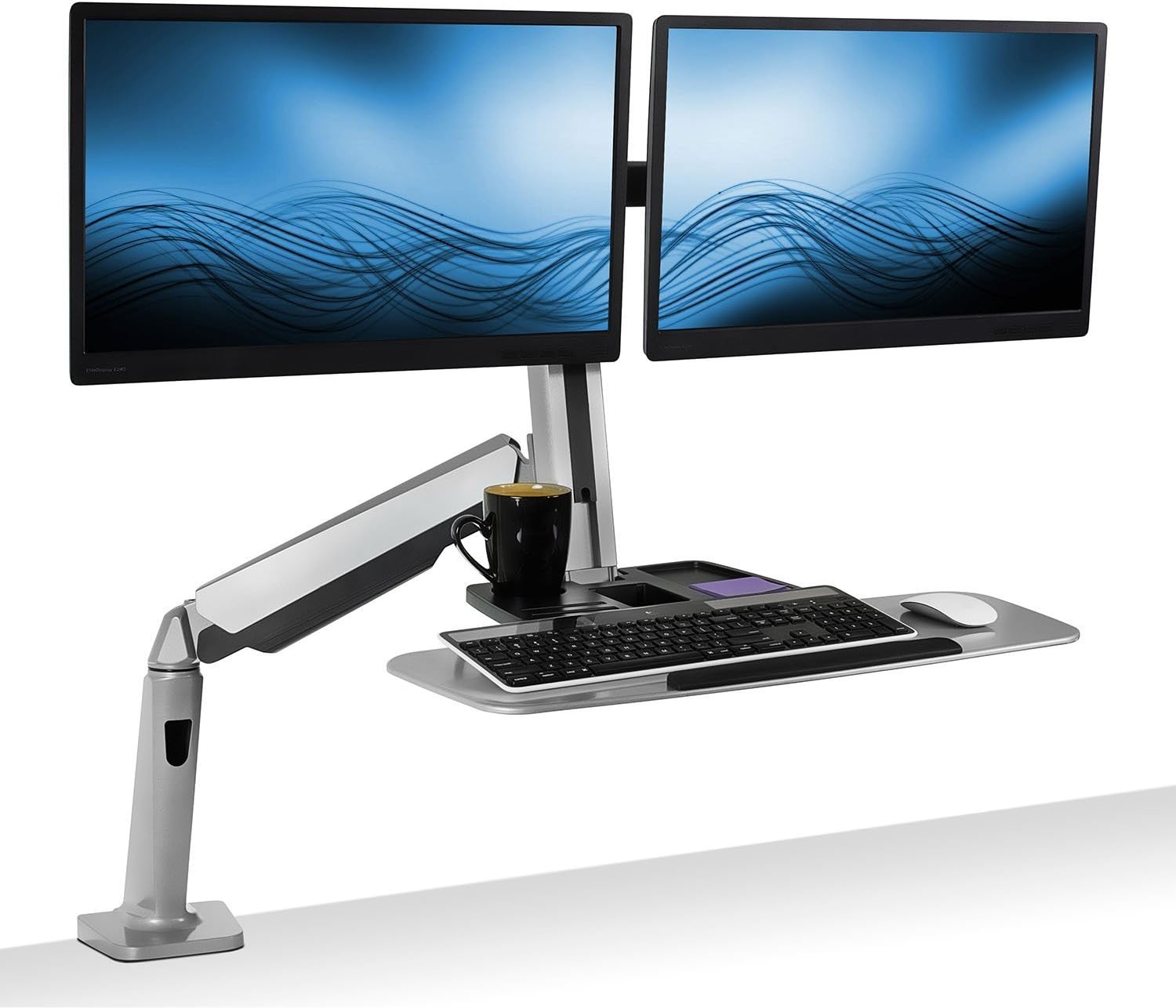
Mount-It! Dual Monitor Arm Desk Mount Sit-Stand Workstation, Clamp Base
Check current Amazon price
Two screens on one clamp base, with a workstation frame that moves both displays together between sitting and standing heights. The clamp base avoids drilling through the desk. Best for a setup where a monitor pair needs to travel up and down as a unit.
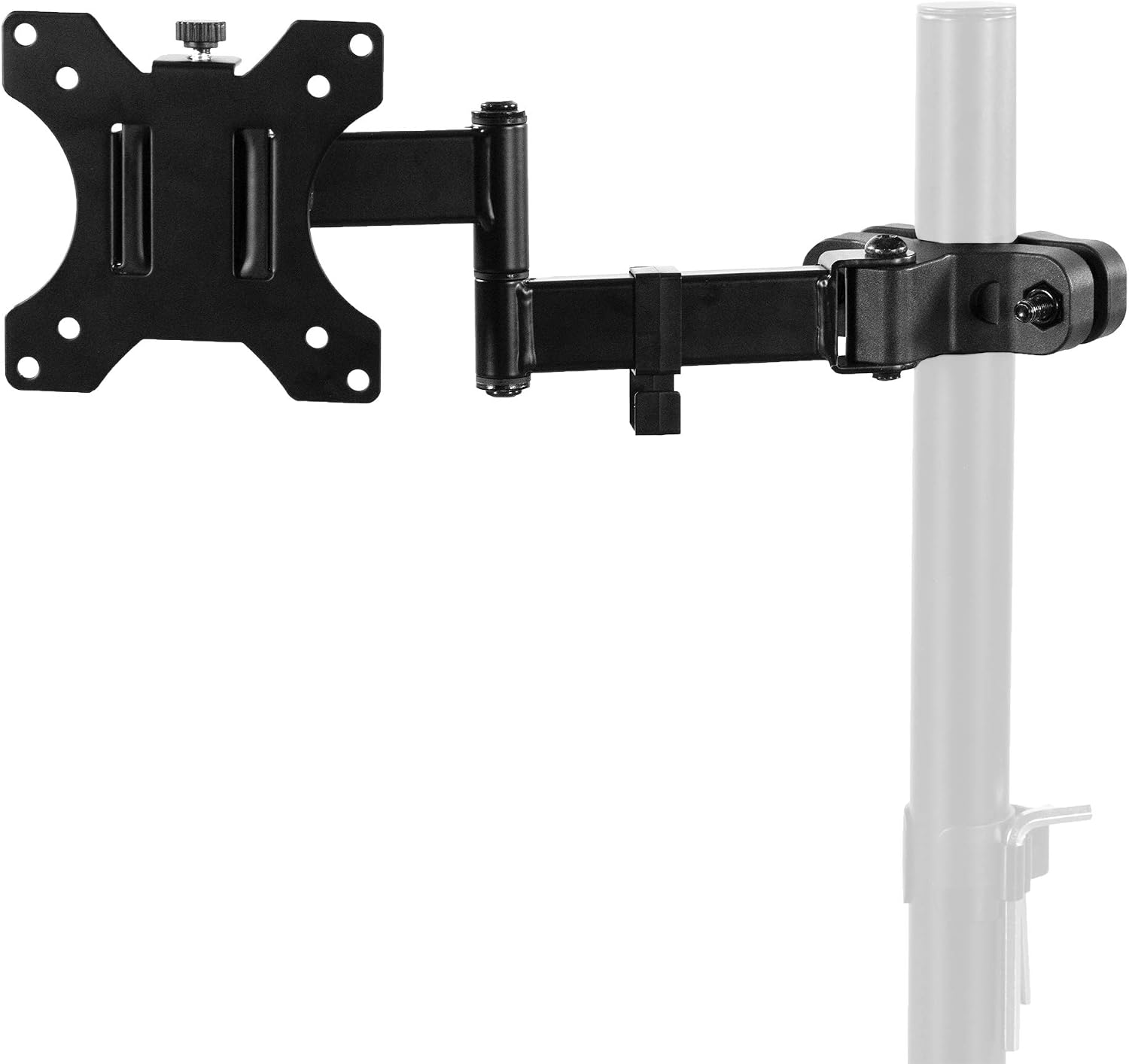
VIVO Black Pole Mount Monitor Arm for 17 to 32 in Screen, MOUNT-POLE01A
Check current Amazon price
A pole mount for 17 to 32 inch screens with a height collar, so vertical adjustment happens along a fixed post rather than at a stiff joint. Fewer moving parts than an articulating arm, and the pole carries the load of the display.
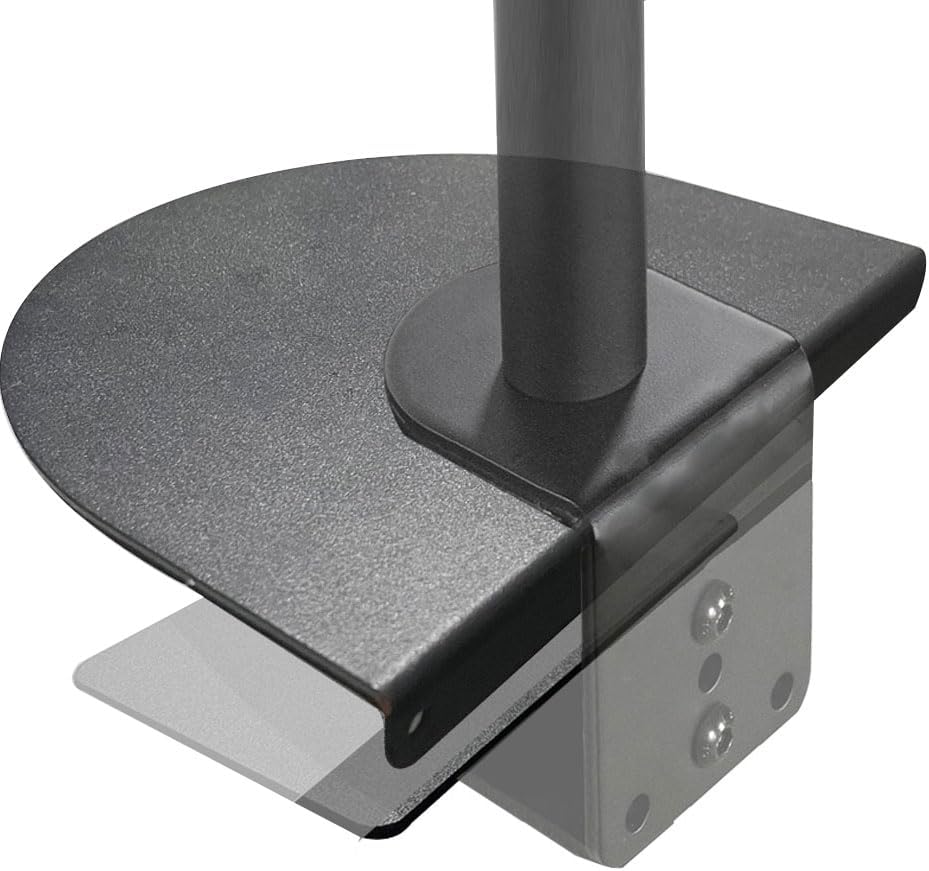
Steel Monitor Mount Reinforcement Plate,Monitor Arm Reinforcement Plate
Check current Amazon price
A steel plate that spreads the load of a clamp mount across a wider patch of the desktop. Use it on thin laminate or hollow-core tops where a bare clamp would concentrate pressure in one small area and dent the surface.
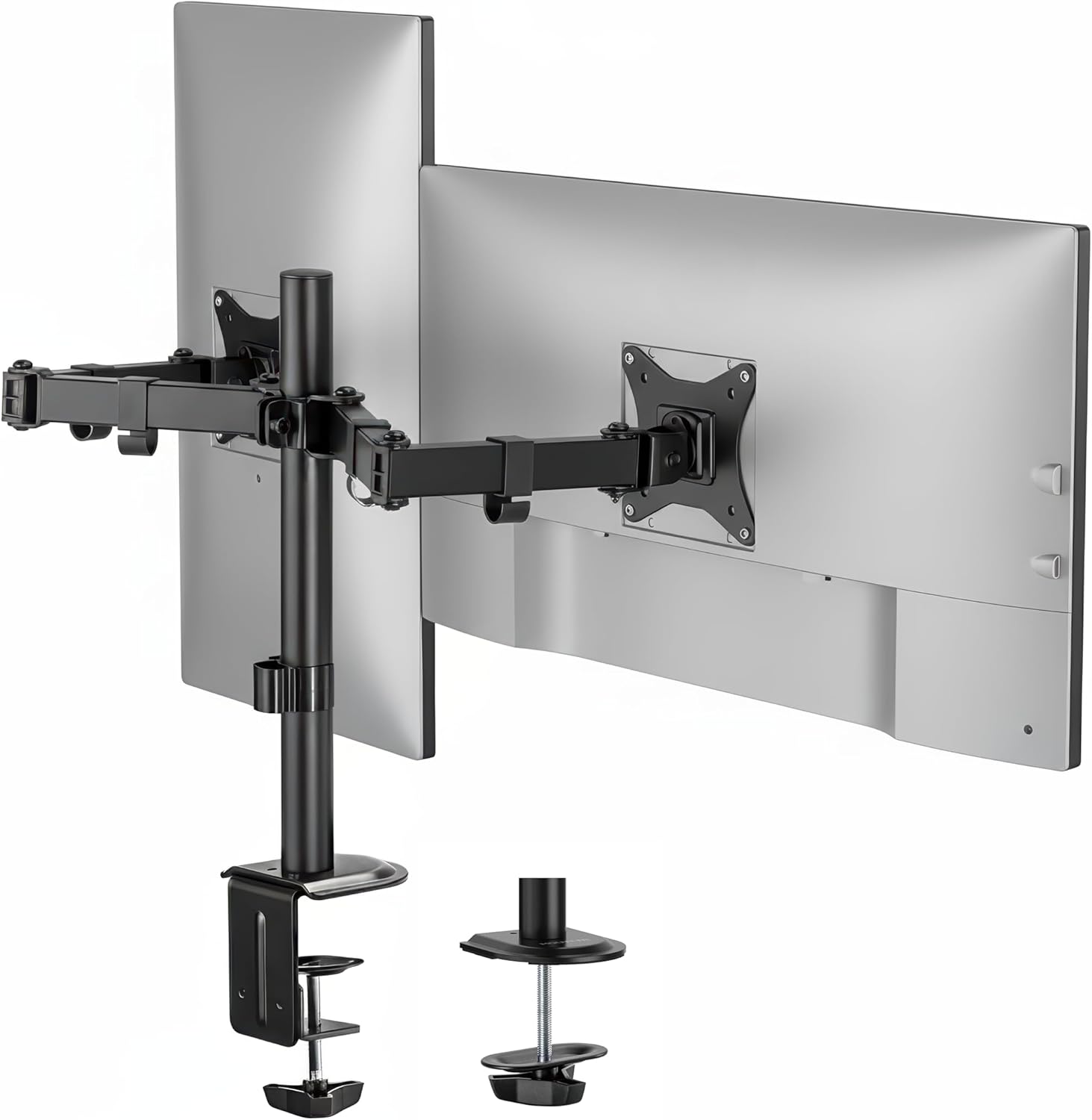
Mount-It Dual Monitor Arm, Heavy Duty Desk Mount for 2 Screens 13-32 in
Check current Amazon price
A heavy duty dual arm for two screens from 13 to 32 inches, mounted to the desk on a single base. A lower-cost way to put two displays at one height, with both arms sharing one mount point and one clamp.
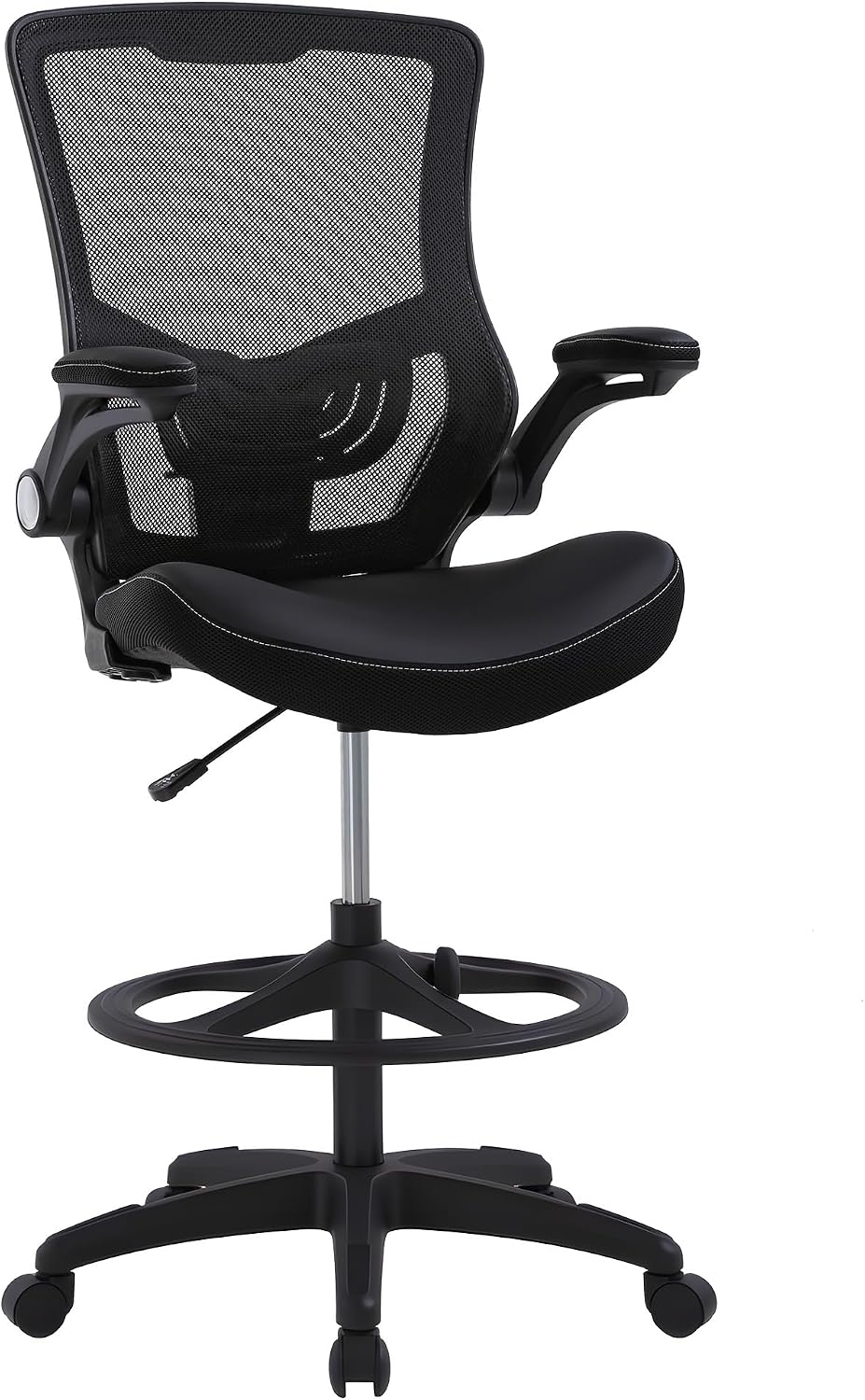
Drafting Chair Ergonomic Tall Office Chair Standing Desk Chair with Flip Up Arms Foot Rest Back Support Adjustable Height Mesh Drafting Stool, Dark Black
Check current Amazon price
A tall mesh chair with flip-up arms, a foot rest, and adjustable height, built for standing desks and drafting-height surfaces. Pair it with an arm when the desk sits higher than a standard desk and your eyes need to meet the screen.
How these products were compared
This guide compares adjustment force and joint type, mounting style and desk compatibility, listed screen size range and weight capacity, reach and range of motion, and cable routing. Product names, images, and retailer links are matched to the same product record so that every card points to the product shown.
Nothing here is presented as hands-on lab testing. The comparison uses the specifications each product publishes on its listing, plus the fit questions that come up in a home office build. Prices change, so use the link on each card to confirm the current price and availability rather than trusting a number written into a guide.
How to choose the right monitor arm
Start with the desk, not the arm. Measure the thickness of the desktop at the back edge, note whether there is a clear lip for a clamp mount, and check whether the underside is solid or hollow. A clamp mount needs flat surfaces on both sides of the top, and a hollow-core top will crush under a clamp that is tightened too far. If the desk is thin, plan on a reinforcement plate from the start rather than adding one after the clamp has already marked the surface.
Next, measure where your eyes actually sit. Sit in the chair you use, look straight ahead, and mark that height on a wall or a box behind the desk. The center of the screen should land close to that line, and the arm has to hold the panel there without maxing out its height range. This is the step most buyers skip, and it is the reason a screen arm for seniors ends up back in the box. If your chair and desk heights are already awkward, fix that first, because no arm compensates for a chair that is four inches too low. Our guide to matching a chair to your desk height covers those measurements.
Then match the arm to the screen. Note the size and the weight of the display, and compare both to the published range on the listing. A monitor mount for seniors does not need to be heavy duty, but it does need headroom: buying an arm rated for exactly your panel weight means every adjustment sits at the limit of what the spring or the friction joint can hold. A VESA monitor arm for seniors should also list the mounting pattern it supports, so confirm the plate matches the back of your display before ordering.
Finally, decide how much adjustment you want. If the monitor stays in one place and you only need it off the desktop, a pole mount with a collar is the simplest option and has the least to go wrong. If you shift the screen several times a day, or share the desk with someone else, a gas spring arm pays for itself in effort saved.
ARES WING Gas Spring Monitor Arm with RGB for 17-49 Inch Screen, White
The ARES WING arm is the top pick here because its gas spring does the lifting. A charged cylinder counterbalances the panel, so the screen holds its position without a knob holding it, and a light push moves it up, down, or forward. For anyone who has stopped adjusting a monitor because the joint was too stiff to bother with, that is the entire point of the category.
The listed range covers 17 to 49 inch screens, which is wider than most single arms and means the same mount still works if you later swap a small panel for a large one. The white finish with RGB lighting on the arm is a cosmetic detail; the mechanism is the reason to buy it. It takes one display on a desk mount, so a two-screen desk needs a different product from this list.
Where it gives something up: a gas spring arm has more joints and a larger footprint than a fixed pole mount, and it costs more than the simplest friction arms. If your monitor never moves and you only want it off the desk surface, the pole mount below does the job with fewer parts to adjust. Skip the ARES WING if you are mounting two screens, because the dual arms in this guide are built for that job.
Alternatives to consider
The Mount-It! Dual Monitor Arm Desk Mount Sit-Stand Workstation, Clamp Base is better suited to a desk with two monitors that need to rise and fall together between sitting and standing positions, because the clamp base carries both displays on one frame and avoids drilling. The VIVO Black Pole Mount Monitor Arm for 17 to 32 in Screen, MOUNT-POLE01A is a stronger fit when you want the least complicated motion available: the screen slides up and down a fixed post, and the pole takes the load instead of a spring or a knob.
The Steel Monitor Mount Reinforcement Plate,Monitor Arm Reinforcement Plate, the Mount-It Dual Monitor Arm, Heavy Duty Desk Mount for 2 Screens 13-32 in, and the Drafting Chair Ergonomic Tall Office Chair Standing Desk Chair with Flip Up Arms Foot Rest Back Support Adjustable Height Mesh Drafting Stool, Dark Black cover the rest of the setup. The plate fixes the desk side of the problem, spreading clamp pressure across thin or hollow tops. The Mount-It dual arm covers two screens at a lower cost than the sit-stand workstation when the screens do not need to travel together. The tall drafting chair handles the other half of the geometry: when the desk surface is higher than a standard desk, a chair that reaches it keeps your eyes level with the screen instead of below it.
Day-to-day use and maintenance
Once the arm is on the desk, the routine is short. Check the clamp bolts about a month after installation and again whenever the desk is moved, because a clamp that felt solid on day one can loosen as the desktop compresses. On a gas spring arm, test the tension by moving the screen through its full travel a few times; if the panel sinks on its own, the spring needs adjustment, and if it drifts upward, it needs adjustment the other way.
Route the display cable through the cable channel on the arm rather than letting it hang free. A cable that pulls on a joint changes the monitor angle within a week, and that drift is what makes people give up on an arm entirely. Leave a little slack at both ends so the cable is not taut at the top of the arm's travel.
Keep the arm within its published weight capacity. Adding a heavier panel than the listing supports is the most common way a mount fails, and a desk mount that lets go takes the screen with it. Wipe the arm and the mounting plate with a dry or slightly damp cloth, and avoid solvent cleaners on painted or powder-coated surfaces. If you are clamping to a glass desktop, check the desk maker's guidance before you tighten anything, because glass can crack under point pressure even when the clamp is within its rated range.
Buying checklist
- Measure the desktop thickness and the clear lip at the back edge before choosing a clamp mount or a grommet mount.
- Measure the height of your eyes when seated, and compare it to the height range the arm can hold.
- Choose the adjustment type based on normal daily use rather than an occasional edge case.
- Confirm the listed screen size range and weight capacity cover your display with room to spare.
- Check that the exact model includes the mounting plate and hardware for the pattern on the back of your display.
- Read the cleaning and maintenance instructions before installation day.
- Verify the current retailer price, availability, and return terms through the product link.
Final recommendation
Choose the ARES WING Gas Spring Monitor Arm with RGB for 17-49 Inch Screen, White when you want a single screen that moves with a light push and holds its place, and when the panel size might change later. Choose the VIVO Black Pole Mount Monitor Arm for 17 to 32 in Screen, MOUNT-POLE01A when the monitor stays put and you want the fewest possible joints between the desk and the screen. Add the Steel Monitor Mount Reinforcement Plate,Monitor Arm Reinforcement Plate if the desk top is thin or hollow, and step up to one of the dual arms only when two screens are genuinely in the plan.
A monitor arm for seniors is only doing its job if the screen ends up at eye level and stays there without a fight. Measure the desk, measure your eyes, match the published ranges, and the rest of the setup gets easier from there.