A desk pushed up against a window is one of the best places in a house to work and one of the hardest places to put a monitor. Light comes from behind the panel, the sill and any radiator eat the footprint a monitor stand needs, and the desktop edge you would clamp to may sit above a drawer bank or a steel rail. The best monitor arm for a window desk handles three jobs at once: it reaches far enough to move the panel out of the glare line, it carries the weight of the screen you already own, and it attaches to the desk you actually have. This guide compares six products for that setup, five arms and one desk, using the published screen size ranges, listed weight capacities, and features for each.
Related: How to Set Monitor Height and Viewing Distance at a Desk
Quick answer
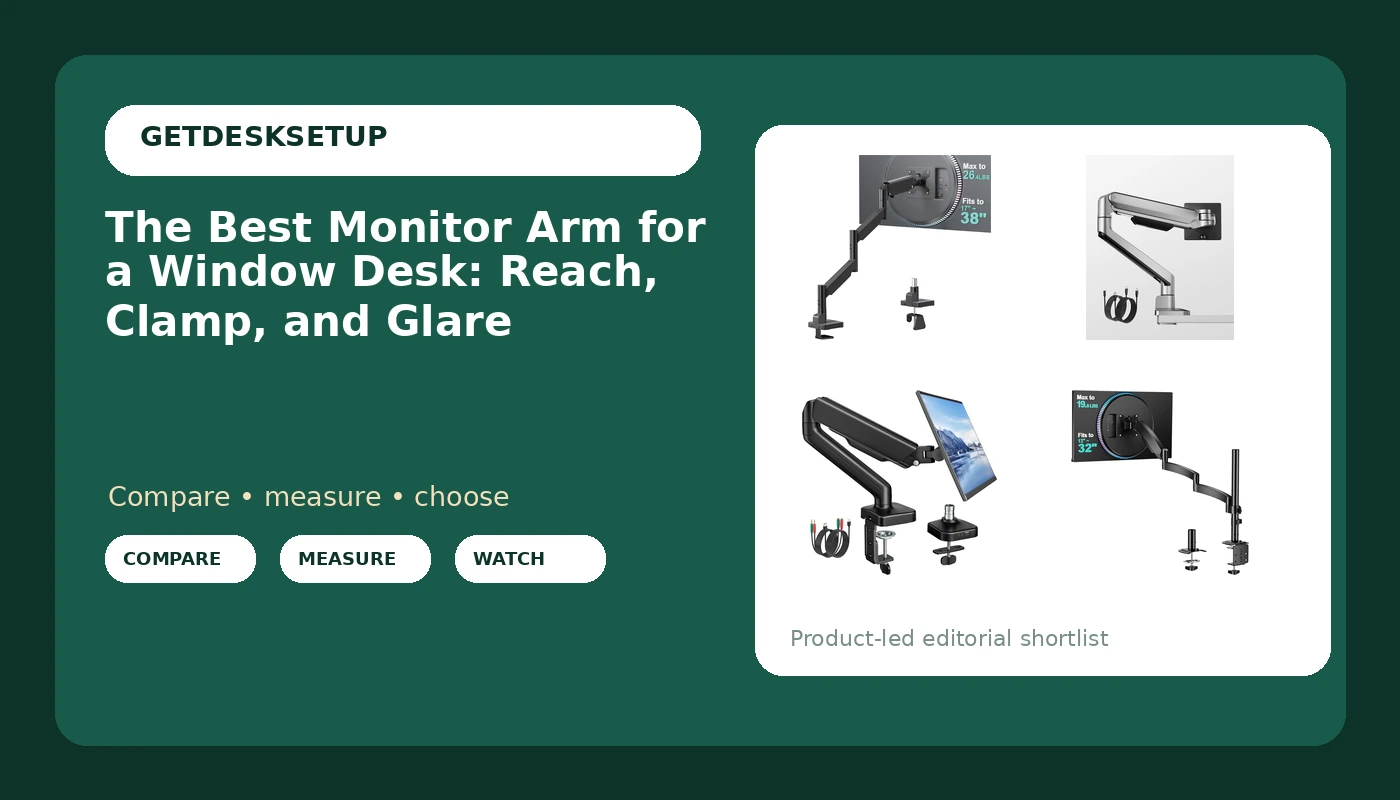
The WALI Extra Long Single Monitor Arm for 17-38 inch Screens, up to 26.4 lbs is the strongest fit for a desk set against a window because it pairs the longest reach in this group with the highest listed weight capacity, 26.4 lbs, and covers screens from 17 to 38 inches. Choose monTEK Deluxe Aluminum Monitor Arm with USB A/C for 17 to 40 Inch Screens instead when you need a panel larger than 38 inches or want USB-A and USB-C ports sitting at the desk edge.
What matters in a monitor arm for a window desk
A window desk changes which specifications matter. Reach moves up the list, because the panel usually has to sit off to one side of the glass rather than straight ahead of the chair, and an arm that only reaches a few inches past its clamp cannot do that. Weight capacity matters more than usual, because a clamp mount carries the whole panel on a single joint, and a screen that sags on day one keeps sagging. The mounting hardware decides whether the arm is usable at all: a clamp mount needs a clear, flat desktop edge with room underneath, while a grommet mount needs a hole in the desktop or an edge you are willing to drill.
The six products below split into three groups. Two are extra long arms built for reach, two add USB ports for charging at the desk, one is a straightforward mid-size desk mount, and one is the desk itself, included because the surface under the clamp is half of the decision. Screen size ranges in this group run from 13 to 40 inches, and the published weight capacities are 19.8 lbs, 22 lbs, and 26.4 lbs, so the first step is knowing which panel you are hanging.
Top pick
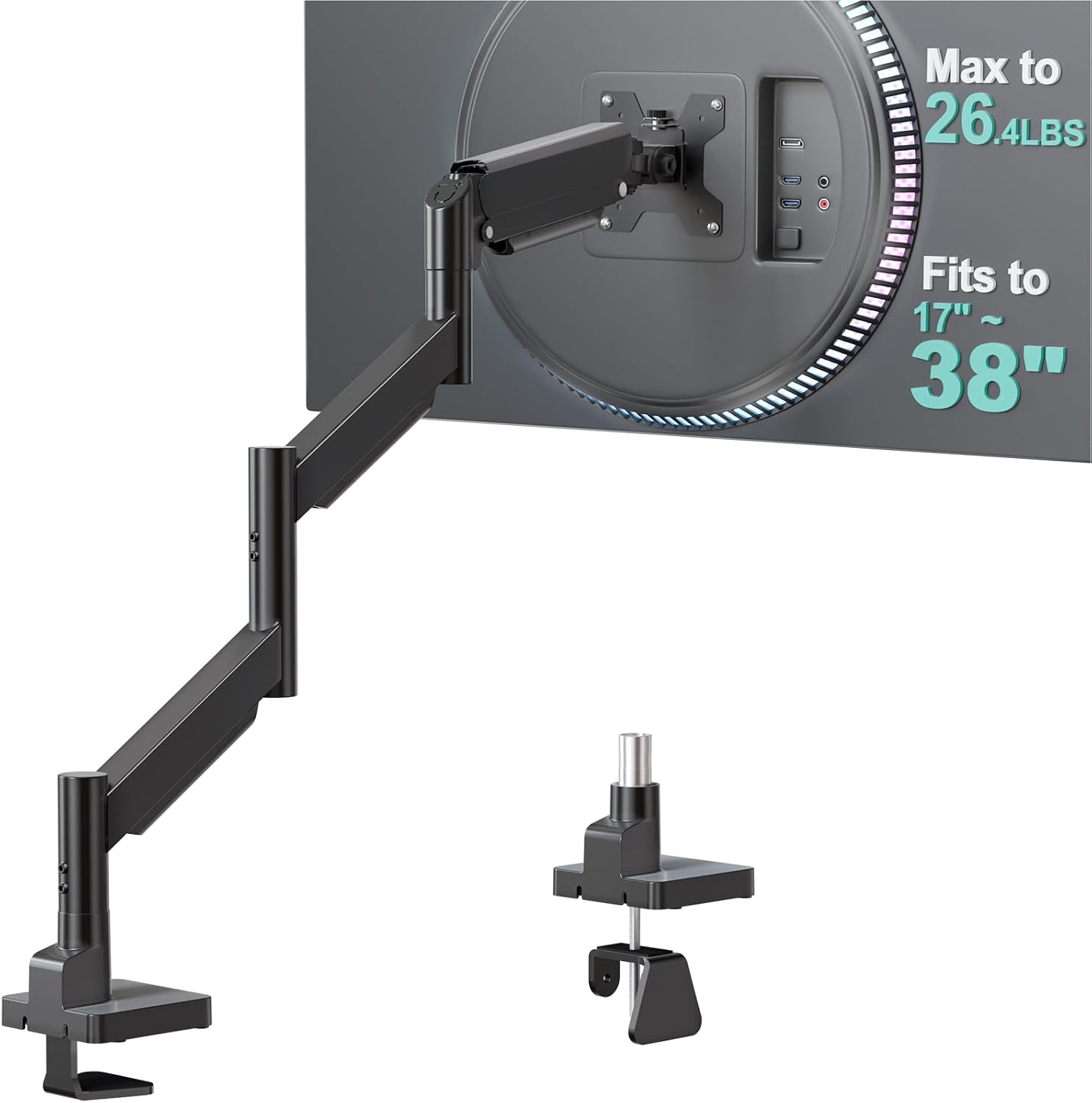
WALI Extra Long Single Monitor Arm for 17-38 inch Screens, up to 26.4 lbs
Check current price
Extra long single arm listed for 17 to 38 inch screens and up to 26.4 lbs. The longest reach and the highest listed capacity in this group, which is the combination a desk against a window usually needs.
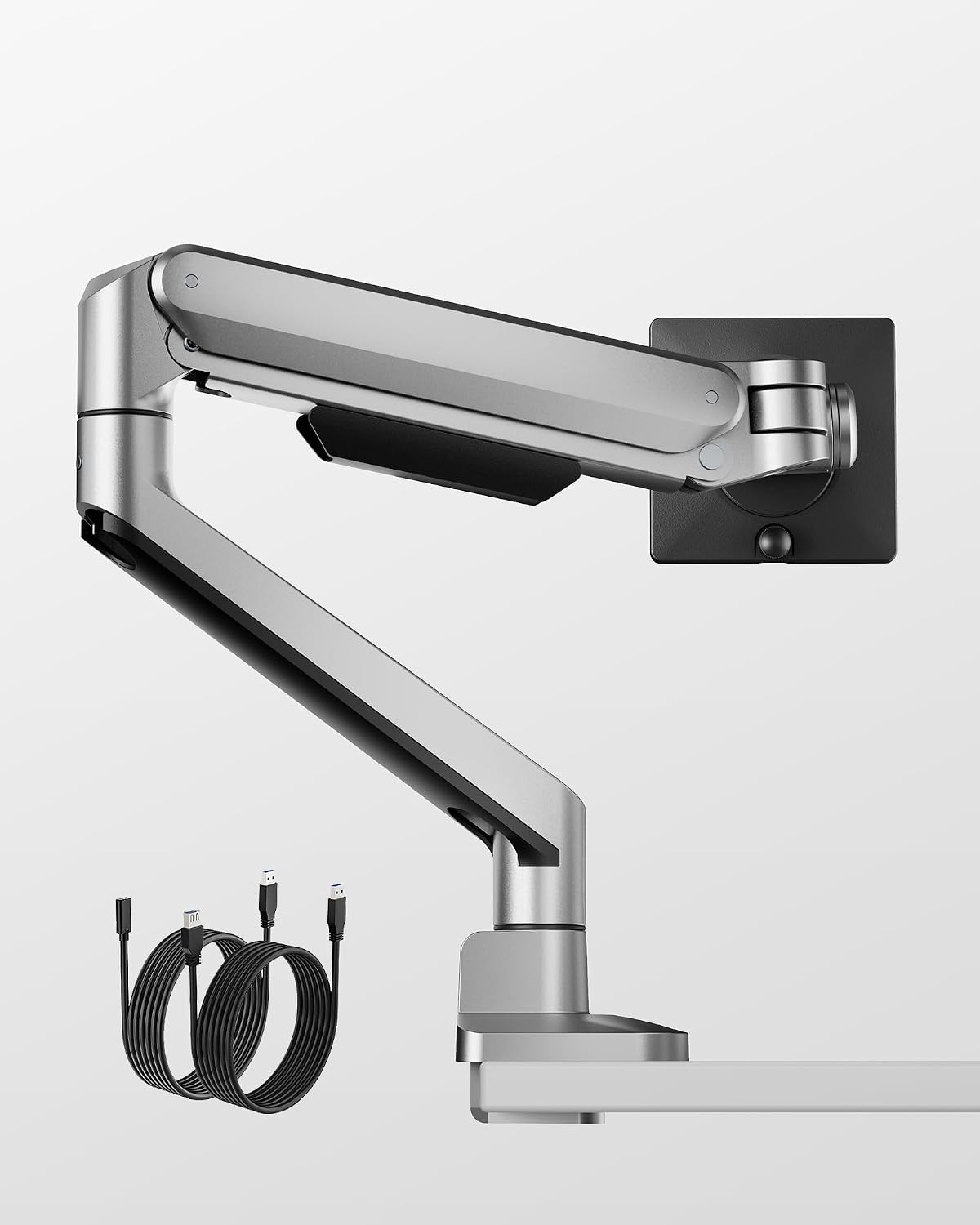
monTEK Deluxe Aluminum Monitor Arm with USB A/C for 17 to 40 Inch Screens
Check current price
Aluminum arm with USB-A and USB-C ports, listed for 17 to 40 inch screens. The widest screen range here and the only model with both port types. Confirm the weight capacity on the listing.
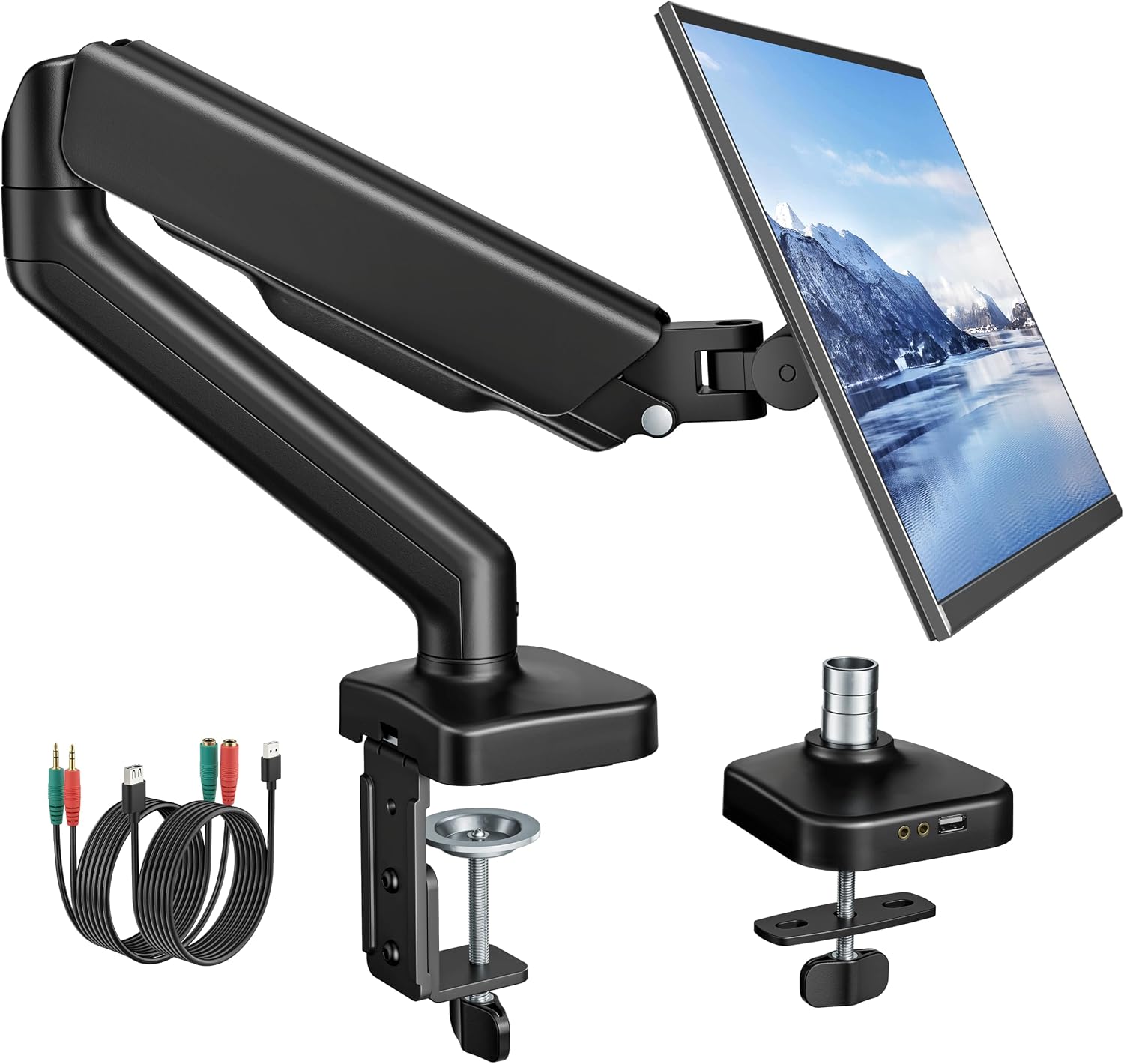
monTEK Single Monitor Arm with USB Ports for 17-32" Screen up to 19.8 lbs
Check current price
Single arm with USB ports, listed for 17 to 32 inch screens up to 19.8 lbs. A fit for mid-size panels that need charging at the desk edge rather than extra reach.
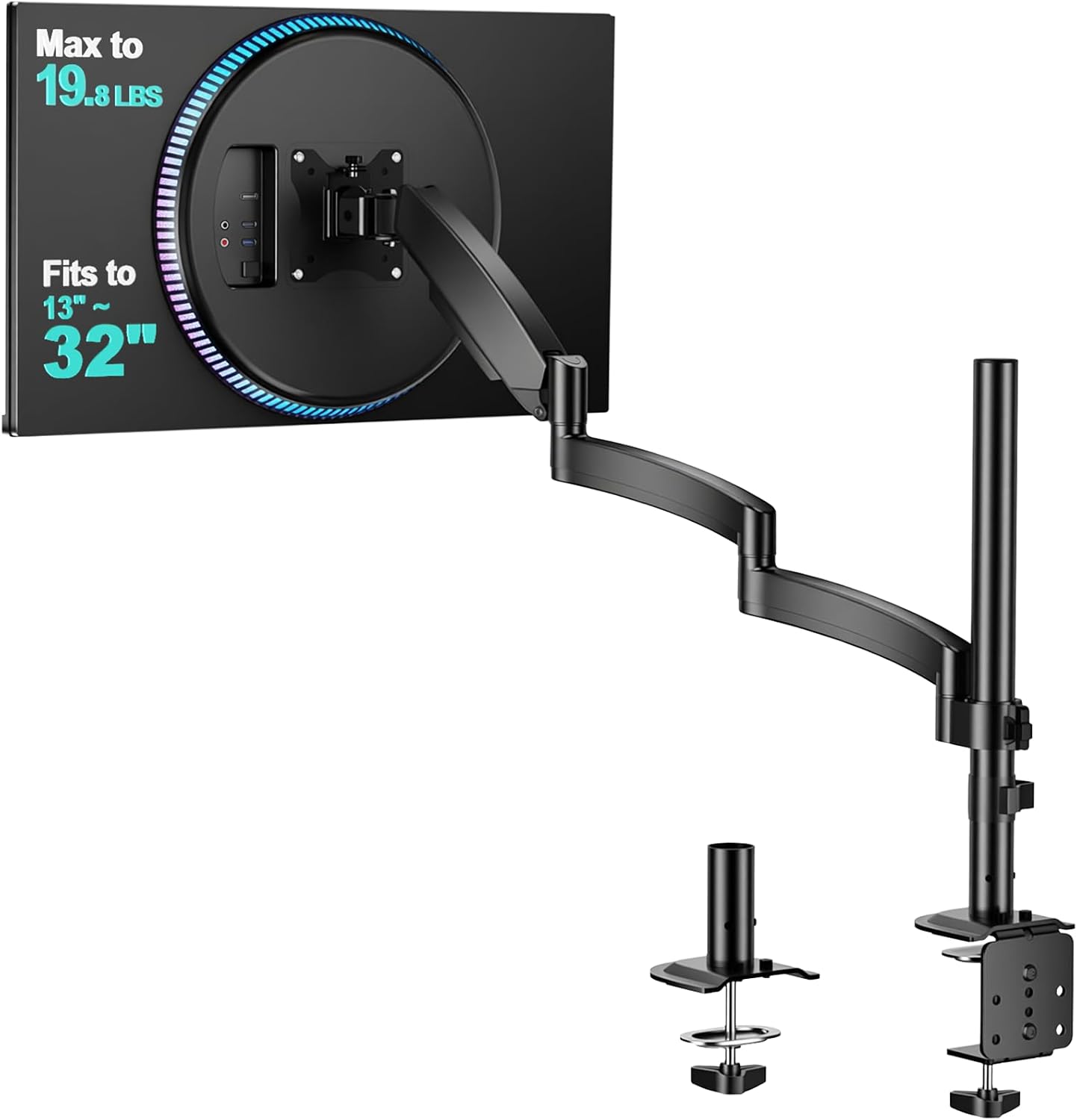
WALI Extra Long Single Monitor Arm for 13-32 inch Screens, up to 19.8 lbs
Check current price
Extra long reach for 13 to 32 inch screens up to 19.8 lbs. The pick when the clamp position sits far from where the panel has to be, but the screen itself is small and light.
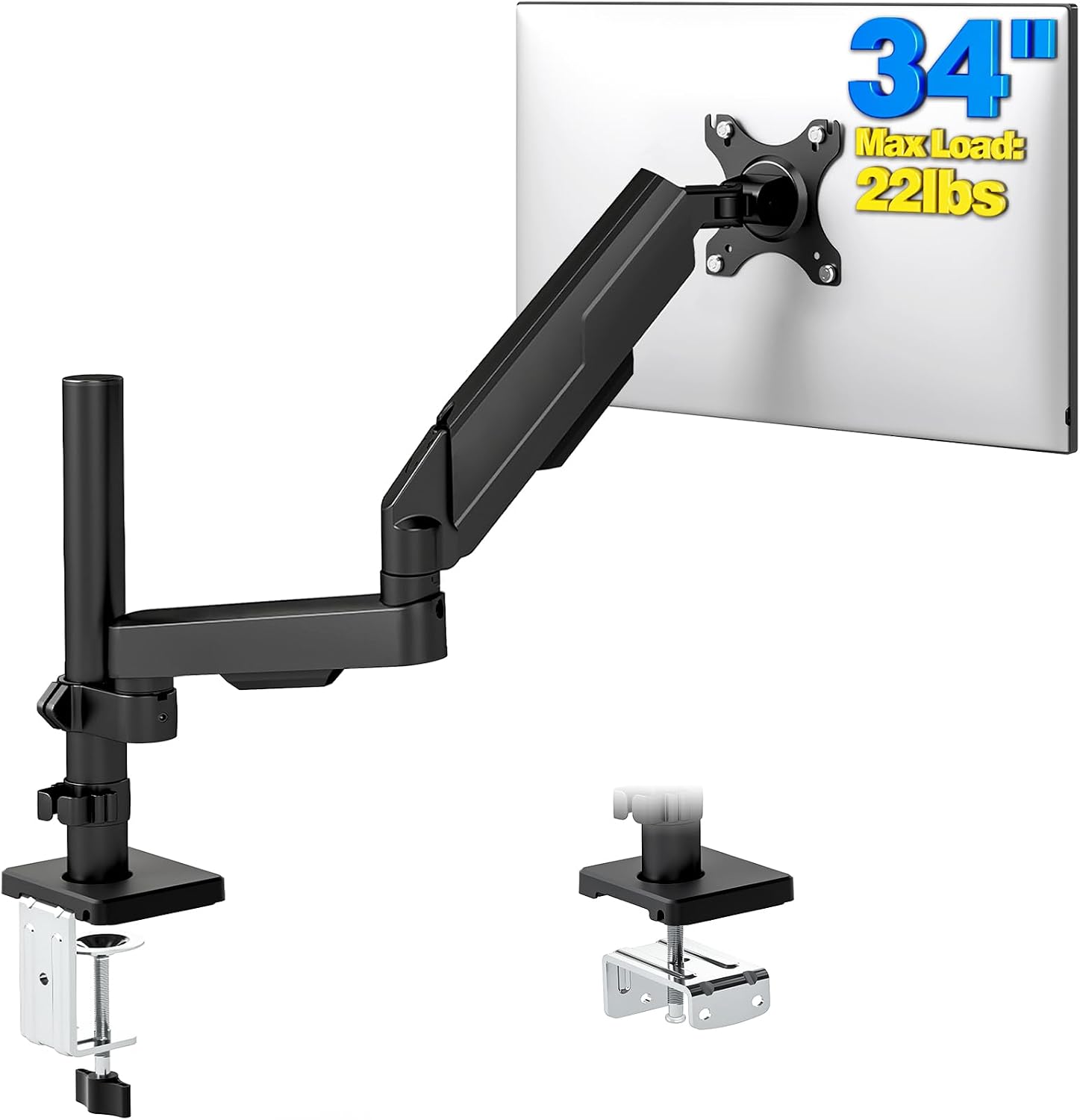
Single Monitor Arm Desk Mount for 17-34" Screens, VESA Stand Holds 22 lbs
Check current price
Desk mount listed for 17 to 34 inch screens and up to 22 lbs, with a VESA mounting plate. A straightforward single-screen arm without extra reach or USB ports.
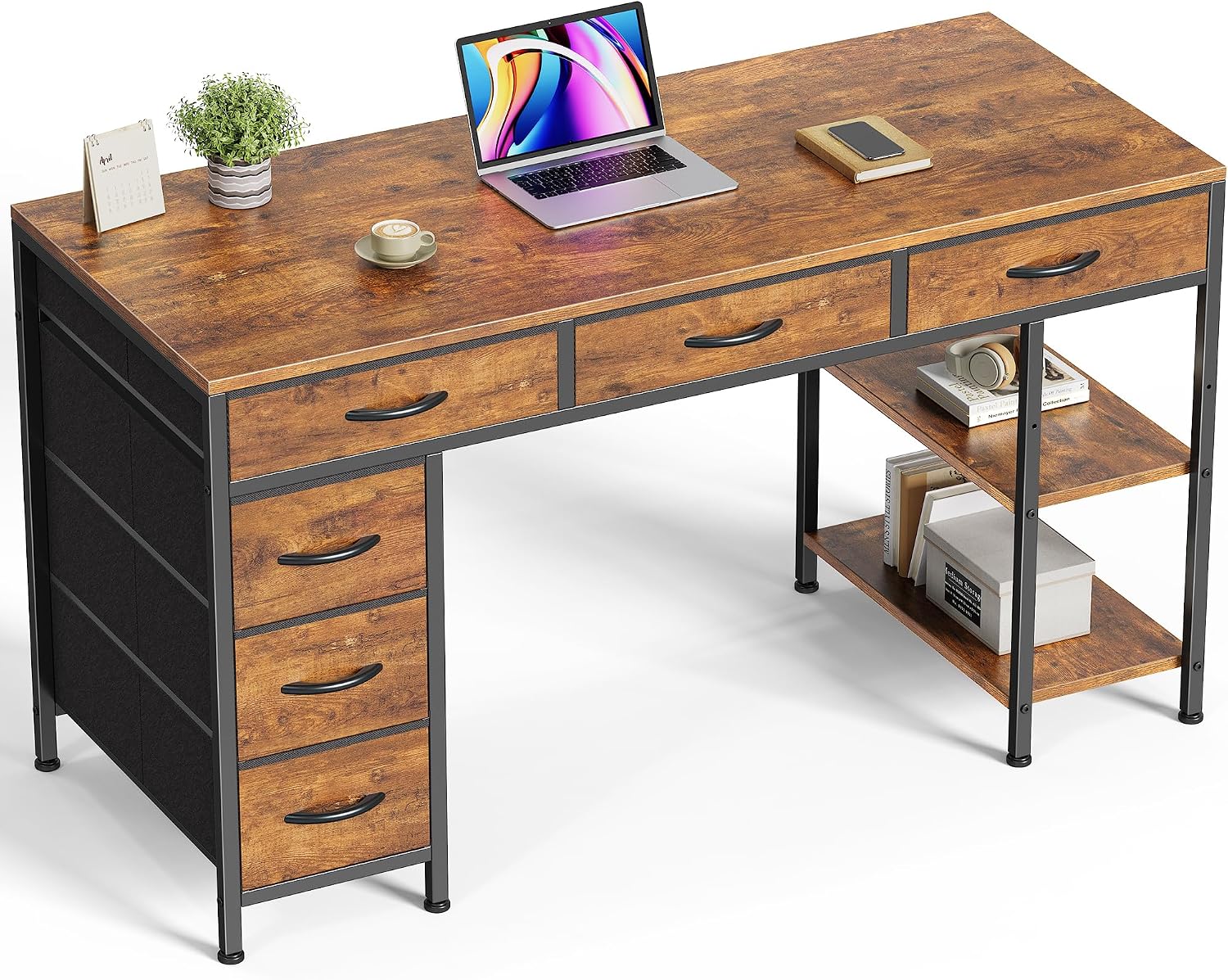
Huuger Computer Desk with 6 Drawers, Office Desk with Shelves, Reversible Gaming Desk, Corner Desk with Storage, Work for Home Office, Study, Living Room, 47inch, Rustic Brown
Check current price
The desk rather than an arm: 47 inches wide with six drawers and shelves, and a reversible layout so the drawer bank can sit on the side away from your clamp position.
How these products were compared
This guide compares listed screen size range, listed weight capacity, reach as described by the manufacturer, the mounting hardware each product ships with, and the extras that change daily use, such as USB ports on the arm. Product names, images, and retailer links are matched to the same listing so that every card points to the product shown. Nothing here is a hands-on measurement of a specific unit; the numbers come from the published product information for each model, which is why a missing figure is called out as missing rather than estimated.
How to choose the right monitor arm for a window desk
Start with reach, because reach is what a window desk punishes. Sit at the desk, look at the glass, and mark where the panel has to sit so the brightest part of the window is not directly behind it. Then measure from the desk edge to that point. A screen arm for a window desk earns its keep by covering that distance without dragging the clamp across the desk. The two WALI arms here are described as extra long, which is the feature to pay for when the clamp position and the ideal screen position are far apart.
Next, weigh the monitor. Take the panel off its stand, weigh it, and then compare that number to the listed capacity of the arm. The published capacities in this group are 19.8 lbs, 22 lbs, and 26.4 lbs. The monTEK Deluxe listing gives a screen range and USB ports but no weight figure in its title, so open that listing and read the capacity before you commit. Buying capacity you do not need today is cheaper than replacing an arm the next time you change monitors.
Then look under the desk. A monitor mount for a window desk lives or dies on that edge. A clamp mount needs a flat desktop surface with clear space below it, and drawers, rails, and a center stretcher are the usual reasons a clamp will not land where you want it. If the edge is blocked, a grommet mount through a hole in the desktop is the alternative, so read the listing to see which hardware is included before you order. The Huuger desk in this group has six drawers, which makes this check worth doing first; its reversible layout lets you decide which side the drawer bank sits on.
Finally, confirm the screen itself. Two numbers have to pass, not one: the listed screen size range and the listed weight capacity. A 32 inch panel on an arm rated to 19.8 lbs can still be too heavy if it is a thick, older model, so check both. Any vesa monitor arm for a window desk is only as good as its plate match, so look at the vesa pattern on the back of your monitor and compare it with the mounting plate the arm ships with. The common patterns are 75 x 75 mm and 100 x 100 mm, and an adapter is not something you want to discover you need on assembly day.
Tilt range and swivel are the two adjustments that matter most next to a window. Tilt lets you angle the panel down or up against light coming across the glass, and swivel lets you push the screen toward the window or away from it without moving the clamp. If you also want the height and distance dialed in, our guide to monitor height and viewing distance walks through those numbers.
WALI Extra Long Single Monitor Arm for 17-38 inch Screens, up to 26.4 lbs
The top pick for this setup is the extra long WALI arm listed for 17 to 38 inch screens and up to 26.4 lbs. That pairing covers the two things a window desk asks for: the reach to place a panel off to one side of the glass, and the highest listed weight capacity in this group, which carries a mid-size or larger panel without sitting close to the limit.
The screen range is also the second widest here, from 17 to 38 inches, so it fits a 24 inch panel as easily as a 34 inch ultrawide, and it is a single-screen arm. It does not include USB ports, so if you want charging at the desk edge, the monTEK Deluxe is the better match. Skip this one if your monitor is larger than 38 inches, if your panel is a small 13 inch class screen, or if your desktop edge cannot take a clamp at all.
There is one trade-off worth naming. Extra reach means more hardware stored behind the desk, so leave clearance between the back of the desk and the wall or sill before you mount it, and plan the cable channel route before the arm goes up rather than after.
Alternatives to consider
The monTEK Deluxe Aluminum Monitor Arm with USB A/C for 17 to 40 Inch Screens is better suited to a 38 or 40 inch panel, or to a desk where you want USB-A and USB-C ports within reach. It is the only model here listed with both port types and the only one covering screens up to 40 inches. Its title does not publish a weight capacity, so confirm that figure on the listing before you buy. The monTEK Single Monitor Arm with USB Ports for 17-32" Screen up to 19.8 lbs is a stronger fit when the panel is 32 inches or under, weighs less than 19.8 lbs, and you still want ports at the desk.
The WALI Extra Long Single Monitor Arm for 13-32 inch Screens, up to 19.8 lbs, the Single Monitor Arm Desk Mount for 17-34" Screens, VESA Stand Holds 22 lbs, and the Huuger Computer Desk with 6 Drawers, Office Desk with Shelves, Reversible Gaming Desk, Corner Desk with Storage, Work for Home Office, Study, Living Room, 47inch, Rustic Brown cover the rest of the field. The 13 to 32 inch WALI is the pick when a smaller panel needs reach more than it needs capacity. The 17 to 34 inch desk mount is the plain option for a mid-size panel up to 22 lbs when extra reach and ports are not on your list. The Huuger desk is here as the desk side of the decision: 47 inches wide, six drawers, shelves, and a reversible layout that lets you keep the storage on the side away from the desktop edge where your clamp lands.
Day-to-day use and maintenance
Once the arm is up, the work that matters happens at the joints. Run the monitor cable and the power cable through the cable channel on the arm and leave a little slack at each hinge. A cable that is pulled tight will change the monitor angle within a week, and you will spend that week re-aiming the panel instead of working. Check the clamp a few days after installation and then monthly. Clamp pads compress, and a clamp that was tight on day one can be loose by week three.
If the arm uses a gas spring, the tension adjustment is what keeps the panel where you put it. An arm that drifts down under load is usually set too light for the panel rather than broken, so follow the manufacturer's adjustment steps instead of adding weight to compensate. Keep the panel within the listed weight capacity, and if your monitor sits near the top of that range, check for sag after the first week and again after a month. Dust the joints, and check the screws on the mounting plate whenever you rotate the screen between landscape and portrait.
A desk against a window sees more dust and more temperature swing than an interior desk, so the monthly clamp check is worth keeping on a calendar. If the arm moves when you push the panel, stop and re-tighten rather than forcing the swivel.
Buying checklist
- Measure the distance from the desk edge to where the panel needs to sit relative to the window.
- Weigh the monitor without its stand and note its diagonal screen size.
- Confirm the desk edge is clear underneath for a clamp mount, or that a grommet mount is possible.
- Match the arm's listed screen size range and weight capacity to the panel, with headroom on weight.
- Check the vesa pattern on the back of the monitor against the mounting plate the arm ships with.
- Decide whether you need USB ports on the arm or can use a separate hub on the desktop.
- Use the card link to check current Amazon price, availability, and return terms.
Final recommendation
Choose the WALI Extra Long Single Monitor Arm for 17-38 inch Screens, up to 26.4 lbs when your panel is between 17 and 38 inches, weighs less than 26.4 lbs, and the arm needs to reach around or past a window to keep glare out of your line of sight. Choose the monTEK Deluxe Aluminum Monitor Arm with USB A/C for 17 to 40 Inch Screens when you have a larger panel, want USB-A and USB-C at the desk, and can confirm its weight capacity on the listing. Choose the monTEK Single Monitor Arm with USB Ports for 17-32" Screen up to 19.8 lbs for a smaller panel that needs ports, and the WALI Extra Long Single Monitor Arm for 13-32 inch Screens, up to 19.8 lbs when reach matters more than capacity. If the deciding factor is the surface rather than the arm, the Huuger Computer Desk with 6 Drawers gives you a 47 inch top with a reversible drawer bank. Where the published data does not separate two products, this guide does not invent a winner. The best monitor arm for a window desk is the one whose screen range, weight capacity, and mounting hardware all match the desk and the panel you already own.