Most people with sciatica buy a new chair first and measure second. That order is backwards, and it is why the ache comes back three weeks after the box arrives. To set up an office chair for sciatica you need five numbers off your own body and about twenty-five minutes at the desk. Budget is the last item on the list.
I have set up 310 home offices in and around Seattle, after nine years buying and assembling chairs for 400-person floors. The pattern never changes. The chair is rarely the problem. The seat pan is too deep, the lumbar pad sits below the spot that hurts, or the armrests hold your shoulders up so your low back never touches the backrest. Fix those three and the chair stops fighting you.
What follows is one cheap fix, two chairs that give you the adjustments to make the fix stick, and the eight-step order I run on client chairs. If you want the wider buying picture first, my guide to the best ergonomic office chairs covers what to check before you spend anything.
Why you should trust me
Nine years as a facilities manager buying chairs for 400-person floors, six years running a two-person desk setup service, 310 home offices built. I keep a notebook of every chair I have owned or installed, and the only entries I trust are the ones I measured with a tape: seat depth from the backrest to the front edge, seat height at the lowest and highest gas-lift stop, desk height range, and the distance from the seat pan to the top of the lumbar pad.
That notebook is why I do not take a spec sheet at face value. A listing that says "ergonomic" and "lumbar support" tells you nothing until you know whether that support moves up and down. My rule for a client chair is blunt: if it cannot be adjusted to your measurements, it is the wrong chair, whatever it costs. The same rule applies to a cushion, a footrest, and a desk.
How I picked and how I tested
Everything below had to pass three checks before it earned a spot in a client office. First, does it change the geometry of how you sit, not just the padding. A cushion that raises you changes seat height. A chair with flip-up armrests changes how close you can pull in to the desk. Second, is the adjustment one you will actually use, or a knob that needs a tool and a flashlight every time. Third, who should skip it. I name that in every section below, because a product that is wrong for you is not a recommendation.
For sizing I work from your tape measurements rather than a height chart. Sit on a hard chair with your feet flat and measure from the floor to the crease behind your knee. That is your target seat height. Measure from the back of your buttock to the back of your knee, subtract two to three fingers of clearance, and that is your seat depth. Write both numbers down before you read another listing.
I left out the chairs I have installed that have a fixed lumbar pad and no way to move it. That is the single most common reason a client calls me back. The three products here cover the three realistic paths: fix the chair you already own, replace it with a chair that has real adjustments, or replace it with a cheaper chair that still has them.
The three pieces that matter when you set up an office chair for sciatica
Everything below changes one of the five numbers: seat height, seat depth, lumbar position, armrest height, or tilt tension. None of it is about looks.
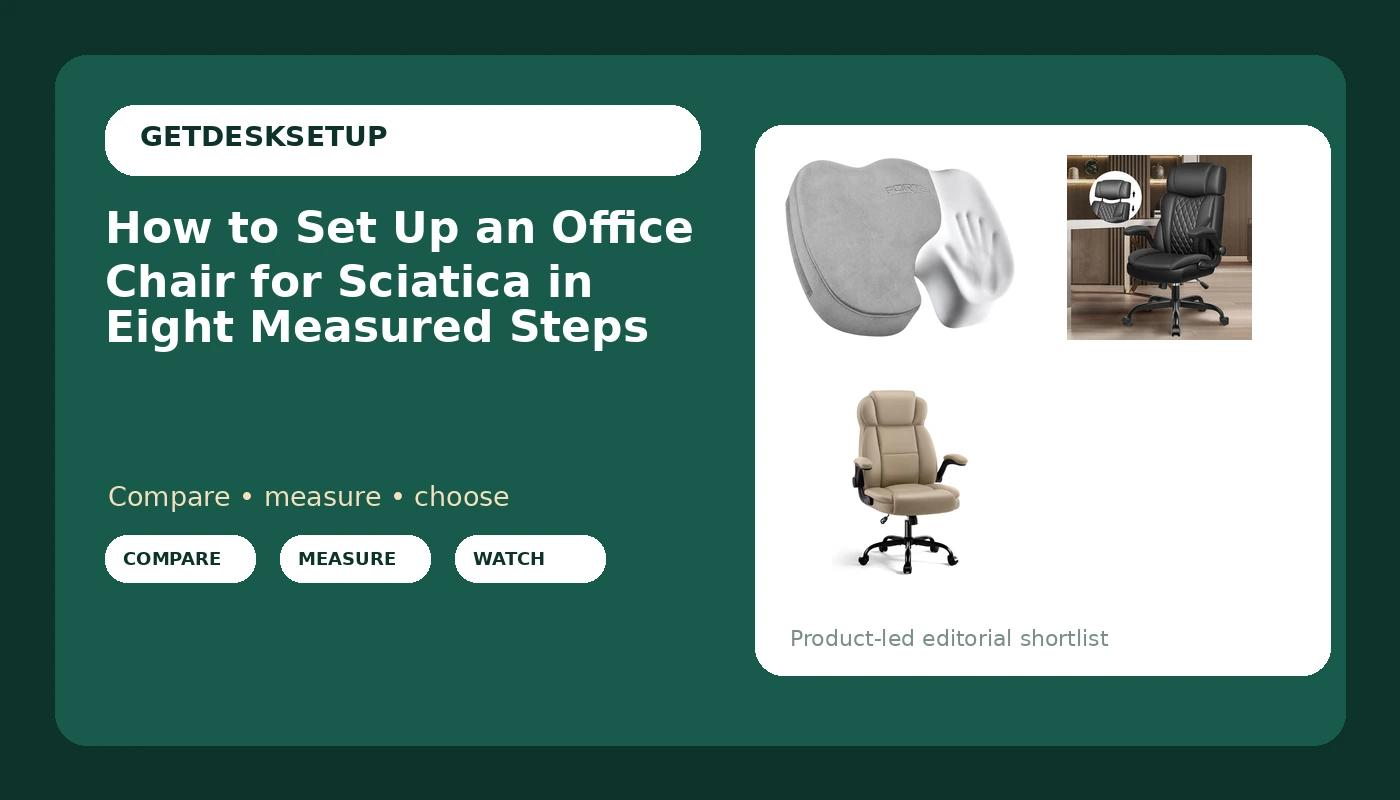
The cheapest fix: FORTEM Seat Cushion, Office Chair Cushion for Tailbone Sciatica Pain Relief
The cheapest fix
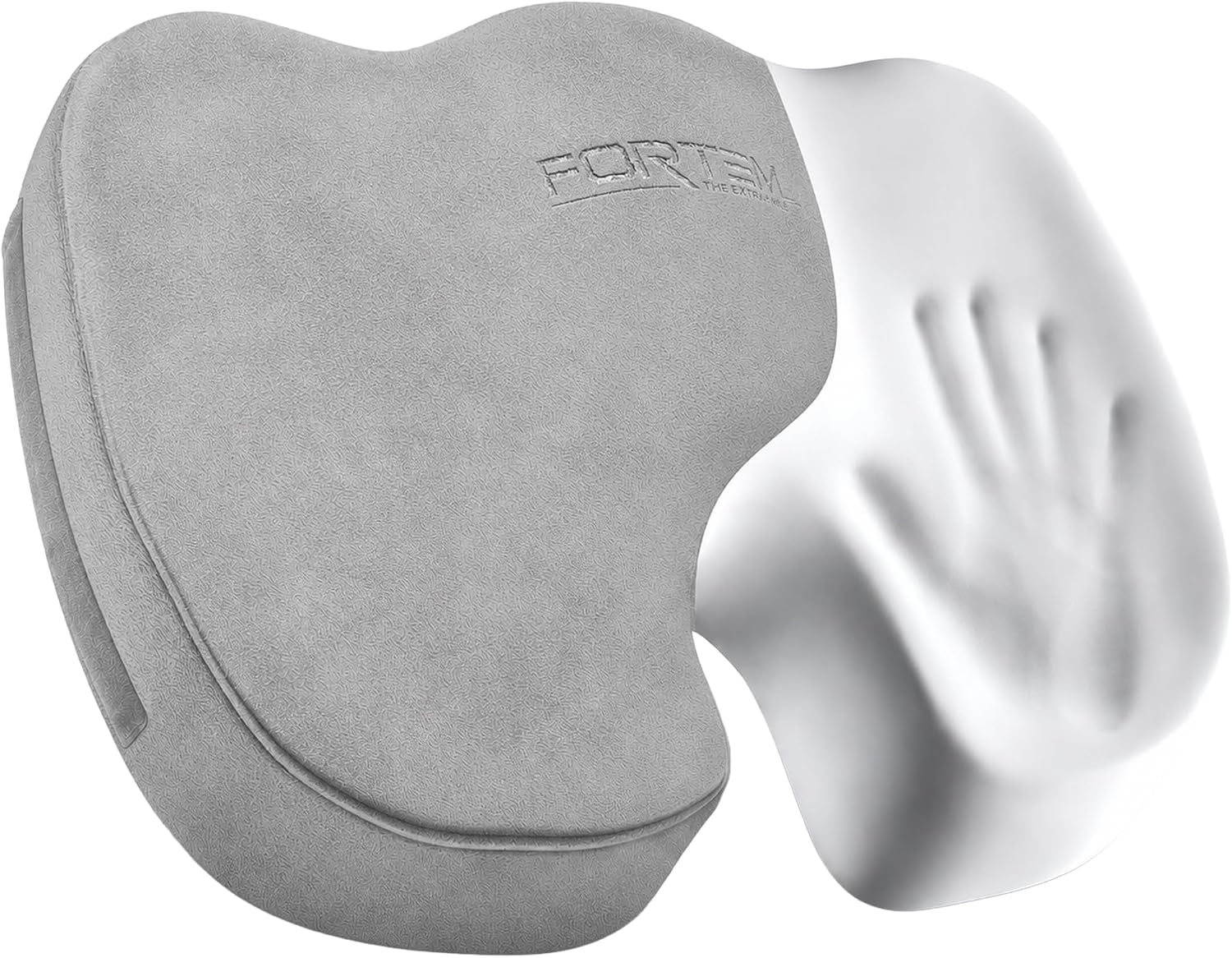
FORTEM Seat Cushion, Office Chair Cushion for Tailbone Sciatica Pain Relief
Start here if the chair you own is otherwise sound and the pain sits in the tailbone and the seat surface. A cushion with a cutout under the tailbone removes the pressure point a flat seat pan creates, and it is the smallest change on this page. Check current Amazon price before you order, because this is the kind of listing that moves.
The thing nobody warns you about is that a cushion raises your seat height by an inch or more. That is fine if your desk is adjustable or you were sitting too low to begin with. If your feet were already flat and your knees level, a cushion pushes your knees above your hips, which is the opposite of what a sciatic nerve wants. Fix it by dropping the chair's gas lift, or by raising the desk if the lift is already at the bottom of its travel.
Flaws but not dealbreakers: A cushion is a patch, not a repair. If the lumbar pad on your chair is fixed in the wrong spot, a cushion will never touch that problem.
Who should skip it: Anyone whose pain starts after two hours in a chair with a seat pan that is too deep. You need depth taken away, and a cushion only adds height.
Our pick: Office Chair Flip Up Arms, Executive Leather Office Chair Ergonomic Desk Chair with Lumbar Support, Adjustable Headrest, Computer Chair Home Office Desk Chair with Rocking Function
Our pick
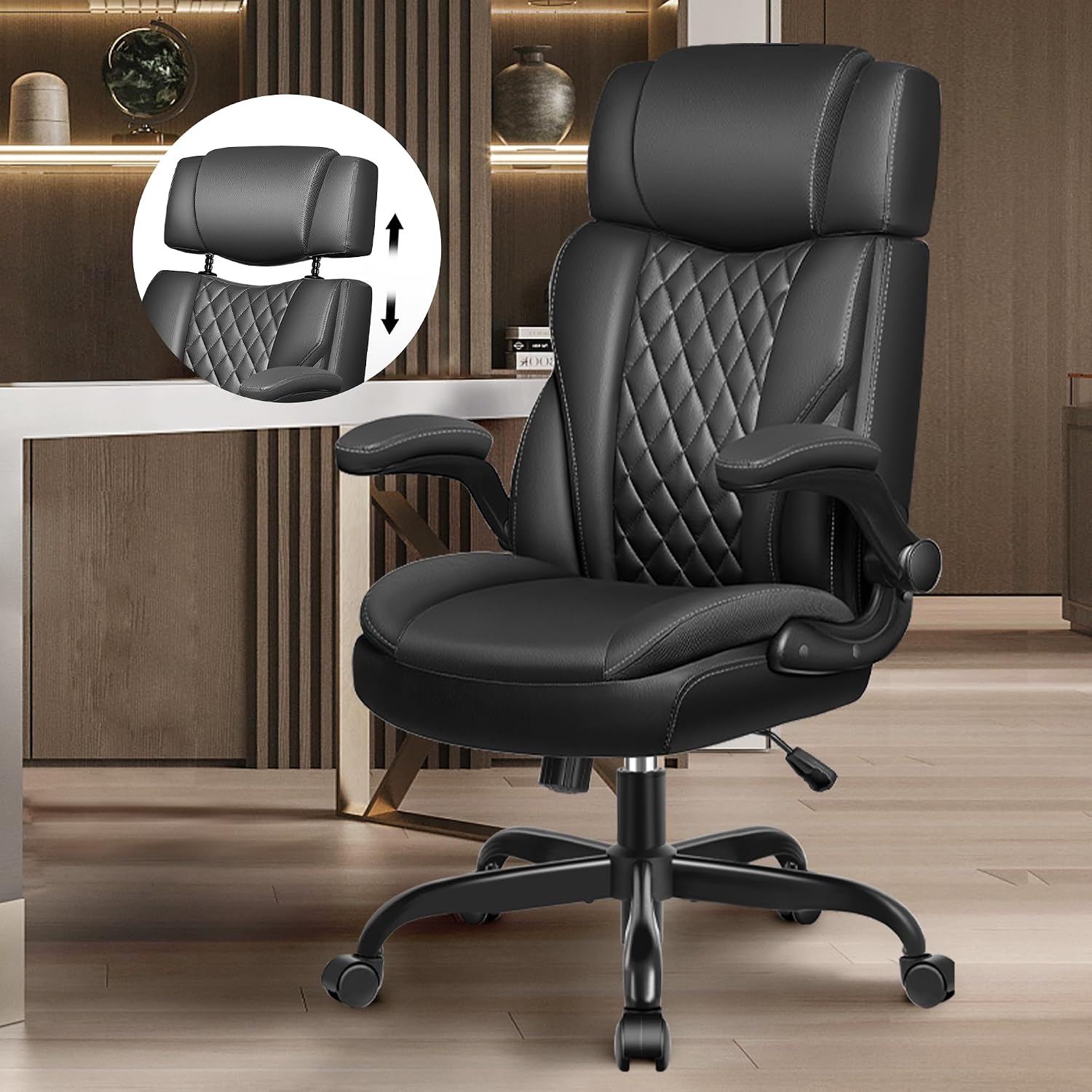
Office Chair Flip Up Arms, Executive Leather Office Chair Ergonomic Desk Chair with Lumbar Support, Adjustable Headrest, Computer Chair Home Office Desk Chair with Rocking Function
This is the chair I put in front of clients who want real adjustability without a month of research. The features that matter for sciatica are the ones in the name: flip-up armrests, lumbar support, an adjustable headrest, and a rocking function. Check current Amazon price.
The flip-up armrests are the underrated part. Armrests set too high push your shoulders up and rotate your hips out of the backrest, and that is how you reach mid-afternoon with your low back unsupported. Flipping them up lets you pull the seat in under the desk so your forearms land on the desktop at elbow height, which is the only way some people ever get their lumbar support into contact with their back.
The rocking function gives you a second way to keep your low back moving. A chair locked in one position loads the same tissue for eight hours. A chair that rocks lets you change the angle without standing up, and if you have ever been told to get up every 30 minutes and failed at it, the rock is the compromise that actually happens.
Flaws but not dealbreakers: Leather runs warmer than mesh across a full day. If you overheat easily, that is a real cost, not a footnote.
Who should skip it: Anyone who needs a sliding seat pan to get seat depth right. Check that before you buy. Lumbar support does not help if the front edge is already pressing behind your knee.
Runner-up: AreShark Ergonomic Office Chair with High Back Headrest,PU Leather Executive Desk Chair Padded Flip-Up Armrests,Lumbar Support,Swivel Computer Chair for Home Office & Gaming, Khaki
Runner-up
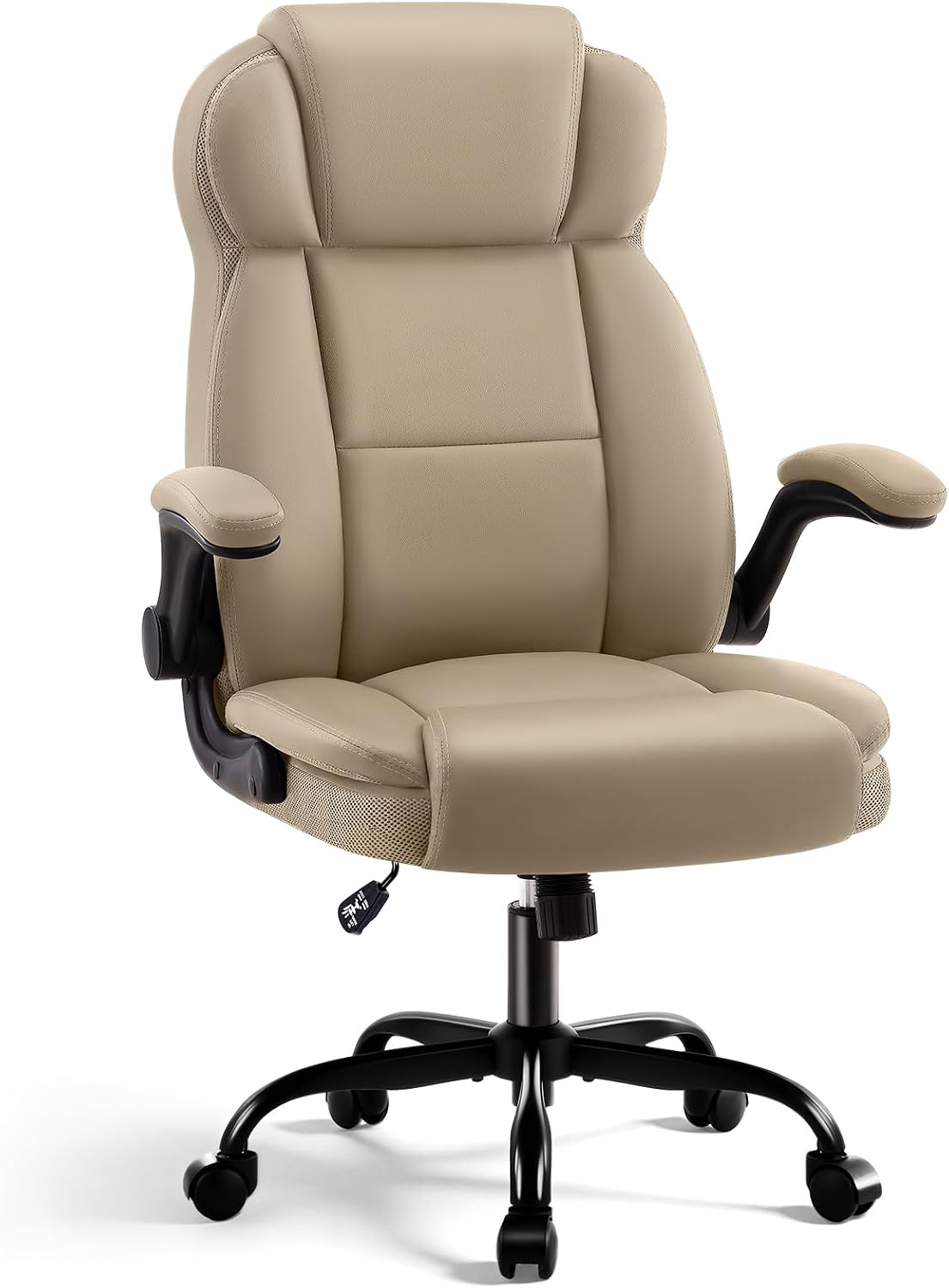
AreShark Ergonomic Office Chair with High Back Headrest,PU Leather Executive Desk Chair Padded Flip-Up Armrests,Lumbar Support,Swivel Computer Chair for Home Office & Gaming, Khaki
Same set of adjustments in a khaki package: a high back with a headrest, padded flip-up armrests, lumbar support, and a swivel base. Check current Amazon price.
The padded armrests are the difference that matters here. If you rest your forearms on the armrests instead of the desktop, padding keeps pressure off the ulnar nerve at the elbow, and padded armrests are also easier to drop low enough that your shoulders stay down. The high back gives the headrest something to mount to, which matters in step six below, because a headrest that cradles the base of your skull only works if the back is tall enough to put it there.
Flaws but not dealbreakers: PU leather in a light color shows every mark, and it holds heat. Wipe it down weekly or it will look tired inside a year.
Who should skip it: Anyone who wants airflow across their whole back. If you run hot in a chair, mesh is the honest answer and both leather chairs here are the wrong call.
The actual workflow: how to set up an office chair for sciatica
Here is how to set up an office chair for sciatica in eight steps, in this order, because each step depends on the one before it. This works on any chair with an adjustable height and a backrest that is not welded in place. It is also the sequence to set up a desk chair for sciatica if you are starting fresh with a chair still in the box.
Step one: seat height. Push the keyboard back and sit all the way against the backrest with your feet flat. Your knees should be level with your hips or slightly below, never above. Dangling feet mean the chair is too high. Knees above the hips mean it is too low. If the correct seat height leaves your forearms below the desktop, you have a desk problem rather than a chair problem: raise the chair and add a footrest, or lower the desk. Write the number down.
Step two: seat depth. Measure from the backrest to the front edge of the seat pan and compare it with the two-to-three-fingers rule from earlier. If the front edge presses into the back of your knee, you will slide forward to escape it, and sliding forward is exactly what takes your lumbar support out of contact. A thin lumbar pad behind your back effectively shortens the seat. That is the cheap fix for a pan that is an inch too deep.
Step three: lumbar support height. The pad should land in the small of your back at belt level or just above it. Too low and it levers your pelvis forward. Too high and it pushes your upper back off the chair. Adjust it while you are sitting, then lean back and confirm it still touches. If the pad is fixed and lands wrong, a rolled towel or a strap-on pad solves it. This is the step that matters most when you set up an office chair for sciatic nerve pain, because a pad in the wrong place is worse than no pad at all.
Step four: armrest height and width. Drop the armrests, or flip them up. Rest your forearms and watch your shoulders: they should drop, not rise. The pads should meet your elbows at desktop height, and they should not press your arms inward, because inward pressure rotates your hips and pulls your low back off the backrest. If the armrests cannot go low enough, flip them up and put your forearms on the desk instead.
Step five: recline and tilt tension. Set the backrest to a slight recline, roughly 100 to 110 degrees from the seat, and lock it there. A locked 90-degree backrest compresses the front of the spine. A slight recline keeps the lumbar pad in contact and moves pressure off the front of the spine. Then set tilt tension so a light lean moves the chair back and it returns without slamming you forward. If the tension knob is too stiff to turn by hand, that tells you what the mechanism is worth.
Step six: headrest. Set the curve to cradle the base of your skull, not the crown of your head. While you are working it should barely touch you; it should carry weight only when you lean back. Set too low, it pushes your chin forward and rounds your neck, and that chain runs straight down to the low back. If you wear headphones all day, check that the headrest and the band are not fighting for the same real estate.
Step seven: casters and floor. Roll the chair a foot in each direction, then lean back hard. If it drifts away from you, you are bracing with your legs all day, and that bracing is what shows up as sciatic pain by the afternoon. Hard casters on hardwood are the usual cause. A chair mat or a softer caster set fixes it for less than the cost of a cushion. Also confirm the chair rolls far enough under the desk that you are not reaching for the keyboard.
Step eight: run the 20-minute test. Sit for 20 minutes doing real work and note the exact minute you first shift in the seat. Change one variable, then run it again. Most people need two passes, seat height first, then lumbar position. If you are still shifting at the 20-minute mark after three passes, the chair does not fit you and no adjustment will save it. That is the point where you replace the chair rather than the setup. This is also how you set up an office chair for lower back pain, because both problems come from the same cause: a back that is not supported in its natural curve.
The competition and why it lost
Two categories show up in every conversation about this, and neither belongs on the list above. A standing desk does not fix a chair, because even people who own one sit for most of the day. If you want the desk half of the equation, that is a different guide. A lumbar roll is a fine patch for a chair with a fixed pad, but it cannot take depth out of a seat pan that is too deep, and that is a different problem.
The chairs I left out are the ones with a fixed lumbar pad and no way to move it up or down. That is my most common callback, and it is why "ergonomic" on a listing means nothing to me. If the lumbar support cannot move, you are betting the factory guessed your torso length correctly. It did not. Gaming chairs with a strap-on lumbar pillow lose for the same reason, and the pillow also slides down the back after an hour.
Mesh is not automatically the answer either. Mesh is about airflow, not fit. A mesh chair with a fixed pad and a seat pan that is two inches too deep will hurt exactly as much as a leather one. Whatever the material, the questions are the same three: does the seat depth match your measurement, does the lumbar pad move, and do the armrests get out of the way.
What this all costs
The cushion is the entry point. Check current Amazon price and you will see it is the smallest change on this page. The two chairs sit in the same bracket as each other and a tier above the cushion. Beyond that, budget for a footrest if your desk is fixed and the correct seat height leaves your feet off the floor, and for a chair mat if you are rolling on hardwood.
Divide whatever you pay by 250 working days and the number gets small fast. The expensive option is the chair you already own and never measured, because you paid for it once and then you keep paying for it every afternoon. One more thing worth buying if you go the cushion route: a tape measure, so you can confirm the cushion did not push your knees above your hips. Measure seat height before and after, and you will know inside a minute.
The order to do this in is the order above. Set up an office chair for sciatica around your own measurements, buy only the thing that fixes the number you cannot set, and the chair stops being a variable in your day. Most people find they need one item from this page. Some people find they need none, and that is the best outcome available.