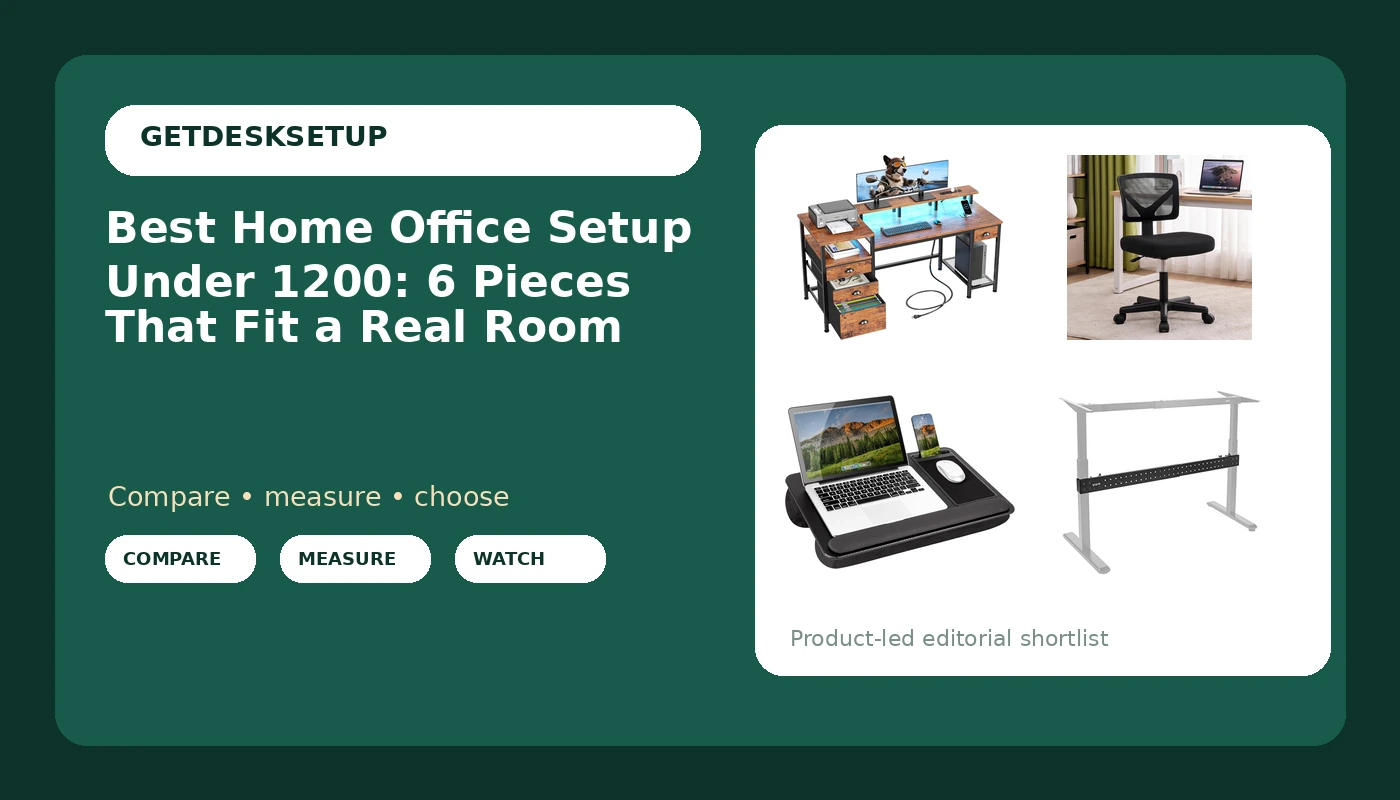
A home office setup under 1200 is a measurement problem before it is a shopping list. Before anything goes in a cart, you need three numbers: the height of your seated elbows, which sets your desk height; your seat depth, which decides whether a chair is worth buying at all; and the distance from your eyes to the screen, which sets monitor distance. Get those wrong and no amount of spending fixes the result. Get them right and a home office setup under 1200 comes together from ordinary pieces that were chosen in the right order.
This guide covers six products that cover the basics of a work from home setup under 1200: a desk with storage and power built in, a mesh chair, a monitor riser, a clamp-on stabilizer bar for a desk that moves, a lap desk for the days you work away from the main surface, and one item that is not an office product at all, included because it lands on desks in homes with a nursery. The goal here is the best home office setup under 1200 for a real room, not a showroom.
Related: How to measure seat depth before you buy a home office chair
Quick answer
The Furologee 60" Computer Desk with 4 Drawers, Power Outlet, LED, Rustic Brown is the strongest starting point for a first full setup because it combines a 60-inch work surface, four drawers, a built-in power outlet, and LED lighting in a single piece. Choose the VIVO Black Clamp-on Stabilizer Bar for Reinforced Desk instead when you already own a desk and the problem is movement rather than surface area.
What matters in a home office setup under 1200
Five things decide whether the pieces below work together, and one of them is not a product choice at all.
Desk height comes first. Everything else hangs off it. A desk that is too high pushes your shoulders up; too low and you round forward over the keyboard. Measure your seated elbow height with your feet flat on the floor, then compare that number to the desk's stated height range. If the listing does not state a range, that gap is something you have to weigh before you buy.
Chair pairing is a two-number decision. Seat depth and seat height have to match both your body and the desk. An armless chair pulls closer to the surface, which matters when the desk is narrow or when you want your forearms resting on the desk instead of on armrests.
Monitor distance sets the riser. Screen height and viewing distance are the reason a monitor riser exists. The goal is to get the top of the panel near eye level without a stack of books under it, and the riser's job is to make that height adjustable rather than fixed.
Room layout decides the desk width. A 60-inch desk is a real footprint, not a spec line. Walk the room and mark the width on the floor before you order, and leave space behind the chair for it to roll back without hitting a wall.
Lighting layers and cable planning finish the job. Overhead light alone puts your face in shadow on video calls; a lamp placed to the side of the screen softens that. Cables should be planned before the desk is loaded, not after, because a run that is anchored at the back edge behaves differently from one that hangs free.
Two more items belong on the list even though they are not products. A power outlet built into the desk removes the reach under the surface for a strip, and ventilation matters if the desk sits tight against a wall or over a floor vent. Blocked airflow is a summer problem that shows up as a hot laptop and a fan you did not plan for.
How these products were compared
This guide compares stated dimensions and capacities, what each product includes such as storage, power, or adjustability, whether the piece solves a specific failure point like a desk that shifts under typing load, how each piece fits a small room layout, and how the set handles cable planning and power. Product names, images, and retailer links are matched by ASIN so that every card points to the product shown.
None of this is presented as hands-on testing. The distinctions below come from the product records themselves: what the maker states the item is, what it includes, and what it does not include. Where the record does not state a measurement, this guide says so rather than filling the gap with a guess.
Top pick
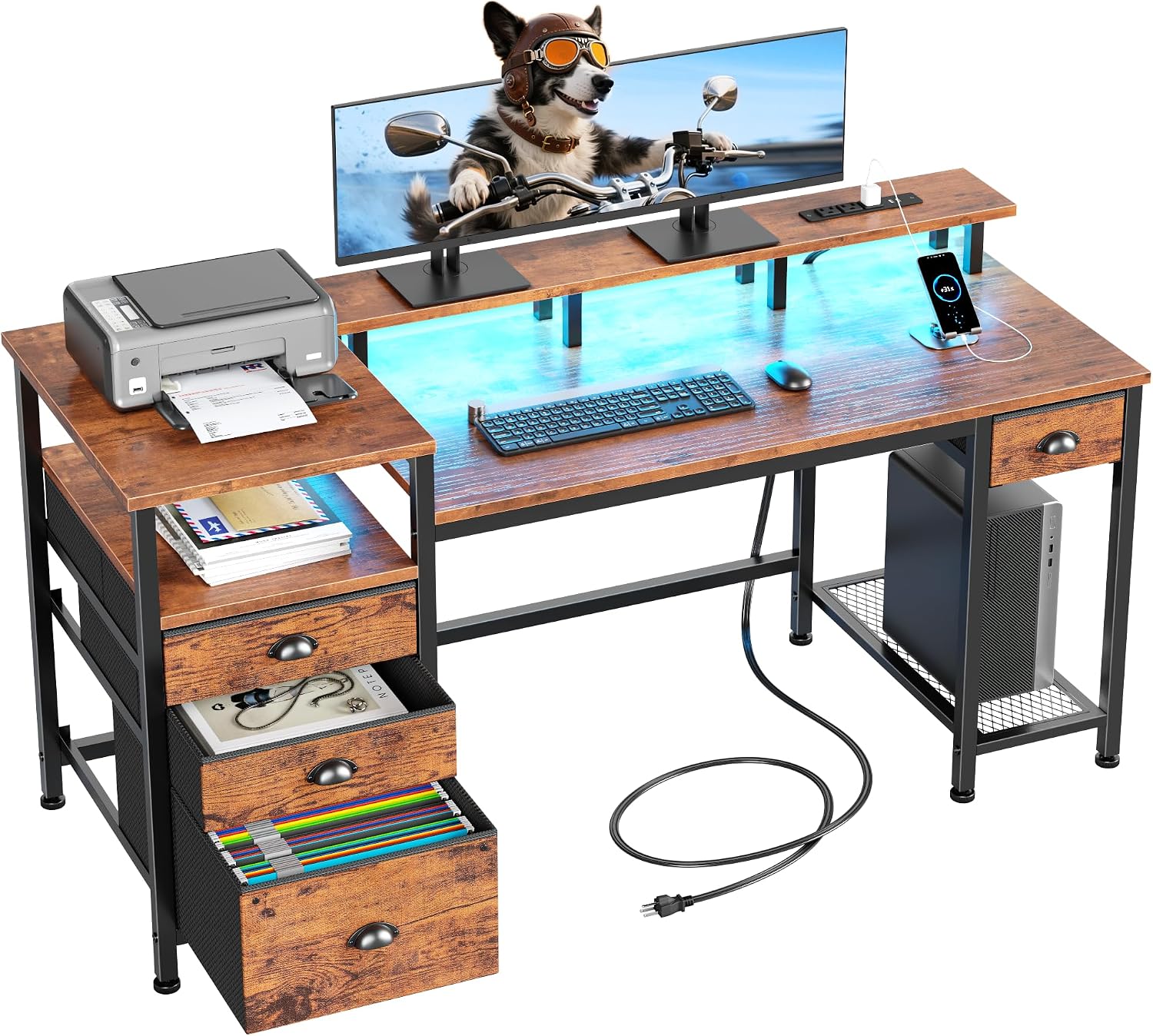
Furologee 60" Computer Desk with 4 Drawers, Power Outlet, LED, Rustic Brown
Check current Amazon price
A 60-inch computer desk with four drawers, a built-in power outlet, and LED lighting, finished in rustic brown.
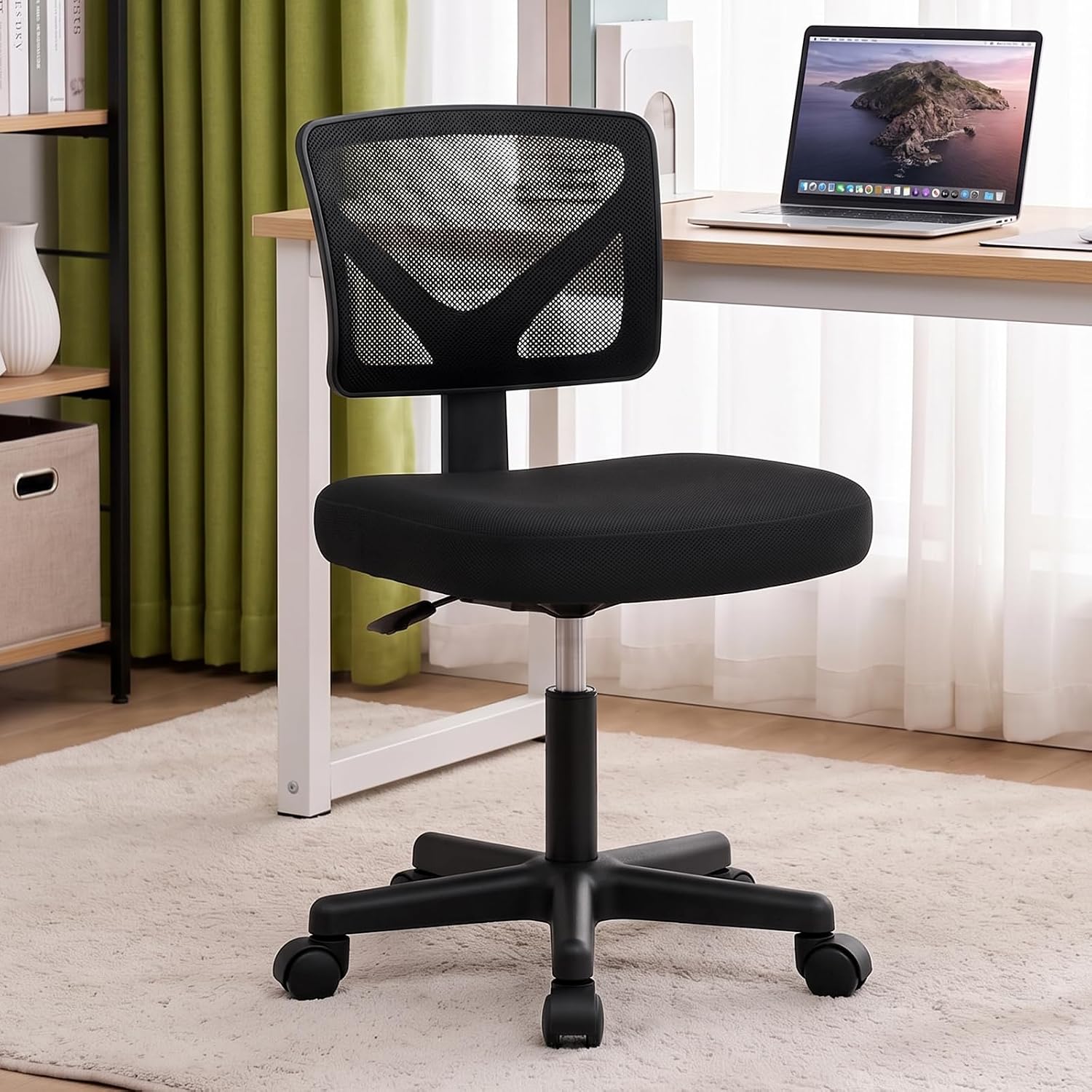
DUMOS Armless Small Desk Chairs, Ergonomic Home Office Mesh Chairs
Check current Amazon price
Armless mesh desk chairs sized for small desks, with no armrests to stop the seat from sliding close to the surface.
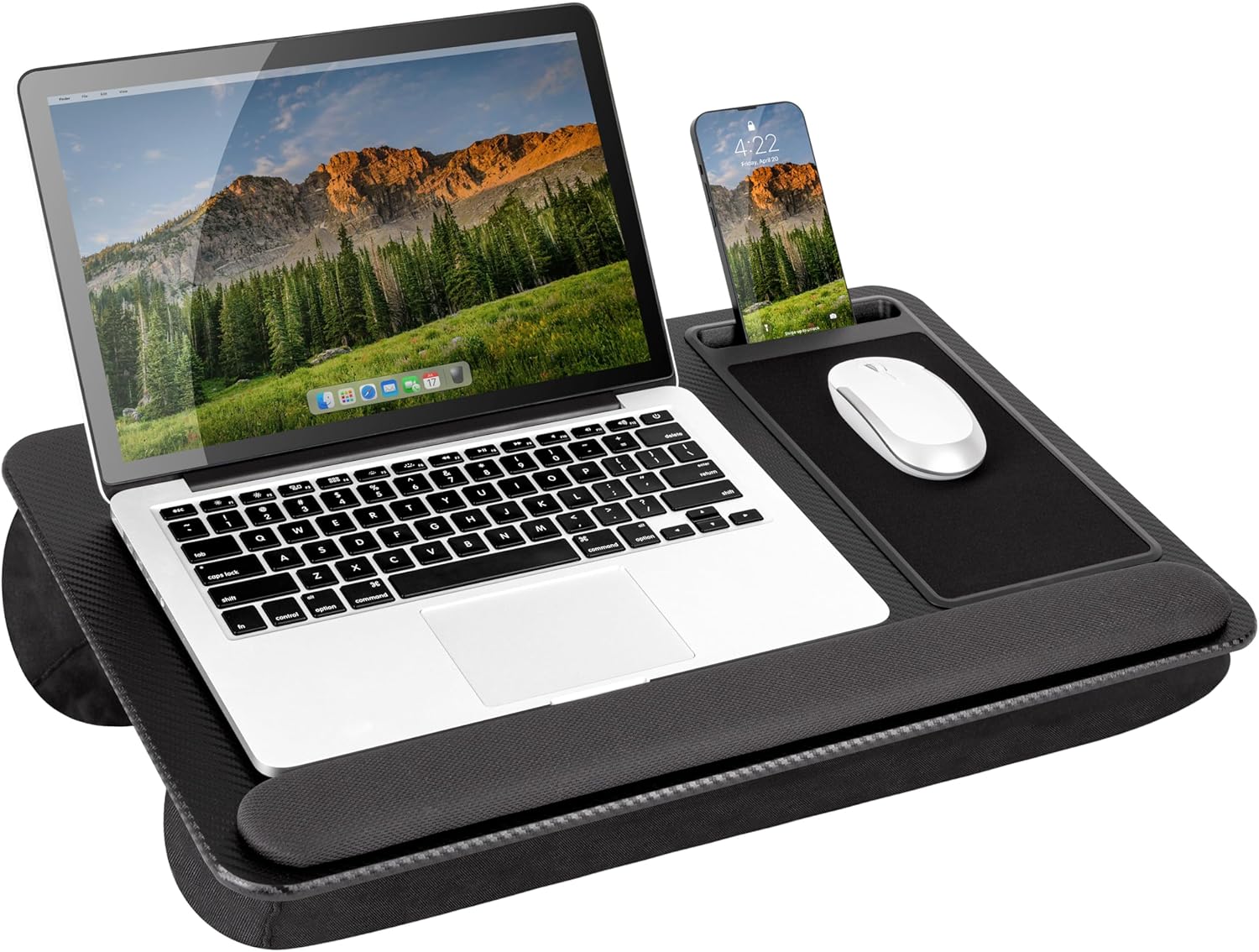
LAPGEAR Home Office Pro Lap Desk – Black Carbon, Fits 15.6” Laptops
Check current Amazon price
A lap desk built for laptops up to 15.6 inches in a black carbon finish, for working away from the main desk.
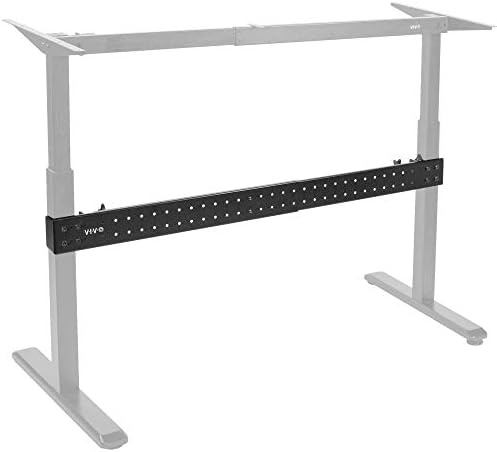
VIVO Black Clamp-on Stabilizer Bar for Reinforced Desk, DESK-STB01B
Check current Amazon price
A clamp-on stabilizer bar that attaches to a desk to reinforce it against side-to-side movement.
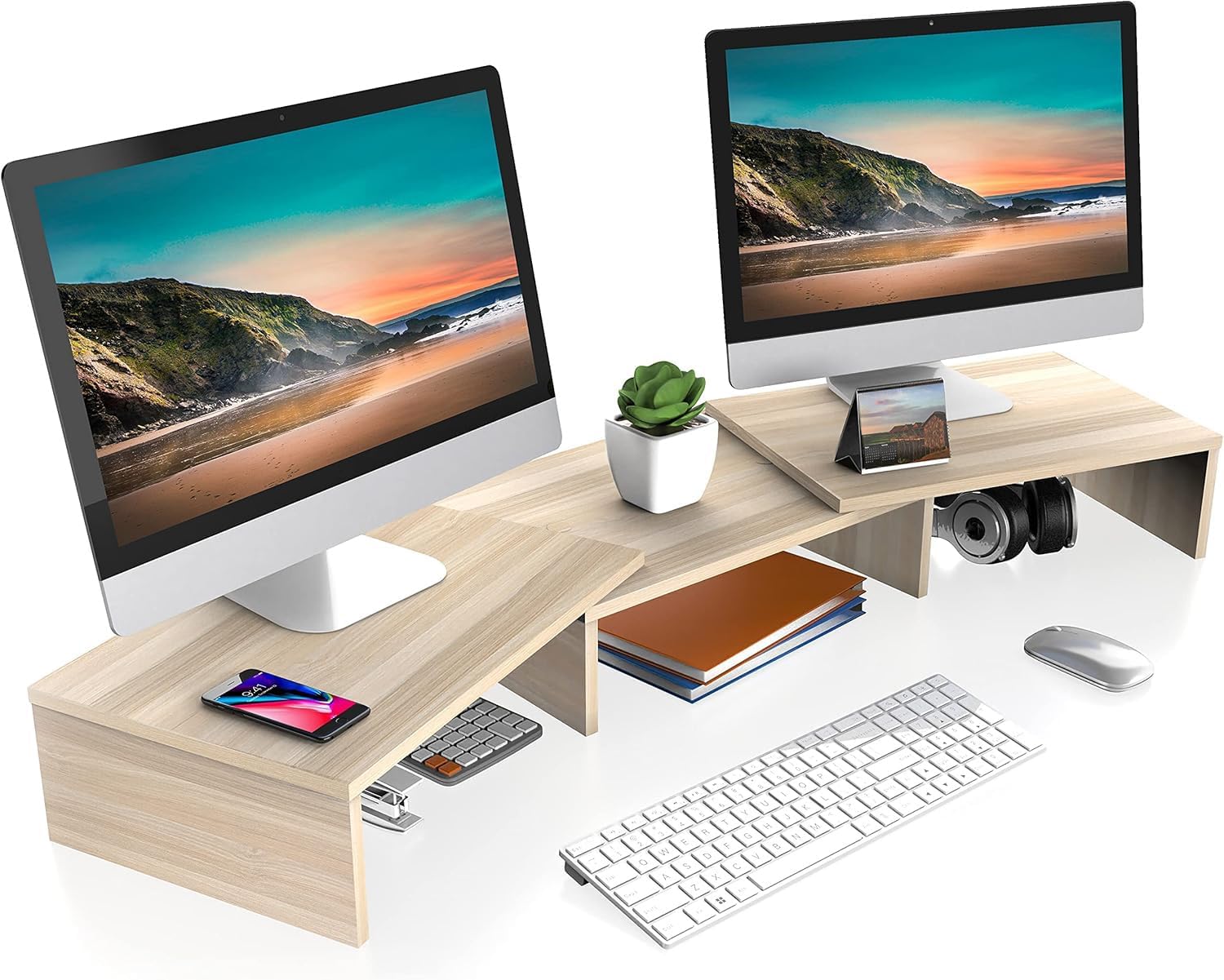
FITUEYES Dual Monitor Stand Riser, Adjustable Length and Angle, Oak
Check current Amazon price
A dual monitor stand riser in oak with adjustable length and angle, for setting screen height and reclaiming space underneath.
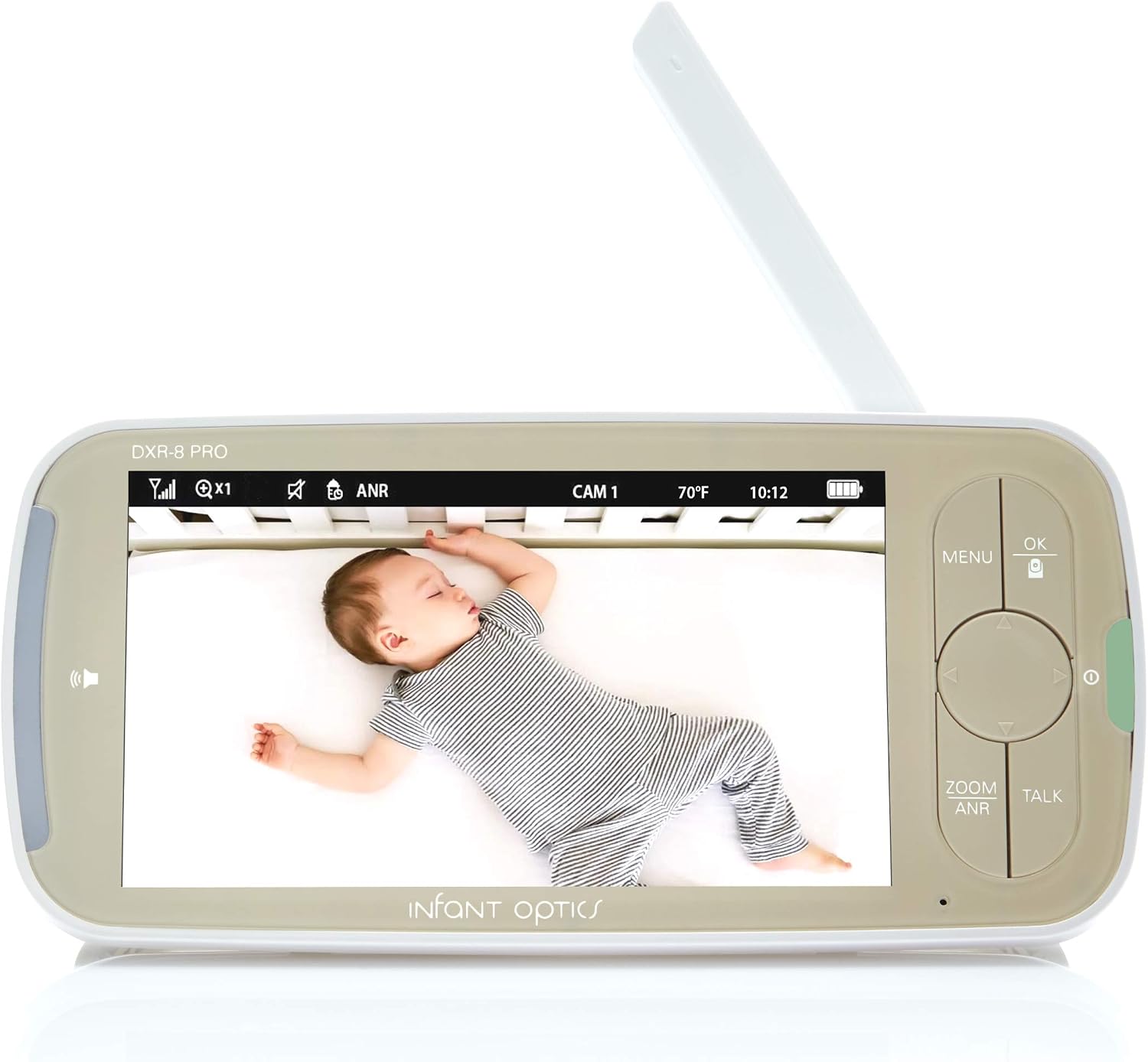
Infant Optics Standalone Monitor for DXR-8 PRO, NO Battery Included
Check current Amazon price
A standalone monitor unit for the DXR-8 PRO system, sold without a battery. It is a baby monitor display, not a computer screen.
How to choose the right pieces for a home office setup under 1200
Work in this order: desk, then chair, then screen height, then everything else. Reversing that order is how people end up with a chair that does not fit the desk they already bought, and then spend the difference on a second chair.
Start with the desk. The Furologee unit is 60 inches wide, and that width is the number that decides whether the rest of the room works. Mark it on the floor with tape, add the depth of a chair pulled out from the surface, and check the door swing and the closet door. If the room cannot take 60 inches, the rest of this guide still applies, but the desk choice changes first and everything downstream has to be re-measured.
Then the chair. This is where chair pairing gets decided, and it is the step most people rush because a chair is easy to order and hard to return. An armless mesh chair is the right shape for a narrow desk because nothing blocks the seat from sliding under the surface. Check the seat height range against the desk height you settled on, and check the seat depth against your own measurement rather than the chair's marketing description.
Then screen height. A monitor riser with adjustable length and angle lets you set one screen or two at a workable monitor distance and reuse the space underneath for a keyboard or a dock. Then address movement. If your desk shifts when you type, a clamp-on stabilizer bar is a cheaper fix than replacing the desk, and it is the piece most people skip until the monitor starts swaying.
Finally, the extras. A lap desk turns a couch or a kitchen table into a usable second position for a home workspace setup under 1200, which matters in a small apartment where the desk doubles as a dining table. The same logic applies to any home office workstation under 1200: the pieces have to survive being moved, folded, or shared, so anything that only works in one exact position is a liability.
If you already know the desk is the problem and you want the hardware side of movement at standing height, how to stop a desk from wobbling at standing height covers the fix in more detail.
Furologee 60" Computer Desk with 4 Drawers, Power Outlet, LED, Rustic Brown
The top pick is one piece doing three jobs: surface, storage, and power. The Furologee desk is 60 inches wide with four drawers, a built-in power outlet, and LED lighting, in a rustic brown finish. For a first setup, that combination removes two purchases from the list. You do not need a separate drawer unit beside the desk, and you do not need to route an extension strip up the back to reach a laptop charger, because the outlet is part of the desk.
The 60-inch width is the number to check against your room before anything else. It is enough surface for a monitor on a riser, a keyboard, and a notebook at the same time, and the four drawers take the loose items that otherwise migrate across the desktop and end up under the monitor.
The trade-off is specific. Nothing in the product record describes a height-adjustment mechanism, so treat this as a seated-height desk unless the listing says otherwise. If you need to alternate between sitting and standing, this is not the piece for that, and the budget is better spent on a height-adjustable frame with the storage added separately. The second trade-off is the LED lighting. It is a feature, not a substitute for a lamp you can aim, and a fixed strip behind a monitor is decoration more than a lighting layer. Plan a separate light for the side of the screen if you are on video calls most of the day.
Alternatives to consider
The VIVO Black Clamp-on Stabilizer Bar for Reinforced Desk is better suited to a desk you already own that moves under typing load, while the DUMOS Armless Small Desk Chairs are a stronger fit when the desk is narrow and armrests would keep you from sitting close enough to the keyboard.
The FITUEYES Dual Monitor Stand Riser covers screen height, with adjustable length and angle in an oak finish, and it does the work of two separate risers when you run two panels side by side. The LAPGEAR Home Office Pro Lap Desk covers the days you work away from the desk; it is built for laptops up to 15.6 inches in a black carbon finish, and it stores flat when it is not in use.
The last item needs a plain sentence. The Infant Optics Standalone Monitor for DXR-8 PRO is a baby monitor display sold without a battery, not a computer monitor. It is in this guide because in a home with a nursery, the parent working from the next room is often the person who needs the feed visible on the desk, and the standalone unit is the piece that makes that possible without a phone propped against a mug. If you are shopping for a second screen for your laptop, skip it. It will not connect to your computer, and the missing battery means it needs to stay near an outlet.
Each of these is a supplement, not a replacement. The desk still sets the desk height, the chair still has to match your seat depth, and the riser only helps if you have already worked out your monitor distance.
Day-to-day use and maintenance
The order you assemble in matters more than the tools you own. Clamp first, then load, then tighten. A stabilizer bar tightened against an empty desk, then loaded with a monitor and a laptop, will not be at the same tension a week later. Re-check the clamps after the first month and again when the season changes, because wood and laminate move with humidity and a clamp that felt firm in October can feel loose in January.
Cable planning is a maintenance task, not a one-time setup task. A cable that pulls on a monitor riser changes the screen angle within a week, which is why the run to the screen should have slack at the top and be anchored at the back edge of the desk instead of hanging free. Label the power supply bricks while you can still reach them, and keep the run to the desk outlet short enough that a foot does not catch it.
Ventilation and cleaning are the two items people skip. Leave a few inches between the back of the desk and the wall if the drawers or the LED driver sit there, and keep a laptop's vents off soft surfaces like a bed or a cushion. Wipe laminate and oak finishes with a damp cloth rather than a soaked one, and follow the maker's cleaning instructions for the mesh on the chair rather than assuming a vacuum attachment is safe.
The power outlet built into the desk is convenient, and it is also a load limit. Check what the outlet and the circuit are rated for before you plug a space heater into the same run as a desktop and two monitors, and use the outlet for the devices that live on the desk rather than for everything in the room.
Buying checklist
- Measure the width and depth you can give the desk, and mark it on the floor before ordering.
- Measure your seated elbow height and compare it to the desk's stated height range; if the range is not stated, ask before you buy.
- Choose seat depth and seat height range that match your measurements rather than the chair's description.
- Confirm that the exact model includes the feature you are buying it for, such as a power outlet, a height range, or a battery.
- Plan cables and power before assembly: clamp first, then load, then tighten.
- Read the cleaning and maintenance instructions for the finish and the mesh.
- Verify the current retailer price, availability, and return terms.
Final recommendation
Choose the Furologee 60" Computer Desk with 4 Drawers, Power Outlet, LED, Rustic Brown when you are starting from nothing and want surface, storage, and power in one purchase, and when the room can take a 60-inch desk. Choose the VIVO Black Clamp-on Stabilizer Bar for Reinforced Desk when the desk you own is fine except for movement under typing load, and the DUMOS Armless Small Desk Chairs when a narrow desk means armrests have to go.
Skip the Infant Optics monitor for this purpose unless you specifically need the DXR-8 PRO display, and skip the lap desk if you never work away from the main surface. The best home office setup under 1200 is the one where the desk height, the seat depth, and the monitor distance were measured before the order was placed, not after the boxes were already open.