Wrist pain at the end of a workday usually gets blamed on one thing. The mouse. The keyboard. The chair. In practice it comes from the relationship between a few measurements: how high the keyboard sits, how far your elbows hang from your ribs, where your hands land, and how long you hold a single position without moving. That is why a home office setup for carpal tunnel is rarely fixed by one purchase, and why a padded wrist rest on a desk that is too tall can make the ache worse instead of better.
The search for the best home office setup for carpal tunnel usually starts with a wrist pad and ends with a chair, a desk, and a monitor riser. That order is backwards. A home office setup for carpal tunnel is a chain of parts, and the weakest link sets the result. A supportive chair does nothing for your wrists if the keyboard sits well above your elbows. A monitor riser does nothing for your shoulders if the monitor distance forces you to lean in all day. What follows is a six piece group, compared on what each item actually changes about wrist position, desk height, and the space left on the desktop.
Related: How to Measure Desk Height and Chair Pairing
Quick answer
The Wrist Rest with Keyboard Stand, Ergonomic Computer Wrist Support Pad is the strongest fit for wrist symptoms that start at the heel of the hand, because it is the one item in this group that changes wrist position directly rather than changing everything around it. Choose the Ergonomic Home Office Chair, 4-Way Lumbar, Thick Cushion, 330LBS instead when the ache travels up the forearm into the shoulder, which points at chair pairing and posture before it points at the keyboard surface.
Home office setup for carpal tunnel: what is worth comparing
Five things separate a useful piece from a decorative one in a home office setup for carpal tunnel. First, does the item change wrist angle, or does it only cushion a wrist that is still bent? Second, is the adjustment named in the listing a real adjustment you can set once and leave, or a feature that exists only in the marketing image? Third, how much desktop does it consume, because a crowded surface pushes the keyboard and mouse into positions you did not choose. Fourth, how does it interact with desk height and monitor distance, the two numbers that decide everything else? Fifth, does it create a cable or storage snag that you will fight every morning?
That list is why this group mixes categories instead of listing six wrist pads. A wrist pad, a monitor riser, a chair, a desk, a desktop organizer, and a VESA shelf mount each change a different link in the same chain, and the right starting point depends on which link is failing.
Top pick
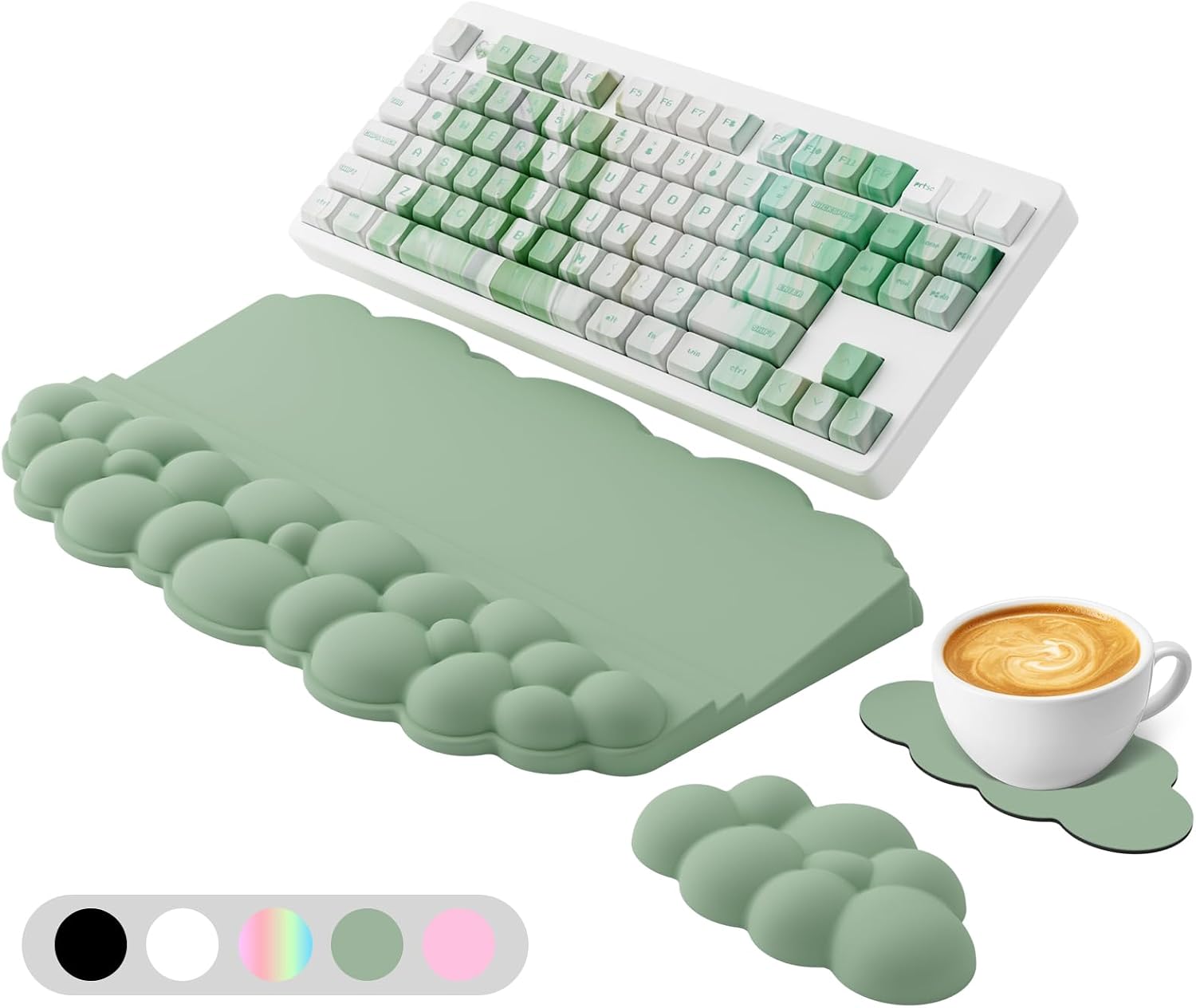
Wrist Rest with Keyboard Stand, Ergonomic Computer Wrist Support Pad
Check current price
A wrist support pad paired with a keyboard stand, so the keyboard sits raised while the heel of your hand rests below it. This is the piece in the group that changes wrist position directly.
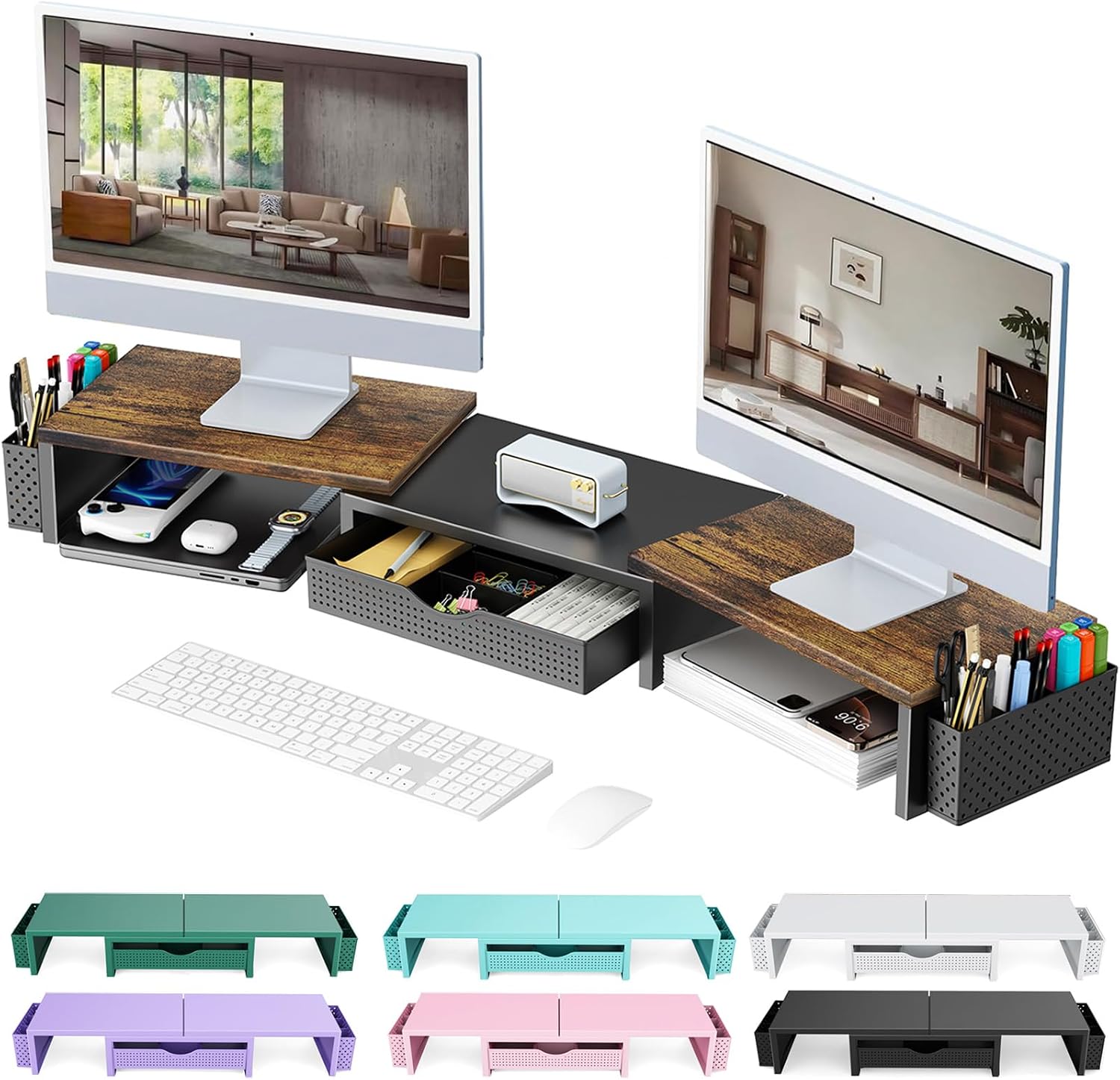
gianotter Dual Monitor Stand Riser With Drawer and 2 Pen Holders
Check current price
Raises two monitors on a single riser and puts a drawer and two pen holders underneath. Lifting the screens is what stops you hunching forward into the keyboard.
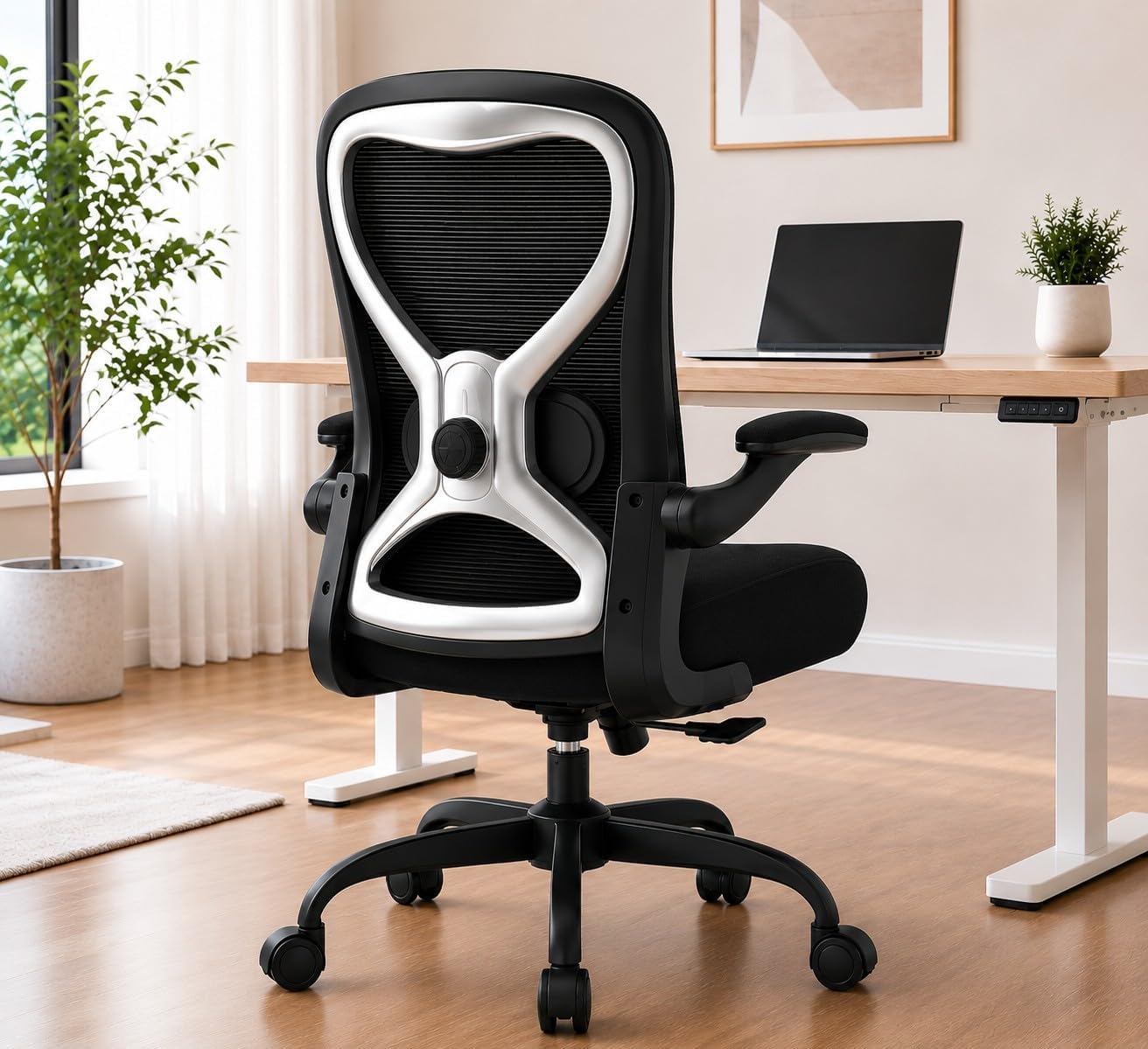
Ergonomic Home Office Chair, 4-Way Lumbar, Thick Cushion, 330LBS
Check current price
A chair with a 4-way lumbar adjustment, a thick cushion, and a listed 330 lb capacity. Adjustable lumbar is the part budget chairs skip, and it is what keeps your shoulders from rolling forward into your wrists.
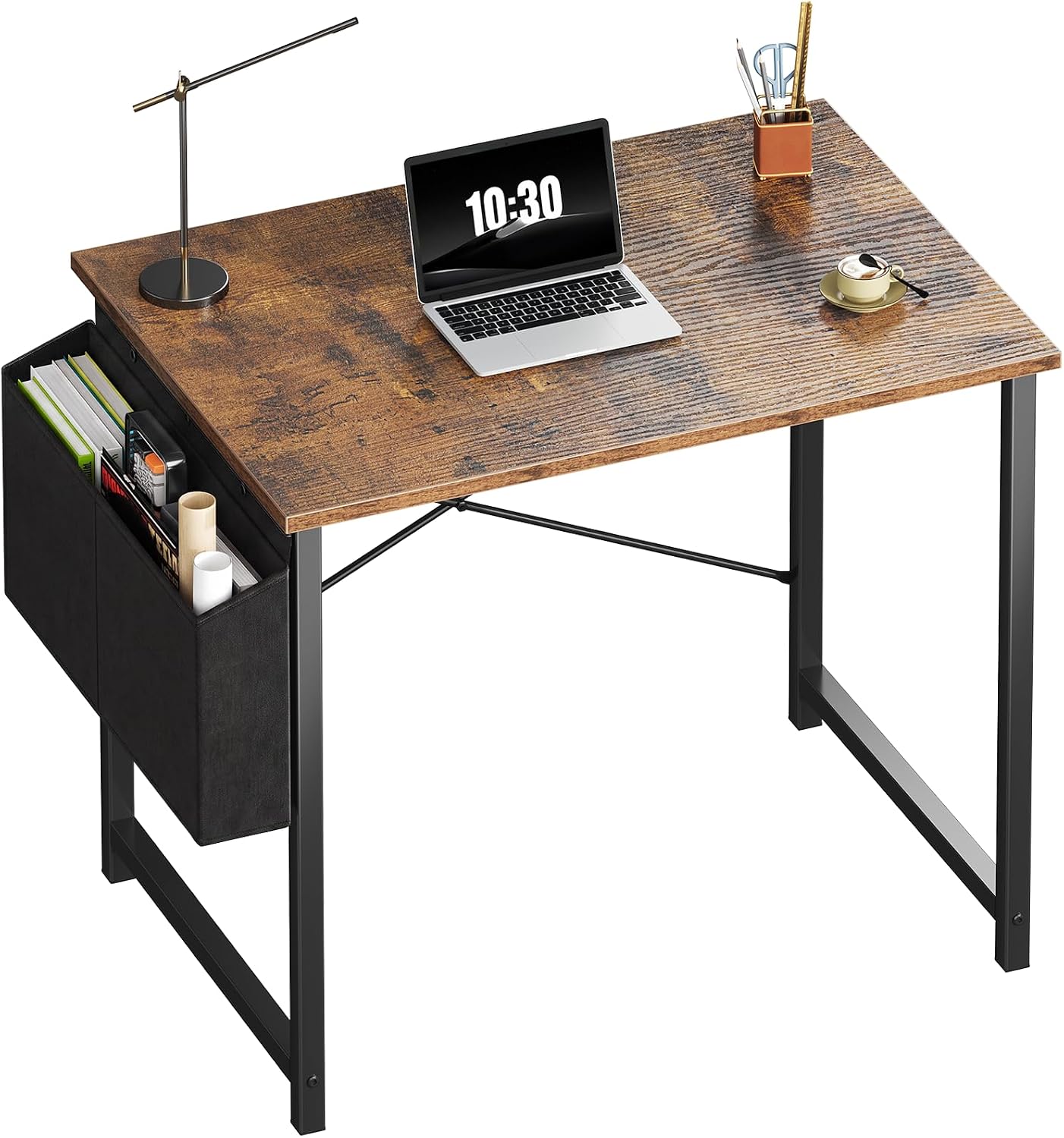
OLIXIS Small Computer Desk, 31 Inch Gaming Desks for Home Office
Check current price
A 31 inch wide desk, the narrowest top in this group. It suits a small room, but plan the monitor distance and keyboard placement before you buy, because a top this size fills quickly.
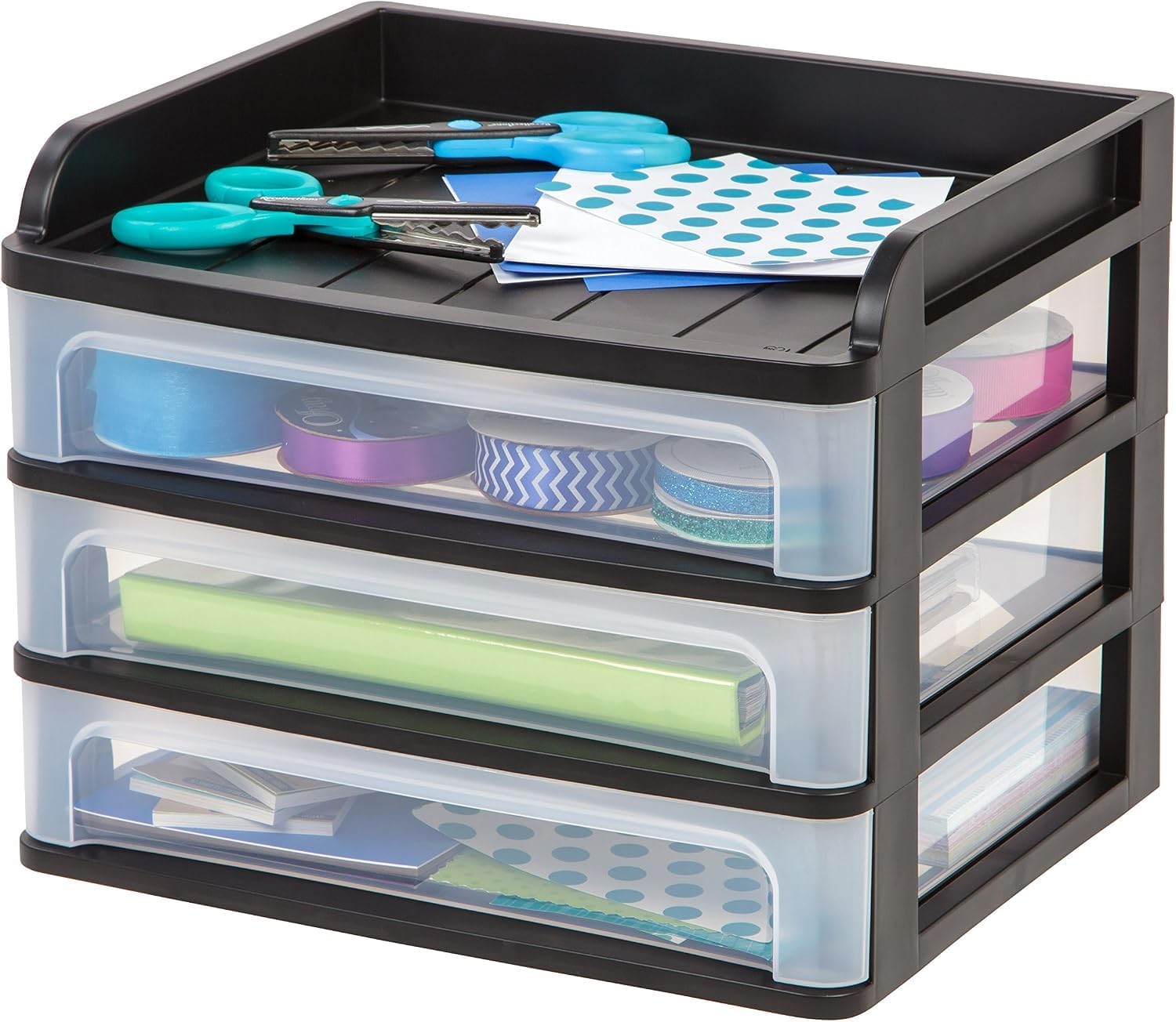
IRIS USA 3-Drawer Medium Desktop Organizer with Paper Tray, Black
Check current price
A three drawer desktop organizer with a paper tray. Clearing paper off the work surface keeps the keyboard and wrist rest in the position you set them.
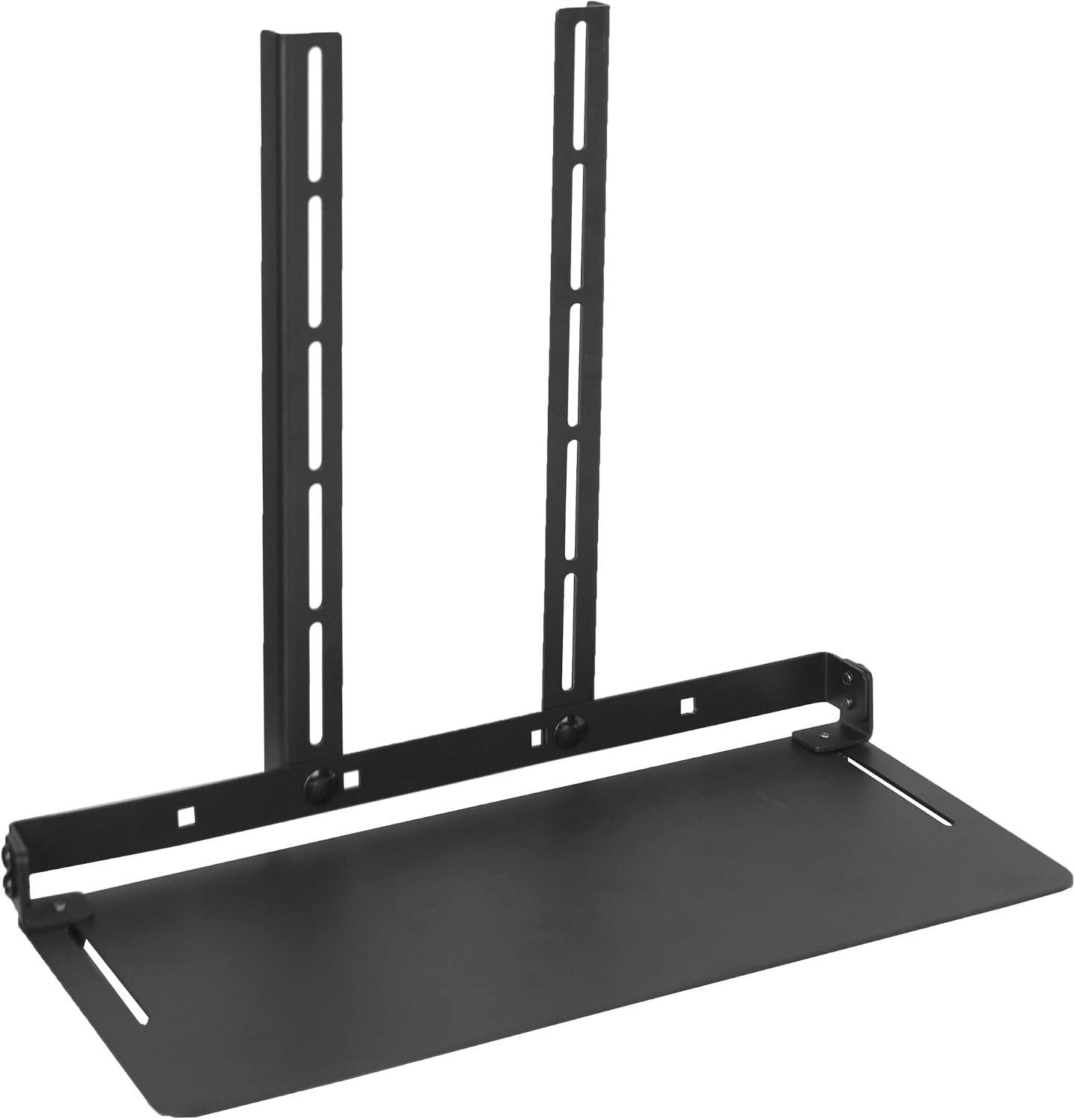
VIVO Black 13 in Over Under VESA Monitor Shelf Mount, MOUNT-SF01M
Check current price
A 13 inch VESA shelf mount that sits over or under a monitor, adding storage above the desktop instead of on it. The option for a desk that is already full.
How these products were compared
This guide compares what each item changes about wrist and forearm position, the adjustment range named in its own listing, the desktop footprint it consumes, how it interacts with desk height and monitor distance, and whether its drawers, clamps, or cables create a snag point in daily use. Product names, images, and retailer links are matched by ASIN so that every card points to the product shown.
The group was also chosen so that no two items solve the same problem. There is one direct wrist product, one screen height product with storage, one clamp mounted screen height product, one chair, one desk, and one desktop organizer. If you already own two of those six jobs, skip those cards and read the ones that cover the link that is actually failing in your room.
Nothing here is presented as hands-on testing, and no current price is printed, because prices move. The comparisons come from the product data each listing provides plus standard ergonomic guidance about desk height, chair pairing, and monitor distance. Use the link in each card to confirm the current price, availability, and return terms at the retailer.
How to choose the right pieces for a home office setup for carpal tunnel
Start with numbers, not products. Sit in the chair you already own, put your feet flat on the floor, let your shoulders drop, and measure from the floor to the underside of your elbow. That number is your keyboard height target, and it decides whether you need a keyboard stand, a lower desk, or a higher chair. Then measure from the back of your knee to the front edge of the seat, because seat depth decides how far your elbows end up from the keys. Write both numbers down in inches. If you cannot say your seat depth in inches, you are guessing, and guessing is how people end up buying a second chair.
A work from home setup for carpal tunnel has one advantage over an office floor: you control the desk height, the room layout, and how often you get up. Use that. Measure your home workspace setup for carpal tunnel from the floor up, not from the product page down. Decide where the monitor goes and at what distance before you commit to a narrow desk, because a 31 inch top fills up fast once a keyboard, a wrist rest, and a monitor base share it. Plan the power outlet and the cable route at the same time, since a cable that crosses the work surface will drag your keyboard out of position within a week.
Chair pairing comes next, and it is the step most buyers skip. A chair that lets you sit back with your thighs supported keeps your elbows under your shoulders instead of out in front of you, and that single change does more for wrist angle than any pad. Look for a listed adjustment you can set once and leave, such as the 4-way lumbar adjustment on the chair in this group, and check the weight capacity the listing states. If a chair lists no adjustment at all beyond height, treat it as a fixed chair and size it to your body rather than to the description.
The rest of the room matters more than most buyers expect. Lighting layers, meaning a ceiling source plus a task light, let you work without leaning toward a single bright window. Ventilation and a sensible room layout keep you from hunching in a stuffy corner with your shoulders up around your ears. None of those things touch your wrist directly, but all of them change how long you sit still, and sitting still is what turns a small wrist angle into a daily ache.
If you want to work the measurement side properly before buying anything, the method in how to set monitor distance and screen height is worth doing first, because it is free and it changes which products you actually need.
Wrist Rest with Keyboard Stand, Ergonomic Computer Wrist Support Pad
This is a wrist support pad paired with a keyboard stand, which means the keyboard sits raised while the heel of your hand rests on a separate surface below it. For carpal tunnel, the point is not padding. The point is a wrist that stays roughly straight instead of bending back all day while it rests on a hard desktop edge.
The trade-off is real and worth stating plainly. A keyboard stand raises your hands. It helps only if your desk height already puts your elbows near level with the keys. On a desk that is already too tall, adding a stand pushes the wrist into extension, which is the exact position you were trying to avoid. If your chair cannot go higher or your desk cannot go lower, fix the desk height first and come back to this item later.
Alternatives to consider
The Ergonomic Home Office Chair, 4-Way Lumbar, Thick Cushion, 330LBS is better suited to a case where the ache runs up the forearm and into the shoulder, because that pattern usually starts with chair pairing and posture rather than with the keyboard surface. Its listing names a 4-way lumbar adjustment, which is the part budget chairs tend to skip, and a 330 lb capacity, so it is the piece to look at when you are carrying more weight than a light task chair is built for. The gianotter Dual Monitor Stand Riser With Drawer and 2 Pen Holders is a stronger fit when your screens sit low and you catch yourself hunching forward to read them, because raising two monitors at once is the quickest way to stop leaning into the keyboard.
The VIVO Black 13 in Over Under VESA Monitor Shelf Mount, the OLIXIS Small Computer Desk, 31 Inch Gaming Desks for Home Office, and the IRIS USA 3-Drawer Medium Desktop Organizer with Paper Tray cover three different space problems. The VESA shelf mount takes storage up onto the monitor when the desktop is already full. The 31 inch desk is the narrowest top here, which makes it the pick for a small room rather than for a large one, and it is the one to avoid if you need two monitors plus a keyboard on the surface. The desktop organizer clears paper off the work surface so the keyboard and wrist rest stay where you set them.
Day-to-day use and maintenance
The goal of a home office workstation for carpal tunnel is a straight wrist, not a padded one, and that goal is maintained by habits more than by hardware. Stand up or change position on a schedule you can actually keep. Keep the mouse close enough that you are not reaching across the desk, since reach is what rotates the shoulder and drags the wrist along with it. Reset the keyboard and wrist rest to the same spot at the end of each day rather than letting them drift toward the edge of the desk.
Check the cable planning behind the monitor once a week. A cable that pulls on a riser or a shelf mount changes the monitor angle within days, and you will adjust your head and shoulders to compensate without noticing. Tighten the clamp on a VESA shelf mount before it works loose, and check the drawer slides on a monitor riser so a stuck drawer does not become the place you shove papers instead of filing them.
Wrist pads collect skin oils and dust faster than most desk surfaces, and a pad that has stopped feeling supportive is usually just dirty. Wipe it down on a schedule and follow the care instructions that come with it. Desktop organizers are the easiest item in this group to overload, so keep an eye on the weight in each drawer, and empty the paper tray weekly rather than monthly. If you add a monitor riser to a narrow desk, load it before you trust it, and check that the feet still sit flat on the surface.
None of this is medical treatment. If you have numbness, tingling, or weakness in the hand that does not ease when you change position, that is a conversation with a clinician, not a furniture upgrade. Ergonomic changes remove a mechanical irritant. They do not diagnose anything, and they are not a substitute for care.
Buying checklist
- Measure your seated elbow height and your seat depth, and write both numbers down before you shop.
- Choose desk height and chair pairing first, since those two decide how far your hands reach.
- Confirm that the exact model includes the adjustment you need, such as the 4-way lumbar support on the chair.
- Plan monitor distance before you commit to a narrow 31 inch desktop.
- Map the cable route and the power outlet so nothing pulls on a riser, a shelf mount, or your keyboard.
- Read the cleaning and maintenance instructions for anything with a soft surface or moving parts.
- Verify the current retailer price, availability, and return terms through the product link.
Final recommendation
Choose the Wrist Rest with Keyboard Stand, Ergonomic Computer Wrist Support Pad when the symptoms start at the heel of the hand and your desk height already lets your elbows sit near level with the keys. Choose the Ergonomic Home Office Chair, 4-Way Lumbar, Thick Cushion, 330LBS when the ache runs up the forearm into the shoulder, because that pattern points at chair pairing before it points at the keyboard.
If the real problem is that your screens sit low and you lean in all day, start with the gianotter Dual Monitor Stand Riser With Drawer and 2 Pen Holders or the VIVO Black 13 in Over Under VESA Monitor Shelf Mount instead, and fix the desktop with the IRIS USA 3-Drawer Medium Desktop Organizer with Paper Tray if clutter is what pushes your keyboard out of position. The OLIXIS Small Computer Desk, 31 Inch Gaming Desks for Home Office is the right starting point when the room is the constraint and you need the smallest footprint that still holds a monitor.
A home office setup for carpal tunnel is a chain, and the cheapest correct link beats the most expensive wrong one every time. Measure first, buy second, and adjust the setup once your body tells you which number was off.