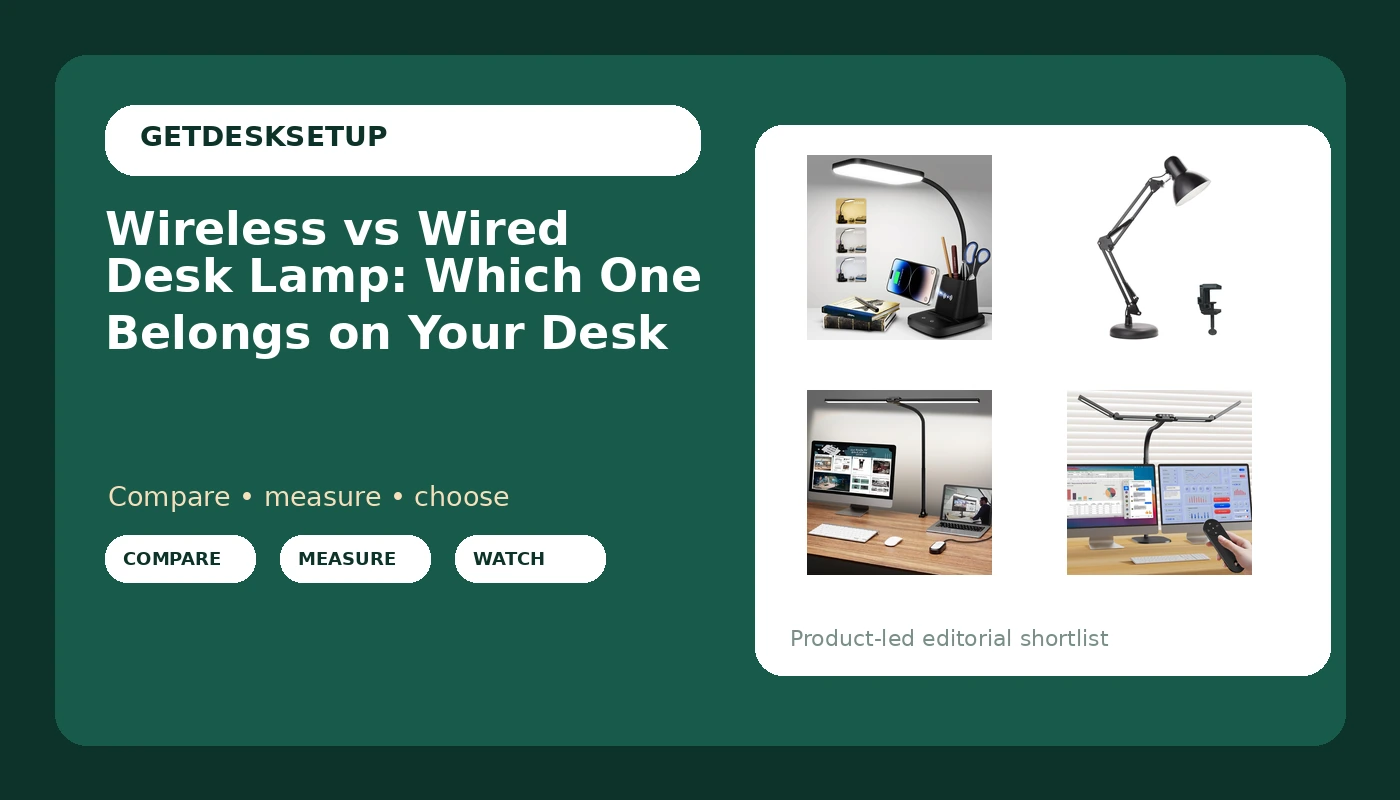
The wireless vs wired desk lamp question sounds like a question about batteries, and it mostly is not. In this category "wireless" means one of two things: a lamp with a charging pad built into the base so your phone stops needing its own cable, or a lamp with a battery that has to be recharged on a cable anyway. Everything else on the desk is wired, and the wire, not the light, is what decides whether you still like the lamp in month three.
I spent nine years as an office facilities manager buying and assembling furniture for 400-person floors, then six more running a two-person service that has built out 310 home offices. The pattern is boring and repeatable: people buy the lamp for the light and end up annoyed by the cord. So I treat the wireless vs wired desk lamp split as a routing decision first and a lighting decision second.
Related: Standing Desk Cable Management: Raceway vs Sleeve vs Clips
For most home offices the right answer is a wired lamp on a clamp mount, and a wireless charging pad is a bonus, not the reason to buy. The clamp keeps the desktop clear, the wired connection keeps output constant for as long as the lamp is on, and the pad only earns its space if your phone currently lives on the desk. If you need a lamp that runs on its own battery, none of the four below does that, so skip this list and shop for a rechargeable model instead.
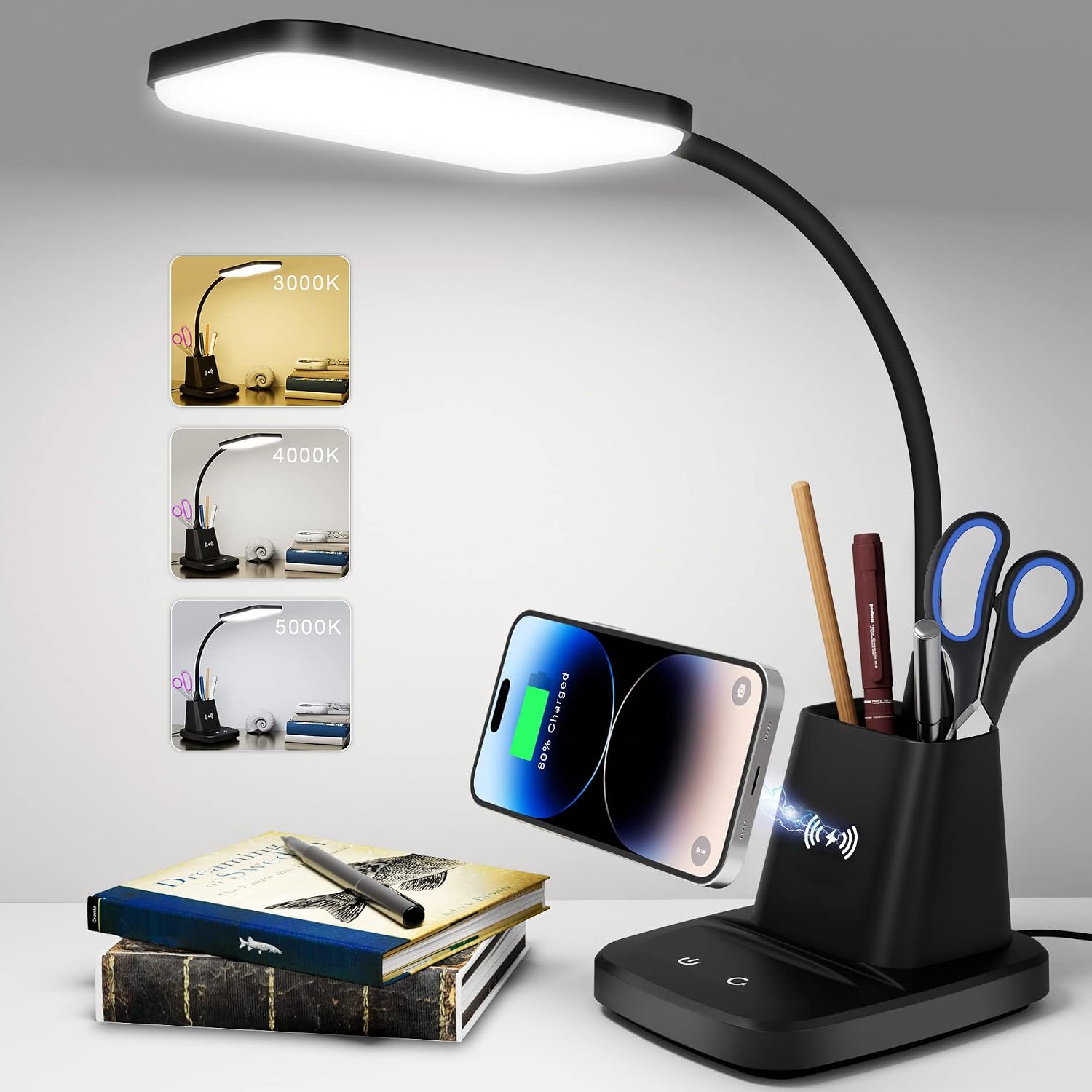
LED Desk Lamp with 10W Wireless Charging & Pen Holder, Black
The only lamp here with a 10W wireless charging pad and a pen holder built into the base, so the phone and the pen stop living on the desktop
It is a base lamp, so it costs you footprint, and there is no clamp option if you want the surface completely clear
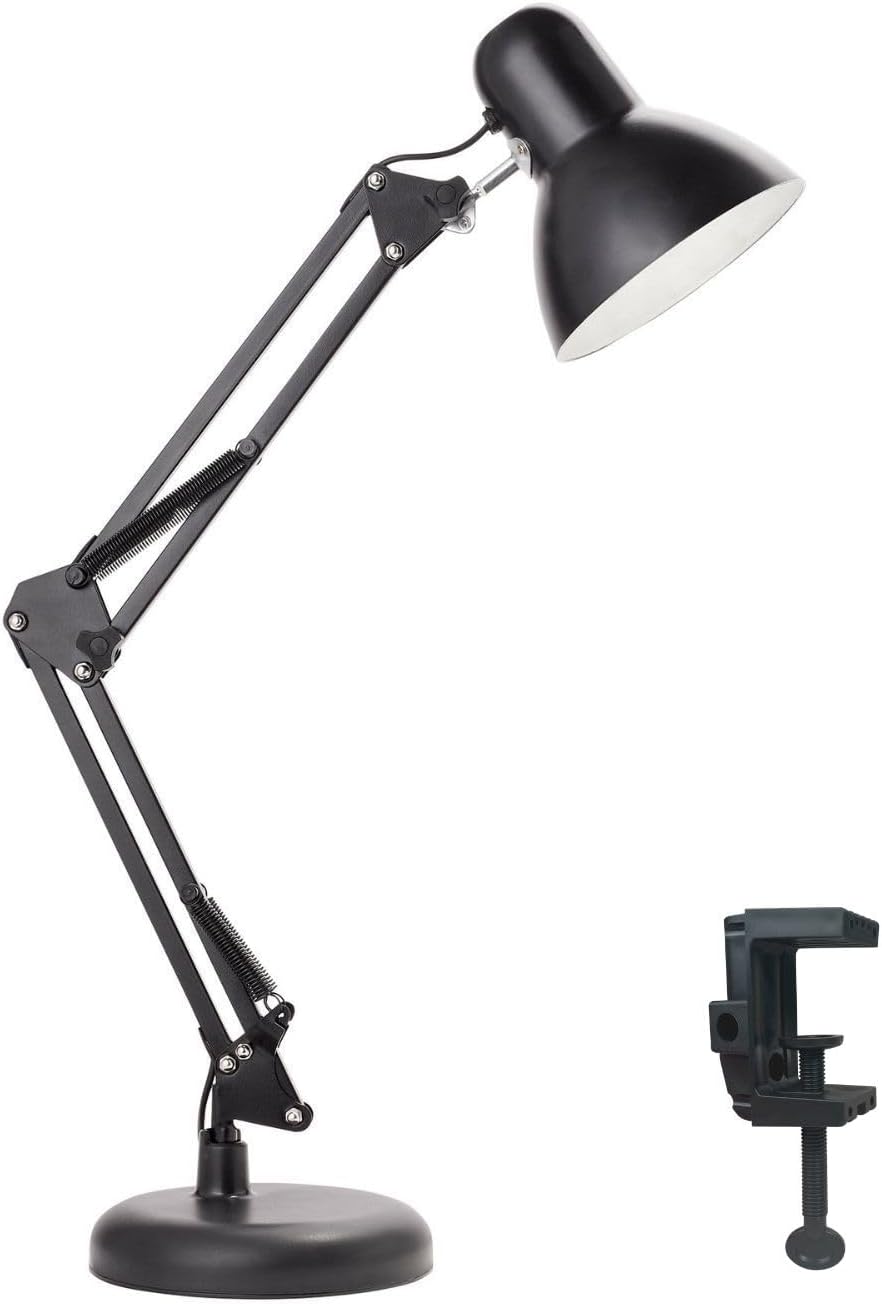
Newhouse Lighting NHDK-WR-BK Painted Black Metal Flexible 2-in-1 Weighted Base and Clamp Mount Swing Arm Wright Architect Desk Lamp with Energy-Efficient 5-Watt LED Bulb
Two mounts in one box, so the same swing-arm lamp works on a shared desk and on a dedicated one
It is the dimmest option of the four with a 5-watt LED bulb, and the beam is a spot rather than a wash
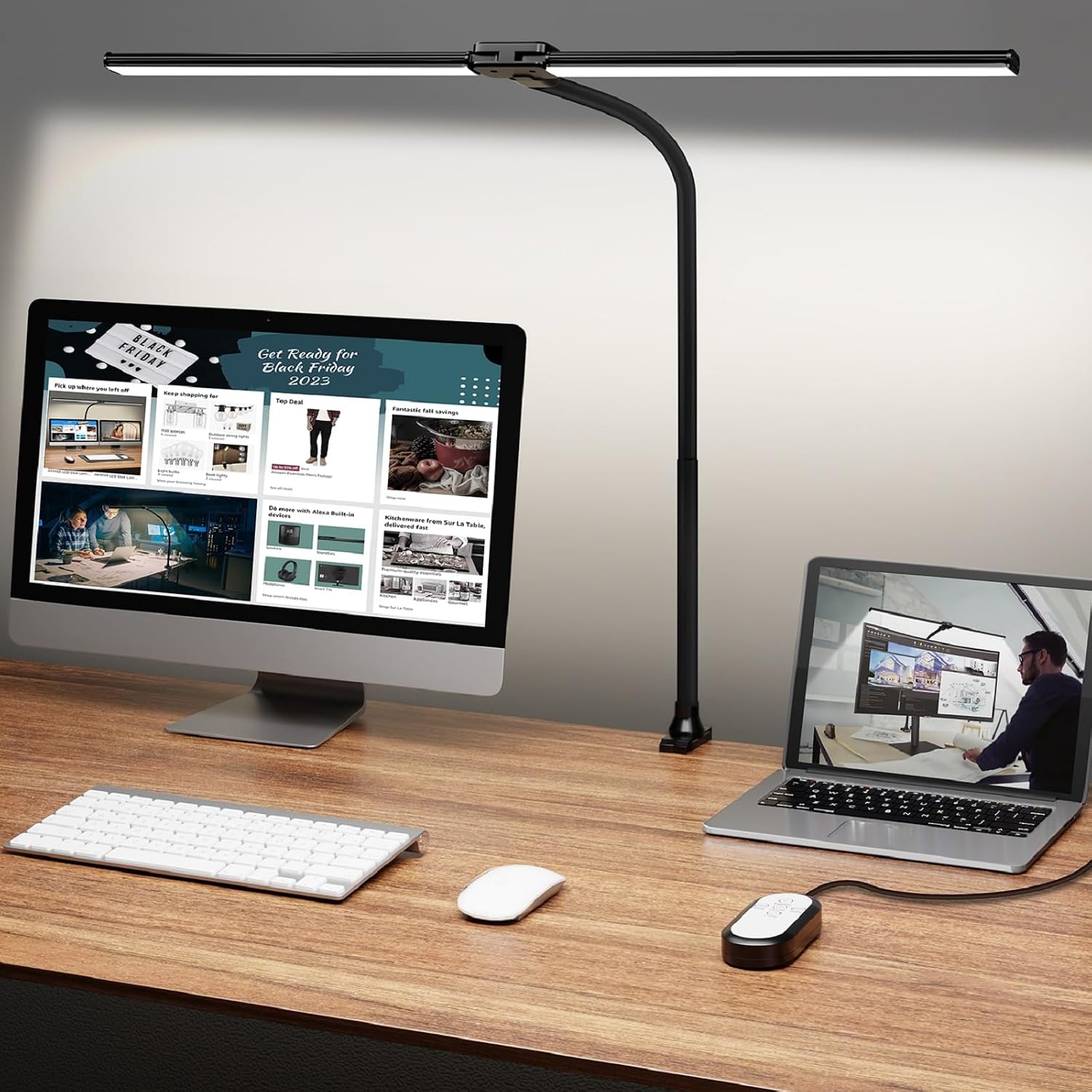
ShineTech LED Desk Lamp for Home Office, Ultra Bright Clamp Light with Flexible Gooseneck, 25 Lighting Modes, Eye-Caring Architect Lamp for Dual Monitors, Reading & Gaming Setup
Clamp mount frees the entire desktop, and 25 lighting modes cover dim evening work through bright daylight drafting
Clamp only, so it needs a reachable rear edge with flat square surface, and it has no base as a fallback
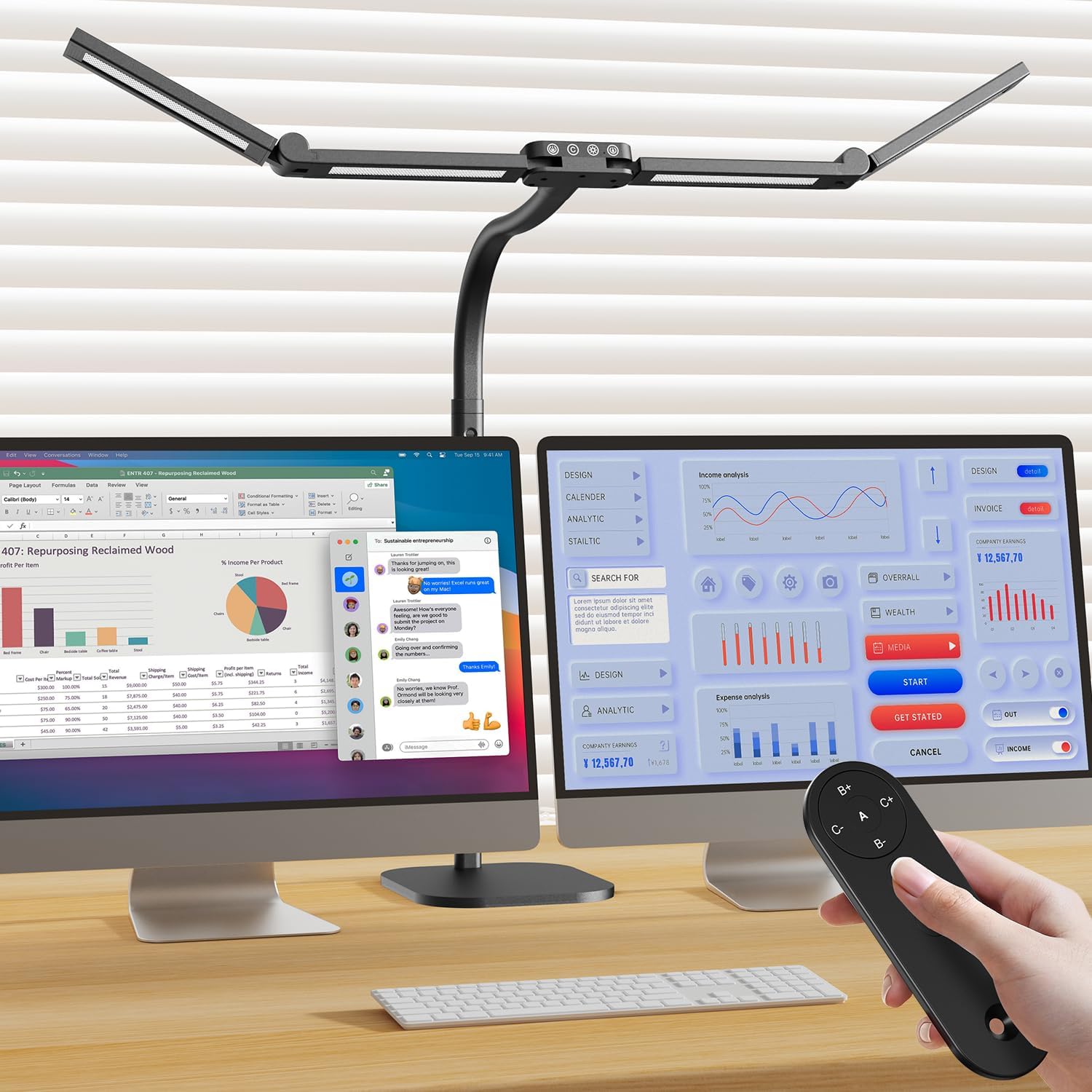
Omorepa 4 Light Bar Design Goose-Neck Desk Lamp with Base, 24W Bright Led Tall Overhead Desk Light for Home Office, Eye Care Reading Table Light for Desktop Working, Drafting, Reading
Four light bars at 24W on a tall overhead head, the widest coverage here and the only one that lights a whole desktop
It is the tallest and most expensive of the four, base mounted, and it needs open air above the desk
Prices and availability may change.
What wireless vs wired desk lamp actually decides
Three things, and only one of them is about electricity.
The first is the power path. A lamp with a wireless charging pad is still a wired lamp. It plugs into the wall, it draws from the outlet, and the pad is a convenience feature for a second device. A battery lamp is the opposite: genuinely cordless while it runs, then tethered to a cable for a few hours to recharge. Once you see it that way, the difference between wireless and wired desk lamp designs stops being about light quality and becomes a count of cables at the rear edge of the desk.
The second is the mount, and this is the part that actually changes your setup. A weighted base sits on the desktop and eats footprint. A clamp grips the rear edge and frees the surface, but it requires a rear edge that is flat, square, and reachable. The lamps in this comparison split two and two, and the mount decides more about daily life than the charging pad does.
The third is brightness, and here the marketing is unhelpful. Wattage is not brightness. Desk lamp lumens are what you compare, and a 5-watt LED bulb and a 24-watt integrated light bar are not in the same conversation. A 5-watt bulb is a task light for reading a document directly under the head. A 24-watt bar with four tubes is trying to light a whole desktop, and it is the only lamp here that can do it.
If you have been searching wired desk lamp vs wireless, most of what comes back is charging pads and marketing copy about "cable-free living." Ignore the copy. Look at the mount, look at the lumens, and count how many cables you are actually removing.
The four lamps, and what each one solves
These four cover the realistic options: one with a charging pad on the base, one with two mount options in the box, one clamp-only, and one overhead bar on a base.
LED Desk Lamp with 10W Wireless Charging & Pen Holder, Black
This is the only lamp in the group with a wireless charging pad on the base, and the only one with a pen holder. That makes it the answer to a specific desk problem: the phone that currently sits on the desktop next to the keyboard, and the pen that rolls under the monitor. The pad is rated 10W, the pen holder is a slot in the base, and the light itself is a conventional LED head on a base mount.
Where it loses: it is a base lamp, so it costs desktop footprint, and if your monitor is on an arm that already claims the rear edge, you have a base sitting in your writing zone. There is no clamp option, so you cannot move it off the surface. Buy it if the phone-on-the-desk habit is real and the desk is wide enough that a base does not crowd the keyboard. Skip it if the desktop is already full, or if your phone already lives on a stand you like.
Newhouse Lighting NHDK-WR-BK Wright architect lamp
This one is the flexibility play. The box includes both a weighted base and a clamp mount, so the same lamp can sit on a shared desk on Monday and clamp to the back of a dedicated desk on Friday. The arm is a swing-arm architect design, the finish is painted black metal, and it ships with a 5-watt LED bulb.
Two mounts in one box is genuinely useful when you are setting up a desk you might rearrange, or furnishing a room where the desk has not been chosen yet. The clamp is the configuration I would use, because a swing arm on a base still needs a clear patch of desktop for the base to sit in, and that patch is usually the space the keyboard wants.
Where it loses: at a 5-watt bulb it is the dimmest option here. That is fine for reading directly under the head and for a dim evening desk, and it is not fine for lighting a drafting surface or a wide desk. It is also a bulb lamp rather than an integrated bar, so the beam is a spot, not a wash. Buy it if you want a classic architect arm and you have task lighting elsewhere. Skip it if this lamp is your only light source.
ShineTech LED clamp lamp
The ShineTech is the clamp-first pick, and it is the one I would put on a dedicated single-desk office. It clamps to the rear edge, the gooseneck flexes to aim the head, and it lists 25 lighting modes, which in practice means a spread of color temperatures and brightness steps rather than 25 meaningfully different settings.
The value here is the cleared desktop. Nothing sits on the surface, nothing slides around, and the head can be pulled over a monitor or dropped low over a notebook. For a dual-monitor desk where every square inch of surface is already spoken for, that is the whole argument. The listing positions it for dual monitors, reading, and gaming setups, and the clamp is what makes any of that possible.
Where it loses: a clamp needs a rear edge you can actually reach, with enough flat surface for the jaws and enough thickness for them to bite. A desk with a rounded or heavily beveled rear edge, or a glass top, is a bad host. There is also no charging pad and no base option, so if the clamp does not fit your desk, this lamp has no plan B. Buy it if your desk edge is square and clear. Skip it if you have never looked at the back of your desktop.
Omorepa four-bar overhead lamp
This is the big one. Four light bars on a gooseneck, 24 watts, on a base, with a tall overhead head designed to sit above the work surface instead of beside it. It is the brightest and the widest of the four, and the overhead position is what separates it from a clamp lamp: light comes down onto the desk rather than across it from the side, which is the difference between a bright spot and an evenly lit work area.
For drafting, reading a large document, or any desk where the work spreads wider than a single page, the four-bar head is the only one here that covers it. If you have ever spent an evening angling a single-head lamp around a glare problem, you know what the wider head is for.
Where it loses: it is a base lamp, so the footprint question comes back, and it is the tallest object on the desk. It also costs more than the other three, and the height means it needs open air above the desktop. Buy it if the desk is wide and the work is spread out. Skip it if your desk is shallow, your monitor is already tall, or a shelf sits close above the surface.
Cable management is the part you actually live with
Cable management is not aesthetics. A cable that pulls on a monitor arm changes the monitor angle within a week, and a lamp cord that runs across the desktop does the same thing to the lamp head, one nudge at a time.
The wired lamps here all need the same three-part treatment. First, a raceway or channel along the rear edge to carry the lamp cord and the monitor cables together. Second, a cable sleeve for the section that has to move, usually between the clamp and the wall. Third, an adhesive clip at the point where the cord leaves the lamp, so the first tug goes into the clip instead of into the arm.
The wireless charging lamp changes this only slightly. You remove the phone's charging cable, which is one cable gone, but the lamp cord is still there. That is the honest version of the trade: you are swapping one cable for a pad, not eliminating cables. Whether you should pick wireless or wired desk lamp comes down to whether that swap is worth it on your desk.
Measure before you order
This is the part people skip, and it is the part that causes returns.
For a clamp lamp, measure the desktop thickness at the rear edge, then check that the edge is square rather than beveled or rounded. Check that the area behind the monitor is reachable with the monitor in place. A clamp you cannot reach is a clamp you will install once, badly, and then leave crooked for a year.
Related: Monitor Arm Height and Reach: How to Measure Before You Buy
For a base lamp, measure the clear desktop depth behind the keyboard. The base has to live somewhere, and if it lands in the keyboard zone, you will move it every day until you stop using it. My rule for a base-mounted overhead lamp is a desk with at least 47 inches of usable width, because the base needs its own patch outside the typing area. That is a recommendation about desk size, not a product measurement.
For an overhead head, check the clearance above the desktop. The four-bar lamp's head is tall by design, and a shelf, a hutch, or a monitor on a tall stand can put the head in a fight with something else.
And check the reach. Measure from the mount to the center of where you actually work. A clamp at the rear edge with a short arm can leave the head behind the monitor instead of over the keyboard.
Who should skip which lamp
The wireless charging lamp: skip it if your phone already sits on a stand you like, or if your desktop is narrow enough that a base crowds the keyboard.
The Newhouse Lighting architect lamp: skip it if you need one lamp to light the whole desk, because a 5-watt bulb will not do it.
The ShineTech clamp lamp: skip it if your desktop edge is glass, rounded, or beveled, because the clamp has nothing solid to hold.
The Omorepa four-bar lamp: skip it if the desk is shallow or you sit under a shelf, because the overhead head needs vertical room.
The rest of the desk around the lamp
The lamp is one accessory in a set, and the set has to work together. If you use a footrest, the footrest angle decides how far back you sit, and how far back you sit decides how much desk is between you and the lamp head. Change the angle and you change the lighting distance, which is why the lamp gets moved around more than any other object on the desk.
If you stand part of the day, mat thickness and mat density matter more than the lamp for the hours you are upright, and the lamp still matters for the hours you are not. A thick, soft mat feels good for ten minutes and punishes you by mid afternoon; a firm, dense mat is the one that lasts. Neither changes the mount decision, but both change how long you spend at the desk, and that is the number the lamp has to serve.
The short version
If the phone on your desk is the problem, the wireless charging lamp solves it and pays for the space its base takes. If the desktop surface is the problem, a clamp lamp clears it, and the ShineTech is the strongest clamp-only option here. If the whole surface needs light, the four-bar overhead lamp is the only one in this group that does it, and it is the one I would put on a wide drafting or reading desk. If you want two mounts in one box for a desk that might move, the Newhouse Lighting architect lamp is the flexible pick, as long as a 5-watt bulb is enough light for you.
And if the cord is the problem, remember that no lamp on this list is cordless while it runs. The wireless vs wired desk lamp choice is really about where the cable goes, how much desktop you are willing to give up, and whether a charging pad earns the footprint it takes. Answer those three, and the lamp picks itself.