I have built out 310 home offices, and the first question in most of them is not which desk to buy. It is standing setup vs sitting setup for posture, and whether one of the two is simply better. Nine years buying furniture for 400-person floors and six more running a two-person setup service in Seattle taught me the answer is not a side. It is a number: your seated elbow height, your standing elbow height, and the gap between them. Everything else, the brand on the desktop and the motor in the legs, is noise until those two measurements are on paper.
Related: Standing Desk Wobble: How To Test Before You Buy
The short version: a correct sitting setup beats a wrong standing setup every single time. The four products below split into two jobs. Three of them change your screen and keyboard height without touching the desk, which is the cheapest route into a standing setup. One of them replaces the desk itself, and it is the piece most people should own before they spend anything on standing hardware.
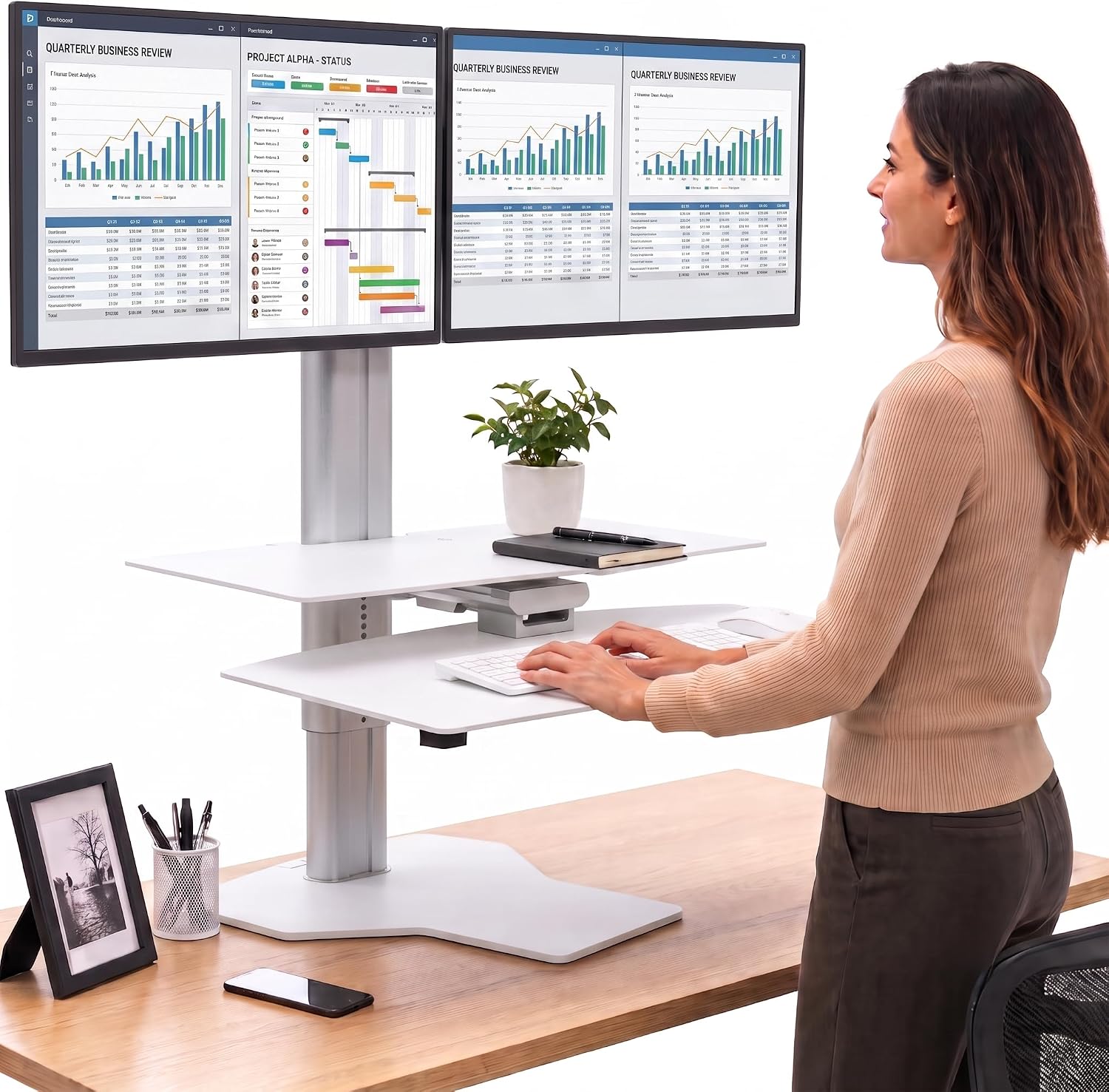
Perfect POSTURE Standing Desk Converter – Dual Monitor Riser – 18" Lift
The only pick here that moves screens and keyboard surface together, with a full 18 inch lift
Costs more than the other three combined and needs a deep, stable desktop under it
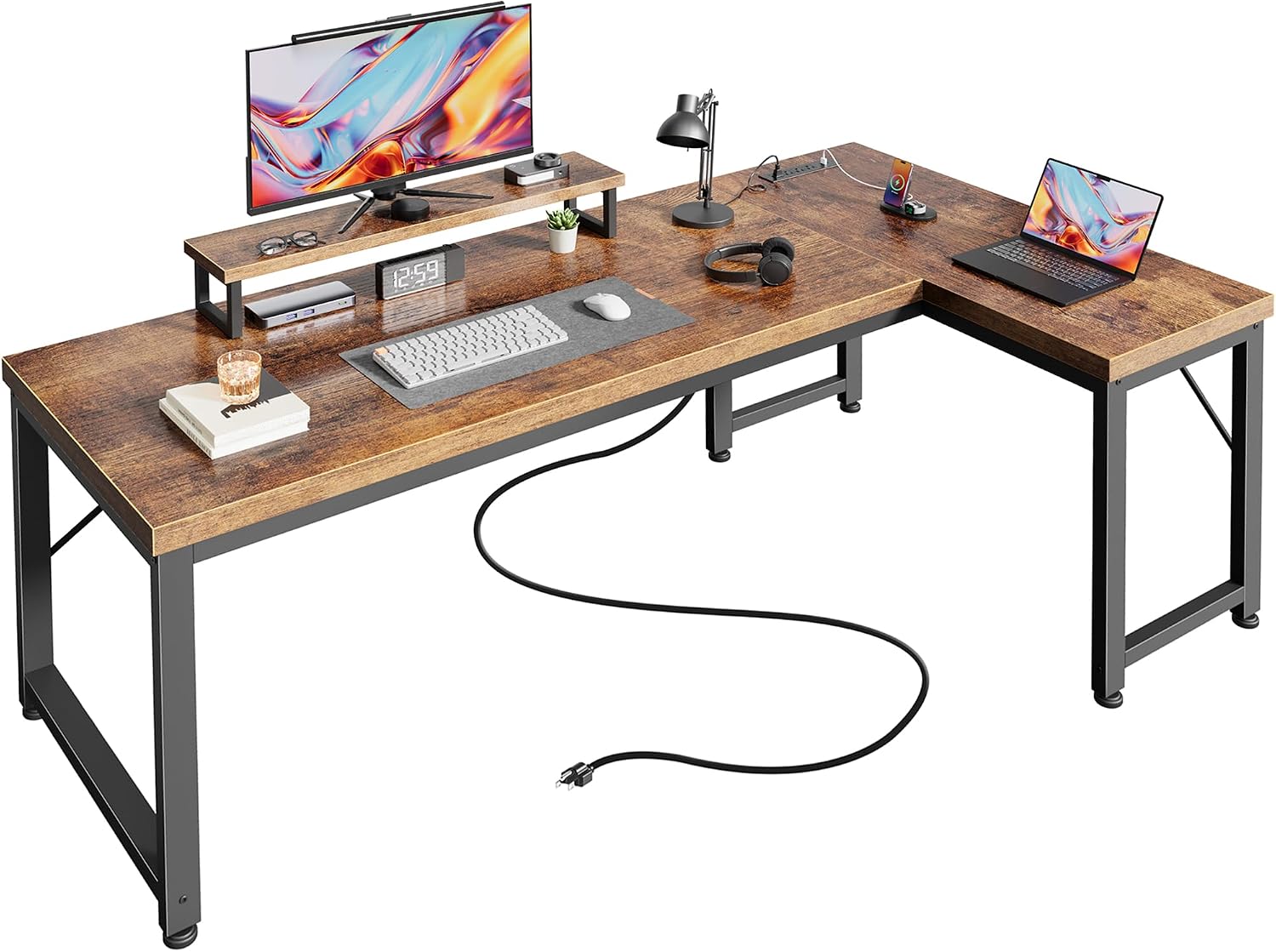
PRAISUN 53" L Shaped Computer Desk, Outlets, Monitor Stand, Rustic Brown
Built-in outlets, an integrated monitor stand, and an L shape that puts a corner to work
The monitor stand fixes screen height for you, so if it lands wrong there is no adjustment
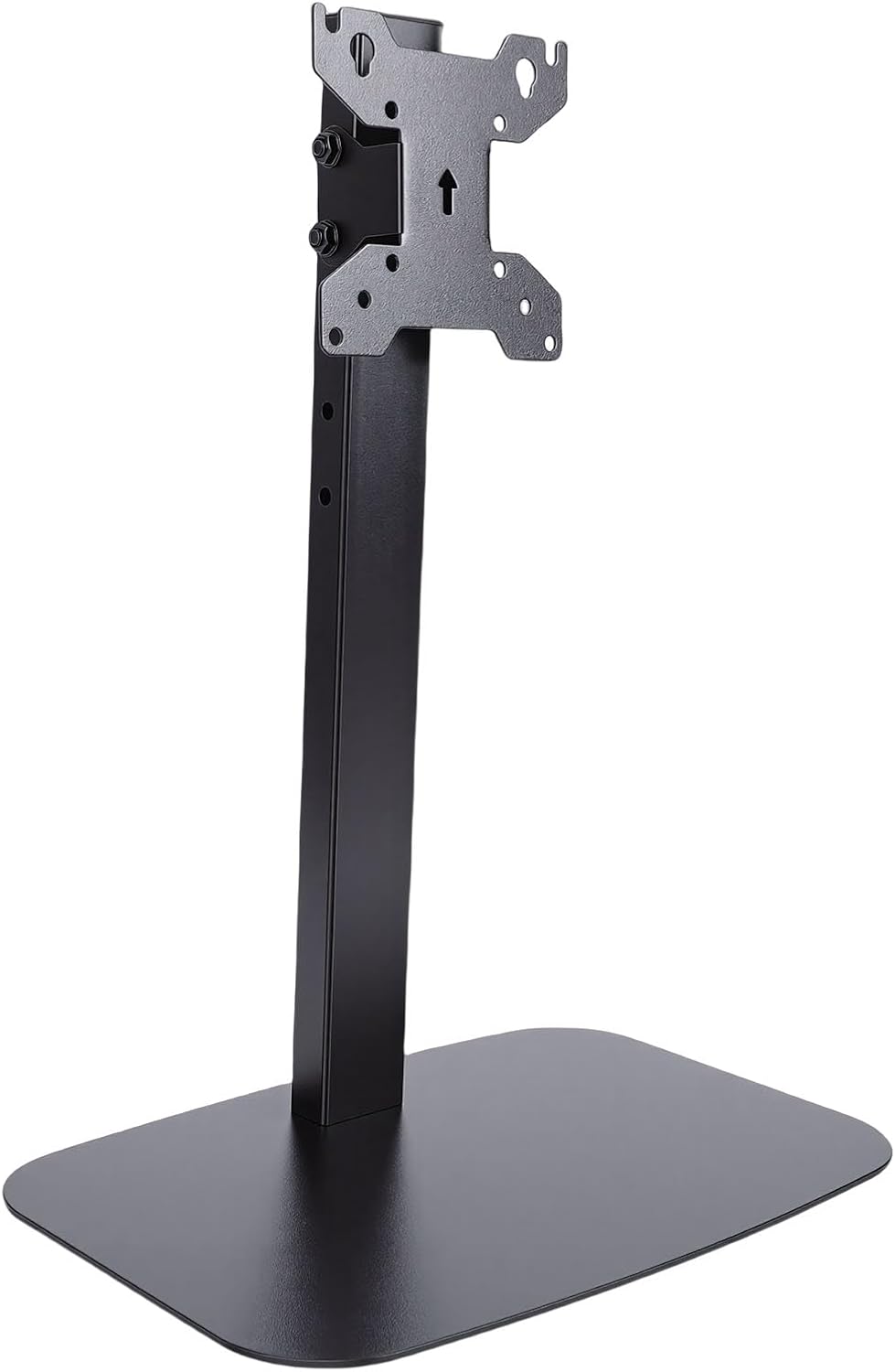
Yosoo Health Gear Single Screen Desk Stand Height Adjustable for 32 Inch
Height adjustment sized for a large single panel in a small footprint
One screen only, and a stand cannot fix a desk that is the wrong height
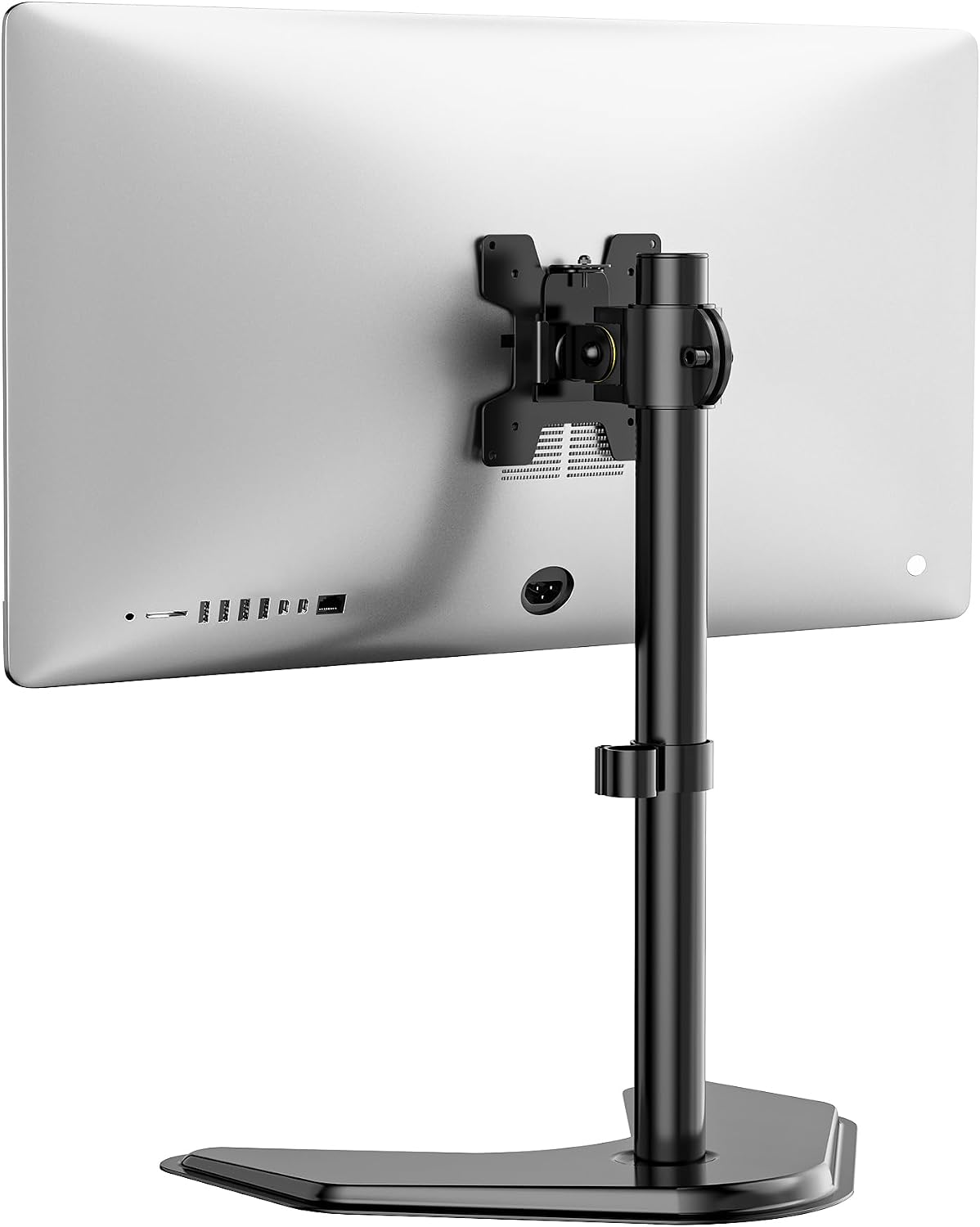
WALI Freestanding Vesa Monitor Stand for 13-32 inch Screens, up to 22 lbs
Freestanding base needs no clamp and no drilling, rated up to 22 lbs
No motor and no quick release, so you set it once and live with it
Prices and availability may change.
How I size a setup instead of guessing at it
I carry a tape measure and a notebook. Every desk height range and every chair seat depth I recommend came off a real product in a real room, not off a spec sheet. When someone asks about posture, I write down four numbers before I recommend anything: seated elbow height with the chair set where they actually sit, standing elbow height in flat shoes, the horizontal distance from eye to the middle of the screen, and the width of the room the desk has to live in.
Ergonomics is a measurement, not a feeling. If you cannot say your desk height in inches, you are guessing, and guessing is how a monitor ends up too low for six months without anyone working out why their neck hurts.
A standing setup and a sitting setup are not two philosophies. They are two sets of numbers produced by the same body.
What standing setup vs sitting setup for posture really changes
Standing does not fix posture on its own. It changes which joints carry the load. Seated, your hips are flexed and your lower back holds a curve against the chair. Standing, your hips open and your feet take the load, but now your knees, calves, and feet are in the chain.
What does not change is the relationship between your elbows, your eyes, and the screen. Your standing elbow height is higher than your seated elbow height, and that gap is the lift you need from whatever hardware you buy. With a standing desk, the gap is desk travel. With a converter or a riser, the gap is the lift built into the riser.
This is where most people go wrong. They buy a standing desk, set it once at a height that feels fine, and never measure their standing elbow height. Then they stand with their shoulders shrugged for twenty minutes, feel worse than they did sitting, and decide standing is a fad. The desk is not the problem. The desk height is the problem.
The second thing standing changes is how long you last. Nobody I have set up stands for eight hours. The people who get a real result alternate: sit for focused blocks, stand for calls and the afternoon slump. The people who fail try to stand all day in week one.
So the difference between standing setup and sitting setup for posture comes down to alternation, not to a winner. If you only ever do one, do the sitting one correctly, because that is where the hours go.
The standing hardware: Perfect POSTURE Standing Desk Converter
The Perfect POSTURE Standing Desk Converter is the pick here if you want a standing setup without replacing your desk. It is a dual monitor riser with a full 18 inch lift, and it is the only product in this comparison that moves the screens and the keyboard surface together as one unit.
What that buys you is a single height change instead of two. On a riser-only setup you lift the screens and leave the keyboard on the desk, so your hands stay low while your eyes go up and your wrists end up bent back. A converter avoids that by design.
What it costs you is money and desktop real estate. It needs a desk deep enough for the base and stable enough not to rock when you raise it, and at this price it is a serious line item. If your desk wobbles at the top of its range, that wobble comes along for the ride.
Who should skip it: anyone whose desk is already the wrong height, because you would be stacking a lift on a bad foundation. Fix the desk first.
The sitting foundation: PRAISUN 53" L Shaped Computer Desk
The PRAISUN 53" L Shaped Computer Desk is the shape I would start most home offices from. The L gives you a corner to work into instead of a wall to face, the built-in outlets solve the power outlet problem at the desk rather than at the baseboard, and the integrated monitor stand lifts a screen off the desktop surface.
That monitor stand is also the trade-off. It sets your screen height for you. If it lands where your seated eye level wants it, you are done. If it does not, you are buying a riser to correct a desk that already has a stand on it, which is a silly place to end up.
The room layout constraint comes with the shape. An L needs a corner, and it needs the long side to have its full run. If your room cannot give it that, an L just becomes a desk with an awkward return.
Rustic brown is the finish in the name, and it is worth saying out loud that this is a budget desk at a budget price. It is the cheapest correct starting point in this group. It is not the desk you buy if you already plan to add a motorized base later, because the top and the legs are not built around that.
The two screen risers: Yosoo and WALI
Two risers, two different jobs, and the cheaper one is not the lesser one.
The Yosoo Health Gear Single Screen Desk Stand is height adjustable and sized for a 32 inch screen. Single screen, single adjustment, small footprint. If you run one monitor and your problem is that it sits too low on a fixed desk, this is the direct fix, and it is the least expensive way in this article to change your eye line. The limit is in the name: one screen. Add a second panel later and this stand is not going to carry it, so you will be shopping again.
The WALI Freestanding Vesa Monitor Stand covers 13 to 32 inch screens and is rated up to 22 lbs. The freestanding part is the whole point. No clamp, no grommet, no drilling, so it works on a desk with a thick apron or a glass top you are not willing to clamp. It also means you can slide the whole stand sideways when you rearrange the room, which is a real benefit in a rental.
The cost of freestanding is that it eats desktop depth at the back of the desk and it has no motor. You set it once. If you want to change between sitting and standing heights every day, neither this nor the Yosoo is the product for that. Those are sitting setup tools. The converter is the standing setup tool.
Desk height and chair pairing
Desk height and chair pairing are one decision, not two. A desk is only correct relative to the chair you sit in, because the chair sets how high your elbows ride and the desk has to meet them. Change the chair and you change the desk height you need.
That is why I ask about the chair before the desk. If you are still picking one, my Office Chair Seat Depth: How To Measure Yours walkthrough covers the tape measure part in about four minutes.
Once the chair is set, the desk height falls out of it: seated elbow height, minus whatever the keyboard adds. Do that measurement before you buy a riser or a converter, because it tells you how much lift you actually need, and buying more lift than you need is how screens end up above your eye line.
For the standing half of the day, the same measurement in flat shoes gives you the target. The 18 inch lift on the converter is generous, which is good news if your seated and standing numbers sit far apart and less relevant if they are close together.
Monitor distance, room layout, and lighting layers
Monitor distance is the number people skip, and it decides whether a riser helps at all. Pushing a screen back on a riser and pulling it forward on the desk are the same screen at the same distance, so a riser that only changes height is doing half the job. Measure from your eye to the glass, not to the wall.
Room layout sets the constraint before any of that. An L shaped desk needs a corner. A freestanding riser needs back-of-desk depth. A converter needs a deep, stable top. Sketch the room with the desk width marked before you buy anything.
Lighting layers matter more than people expect, because a screen brighter than the room makes you lean in. I want an overhead layer, a task lamp aimed at the desk surface rather than at the screen, and no window directly behind the monitor. That last one is why a setup can feel wrong at 3 p.m. and fine at 9 a.m.
Power outlet, cable planning, ventilation
Three boring items decide whether a setup survives a year.
Power outlet: count the plugs before you buy furniture. Monitor, laptop, lamp, phone, and a motor if you have one. The PRAISUN desk handles this with outlets built into the desk itself, which is the cleanest version of the fix. Everything else here assumes a strip within reach.
Cable planning is not aesthetics. A cable that pulls on a monitor stand changes the screen angle within a week, and you will adjust it back every Monday without working out why. Leave slack at every joint, run cables along the arm or the leg, and anchor them below the desk surface rather than across it.
Ventilation is the one nobody thinks about until the room is a converted closet. A standing setup puts your head higher in the room, and a closed door plus a monitor plus a person adds up. If the room has no vent, plan for the door to stay open before you add a desk.
Who should skip what
The standing setup vs sitting setup for posture question does not have a product answer, and that is the point. It has four separate answers depending on which piece you are missing.
Skip the Perfect POSTURE converter if your desk is already the wrong height or your budget is tight. It is the most expensive item here and it only pays off on a desk that is otherwise correct.
Skip the PRAISUN L desk if you have no corner, or if you already know you want a motorized sit-stand base later.
Skip the Yosoo stand if you run two screens or plan to. It is a single-screen tool and it does not grow with you.
Skip the WALI freestanding stand if you change screen height every day. It has no motor and no quick release. It is a set-and-leave-it stand.
And skip all four if you are using them as a substitute for measuring your own desk height. None of them fixes a setup where nobody wrote the numbers down.
FAQ
Which one should I build first? If you are weighing a sitting setup for posture vs standing setup, build the sitting side first. It holds the most hours, and every standing measurement is taken relative to it.
Is a standing setup or sitting setup for posture better? Neither on its own. The sitting setup has to be measured correctly first, and the standing setup is what breaks up the day.
What is the difference between standing setup and sitting setup for posture? Elbow height and duration. Standing raises the elbow line and shifts load to your feet and legs. Sitting lowers it and puts load on your hips and lower back. You correct both with the same two numbers.
Do I need a standing desk, or is a riser enough? A riser or converter changes your screen and keyboard height without moving the desk, and that is enough for an alternating routine. A standing desk is for people who want the whole surface to travel.
The setup I would build first
If you are starting from nothing, the order is desk, chair, screen height, standing option. That is the PRAISUN L desk if you have a corner, a riser if your screen sits low, and the converter only after the first three are measured.
The standing setup vs sitting setup for posture question gets easier the moment you stop treating it as a preference and start treating it as two sets of numbers. Measure your seated elbow height and your standing elbow height, buy the hardware that closes the gap, then alternate, because alternation is the part that changes how you feel at 4 p.m.
I have not met the person who needed a more expensive setup. I have met plenty who needed a tape measure.