The standing desk with lockable casters vs fixed feet question is not about which base is built better. It is about what you need the desk to do at 7 a.m. on a Tuesday, and how much floor you actually have. I spent nine years buying furniture for 400-person floors and six more building out 310 home offices, and the caster decision is the one people get wrong most often, because it looks like a preference when it is really a measurement problem.
Related: Standing Desk Height Range by Your Height
Short answer: if the desk never moves and you type hard, fixed feet win. If the desk has to move for cleaning, floor transitions, or a room that changes jobs twice a day, lockable casters win, and only if all four wheels lock and you actually check them once a month. Everything below is the reasoning, the sizes, and the four desks in this comparison.
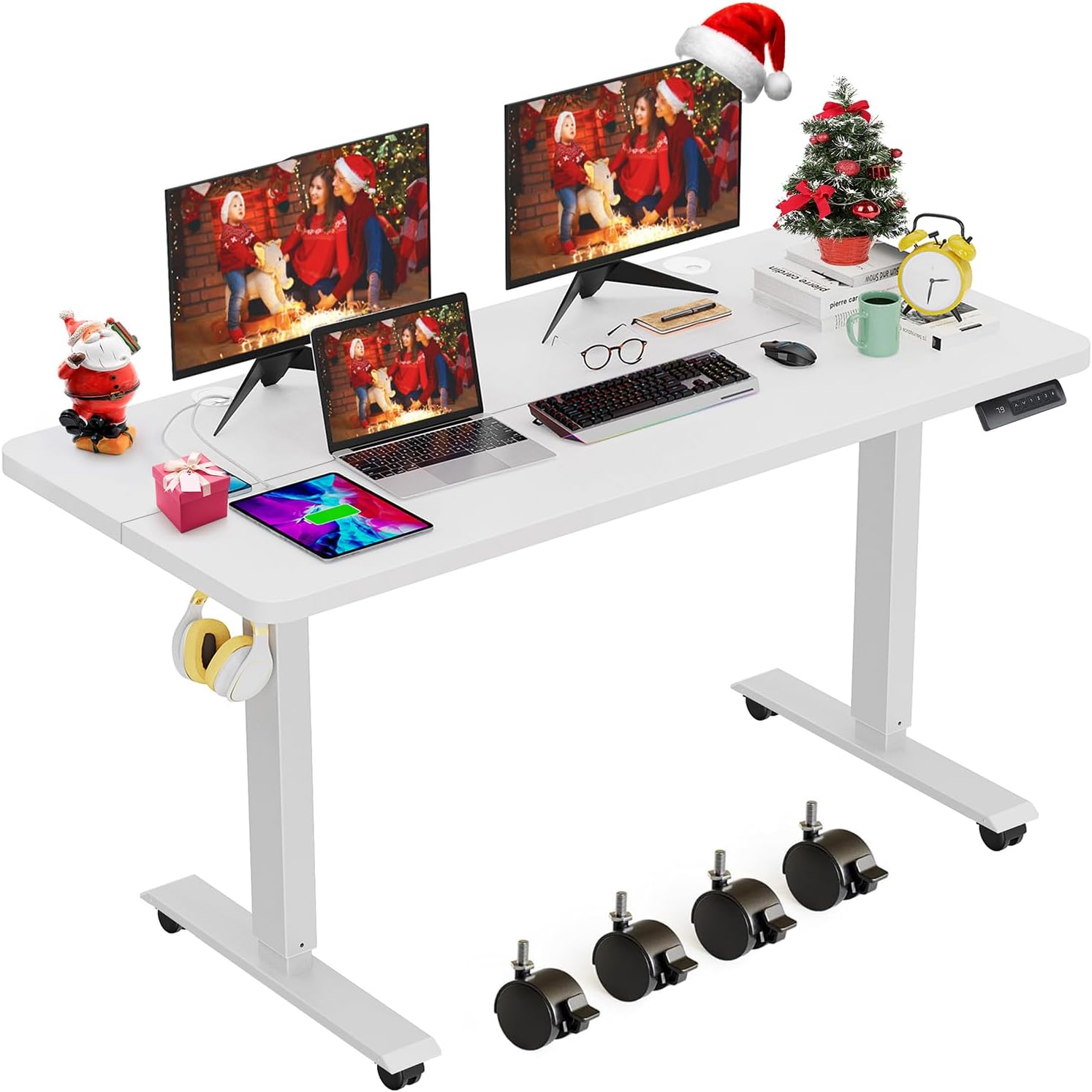
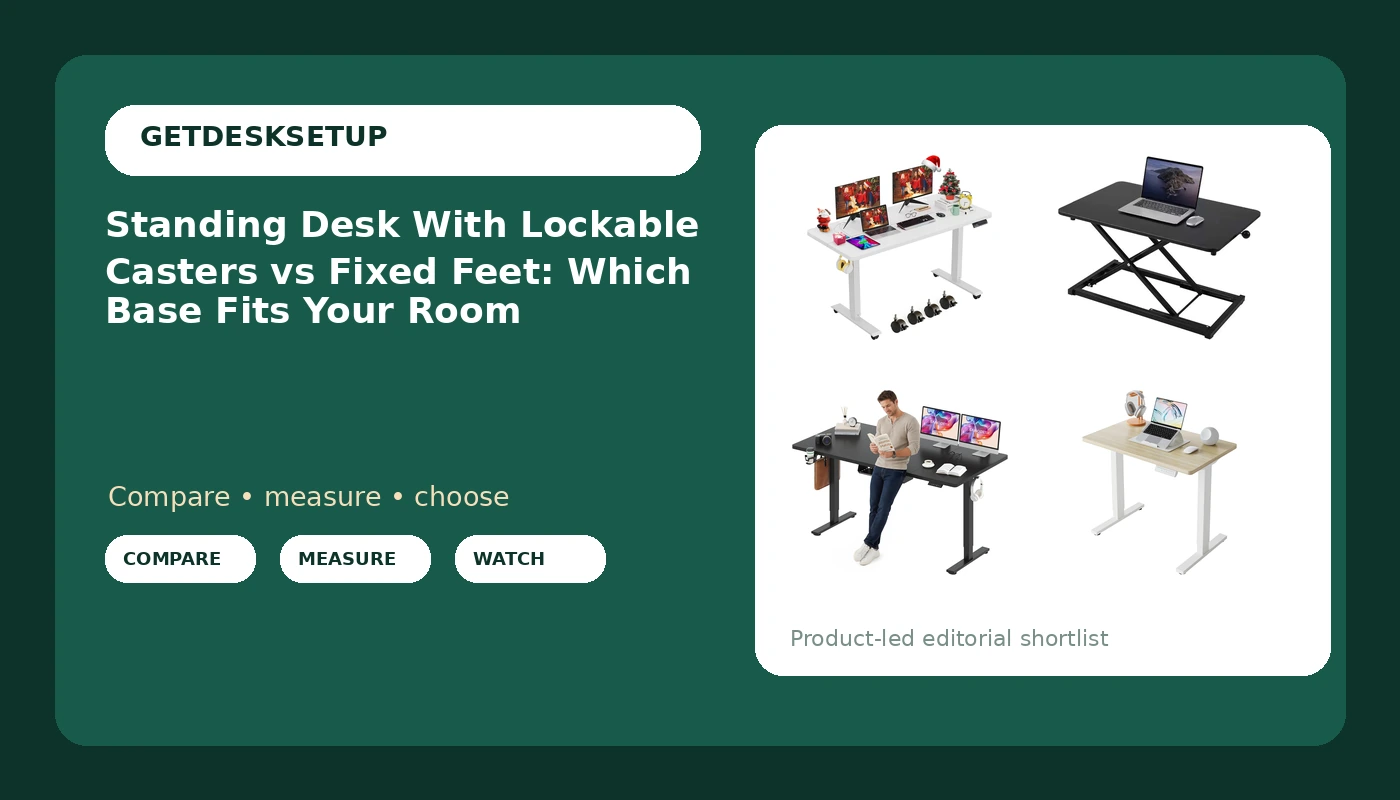
farexon 48×24 Inch Electric Standing Desk with Wheels, White
Wheels are already on the frame, and a 48×24 top is the smallest footprint I would call a real two-monitor desk
White top shows every cable rub, and the wheel set is the entire reason to buy it or skip it
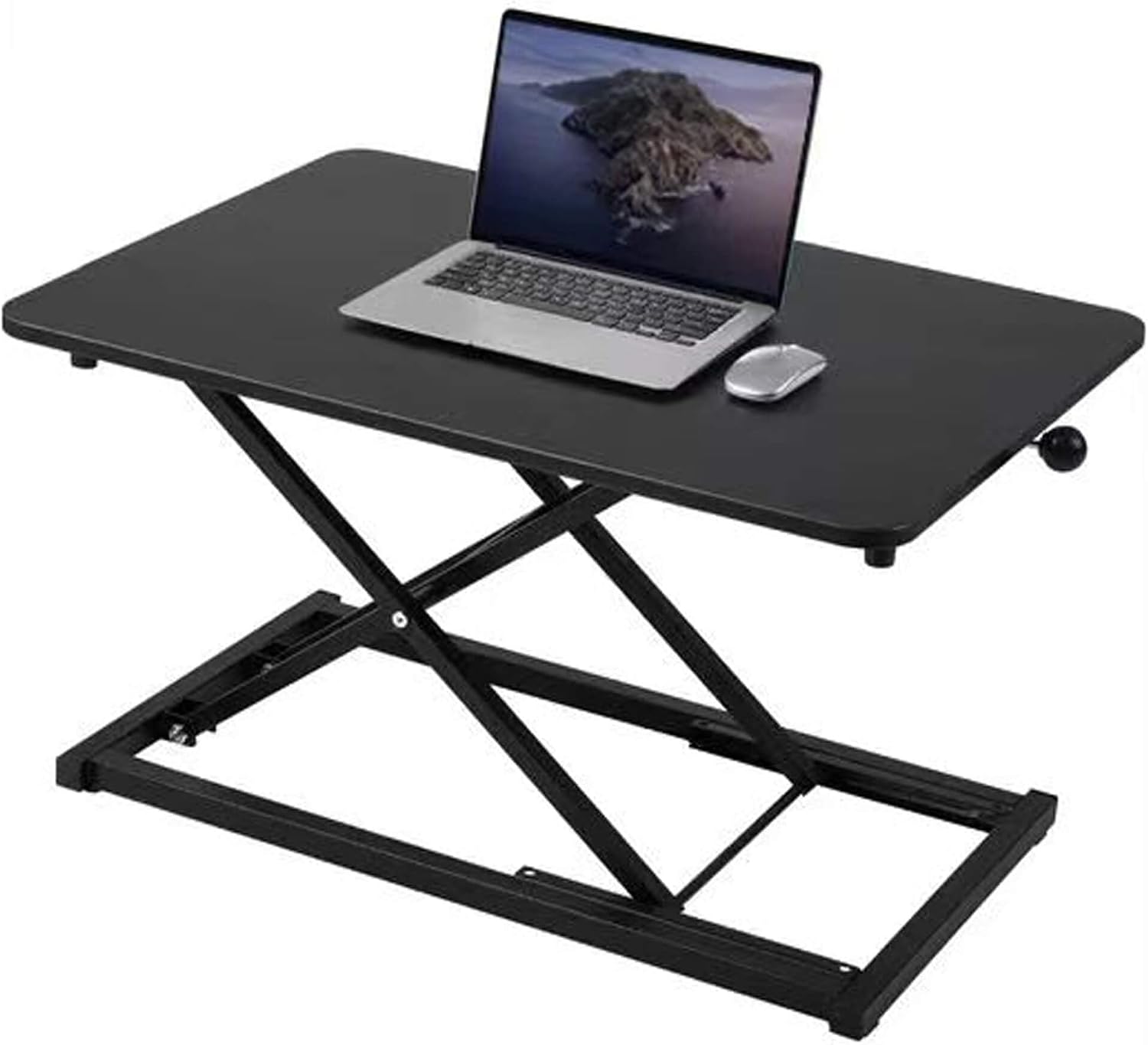
Height Adjustable Standing Desk Converter Keyboard Riser 23.6 Inch Black
Lowest-commitment way to find out whether you actually stand, with no base and no frame assembly
23.6 inch platform, fixed by default, and it inherits every bit of wobble from the desk underneath it
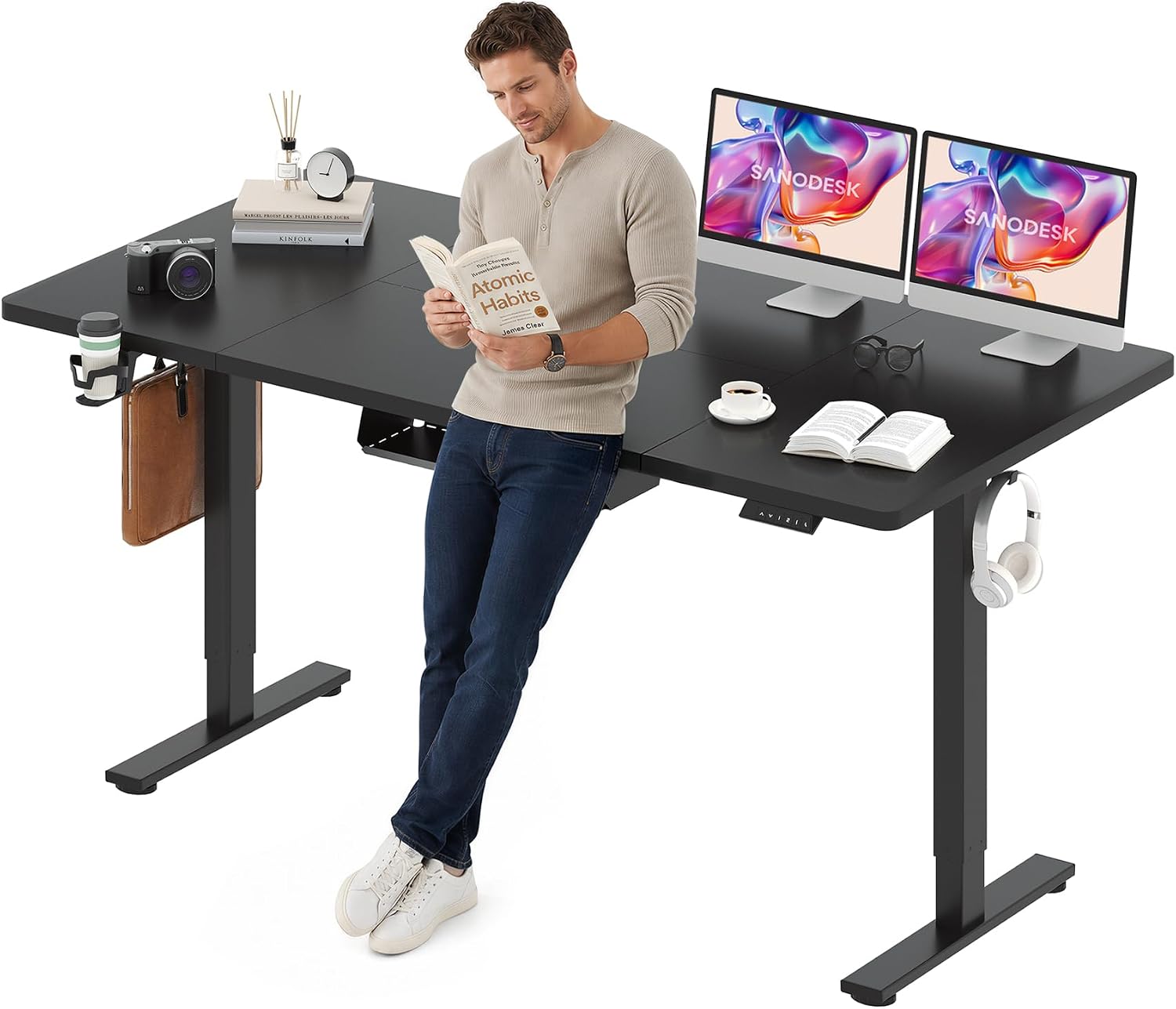
SANODESK 71×32'' Large Electric Computer Height Adjustable Standing Desk
71×32 is the size that swallows a full setup, and 32 inches is the deepest top here
That footprint needs a clear wall, and a 71 inch top is a lot of mass to roll around
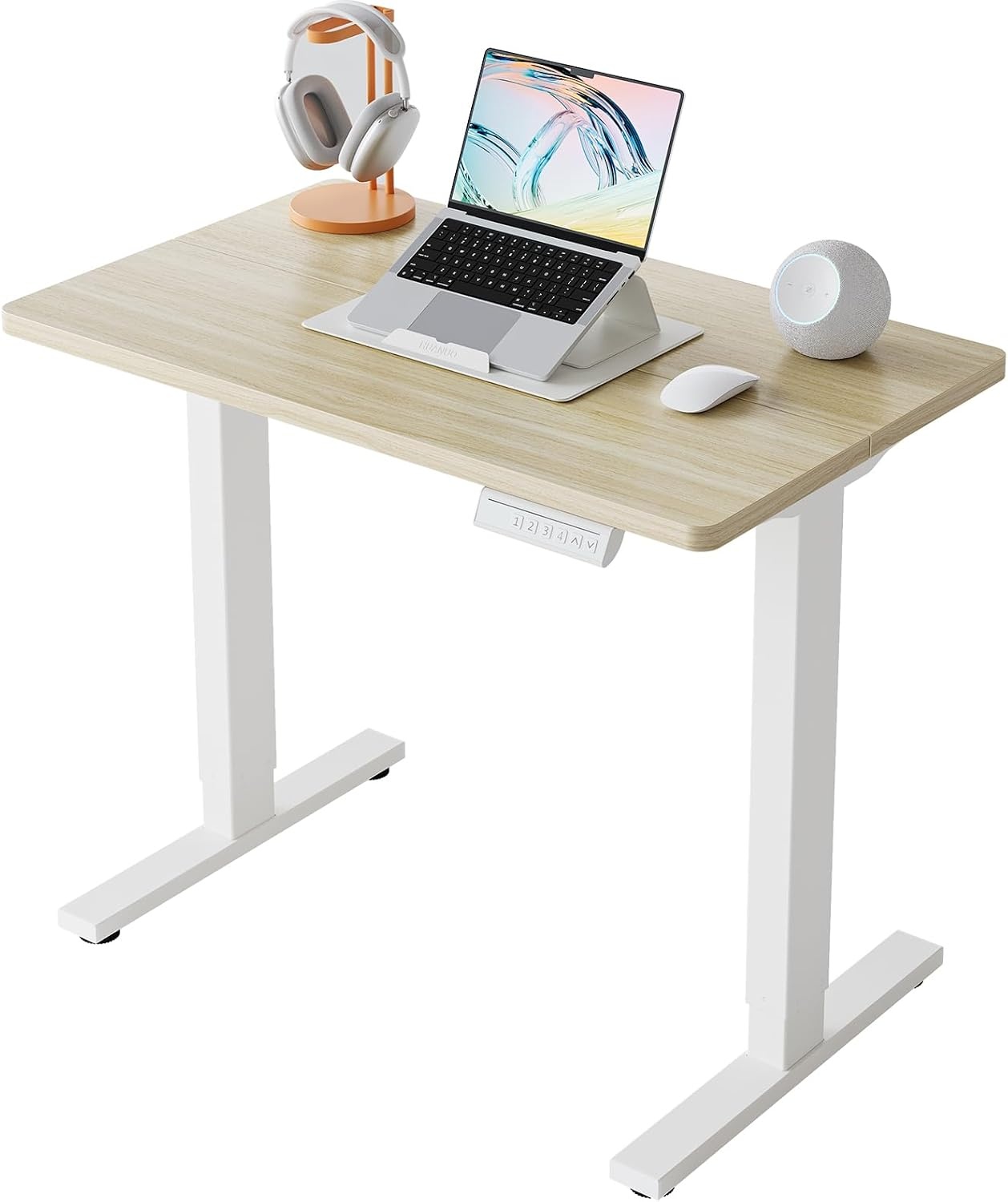
HUANUO 32×19 Inch Small Electric Standing Desk, Adjustable, Light Walnut
Smallest footprint here that still stands on its own legs, which makes it a corner and apartment pick
19 inch depth is tight for a monitor arm, and 32 inches wide holds one screen and not much else
Prices and availability may change.
What actually changes: standing desk with lockable casters vs fixed feet
Castors and feet are not a style choice. They change three measurable things: how much floor space the base occupies, how the top behaves when you lean on it at standing height, and how often you have to bend down and check a locking lever.
A fixed foot spreads load across a flat pad. There is nothing to roll, nothing to unlock, and nothing to sag. A lockable caster adds a wheel, a stem, and a brake. With all four brakes engaged, a wheeled desk behaves close to a fixed desk. With one brake loose, the desk walks. I have watched a desk wander four inches across a hardwood floor over a month of standing sessions because the user only ever locked the front pair, and never the rear.
The counter-argument is just as real. Across 310 installs, the desks that got repositioned most were in rooms that do double duty: a guest room that becomes an office, a living room that becomes a classroom at 3 p.m. Moving a 71 inch desk on fixed feet takes two people and a felt pad. Moving it on wheels takes one person and ten seconds.
So answer this before you buy: in the next twelve months, will this desk move more than twice a year? If yes, casters. If no, fixed feet, and put the difference into the top.
Fixed feet vs standing desk with lockable casters: the stability question
Everyone worries about motor speed. The failure that actually annoys people is wobble at the top of the range. A desk that is rock solid at 29 inches and shaky at 46 inches only works for short users, and that is exactly the desk most people buy.
Feet help here. Fixed feet sit flat, and a leveling foot takes the rock out of an uneven floor with a twist. Casters put a compressible wheel between the frame and the floor, and a wheel adds a pivot. A locked caster is not the same as a foot. It still has a stem and a housing, and that is where the flex lives.
The difference between standing desk with lockable casters and fixed feet shows up in the last two inches of travel, where the frame is least stable and you are most likely to lean. If you are 5'11" or taller, either test the desk at your standing height or read the height range in the listing and be honest about whether your standing height sits near the ceiling of it. A crossbar or a deeper top also helps, because a 32 inch deep top flexes less than a 19 inch one under the same forearm load.
Related: Standing Desk Cable Management That Survives Daily Height Changes
Desktop depth is the spec that decides the room
Desktop depth is the number most people never look at, and it decides more about daily comfort than width does. Here is how the four products in this comparison line up, with the numbers I would use in a client's room.
- 19 inches, the HUANUO 32×19. One monitor on its own stand, or a laptop plus a keyboard. A monitor arm clamp needs roughly two inches of clear rear edge, and 19 inches leaves very little room to push a screen back. It works when your eyes sit about 20 to 24 inches from the glass.
- 23.6 inches, the converter platform. That is the platform width, not a desk depth. It holds a keyboard and a laptop, or a keyboard and a small monitor, and nothing wider.
- 24 inches, the farexon 48×24. This is the practical minimum for a monitor arm plus a keyboard in my notebook.
- 32 inches, the SANODESK 71×32. Enough to put a monitor at the back edge and still have forearm support at the front.
Width matters just as much, and this is where people overshoot. The SANODESK needs a clear wall of at least 71 inches, realistically 75 to 80 if you want to walk behind a chair. The farexon needs 48 inches minimum. The HUANUO needs 32. Do not buy a 71 inch top for a wall you have not measured with a tape. I have watched that go wrong in Seattle apartments more than once, usually because the window trim was never in the measurement.
If you plan to clamp anything to the rear edge, read Monitor Arm Clamp Depth Explained before you commit to a shallow top.
Lift capacity, dual motor, and what actually moves the top
Lift capacity is the spec that tells you whether the frame holds your gear while it travels, and it is not the same as the weight the top can survive while parked. A frame rated for a heavy load with a dual motor raises both legs at once and generally racks less side to side than a single-motor frame doing the same job.
Count your load honestly before you buy: two 27 inch monitors on arms, a laptop, a dock, a lamp, a speaker. A desktop PC that sits on the floor does not count toward the top. If your total on the top goes past 100 pounds, look for the dual motor frames and read the lift capacity number rather than the marketing sentence on the image.
The converter in this group has a different load story. It carries a keyboard and a laptop, and whatever it holds also has to be lifted by your arms, because a riser moves on a spring or a gas strut, not a motor. That is a real constraint if your keyboard setup is heavy.
Memory preset and anti collision: the electronics you will actually use
A memory preset is the difference between standing up twice a day and standing up six times a day. If reaching standing height means holding a button for 25 seconds, you will stop doing it by week three. Four presets is plenty: sit, stand, and two for the other person in the house.
Anti collision matters more than people expect in small rooms. A desk that stops when it meets an obstruction saves your window sill, your file cabinet, and your cable tray. If the desk sits against a wall with a radiator, a low window, or a shelf, this is the feature that keeps the top from grinding into it.
Neither feature shows up in a photo. Both are worth checking in the listing text before you buy, and both are reasons a wheeled desk with a good controller beats a fixed desk with a dumb one.
Crossbar, grommet, cable tray: the small parts that outlast the novelty
A crossbar stiffens a two-leg frame, and on a wheeled base it also stops the legs from splaying when you push the desk sideways across a floor. If you are buying casters specifically so you can shove the desk around, look for a crossbar or a frame that ties the legs together.
A grommet is where cables leave the top. It sounds trivial until you have a monitor arm, a lamp, and a charger all trying to exit the same rear edge. One grommet per side is the layout that works.
A cable tray is only as good as its mounting. I have pulled sagging trays off more desks than I can count, because they were screwed into a thin top with short screws and then loaded with a power brick. The rule I use: nothing heavier than a laptop power supply goes in a tray unless the tray has its own metal bracket, and every cable keeps enough slack to travel the full height range. A cable that goes tight at standing height pulls a monitor arm out of alignment within a week. That is not an aesthetic problem, it is a posture problem.
The converter: the third answer nobody asks about
Whether you land on a standing desk with lockable casters or fixed feet, there is a third option in this group that skips the base entirely. The keyboard riser is a platform that sits on top of whatever desk you already own, and it has no legs and no wheels, so it is fixed by definition.
It is the lowest-commitment way to test whether standing is something you will keep doing. It also has hard limits. The platform is 23.6 inches wide, so two monitors side by side are out. It takes over the front of your existing desk, which pushes your monitor back and often too low. And it inherits every bit of wobble from the desk underneath, so a shaky desk plus a riser is worse than either one alone.
Before you buy one, add the riser's raised height to your current desk height and compare that total against your standing elbow height. If the sum puts your keyboard above your elbows, the riser is the wrong tool, and a full desk with its own frame is the right one.
Who should skip each of these four
- farexon 48×24 with wheels. Skip it if your floor is deep pile carpet, because small casters sink and the desk becomes a fixed desk with extra steps. Skip it if the desk will never move, because you are paying for wheels you will not use.
- Height Adjustable Standing Desk Converter. Skip it if you run two monitors, if your current desk is shallow, or if you need the keyboard height to be independent of the monitor height.
- SANODESK 71×32. Skip it if your clear wall is under 75 inches, or if you rent and move every year, because a 71 inch top is awkward to transport even when it rolls.
- HUANUO 32×19. Skip it if you use two screens, a heavy monitor arm, or if the listing's height range does not put the top at your standing elbow height. Also skip it if your gear exceeds the stated lift capacity, which you should read rather than assume.
What I would put in a client's office
For a dedicated home office with a hard floor and a wall over 75 inches, I would take the SANODESK and leave the casters off the order. The 32 inch depth is the part that earns its keep, and a fixed base on a hard floor is the quietest, most stable arrangement you can buy at this size.
If the wall is only 48 inches and the room is shared, the farexon is the honest pick, and the wheels are the reason. Budget for a monthly lever check. If the room is a corner in a small apartment and one screen is the whole setup, the HUANUO 32×19 covers it, with the caveat that you keep the monitor on its own stand rather than an arm.
If you are not sure you will still be standing in six months, buy the converter first, live with it for a month, and then decide on a full desk. That is cheaper than buying the wrong frame and discovering it on week three, and it tells you more about your own habits than any spec sheet will.
FAQ
Do lockable casters make a standing desk wobbly? A locked caster is stiffer than an unlocked one, but it is still a wheel and a stem rather than a flat pad. Expect a small amount of extra movement compared with fixed feet, and expect it to be worst at the top of the height range, which is exactly where tall users spend their standing hours.
Can I add casters to a desk with fixed feet? Sometimes, if the leg has a threaded insert at the base and the caster stem matches the thread. If it does not, you are drilling into a structural part of the frame, which is how people end up with a desk that leans. Check the leg base before you buy anything.
Which is better on carpet? Fixed feet, almost always. Deep pile carpet swallows small casters, and a desk that sinks unevenly will rock no matter how tight the brakes are. If you need wheels on carpet, look for a wider wheel and a mat under the desk.
How do I know the wheels actually lock? Read the listing for a brake or lock on all four wheels, not just two. Then test it the day it arrives: lock every wheel, put your hip against the top, and push. If the desk moves, the brakes are not engaged, or one of them is faulty, and that is a return rather than a fix.
The whole standing desk with lockable casters vs fixed feet decision gets easier once you stop treating it as a build-quality argument. Measure your wall, measure your gear, decide how many times a year the desk moves, and the base answers itself.