Related: Standing Desk Cable Management That Survives a Move
I have drilled more holes in desktops than I care to admit, and the standing desk grommet size is the spec almost nobody publishes. I spent nine years as a facilities manager buying desks for 400 person floors, and six more years running a two person setup service that has built out 310 home offices. In all of that time, the part that generated the most callbacks was not a motor. It was a six dollar plastic ring.
Here is the short version. A grommet is only worth anything if the hole under it matches the part. The grommet I keep in the van is made for a 2.5 inch hole, and that is the number to hold in your head when you are standing in front of a desk with a tape measure. If your desk has no hole at all, you either drill one or you route cables around the back edge, and that call is worth thirty seconds of thought before you spend anything.
Best Overall: SEDETA Electric Standing Desk with 6 Drawers, 55" Adjustable Stand up Desk with Storage, Computer Desks with Power Outlets for Home Office, Black
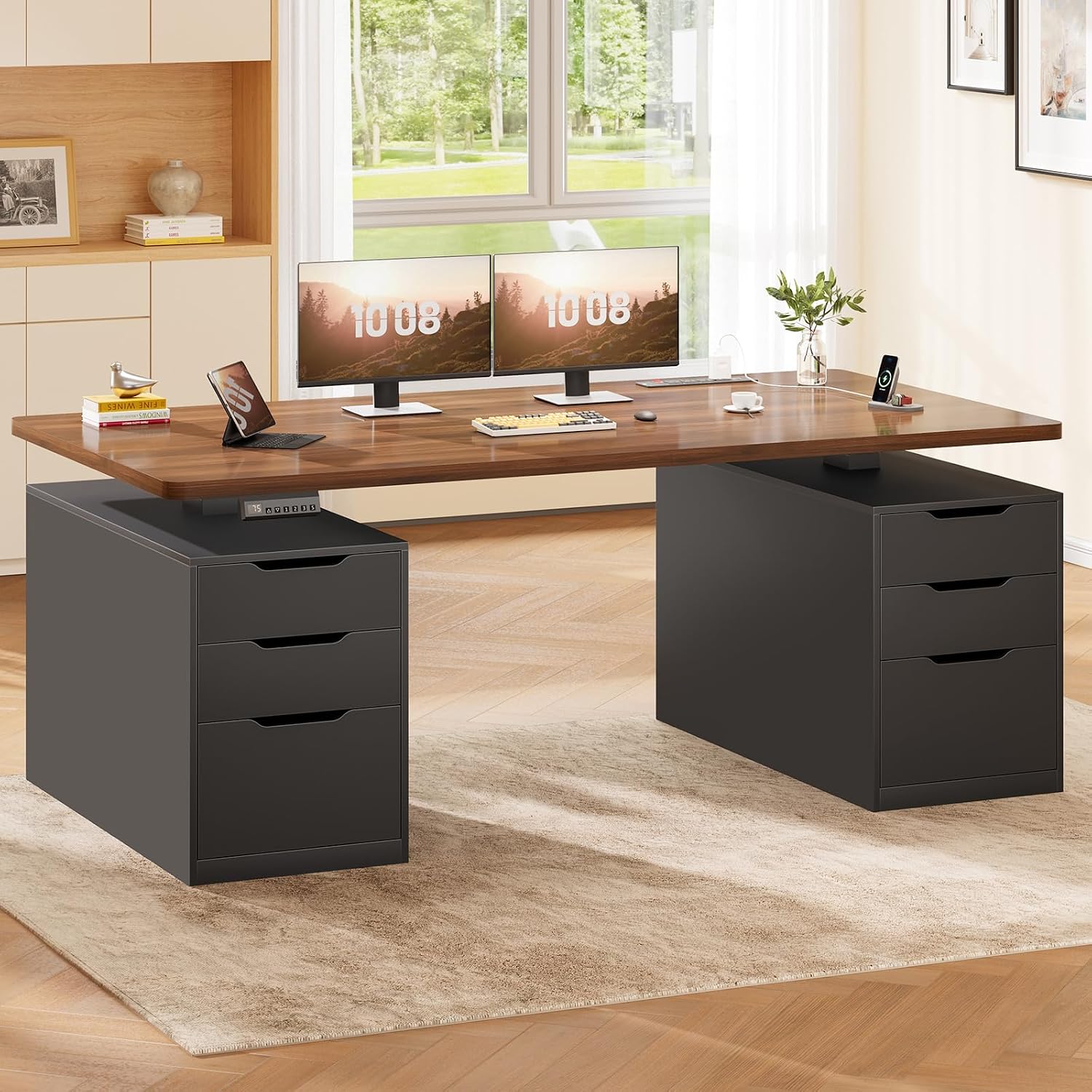
The reason this desk wins the grommet argument is that it reduces how many cables need a hole in the first place. It is 55 inches wide, it has six drawers, and it has power outlets built into the desktop. That last one is the whole ballgame for cable management.
When the outlets are on the desk, your laptop charger and your monitor plug in at desktop level. The only cable that has to travel to the floor is the desk's own power cord. So instead of a fat bundle fighting through a grommet, you are looking at one cord down the back edge or through a single hole. Fewer cables through the hole means less pull on your monitor arm, and less pull is the difference between a monitor that stays where you set it and one that sags two degrees by Friday.
The 55 inch width matters too. A grommet is usually set near a back corner, and if the desk is too narrow you end up stacking a monitor directly over it. Fifty five inches gives you room for a monitor on the left, a laptop on the right, and a clear pass-through in between. The black frame and black top also hide a black plastic grommet, which is the small thing nobody thinks about until they see a black ring sitting on a white desk.
What I would check before buying: whether the desktop already has a hole, because I would not assume it does, and where the frame runs underneath. If you are drilling, you need to know where the crossbar sits before the bit goes in. This desk needs 55 inches of wall. If your space is narrower than that, skip it.
Best Value: DESINO Standing Desk, 55 × 24 Inches Electric Height Adjustable, Sit and Stand Up, Computer Office Desk with Splice Board, White Frame/White TOP
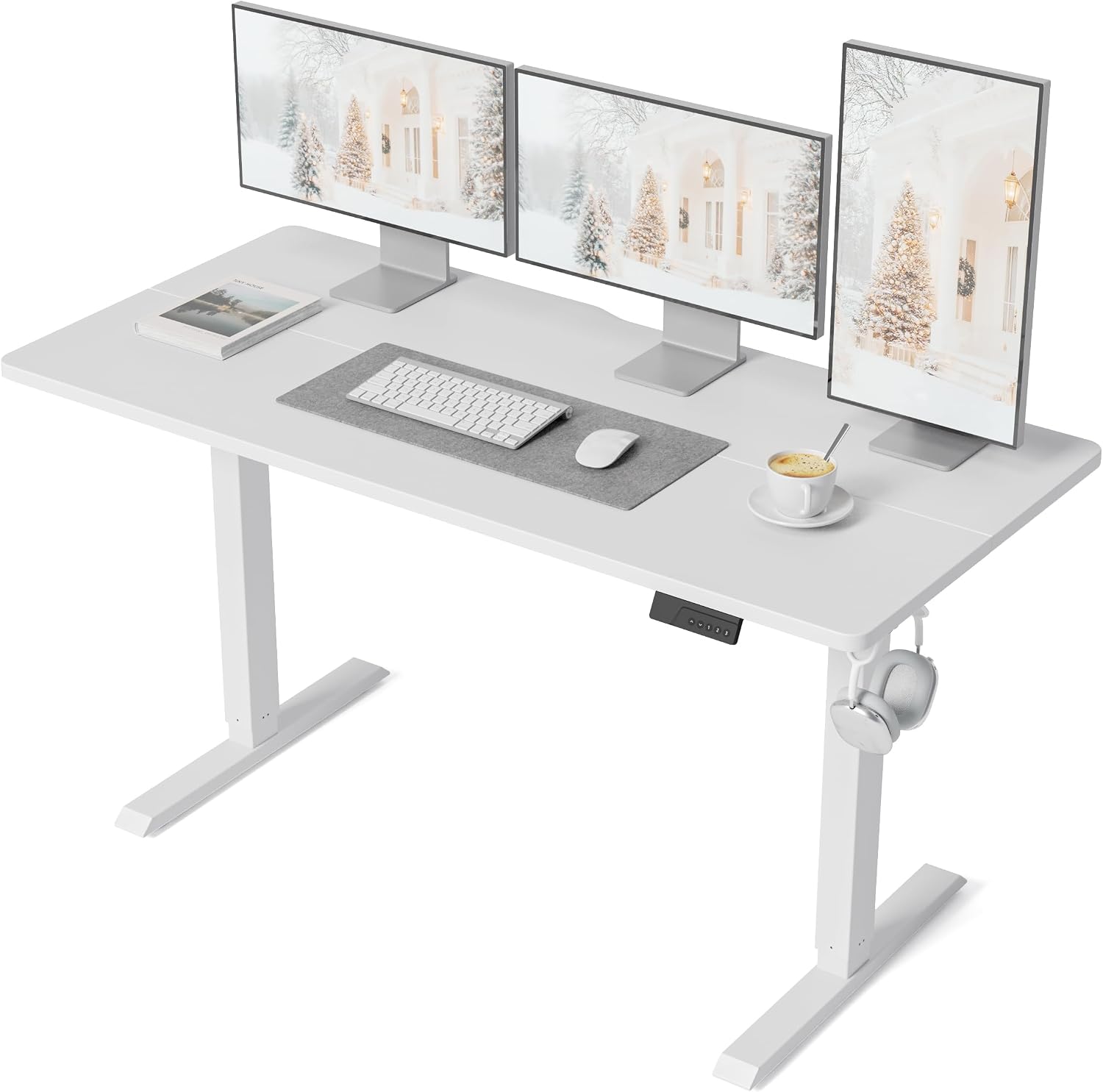
Two numbers on this one decide your grommet plan: 55 by 24 inches. The 24 is the desktop depth, and desktop depth is what tells you whether a clamp on monitor arm will sit behind your keyboard or whether you need a bolt through mount that uses a hole in the top.
Then there is the splice board. The desktop is two boards joined, which means there is a seam running across it. I do not drill near a seam. Keep any hole well clear of the joint, and if you use a bolt through monitor arm, mount it on one board or the other, never straddling the line. That is not a style preference, it is the difference between a hole that holds and a hole that starts to open up.
Color is the other thing to decide early. This is a white top with a white frame, and the grommet I recommend is black plastic. On a white desktop you will see it. Some people like the contrast, some people want it invisible, and either answer is fine as long as you decide before the drill comes out, because the hole is the permanent part.
What you give up at this level: no drawers, no built-in outlets, and a 24 inch depth that keeps you closer to your monitor. If you need storage or desktop power, this is not your desk. If you want the widest electric frame you can get for the least money, this is the one I would start with.
How I tested
Every desk and every accessory that comes through my shop gets the same treatment, and it starts with a tape measure, not a spec sheet.
The hole test. Measure the opening at its widest point, then measure it again from underneath. A hole that measures differently top and bottom will swallow a grommet that looked correct in the listing. Then set the grommet in dry, without forcing it, and check that the flange covers the edge all the way around. If the flange drops inside the hole, the part falls through the first time you push a cable.
The load test. Run a full bundle through, monitor cable, USB, whatever else is on the desk, and pull it gently from below. A grommet should hold the cables without lifting out of the desktop. Then leave it a month and look again. Plastic that was flat on day one can bow once the cables warm up and settle.
The thickness check. A desktop that is thicker than the mount's reach means a bolt through monitor arm will never tighten, and no grommet will save it. I measure thickness at the hole, not at the edge, because some tops are routed thinner in the middle than they are at the rim.
While I am under the desk, I note the frame layout: where the crossbar runs, whether the cable tray is metal or thin plastic, and what the spec sheet claims for lift capacity, dual motor, memory preset and anti collision. Those numbers do not tell you whether a hole will work, but they do tell you how much machinery is moving above your cables. The standing desk grommet size question is really a question about everything above and below the hole.
Analysis and test results
The hole is the constraint, not the grommet. Covers and rings are sold to match a hole diameter, and the part I keep in the van is built for a 2.5 inch opening. Get that number wrong and nothing else in the setup matters.
What a 2.5 inch hole will pass: connector ends. HDMI, DisplayPort, USB-C, the small stuff goes through with room to spare. Power bricks do not. The rule I use with clients is simple. Connectors pass, bricks stay on the floor. If you need a brick under the desk, it goes down the back edge, not through the hole, because a brick jammed into a grommet is a cable that will not move when you raise the desk.
Covers are the second half of the equation. A grommet with a cover gives you a flat desktop when you are not running anything through it, and an open pass-through when you are. That is the difference between a hole and a hole you can live with. On a desk you also use for writing, or one with a keyboard tray, the cover matters more than the hole itself.
The sag problem is real, and it is almost never the grommet. It is the cable tray. A thin steel tray screwed into a particleboard top will bow under a power strip within a month, and once it bows, every cable in it pulls tight. The fix is not a better tray. It is routing the heavy bundle through the hole and keeping the tray for the light stuff.
The sit stand desk grommet size you need is not a preference, it is a match. Measure the hole you have and buy to that number, or drill a new hole at the size the part you want is built for.
The height adjustable desk grommet size question gets harder once a monitor arm is involved. A clamp mount ignores the hole completely. A bolt through mount needs it, and it needs the hole to be in a spot where the arm's base can sit flat. If you are buying a desk and an arm at the same time, decide which mount type you want first, then plan the hole around it.
A stand up desk grommet size that works at sitting height has to keep working at standing height, because cables do not get longer when the desk goes up. Anti collision sensors will not save your cables either. They stop the desk when it meets an object, and a cable pulling tight is not an object the desk can feel. That is why the cable path needs slack at both the lowest and highest positions. Set your memory preset, run the desk to the top, and check that nothing has gone taut. If it has, you need a longer cable, not a bigger hole.
That is the whole standing desk grommet size guide in one sentence: match the part to the hole, and leave slack at both ends.
Standing desk grommet size reference table
This is the table I keep in the notebook, and it is the same one I use when a client sends a photo of a desk and asks whether the hole will work.
| What | The number that matters | Why it matters | Notes |
|---|---|---|---|
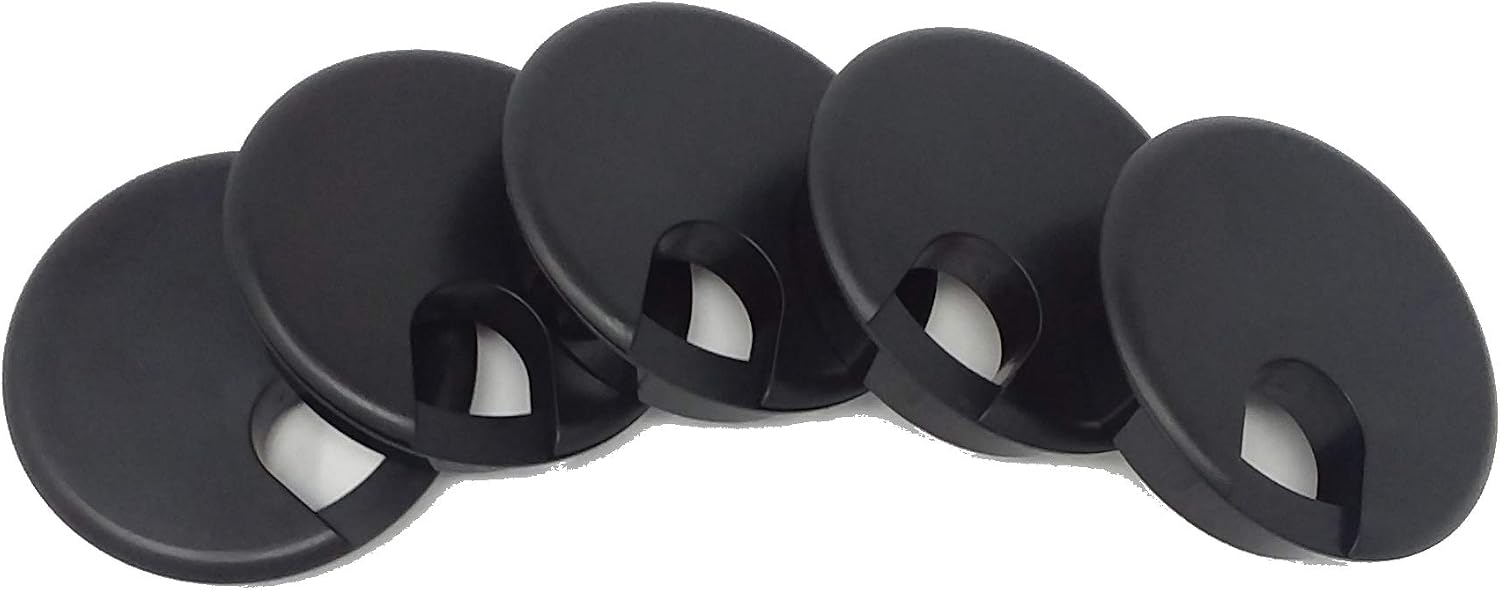 View on Amazon → Desk grommet with cover, 5 pack | 2.5 inch hole | Closes the pass-through when it is not in use | Black plastic, five in the pack |
| Existing desk hole | Measure at the widest point | A grommet that is too small drops straight through | Measure from above and from below |
| Desktop thickness | Measure at the hole, not the edge | A bolt through monitor arm needs the top thin enough to reach | Some tops are routed thinner in the middle |
| Desktop depth | 24 inches on the DESINO | Decides clamp mount or bolt through mount | Under 24 inches, clamps get crowded |
| Cable count | Count connector ends | Bricks and power strips do not fit | Connectors pass, bricks stay on the floor |
| Crossbar position | Look under the desktop | A drill through steel ends the project | Check before the bit goes in |
Two of these checks take five minutes and they are the two that matter most: the hole diameter and the crossbar position. Everything else you can fix later.
Measuring the hole on a desk you already own
Turn the desk over if you can, or get a light and a mirror under it if you cannot. Measure the opening at its widest point and write the number down. Not every hole is a circle. Some desktops ship with an oval cut or a slot, and a round grommet will not sit flat in either one. If the hole is smaller than the part you bought, do not force it. Pushing a ring into a hole that is too small is how you end up with a cracked flange and a grommet that never sits flush again.
Grommet mounts and cable trays
If you plan to run a bolt through monitor arm, the hole is doing two jobs at once: cables through the middle, arm bolted around the outside. That is fine as long as the arm's base is wider than the hole and the desktop is thick enough to clamp. Where people get into trouble is the tray underneath. Route the heavy bundle through the hole and let the tray carry the light stuff, or skip the tray entirely and use adhesive clips. A tray that sags takes your cables with it.
If you are adding a riser to an existing desk
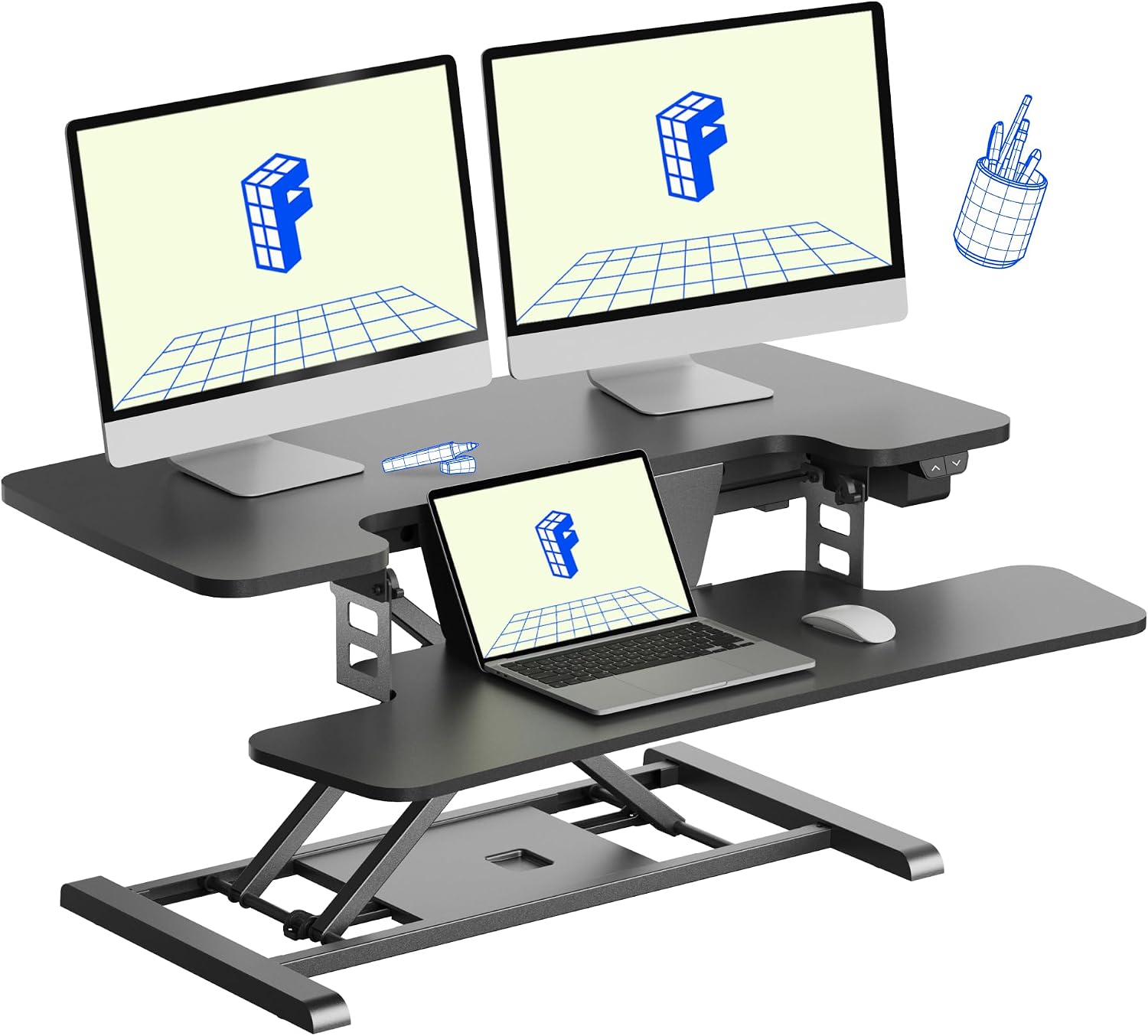
A converter does not replace your desk, so it does not replace your hole either. It sits on top of the desktop you already own, and the base lands wherever it lands. If your grommet is in the middle of the desk, the 35 inch FLEXISPOT riser will likely sit right over it. Measure the footprint before the box arrives and move the cables first, not after. The wide keyboard tray is the other thing to plan around, because it hangs forward of the base and takes the space where a clamp on monitor arm would normally go.
Should you buy the SEDETA Electric Standing Desk with 6 Drawers?
Yes, if you want fewer cables to manage in the first place. Outlets on the desktop plus six drawers means most of your gear never needs to reach the floor, and the only thing traveling through a grommet is one cord. It is 55 inches wide, so plan for 55 inches of wall, and it hides a black grommet on a black top better than a white desk will.
Skip it if your room is narrower than 55 inches, if you want a deeper desktop, or if you want a desk that ships with a grommet already cut. I would not count on that, so plan on drilling your own hole and checking where the crossbar runs first.
Should you buy the DESINO Standing Desk?
Yes, if you want the least expensive way onto a 55 inch electric frame and you are willing to work around a few things. The 24 inch desktop depth keeps you close to your monitor, the splice board means you plan your hole around a seam, and the white top will show a black grommet. None of that is a dealbreaker, and the frame does the one job that matters.
Skip it if you need drawers, built-in outlets, or a top deeper than 24 inches. Skip it too if you want a hole already in the desktop, because you will be measuring and drilling this one yourself.