Related: Best Monitor Arms for a Small Home Office Desk
Nobody prints the monitor arm desk thickness range in large letters on the box, and it is the number that decides whether the arm you ordered clamps onto your desk or goes straight back. I have put a tape measure on the underside of more than 300 home office desks, and the owner's guess about their own desktop is wrong more often than it is right. A top that looks like a thin slab from the front is often much deeper at the clamp point once you count the edge bevel and the steel rail bolted underneath it.
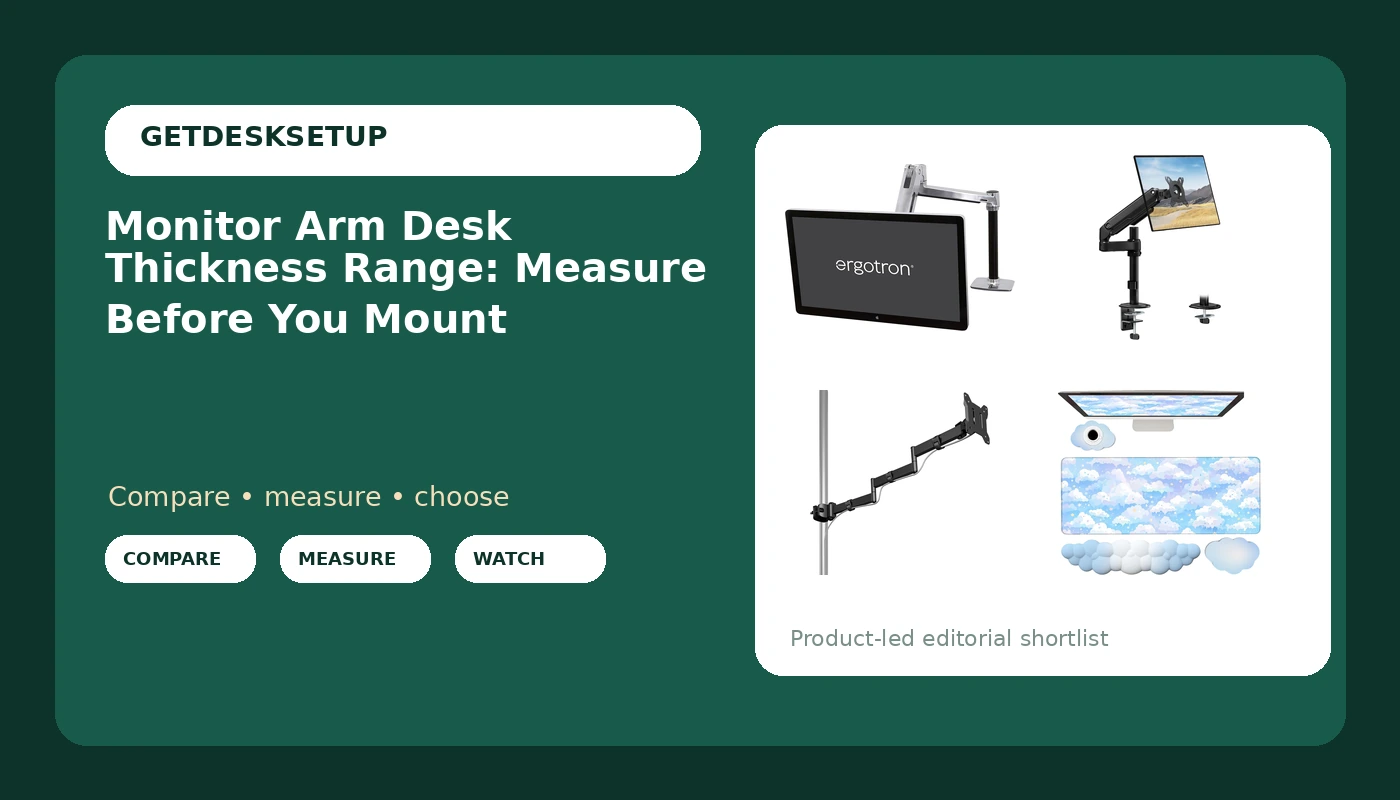
This monitor arm desk thickness range guide is the checklist I run in a client's office before I open a box: measure the top where the clamp lands, look for a rail, check the edge profile, then read the published range on the listing and match it to your number. Do those four things in that order and the install takes twenty minutes. Skip them and you are drilling a grommet hole in a desk that was fine as it was. The four products below are the ones I keep coming back to, and I will tell you who should skip each one.
Best Overall: Ergotron, LX HD Sit-Stand Single Monitor Arm, VESA Desk Mount, for Monitors Up to 49 Inches, 14 to 30 lbs, Polished Aluminum
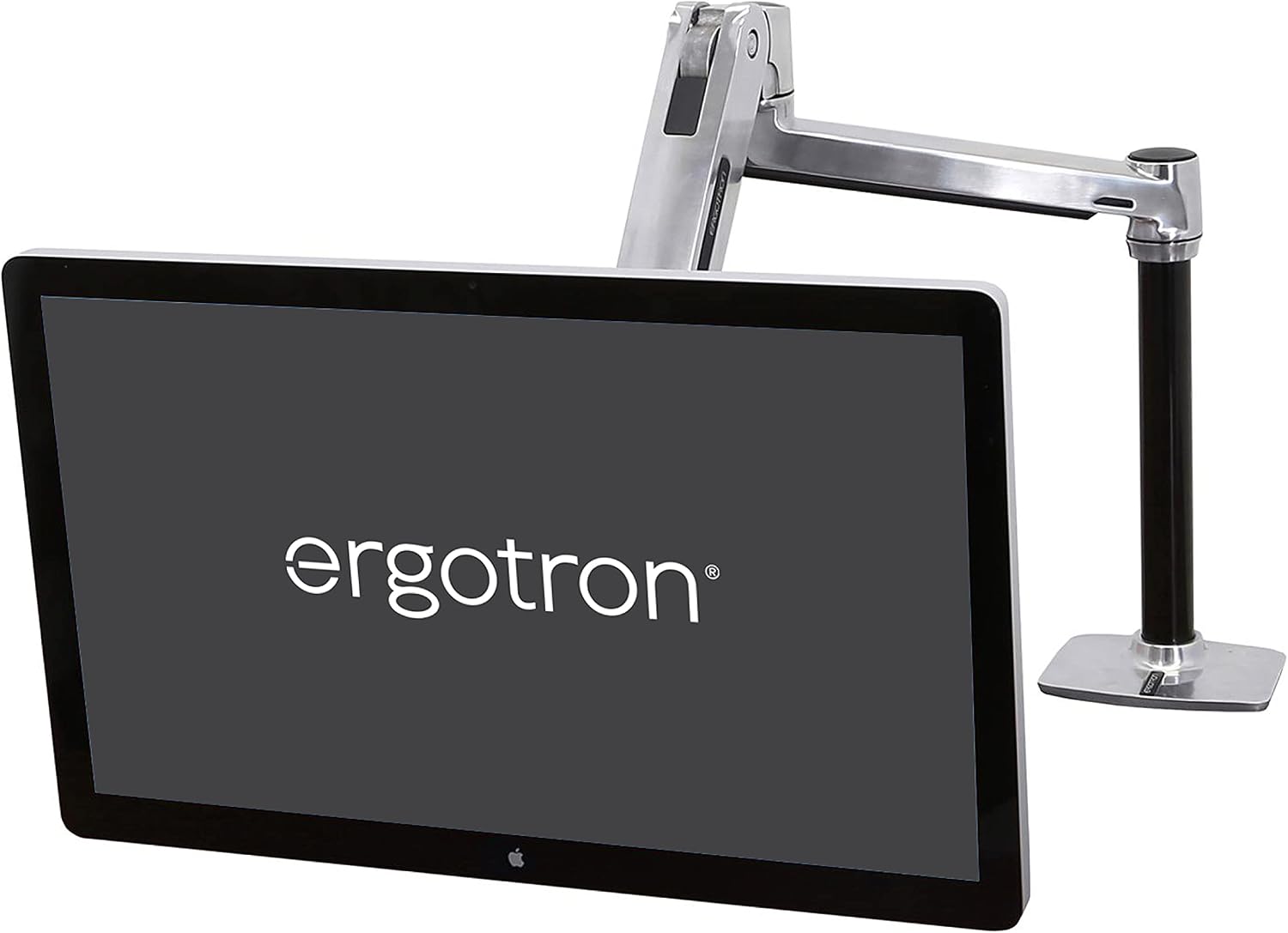
The published numbers are why this one leads the list: monitors up to 49 inches and 14 to 30 lbs. That covers a heavy 34-inch ultrawide and the big 49-inch panels that turn a light arm into a drooping mess. It is a VESA desk mount with a clamp, so the whole assembly rises and falls with a sit-stand desk, and the weight capacity is the part that makes it worth the money.
Skip it if your panel is under 14 lbs. I mean that. You would be paying for headroom you will never use, and an arm rated far above your monitor's weight is fussier to balance at the top of its tilt range than a cheaper arm sized closer to the load. Skip it too if your desktop is glass or hollow-core with nothing solid at the clamp point, because no arm is a good idea there.
Settle the desk thickness question before you order. Measure your top at the exact spot the clamp will sit, not at the front edge, then check the listing's published clamp range against that number. On a sit-stand desk the top is often thinner than it looks and the frame rail underneath is the real obstacle. If the clamp jaw lands on the rail, you move the clamp, not the rail. Tighten the clamp screw, load the monitor, then check the screw again a week later. Desks compress. That is the whole trick.
Best Value: monTEK Tall Single Monitor Arm, 21"Max Height, 17-34"Full Motion Desk Mount
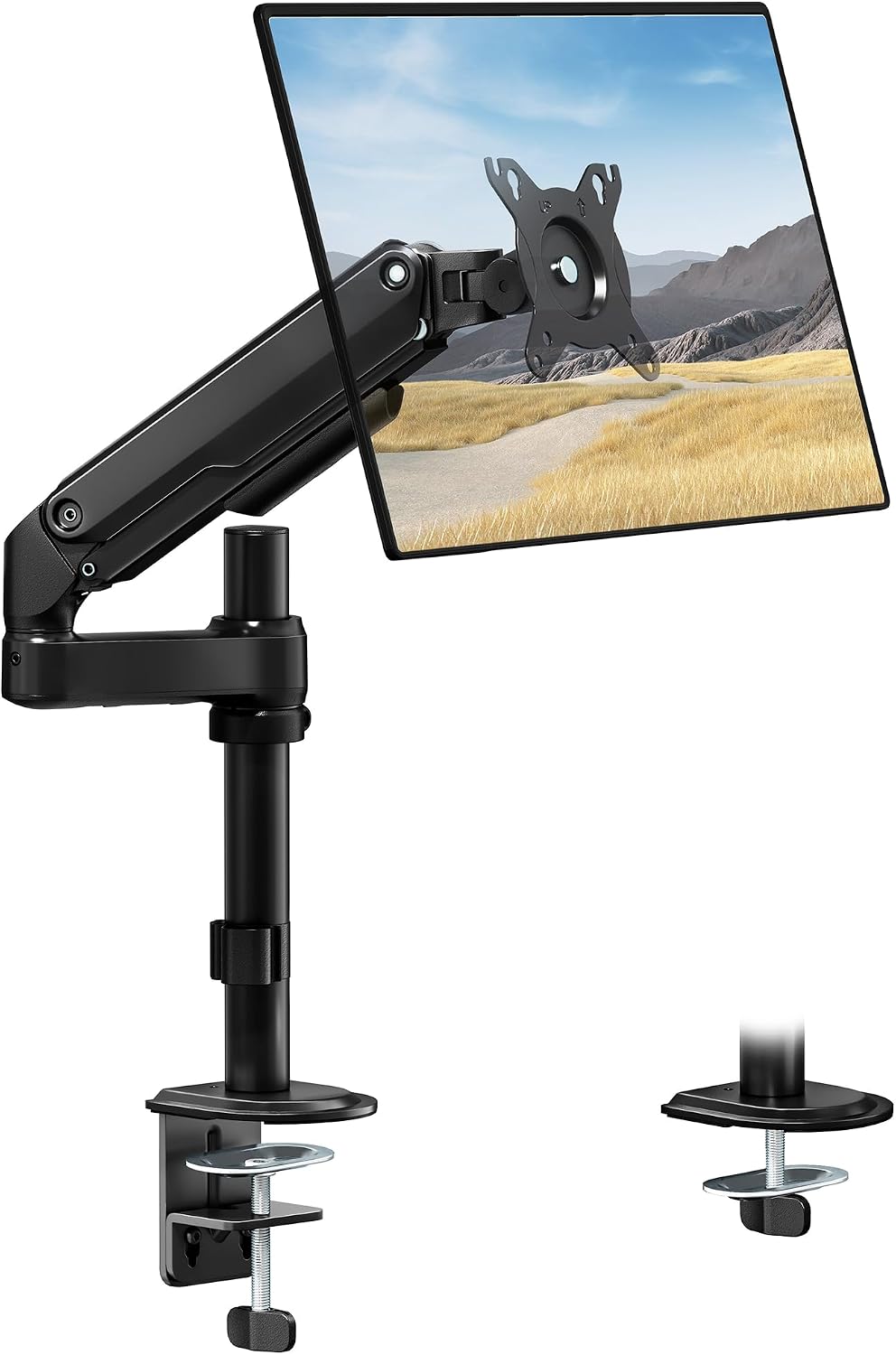
The number in this name that matters is not a desk thickness. It is 21 inches of maximum height and a 17 to 34 inch screen range. If you are tall, or you run a laptop on the desk and want the monitor above it rather than beside it, a tall pole is the cheapest way to get the top of the screen up where your neck wants it. Full motion means tilt, swivel, and rotation at the head, on a pole that does not need a wall.
Who should skip it: anyone with a panel over 34 inches, and anyone whose monitor plus VESA plate weighs more than the listing's published weight capacity. A tall arm carrying too much panel is the combination that fails loudly. Skip it as well if your desktop is too thick for the clamp jaws to close, or if the underside has a rail exactly where the clamp needs to land.
Desk thickness works the same way here as on any clamp mount: measure the top at the clamp, compare it to the published range, and do not assume the spec covers a rail. A tall pole does not change the thickness rule. It changes how much cable you need in the cable channel, because that head travels a long way up and back.
How I tested
I am not going to pretend I bench-tested these four arms for a month. What I have is a tape measure, 310 home offices built out over six years, and a notebook with the underside dimensions of every desk I have clamped an arm to. Everything below is either the published spec on the listing or a number I took off a desk with my own hands, and I say which is which.
The protocol is the same in every client's office:
- Measure the top at the clamp point with a tape, in inches, not by eye.
- Get on the floor with a light and look for a rail, a crossbar, or a drawer box where the clamp has to land.
- Check the edge profile. A beveled or rounded edge means the clamp sits further back than you expect.
- Read the published clamp or grommet range on the listing and match it to your measurement.
- Weigh the monitor with the VESA plate attached and match it to the published weight capacity.
- Route cables through the cable channel before you tighten anything. A cable that pulls on the head changes the monitor angle within a week.
- Re-check the clamp screw after the first week of real use.
That last step is the one nobody does. Desks compress under a clamp. A screw that felt solid on day one can be a quarter turn loose on day eight, and that quarter turn is what lets the whole arm lean forward. If you take one thing from this page, take the week-one re-check.
Analysis and test results
Three of these four products are arms and one is not, which is deliberate. The mat belongs in this article because it is the layer you put on top of the desk, not under the clamp, and knowing the difference is the whole point of the monitor mount desk thickness range conversation.
Start with the thickness math, because it is identical for all three arms. Your desk has a top thickness at the clamp point, and every clamp mount publishes a range that your number has to fall inside. Nothing else about the arm changes that. A budget arm and a premium arm both fail on a desk that is outside their published range. I have watched a client spend real money on an arm and then find the clamp would not close on a thick butcher block top with a steel rail running under it.
Then the vesa pattern. Every arm bolts to a plate, and the plate has to match your monitor's hole spacing, usually 75 x 75 mm or 100 x 100 mm. That is the first thing I check on a client's monitor, before weight and before desk thickness, because a mismatch means an adapter and a different plan.
Weight capacity is second. The Ergotron is published at 14 to 30 lbs and the monTEK Long Arm at 22 lbs. Match the monitor plus the VESA plate, not the monitor alone. A 32-inch panel that lists at 17 lbs is 17 lbs plus a plate plus a cable, and the cable is the part people forget.
Reach is third, and it is where the Long Arm wins. 25 inches of reach is a lot. On a deep desk or a corner desk, reach decides whether the monitor sits where you want it or hangs off a pole you cannot move. On a shallow desk, reach is wasted and the Tall arm's height is worth more.
Tilt range and swivel matter more on a tall arm, because you look up at the panel more often and the head has to hold that angle. If the listing says gas spring, the arm carries the load with a spring. If it does not, it is a friction screw. Either design holds an angle when the weight capacity matches the panel, and neither one holds an angle when it does not.
Cable management is not decoration. Run the cables through the cable channel, leave slack at both ends, and never let a cable take the weight of the arm's travel. If you want the longer version of that argument, I wrote it up in my standing desk cable management checklist.
Here is the blunt rule. If you cannot find the published clamp range on a listing, do not buy that arm. You are guessing about the one number that decides whether it fits.
The monitor arm desk thickness range reference table
This is the table I keep in the notebook. The thickness column tells you what to verify on the listing, because the published clamp range is the only fit number that matters and it changes from model to model.
| Product | Mount type | Desk thickness to verify | Price |
|---|---|---|---|
Ergotron LX HD Sit-Stand Single Monitor Arm | Clamp mount, VESA desk mount, 14 to 30 lbs, up to 49 inches | Check the published clamp range against the top at the clamp point, and look for a rail underneath | Check current Amazon price |
monTEK Tall Single Monitor Arm | Clamp mount on a tall pole, 21 inch max height, 17 to 34 inch screens | Check the published clamp range. A tall pole does not change the thickness rule | Check current Amazon price |
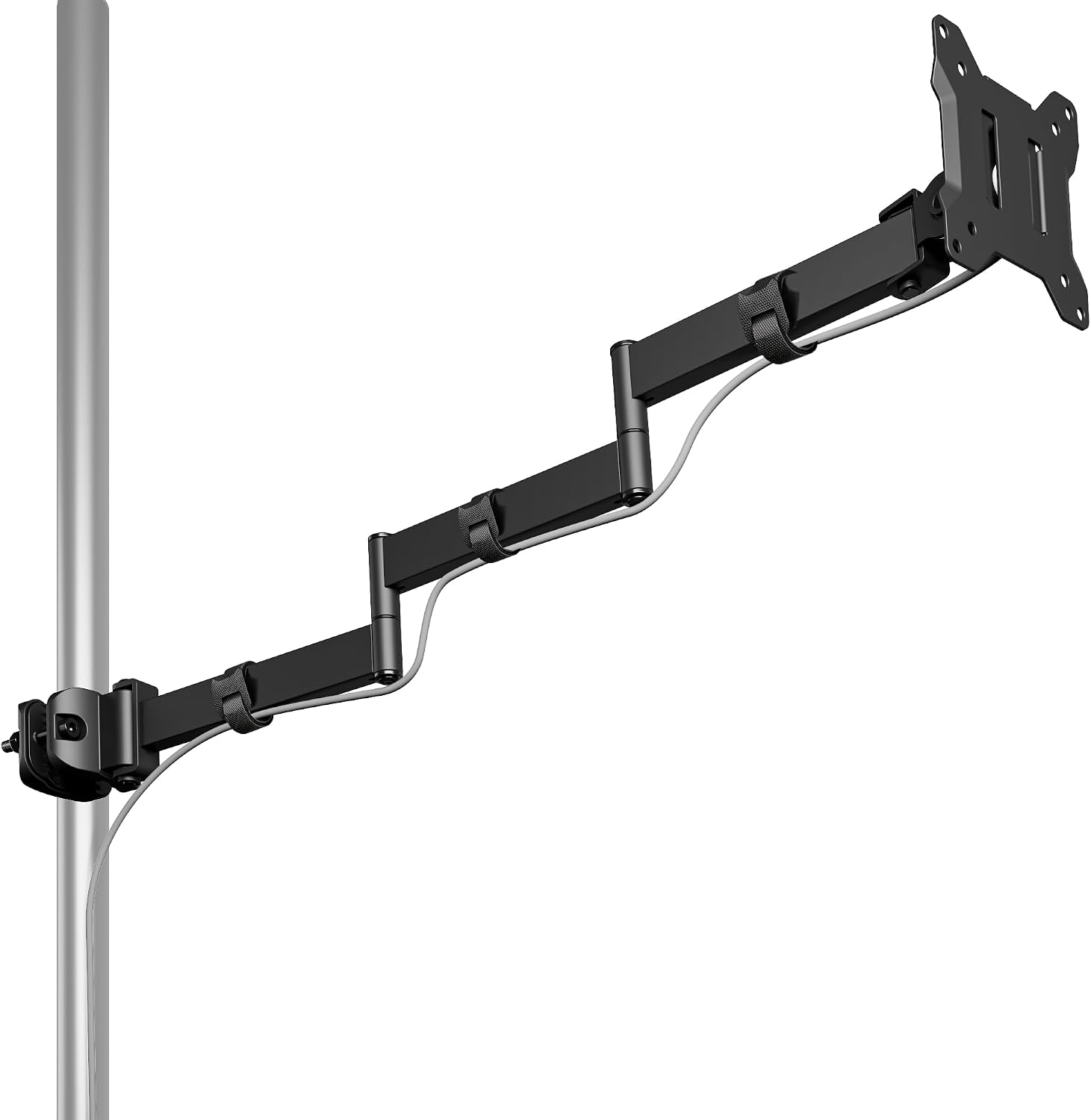 monTEK Long Arm Pole Mount Monitor Arm | Pole mount with 25 inch reach, 22 lbs, 17 to 32 inch screens | Check the published clamp range and the footprint of the pole base on the top | View on Amazon → |
 Blue Cloud desk mat and wrist rest set | Not a mount. This is a desk surface layer | Not applicable. It goes on top of the desk, never under a clamp | View on Amazon → |
Read the screen sizes carefully, because that is where people trip. The 17 to 34 inch and 17 to 32 inch numbers are monitor sizes, not desk thicknesses. The 14 to 30 lbs and 22 lbs numbers are weight capacity, not desk weight. The 21 inch and 25 inch numbers are height and reach. None of them is a desk thickness, and that is exactly why you have to go find the clamp range yourself.
Clamp mount or grommet mount: which one your desktop allows
A clamp mount is the reversible option. You tighten two jaws onto the back edge of the top and you can undo it in five minutes with no hole left behind. A grommet mount goes through a hole in the desktop, either one that already exists or one you drill, and it usually hides the hardware and handles a thicker top than a clamp will.
The vesa monitor arm desk thickness range on a listing is normally written for the clamp, and the grommet number can be different, so read both before you commit. If a rail sits exactly where the clamp needs to land, the grommet is your answer. If you will not drill, the clamp is your only answer and you move the clamp along the edge until it clears.
If your desk already has a grommet hole, measure the diameter with the tape before you order. Hole size is the second spec people ignore after thickness, and a grommet mount that is too small for the hole will not sit flat.
Thick tops, thin tops, and the bevel nobody measures
A thick top is the common failure. The clamp jaws simply may not open far enough, and no amount of force fixes that. On a top that thick, a grommet mount is often the only real option, or you move to a wall mount entirely.
A thin or hollow-core top fails the other way. A clamp can crush the underside of a hollow door-style desktop, so you spread the load with a plate or you skip the clamp. This is the case where the screen arm desk thickness range you need is a minimum, not a maximum, and most people never check it.
Then the bevel. Measure at the point where the clamp actually lands, which is usually an inch or two behind the front edge on a rounded or chamfered top. Measuring at the edge and measuring at the clamp point are two different numbers, and only one of them decides whether the arm fits.
On a sit-stand desk, clamp close to a leg. The top is thinnest and most flexible in the middle of the span, and an arm clamped mid-span amplifies every wobble you feel at standing height.
The desk mat, and what not to put under a clamp
The Blue Cloud set is four pieces: an extended large desk mat plus wrist rests, memory foam over a non-slip backing, sized to sit under a keyboard and mouse. It goes on top of the desk and does what a mat is for, which is keep the finish clean and put a soft surface under your wrists.
Do not put it under a clamp. Foam compresses, and a clamp on compressed foam goes loose the same week. If you want to protect a soft finish under a clamp, use a thin rigid plate, not a mat.
Should you buy Ergotron, LX HD Sit-Stand Single Monitor Arm, VESA Desk Mount, for Monitors Up to 49 Inches, 14 to 30 lbs, Polished Aluminum?
Yes, if you have a heavy panel. The 14 to 30 lbs range covers the 49-inch displays that no cheap arm will hold at an angle, and the sit-stand build means the clamp is doing real work every time the desk moves. That is the arm I would order for a client with a big ultrawide and a motorized desk.
No, if your monitor is under 14 lbs, if your desktop is glass or hollow with nothing solid at the clamp point, or if you will not measure your top before you order. Also no if you want reach rather than weight: this one is about capacity and stability, not about swinging a screen across a deep desk.
Should you buy monTEK Tall Single Monitor Arm, 21"Max Height, 17-34"Full Motion Desk Mount?
Yes, if height is your problem. 21 inches of maximum height and a 17 to 34 inch screen range is the right answer for a tall user, or for anyone who wants the monitor above a laptop instead of beside it, and it does it without a wall mount.
No, if your panel is over 34 inches, if the monitor plus plate is heavier than the published weight capacity, or if your desktop is too thick for the clamp jaws. And no if you have never checked the underside of your desk. Measure the top at the clamp point, find the published range, then buy. That order never fails.