If you want to fix forward head posture at a desk, the first thing to accept is that your neck is not the problem. Your neck is where the problem shows up. A head drifts forward because something under it or in front of it is out of position: a seat height that leaves your feet dangling, a monitor sitting six inches too low, an armrest that jacks one shoulder up, a seat depth that never lets your hips get behind your ribs. Change the geometry and the neck follows in about a week. Skip the geometry and no amount of chin tucks will hold for more than twenty minutes.
I have measured and rebuilt 310 home offices around Seattle, and before that I spent nine years buying furniture for 400-person floors. The pattern is boringly consistent. People come to me with a neck that aches by mid-afternoon and a story about needing to stretch more. What they actually need is a monitor raised two inches, an armrest lowered one, and a chair rolled back until their shoulder blades touch the backrest. That is the whole fix for most people.
The eight-step sequence below is the one I run in client homes. It takes about twenty minutes with a tape measure, and you can run it on the chair you already own.
Why you should trust me
I spent nine years as an office facilities manager, which meant ordering, assembling, and then fielding the complaints about chairs and desks across 400-person floors. I have watched a the quoted price chair get returned because nobody set the tilt tension, and I have watched a the quoted price chair get praised because the person in it knew their own seat depth. Six years ago I started running a two-person desk setup service, and we have now built out 310 home offices.
The notebook is real. Every chair I place gets its seat height range and seat depth written down, measured with a tape in my own shop rather than copied off a listing. Every desk gets its height range checked at the corners and its wobble tested at the top of the range, because most desks fail there and not at the height the showroom uses. Ergonomics is a measurement, not a feeling. If you cannot say your seat depth in inches, you are guessing, and your neck is paying for the guess.
How I picked and how I tested
This is a guide about how to fix forward head posture at a desk, not a chair roundup, so the three pieces below are here for one reason each: every one of them removes a specific obstacle to getting your head back over your shoulders. I set all three up in the same order I would set up a client office, which is seat height first, seat depth second, lumbar support third, and armrest last, because adjusting an armrest before the seat is level is wasted effort.
I ran the same checks on each. Does the seat height range let a shorter user put both feet flat without a footrest, and let a taller user keep their knees at or below hip level? Does the backrest adjust to fill the lumbar curve, or is it a fixed lump in a fixed spot? Does the recline have a stop you can lock, and does the tilt tension hold you without bracing? Can you get the armrests out of the way entirely when you need your elbows under your ribs? And on the desk, what happens at the top of its range, and how much floor does the L actually eat?
I also look at who should skip each item, because a chair that fits a 5'4" user and a chair that fits a 6'2" user are not the same chair. If a product only works in a narrow band, I say so. I also do not print prices here, because Amazon prices move. Every product block links to the live listing, and checking the current Amazon price there is the only price advice that stays true for more than a week.
The gear you need to fix forward head posture at a desk
You do not need much. A chair that can be adjusted into a neutral seated position, and a desk whose surface height lets you get your forearms level without shrugging. Everything else, monitor arms, footrests, laptop stands, is refinement. If you want the refinement path, I covered screen placement in how to set up a monitor arm on a small desk.
Budget pick: Sweetcrispy Small Armless Desk Chair, Mesh Rolling Office Chairs
Budget pick
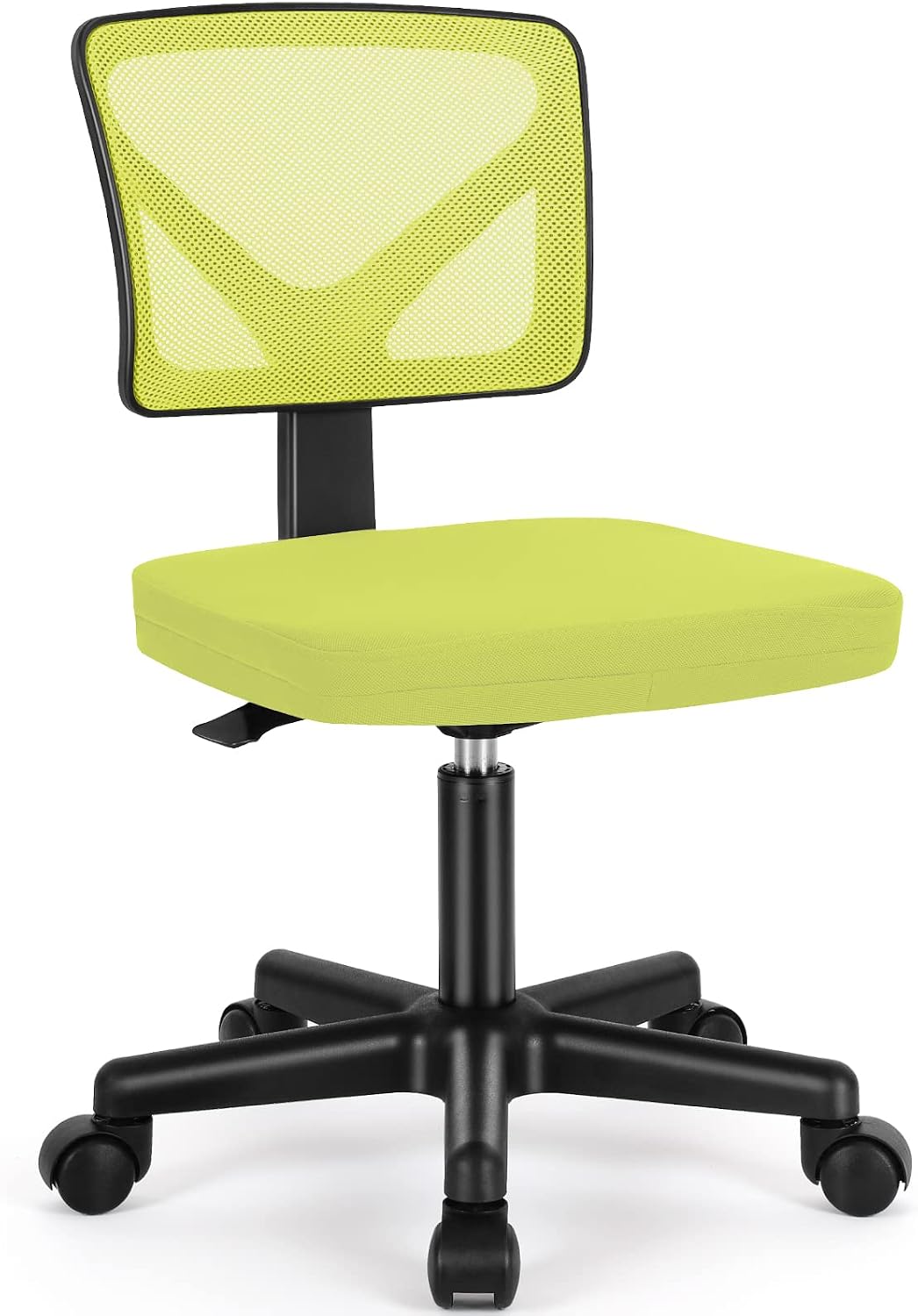
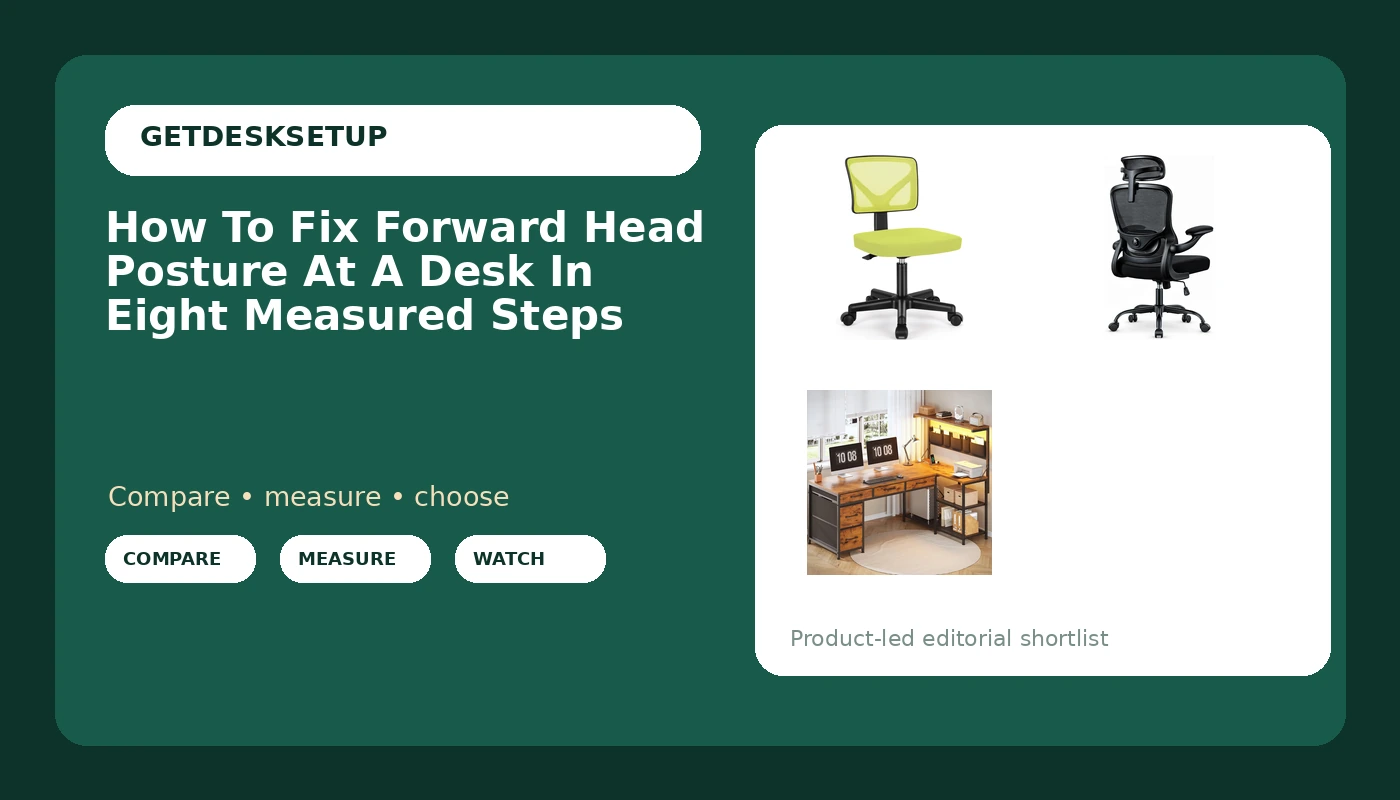
Sweetcrispy Small Armless Desk Chair, Mesh Rolling Office Chairs
The armless part is not a compromise here, it is the feature. Armrests are the most common cause of a shoulder that rides high, and a high shoulder pulls the head forward and slightly sideways to escape the pressure. Remove the armrests and that entire chain disappears. This chair also rolls on casters, which matters more than people expect: being able to push back from the desk without standing up is what makes the thirty-minute reset in step eight actually happen.
What you give up is forearm support on long typing days, and a backrest you can tune rather than a fixed curve. Check the listing for whether the backrest curve lands where your lumbar curve actually is. If it does not, a rolled towel behind your belt line is a cheap fix that works about as well as a lumbar dial. Check current Amazon price on the listing before you commit, because this tier moves constantly.
Skip it if you are tall enough that your knees sit above your hips even at the top of the seat height range. Skip it too if you type six or more hours a day and want your elbows carried, because there is nothing there to carry them. For a compact room, a laptop, and a person who mostly wants to stop craning at a screen, it is the cheapest correct answer on this page.
Our pick: Ergonomic Office Desk Chair, High Back Mesh Computer Comfy Chair
Our pick
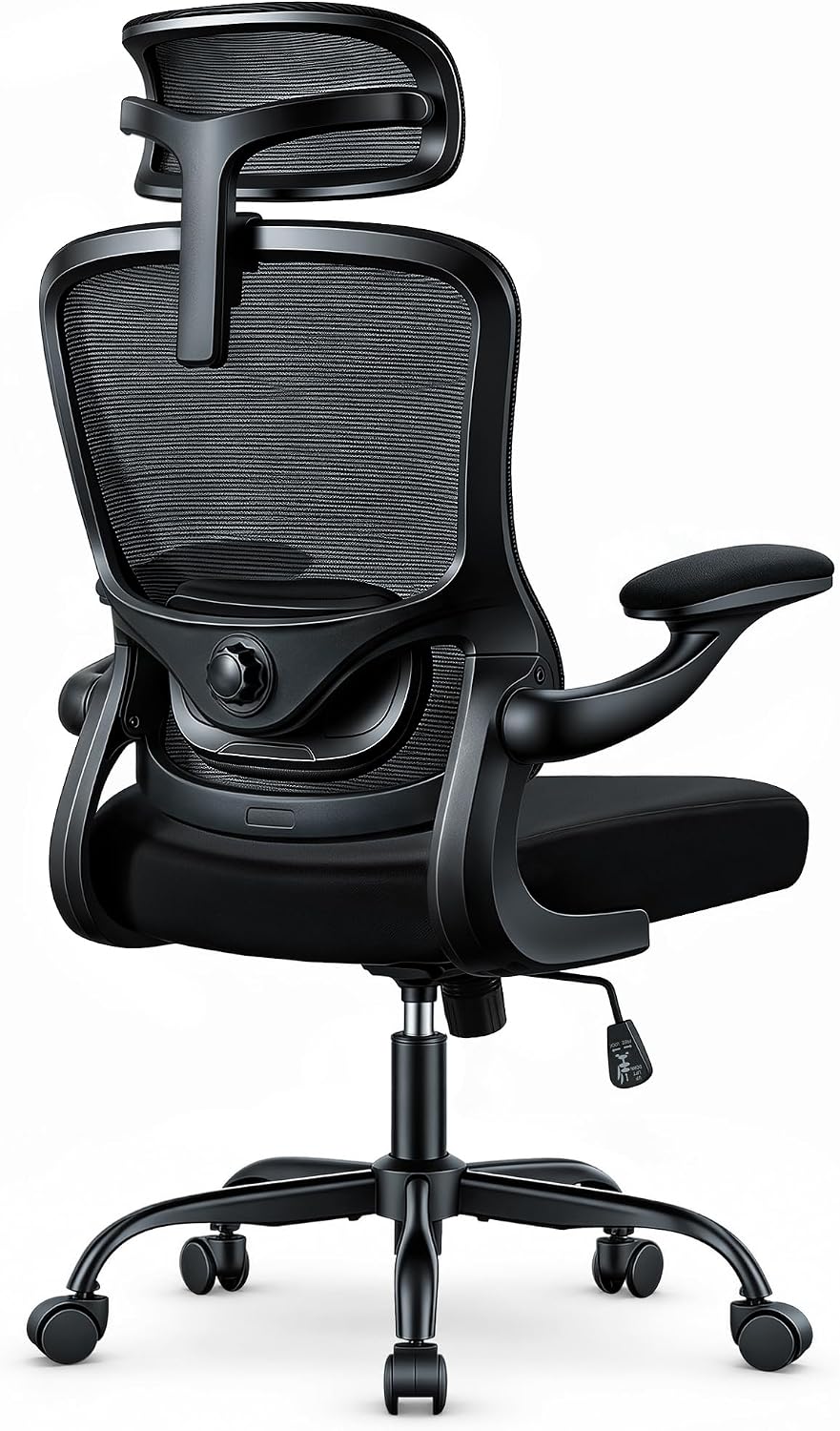
Ergonomic Office Desk Chair, High Back Mesh Computer Comfy Chair
The high back is why this is my pick for head-forward posture specifically. When your upper back and shoulder blades have something to rest against, your head has a shelf to sit on. When they do not, the head drifts forward to balance the torso, and you get the ache at the base of the skull that everyone describes as tension. A tall mesh back also breathes, which sounds minor until you have spent a summer in a foam chair.
This is the tier where adjustment starts to matter. Look for a backrest you can raise and lower so the lumbar support lands in your curve, armrests that drop low enough to get out of your way, and a tilt tension dial that lets you lean back without bracing against it. The recline should have a lock or a stop so you can pick an angle and hold it instead of floating.
Check current Amazon price on the listing, then check the two things that decide fit: whether the seat depth lets your hips sit behind your ribs with two fingers of clearance behind the knee, and whether the seat height range puts your feet flat on the floor.
Skip it if you are furnishing a shared desk and want one chair that fits everyone. No single chair does. Skip it too if your room is tight enough that a high back hits the wall when you lean, which is a real problem in closets, dorms, and converted alcoves.
The desk pick: SEDETA 47.2" Reversible L Shaped Office Desk with Drawers, Hutch, Shelves
The desk pick
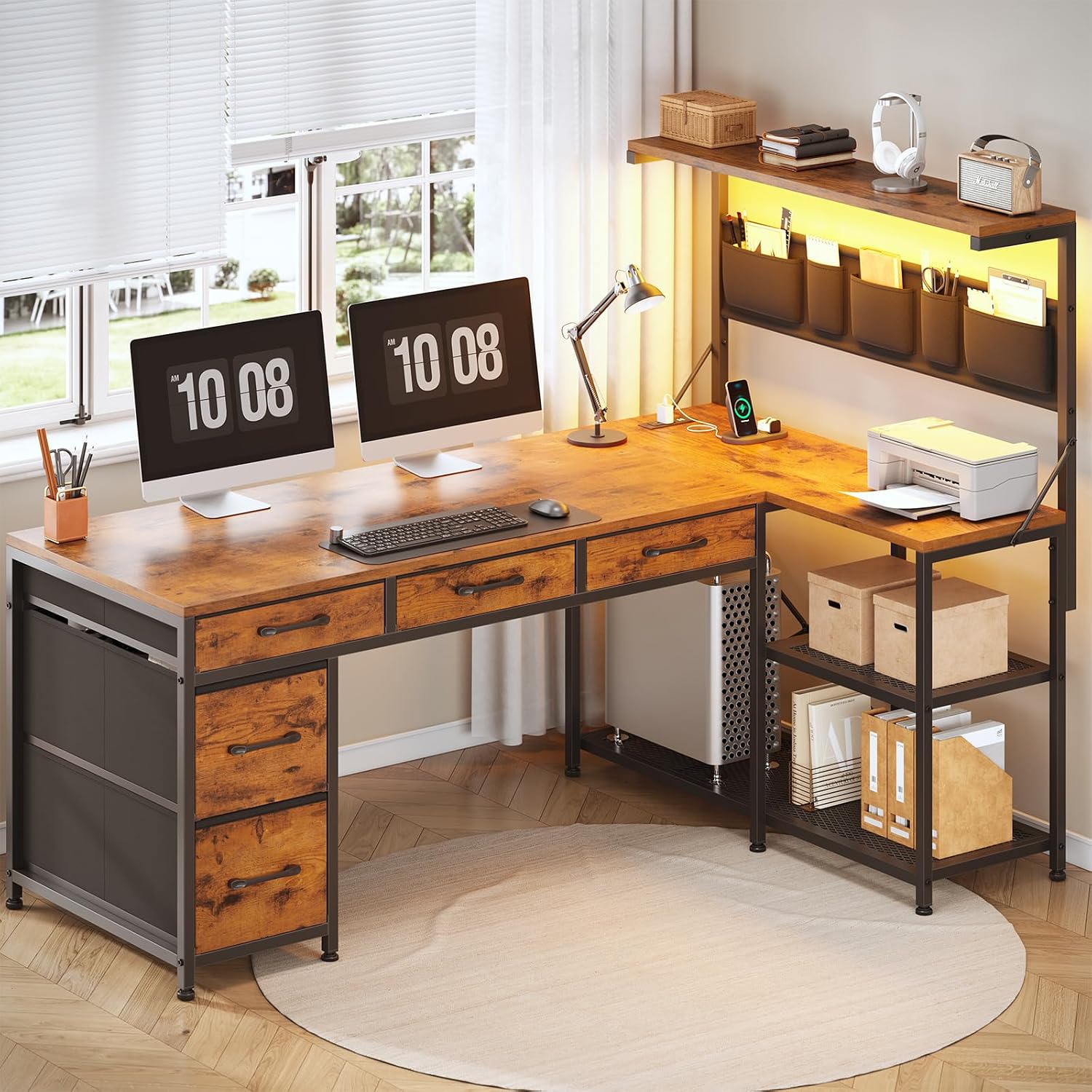
SEDETA 47.2" Reversible L Shaped Office Desk with Drawers, Hutch, Shelves
Here is the piece most people skip. You can fix forward head posture at a work desk by moving the screen, and a hutch is the cheapest way to get a monitor up toward eye level without buying an arm. The upper shelf on this one does that job: raise the monitor, tuck the keyboard beneath it, and your head finally has somewhere to sit.
The L shape matters for the same reason. Sitting in the corner gives you two edges to rest your forearms on, which kills the forward reach that pulls your shoulder and then your head with it. It is reversible, so the return can go on whichever side your dominant arm needs. The drawers and shelves swallow the paper and cable clutter that otherwise migrates under the monitor riser.
Minimum room width: plan for the full 47.2 inches named in the product along the main run, plus enough floor behind it to roll the chair back and stand up. In a room with less than about five feet of clear wall, this desk will feel like a wall itself.
Assembly order matters. Frame first, then the desktop, then the hutch last, and tighten the hutch screws only once the frame is square. Hanging a hutch on a frame that is still loose is how desktops crack.
Skip it if you already own a desk whose surface height fits you and you only need a monitor riser. Skip it if you want to stand for part of the day, because this is a fixed-height desk and no chair adjustment turns it into a standing desk. Check current Amazon price on the listing.
The actual setup workflow
Run these in order. Skipping around is why most people spend an hour adjusting a chair and end up in the same slouch.
Step one: Seat height. Sit down, put both feet flat, and raise or lower the seat until your thighs are roughly parallel to the floor and your knees are level with or slightly below your hips. If your feet dangle, you need a footrest or a lower seat, not a different posture. Do not touch the desk height yet. Chair first, always.
Step two: Seat depth. Slide your hips all the way to the back of the seat, then look at the gap behind your knees. You want two to three fingers of space. Less than that and the seat edge digs in and you slide forward all day. More than that and you will perch on the front edge, which pushes your head forward to counterbalance. If the seat is too deep for you, a firm cushion behind your back takes up the slack.
Step three: Lumbar support. Set the pad or curve so it fills the inward arch of your lower back, right around belt height or a finger above it. This is the step where the fixed-back chairs give themselves away: if the curve sits too low or too high, your pelvis rolls and your head follows. A rolled towel or a small wedge behind your belt line is a legitimate fix, not a hack.
Step four: Armrests. Set them so your shoulders drop and your forearms rest at roughly elbow height with the desk surface. If your armrests cannot go low enough, remove them or swing them out of the way. To fix forward head spine alignment at a desk, this step does more than any stretch, because a raised shoulder is the number one reason a head moves forward and sideways all day.
Step five: Monitor height and distance. Top of the screen at or just below eye level, screen about an arm's length away, tilted back slightly. This is the step that does the most to fix forward head sitting posture at a desk, because a low screen is a direct order to crane. Pull the keyboard and mouse close enough that your elbows stay bent, since reaching forward drags your head with it.
Step six: Recline and tilt tension. Set the backrest to about 100 to 110 degrees rather than a perfect right angle, then dial the tilt tension until the chair holds your weight without you having to brace your feet. Unlock the recline if your chair allows it, so the back moves with you instead of fighting you. A locked, over-tightened back is a chair that slowly pushes you forward.
Step seven: Headrest and chin position. If your chair has a headrest, set it to meet the base of your skull, not to push your chin down or forward. Then do the one exercise that matters: sit tall, pull your head straight back over your shoulders without tipping it down, hold for five seconds, and repeat ten times. Do that once an hour and the position starts to hold on its own.
Step eight: Reset every thirty to forty-five minutes. This is the step that makes the other seven permanent. Roll the chair back on its casters, stand up, walk for a minute, then sit down and re-run the short version: hips back, shoulder blades on the backrest, head over the shoulders. That is how you fix forward head posture at a work desk where you cannot move the furniture or the walls.
The competition and why it lost
The obvious alternative to all of this is a standing desk. Standing does not fix forward head posture by itself. Stand with the monitor at chest height and you have simply moved the problem to a new altitude: the head still goes forward, and now your lower back joins the complaint. A standing desk earns its place when the screen goes up with it. If you go that route, the height range and the wobble at the top of the range are the two numbers that matter, not the motor speed.
Laptop stands and monitor arms are the other common answer, and they are good ones. A riser plus an external keyboard gets a laptop screen to eye level for a fraction of the price of a desk. What they do not fix is a seat depth that keeps your hips in front of your ribs, which is why they show up as step five and not step one.
The famous chairs lose here for a different reason. An Aeron or a Steelcase Leap is a better chair than anything on this page, and it will still leave your head forward if the seat is too deep and the armrests sit too high. Those chairs belong in the guide about buying one chair for a decade. This is the guide about the twenty minutes that makes any chair work.
Gaming chairs with a fixed pillow behind the neck are the one category I would actively steer you away from for this problem. A pillow that pushes your head forward is the opposite of the fix, no matter how good the chair looks.
Footrests, keyboard trays, and a cheap timer are the underrated entries on the list. A footrest costs less than a new chair and solves the dangling-feet version of forward head posture outright.
What this all costs
There are three ways to spend on this, and the free one fixes most people.
- Nothing at all: reset the monitor height, drop or remove the armrests, push your hips to the back of the seat, and set a thirty-minute reset timer. If your current chair's seat height range puts your feet flat and its backrest touches your lumbar curve, you are done. Try this version first, every time.
- The budget version: an armless mesh chair and a desk with a hutch. The chair removes the shoulder problem, the hutch removes the monitor problem, and the pair together costs less than a single mid-tier task chair.
- The full version: the high-back chair with adjustable lumbar and armrests, the L-shaped desk, and a monitor arm so the screen floats exactly where your eyes land.
The cost-per-day math on any of these is small, but the math is not really the point. A chair is a one-time purchase and a neck is not. The cheapest correct setup beats the most expensive wrong one, and correct here means three things: feet flat, hips behind the ribs, screen at eye level.
Check current Amazon price on each listing before you buy, because these move week to week, and a number quoted in a review from last year is not the number you will pay today.
Run the eight steps on the chair you already own first. If it cannot be adjusted into that position, then buy. Not before.