A trader's desk is not a desk. It is a cockpit with a chair attached, and the person in the chair does not get to stand up when the market gets loud. I have built out 310 home offices around Seattle, and when a client asks me to set up a home office for a trader, the first thing I do is put a tape measure on the floor and ignore every product page they have open.
The answer is not a fourth monitor. It is chair pairing and desk height first, then monitor distance, then everything else. Get those wrong and no amount of cable ties will save the setup, which is why this article is about how to set up a home office for a trader in the order the work actually happens, not in the order the shopping cart suggests.
Three pieces of gear below do most of that work. None of them is a monitor.
Why you should trust me
Nine years as a facilities manager for a company with 400 people per floor taught me that furniture catalogs lie politely. Six years of running a two-person desk setup service has taught me that nothing else does. I have built out 310 home offices in and around Seattle, and roughly forty of them belonged to people who make their living in front of a chart: a futures trader in Ballard running two machines, an options trader in Redmond who logs on at 4:30 a.m. Pacific, and a retired prop trader who wanted the same chair he had at the office, because he already knew what fit him.
I keep a notebook. Every chair I install gets its seat depth, seat height range, and armrest adjustment written down in inches, measured with a tape, not read off a listing. Every desk gets its height range and the exact height where it starts to wobble. When a client hires me to set up a work from home for a trader, the notebook comes out before the credit card does.
My rules are short. If I cannot state the height and weight range a chair actually fits, I do not recommend it. If a product only works at the bottom of its range, I say so. And the cheapest correct setup beats the most expensive wrong one every single time, which is why the three items below cost less than one of the monitors most people buy first.
How I picked and how I tested
I do not run a lab. I run a tape measure, a 25-pound sandbag, a stopwatch, and a 6-foot level, and I run them in real rooms with real floors, in rentals where I cannot drill and in 1920s houses where the floor slopes an inch across the room.
The question I get asked most often is how to set up a home office for a trader on a normal budget, so the three picks below are the ones that solve the three problems I see in almost every trading room I walk into: a body that has to stay upright for a full session, a mouse that has to travel across two or three screens, and a monitor arm that will not clamp onto a desk that is thicker than the arm expects.
For each item I ask four questions. What range does it fit? What does it do at the top of that range? Who should skip it? And would I put it in a client's office and leave it there for a year? That last question kills more products than the first three combined.
Before you set up a home workspace for a trader, decide which wall the desk lives on, because that decision constrains everything after it. A trader needs the monitors out of window glare, the door in peripheral vision, and the desk off the air vent. I check all three before I unbox anything.
The numbers I trust are simple ones. A standard task chair seat sits around 17 to 19 inches off the floor. A standard desk top sits at 29 to 30 inches. The gap between your seat and your desk top is what determines whether your forearms land level with the keyboard or above it. A counter-height chair changes that math, and that is why the chair below is not the chair most people picture when they read the words "office chair."
The chair: Drafting Chair, Tall Office Chair with Adjustable Armrests Mid-Back Standing Desk Chair with Footrest Ring, PU Leather High Executive Desk Chair Counter Height Office Chair for Home and Office, Black
The chair
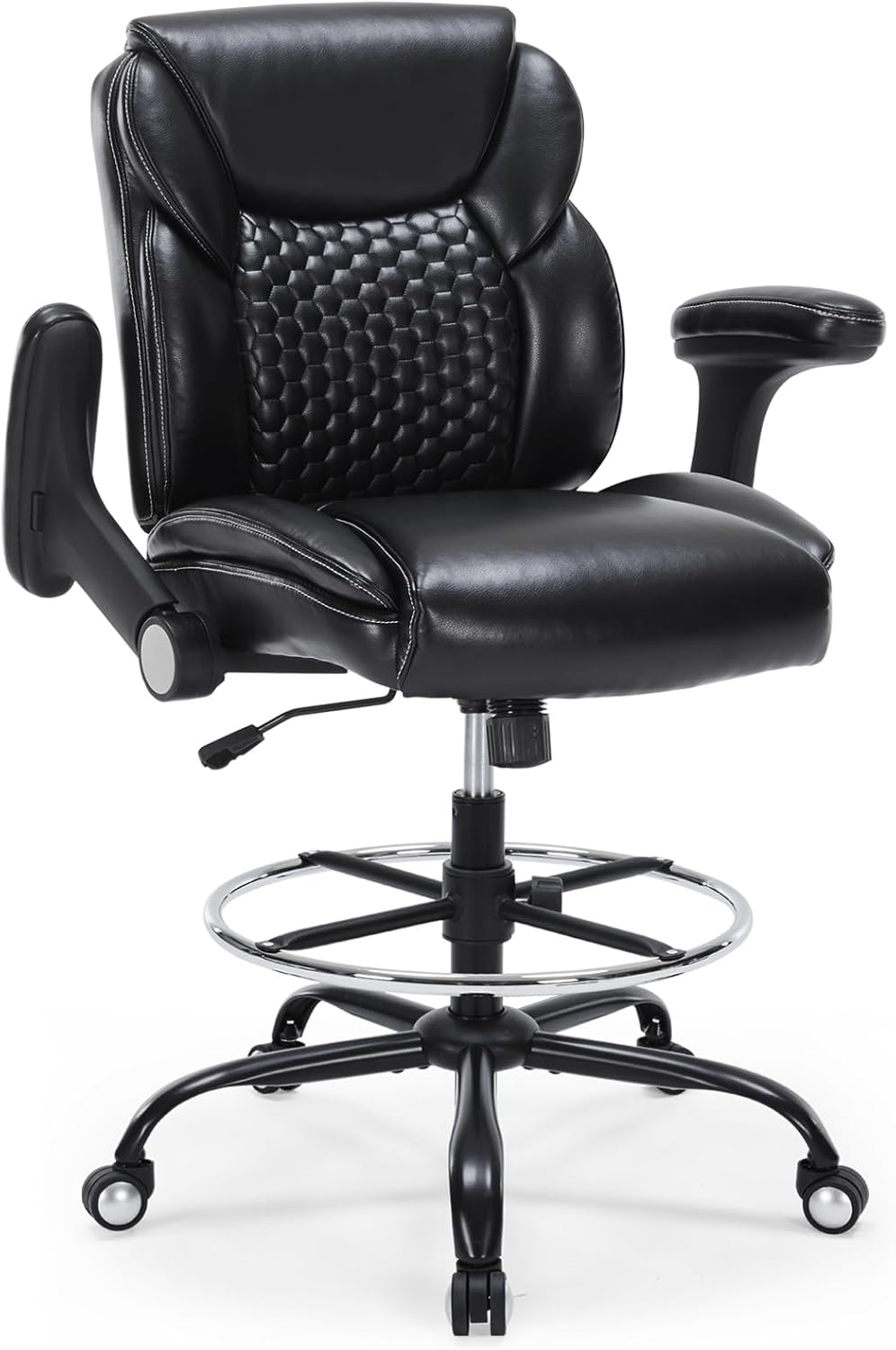
Drafting Chair, Tall Office Chair with Adjustable Armrests Mid-Back Standing Desk Chair with Footrest Ring, PU Leather High Executive Desk Chair Counter Height Office Chair for Home and Office, Black
This is a counter-height chair. The seat sits well above the 17 to 19 inches you get from a standard task chair, which is exactly why it works at a standing desk used at standing height and at any counter-height desk with a top from about 36 inches up. If your desk is a fixed 29 or 30 inch top, skip this chair. You will be sitting above your keyboard all day, and your wrists will let you know by Friday.
The footrest ring is the part that matters. On a tall chair your feet do not reach the floor, and a foot with nowhere to go ends up hooked around the base or tucked under the seat by the second hour, which is how you end up with a hip that hurts on Thursday. The ring gives you a place to plant both feet and change position without standing up. The adjustable armrests let you drop the pads low enough that your forearms rest level with the desk instead of hovering above it, and the PU leather wipes clean, which matters if you eat lunch at the desk during a session.
The mid-back is a real limitation and I will not pretend otherwise. There is no headrest, so if you like to lean back between trades and let your neck rest, this is not the chair for that habit.
Flaws but not dealbreakers: PU leather runs warm over a five-hour session, and the footrest ring only helps if your legs are long enough to reach it. Anyone much under 5'4" should sit in one before buying.
Check current Amazon price.
The work surface: Large Gaming Mouse Pad, 31.5" x15.7" Water Resist Large Extended Desk Mat
The work surface
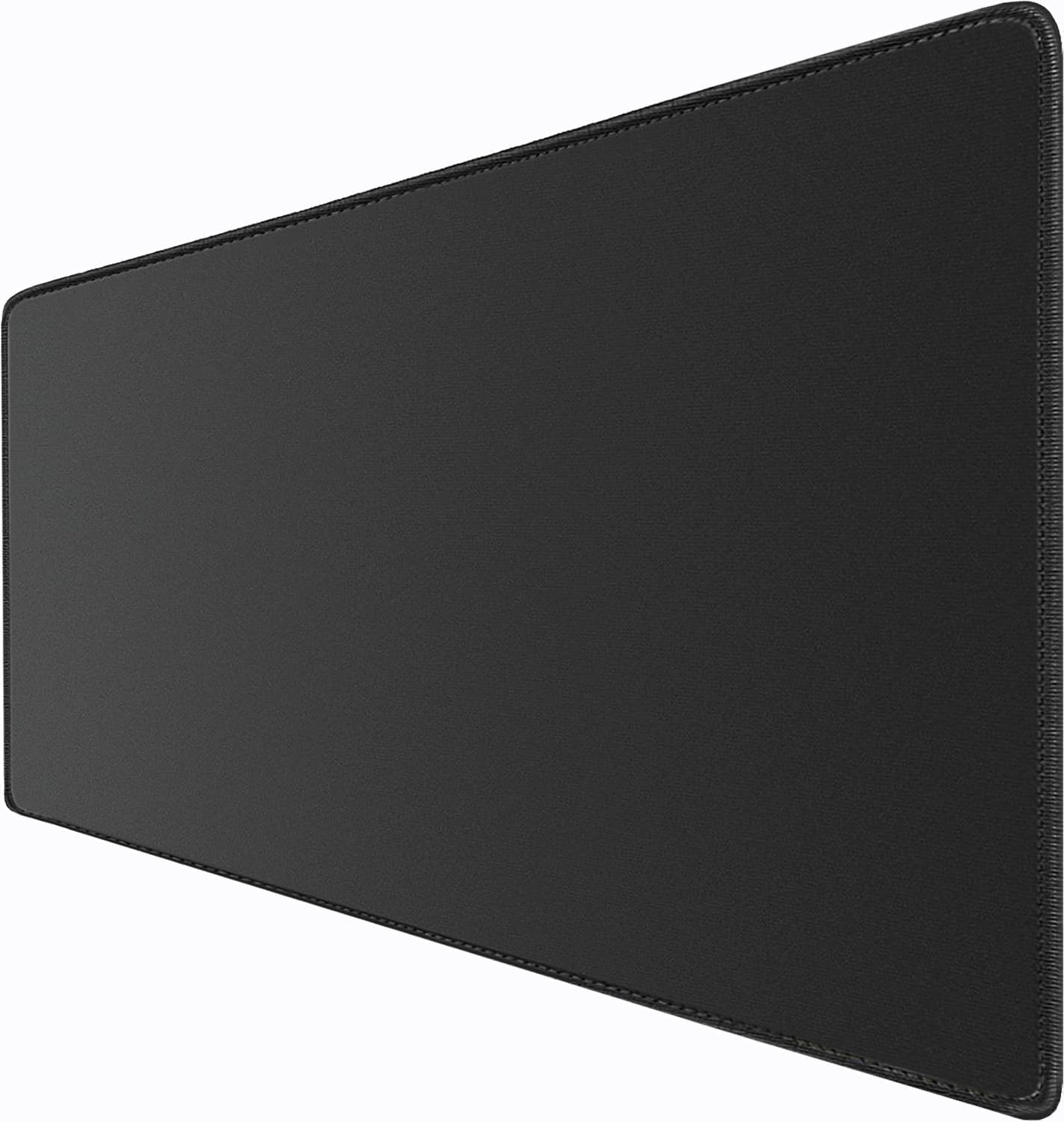
Large Gaming Mouse Pad, 31.5" x15.7" Water Resist Large Extended Desk Mat
A trader's mouse travels farther than anyone else's. Two screens, sometimes three, and the cursor crosses a lot of desk in a session, so a small pad is a trap. This one covers 31.5 by 15.7 inches, which is enough for a full keyboard plus the mouse zone, with the coffee cup parked off the mat where a spill cannot reach the keyboard. The water resistant surface is not marketing fluff at 6:30 in the morning, and a cloth surface is quieter and kinder to mouse feet than a hard pad.
What it will not do is fix a bad chair or a wobbly desk. A mat is a surface, not a solution. Give it a day to flatten after it comes out of the tube, and put a book on the corners if it wants to curl.
Flaws but not dealbreakers: It is a big mat, so measure your desk width before you order. On a 40 inch desk it will leave you almost no uncovered space.
Check current Amazon price.
The thick-desk fix: MOUNTUP MU0004 MU0005 Desk C-Clamp Extension for Max 6 in Thick Desk Base
The thick-desk fix
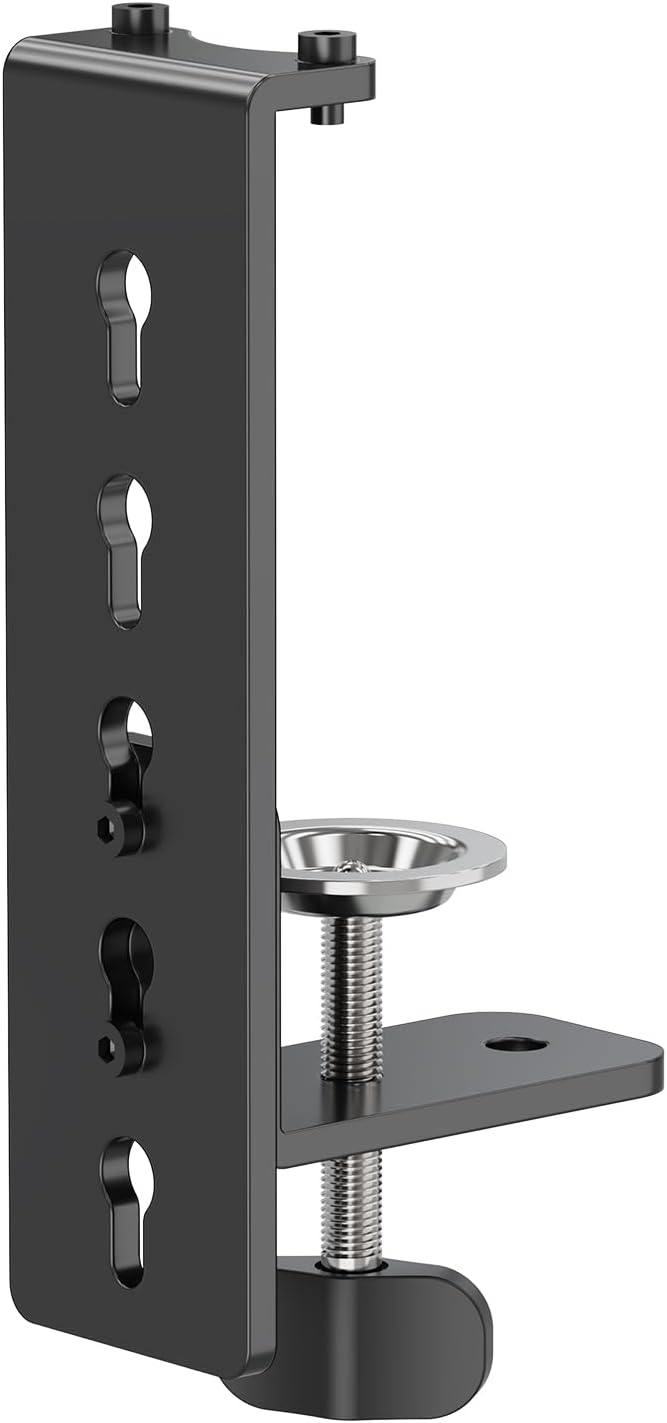
MOUNTUP MU0004 MU0005 Desk C-Clamp Extension for Max 6 in Thick Desk Base
Most monitor arm clamps open to about two inches of desktop. Butcher block, a desk with a steel frame rail, a top with an apron underneath, and the clamp simply will not close. That is the failure I see most in trading rooms, because traders run two or three arms and the thick desks are the ones that hold them. This extension opens the jaw up to a 6 inch thick desk base, which covers the butcher block and the beefy sit-stand frames that most arms refuse.
Install order matters here, and this is the one place where people break their own furniture. Clamp first, then load, then tighten. Reversing that cracks the desktop, especially on a laminate top. Also check the cable before you walk away: adding an extension raises the clamp and shortens the drop behind the desk, and a cable that ends up under tension will pull your monitor angle out of square within a week.
Flaws but not dealbreakers: If your desktop is thin, you do not need this, and adding it brings the arm closer to your knee. Measure the top before you order, then measure it again.
Check current Amazon price.
How to set up a home office for a trader: the eight steps
Now the part you came for. This is the order I use on installs, and the order matters more than the gear.
Step one: Room layout before gear. Back to a wall, door in peripheral vision, no window behind the monitors, and the desk off the air vent. If you want to set up a work from home office for a trader that survives an earnings week, this is the step that decides it, because glare and a hot knee are what end a session early. Sketch it on paper first, since moving a loaded desk is a two-person job and moving a monitor arm twice is a wasted afternoon. Minimum desk width for a two-screen trader: 55 inches, and that is with the monitors on arms, not on their own feet.
Step two: Desk height first, chair second. Set the desk at standing height and push the top of the range, then type on it. If it wobbles, no chair will fix that. I wrote a whole piece on why standing desks wobble at standing height if you want the diagnosis. Then set the sitting height so your elbows land near 90 degrees with your shoulders down, and only after that go shopping for a chair. This is the step most people skip when they set up a home office for a trader, and it is the step that makes the chair decision easy.
Step three: Chair pairing. Match the chair to the desk, not to the photo. Seat height range, seat depth, and armrest height in inches. On a tall chair, add the footrest ring to that list. Your forearms should rest level with the desk top and your feet should be supported, either on the floor or on the ring. If you cannot say your seat depth in inches, you are guessing, and guessing is how people buy a second chair in eight months.
Step four: Monitor distance and layout. Primary screen at about an arm's length plus a hand, top edge at or just below eye level. Secondary screens angled in, not flat in a wall of glass, and the laptop goes on a riser or it does not count as a screen. Distance is what keeps your head still, and a still head is the difference between a six-hour session and a four-hour session with a headache.
Step five: Lighting layers. Overhead light off or dimmed, a bias light behind the monitors so your eyes are not adapting between a bright panel and a dark wall, and one task light aimed at the notebook, not at the screen. Windows to the side, never behind the monitors. Three layers, each on a switch you can reach without standing up.
Step six: Cable planning. Route before you load the desk, not after. Leave a service loop at every monitor arm so the cable is never the thing holding the screen in place, label both ends of every cable, and give each cable its own hook instead of bundling eight of them into one zip tie. A cable that pulls on a monitor arm changes the monitor angle within a week. I keep a monitor arm cable management checklist for exactly this reason.
Step seven: Power outlet and UPS. Count the outlets you need before you buy a strip: two monitors, a dock, a laptop, a lamp, a phone. Then add a UPS for the modem, the router, and the primary monitor, because a five-second power blink mid-session is not a small thing. Do not daisy-chain strips, and check that the wall wart on the dock has room to sit flat instead of fighting the outlet cover.
Step eight: Ventilation and the dry run. Three monitors in a closed room is a space heater with a chart on it. Crack a window or run a fan at low speed, and check the temperature at knee level where the tower sits, not at your face. Then run a full session before the first real trading day. Sit for the whole thing, use the footrest ring, reach for the mouse across both screens, and fix what annoys you before it costs you a trade.
The competition and why it lost
Three things did not make the list, and the reasons are worth your time.
The bonded-leather executive chair lost on seat depth. It looks like the chair in the corner office, and it has no lumbar adjustment and no way to change the seat depth, which means it fits one body shape and is a gamble for everyone else. If a listing calls a chair ergonomic and there is no adjustment listed, the word is decoration.
The thin 12 by 10 mouse pad lost on travel. On a two-screen desk the cursor leaves a pad that size in one swipe, and you end up with the mouse on bare laminate by Tuesday.
The monitor arm clamp that opens to two inches lost on the desks people actually own. It is fine on a hollow-core top and useless on butcher block, which is the top most traders end up buying.
None of these is a bad product in the abstract. They are the wrong products for a room where a body has to stay still and a hand has to keep moving.
What this all costs
Three items, and none of them is the thing most people buy first.
- The chair: Check current Amazon price.
- The desk mat: Check current Amazon price.
- The clamp extension: Check current Amazon price.
Divide the chair by 1,825 days, which is five years of weekdays, and the cost per day is smaller than the coffee you drink during the session. That is the only math that matters here, because the chair is the item you touch every minute of every session and the mat is the item you touch every few seconds.
If you want to build a trading room on a tight budget, buy in this order: clamp extension if your desk is thick, then mat, then chair. If your desk is thin, the chair moves to first. What you should not do is buy the monitor first, because a fourth screen on a chair that does not fit you is just more to look at while your shoulders climb toward your ears.
The measurements are free. The tape measure is in your kitchen drawer. Take five minutes, write the numbers in a notebook, and build the room around them.