I have clamped monitors onto 310 desks in six years of running a two-person setup service, plus nine years before that buying furniture for 400-person floors, and the 100mm vs 200mm monitor arm extension question is the one I get asked most often by people who already bought the wrong arm. It sounds like a spec sheet argument. It is really two arguments wearing one coat: the hole spacing on the back of your panel, and how far the arm can carry that panel away from the pole.
Related: Dual Monitor Arm vs Two Single Arms
For most desks the answer is 100mm, and you should stop shopping on reach. Pick the arm whose published weight range brackets your panel, because that number decides whether your monitor is still level on Friday.
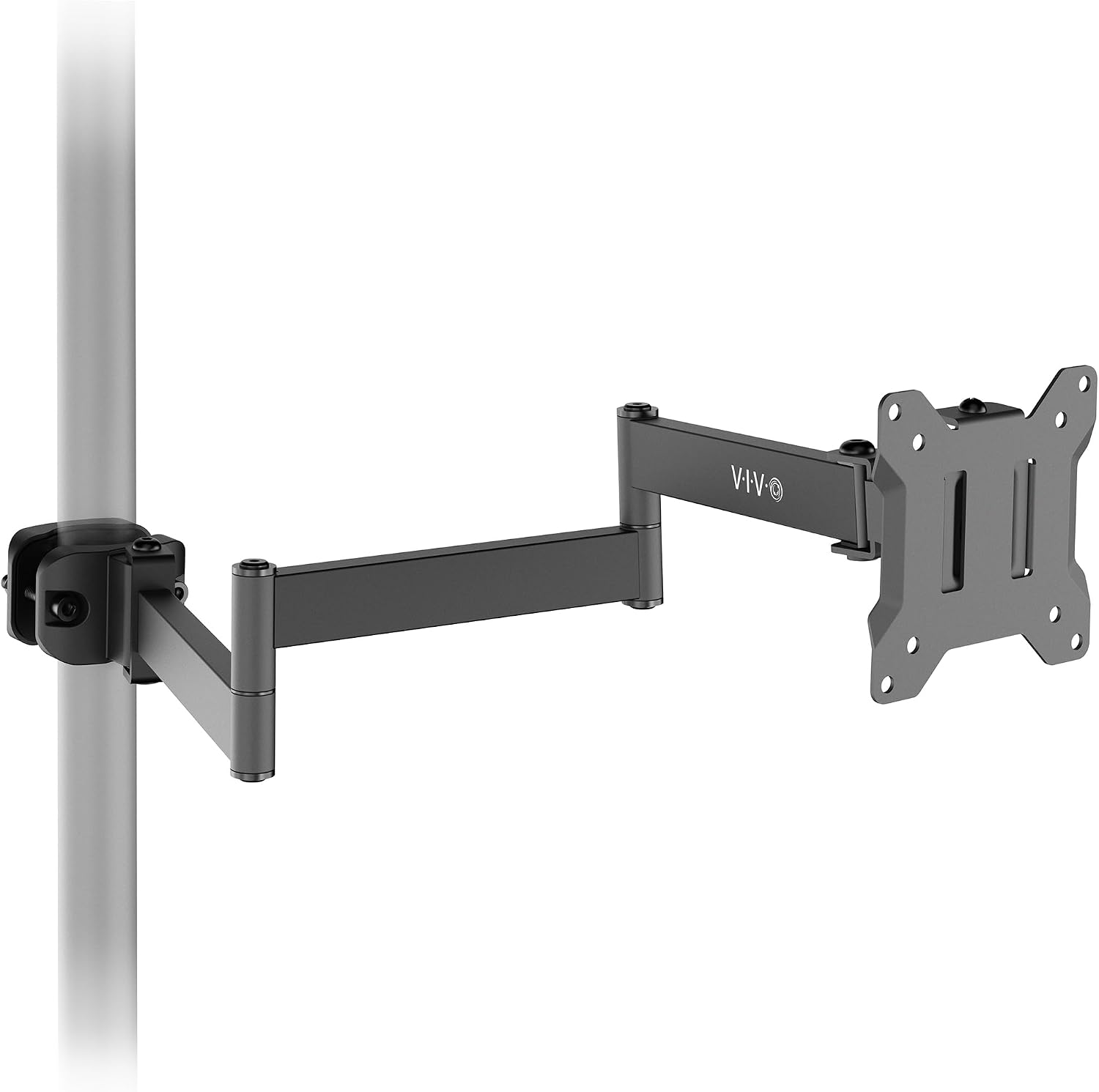
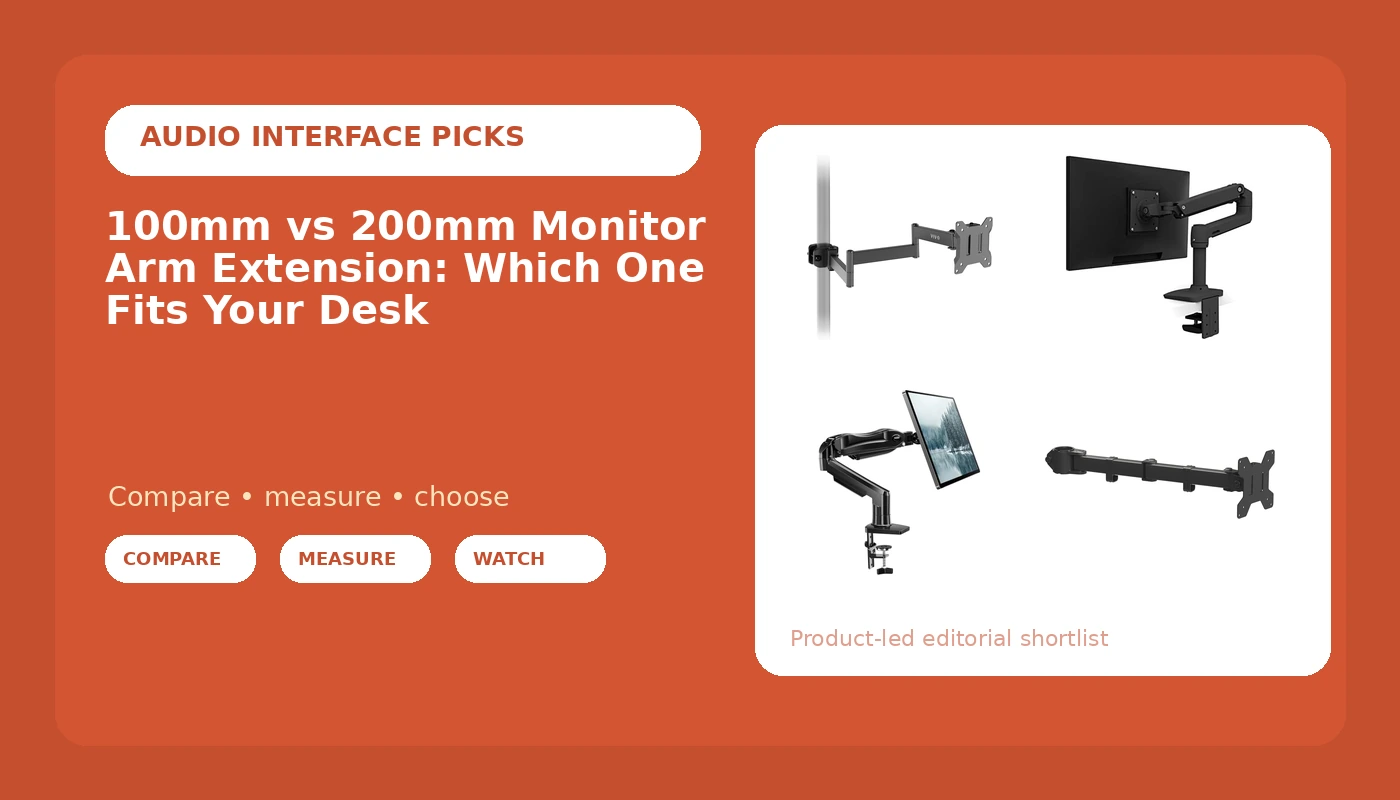
VIVO Black Long Pole Mount Monitor Arm
A pole carries the vertical range instead of a tall articulated joint
No published weight range or hole pattern in the data I have, so you cannot size it before it arrives
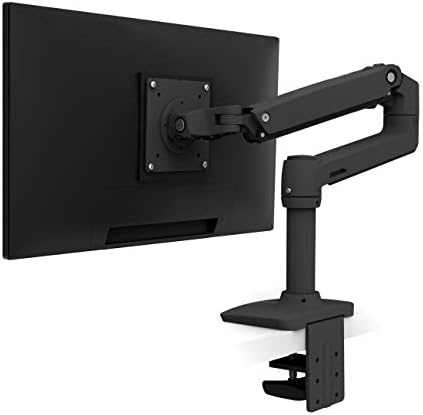
Ergotron LX Monitor Arm
Widest published fit of the four: 7 to 25 lbs, panels up to 34 inches, 75x75mm or 100x100mm holes
More headroom than a 24-inch panel at 8 lbs will ever use
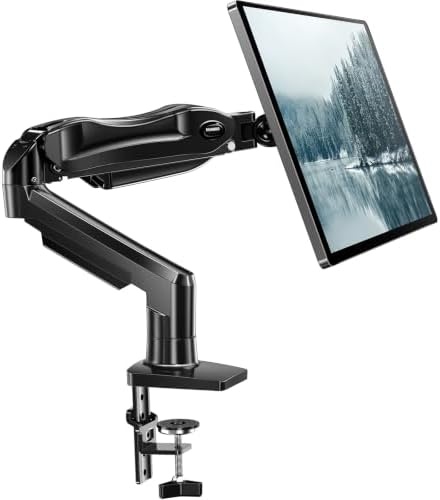
HUANUO FlowLift Single Monitor Mount
States both a clamp and a grommet base, and holds panels from 4.4 lbs
The 19.8 lb ceiling rules out heavier 32-inch panels
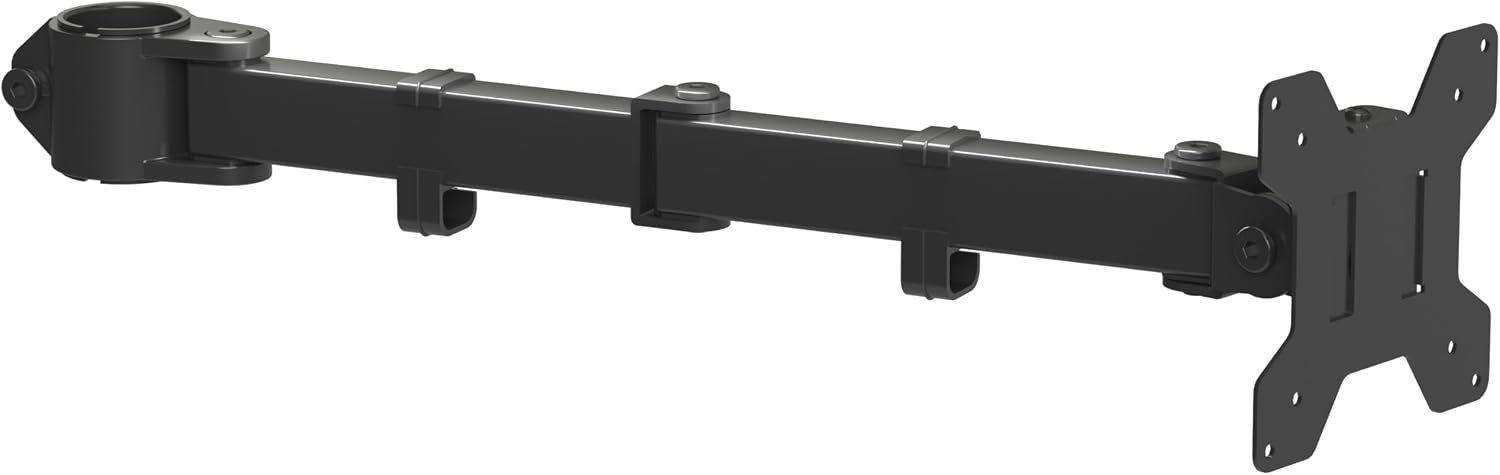
suptek Single Monitor Arm (MD6DB)
Publishes 75x75mm to 100x100mm holes and a 22 lb ceiling
No minimum weight published, and 13 inches is the smallest screen it lists
Prices and availability may change.
What the 100mm vs 200mm monitor arm extension question actually asks
Two different measurements get called a monitor arm extension, and mixing them up is how people end up with an arm that cannot hold their panel.
The first is the hole pattern on the back of the monitor. A 100mm figure usually means the four mounting holes sit 100mm apart in a square, which is the 100x100mm VESA pattern nearly every desktop monitor uses. A 200mm figure is the 200x200mm spacing used by big panels, and it needs an adapter plate before any desk arm will take it.
The second meaning is reach: how far the arm can carry the panel away from the pole or the clamp. A 100mm extension is just under 4 inches of travel. A 200mm extension is just under 8 inches.
The difference between 100mm and 200mm monitor arm extension is not a quality difference. It is a geometry difference, and geometry only matters when your desk is the wrong shape for the arm you bought. If you searched 200mm monitor arm extension vs 100mm, you probably have a specific problem in mind: a panel that feels too close, a clamp that has to sit far back, or a desk so deep the screen is halfway to your keyboard.
Here is the part nobody puts in the listing. Reach is the easy spec to sell and the least likely to fail you. Weight capacity is the spec that fails, and it fails quietly, about one degree of droop per week, until you notice you have been tilting your head.
Why 100mm is enough on most desks
Measure your desk depth before you read another word. A standard home office desk is 24 to 30 inches deep. Your eyes want the panel 20 to 30 inches away, and the clamp needs about 2 inches of flat, solid edge behind it. Put the clamp at the back edge of a 24-inch desk and a short extension carries the panel to roughly 5 or 6 inches forward of that edge, which leaves you 18 inches of open desktop in front of the screen. That is the whole setup.
Minimum desk width, since I will not recommend an arm without one: 40 inches for one monitor plus a laptop, 55 inches for two monitors side by side. Under 40 inches you are stacking vertically or moving the laptop to a drawer.
Here is the short version of the 100mm vs 200mm monitor arm extension decision. If your panel is 24 to 27 inches and your desk is 24 to 30 inches deep, 100mm of reach is not a compromise, it is the correct amount. A longer arm on that desk buys you 4 more inches of forward travel and costs you 4 inches of usable desktop, because the arm still has to fold somewhere behind the screen.
What decides whether the arm works is not reach at all. It is whether your panel's weight sits inside the published range. A gas spring is a spring with a window: below the floor it drifts upward, above the ceiling it sags and the joint wears.
When 200mm of reach earns its keep
Four desk shapes need the longer extension, and I have installed all four.
Deep desks. On a 32-inch-deep desk with the clamp at the back edge, a short extension leaves the panel about 26 inches from your eyes and you cannot pull it closer without dragging the clamp forward and giving up desk edge. The extra 4 inches of forward travel is the fix.
Corner desks. When the clamp lands on the side leg rather than the back edge, the arm has to reach diagonally across and forward at the same time. Short arms run out of geometry before they run out of strength.
Desks with an obstruction behind the screen. A rear cable rail, a monitor riser shelf, or a window sill means the arm has to clear something before it can come forward. That eats reach before you ever adjust the panel.
Desks with a drawer unit under the seating side. If the clamp has to sit a foot to the left of where you sit, you need forward reach rather than a taller arm.
Whether you need a 100mm or 200mm monitor arm extension comes down to those four situations and nothing else. In each of them the 100mm vs 200mm monitor arm extension trade-off flips, and reach stops being a marketing number and starts being the difference between a screen at 22 inches and a screen at 28.
VESA pattern and weight capacity: the two hard stops
Pattern first, because it is binary. Two of the four arms here publish their hole patterns, and both stop at 100x100mm. The Ergotron LX lists 75x75mm and 100x100mm. The suptek MD6DB lists 75x75mm to 100x100mm. That covers every mainstream desktop panel from 22 to 32 inches.
If your monitor has a 200x200mm pattern, you are not choosing between arms, you are buying an adapter plate, and I would want that plate in hand before the arm ships. This is the part of the 100mm vs 200mm monitor arm extension question that has a hard stop rather than a preference.
Weight second, because it is where the droop comes from. Published ranges in this group:
- Ergotron LX: 7 to 25 lbs
- HUANUO FlowLift: 4.4 to 19.8 lbs
- suptek MD6DB: up to 22 lbs, with no floor published
- VIVO long pole: neither floor nor ceiling published in the data I have
Weigh your panel before you order. If it comes off its stand easily, a kitchen scale gives you the number in ten seconds. If your panel is 21 lbs and the arm tops out at 19.8, skip that arm. There is no adjustment that fixes a weight outside the window.
Clamp mount, grommet mount, and the desk you actually own
There are two ways to attach an arm, and the one you get is decided by your desktop, not your monitor.
A clamp mount is a C-clamp over the back edge. It needs about 2 inches of flat, solid edge and a top you can compress. A grommet mount bolts through a hole you either already have or drill. The HUANUO FlowLift is the only one of the four that states both a clamp and a grommet base in its own product name. For the others, confirm the base type in the listing before you commit, because a grommet-only arm on a desk with no hole is a return and a weekend.
Measure desk thickness too. The clamp has a range, and a 2-inch-thick butcher block top will not fit a clamp built for 1.5 inches.
One thing I tell every client: the clamp is a lever on your desktop, and the load at the edge is higher than the panel weight because the arm multiplies it. That is why a particleboard top with a hollow core can crush at the edge under an arm that is technically within its weight rating.
Tilt range, swivel, and the cable channel
Here is the honest gap in this comparison: none of these four arms publishes a tilt range or a swivel figure in the product data I have, and none of them names a cable channel. I am not going to invent numbers to fill a table.
Judge them anyway, because these three things decide whether you still like the arm in month three.
Tilt range matters most on a standing desk, where you are looking down at the panel at standing height and up at it when seated. If the tilt range is shallow, you will run out of adjustment at one end of the day and start living with a reflection.
Swivel matters if you rotate to portrait for reading. A stiff swivel that will not hold portrait is a daily annoyance.
The cable channel is the one people skip, and it is the one that breaks the setup. A cable that pulls on the arm changes the monitor angle within a week, every time. Route slack with a service loop near the clamp, not a tight run to the panel, and leave enough length for the full range of motion before you tighten anything.
The four arms, one at a time
Ergotron LX Monitor Arm (Visit on Amazon). This is the one I put in a client's office when I do not want a callback. Published fit is 7 to 25 lbs and panels up to 34 inches, with 75x75mm or 100x100mm holes. The 7 lb floor means a light 24-inch panel still holds position, and the 25 lb ceiling means a heavier 32-inch panel does too. It is a single-monitor mount, so two screens means two arms or a different design. For a 24-inch panel at 8 lbs it is more headroom than the job needs.
HUANUO FlowLift Single Monitor Mount (Visit on Amazon). 13 to 32 inches, 4.4 to 19.8 lbs, clamp and grommet base. The 4.4 lb floor is the lowest of the four, which makes it the pick for a light panel that other gas spring arms would float upward. The 19.8 lb ceiling is the catch: a heavier 32-inch panel lands outside the range, and no amount of tightening fixes a weight problem.
suptek Single Monitor Arm (MD6DB) (Visit on Amazon). 13 to 32 inches, up to 22 lbs, and 75x75mm to 100x100mm holes. The published pattern and the 22 lb ceiling make this the easiest of the four to size before you buy. The gap is the missing floor: with no minimum weight published, a very light panel may not settle. If your screen is unusually light, ask before ordering.
VIVO Black Long Pole Mount Monitor Arm (Visit on Amazon). The odd one out. A long pole carries the vertical range instead of a tall articulated joint, which is the shape people reach for when they want panels at different heights on one base, though the listing data I have does not state how much the pole carries. What it does not give me is a published weight range or hole pattern, so I cannot tell you whether it fits your panel. Weigh your monitor and check its pattern first.
Who should skip each one
Skip the Ergotron LX if you want two monitors from a single base, or if your panel is under 7 lbs and you would rather not run a spring near the bottom of its window.
Skip the HUANUO FlowLift if your panel is heavier than 19.8 lbs or larger than 32 inches. That is the whole skip condition, and it is a hard one.
Skip the suptek MD6DB if your screen is smaller than 13 inches, or if you have a very light panel and need a published minimum before you buy.
Skip the VIVO long pole if you need to confirm fit before ordering, because the data I have publishes neither weight range nor hole pattern.
Skip all four if your desktop is glass, or thinner or thicker than the clamp's stated range.
The bottom line
Measure three things before you spend anything: desk depth, desk thickness, and panel weight with its hole pattern. Write them down. Then the 100mm vs 200mm monitor arm extension question answers itself, because reach is a consequence of desk depth and weight capacity is a consequence of your panel.
If your numbers point to a long extension, take it. If they do not, buy the arm whose published weight range brackets your panel and put the saved inches back into your desktop. The cheapest correct setup beats the most expensive wrong one, and in this category correct means weight capacity first, VESA pattern second, reach third, and brand a distant fourth.