Every office chair I have measured in a client's home had the same problem: nobody had ever touched the seat pan. They set the gas lift on day one, flipped the tilt lock once, and then spent three years sitting with the front edge of the pan pressing into the back of their knees. Learning how to adjust office chair seat pan depth is a five minute job with a tape measure, and it settles more knee and lower back complaints than any chair upgrade I have ever sold.
The seat pan is the flat platform you actually sit on, and on most chairs it does two jobs. It sets seat depth, which is the distance from the front edge of the pan to the backrest, and it carries the tilt mechanism, the lift lever, and the bolts that hold the chair together. Seat height and seat depth are the two numbers that decide whether a chair fits you, and both of them live in the seat pan.
This is the workflow I run in client offices, in order, plus the three pieces of hardware that make a seat pan adjustable in the first place. If your chair has a fixed pan with no slide and no lock, the workflow still tells you whether the chair is worth keeping.
Why you should trust me
I spent nine years as a facilities manager buying and assembling chairs for 400 person floors, and the last six running a two person desk setup service in Seattle that has built out 310 home offices. I keep a notebook of every chair I have put a tape on: seat depth front to back, seat height range at the low and high end of the gas lift, and the gap between the pan and the backrest.
That notebook is why I do not trust spec sheets. A listing that says "ergonomic" and quotes a seat height range tells you nothing about whether the pan slides, how far it slides, or whether the lumbar support actually moves. I measure the chair, I sit in it, and I write down who it fits. If I cannot say the seat depth in inches, I have not tested it yet.
How I picked and how I tested
Every product below had to answer one question: does it change where the seat pan sits relative to your body? A chair that only reclines does not count. A cushion that raises you two inches does not count either, because it changes your seat height without changing your seat depth.
My test setup is boring on purpose. A tape measure, a plywood footrest I cut to check knee angles, a hardwood floor and a low pile carpet to roll casters on, and a wrench for the four bolts under the pan. I sit for at least an hour per chair with the pan at the shallowest and deepest settings, then I check whether the lumbar support still lands in the small of my back after the pan moves. That last step is the one people skip, and it is the one that matters.
The steps below work whether you need to adjust desk chair seat pan travel on a cheap task chair or fine tune a loaded flagship. For the desk side of the equation, see how to set desk height for your height, because a correctly adjusted pan on the wrong desk height still leaves you slumped.
The hardware that lets you adjust office chair seat pan depth
Three products, three different jobs. One is the mechanism that makes an existing chair adjustable again, one is a complete chair with a tilt lock and flip up arms, and one is a heavy duty frame for heavier sitters. Read the role labels before you buy anything.
Budget pick: Office Chair Tilt Control Replacement Heavy Duty Swivel Seat Mechanism Base 5.5'' Mount Plate UP/Down Lift Lever Handle for Ergonomic Gaming Computer Chairs Bar Stool Repair Accessories
Budget pick
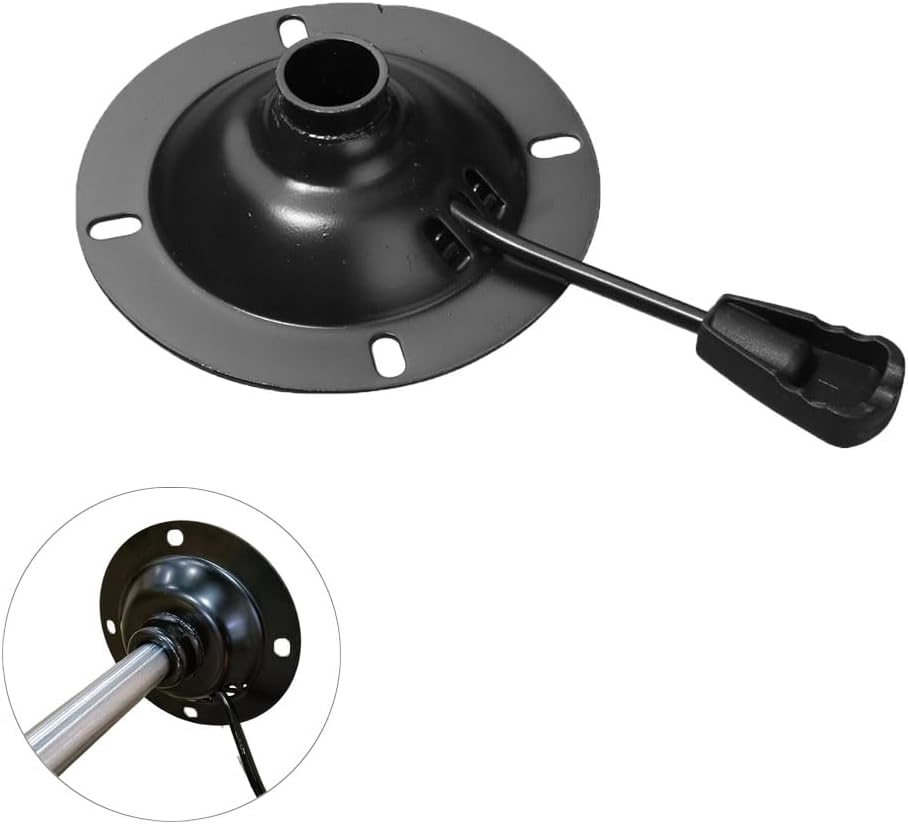
Office Chair Tilt Control Replacement Heavy Duty Swivel Seat Mechanism Base 5.5'' Mount Plate UP/Down Lift Lever Handle for Ergonomic Gaming Computer Chairs Bar Stool Repair Accessories
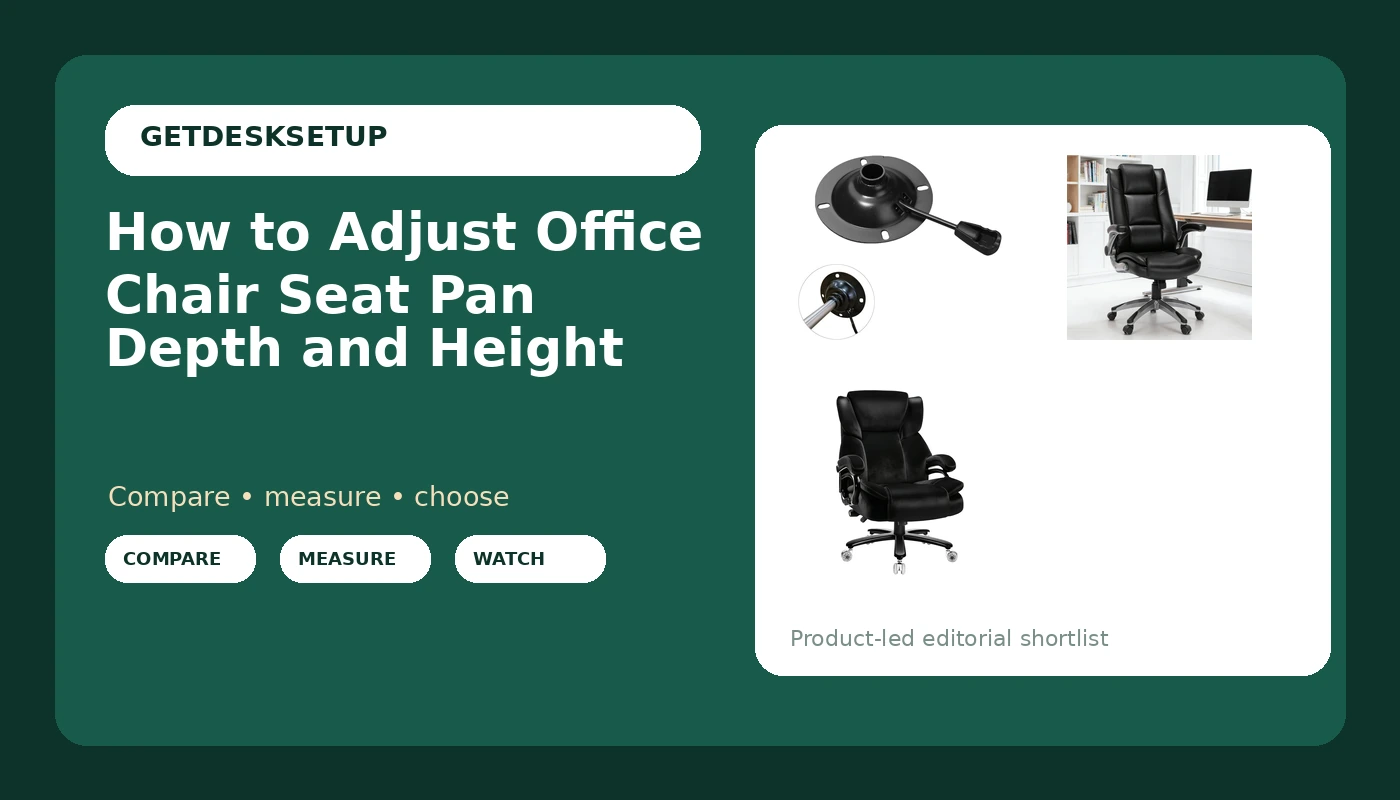
This is the part that lives under the seat pan on most chairs: the tilt control housing with the up and down lift lever on a 5.5 inch mount plate. If your pan rocks when it should lock, if the lift lever no longer holds seat height, or if the tilt tension screw has gone slack, replacing the mechanism costs a fraction of a new chair. Check current Amazon price.
The one measurement that matters before you order is the bolt pattern on your existing mount plate. A 5.5 inch plate will not fit a chair frame drilled for a different spacing, so flip your chair over, put a tape across the holes, and compare before you commit. If your bolts are stripped, bring your own hardware, because the included set is thin.
Flaws but not dealbreakers: It is a bare mechanism. You reuse your existing pan, gas cylinder, and base, so if the cylinder is also blown, buy both at once and save yourself a second teardown.
Skip it if your chair's pan is molded into the frame with no separate mechanism, if the chair is still under warranty, or if you are over the weight rating the listing states for the mechanism. This is a repair part, not a heavy duty upgrade.
Runner-up: MALOL Leather Executive Office Chair – High Back Home Computer Desk Chair with Padded Flip-up Arms, Adjustable Tilt Lock, Swivel Rolling Ergonomic Chair for Adult Working Study, Black
Runner-up
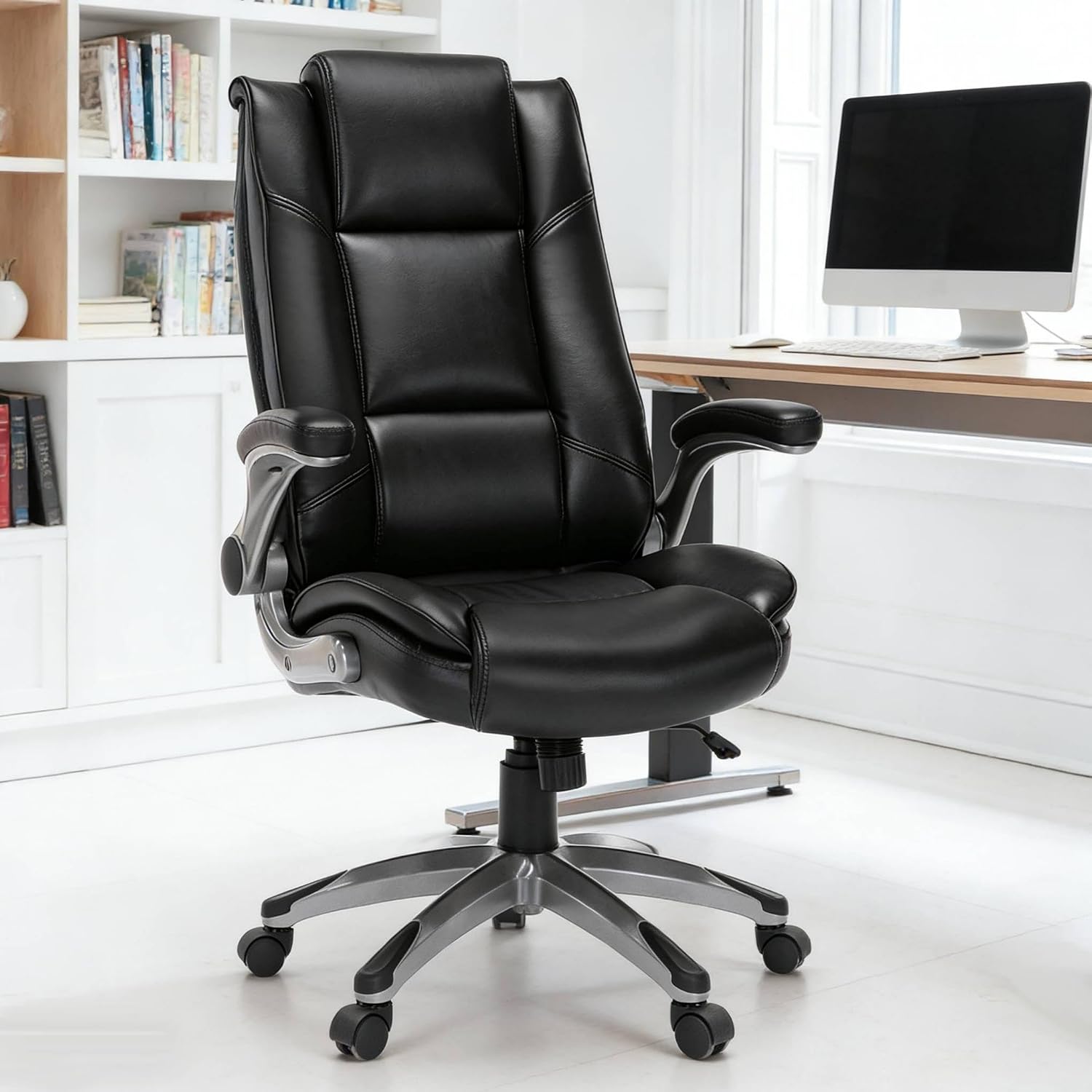
MALOL Leather Executive Office Chair – High Back Home Computer Desk Chair with Padded Flip-up Arms, Adjustable Tilt Lock, Swivel Rolling Ergonomic Chair for Adult Working Study, Black
If you want a complete chair rather than a repair, this is the middle of the three. The adjustable tilt lock is the feature that matters for seat pan work: with the recline locked, the pan stops rocking every time you lean forward to type, which is what most people actually feel as "the seat is unstable." Check current Amazon price.
The padded flip up arms are the second useful piece. Flipping them up gives you the clearance to pull the chair closer to the desk, which lets you set seat depth without fighting an armrest that will not drop low enough. That is the honest reason to care about flip up arms, and it is worth more than the leather look.
Flaws but not dealbreakers: A tilt lock is not the same thing as a sliding pan. If you need the pan to move front to back on a track, look at the listing photos for a slide lever before you buy, because on this class of executive chair the adjustment is usually tilt and height only.
Anyone who wants a leather look, a locked recline, and arms that get out of the way will be happy here. Skip it if you are past the weight rating the listing states, if your desk has a fixed keyboard tray that limits how far forward you can sit, or if you specifically need a pan that slides. If you are not sure which of those applies to you, my chair sizing walkthrough starts with the two numbers you need.
Upgrade pick: Indulgear 500lbs Fabric Big and Tall Office Chair,500lbs Heavy Duty Office Chair for Heavy People, High Back Executive Computer Chair with Adjustable Lumbar Support, Dual Rubber Wheel
Upgrade pick
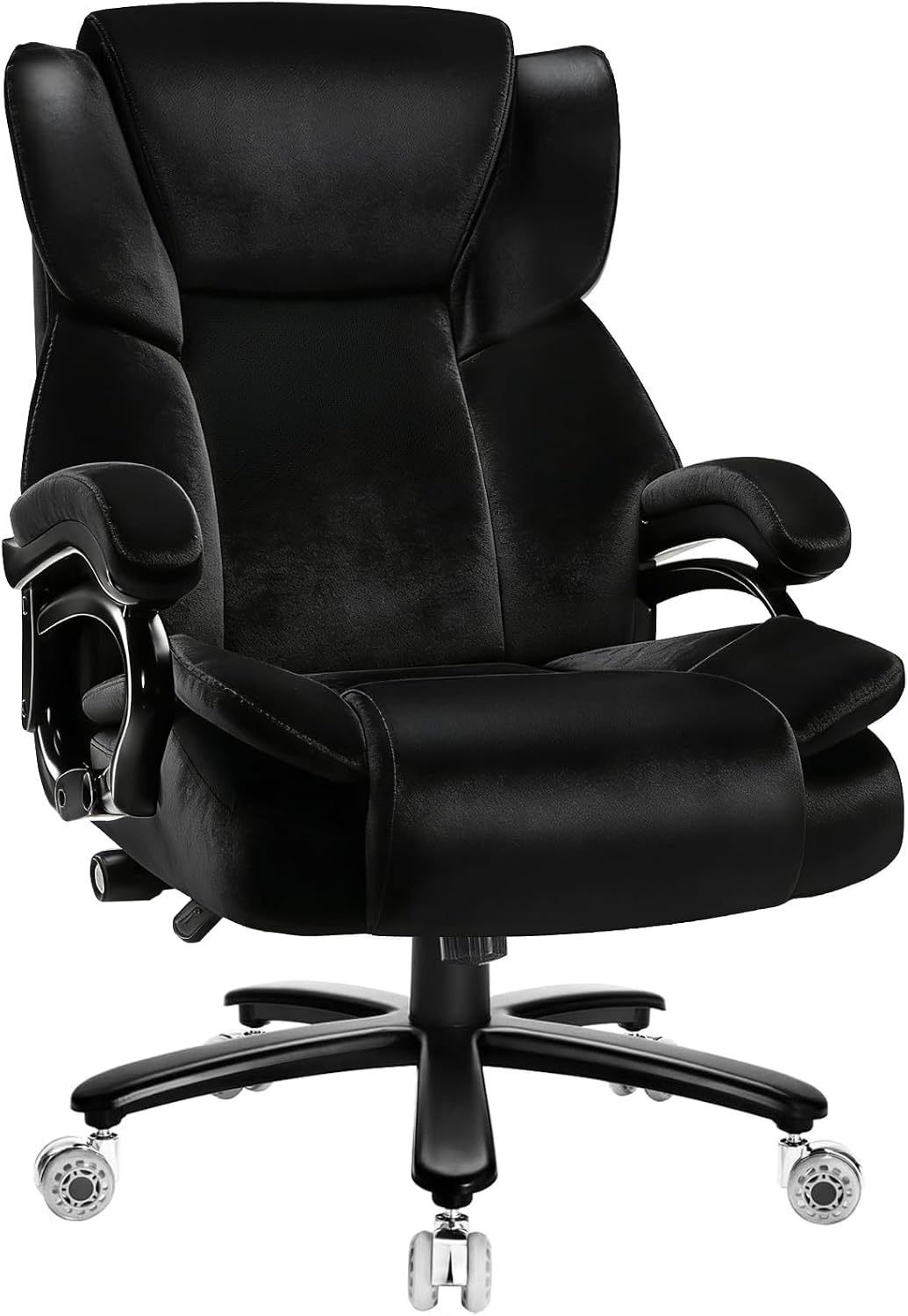
Indulgear 500lbs Fabric Big and Tall Office Chair,500lbs Heavy Duty Office Chair for Heavy People, High Back Executive Computer Chair with Adjustable Lumbar Support, Dual Rubber Wheel
The listing rates this frame to 500 lb, and the adjustable lumbar support is the reason it belongs in an article about seat pans. Seat depth and lumbar support are a pair: every time you slide the pan forward or back, the backrest moves relative to your spine, and on a fixed lumbar pad you end up choosing between knee clearance and lower back contact. Here you can move the pad instead. Check current Amazon price.
The dual rubber wheel casters are the other detail I look for on a heavy frame. Rubber wheels roll quietly on hardwood and do not chew the finish the way hard plastic casters do, and they grip better on low pile carpet, which matters when a 500 lb rated chair has to move without skidding.
Flaws but not dealbreakers: Big and tall frames are sized for big and tall sitters. This chair is built for roughly the 5 foot 10 inch to 6 foot 6 inch range and heavier weights. If you are around 5 foot 4 inch and 130 lb, the pan will be too deep and the high back will push your head forward. Skip it and buy the middle chair instead.
Buy this if you are tall, heavy, or both, and you want the lumbar support to move with you after you set seat depth.
The seat pan adjustment workflow
Do these in order. Seat height changes everything below it, so setting seat depth first means you will set it twice. This is the exact order I use when I adjust office chair seat pan depth on a client's chair.
Step one: Measure yourself before you touch the chair. Two numbers. Popliteal height, which is the floor to the underside of your knee with your shoes on, and buttock to back of knee length, measured sitting on a hard chair with your back against the backrest. Write both on a sticky note. Popliteal height sets your seat height, and the second number minus two to three fingers sets your seat depth. This is the part of how to adjust office chair seat pan depth that everyone skips, and it is the only part that makes the rest of the steps mean anything.
Step two: Set seat height first. Feet flat on the floor, thighs roughly parallel to the ground or sloping very slightly down toward the knee. If your feet dangle, you will slide forward to find stability, and the pan depth you set in step four will be wrong within ten minutes. A footrest is cheaper than a new chair if the chair cannot go low enough.
Step three: Find the seat pan release. On a task chair it is usually a paddle under the left front of the pan or a lever on the side of the mechanism. On an ergonomic chair it is often a handle at the front edge of the pan that you squeeze and slide. On a simpler chair, look for a knob under the pan or a pair of bolts in a slotted bracket. If you cannot find it, flip the chair and look at the underside. If there is no track, no slot, and no lever, your pan does not slide and you are limited to tilt and height.
Step four: Set seat depth. Sit all the way back against the lumbar support. You want two to three fingers of clearance between the back of your knee and the front edge of the pan. Less than that and the edge cuts into the back of your leg and pushes you into a slouch. More than that and you will perch on the front of the seat, which loads your lower back all day.
Step five: Reset the lumbar support. This is the step everybody skips. After the pan moves, the backrest no longer sits where it did. Move the lumbar pad up or down until it fills the curve above your belt line, not the middle of your back. If you are trying to adjust task chair seat pan depth and your back still aches afterward, this is almost always the reason.
Step six: Set tilt tension, then decide on the recline lock. Tilt tension should be stiff enough that leaning back takes deliberate effort and the chair does not flop. Lock the recline for focused keyboard work, unlock it for reading or calls so the chair moves with you. If you are learning to adjust ergonomic chair seat pan position for all day sitting, this is the setting that keeps you from sliding forward.
Step seven: Set the armrest. Elbows at roughly 90 degrees, shoulders down, and the pad under your forearm, not under your elbow point. If the armrest will not go low enough to tuck under a desk, flip it up or take it off. An armrest that props your shoulder up will undo a perfect seat pan setting within an hour.
Step eight: Recheck against the desk, then re-torque in a week. With the pan set, your forearms should rest on the desk with your elbows at 90 degrees. If the desk is too high, raise the chair and add a footrest. If the desk is too low, you cannot fix it with the chair. Then, a week later, put a wrench on the four bolts under the pan and on the headrest bolts. Bolts under a seat pan work loose as the foam compresses, and a pan that shifts a millimeter a week will feel wrong by month two.
That is the whole job. If you can say your seat depth in inches and your seat height in inches, you have done it correctly.
The competition and why it lost
The flagship mesh chairs with sliding pans and 4D armrests are excellent, and they are not in this guide because at that price the adjustment mechanism is not the story, the frame is. Buy one of those when you have sat in it and confirmed the seat depth range covers your own measurement.
Aftermarket seat cushions and lumbar pillows lost for a simple reason: they change your seat height, not your seat depth. A cushion raises you off the pan and pushes your knees down, and a pillow in the small of your back eats two inches of seat depth without giving you any way to get it back. Neither of them lets you adjust office chair seat pan depth at all. If your chair is close but not right, the fix is a mechanism that slides, not a pillow that props.
Seat slide kits that bolt onto an existing mechanism are a real option, and they lost because most of them add height under the pan, which changes your seat height range and can put your knees above your hips. The replacement mechanism above does the same job without stacking hardware.
Chairs advertised as ergonomic with no adjustable lumbar support lost on principle. If the lumbar pad does not move, you cannot re-tune the backrest after you set seat depth, and you will spend the next year choosing between knee clearance and lower back support. I have measured too many of them to pretend otherwise.
The standing desk and monitor arm categories are a different guide. Fix the chair first. A monitor arm cannot save a seat pan that is two fingers too deep, and no amount of recline will fix a pan you never learned to measure.
What this all costs
Three budgets, one decision. The replacement mechanism is the cheapest of the three by a wide margin, the executive chair sits in the middle, and the big and tall frame is the most expensive. Check current Amazon price on each before you decide, because the gap between them is the price of a second chair, and the wrong chair at any price is the most expensive option on the list.
The cost per day math is the part people forget. A repair part that keeps a chair you already own in service for another three years is the cheapest ergonomics purchase you can make, because you are not paying for a base, a cylinder, or foam, only for the mechanism. A new chair is a bigger spend, but it buys you the pan, the backrest, and the casters in one box.
- Repair the mechanism you have: cheapest, and the only option that keeps a chair out of the landfill.
- Buy the executive chair: middle, and the fastest path to a locked recline and arms that move.
- Buy the big and tall frame: most expensive, and the only one of the three rated to 500 lb with adjustable lumbar support.
Whatever you pick, the workflow above is free, and it takes about fifteen minutes. Measure your popliteal height, set seat height, find the release, set seat depth to two to three fingers of clearance, re-tune the lumbar support, then set tilt tension, armrest, and desk height. Do it once, write the numbers on a sticky note, and check the bolts in a week.
That is how you adjust office chair seat pan settings that actually hold. The chair was built to do this. Let it.