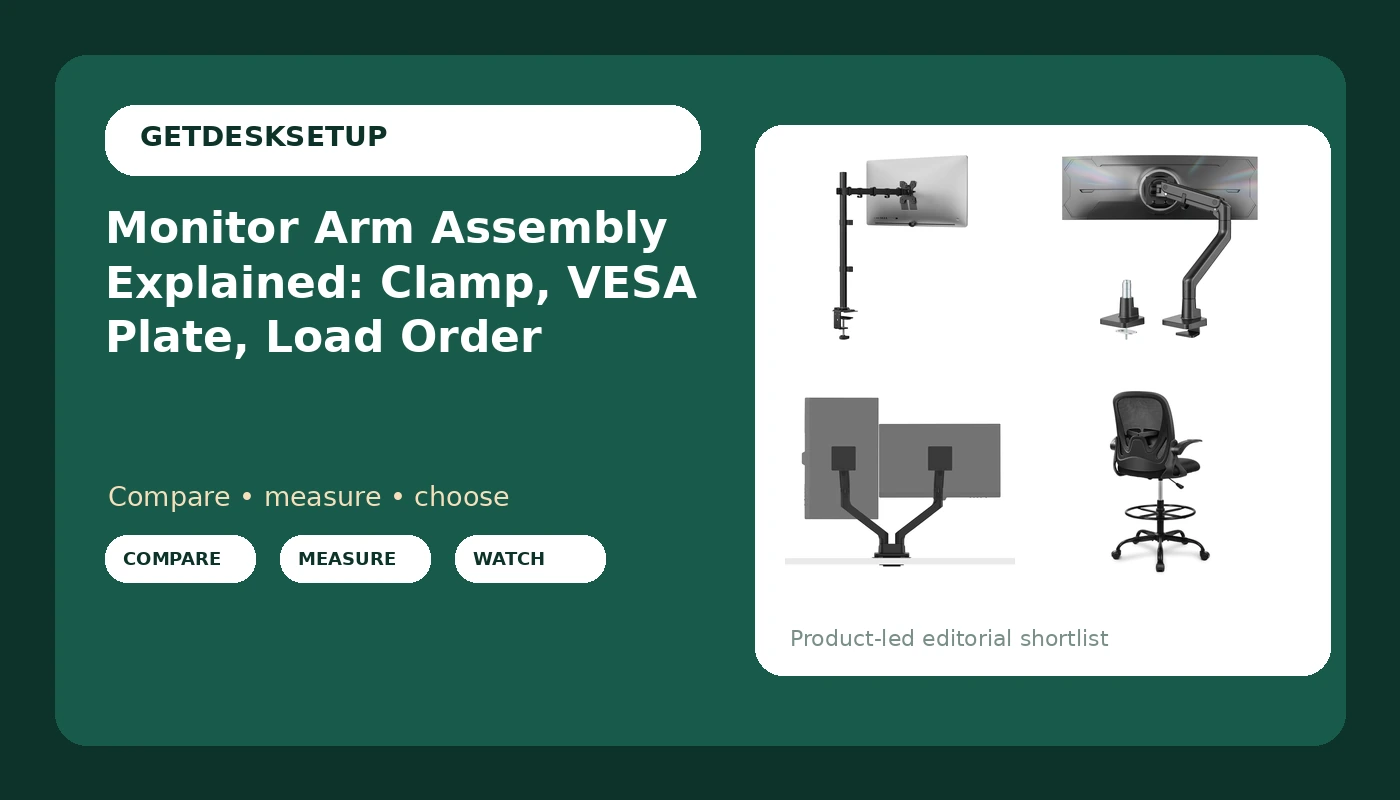
Most monitor arm failures I get called about are not hardware failures. They are assembly order failures. Someone clamps a base to a hollow-core desktop, hangs twenty pounds of aluminum off the joint, and tightens the clamp screw last, and a month later the desktop has a hairline crack and the screen sits two degrees off level. Monitor arm assembly is a sequence problem before it is a hardware problem. Mount the base first, attach the VESA plate to the screen second, load the arm third, set tension fourth, route cables last. Get that order right and a modest arm holds for years. Get it wrong and no price bracket saves the desk.
Related: Standing Desk Wobble: How to Test It Before You Buy →
Quick answer
Monitor arm assembly explained in the shortest form: clamp mount or grommet mount the base to the desktop first, bolt the VESA plate to the back of the screen second, lift the arm onto the base third, set the gas spring tension or the joint screws fourth, and run the cable channel last. Every step after the first adds load to a joint that is not yet supported, which is why reversing the order is how desktops crack and screens get dropped. Before any of that, check two numbers: the weight capacity of the arm against the weight of your screen, and the VESA pattern on the back of the screen against the plate in the box.
4 useful options
| Model | Best fit | What stands out |
|---|---|---|
| WALI Tall Monitor Arm Mount | One screen on a desk you also use standing | 13 to 34 inch screens, 22 lbs per arm, tall post |
| monTEK Heavy Duty Monitor Arm | One large ultrawide | 17 to 57 inch range, gas spring, 59.4 lbs |
| BenQ ErgoArm BDH01 | Two screens side by side | Dual arm, screens up to 35 inch, 44 lbs figure |
| Primy Drafting Chair | Sitting higher than a standard chair allows | Flip-up armrests, lumbar support, adjustable footrest ring |
The tall single arm: WALI Tall Monitor Arm Mount for Desk for 13-34 inch Screens, 22 lbs per Arm
Where this one earns its place is headroom on weight capacity. A 27 inch screen plus its plate usually lands well under 22 lbs, so the joint works in the middle of its range rather than at the edge. Where it does not fit: large ultrawides. A 49 inch panel is outside the 13 to 34 inch screen range and is likely over the rating too, and that job belongs to a gas spring arm built for the load. Also check the clamp mount against your desktop thickness before ordering, because a thick butcher block top can exceed what the clamp jaws open to.
The heavy duty arm: monTEK Heavy Duty Monitor Arm, 17-57" Ultrawide, Gas Spring, 59.4 lbs,Black
Gas spring tension is the part people get wrong. A gas spring holds position by preload, and preload has to be set to the weight hanging on it. Too little and the screen sinks through the day. Too much and it drifts upward on its own. Set it with the screen mounted, then recheck it a week later. The trade off is coverage: this is a single-screen arm with a very wide weight and size range, so if you need two displays on one base, it is the wrong shape even though it has the capacity.
The dual screen arm: BenQ ErgoArm BDH01 Dual Monitor Arm for 2 Screens Up to 35'' & 44lbs. Black
A dual arm is where assembly order matters most, because you are loading the same base twice. Plate both screens before either one goes up, mount the arm to the base, load the first screen, load the second, then set tension on each joint separately. Do not tighten both joints before the second screen is on, because the first one will have to be redone anyway. The trade off is desk depth: two 35 inch panels on one base reach further back and wider than two separate single arms, so measure the wall behind the desk before you commit.
The seating partner: Primy Drafting Chair Tall Office Chair with Flip-up Armrests Executive Ergonomic Computer Standing Desk Chair with Lumbar Support and Adjustable Footrest Ring (Black)
The footrest ring is not decoration. Once a seat goes up past a standard chair height, feet stop reaching the floor, and unsupported feet pull the lower back forward within an hour. The flip-up armrests matter for a different reason: on a standing desk with a tall arm, fixed armrests can block the chair from sliding under the desktop when you drop the desk. What I cannot tell you from this listing is a seat depth or a seat height range, so measure your own before you buy. If you cannot say your seat depth in inches, you are guessing.
Prices and availability may change. Product images, names, and retailer links are matched to verified listings. No current price, rating, stock status, or measured result is stated here without current evidence.
What the numbers on the box actually mean
Weight capacity is the number that decides the arm, and it is a ceiling rather than a target. The screen, the VESA plate, and a heavy cable bundle all count against it. Aim for an arm rated meaningfully above your screen's weight, because a joint sitting at 95 percent of capacity has no headroom for the sag that develops over a year. Treat every monitor mount assembly as a load path: the screen pushes down on the plate, the plate pulls on the joint, and the joint pushes on the desktop.
The VESA pattern is the hole spacing on the back of the screen, and the plate in the box has to match it. 75 x 75 mm and 100 x 100 mm cover most screens, with larger patterns on big panels. A VESA monitor arm assembly is only as good as that match. If your screen does not have the holes the plate expects, the arm is wrong for that screen and no adapter fixes the geometry.
Gas spring arms hold position by preload rather than by friction. That makes the tension adjustable, and it means the tension has to be adjusted to your screen's weight.
Tilt range and swivel describe movement after mounting. Tilt is the up and down angle; swivel is the left and right rotation. A wide tilt range is what lets a tall arm angle a screen down toward a seated eye line instead of forcing you to look up at it.
Mount type decides whether the arm is even an option. A clamp mount grips the edge or the back of the desktop. A grommet mount passes through an existing cable hole and bolts from below. Desks with a full frame rail or a drawer stack under the back edge sometimes take a grommet and refuse a clamp entirely. If your desk wobbles at standing height, that is a separate problem worth fixing first: how to test a standing desk for wobble.
Monitor arm assembly order that does not crack the desktop
Clamp first, then load, then tighten is the short version. Here is the long one, and it is the same monitor mount assembly order for a single arm and for a dual arm.
- Clear the desktop and the underside. You need room to reach the clamp screw or the grommet bolt, and you need to see whether a frame rail sits in the way.
- Set the base on the desk with the clamp hand tight, or drop the grommet bolt through the hole. Snug it and leave the final tighten for later.
- Bolt the VESA plate to the back of the screen on a padded surface, using screws that match the depth of the hole rather than the longest ones in the bag.
- Mount the arm to the base, then lift the screen onto the plate. Use a second person for anything large, and seat the plate fully before you let go.
- Tighten the clamp or grommet bolt all the way, set the gas spring tension or the joint screws to the load, then route the cable channel with slack at both ends.
Fitting the arm to your desk and your body
- Before you start any screen arm assembly, measure the desk thickness where the clamp will sit and compare it to the clamp opening in the listing.
- Confirm the VESA pattern on the back of the screen before ordering, not after the box arrives.
- Weigh the screen including the plate, compare it to the weight capacity, and leave real headroom rather than buying to the exact number.
- Check for a frame rail or a drawer under the back edge before committing to a clamp mount instead of a grommet mount.
- Leave slack in the cable channel at both ends, because a cable that pulls on a monitor arm changes the monitor angle within a week.
Which option should you choose?
Choose the WALI Tall Monitor Arm Mount for Desk for 13-34 inch Screens, 22 lbs per Arm when you have one 13 to 34 inch screen, you want it lifted above the desk surface, and the screen's weight sits comfortably under 22 lbs. Choose the monTEK Heavy Duty Monitor Arm, 17-57" Ultrawide, Gas Spring, 59.4 lbs,Black when you are mounting a large ultrawide in the 17 to 57 inch range and need a gas spring and a 59.4 lbs rating to carry it. Choose the BenQ ErgoArm BDH01 Dual Monitor Arm for 2 Screens Up to 35'' & 44lbs. Black when you run two screens up to 35 inches and would rather have one base than two clamps. Choose the Primy Drafting Chair Tall Office Chair with Flip-up Armrests Executive Ergonomic Computer Standing Desk Chair with Lumbar Support and Adjustable Footrest Ring (Black) when the screen is going up and the seat has to go up with it.
None of these listings states a seat depth or a seat height range, and I will not guess at fit. The same restraint applies to the arms: the numbers that matter are printed on the back of your screen and measurable on your desk edge, not in someone else's review. Verify both before you order, because a return is slower than a tape measure.
The bottom line
Monitor arm assembly is a short sequence with a long list of ways to get it wrong, and almost all of them come from doing the steps out of order. Clamp or grommet the base first, attach the VESA plate second, load the arm third, set tension fourth, and route the cable channel last with slack at both ends. Match the arm to the screen's weight and VESA pattern before you buy, not after. The four products above split cleanly by job: a tall single arm for a 13 to 34 inch screen, a heavy duty gas spring arm for a large ultrawide, a dual arm for two screens on one base, and a drafting chair for the setups where the seat has to rise along with the screen.