Standing Desk Guide for Neck Pain: The Height Math That Helps
A standing desk guide for neck pain built from measured height ranges, lift capacity, and desktop depth, not marketing claims.
Related: Best Standing Desk for a Small Home Office
Most neck pain that shows up at 3 p.m. is not a chair problem, and it is not a monitor problem. It is a height problem. Your elbows want the desk surface at one number. Your eyes want the top third of the screen at another number. The gap between those two is where a neck starts to ache, and no amount of stretching fixes a gap that is still there at 4 p.m. This standing desk guide for neck pain starts with a tape measure, because the numbers that matter are the height range, the desktop depth, and the distance from your keyboard to your screen.
A desk that rises without the screen rising just relocates the problem. Raise the surface by 8 inches and leave the laptop sitting on it, and the screen is now lower relative to your eyes and further away, so the chin drops and the neck flexes forward to close the gap. Most sit stand desk guide for neck pain advice stops at get a standing desk and stand more. That is the easy half, and it is the half that gets people to week three before the ache comes back. The other half is geometry: hands low, screen high, both reachable without leaning.
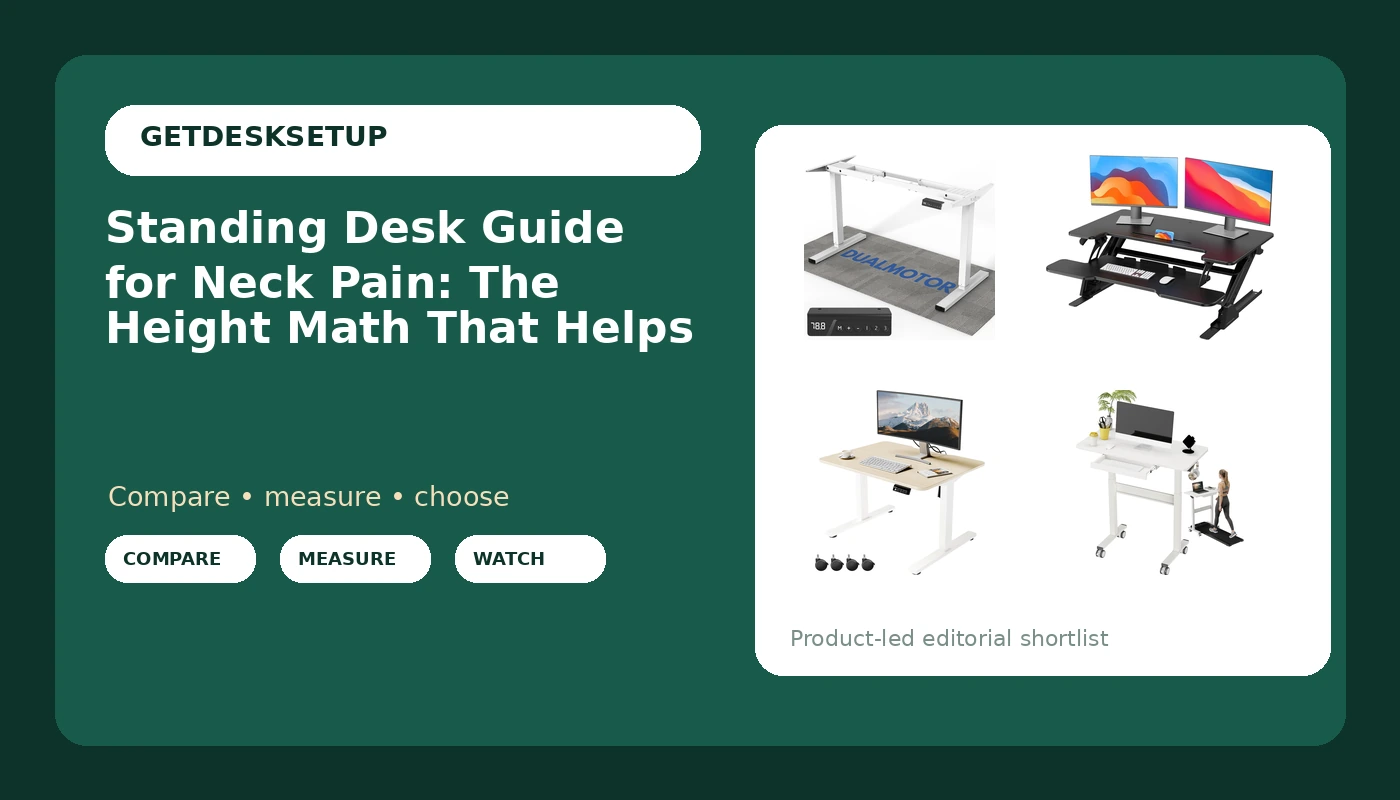
Best Overall: 264 lbs Capacity Dual Motor Electric Height Adjustable Standing Desk Frame
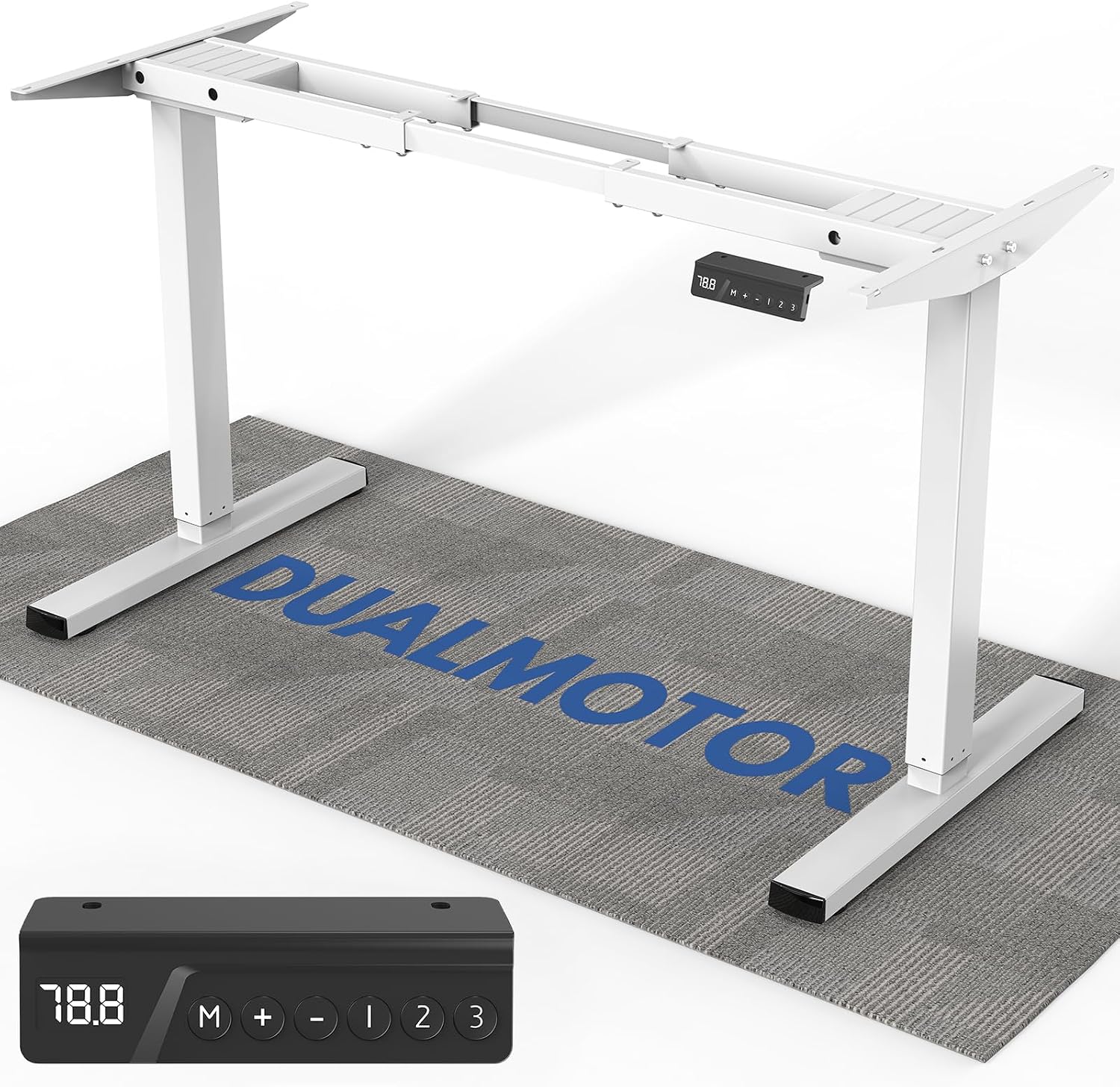
This is the pick in this standing desk guide for neck pain when you want the entire surface to move and you want the part doing the work to be overbuilt. The drive is dual motor, one per leg, which is the configuration I look for first: the load is shared, the columns stay level with each other, and the frame does not develop the slight left-right tilt a single-motor frame gets once one side has to drag the other. The lift capacity is 264 lbs, which is more than most people will ever load and exactly the margin you want when a monitor arm, two displays, and a heavy top hang off the same frame.
It is a frame, not a finished desk. You supply the top, which is either the best part of the deal or the worst, depending on whether you already own a surface you like. If you are buying a top, buy at least 24 inches deep. A shallow top forces the monitor close to your face, and the only way to get the screen back to a comfortable viewing distance is to slide it away from you, which eats the desktop depth you were trying to protect.
Two features earn their place on any frame, and I would not spend standing-height money without them. The first is a memory preset, so the desk returns to the same two heights every day instead of you hunting for them by eye. The second is an anti collision sensor, which stops the frame when it meets a drawer, a chair arm, or a shelf you forgot was behind it. A frame that crushes a drawer does not get a second chance in my book.
Who should skip it: anyone who does not want to source a top, drill pilot holes, and set a frame square. That is an afternoon, not an hour. If that is not how you want to spend a Saturday, buy a complete desk or a converter instead.
Best Value: HUANUO 36" Z-Shaped Standing Desk Converter with Wide Keyboard Tray, Black
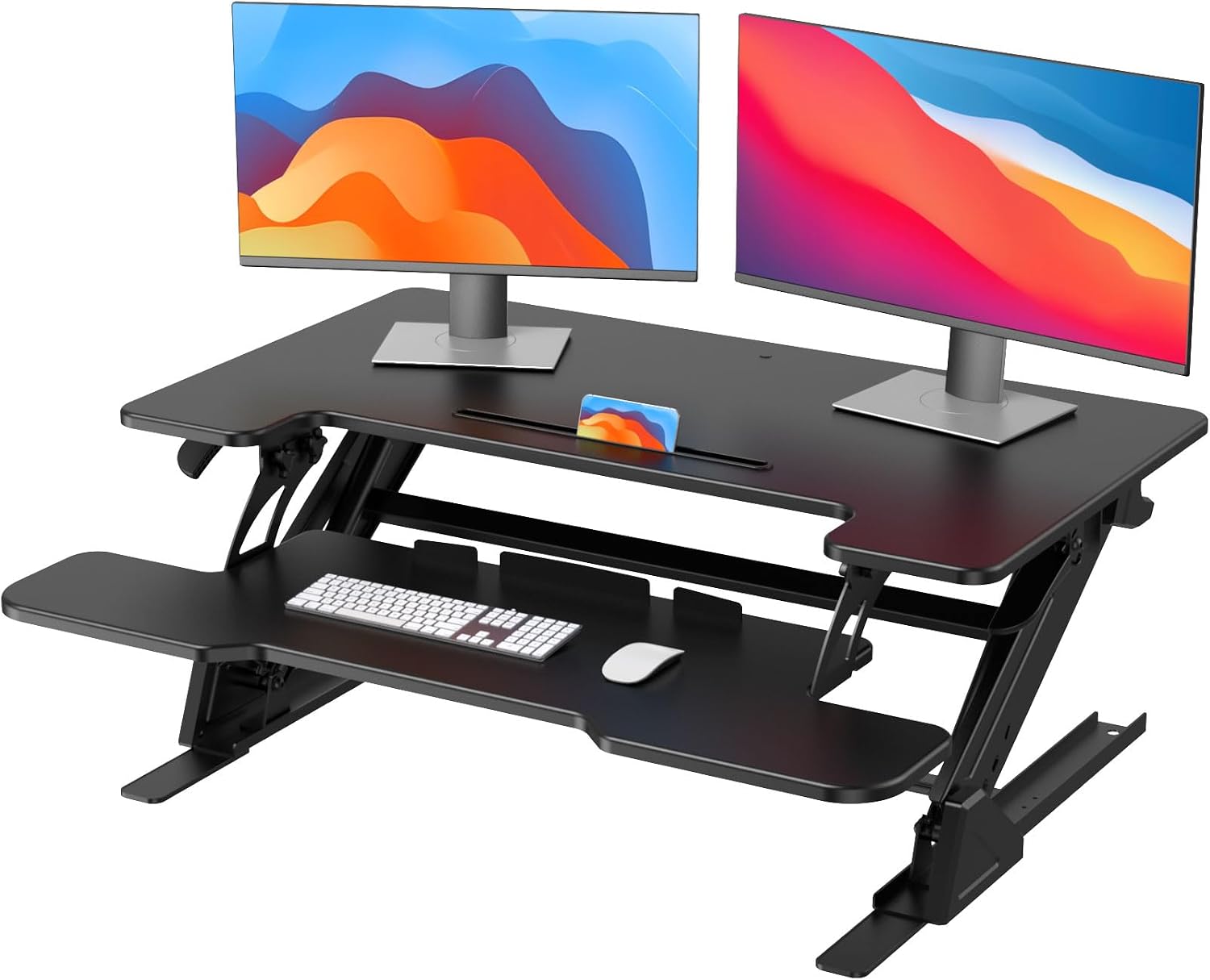
The cheapest correct setup beats the most expensive wrong one, and this converter is the cheapest correct setup here. It sits on the desk you already own, so you are not buying furniture, not moving furniture, and not explaining to a landlord why there is a new desk in the room.
The Z shape is the reason it made this list instead of a flat riser. This is the part of a standing desk guide for neck support that usually gets skipped: on a flat riser the keyboard and the monitor deck sit at the same height, so raising the screen also raises your hands, and you end up typing with your wrists bent up and your shoulders shrugged. On this one the keyboard tray drops below the work deck. Hands stay low, screen goes high, and that is the triangle a neck wants. The 36 inch width lets a keyboard and a mouse share one plane, which matters more than people think, because a mouse sitting on a different level than the keyboard pulls one shoulder forward all day.
Who should skip it: measure your current desk first. A converter adds its own height on top of whatever you already have, so if your desk surface is already above your seated elbow height, you are stacking a problem on a problem. Skip it too if your desktop is shallow, because a converter takes desktop depth away twice, once for its own footprint and once for the monitor deck.
How I tested
Every desk that goes into a setup gets the same four checks, in this order, and the order matters.
Measure the height range with a tape at the lowest and highest stop, at the top of the column rather than the middle, because the top of the column is where the number lives once the desk is loaded.
Wobble test at the top of the range, not the bottom. I type on it hard with both hands, then push the top edge side to side. A desk that is rock solid at 30 inches and swaying at 44 inches only bothers tall users, and tall users are the ones who bought it for standing.
Load test before I trust the rating. Monitor arm, display, and everything else that lives on the desk goes on before I call the frame fine.
Cable routing last, because it is the check most people skip and the one that fails first. I look at the grommet, the cable tray, and whether the tray still holds its own screws after a month of the desk going up and down twice a day. A tray that sags pulls on the monitor cable, and a cable that pulls on a monitor arm changes the monitor angle within a week.
I write all of it in a notebook. Desk height range, usable surface, distance from the keyboard to the screen. If I cannot say the number out loud, I do not have a fit claim.
Analysis and test results
The pattern across these four desks is the pattern across every desk I have set up: the failure mode is almost never the motor. It is the top of the range. A desk can be perfectly stable at seated height and start to sway at the height a six-foot user actually stands at, which is the height they paid for. Test the top before you trust the desk, and if you are tall, test it with your own hands and your own monitor on it. That is the whole point of this standing desk guide for neck pain: get the numbers, then buy the desk that hits them.
Desktop depth is the number almost nobody publishes and the one that decides whether your neck is happy. The math is simple. Your eyes want the top third of the screen. Your screen sits on a deck. The deck sits on a desk. Push the screen back to get it to the right distance and you need the depth to hold it. A 24 inch top is the floor for one monitor on an arm. Two monitors need more, or they need to be stacked.
If you have read a standing desk guide for cervical support that tells you to tuck your chin and take breaks, that is symptom management. It is worth doing. It is not the fix. The fix is a height range that reaches your standing elbow height, a desktop depth that lets the screen sit at the right distance, and a keyboard lower than the screen instead of level with it. See how to set monitor height for the screen half of that.
One more thing about frames: a crossbar between the legs adds stiffness to the whole structure, and stiffness is what you are buying at standing height. If you are comparing two frames at the same lift capacity, take the one with the crossbar.
The standing desk guide for neck pain reference table
This is the table I keep for clients, and it is the short version of everything above. The ranges are the published ones, so treat the range as the claim and your tape as the proof.
| Desk | Height range | Who it fits | Notes |
|---|---|---|---|
264 lbs Capacity Dual Motor Electric Height Adjustable Standing Desk Frame Check current Amazon price | Electric, dual motor | Anyone replacing a fixed desk | 264 lb lift capacity, frame only, you supply the top |
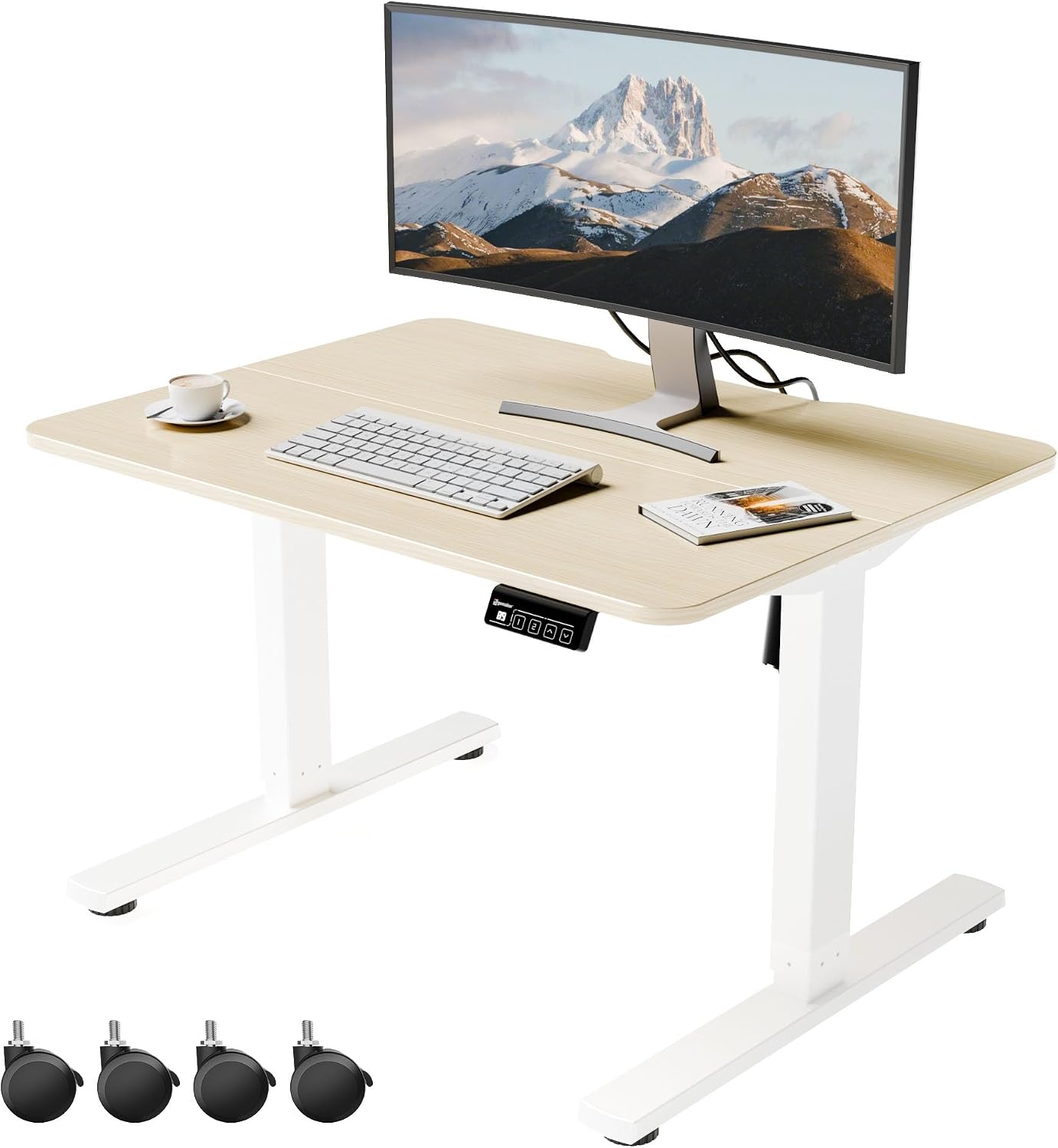 Low Height Adjustable Desk Lifts 18.9"-29.5", Small Standing Desk for Home View on Amazon → | 18.9 to 29.5 inches | Shorter users, low desks, floor-level setups | Lowest published range of the four |
HUANUO 36" Z-Shaped Standing Desk Converter with Wide Keyboard Tray, Black Check current Amazon price | Sits on an existing desk | Renters, anyone not replacing furniture | 36 inches wide, keyboard tray below the deck |
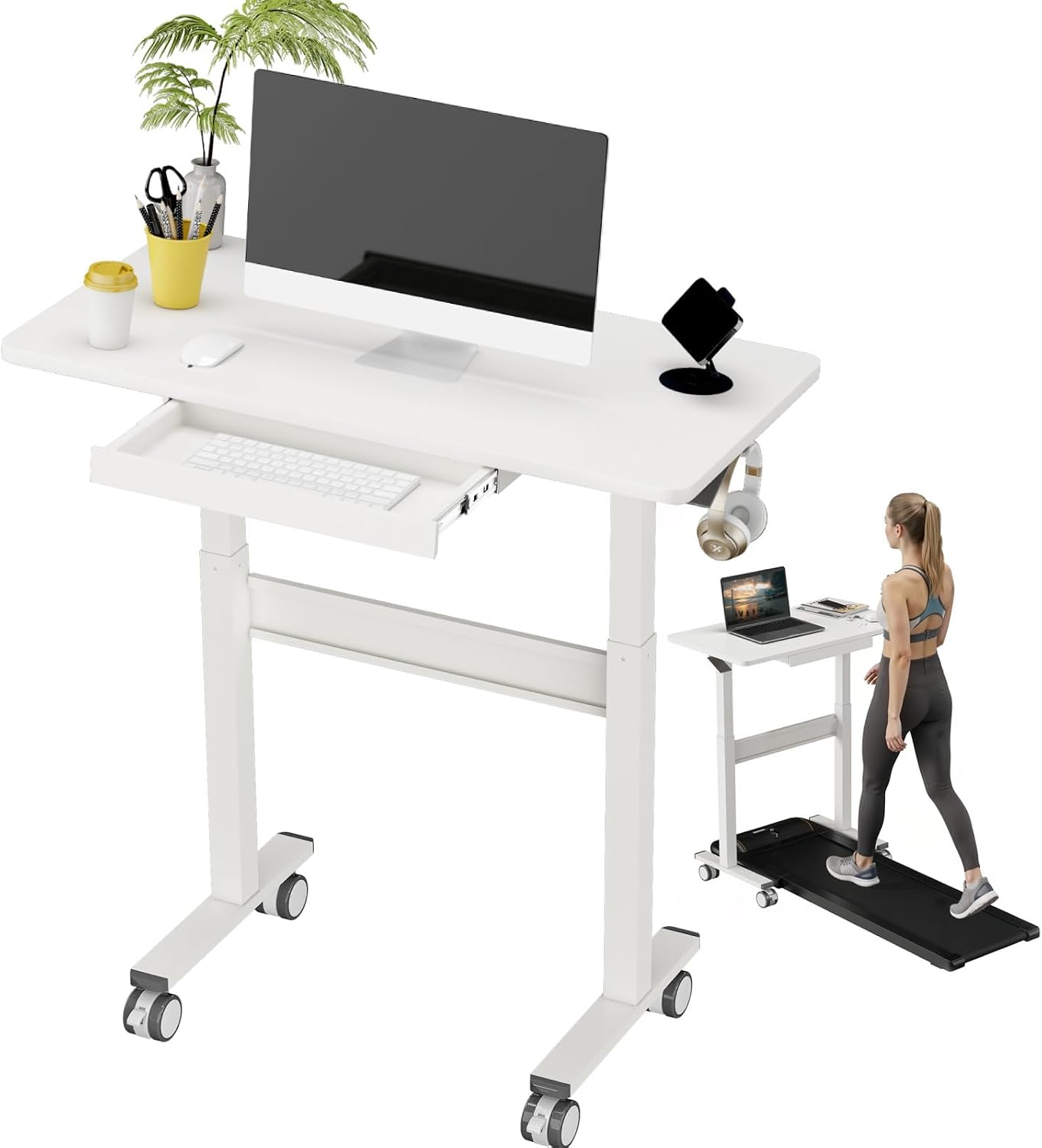 35" Pneumatic Standing Desk for Walking Pad with Wheels Drawer, White View on Amazon → | Pneumatic, on wheels | Walking pad users, shared rooms | 35 inches wide, wheels and a drawer |
The pattern in that table: the frame is the only one that moves your whole setup, the converter is the only one that leaves your existing furniture in place, and the two smaller desks solve height problems a standard desk cannot reach. Pick the row that matches the height you actually stand at, not the row with the best photos.
The 18.9 inch problem: short users and low desks
The Low Height Adjustable Desk Lifts run from 18.9 to 29.5 inches, and that range is the reason it is in this guide. Most electric desks bottom out around 28 inches, which is fine if you are five foot ten and a problem if you are five foot two, because the lowest the desk goes is still above your seated elbow height. When the desk is too high, your shoulders shrug to reach the keyboard and your neck pays for it by the end of the day.
A range starting at 18.9 inches also opens setups a standard desk cannot do: a low stool, a floor cushion, a kid's homework station, a laptop you want lifted to eye level without buying a full frame. It is a small standing desk by design, so it is not the pick for two monitors and a printer.
Who should skip it: if you are tall, or your existing desk already sits below your seated elbow height, this range does nothing for you. You want a desk that reaches higher, not one that goes lower.
Pneumatic lift, wheels, and the walking pad setup
The 35" Pneumatic Standing Desk is the odd one out, and the odd one out is sometimes the right answer. Pneumatic means no motor and no power: you squeeze a lever and the gas spring does the lifting, so there is no anti collision sensor to trust and no cable running to a wall outlet. It also means no memory preset. You set the height by feel, every time.
The wheels are the practical part. A desk on casters rolls out of the way when the room needs to be a guest room, which is a real constraint in a lot of apartments. The drawer holds the small stuff that otherwise ends up on the desktop.
The 35 inch width is the limit. That is a one monitor desk, maybe a laptop plus one display. If you run two 27 inch panels, this is not your desk, and no amount of cable management fixes a footprint that small. And if you use a walking pad under it, remember that the pad raises your feet, so the standing height you need is higher than the standing height you measured on the floor. Set the desk with the pad in place, not before it arrives.
Should you buy the 264 lbs Capacity Dual Motor Electric Height Adjustable Standing Desk Frame?
Yes, if you want one surface that moves and you are willing to source a top. The dual motor drive and the 264 lb lift capacity give you the margin to put a monitor arm, two displays, and a heavy top on the same frame without the columns fighting each other. Buy a top at least 24 inches deep, set the frame square before you tighten anything, and put a memory preset on your must-have list so the desk lands on the same two heights every morning.
Skip it if you want a complete desk out of one box, or if you are not going to measure your standing elbow height before you buy. A frame with a 264 lb capacity will happily hold a desk at the wrong height.
Should you buy the HUANUO 36" Z-Shaped Standing Desk Converter with Wide Keyboard Tray, Black?
Buy it if you already like your desk and you want the screen higher than the keyboard without replacing furniture. The Z shape puts the keyboard tray below the work deck, which is the geometry that keeps hands low and eyes up, and the 36 inch width lets a keyboard and a mouse share one plane.
Skip it if your current desk is already above your seated elbow height, or if the top is shallow. A converter stacks height on height and takes desktop depth away from you. Measure the desk you have before you order the thing that sits on it. And if you need a desk that remembers two heights at the push of a button, this is not that product.