The pitch sounds simple: sitting all day slows your circulation, so you buy a motorized desk, stand up, and fix it. The real answer to standing desk and poor circulation is less tidy than that. Blood does pool in the lower legs during long, still sits, and the muscles in your calves do act as a pump when you move them, but a desk only changes the height of your hands. It does not make you move unless you build the habit around it. What a desk can do is make a position change cheap enough that you actually take it. That is why desktop depth, top width, and how often you switch matter more than which frame you buy.
Related: How to Set a Standing Desk to Your Own Height →
Quick answer
If you searched for standing desk and poor circulation explained, here is the short version. No desk prevents or treats a circulatory condition, and standing still for three hours is not meaningfully better for your legs than sitting still for three hours. What helps is frequency: changing position often, moving your ankles and calves, and keeping the desk at a height where you are not resting your forearms on the edge or leaning forward. Buy a desk that fits your room and your monitor load, save a memory preset for sitting and one for standing, and use both several times a day. If you have swelling, cramping, numbness, or a diagnosed circulation problem, that is a clinician conversation, not a product page.
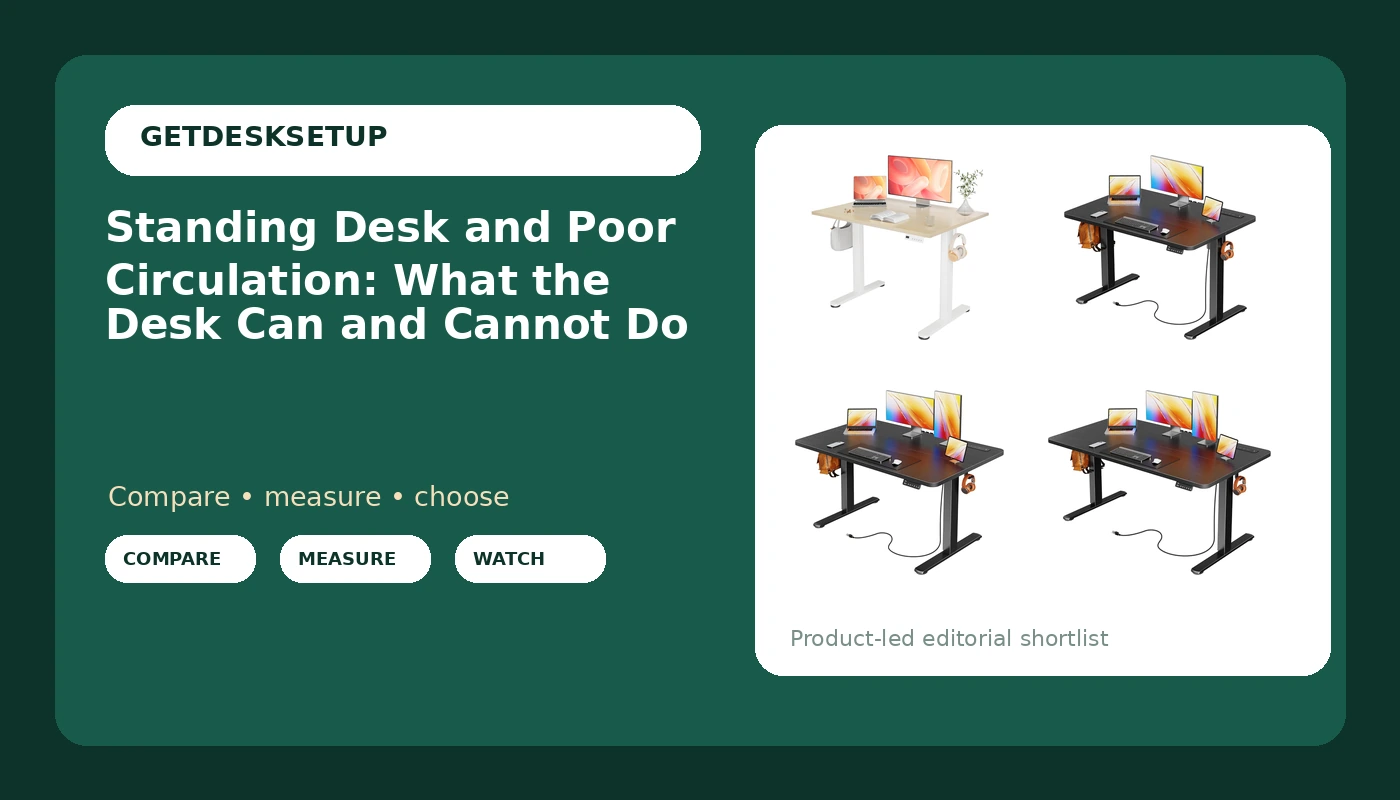
Four useful options
Every desk below is a motorized sit stand model with a 24 inch desktop depth. They differ mainly in width, and width is the number that decides whether the desk fits your wall and your monitor count.
| Model | Best fit | What stands out |
|---|---|---|
| YDN 40 x 24 Inch Nature Electric Standing Desk | Small rooms and single-monitor setups | Narrowest top here at 40 inches wide, with a 24 inch desktop depth |
| Huuger 39 X 24 Inch Electric Standing Desk with Power Outlets and USB-C Port, Height Adjustable Desk, Sit Stand Desk for Home Office, Computer & Gaming Desk with 3 Presets, Stable Steel Frame, Black | Corners where 40 inches is already too wide | Built-in power outlets and a USB-C port in the desktop, plus 3 presets |
| Huuger 47 X 24 Inch Electric Standing Desk with Power Outlets and USB-C Port, Height Adjustable Desk, Sit Stand Desk for Home Office, Computer & Gaming Desk with 3 Presets, Stable Steel Frame, Black | One monitor plus a laptop on a stand | 47 inch width with the same outlet and preset layout |
| Huuger 55 X 24 Inch Electric Standing Desk with Power Outlets and USB-C Port, Height Adjustable Desk, Sit Stand Desk for Home Office, Computer & Gaming Desk with 3 Presets, Stable Steel Frame, Black | Two monitors and speakers | Widest top in this group at 55 inches |
The compact pick: YDN 40 x 24 Inch Nature Electric Standing Desk
Forty inches is the number that matters here. A top that size takes one 27 inch monitor and a laptop with room to spare, and it leaves a narrow room usable. It does not take two monitors side by side plus speakers. At 24 inches of desktop depth you can push a single screen back to a comfortable viewing distance, but two wide displays will crowd the edges and leave no space for a keyboard and a notebook. If your seated setup is one screen and a keyboard, this is the least furniture you can buy and still get motorized height adjustment. If you run two monitors, go wider.
The tight-space option: Huuger 39 X 24 Inch Electric Standing Desk with Power Outlets and USB-C Port, Height Adjustable Desk, Sit Stand Desk for Home Office, Computer & Gaming Desk with 3 Presets, Stable Steel Frame, Black
At 39 inches wide this is a tight fit for two monitors and a comfortable one for a single screen plus a laptop. The built-in outlets and USB-C port change how you plan the cable run: the power sits on the desktop, so you are not fishing a strip off the floor, but you still want a cable tray or clips under the back edge to keep slack out of the run. Three presets means you can store a seated height, a standing height, and one more for a task such as reading or taking a call. If the desk goes in a corner, measure the wall first. Thirty-nine inches of desk plus a chair that reclines needs more floor than the desk alone suggests.
The mid-size option: Huuger 47 X 24 Inch Electric Standing Desk with Power Outlets and USB-C Port, Height Adjustable Desk, Sit Stand Desk for Home Office, Computer & Gaming Desk with 3 Presets, Stable Steel Frame, Black
Forty-seven inches is the width most people should default to when they are unsure. It takes a 32 inch monitor and a laptop side by side, it fits against a 50 inch wall without dominating the room, and it keeps the same 24 inch desktop depth as the rest of this group, so your reach to the keyboard does not change between models. The trade-off against the 55 inch version is monitor count: two large displays plus speakers will feel cramped. The trade-off against the 39 and 40 inch desks is floor space. Measure the wall, then add the width of a chair and enough room to push back and stand up.
The widest top: Huuger 55 X 24 Inch Electric Standing Desk with Power Outlets and USB-C Port, Height Adjustable Desk, Sit Stand Desk for Home Office, Computer & Gaming Desk with 3 Presets, Stable Steel Frame, Black
Fifty-five inches is a two-monitor width. It also takes more wall, and it is the size most likely to expose a wobbly frame at standing height, because a wider top gives the same legs more leverage. That is why the frame details matter more here than on a 39 inch desk. Look for a crossbar between the legs, a stated lift capacity above your real load, and an anti collision function that stops travel when the top meets a shelf or a chair arm. If the listing does not state a lift capacity, treat that as a gap you have to resolve before buying, not as a detail you can assume.
Prices and availability may change. Product images, names, and retailer links are matched to verified listings. No current price, rating, stock status, or measured result is stated here without current evidence.
What standing desk and poor circulation research actually says
Your lower legs have a built-in pump. Every time the calf muscles contract, they squeeze the deep veins and push blood back toward the heart. Sit still for a long stretch and that pump goes quiet: blood sits in the lower legs, the veins stretch, and calves and ankles can feel heavy or puffy by late afternoon. Stand up and the pump starts again, but only while you are moving. Standing perfectly still on a hard floor for an hour produces its own set of problems, the same pooling plus load on the feet, knees, and lower back that sitting does not create.
That is the part most standing desk and poor circulation marketing skips. The desk is not the intervention. The number of times you change position is the intervention, and the desk just lowers the cost of each change to a button press. Someone who alternates between sitting and standing four or five times a day, and walks during the standing stretches, gets more out of a modest desk than someone who stands from nine to noon and never moves again.
The honest framing of a sit stand desk and poor circulation is that the desk buys you the option, not the habit. Nothing about a motor makes you use it. If your calendar leaves no gap every 30 to 45 minutes, a desk with three memory preset buttons will spend the week at seated height. Pair the desk with a timer or a recurring reminder, and treat the standing intervals as movement breaks rather than as a new posture to hold.
What to check before you buy
Most height adjustable desk and poor circulation claims get the cause backwards, so shop on measurements instead. Five numbers and details decide whether the desk actually gets used.
- Measure the wall, not the room. A 39 inch top needs at least 39 inches of clear wall, plus space behind you for a chair and room to stand up without stepping into a doorway.
- Decide your monitor count first. One screen and a laptop fits a 39 or 40 inch top. A screen plus a laptop on a stand wants 47. Two monitors want 55.
- Check the lift capacity against your real load. Add the desktop, monitor arms, monitors, laptop, and anything that lives on the surface. If a listing does not state a capacity, look elsewhere. If you are still splitting your budget between a desk and a chair, our office chair seat depth guide covers the other half.
- Read the frame description for a crossbar and motor count. A crossbar between the legs resists side-to-side sway, and a dual motor frame raises both sides together instead of flexing the top.
- Plan the cable route before assembly. A cable tray or a grommet keeps the run off the floor, and it stops a monitor arm cable from pulling the screen out of angle a week later.
Daily habits that matter more than the motor
A stand up desk and poor circulation advice usually fixates on the hardware. The habits below are what actually change the day.
- Alternate roughly every 30 to 45 minutes. Store one memory preset for seated height and one for standing height, then use the third for a mid position for reading or calls.
- Move your ankles and calves while you stand. Twenty slow heel raises or a minute of ankle pumps each hour do more for the calf pump than holding a posture still.
- Keep both feet flat and your weight even. Standing on one leg with a hip cocked is how a standing interval turns into a backache.
- Watch your forearm angle. If you are resting your wrists on the edge of the desktop, the desk is too high, and the front edge of a 24 inch deep top should sit well in front of your keyboard.
- Give cables slack. A cable tray packed too tight will tug on the monitor arm or the charger, and a built-in USB-C port is only useful if the cable can move with the desk.
Which option should you choose?
Choose the YDN 40 x 24 Inch Nature Electric Standing Desk when the wall is short, the budget is the tightest, and your setup is one screen and a keyboard. Choose the Huuger 39 X 24 Inch Electric Standing Desk with Power Outlets and USB-C Port, Height Adjustable Desk, Sit Stand Desk for Home Office, Computer & Gaming Desk with 3 Presets, Stable Steel Frame, Black when you want the smallest top in this group but you want power and a USB-C port on the desktop rather than a floor strip. Choose the Huuger 47 X 24 Inch Electric Standing Desk with Power Outlets and USB-C Port, Height Adjustable Desk, Sit Stand Desk for Home Office, Computer & Gaming Desk with 3 Presets, Stable Steel Frame, Black when you run a monitor plus a laptop and you are not sure which way to go, because 47 inches is the safest middle. Choose the Huuger 55 X 24 Inch Electric Standing Desk with Power Outlets and USB-C Port, Height Adjustable Desk, Sit Stand Desk for Home Office, Computer & Gaming Desk with 3 Presets, Stable Steel Frame, Black when you run two monitors and the wall can take it.
The names here confirm width, desktop depth, preset count, and the outlet layout. They do not confirm a height range or a lift capacity, so check both on the current listing and compare the top of the height range with your own standing elbow height before you commit. A desk that stops an inch short of your standing position is the wrong desk no matter how good the price looks.
The bottom line
The standing desk and poor circulation question comes down to frequency, not furniture. A motorized top gives you a cheap, fast way to change position, and that is genuinely useful, but the health benefit lives in how often you take the change and what you do while standing. Match the desk to your wall and your monitor count first: 39 or 40 inches for one screen, 47 for a screen plus a laptop, 55 for two monitors. Then set your presets, set a timer, and move your calves while you are up. The desk is a tool for making movement convenient. It is not a treatment, and it is not a substitute for walking.