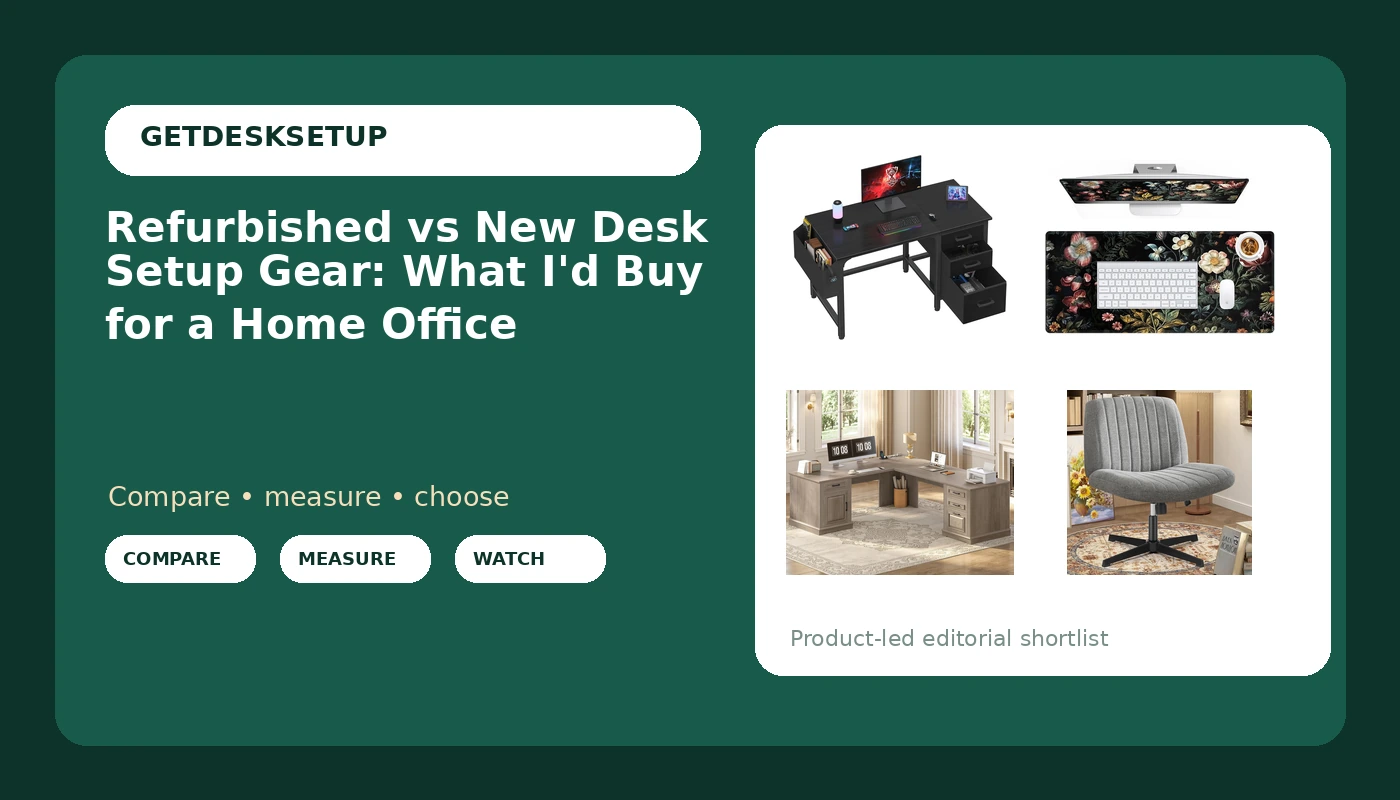
I have bought desks and chairs for a 400-person office floor and, since 2019, for 310 home offices out of a two-person shop in Seattle. Refurbished vs new desk setup gear comes up in nearly every one of those builds, usually as the same question wearing a different coat: can I save money on the boring parts and spend it on the parts my body actually touches? The answer is yes, but not the way most people guess. A desk is a slab with a frame under it. A chair is a measurement. Only one of those two things survives a previous owner.
Related: Standing Desk Wobble: How Much Is Normal at Full Height
For most home offices, buy the chair, the mat, and any desk with drawers new. Refurbished earns its keep on monitor arms, task lamps, and older steel-frame desks with no motors, not on anything whose warranty you will need to use in month seven.
Here is the short list I would actually put in a client's small office right now, chosen because each piece solves one problem the others cannot.
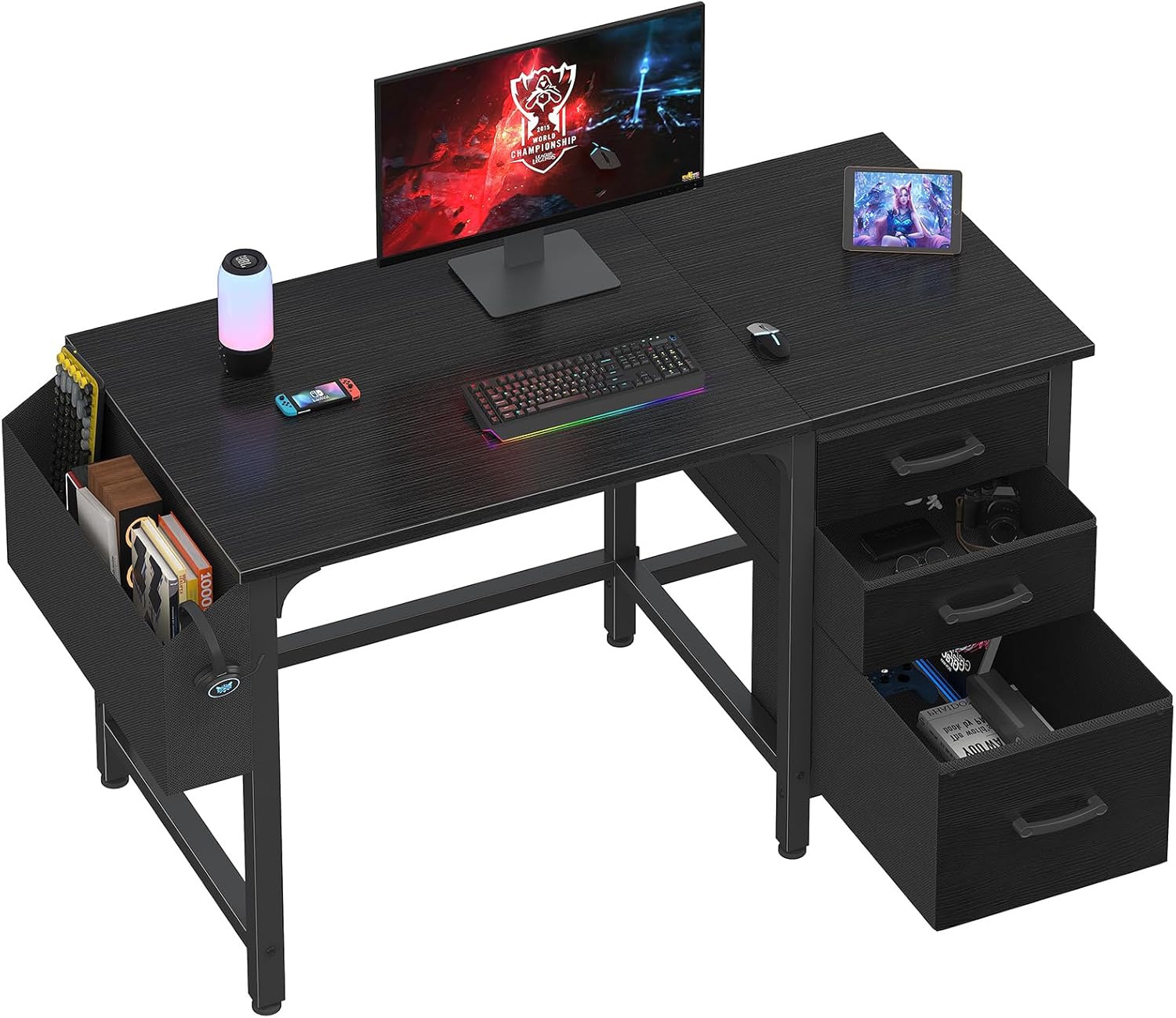
Lufeiya Computer Desk with File Drawers Cabinet, 47 Inch
47 inches fits a small room, and the reversible cabinet can sit left or right to match your outlet
Not a standing desk, and two monitors will crowd a 47-inch top
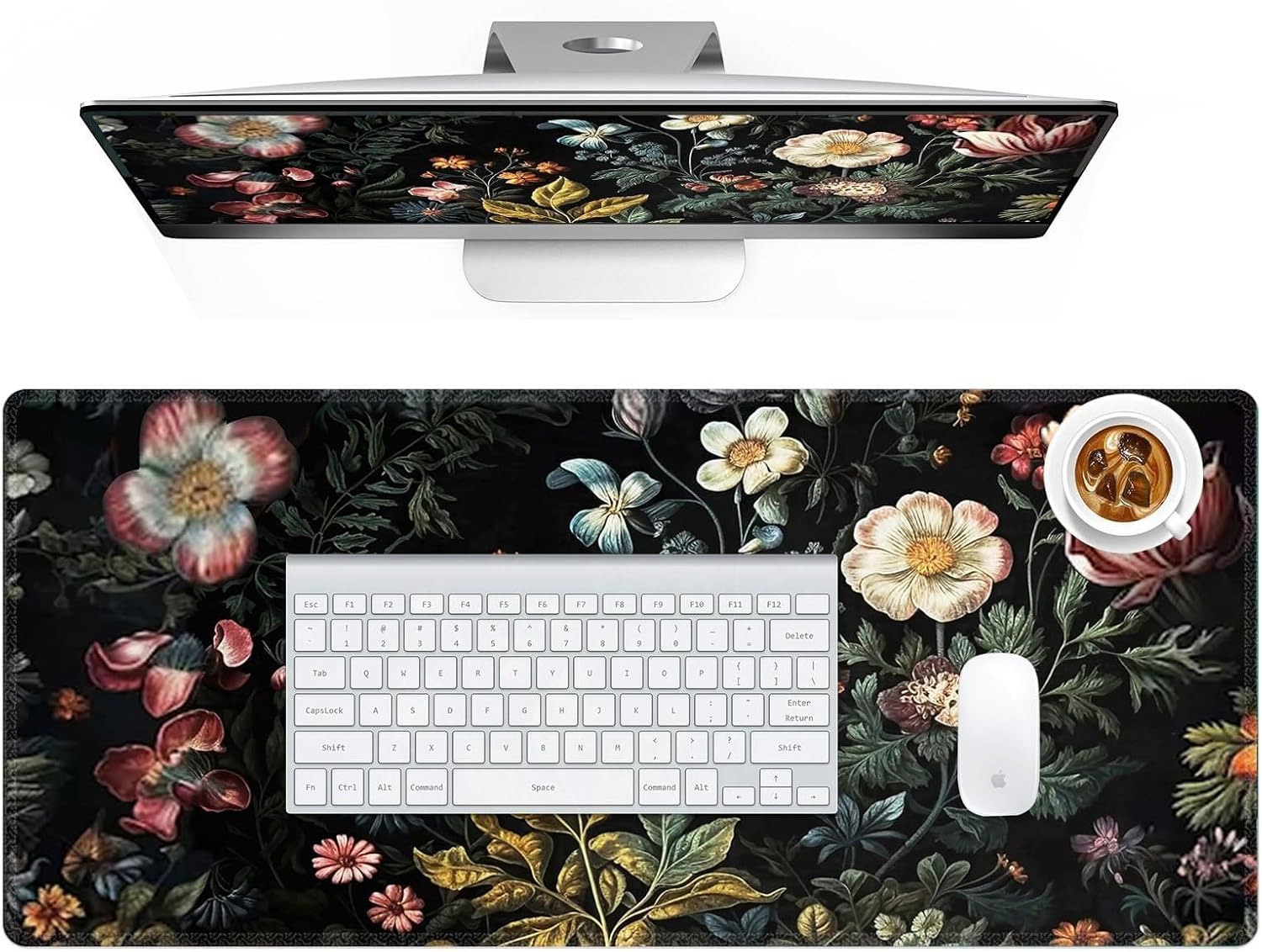
HAOCOO Vintage Floral Desk Mat
Cheapest way to change a room, protects the finish, and there is no used market worth shopping
A soft surface is a compromise if you want fast mouse tracking
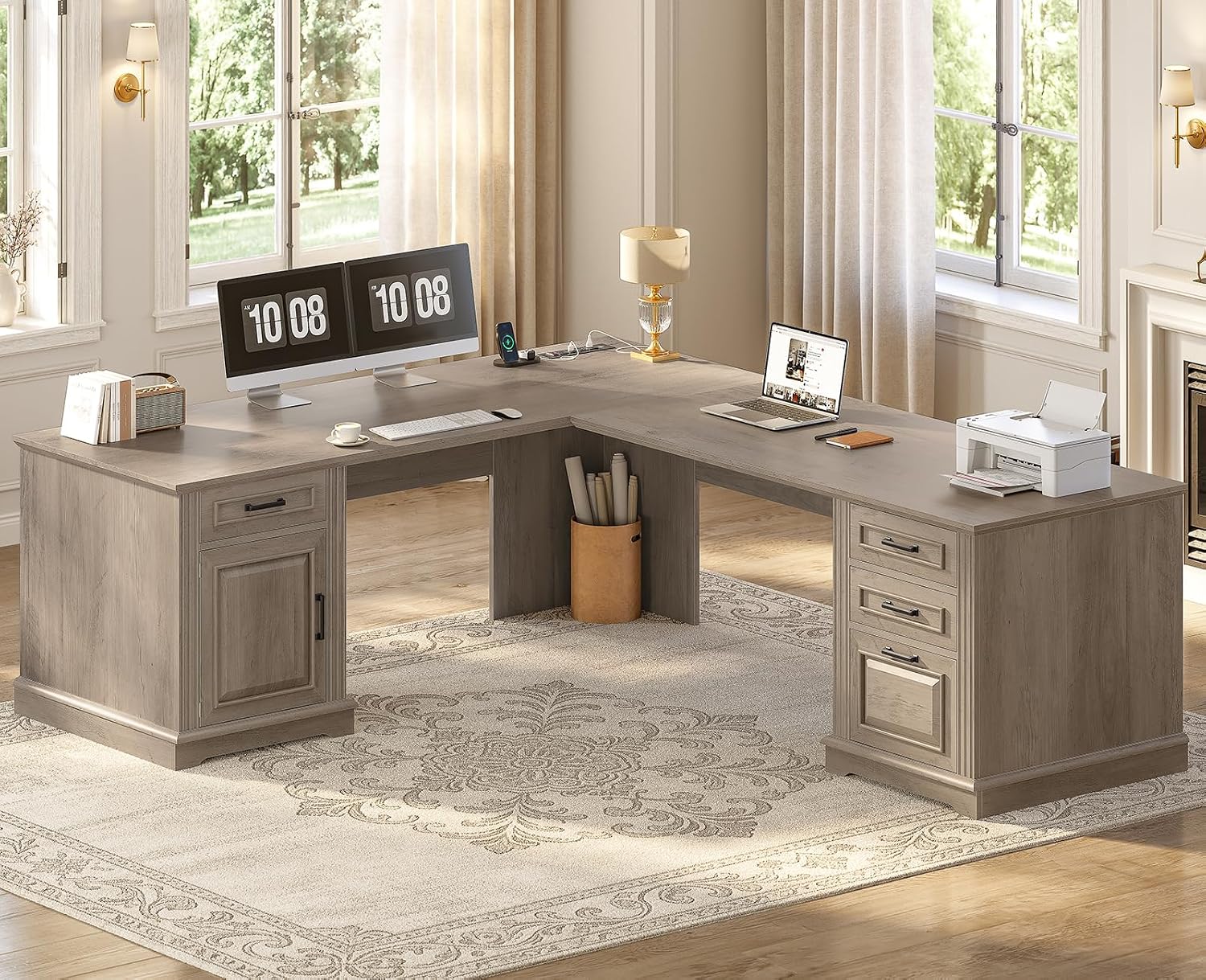
SEDETA 69" Farmhouse L Shaped Corner Desk with Drawers
Turns a dead corner into work surface, with drawers included
Needs two walls and a usable corner, and it is heavy to move
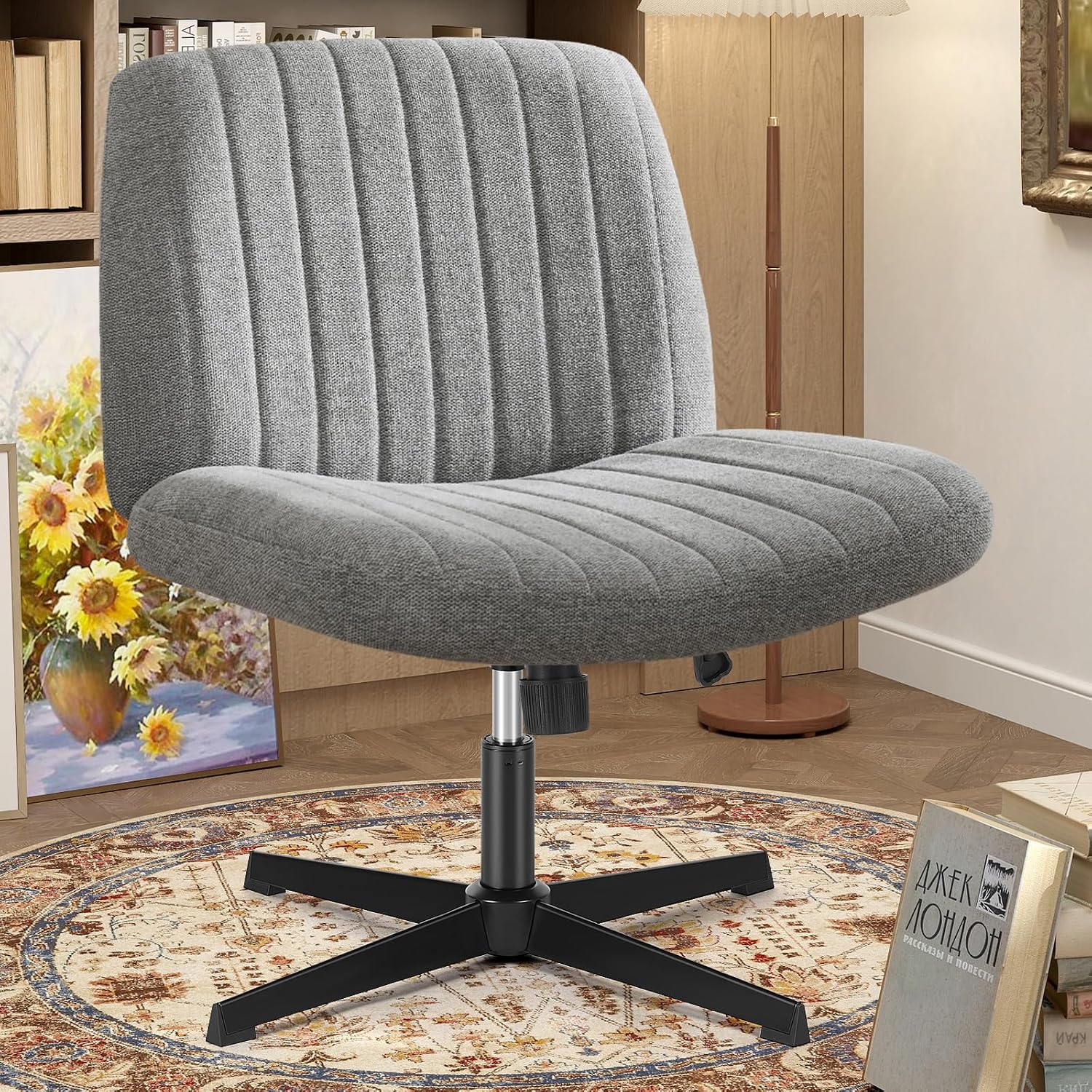
OLIXIS Criss Cross Chair
Cross-legged seating for a reading corner or a second chair
No lumbar adjustment, so it is not an eight-hour task chair
Prices and availability may change.
Refurbished vs new desk setup gear: what actually changes
The words describe a supply chain, not a grade. Three things change when a box has had a previous owner: how long the warranty runs, what the cosmetic condition is, and who pays return shipping if something is wrong. Everything else is the same product.
Nine years of buying for a commercial floor taught me that refurbished is a spectrum. A chair pulled from an office liquidation, stripped, reupholstered, and resold with a long warranty is often a better buy than a new chair from a brand nobody has heard of. A returned desk in a re-taped box, sold by a marketplace seller with a 30-day window, is not refurbished in any meaningful sense. It is used, with a fresh listing photo.
Refurbished wins on simple products: monitor arms, task lamps, footrests, older steel-frame desks with no motors or control boxes, and any hard surface you can wipe down. New wins on anything with a motor, a drawer slide you will load to its limit, upholstery, or a fit you cannot verify until the box is in your room.
The difference between refurbished and new desk setup gear comes down to three questions I ask every time. What does the warranty actually cover? What fails first on this product? Can I return it without paying freight? If you cannot answer all three, buy new.
What I would buy new in this room
The four pieces below are what I would hand a client for a small home office today. Two of them should never be bought used, and one of them does not have a used market at all.
Lufeiya Computer Desk with File Drawers Cabinet, 47 Inch
The two numbers in the name do the work. Forty-seven inches is the narrowest top I will put a single-monitor setup on without the user losing keyboard space, and the reversible cabinet means the drawers can sit on the left or the right depending on which side of the room your power outlet is on. That last detail matters more than people expect, because reversing a cabinet is a five-minute job on paper and a much longer one once the frame is bolted.
Buy this one new. Drawer slides and cabinet hinges are the first parts to fail on any desk with storage, and on a returned unit you cannot see how the previous owner loaded them. The listing makes no height-adjustment claim, so treat this as a fixed seated desk for a small room rather than a standing option.
Who should skip it: anyone running two monitors side by side on a single 47-inch top, and anyone who needs to sit and stand during the day.
SEDETA 69" Farmhouse L Shaped Corner Desk with Drawers
An L-shaped desk is the right answer when two walls are available and the corner is currently holding a lamp and a stack of paper. Sixty-nine inches along the long run gives you a monitor, a laptop, and a second work zone without crowding, and the corner turns dead space into usable depth. The farmhouse finish is a look decision and I will not pretend it is anything else.
The trap with an L is the corner itself. That is where the back of the desk meets two walls, which is where your cable run wants to go and where the power outlet usually is not. Before you order, put a tape measure on the wall and mark where the outlet sits relative to the corner. If the outlet is on the short wall, plan on a longer power strip and a route along the baseboard, because a cable strung diagonally across a room ends up under a chair leg.
Who should skip it: rooms with less than about eight feet on the long wall, and anyone planning to move it alone, since an L frame is awkward to shift once assembled.
OLIXIS Criss Cross Chair
The name tells you the posture: cross-legged seating for a vanity or a reading corner, not a task chair for an eight-hour day. There is no lumbar adjustment in the name and I will not add one. If you want a chair that holds your lower back through a full workday, this is the wrong product, and no cushion fixes that.
Where it earns its place: a second chair in a bedroom office, a corner where you read, or a setup where you alternate between sitting cross-legged and standing. It is also the cheapest way to give a small room a chair that does not look like it came out of a conference room.
Buy it new. A cross-legged chair takes load through the frame and the cushion, and the cushion is exactly what a previous owner has already compressed. Check the listing's stated height and weight range before you buy, and look at seat depth first if you are tall, because a shallow seat on a cross-legged chair puts your knees above your hips.
HAOCOO Vintage Floral Desk Mat
A desk mat is the cheapest new thing in this article and the one that changes a room fastest. It protects the finish, gives a mouse a consistent surface, and defines where the work happens on a top that otherwise looks like a table. The floral print is a look decision; the function is a soft surface that keeps a keyboard from sliding and a wrist off bare laminate.
There is no refurbished market for desk mats worth shopping. A used mat has absorbed somebody else's coffee and somebody else's skin oils, and it is the one item here where the savings are measured in single dollars. Buy it new, size it to your keyboard and mouse travel, and replace it when the edges curl.
The difference between refurbished and new desk setup gear, in warranty terms
Warranty is the whole argument. New gear from a brand that supports its products gives you a claim window measured in years and a phone number that answers. A refurbished unit gives you whatever the refurbisher decides to offer, and the range is enormous: some programs carry a full manufacturer warranty, others carry 90 days on parts only.
Read the warranty line before the spec line. Then ask what actually fails. On a desk with drawers, it is the slides. On an adjustable desk, it is the control box and the motor. On a chair, it is the gas cylinder, the casters, and the foam. If the warranty does not cover the part that fails first, the discount is not a discount, it is a bet.
Return shipping is the second half of the math. New gear bought from a retailer with free returns costs nothing to change your mind. A refurbished desk from a marketplace seller can cost more to ship back than you saved, which is how a returned item becomes a permanent one.
When refurbished or new desk setup gear is the right call
Buy refurbished when the product is simple, made of steel or aluminum, and has no electronics. Monitor arms, keyboard trays, task lamps, footrests, and older fixed-height steel desks all fall into that bucket. A steel arm with a gas spring can be rebuilt. A frame with four legs and a crossbar has nothing to wear out.
Buy new when the product has a motor, a control box, a drawer slide, upholstery, or a fit you cannot verify before it arrives. That is most of the interesting gear in a home office, which is why my default for a client build is new for the chair and the desk, refurbished for the accessories.
There is a third category people forget: open-box. An open-box item is new gear in a box that was opened and returned, usually with a full warranty and a smaller discount than refurbished. For a desk you have already measured against your room, open-box is often the best value in the building.
New desk setup gear vs refurbished: run the measurement test first
When people ask me new desk setup gear vs refurbished, they are usually asking the wrong question. The right question is whether the thing fits your body and your room, because a discounted desk that is two inches too tall is a worse purchase than a full-price desk that is right. I run this test on refurbished vs new desk setup gear before I price anything, and it takes ten minutes with a tape measure.
Desk height comes first. Sit in the chair you plan to use, feet flat, and measure from the floor to the crease behind your knee. Your desk top wants to land near that number, give or take an inch, and your elbows should rest at roughly 90 degrees. If a desk's stated height range does not include that number, the desk is wrong regardless of price or condition.
Chair pairing comes second, because a desk and a chair are one system. If your chair's seat height range tops out below your seated knee measurement, no desk will save you. If the chair has no height adjustment at all, you are choosing a fixed relationship between your body and the desk, which is fine only if you have measured it.
Monitor distance is third. Your eyes want the top of the screen at or slightly below eye level and the screen about an arm's length away. A 47-inch desk and a 69-inch desk produce different monitor distances from the same seating position, which is why the width of the top matters more than the finish on the front edge.
Room layout, lighting layers, and cable planning
Room layout decides which desk you can buy before any review does. Measure the wall, then subtract the door swing, the closet door, and the radiator. A 47-inch desk needs roughly 50 inches of clear wall. A 69-inch L needs two walls and a usable corner. If the numbers do not work, no discount makes them work.
Lighting layers matter more at home than in an office building, because you have one window instead of a ceiling of fluorescents. Plan three: ambient light from the ceiling, a task lamp aimed at the desk surface, and a bias light behind the monitor so your eyes are not comparing a bright screen to a dark wall. A task lamp is exactly the kind of accessory that is safe to buy refurbished.
Cable planning is not aesthetics. Every cable that hangs free from a monitor or a keyboard will pull on something, and the pull shows up as a monitor that drifts a degree a week. Run cables along the desk frame, leave a service loop at each end, and route the bundle to one side so you are not stepping over a cord when you stand up. If your desk has drawers, keep the cable path clear of the drawer travel, because a pinched cable is a cable that fails.
Power outlet and ventilation: the two checks nobody does
Count your outlets before you buy anything. A home office needs power for the monitor, the computer, the lamp, the charger, and the desk itself if it adjusts. One wall outlet feeding three daisy-chained power strips is how people end up with a warm strip under a desk. If the outlet sits behind where the desk will go, plan access now, because moving a loaded desk to reach a plug is a two-person job.
Ventilation is the other one. A laptop on a soft mat runs hotter than a laptop on a hard surface, and a closed cabinet with a running computer inside it is a small oven. If your desk has a cabinet and your computer lives in it, leave the back open, check the temperature once, and then decide. That is a room problem, not a product problem, and it is cheap to fix before the gear arrives.
Who should skip each of these
Skip the Lufeiya if you want to stand during the day, if you run dual monitors on one 47-inch top, or if you will not check the drawer slides against a stated weight limit before loading them.
Skip the SEDETA if your long wall is under about eight feet, if your power outlet is stuck in the corner with no way to reroute, or if you plan to move the desk alone.
Skip the OLIXIS if you sit for eight hours and want lumbar support, if seat depth is your deciding measurement, or if you want a chair that adjusts at all.
Skip the HAOCOO mat if you want a hard surface for fast mouse tracking, or if you prefer a bare desktop. The mat is optional. Everything above it is not.
What I would buy first
If the budget is tight, buy in this order: the chair, then the desk, then the mat, then the accessories. The chair is the piece your body touches for the most hours, and it is the piece where fit beats features. The desk comes next because it sets your desk height and your monitor distance. The mat is twelve dollars of improvement to a room you look at every day, and it is the one thing here with no refurbished equivalent worth buying.
Refurbished vs new desk setup gear is a supply-chain question, not a quality question. Once you frame it that way the answer is boring: buy new where the warranty covers the part that fails, buy refurbished where the part cannot fail, and measure your room and your body before either. That is the whole argument, and it has not failed me yet on a client build.