The fastest way to reduce leg fatigue at a standing desk has nothing to do with standing longer. It is about how much static load your legs carry while you stand still. Standing is not the problem. Standing frozen in one position, in one pair of shoes, with your weight parked on the same hip for an hour, is the problem.
I'm Ray. I spent nine years as an office facilities manager buying and assembling chairs and desks for 400-person floors, then six years running a two-person desk setup service that has built out 310 home offices around Seattle. I keep a notebook of every desk height range and seat depth I have measured with a tape. I have watched a lot of people buy a sit stand desk, stand at it for three weeks, and go back to sitting because their calves and arches ached by two in the afternoon.
Here is how to reduce leg fatigue at a standing desk: three pieces of gear that change the load on your legs, and eight setup steps that take about twenty minutes. If your desk already adjusts, you may not need a new one. If it does not, two of the picks below fix that too, at two different sizes.
Why you should trust me
The number that matters here is 310. That is how many home offices I have set up with my business partner since 2019, and it is the reason I stopped trusting spec sheets and started trusting a tape measure. I care about three things when I size a desk to a person: how high the frame goes, how deep the top is, and whether the top stays put at the top of its range. If a desk wobbles at the height a tall user needs, it is the wrong desk no matter what the listing says.
Leg fatigue is a setup problem, not a stamina problem, and I have fixed it in client offices with a footrest and ten minutes of adjustment far more often than with a new desk. I do not sell furniture. When a product is wrong for you, I say so in the same paragraph where I recommend it.
How I picked and how I tested
I picked on three levers, in order of how much they change the load: taking weight off one leg at a time with a footrest, a frame that does not rock at standing height, and cable management that does not pull your torso forward. Everything below is here because it moves at least one of those levers, and because it is priced where a normal person can actually buy it. The short version of the goal: to reduce leg fatigue at a sit stand desk, the frame and the floor under your feet matter more than the motor.
How I tested: the same sequence every time. I set the desk to my standing height, put a hand on the front edge at the top of the range, and pushed side to side. I checked whether the crossbar and the leg bolts could be tightened by hand, whether the cable tray could hold a power brick without sagging, and whether the grommet lined up with where a monitor arm clamp would land. I skipped anything that moved under a light push, because a desk you brace against is a desk that fatigues your legs.
If you are starting from zero, read my walkthrough of how to set up a small home office desk first, then come back here for the leg-fatigue fixes. The two overlap, but this one is about load, not layout.
The gear that helps reduce leg fatigue at a standing desk
Three pieces, ordered by how much each one changes what your legs feel at four in the afternoon. You can buy them one at a time. The footrest is the one I would buy first if you already own a desk that adjusts.
The cheapest fix: PEGZONE Under Desk Foot Rest with Massage Texture and Roller, 2 Heights
The cheapest fix
PEGZONE Under Desk Foot Rest with Massage Texture and Roller, 2 Heights
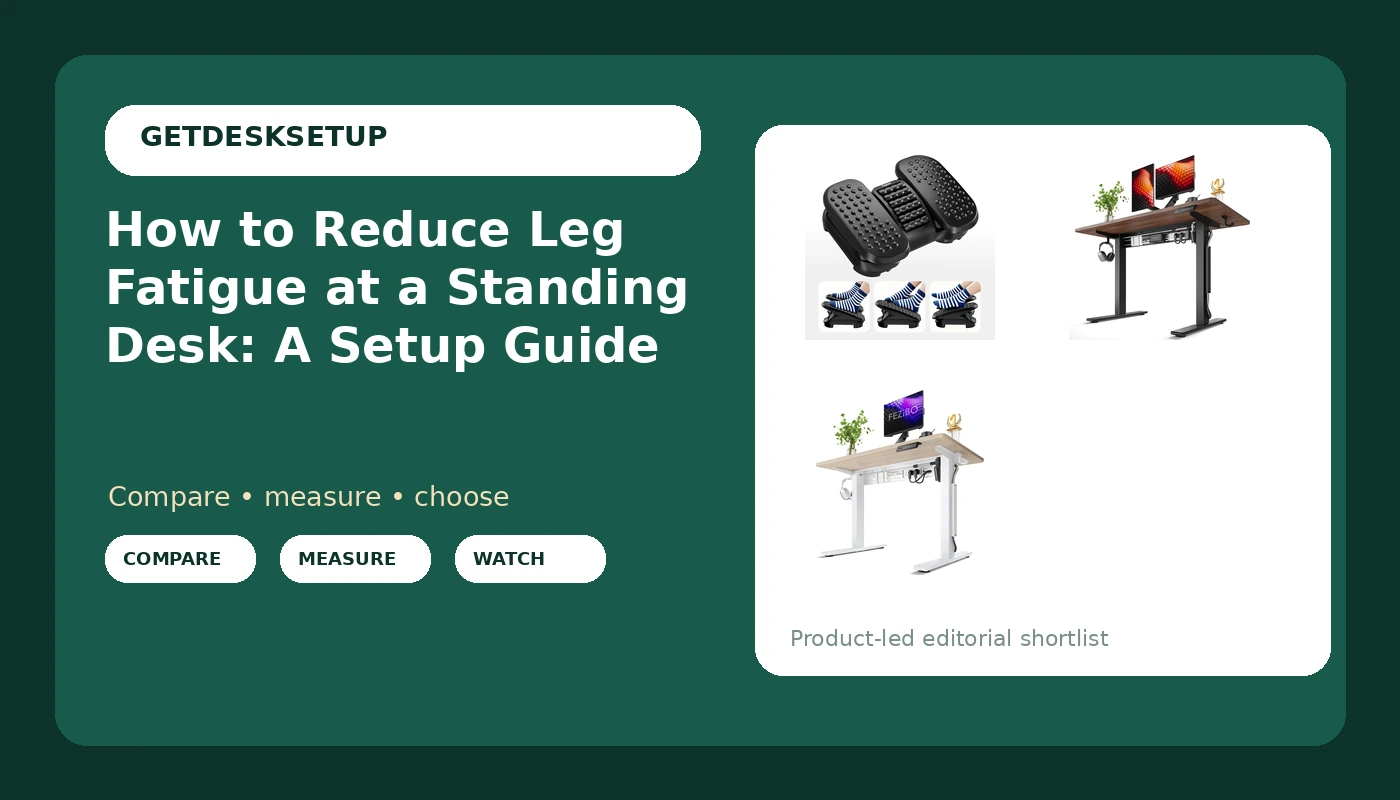
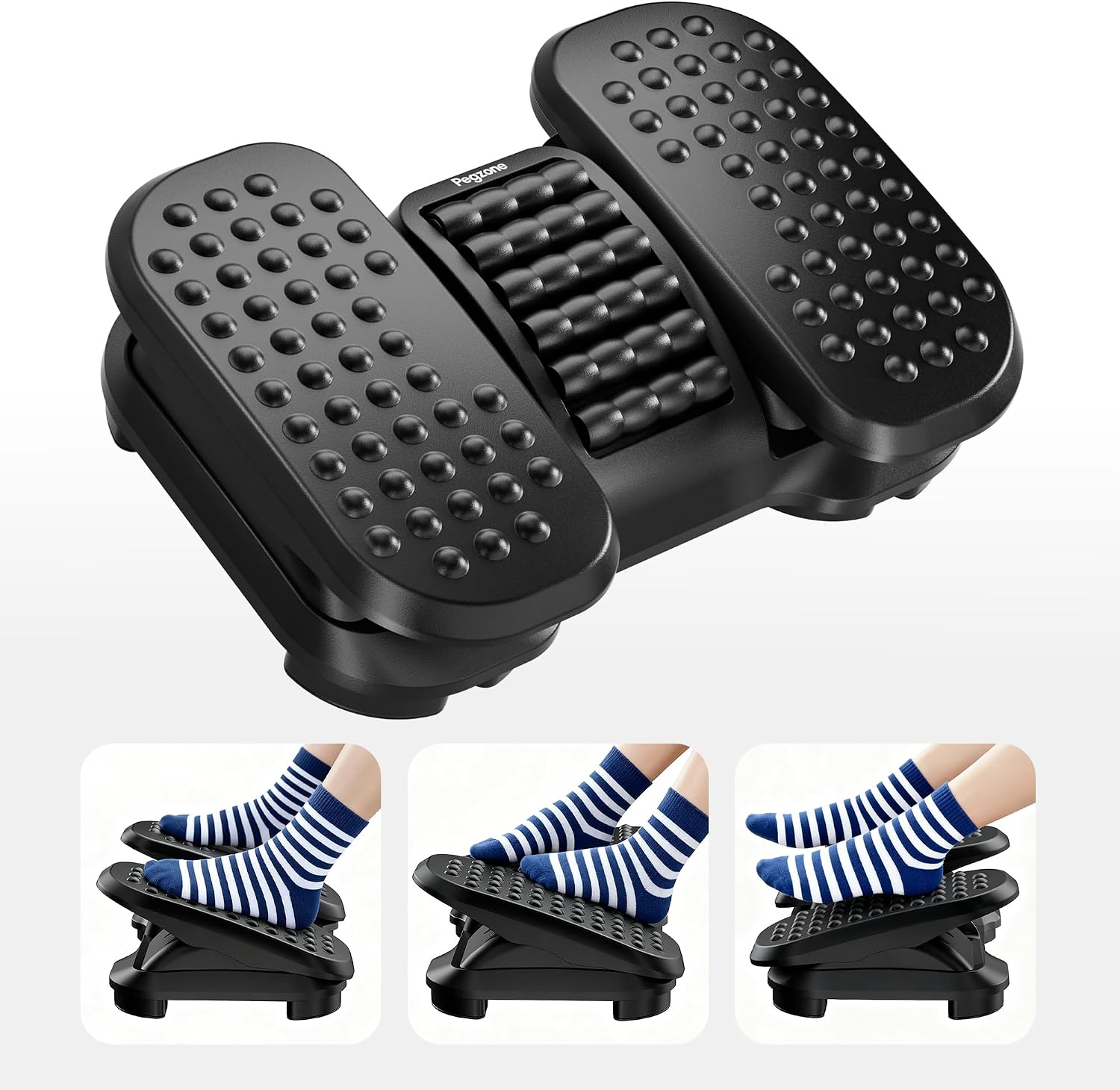
A footrest is the cheapest change on this page and the one most people skip. When you stand, one leg almost always carries more weight than the other, and the fix is not to stand straighter. It is to give one foot something to do. The PEGZONE has two height settings and a roller with a massage texture across the top, which means you can raise a heel, drop it, roll your arch, and change which leg is loaded without leaving your keyboard.
The two heights matter more than the roller. Use one setting in shoes and the other in socks, or take the taller setting when you want a deeper heel lift. The point is not comfort in the moment. The point is that a foot which can move is a foot that is not holding a static load for an hour.
Flaws but not dealbreakers: it is a static platform. It does not rock, it does not slide, and it does not lean. If you want motion under your feet, this is not that product. It is also not a mat, so it will not help your arches when both feet are down.
Skip it if your sitting height already puts your knees above your hips. Adding a footrest under a desk that is too low makes that worse, not better. Raise the desk first.
Check current Amazon price.
The desk I put in most client offices: FEZIBO Electric Standing Desk with L-Shaped Crossbar & Cable Management System, 48 x 24 Inches Sit Stand up Desk, Adjustable Height Standing Desk for Home Office, Black Walnut
The desk I put in most client offices
FEZIBO Electric Standing Desk with L-Shaped Crossbar & Cable Management System, 48 x 24 Inches Sit Stand up Desk, Adjustable Height Standing Desk for Home Office, Black Walnut
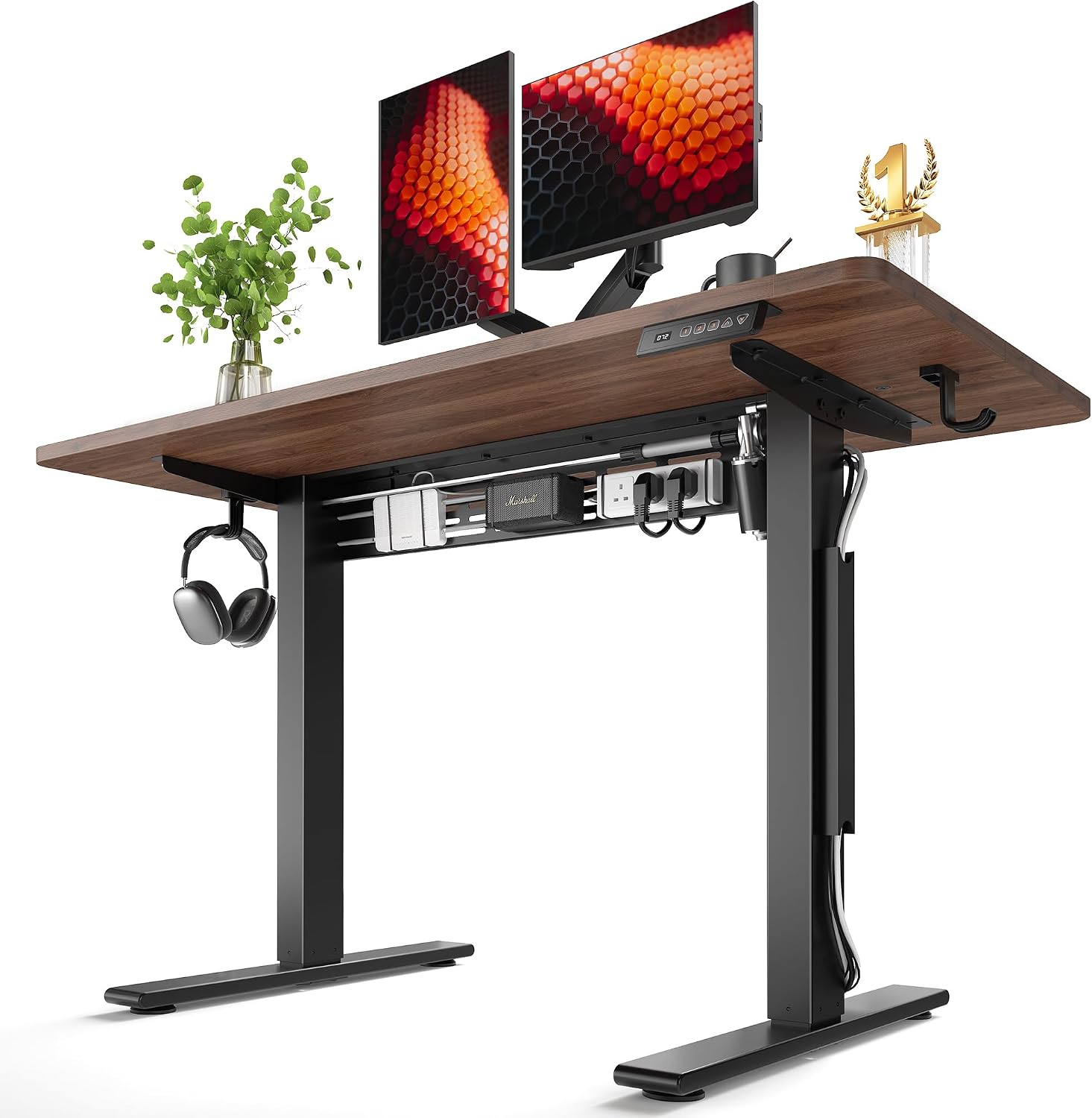
Forty-eight by twenty-four is the size I quote for one monitor plus a laptop, and the twenty-four inch desktop depth is doing more work for your legs than it looks. If the top is shallow, you pull your keyboard to the edge, your chair rolls closer, and your feet end up behind your hips. That is the posture that loads your calves and your lower back at the same time.
The reason this frame is my default is the L-shaped crossbar. A crossbar ties the two legs together, and that is what stops the top from rocking when you rest a hand on it at standing height. You do not need a dual motor frame for a single-monitor setup. You need a frame that stays still, because a desk you brace against is a desk that makes you stand with locked knees and tense legs.
The cable management system handles the second problem. Cables that hang loose pull your torso forward and to one side over a week, and you will feel it in one leg before you notice it in your neck. Route everything through the tray, leave a slack loop at the grommet, and check the lift capacity before you hang a monitor arm and a power brick off the back.
Flaws but not dealbreakers: black walnut is a dark finish, so dust and fingerprints show. Forty-eight inches is the minimum I would quote for two side-by-side monitors, not a comfortable number for three.
Skip it if your wall run is tight once the chair pulls out. Take the 40-inch version below instead.
Check current Amazon price.
The narrow-room pick: FEZIBO Electric Standing Desk with L-Shaped Crossbar & Cable Management System, 40 x 24 Inches Sit Stand up Desk, Adjustable Height Standing Desk for Home Office, Light Walnut
The narrow-room pick
FEZIBO Electric Standing Desk with L-Shaped Crossbar & Cable Management System, 40 x 24 Inches Sit Stand up Desk, Adjustable Height Standing Desk for Home Office, Light Walnut
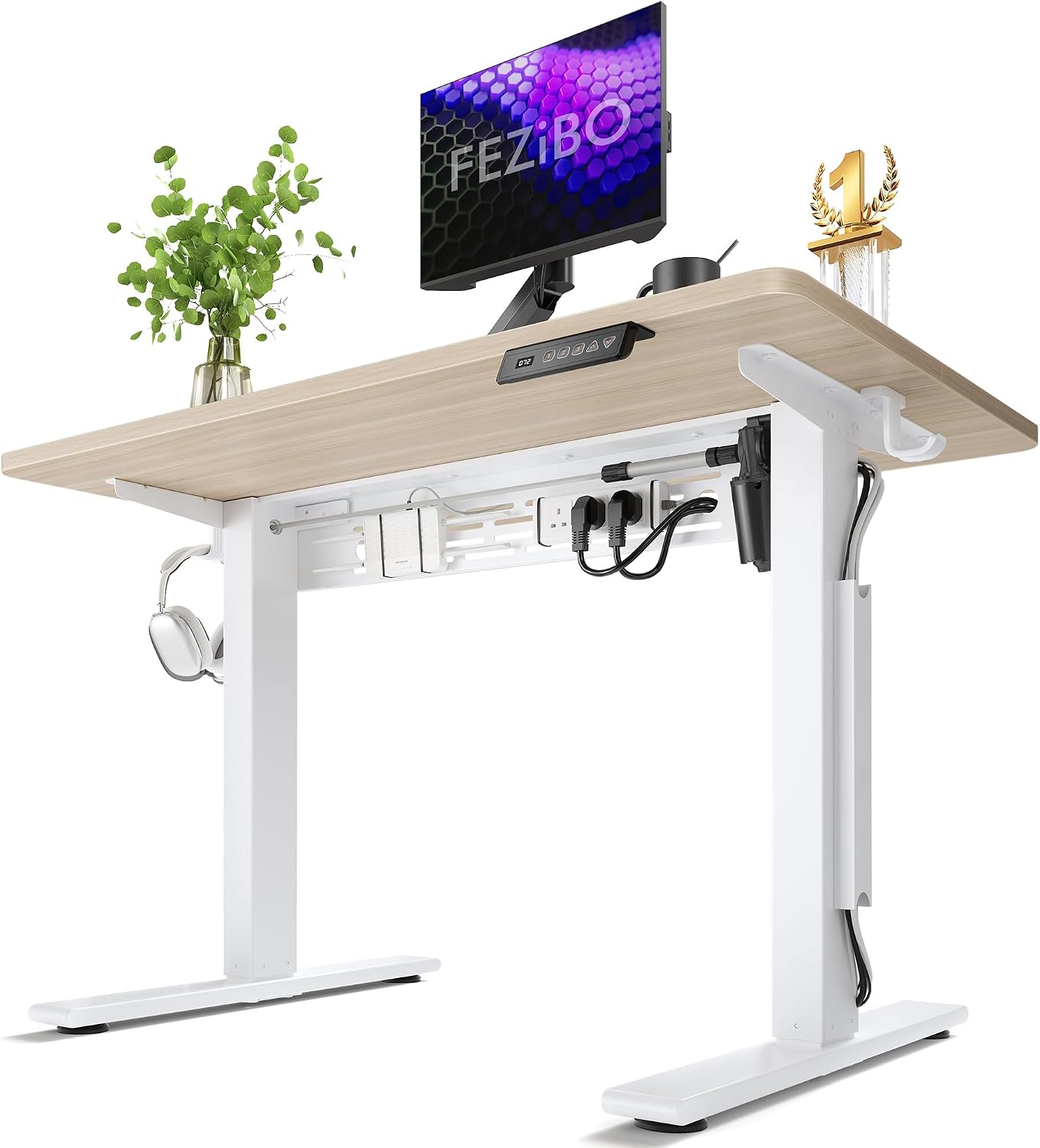
Same frame family, same L-shaped crossbar, same cable management system, forty inches wide instead of forty-eight, and a light walnut top that keeps a small room from feeling like a cave. If you work in a bedroom, a rental, or a hallway nook, this is the one I order.
The trade is width, not height. You still get the electric adjustment, the crossbar, and the tray. What you give up is elbow room: forty inches fits one monitor, a laptop, and a mouse, and that is the honest limit. Two 27-inch panels side by side will overhang the ends.
Flaws but not dealbreakers: at forty inches you will end up putting the laptop on a stand, or swapping two panels for one ultrawide. Plan for that before you order, not after.
Skip it if you run two monitors and a desktop tower on the top, or if you want a printer on the desk. Forty inches is a minimum desk width for a single-monitor setup, not a compromise-free one.
Check current Amazon price.
The actual workflow
Twenty minutes, in this order. Steps one through four are about your body and your cadence. Steps five through eight are about the hardware. Do not start with the hardware, and do not skip step one, because it is the single biggest change you can make to reduce leg fatigue at a height adjustable desk.
Step one: Set standing height by your elbows, not by a preset. Raise the desk until your elbows sit near ninety degrees, shoulders relaxed, forearms level with the top. If you have to reach down to type, the desk is too low, and the reach is what parks your weight on one leg. Most people set a standing desk a couple of inches too low because it feels less exposed. Fix it before you change anything else.
Step two: Test the top of the range and tighten the crossbar. Run the desk to its highest setting. Rest one hand on the front edge and push side to side. If the top moves, tighten the crossbar bolts and the screws that hold the top to the legs, then test again. A rocking top makes you brace with your quads and calves, which is the exact load you are trying to remove. If it still moves after tightening, that is a frame problem, and no footrest will fix it.
Step three: Save your standing height as a preset, and leave anti collision on. If your controller has memory presets, save the number instead of hunting for it every morning, because close enough drifts downward over a month. If it has an anti collision setting, leave it on. It stops the desk when it meets a shelf, a window sill, or a chair arm, and it is the reason the top keeps coming back to the same height instead of grinding.
Step four: Build a sit-to-stand cadence instead of a standing habit. Static load is the enemy, not sitting. Alternate: sit for the work that needs deep focus, stand for calls, email, and anything you would do while pacing. In the first week, stand in blocks of twenty to forty minutes and sit between them. The goal is not eight hours upright. The goal is that no single position holds your legs for more than an hour.
Step five: Put the footrest under your standing position and use both heights. Set it where your feet land when the desk is up, not where they land when you sit. Use the taller setting when you want a heel lift and the lower one when you are in shoes. Roll your arch on the roller when you notice you have been still, then switch feet. One foot moving is worth more than two feet planted.
Step six: Fix the cables so nothing pulls you forward. Run power and display cables through the cable tray, leave a slack loop at the grommet, and tie the bundle so it does not swing when the desk moves. A taut cable pulls your monitor arm, which pulls your torso, which puts your weight on one leg. It takes ten minutes and it is the most common thing I fix in client offices.
Step seven: Tune depth and reach, not just height. With the desk at standing height, your keyboard should sit close enough that your elbows stay under your shoulders. If you are reaching forward, the twenty-four inch desktop depth is not the problem, your placement is. Move the monitor back, pull the keyboard in, and keep the mouse beside the keyboard rather than out at an angle.
Step eight: Check your shoes, your knees, and the bolts once a week. Stand with soft knees and your weight over the middle of your feet, not locked back on your heels. Cushioned shoes help; bare feet on hardwood is the fastest route to arch fatigue. Then, once a week, spend two minutes: run the desk down, check the crossbar bolts, and clear whatever has piled up on the tray. Loose hardware is how a good frame turns into a wobbly one.
The competition and why it lost
The anti-fatigue mat is the obvious alternative and it is a real one. It cushions, it helps your arches, and I recommend one for anyone standing more than two hours a day. What it does not do is unload one leg at a time, and that is the specific problem this page is about. It also fights your chair wheels and it traps grit.
The wobble stool and the leaning stool take weight off your feet, but they change your posture instead of your load: you perch, your hips rotate, and most people quit them within a month. Good tool, different job.
The treadmill base adds load. That is the whole point of it, and if you want to walk while you work, buy one. Do not buy one expecting the cheapest way to reduce leg fatigue at a stand up desk.
The balance board is the other popular answer. It adds ankle work, which some people love and most people find tiring by the second hour, and it does nothing for the static load on your calves.
And "just stand more" loses outright. Standing longer in one position is the cause of the problem, not the cure. Same for a bar stool that raises you to standing height: you are sitting, with your feet dangling, which is worse.
The desks that lost to the two FEZIBO frames were the ones with no crossbar, or with a crossbar that bolts to the legs at a single point, or with a cable tray that sags under its own screws. If a desk moves when you push the top at standing height, it is out, regardless of what the listing claims.
What this all costs
Three pieces of gear, and you can buy them one at a time.
The footrest is the smallest spend on the page and the first thing I would buy if you already own a desk that adjusts. Check current Amazon price on it and compare that to the cost of one physio session. The forty-inch FEZIBO is the smaller desk spend, and the forty-eight inch is the one I quote for two-monitor setups. Check current Amazon price on both before you decide, because the gap between them moves.
The honest math is cost per standing day. Divide the desk price by the number of working days you will stand at it over two years, and a desk stops looking like furniture money and starts looking like a pair of good shoes. You do not need a new desk to reduce leg fatigue at a standing desk, but if you are buying one anyway, buy the frame with the crossbar and the tray and skip the rest.
What I would not spend money on: a second mat you will trip over, a stool you will abandon, and any desk you cannot stand at without bracing. Fix the height, fix the cables, get one foot moving, and the ache that sent you looking for a solution goes away without a single new purchase.
That is the job. Your legs are not weak. They are just holding still.