Related: Chair Pairing Guide for Standing Desks
I wrote this home office guide for shoulder tension after nine years buying chairs and desks for 400 person floors, then six years building out 310 home offices, and the pattern never changes. The ache does not start in your shoulders. It starts at the desk height you never measured, the seat that sits too high for your legs, and the monitor distance you guessed at.
I keep a notebook on every setup I build. Seat depth, seat height range, desk height, armrest clearance, all written down with a tape measure in my hand, not read off a spec sheet. This is that notebook pointed at your shoulders: chair pairing first, arm support second, then the numbers that hold the two together.
Best Overall: Drafting Chair Tall Office Chair, Standing Desk Chair with Flip-Up Armrests, Mesh High Chair Adjustable Height, Ergonomic Computer Chair with Lumbar Support and Adjustable Footrest Ring
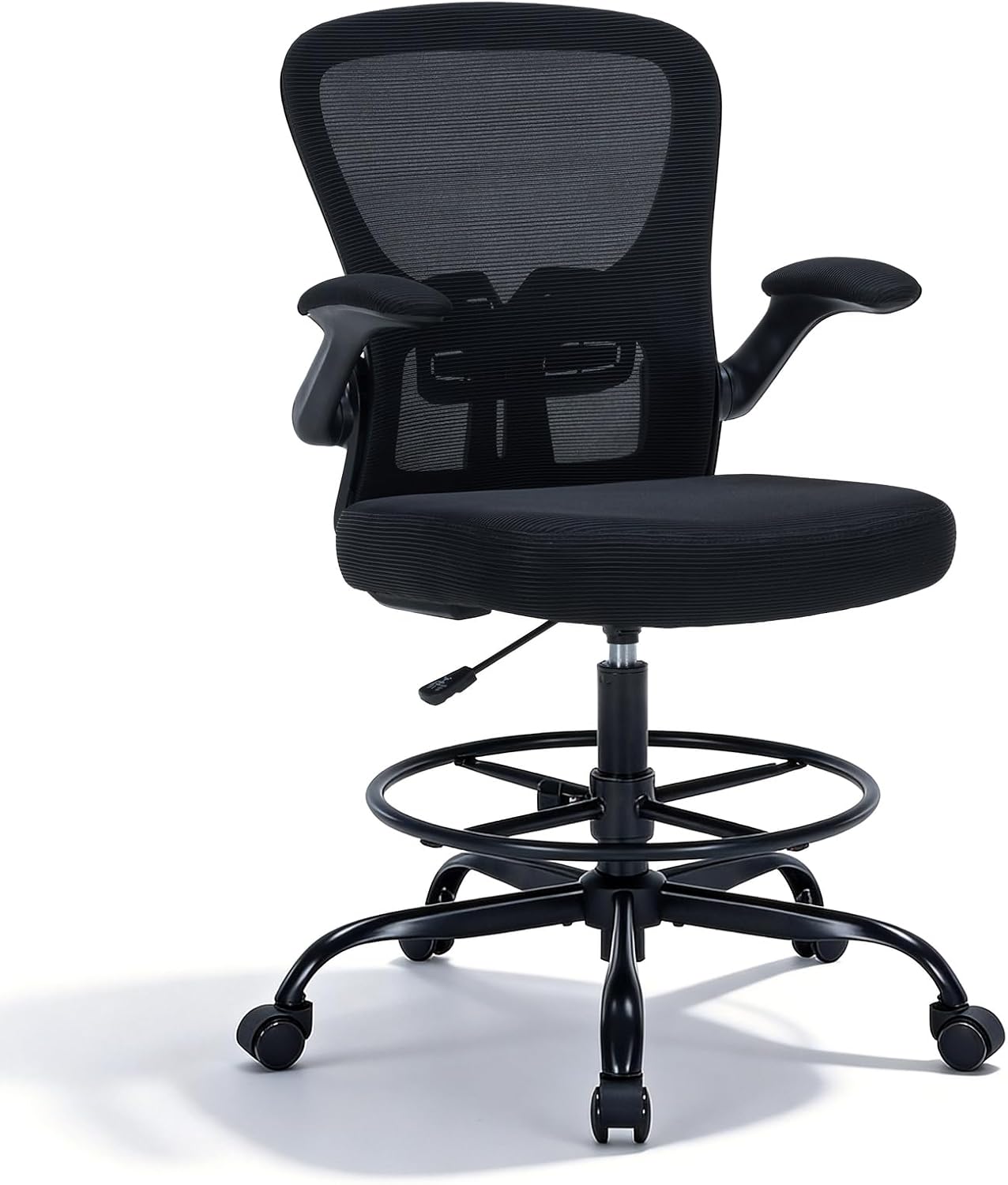
This is the chair I put in front of a standing desk, and it wins on one feature most people treat as an afterthought: the adjustable footrest ring. On a tall chair your feet leave the floor, and a hanging foot rotates your pelvis back, which rounds your shoulders forward. The ring gives your feet a landing spot, and the shoulders follow the hips.
The flip-up armrests are the second reason. At a desk with a thick top or a drawer under the work surface, fixed arms hit the edge and hold your shoulder up all day. Flip these up, or drop them, and your forearms can rest on the desktop at a natural angle instead of climbing. The lumbar support and the mesh back keep you from sliding forward to find airflow, which is how most people end up hunched.
Read this as a work from home guide for shoulder tension and the order changes: support the forearms first, then set the seat height, then worry about the backrest.
Who should skip it. If your desk top is fixed at the standard 29 inches and you are shorter than about 5'5", a tall chair's lowest seat setting puts your elbows above your work surface, and no armrest position fixes that. Check the listing's weight rating against your own weight before you buy; I do not guess at that number for you.
Best Value: NEO CHAIR Office Desk Chair, Ergonomic Mesh with Flip-Up Armrests, Beige
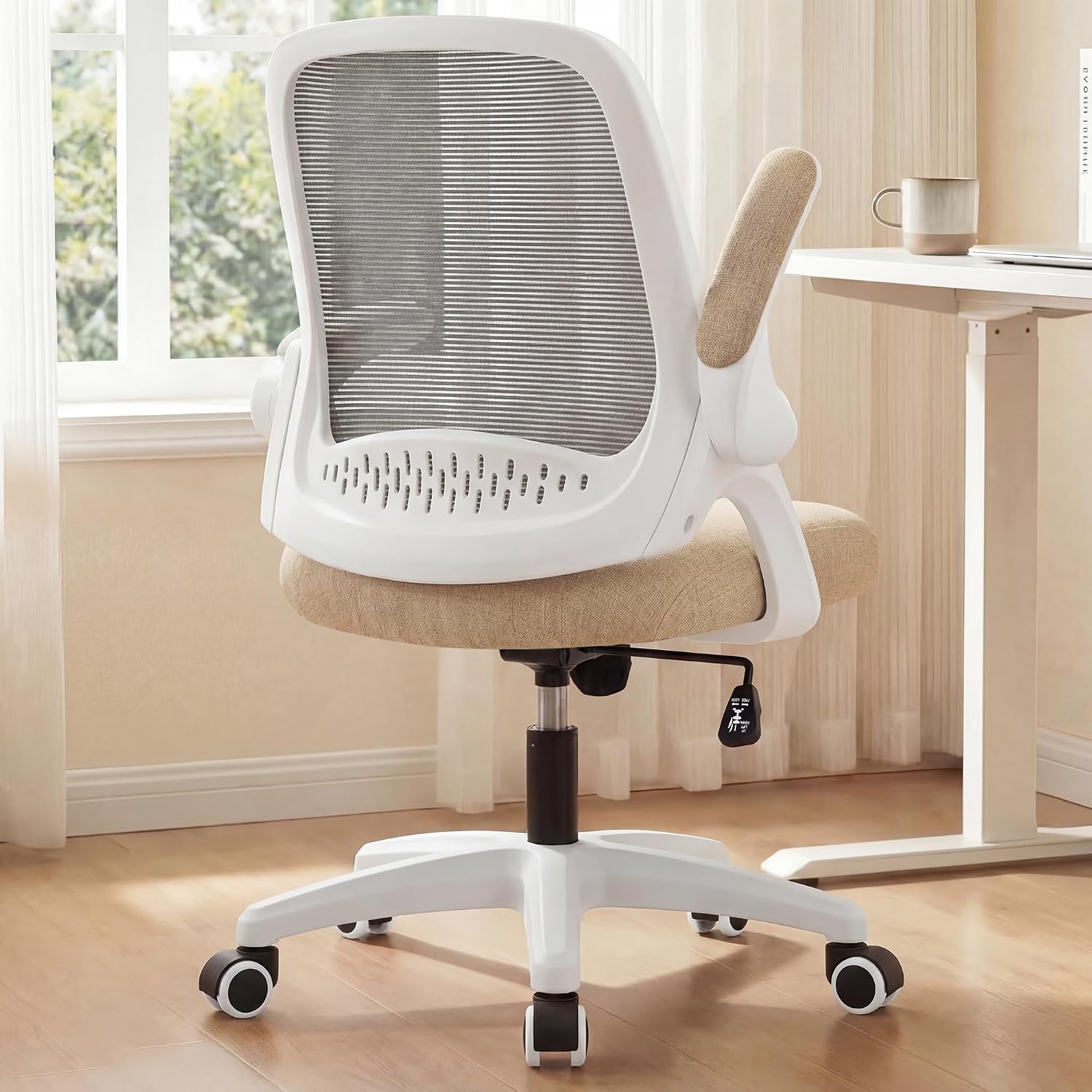
Same flip-up logic, standard office chair height. That matters more than the color. A chair you can push under the desk with the arms up is a chair you can also use with the arms down only when they clear the desk edge, and clearance is the whole game for shoulder tension. The mesh back handles ventilation, so you are not shifting every ten minutes to find cool air on a warm afternoon.
A home office guide for shoulder tension has to start at the desk, not the chair, and this is where that rule bites. A mid-height office chair only helps if your desk height already lands near your seated elbow height. If your desk is fixed and wrong, this chair gets you closer to correct posture, not all the way there.
Who should skip it. If your desk top sits above 30 inches, or you want a footrest ring because your feet dangle, buy the drafting chair instead. Also skip it if you need the chair to go high enough to match a standing desk in seated mode, because a mid-height chair cannot reach that height.
How I tested
Every home workspace guide for shoulder tension should start with a tape measure, so that is where I start. Seat height at the lowest and highest setting. Seat depth. Armrest top height measured against the desk top, because that gap decides whether your shoulders can drop. Wrist rest thickness measured against the front edge of the keyboard, because a rest that is thicker than the keyboard tilts your wrist back and your shoulder climbs with it.
Then the sit test. Full workdays, keyboard and mouse, three weeks per setup, and I note every time I catch myself shrugging or reaching. I check the monitor distance by sitting back in the chair and seeing where the top of the screen lands relative to my eyes. I check cable planning by giving the monitor arm cable a pull and watching whether the screen angle moves. I plan the power outlet so the brick sits where the cable is not under tension. I look at lighting layers for glare on the screen, and I check ventilation, because a hot room makes you shift and a shifting body shrugs.
I also measure the room layout, because the door and the window decide which way the desk can face, and a desk facing a bright window at the wrong angle costs you more shoulder position than any chair upgrade returns.
Analysis and test results
Two things change shoulder position more than chair brand ever will: armrest clearance under the desk edge, and forearm support height at the keyboard. A work from home office guide for shoulder tension has to account for both, plus one number that ties them together, which is desk height.
If your elbows sit below the desk top, you shrug to reach the keyboard all day. The fix is to raise the seat until your elbows land level with the desk, then deal with your feet, which is exactly why the drafting chair with the footrest ring solves a problem a standard chair cannot. If your desk is adjustable, drop the desk instead and keep the chair where your feet are flat.
Chair pairing matters most with a standing desk. A desk that goes to 48 inches in standing mode needs a chair that can go high enough in seated mode, otherwise you are moving the desk up and down all day and you will stop doing it. Pair the wrong chair with a good standing desk and the desk becomes a fixed desk within a month.
Monitor distance is the quiet one. Too close and you round forward to focus, which pulls the shoulders with it. Keep the top of the screen at or just below eye level and sit back into the chair. Cable planning is not aesthetics either. A cable that pulls on the monitor arm changes the monitor angle within a week, and a tray that sags under its own screws does the same thing. Clamp first, load the tray second, tighten last. Reversing that order cracks the desktop.
Wrist rests only work when the thickness matches the keyboard's front edge. Too thin and you are still reaching. Too thick and your wrist bends up, which raises the shoulder. Lighting layers and ventilation are the last variables: glare makes you crane, heat makes you shift, and both end in the same shrug.
The home office guide for shoulder tension measurement chart
| Product | The number to check | What it fixes | Skip it if |
|---|---|---|---|
Drafting Chair Tall Office Chair Check current Amazon price | Seat height at its lowest setting against your desk top | Armrest clearance, feet supported by the ring, lumbar support for tall seated work | Your desk is fixed at 29 inches and you are under about 5'5" |
NEO CHAIR Office Desk Chair, Beige Check current Amazon price | Armrest top height against your desk top | Flip-up arms, mesh ventilation, standard desk pairing | Your desk top sits above 30 inches or you want a footrest ring |
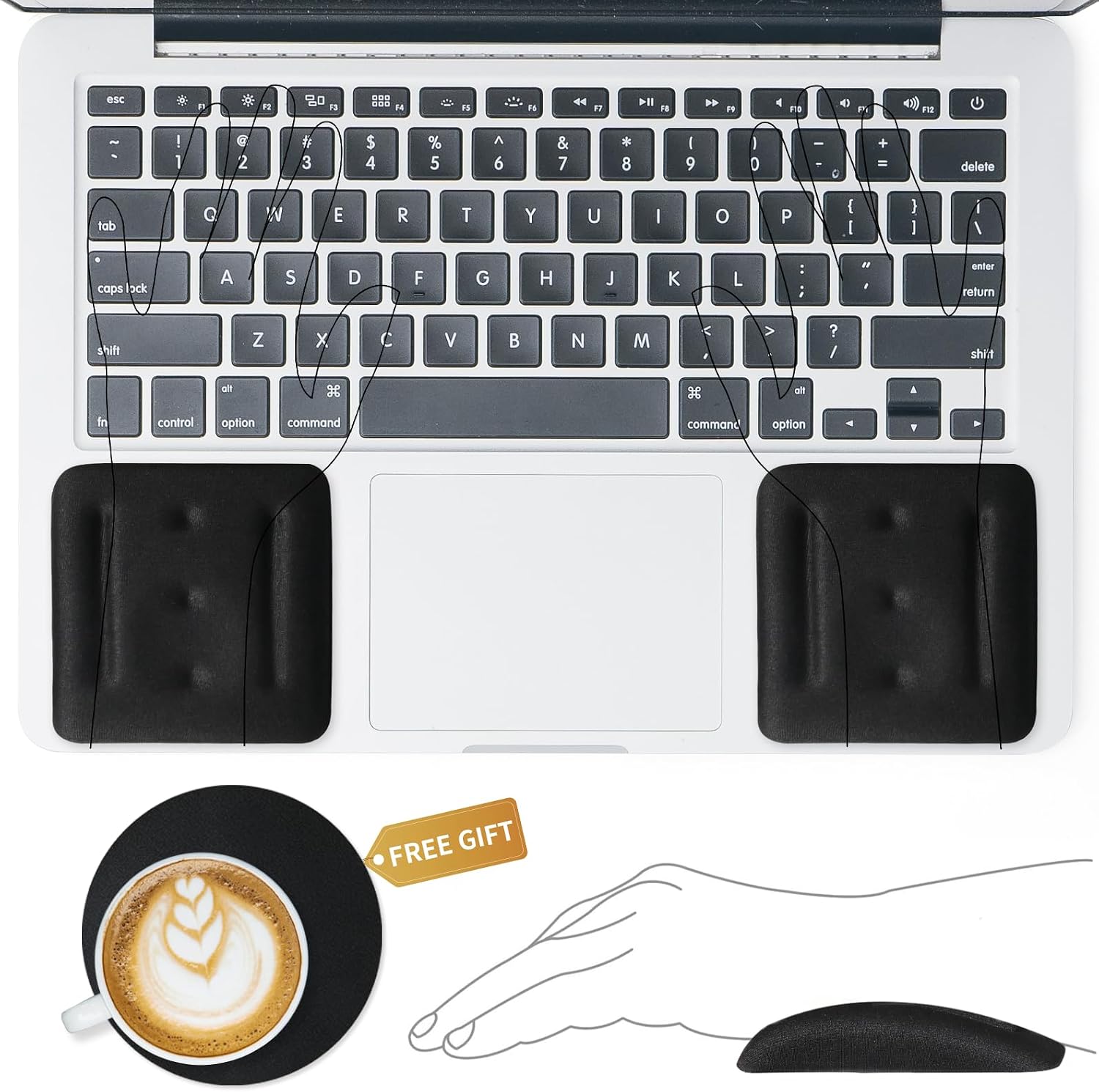 VAGAU Wrist Rests for Keyboard and Mouse View on Amazon → | Rest thickness against the front edge of your keyboard | Forearm support at keyboard and mouse height | Your keyboard lives on a tray under the desk |
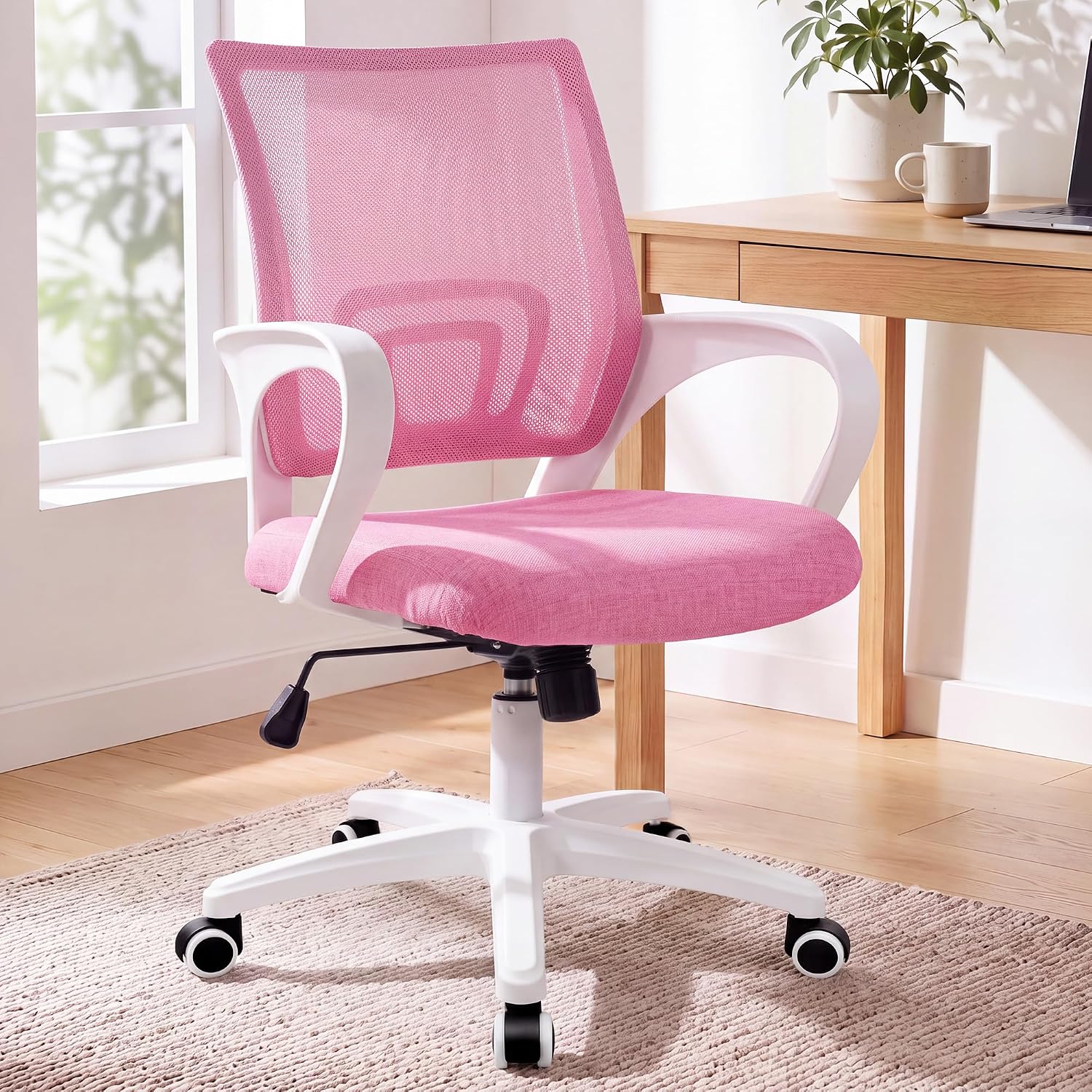 NEO CHAIR Mid-Back Mesh Desk Chair, Pink View on Amazon → | Back height against your shoulder blades | A backrest that stays below the shoulder blades | You want arms that flip out of the way |
NEO CHAIR Office Computer Chair Ergonomic Mid-Back Mesh Desk Chair, Pink
A mid-back chair has one job for shoulders: stay out of the way. The backrest stops below your shoulder blades, so nothing pushes them forward, and the mesh keeps air moving behind you. If your desk height is already right and you rest your forearms on the desktop or on a wrist rest, this is the simplest of the four picks and the one that adds the least furniture to a small room.
Who should skip it. If you need armrests that move out of the way, choose the flip-up model instead. If your desk is too high, this chair does not fix that, and if your feet dangle, there is no footrest ring here. It is a chair for a desk that already fits you.
VAGAU Wrist Rests for Laptop, Wrist Support for Keyboard and Mouse Black
The wrist rest is the cheapest change on this list and the one most people get wrong. The point is not to rest your wrist on it. The point is to raise your forearm until it is level with the keys, so you stop reaching up to type and stop shrugging between keystrokes. The set covers keyboard and mouse, which matters because a mouse that sits lower than the keyboard pulls one shoulder down and the other up all day.
Who should skip it. If your keyboard sits on a tray below the desk, a rest can crowd the tray and push the mouse off the edge. If your keyboard front edge is already at or above your seated elbow height, you do not need one.
Should you buy the Drafting Chair Tall Office Chair?
Yes, if you work at a standing desk and you are tall enough to use a high seat. The adjustable footrest ring is the feature that separates it from every standard office chair, because it is the difference between feet that hang and feet that push, and feet that push let your shoulders drop. The flip-up armrests clear a desk edge, the lumbar support holds your ribcage over your hips, and the mesh keeps you from shifting for air.
Skip it if your desk is fixed at 29 inches and you are shorter than about 5'5". Check the weight rating on the listing against your own weight, and if your knees end up above the desk with the seat at its lowest setting, send it back. For everyone else pairing a chair with a standing desk, this is the one I would put in a client's office for a year.
Should you buy the NEO CHAIR Office Desk Chair, Ergonomic Mesh with Flip-Up Armrests, Beige?
Yes, if your desk height already matches your seated elbow height. The flip-up armrests let the chair live under a shallow knee well and get out of the way when you want your forearms on the desktop. The mesh back handles ventilation so you are not fidgeting to cool down.
Skip it if your desk top is above 30 inches, if you want a footrest ring, or if you need a chair that reaches standing desk height in seated mode. It is the right answer for a standard desk that already fits you, and the wrong answer for a desk that does not. Measure your desk height first, then decide.