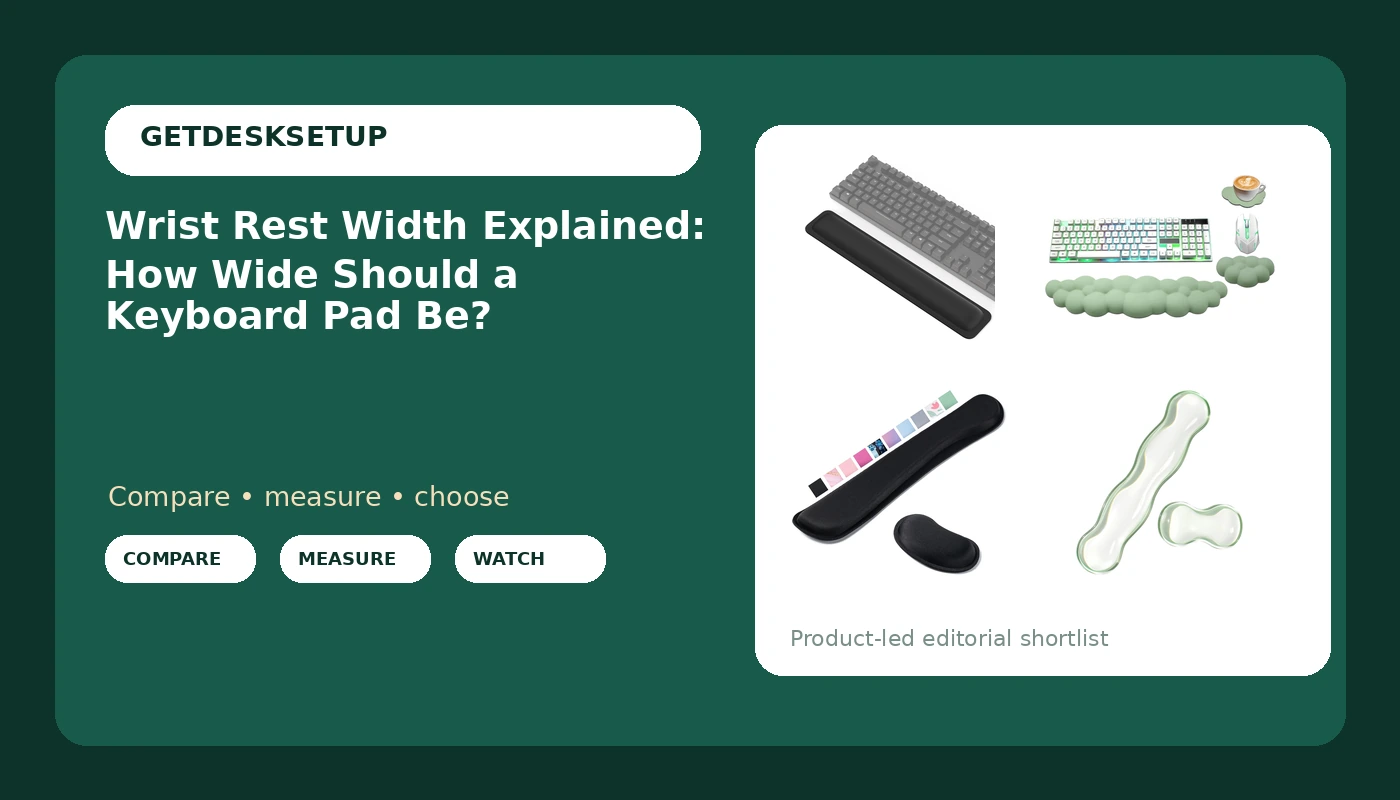
Most people buy a keyboard wrist rest the way they buy a phone case: by color, by price, and by whatever the product photo suggests. Then it lands on the desk and the problem shows up. The pad is three inches shorter than a full-size board, so the outer edge of each hand hangs off the end. Or it is deep enough that it pushes the palms back and rolls the wrists up toward the ceiling. Wrist rest width is the measurement that decides which of those happens, and it is usually the one number a listing buries. This wrist rest width explained guide covers what width actually measures, how to match it to the keyboard you already own, and which of four pads fits which desk.
Related: Keyboard tray vs desk mount: which keeps your wrists flatter →
Quick answer
Wrist rest width should match the keyboard it sits in front of, not the desk it sits on. A full-size keyboard runs roughly 17 to 18 inches across, a tenkeyless board about 14 to 15, and a compact 60 percent board closer to 11 or 12. Stay within about an inch of your keyboard's case width, and keep the front-to-back depth in the 2.5 to 3.5 inch range so your palms rest flat instead of your wrists bending back. None of the four pads below is the best wrist rest in any absolute sense. Each one fits a different keyboard width, budget, and desk layout, and the right answer changes the moment you switch to a compact board or add a keyboard tray.
4 useful options
| Model | Best fit | What stands out |
|---|---|---|
| TECKNET Wrist Rest for Computer Keyboard | Full-size keyboards, roughly 17 inches and up | Stated 17 x 3.3 in footprint, 1 inch (25mm) memory foam, anti-slip rubber base |
| Cloud Wrist Rest Keyboard | Desks with a color scheme to keep | Pastel green finish, ergonomic shaping, no width published in the listing |
| Hoewina Keyboard Wrist Rest | A first wrist rest, a second keyboard, a spare desk | Budget entry in this group, black finish, no width published in the listing |
| Gel Wrist Rest for Keyboard and Mouse | One surface covering both input zones | Gel fill, spans keyboard and mouse area, single footprint on the desk |
The full-size pick: TECKNET Wrist Rest for Computer Keyboard, Thicken Memory Foam Wrist Support Pad for Keyboard, Ergonomic Palm Rest for Pain Relief, Anti-Slip Rubber Base, 17×3.3 in, 1 inch (25mm), Black
Seventeen inches is a full-size match. If your keyboard case measures 17 to 18 inches across the front edge, this pad lines up end to end and both hands stay supported at the outer edges. If you type on a tenkeyless or compact board, the same footprint overhangs by two to six inches, which eats mouse space on the right and is the reason to skip it rather than a reason to accept it. The 3.3 inch depth sits inside the comfortable range for most desk depths, but check the space in front of your keyboard before you commit: on a shallow desk, a pad this deep pushes the keyboard back toward the monitor.
The color-matched pick: Cloud Wrist Rest Keyboard, Ergonomic Keyboard Wrist Rest, Pastel Green
The honest trade-off is information. Three of the four pads here leave you to find the width on the product page, and this is one of them. That is workable, but it changes the order of operations: measure your keyboard first, then open the listing, then decide. If you want a pad that matches a light-colored desk and you are willing to do that one check, this is the option with a finish the others do not offer. If you want the width handed to you in the title, the full-size pick above is the easier buy.
The budget baseline: Hoewina Keyboard Wrist Rest,Ergonomic Wrist Support for Keyboard,Black
The trade-off with a budget pad is not foam quality so much as fit certainty. You are buying a shape you cannot verify from the title, so the burden falls on your tape measure and the product page. That is fine for a test purchase and less fine if you are setting up a desk you will sit at for eight hours a day and do not want to re-buy in three months. If your keyboard is compact, this is also the pad to skip for the same reason as the others: an oversized rest on a small board is the wrong shape at any price.
The keyboard and mouse pick: Gel Wrist Rest for Keyboard and Mouse, Wrist pad for Computer Keyboard
The width question is sharpest here, because a combined pad is wide by definition. Before ordering, measure from the left edge of your keyboard to the right edge of your mouse pad, add a couple of inches of margin, and compare that to the listed footprint. If the total pushes your mouse more than about two inches further right than it sits now, skip this one and use a keyboard-only pad instead. Your shoulder position is set by where the mouse is, not by how good the gel feels under your palm.
Prices and availability may change. Product images, names, and retailer links are matched to verified listings. No current price, rating, stock status, or measured result is stated here without current evidence.
What wrist rest width actually measures
Width is the left-to-right dimension of the pad, the number that lines up with the left-to-right dimension of your keyboard. Depth is the front-to-back dimension, the surface your palms sit on. Thickness is the vertical dimension, and it decides whether your wrist sits level with the home row or above it. Wrist pad width and wrist support width are the same number; listings simply use different words for the part. Whatever a listing calls it, wrist cushion width is measured the same way, across the case at its widest point.
Width is the dimension people get wrong most often, because a short pad still looks fine in a photo. If the keyboard is 17 inches wide and the pad is 12, your hands are supported in the middle and unsupported at the outer edges, which is exactly where a lot of typists load the heel of the hand. A pad wider than the keyboard usually still works, but it eats desk space on both sides, and on a narrow desk that pushes the mouse further right than your shoulder wants to reach.
That reach matters more than it sounds. Moving the mouse two inches further right rotates the torso, and over a few weeks that shows up as one shoulder sitting higher than the other. On a tight desk, a pad that matches the keyboard width and no more is the better trade than one that overhangs. Cable management belongs in the same conversation: a raceway along the back edge of the desk and a cable sleeve on the keyboard lead keep a taut cord from dragging the pad forward during the day. A single adhesive clip holding the keyboard cable down does the same job for less money.
How to match wrist rest width to your keyboard
The sequence below takes about five minutes with a tape measure, and it is the order that keeps you from re-buying a pad twice.
- Measure the keyboard case across the front edge at its widest point. Use the case, not the keycaps, because the case is what the pad lines up with.
- Subtract 0 to 2 inches from that number to get your target pad width. Within an inch reads as matched. Up to two inches narrower still works if your hands sit centrally on the board.
- Measure the desk depth in front of the keyboard, from the front edge of the case to the desk edge. Under about three inches, a deep pad pushes the keyboard back and changes your elbow angle.
- Compare pad thickness to the height of the keyboard's front edge. The goal is a pad top roughly level with the front row of keys, so the wrist stays neutral instead of dropping or climbing.
- Check the base before anything else. An anti-slip underside matters more than the top surface, because a pad that creeps forward loses its position and you re-plant your hands every hour.
Practical guidance for a flat wrist position
- Set the pad flush against the front edge of the keyboard. A gap turns into a step, and your palm rides up on it.
- Fit the pad to the keyboard first, then place the keyboard on the desk, then set chair height. Doing the chair first usually means moving everything twice.
- If you use a chair mat, mat thickness and mat density decide how far the chair sinks, which changes forearm height relative to the pad. A soft mat under a heavy chair lowers you more than most people expect.
- A footrest angle of even a few degrees shifts how much weight travels through the forearms. If your wrists feel loaded at the end of the day, change the footrest angle before you buy another pad.
- Route the keyboard and mouse cables once, with a raceway or a cable sleeve and an adhesive clip near the back edge, so nothing tugs the pad out of position while you type.
- Lighting counts more than it seems. If you lean in to read the keys under a dim lamp, your wrists take the lean, so desk lamp lumens bright enough to see the keys without leaning protect the posture you just set up.
Which option should you choose?
Choose the TECKNET Wrist Rest for Computer Keyboard when you type on a full-size board and want a footprint printed in the listing so you can check the match before ordering. Choose the Cloud Wrist Rest Keyboard when the desk has a color scheme to keep and you are willing to measure your own keyboard, since the listing does not publish a width. Choose the Hoewina Keyboard Wrist Rest when you want the budget entry in this group, or a second pad for a second keyboard. Choose the Gel Wrist Rest for Keyboard and Mouse when you want one surface covering both input zones and the desk is wide enough that the extra width does not push the mouse past your shoulder line.
The caveat is worth stating plainly: only one of these four listings states a width you can verify before you buy. That does not make the others poor choices, but it does mean you are buying on faith unless you measure your keyboard first and check the product page dimensions yourself. If you type on a compact board, a 17-inch pad is the wrong shape no matter how good the foam is, and no pad in this group fixes a desk that is too shallow to hold one.
The bottom line
Wrist rest width is a match problem, not a quality problem. Measure your keyboard case at its widest point, buy a pad within an inch of that number, keep the depth near three inches, and set the pad flush with the front edge. The TECKNET pad is the one option here with a stated 17 by 3.3 inch footprint and a 1 inch memory foam body, which makes it the easiest to check against a full-size board. The pastel Cloud pad is the color pick, the Hoewina is the budget way to test whether a rest helps you, and the gel pad is the one to consider if you want the mouse zone covered on the same surface. Then leave it alone: a pad that stays put for a year beats a better pad you re-position every morning.