I have bolted monitor arms to 310 desks around Seattle, and the first question a client asks is almost never about reach or VESA plates. It is whether they will need a hex key every time they want to nudge the screen. That is the whole tool free vs tool required monitor arm argument in one sentence, and after nine years buying furniture for 400 person floors and six more running a two person desk setup service, I have learned that the labels are the least useful part of the decision.
What I actually write in the notebook is four numbers: the weight of the panel, the VESA pattern on the back of it, the thickness of the desktop, and how often the person moves the screen. Those four decide whether an arm survives a year in a client's office. The tool question is a symptom of the fourth number, not a cause of anything.
Related: standing desk wobble at standing height
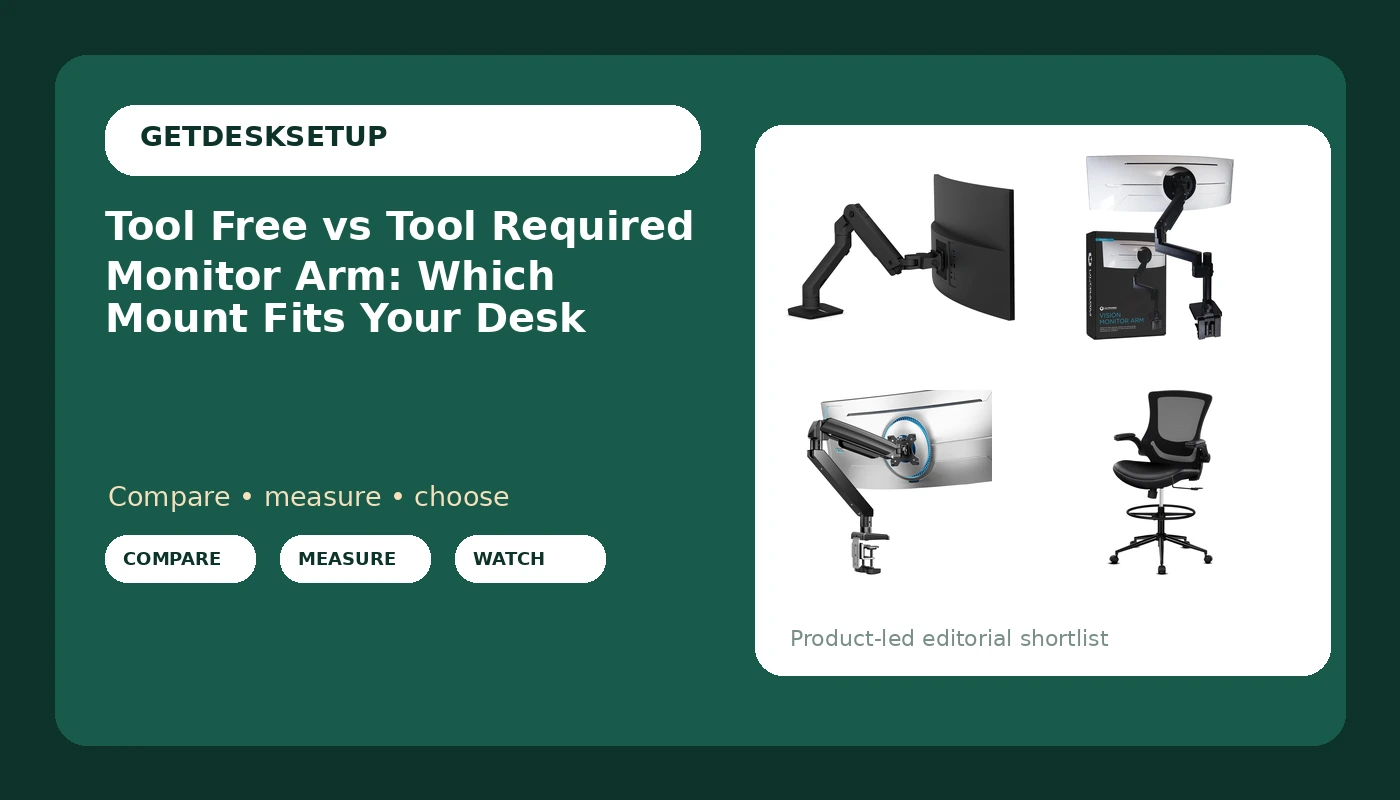
Buy for weight capacity first and adjustment style second. The Ergotron HX covers the 20 to 42 lb band that most 34 to 49 inch ultrawides land in. The ULTRARM takes the heaviest panels at 44 lbs and adjusts by hand. The ErGear is the pick when you want a clamp mount and a grommet mount in the same box at 37.4 lbs. The Misolant drafting chair is not an arm at all, but it sets the eye height the arm has to match.
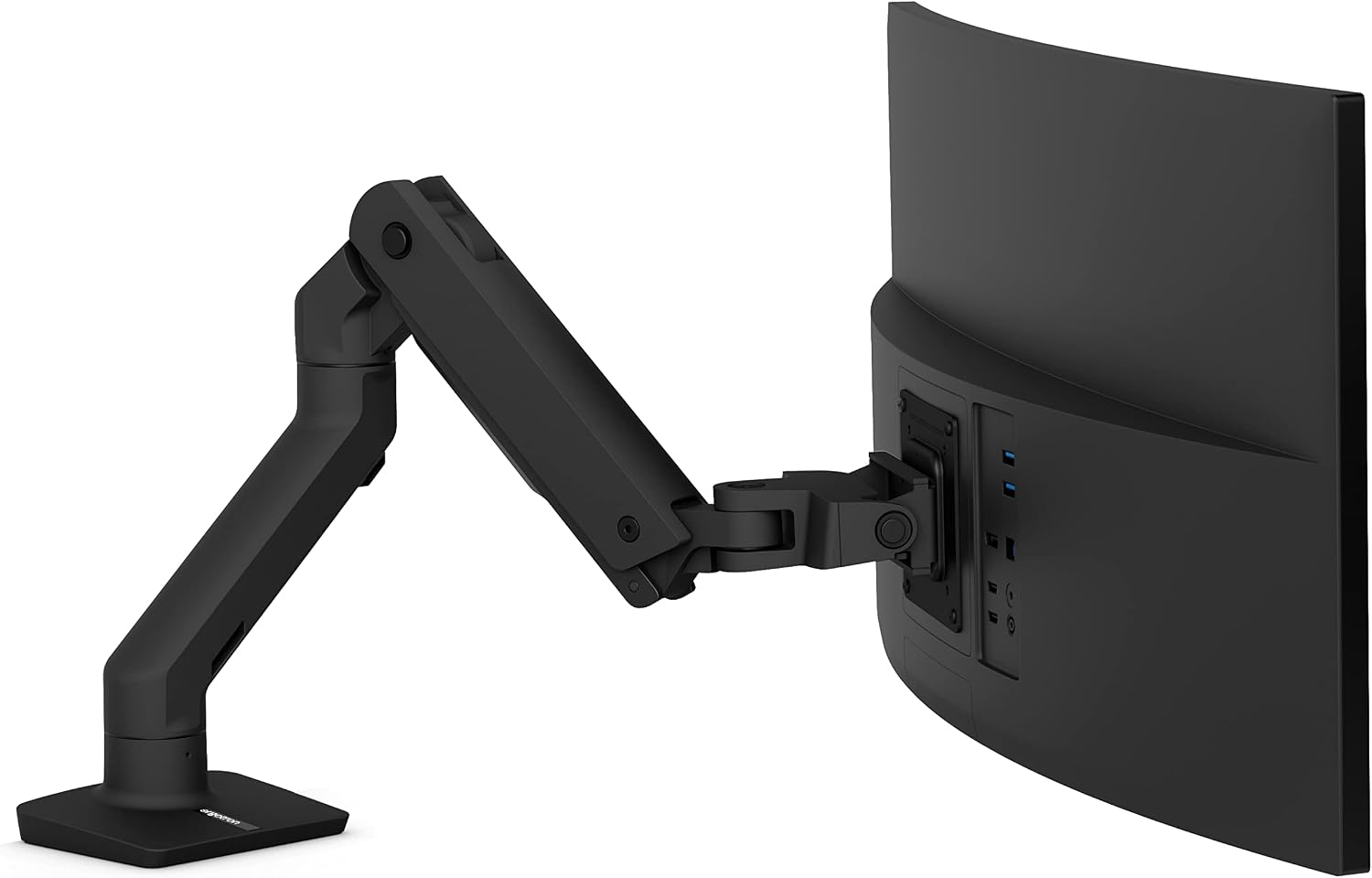
Ergotron HX Premium Heavy Duty Monitor Arm
Holds 20 to 42 lbs, the band most 34 to 49 inch ultrawides sit in, and the pivot holds the angle you set
Panels above 42 lbs are out, and the tension is a set once job with a hex key
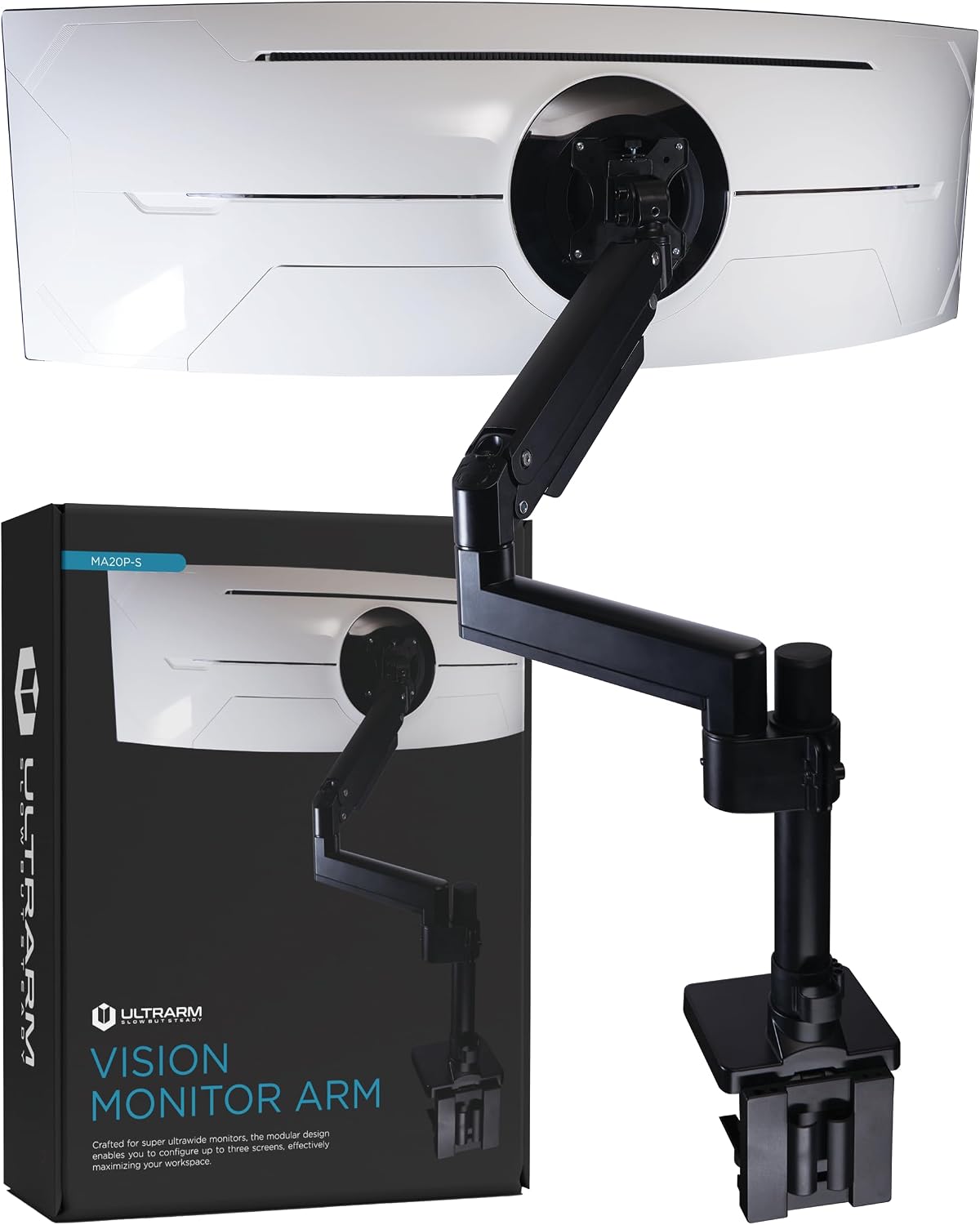
ULTRARM Heavy Duty Monitor Arm
44 lbs of capacity, screens up to 57 inches, pneumatic height adjustment by hand, modular extension arms
Fewer mounting choices listed than the ErGear, and 44 lbs of headroom is wasted on a light 27 inch panel
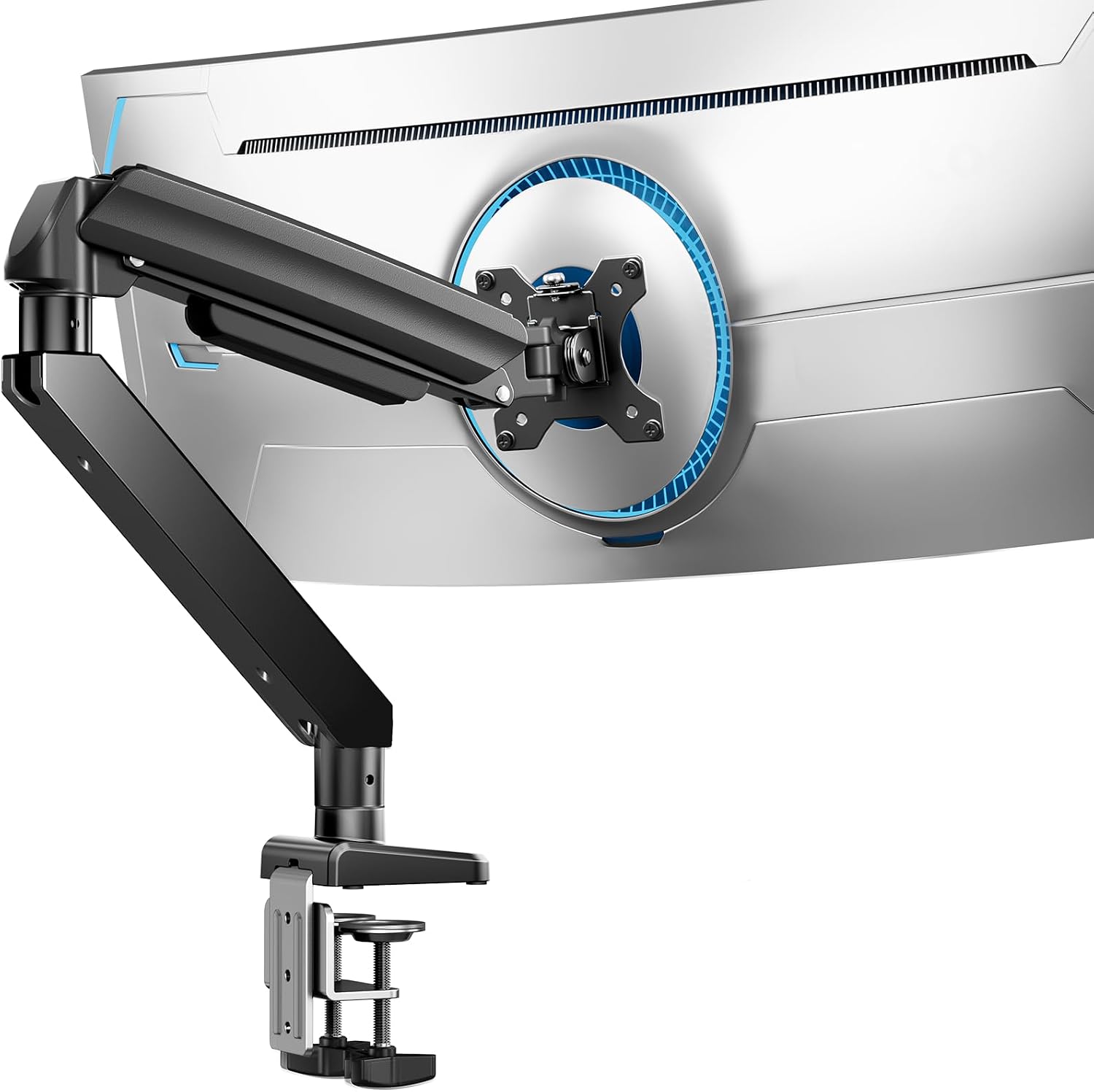
ErGear Heavy Duty Monitor Arm
13 to 49 inch range at 37.4 lbs, dual C-clamp and grommet mount both in the box, VESA 75×75 and 100×100
Lowest ceiling of the three arms, so a heavy 49 inch panel is off the table
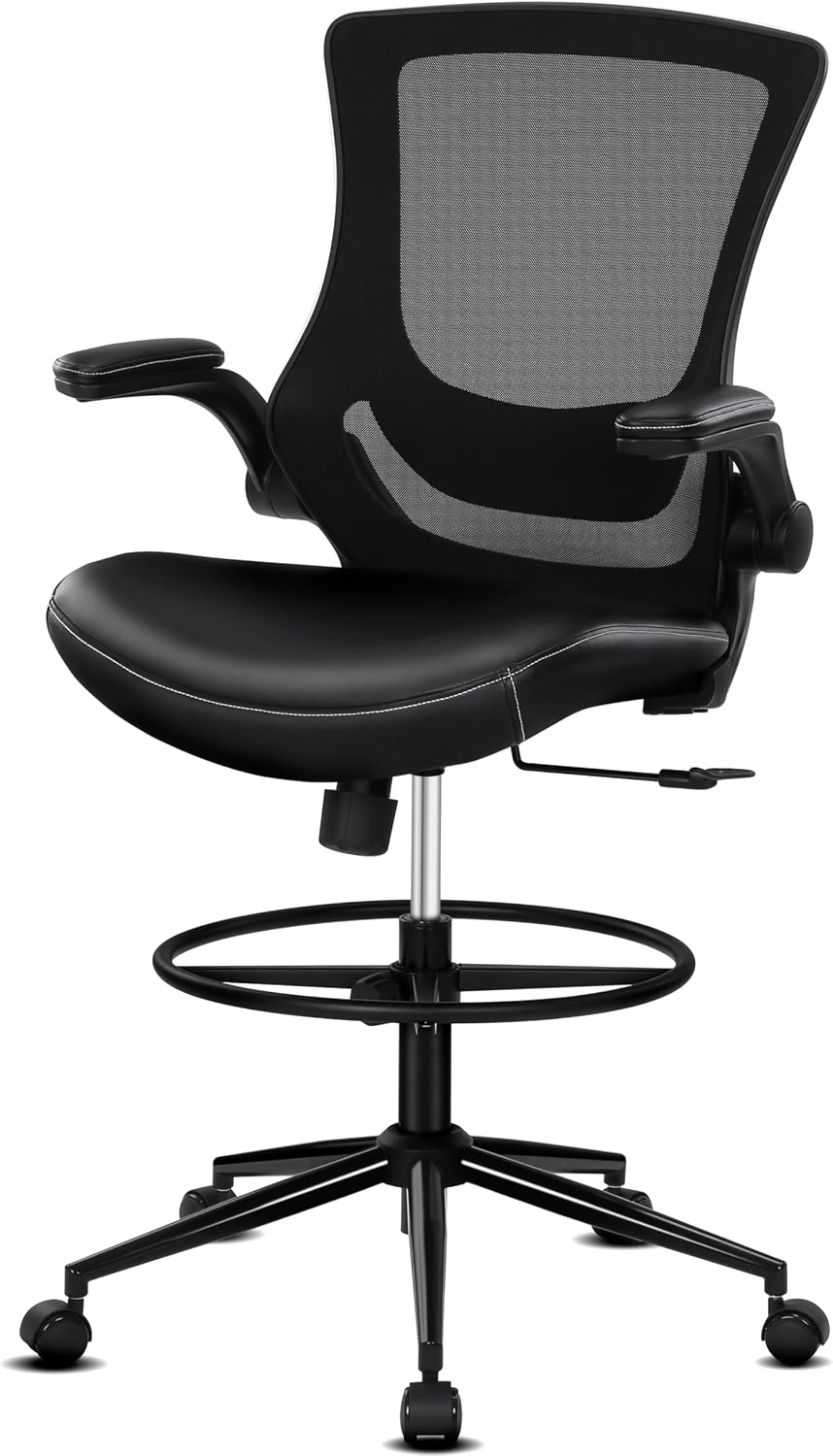
Misolant Tall Office Chair for Standing Desk
Drafting height with a footrest ring, recline, and adjustable lumbar support, so your eye line matches a standing desk
Not an arm; it changes the height the arm has to reach, which is the number most people forget to check
Prices and availability may change.
What the tool free vs tool required monitor arm question really asks
Every arm on this list ships with a bag of hardware, and every one of them needs a screwdriver for the VESA plate and a wrench for the desk clamp. So when a listing says tool free, it is not promising a tool-less install. It is telling you which adjustments stay in your hands after the install is finished.
Tool free, in practice, means the arm carries the load with a gas spring or a pneumatic column. You grab the screen, move it up or down, and it stays where you let go, because the spring is charged for the weight of the panel. The ULTRARM name says pneumatic height adjustable, which is that design. The trade off is that a gas spring is tuned to a weight band, and outside that band it either sinks under its own weight or floats back up.
Tool required means friction joints. A bolt or a hex screw sets the tension on each joint, you tighten until the arm stops sagging, then you leave it alone. The Ergotron HX lists a standard pivot rather than a pneumatic column, which puts it on the set and leave side of the split for most people. You adjust it at install, check it after a week, and then you do not touch it for a year.
Weighing a tool required monitor arm vs tool free design is really a question about frequency. Twice a day, take the gas spring. Twice a year, take the bolt. That is the honest version of the comparison, and it has nothing to do with build quality.
Weight capacity is the spec that decides everything else
The three arms here cover three different ceilings: 44 lbs for the ULTRARM, 37.4 lbs for the ErGear, and 20 to 42 lbs for the Ergotron HX. Weight capacity is the first number I write down, and it is the one people skip because it is boring.
Two rules come out of that. First, never buy at the top of the range. A panel that sits at the very top of a published capacity leaves the tension setting with no headroom, and the arm will sag a few degrees after a month of warm afternoons. Aim for the middle. Second, watch the floor as well as the ceiling. The Ergotron HX starts at 20 lbs. A light 27 inch panel on that arm will not hold an angle, because the mechanism is charged for a heavier screen. If your monitor is light, a heavy duty arm is the wrong purchase even though it looks like the premium one.
For a 49 inch ultrawide, check the published weight of the panel and add the VESA plate before you decide. That number, not the diagonal, is what the arm actually carries, and it is what turns a spec sheet into a yes or no.
Weight capacity also changes the tool free vs tool required monitor arm answer. A gas spring arm only stays hand adjustable inside its rated band. Put a 30 lb panel on a 44 lb arm and you still have 14 lbs of adjustment range left in your fingertips. Put a 42 lb panel on it and you will be turning bolts like everyone else.
Clamp mount and grommet mount: the install step that cracks desktops
Install order matters more than any spec on this page. Clamp first, load second, tighten third. Reverse that and you will crack a desktop. I have seen it happen on a hollow core 1 inch top that looked solid from the showroom floor.
A clamp mount needs a desk edge with a flat underside and enough thickness for the jaw. Particleboard with a hollow core compresses under load, and a 40 lb arm on a compressed clamp will loosen within weeks. A grommet mount uses an existing hole in the desktop and spreads the load over a wider plate, which is the safer option on anything thin. The ErGear ships with both a dual C-clamp and a grommet mount, which is the reason I keep it on the shortlist for rental desks where I cannot drill.
Two minimums before you buy. Your desktop should be at least 24 inches deep for a 49 inch ultrawide, and I would not put a 49 inch panel on a desk narrower than 55 inches if the arm has to swing. If you want the screen at 30 inches of viewing distance, add depth rather than reach.
One more install note: check the underside of the desk for a center brace before you tighten anything. A clamp jaw that lands on a brace will not close flat, and the arm will lean.
VESA pattern, tilt range, and the cable channel
Check the back of your monitor before anything else. The ErGear covers VESA 75×75 and 100×100, the ULTRARM tops out at 100×100, and the Ergotron HX is a single monitor VESA desk mount in the same family. A 75×75 panel will not bolt to an arm that only lists 100×100 without an adapter plate, and adapter plates add weight you have to count against capacity.
Tilt range and swivel are the two specs that decide whether the arm is pleasant. A full motion arm gives you tilt and swivel at the panel, which matters if you rotate the screen for reading or share it in a call. A standard pivot gives you less range and more stability. For a heavy ultrawide, less range is usually the better trade, because every extra joint is another place a 30 lb panel can drift.
Then there is the cable channel, which is where most setups fail after the fact. A cable that hangs tight from the back of the monitor to the wall pulls on the arm every time you move it, and within a week your careful tilt setting is gone. Run the cable through the channel with a slack loop at both ends, and leave one hand's width of play where the arm folds.
I measure this the same way I measure seat depth. Not by feel. If the cable cannot move 2 inches in any direction without going taut, it is too short.
The difference between tool free and tool required monitor arm setups in daily use
The difference between tool free and tool required monitor arm setups shows up in three moments, and none of them are at install.
The first is the sit to stand transition. If you drop a standing desk to seated height and your eye line drops 18 inches, a hand adjustable arm lets you correct it in two seconds. A bolt joint arm means either a compromise height or a hex key in a drawer. If you use a drafting chair at a standing desk, this happens twice a day, every day.
The second is the second person. Shared desks and guest setups get moved. Hand adjustment survives that. Friction joints get over tightened by whoever finds the bolt, and an over tightened joint is how a the quoted price arm ends up with a stripped screw.
The third is the monitor swap. If you upgrade from a 34 inch to a 49 inch panel, a wide weight capacity range buys you room to reuse the arm. A narrow band means you buy twice.
If you are still deciding between a tool free or tool required monitor arm, answer one question honestly: how many times did you move your current screen last month? Zero means you can save the money. More than ten means pay for the spring.
The chair decides your eye height, and the arm follows
Here is the part most buying guides skip. The arm does not set your monitor height. Your body does, and the chair decides where your body sits.
A standing desk setup usually means one of two positions: standing, with your eyes around 60 inches off the floor, or perched on a tall chair, with your eyes 8 to 12 inches lower. The Misolant Tall Office Chair is built for that second position, with a footrest ring for your feet and adjustable lumbar support for the lower back, and it reclines. A drafting chair without a footrest ring leaves your feet dangling, which is how people end up sliding forward and losing the lumbar contact they paid for.
So the honest sequence is this: pick the chair, sit in it at your desk, measure your seated eye height with a tape, then set the arm. If you skip the chair and set the monitor first, you will move it again in a month.
Measure before you buy. Note your desk height, your seated hip height, and your seated eye height in inches. If you cannot say those three numbers, you are guessing, and guessing is how people end up with a monitor 4 inches too high and a sore neck.
Who should skip each of these
Skip the Ergotron HX if your panel is under 20 lbs or if you want to raise and lower the screen by hand every day. It is a set and leave arm, and it is happiest with a heavy 34 to 49 inch ultrawide.
Skip the ULTRARM if you have a light 24 to 27 inch panel, because 44 lbs of capacity is dead weight you paid for and will never use. Also skip it if you need a grommet mount and your desk has no hole and no room to drill.
Skip the ErGear if your panel is heavier than 37.4 lbs or wider than 49 inches. That is the ceiling, and a heavy panel at the ceiling is the one combination that turns a rock solid arm into a drifting one.
Skip the Misolant chair if your desk sits at a standard seated height of about 29 inches. A drafting chair is built for a taller work surface, and at a standard desk your knees will be above your hips. Measure your desk first.
Visit on Amazon if the chair is the piece you are missing, and Visit on Amazon if you need the 44 lb ceiling with hand adjustment.
What I would put in a client's office for a year
That is the test I run on everything. Would I put it in a client's office for a year and expect a single support call about it?
For a heavy ultrawide in the 20 to 42 lb band, the Ergotron HX is the one I would mount and forget. It holds the angle, it does not need babysitting, and the tool requirement is a one time cost. Visit on Amazon.
For a desk where the screen moves every day, or a panel that needs a 57 inch reach, the ULTRARM is the one I would hand to someone who adjusts by feel. Pneumatic height adjustment means no drawer search, and the modular extension arms cover desks where a single fixed arm cannot reach. Visit on Amazon.
For everything in the middle, the ErGear is the value pick. Both mounting options in one box means it fits a desk you own and a desk you might rent next year, and 37.4 lbs covers the majority of 34 to 49 inch panels. Visit on Amazon.
Once the arm is set, the tool free vs tool required monitor arm question rarely comes up again. What comes up is whether the screen is at the right height for the chair you sit in, and whether the cable has enough slack to let the arm stay where you put it. Those two things are worth more than any spec in the table above.