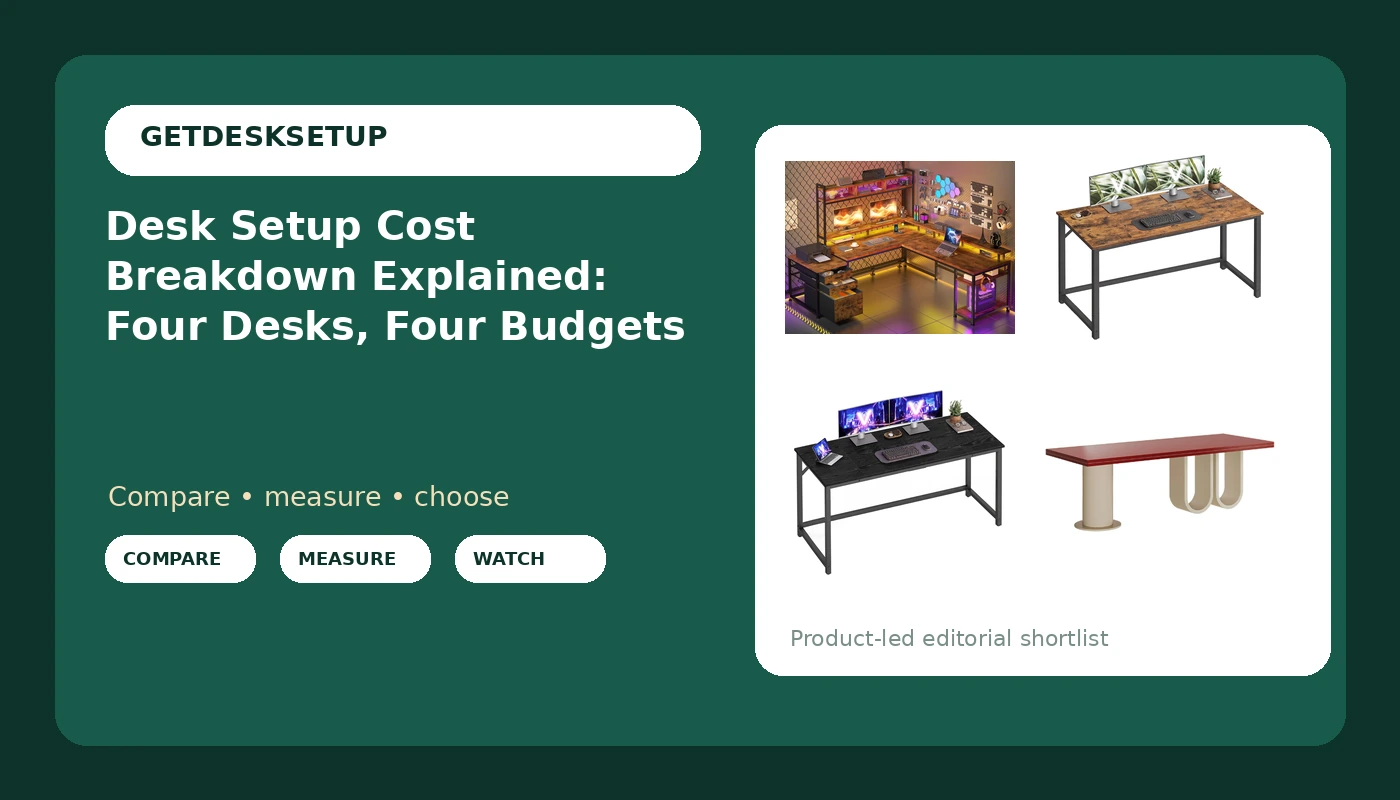
A desk setup cost breakdown is not a single number, and the desk itself is only the first line. The same room can hold a compact steel-frame desk or a large executive model, and the difference usually comes down to width, height range, frame material, and whether the desktop includes power. This desk setup cost breakdown explained below uses four current listings to show where the money goes, what each design actually gives you, and which measurements matter before you buy. If you are comparing a compact 47-inch desk against a 104-inch L-shaped model, the cost question is really a fit question.
Related: How to Measure Desk Height and Chair Pairing Before You Buy →
Quick answer
The largest cost driver is usually the desk, but the correct choice depends on room layout, desk height range, and whether you need a built-in power outlet. For a small room, a 47.2-inch desk keeps the footprint tight. For a dedicated office, a 104-inch L-shaped desk spreads work across two surfaces. A 55.1-inch desk sits between them. An executive desk with a power outlet suits a fixed work area where cable planning is a priority. Do not assume a higher price means a better fit. Measure first.
Four useful options
| Model | Best fit | What stands out |
|---|---|---|
| EnHomee 104" L Shaped Desk, 4 Layout Convertible RGB Lights & Monitor Stand | Dedicated home office with room for two work zones | Convertible layout, RGB lights, integrated monitor stand |
| VASAGLE Computer Desk, Steel Frame Gaming Desk for Home Office, 47.2 Inch | Small room or secondary desk | Steel frame and compact 47.2-inch width |
| VASAGLE Computer Desk, Steel Frame Gaming Desk for Home Office, 55.1 Inch | Standard home office wall | Steel frame with more surface than the 47.2-inch version |
| Work Desk for Home Office, Executive Desk with Power Outlet for Work Area | Fixed executive work area | Built-in power outlet and executive styling |
The large-room anchor: EnHomee 104" L Shaped Desk
This is the desk to consider when room layout is the constraint. A 104-inch L-shaped desk needs a corner and enough clearance for a chair to roll. Before you buy, measure the wall run and the return. If the room cannot give you that footprint, the compact VASAGLE desk below is the more practical choice. The monitor stand can raise a display, which changes monitor distance, but you still need to set the desk height and chair pairing around your body, not the other way around.
The compact desk: VASAGLE 47.2 Inch
At 47.2 inches, this desk fits where a 55-inch or L-shaped desk will not. That smaller width limits how far apart you can place a monitor and a laptop, so monitor distance becomes a real planning number. Measure from your seated eye position to the screen and keep the desk height within your chair's adjustment range. If you need a second surface or a printer on the desk, move up to the 55.1-inch version.
The mid-width desk: VASAGLE 55.1 Inch
The 55.1-inch desk is often the practical default for a standard home office wall. It leaves room for cable planning along the back edge and for a power strip or wall outlet without crowding the work surface. Check the desk height against your chair, because a steel-frame desk may have a fixed height or a limited range. If you are taller, test whether the top of the range lets your forearms rest level.
The fixed executive desk: Work Desk for Home Office
This is the option when the desk is furniture first and a computer stand second. The power outlet simplifies cable planning, but it also means you should decide where the desk goes before assembly, because moving it later means redoing the cable route. Pair it with a chair that matches the desk height, and leave ventilation space behind the desktop if the outlet area holds a power brick.
Prices and availability may change. Product images, names, and retailer links are matched to verified listings. No current price, rating, stock status, or measured result is stated here without current evidence.
Desk setup cost breakdown explained
A desk setup cost breakdown has four main drivers: the desk surface and frame, the chair, the monitor support, and the small parts that make the layout usable. The desk is usually the largest single line, but it is not the only one that decides whether the setup works. A 47.2-inch desk and a 104-inch desk can both hold a monitor, yet only one may fit the room layout you have. Width, depth, and shape set the floor plan before any accessory matters.
The second driver is adjustability. Desk height determines whether your elbows rest near 90 degrees and whether your feet reach the floor. If the desk has a fixed height, your chair pairing has to make up the difference. If the desk has a range, check the top of that range, because that is where wobble and reach problems show up first. Monitor distance then follows: your eyes should not be closer than your arm can comfortably reach, and the screen should sit at a height that keeps your neck neutral.
The third driver is power and cable planning. A built-in power outlet reduces the number of cables that run to the wall, but it also locks the desk to a location near an outlet or a power strip. Cable planning is not just neatness. A cable that pulls on a monitor arm or a laptop can change the screen angle within a week. The fourth driver is the room itself: lighting layers, ventilation, and the space behind the desk. A desk pushed flat against a wall can block airflow and make cable access painful.
Planning a desk workstation cost breakdown
A desk workstation cost breakdown starts with measurements, not with a product page. Work through these five steps in order.
- Measure the room layout and the available wall run. Write down the maximum width, including the return if you are considering an L-shaped desk.
- Measure your seated elbow height and decide your target desk height. If the desk is fixed, note the difference your chair must cover.
- Check chair pairing. Seat depth and seat height range have to match your body before the desk height can work.
- Set monitor distance from your seated eye position to the screen. A deeper desk gives you more room to adjust this.
- Plan cable planning and power outlet placement. Add lighting layers for overhead and task light, and leave ventilation space behind the desk.
Practical guidance for a desk arrangement cost breakdown
A desk arrangement cost breakdown is easier when you separate needs from upgrades. Use these checks before you commit.
- Measure the width first. A 47.2-inch desk, a 55.1-inch desk, and a 104-inch L-shaped desk belong in different rooms.
- Do not buy a desk before you know your chair's height range. The wrong pairing turns a good desk into a bad fit.
- Put the power outlet or power strip where you can reach it while seated. Standing up to plug in a laptop defeats the purpose.
- Leave a few inches behind the desk for cable planning and ventilation. Flat against the wall is the worst case for both.
- Add lighting layers before you add decorative accessories. Overhead light plus a task lamp usually matters more than RGB.
Which option should you choose?
Choose the EnHomee 104" L Shaped Desk, 4 Layout Convertible RGB Lights & Monitor Stand when your room layout allows a 104-inch L shape and you want convertible zones for a monitor and a writing area. Choose the VASAGLE Computer Desk, Steel Frame Gaming Desk for Home Office, 47.2 Inch when the wall is short and a compact footprint matters more than surface area. Choose the VASAGLE Computer Desk, Steel Frame Gaming Desk for Home Office, 55.1 Inch when you need a standard single-wall desk with more surface for a monitor and a keyboard. Choose the Work Desk for Home Office, Executive Desk with Power Outlet for Work Area when you want a fixed executive desk with a power outlet for a permanent work area.
None of the listings in this article states a height range or weight capacity in the records available here. Measure your own desk height target and chair pairing before you buy. A workstation layout cost breakdown that ignores those two numbers is only a price list.
The bottom line
A desk setup cost breakdown explained by measurements will beat a breakdown based on looks. Start with room layout, desk height, and chair pairing. Then decide whether you need a compact 47.2-inch desk, a mid-width 55.1-inch desk, a convertible 104-inch L-shaped desk, or a fixed executive desk with a power outlet. The cheapest correct setup is the one that fits your body and your room, and that is the number worth paying for.