I have built out 310 home offices in and around Seattle, and the same argument shows up in almost every one of them: setup with standing desk vs setup with fixed desk. For the nine years before that I was a facilities manager, buying and assembling chairs and desks for 400-person floors, and the pattern never changed. Nobody regrets the brand they picked. They regret a desk type that did not fit the room, the chair, or the person sitting in it. So this is not a brand comparison. It is a measurement comparison, and every product below is one I would put in a client's office for a year.
Related: Standing Desk Height Ranges Explained By Body Height
The short answer: if you already own a desk that fits you and your room is tight, a riser that sits on top of it is the cheapest correct answer. If you are starting from nothing, or you are tall enough that your current fixed desk is already too low for your seated elbows, buy a full electric desk and skip the riser entirely.
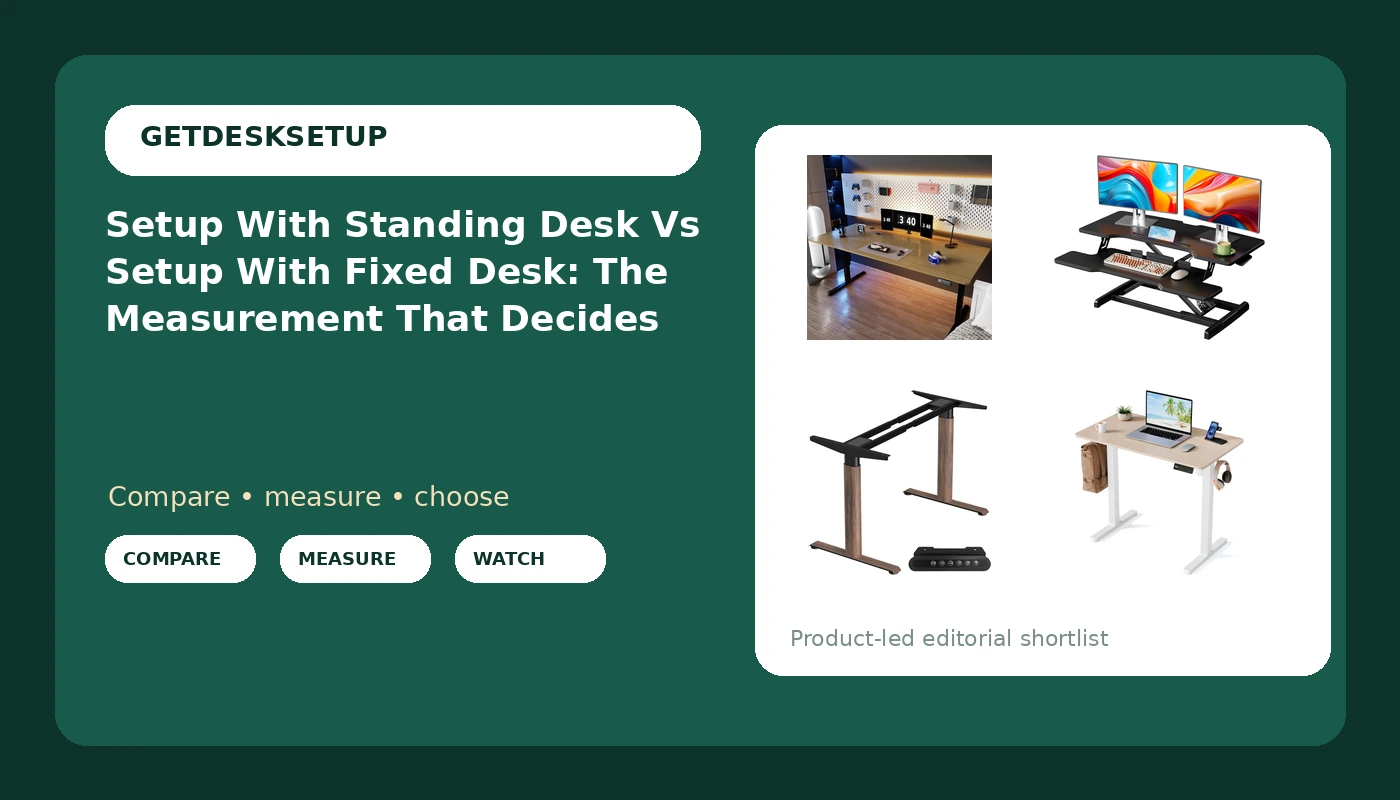
Four products cover every version of this decision I get asked about, and they come in three shapes: a converter that turns a fixed desk into a standing one, a frame-only base you supply your own top for, and two complete electric desks at opposite ends of the width range. Here is the table, and then the part that actually decides it, which is what changes in each zone of the setup.
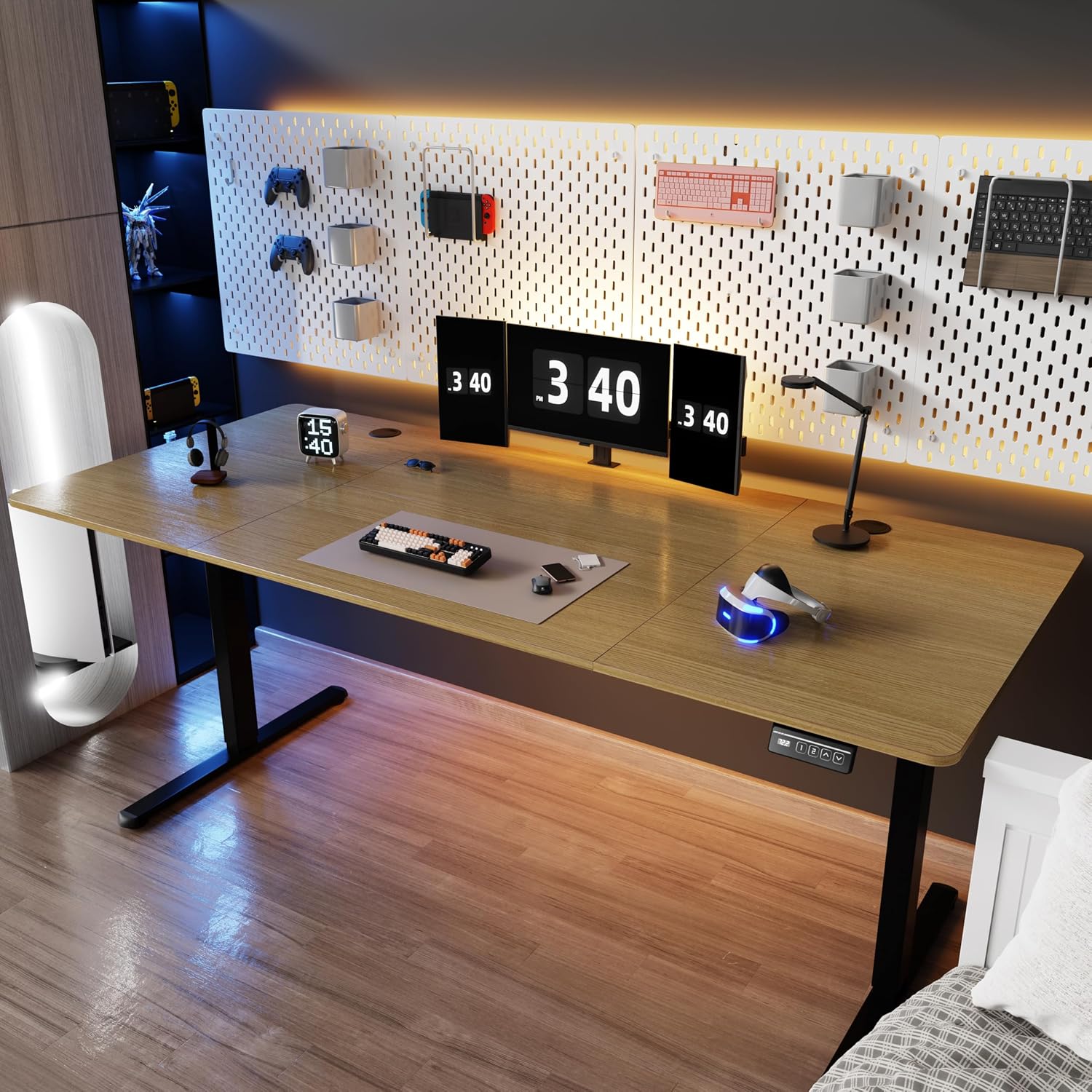
Shintenchi Standing Desk, 71×31 Inch Height Adjustable Electric Sit Stand up Desk, Walnut and Black
Widest surface here, so two monitors and a laptop all fit at eye level, and one motorized top covers the whole seated-to-standing span
71 inches of clear wall is a real requirement, and this is the hardest of the four to fit into a shared room
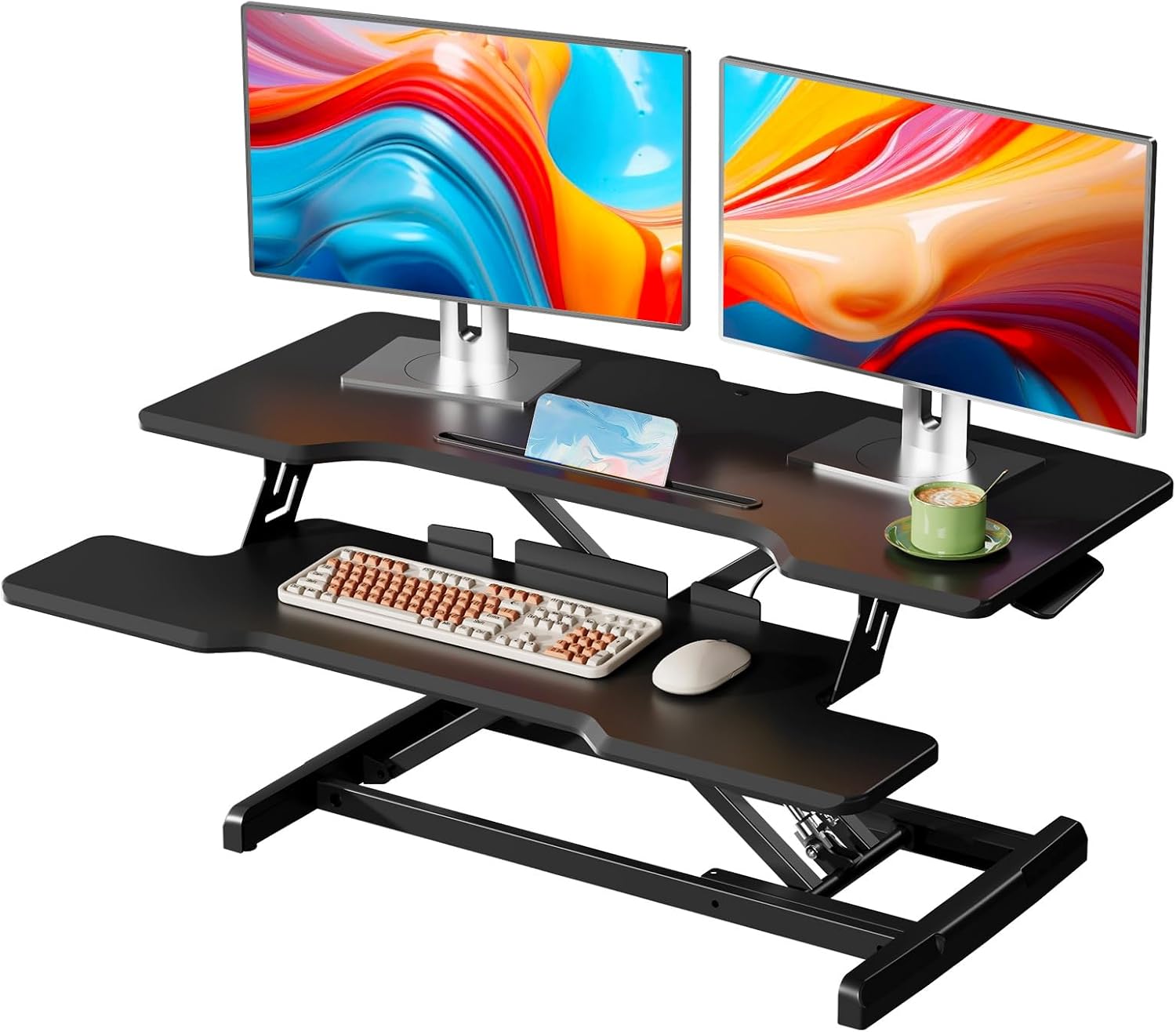
35" Standing Desk Converter, Quick Sit to Stand Desk Riser
Keeps the desk, drawers, and cable runs you already own, with nothing to rebuild
It stacks on a surface that may already be the wrong height for you, and 35 inches is narrow once a monitor and keyboard share it
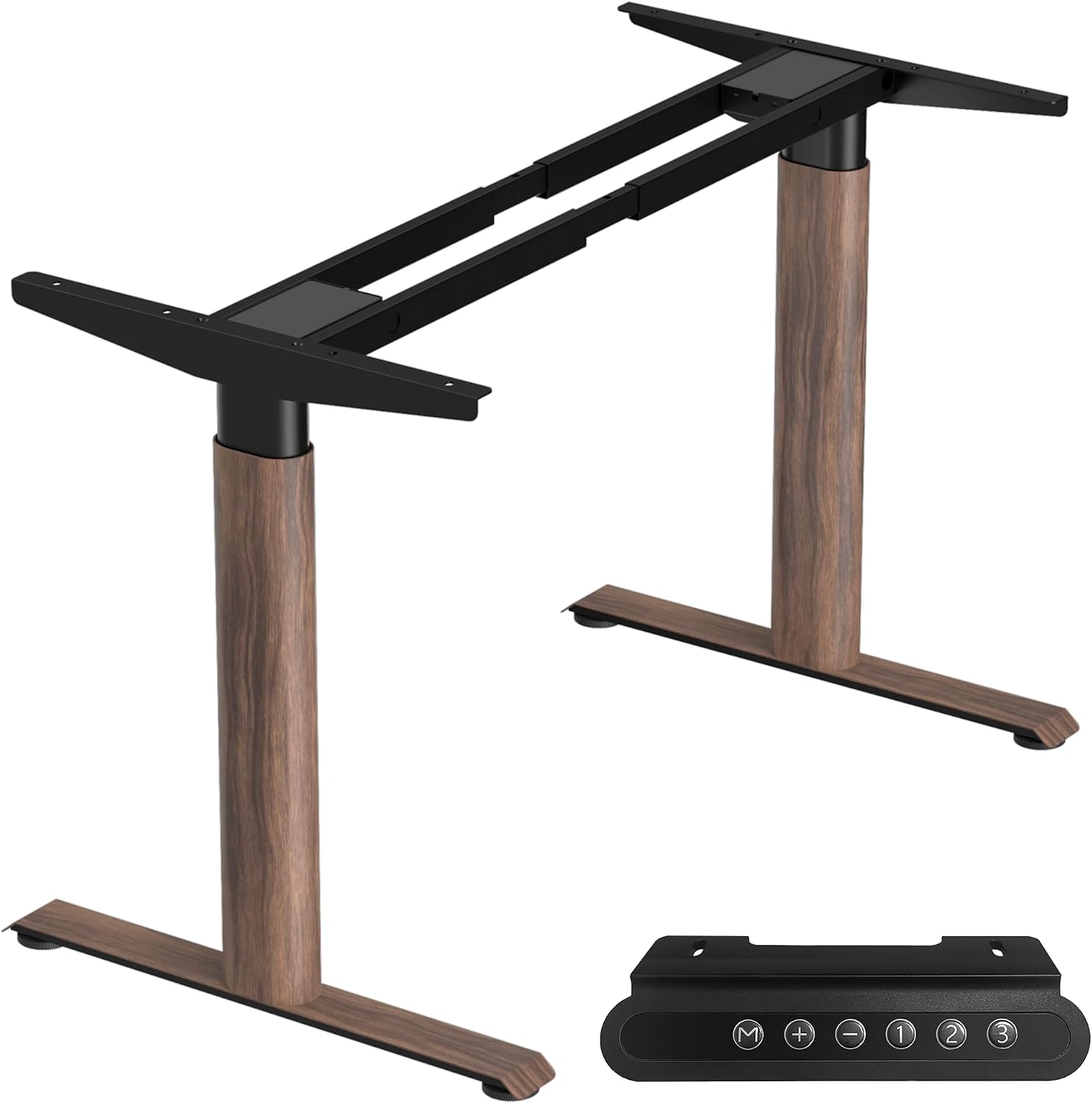
Dual Motor Standing Desk Frame, Sit Stand Desk Base Only, Walnut
You choose the top, so the final width and height match your room instead of the other way around
Base only: no surface, no finished edge, and you still have to buy, cut, and drill a top
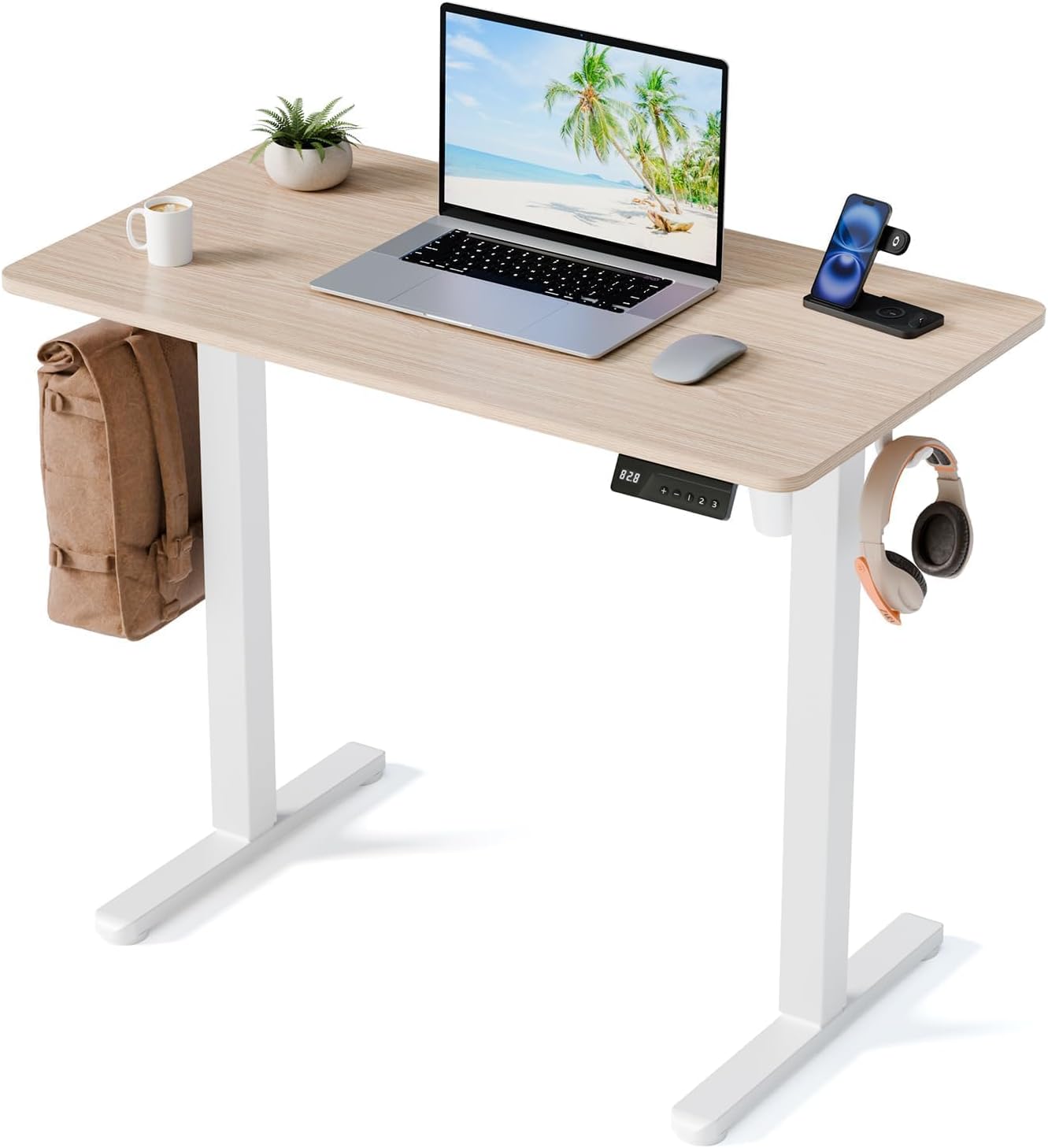
35" Electric Standing Desk, Small Sit Stand up Desk, Light Walnut
A complete electric desk that fits a corner or a small rental room without taking over the floor
35 inches wide means one monitor comfortably, and two only if you stack them vertically
Prices and availability may change.
Setup With Standing Desk Vs Setup With Fixed Desk: The Number That Decides It
Most buyers compare motor speed and warranty length. Neither one decides anything. The number that decides is your seated elbow height measured from the floor while you sit in the chair you actually use, in the shoes you actually wear. That is your seated desk height. A fixed desk either matches it or it does not, and no accessory rescues a surface that is two inches off.
Standing work adds a second number: your standing elbow height, same shoes, same floor. A full electric desk covers the whole span between those two numbers with one surface, and that is the entire argument for buying a desk instead of a riser. A converter covers only the top part of the span, because it adds height on top of whatever your fixed desk already is. If the seated height is already wrong, the riser inherits the problem and raises it.
This is also the difference between setup with standing desk and setup with fixed desk in one sentence: how many surfaces move when you change posture. One surface, and your monitor distance and keyboard height travel together. Two surfaces, and you are re-solving both every time you stand up.
Desk Height: What a Riser Can and Cannot Fix
A riser is a height adder. It cannot subtract. If your fixed desk is a dining table you have been using as a desk, a converter on top of it puts your keyboard somewhere above your standing elbow height, and you will feel it in your shoulders within a week.
The fix is to measure before you buy either one. Sit in your chair at your fixed desk and check where your elbows land relative to the surface. If they are level or slightly above, a riser works and you are done. If they are well below, the fixed desk is already too high, and the honest answer is a different desk, not a riser on the wrong one.
A frame-only base is the other escape hatch. Because you supply the top, the thickness of the surface you choose adds its own height to the frame, so a thicker butcher block buys you a little extra range. That flexibility is why I keep one in client builds. It is also why the frame is the wrong first purchase for anyone who does not want to buy, finish, and drill a top.
Chair Pairing: The Part That Breaks First
A standing desk does not fix a chair that does not fit, and a chair that fits does not need a standing desk to be tolerable. If you cannot state your seat depth in inches, you are guessing, and guessing is how people end up on a 17-inch seat when they need 19.
My rule for pairing: get the chair right at seated height first, then decide how you will stand. A 5 foot 9 person at 190 pounds is typically looking at roughly a 19-inch seat depth, and that is the number to check against a listing before anything else. Once the seated position is correct, a full electric desk lets you keep the same chair and simply raise the whole surface. A converter keeps the same chair too, but it does not change your seated height at all, so a chair problem stays a chair problem.
In a setup with fixed desk vs setup with standing desk comparison, the chair is the one part that does not change, so it is the part to get right before you spend anything. If you want the full method, I wrote it up here: Seat Depth And Seat Height: How To Measure A Chair That Fits.
The other chair question is whether it tucks away. The 71-inch desk has enough width and depth to push a chair in and leave the room looking like an office instead of a storage unit. The 35-inch desks are tighter, and if you use a perch stool for standing blocks, check that it clears the frame at the desk's lowest position.
Monitor Distance: The Quiet Casualty of a Riser
On a full electric desk, the monitor, the keyboard, and your hands all move together. Monitor distance stays whatever you set it to, seated and standing, because nothing changes relative to anything else.
A riser splits the stack. The keyboard goes up onto the platform, and the monitor goes wherever you decide to put it, which is usually still on the original desk surface behind the riser. Now your monitor distance is different when you stand than when you sit, and if you leave it, you will spend your standing blocks leaning in. The standard fix is a monitor arm so the screen can be pulled forward and up independently of the riser. Budget for that arm, because without it the converter only half solves the problem.
This is where the "ergonomic" label on cheap risers stops meaning anything. A riser with no way to move the screen independently is a keyboard stand with a marketing problem.
Room Layout and the Minimum Desk Width
I will not recommend a desk without naming the minimum width, because this is the failure I see most often in photos clients send me.
For the 71×31 Shintenchi desk, plan on 71 inches of clear wall, plus an inch or two on each side, plus enough floor behind the chair to roll back. In a room under about 8 feet wide with a door that swings inward, that desk eats the room and you will feel it every day. For the 35-inch options, plan 35 inches of clear wall. That is the number that makes them work in a bedroom corner, a rental, or a nook beside a closet.
The setup with standing desk vs setup with fixed desk decision often comes down to this and nothing else. A converter adds almost no footprint because it lives on a desk you already placed. A full electric desk has to own its floor space, and in a small room that is the whole trade.
Cable Planning and the Power Outlet Problem
Cable planning on a standing desk is not aesthetics. It is slack. The top travels, and every cable attached to it needs enough length to cover the full range of motion without pulling tight at the top. A cable that goes taut at standing height tugs on whatever it is plugged into, and a cable that tugs on a monitor arm changes your monitor angle within a week. That is not a theory, it is the most common complaint I get on service calls.
The order that works: run cables at the lowest desk position, leave the loops, then raise the desk all the way and check again. Anything that pulls gets a longer cable or a different route. Zip-tie the bundle to the frame rather than to the wall, and leave the service loop near the outlet instead of stretching it.
Which brings up the power outlet itself. A full electric desk adds one cord that travels with the top, plus whatever strip you mount underneath for the monitor, laptop, and lamp. One outlet behind the desk is enough if you mount a strip to the frame and plug everything into that. A converter does not add a moving cord at all, because the surface underneath it is not moving, which is a genuine and underrated advantage in a room with one accessible outlet.
Ventilation and Lighting Layers
Two things people forget once the desk starts moving up and down.
Ventilation first. A standing position puts your head higher, into the warm air that collects near the ceiling, and a desk pushed flush against the wall traps it behind the monitor. Leave a few inches of gap behind the desk, and if the room has one window, point a small fan across the desk rather than at you. In a closed bedroom office this is the difference between a two-hour standing block and a twenty-minute one.
Lighting layers matter for the same reason. Overhead light that lands correctly on the desk when you are seated can glare off a monitor when you are standing, because the screen has moved into a different part of the beam. Add a task light you can angle, keep the window to your side rather than directly behind you, and check the setup at both heights before you commit. If your video calls happen standing, remember your face will be lit differently than it was at seated height.
The Four Options, and Who Should Skip Each
Here is how I would actually assign these, with the person who should walk away named in each case.
Shintenchi Standing Desk, 71×31 Inch Height Adjustable Electric Sit Stand up Desk, Walnut and Black. This is the desk for someone who has the wall and wants one surface to do everything. Two monitors, a laptop, and a keyboard all fit without stacking, and the electric adjustment covers the full seated-to-standing span in one movement. Skip it if your clear wall is under 71 inches, if you share the room with someone else's furniture, or if you move apartments every year. Visit on Amazon
35" Standing Desk Converter, Quick Sit to Stand Desk Riser. The pick for anyone who already owns a fixed desk that fits them and cannot justify replacing it. It keeps your drawers, your outlet, and your cable runs exactly where they are. Skip it if your fixed desk is already too high or too low when you sit, if you run two large monitors, or if you are not willing to add a monitor arm to keep screen distance consistent. Visit on Amazon
Dual Motor Standing Desk Frame, Sit Stand Desk Base Only, Walnut. This is the frame for a specific buyer: someone who wants an exact width and an exact top and is willing to do the work. You buy the surface separately, which means the final height depends partly on the top you choose. Skip it if you want to unbox one thing and be done, or if you do not own a drill. Visit on Amazon
35" Electric Standing Desk, Small Sit Stand up Desk, Light Walnut. The complete desk for a small room. If your clear wall is about 35 inches, this is the only full electric option in this group that fits without rearranging the room. Skip it if you need two monitors side by side at eye level, or if you want desk space for paperwork alongside the screen. Visit on Amazon
Trade-Offs I Will Not Pretend Away
The converter is the cheapest path here if you already own a desk, and it is also the one that limits you most. You are locked to your existing surface height and width for as long as you keep it, and 35 inches of riser is not much once a keyboard and a monitor share it.
The frame-only base looks like the cheapest item on the list, and it is not, once you add a top. Budget the surface, the finish, and an afternoon.
The two complete desks are the simplest answer, and the 71-inch version demands the most room. The setup with standing desk or setup with fixed desk choice stops being about ergonomics in a small apartment and starts being about floor plan, and pretending otherwise would be dishonest.
What I Would Put in a Client's Office
For a client with a fixed desk they already like, the converter goes on top and I add a monitor arm. For a client starting from nothing in a normal-sized room, the 71-inch electric desk is the one I order, because one surface that covers both postures beats two surfaces that each cover half. For a small rental room, the 35-inch electric desk is the only one of the four I would sign off on, and I would tell them to stack their screens vertically before they buy.
That is the honest version of setup with standing desk vs setup with fixed desk. Measure your seated elbow height, measure your clear wall, count your outlets, then buy the desk that matches the numbers you wrote down. The cheapest correct setup beats the most expensive wrong one every single time.