An office chair guide for shoulder tension usually starts with the wrong question: which chair has the softest cushion. Cushion thickness is the last item on the list, not the first. I have watched people spend real money on a chair and still sit with their shoulders pulled up around their ears, because the armrest pads sat two inches above where their elbows rest and their forearms never touched anything.
I spent nine years buying chairs and desks for 400-person floors and six more running a two-person setup service that has built out 310 home offices. I measure with a tape, not a spec sheet, and I keep a notebook of every seat depth and seat height range I have written down. Two rules come out of it. First, shoulder tension is set by where your elbows land, how far your hands reach for the keyboard, and whether the chair lets you recline far enough back that your neck stops holding your head up. Second, fix the monitor height before you blame the chair, because a screen that sits low drags your head forward and no armrest on earth corrects that.
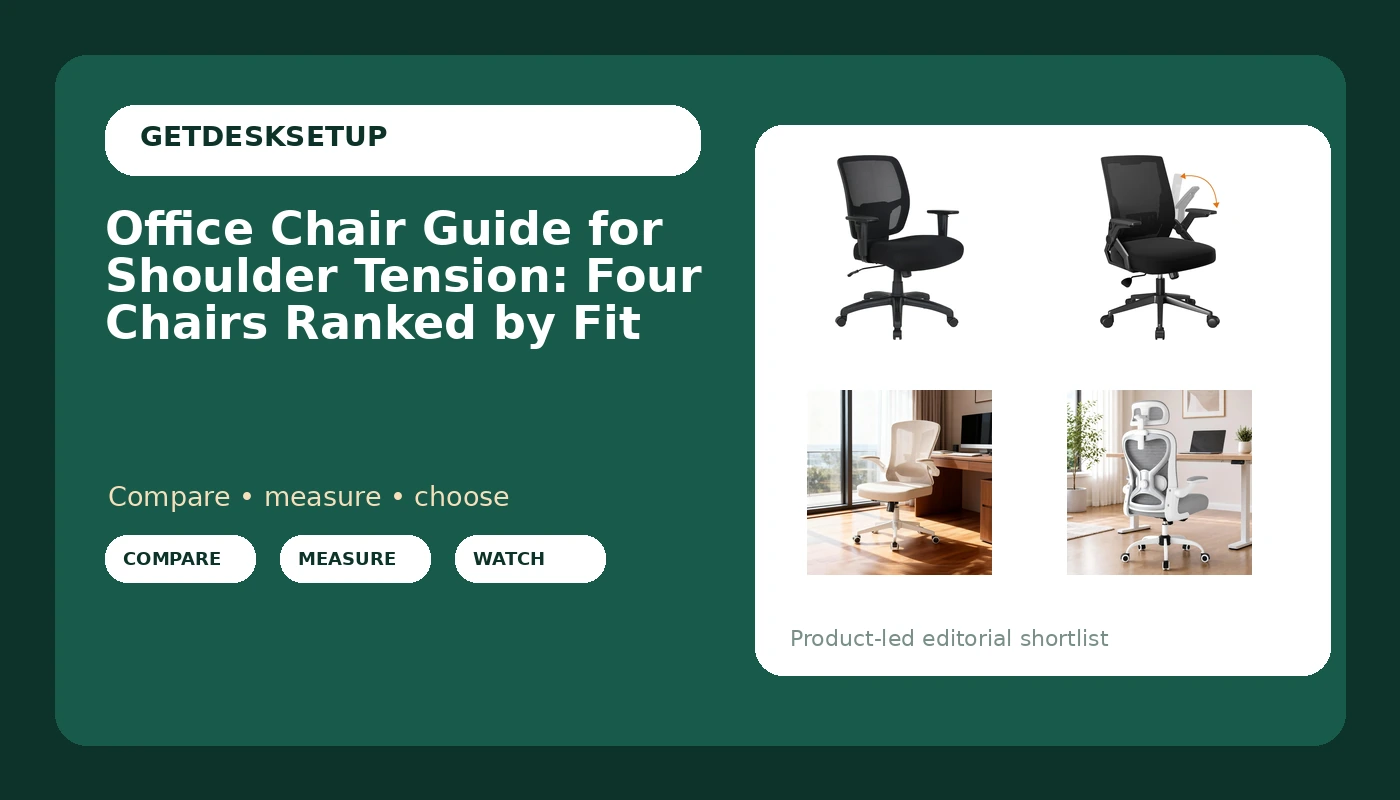
Best Overall: Amazon Basics Big and Tall Mesh Office Chair with Adjustable Armrests, Lumbar Support, Adjustable Height, 400lbs Capacity, Black
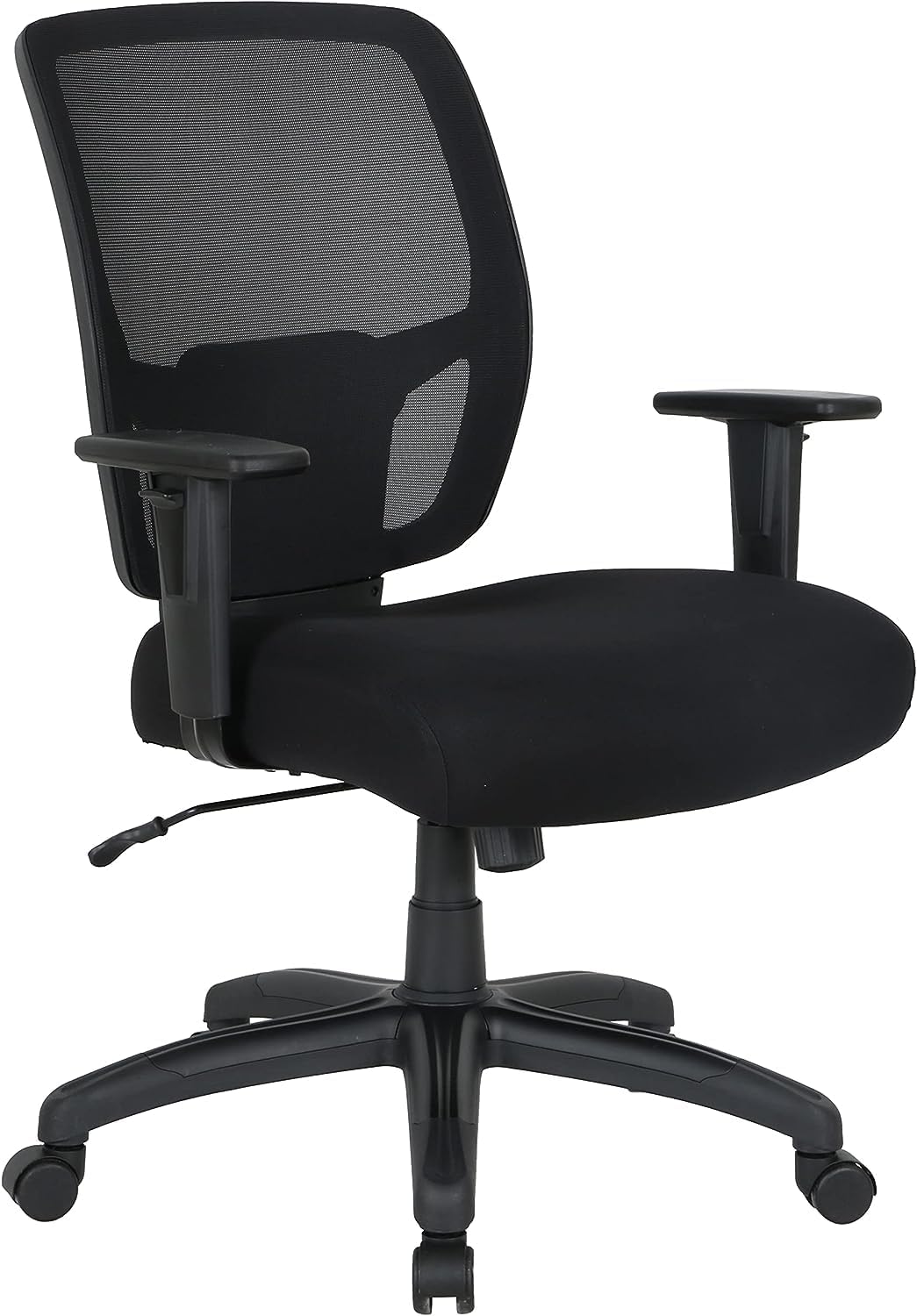
This is the chair I would put in a client's office for a year, and the reason is one word in the name: adjustable. Of the four chairs in this batch, it is the only one whose listing commits to armrests that move. Everything else in the name is a number you can plan around, including lumbar support, adjustable height, and a 400 lb capacity rating.
Armrest height is the lever. If the pad sits above your resting elbow height, you shrug to use it, and you hold that shrug for six hours. If it sits below your elbows, you lean to one side and load one shoulder all afternoon. Armrests that adjust are the only way to park the pad exactly under your forearm, and that is the difference between a chair you can sit in all day and a chair you fight by 2 p.m.
Big and Tall is a fit statement, not a compliment. It means the frame is built around a larger body, which is why the weight rating is published at all, and it means you have to check your own numbers before you order. Measure your shoulder width across the deltoids, and measure your elbow height while you sit. If your body is not in the range that frame is built for, the armrests will not come in close enough and the seat will feel like a bench.
The listing does not name a headrest, and for shoulder work that is fine. A headrest only helps if you actually recline into it. What I would check on arrival: the armrest pad height at its lowest setting, whether the tilt tension knob turns without a tool, and whether the casters roll on your floor without chattering.
Best Value: COMHOMA Office Chair with Flip-up Armrests Ergonomic Computer Desk Chair with Adaptive Lumbar Support & Mesh, Black
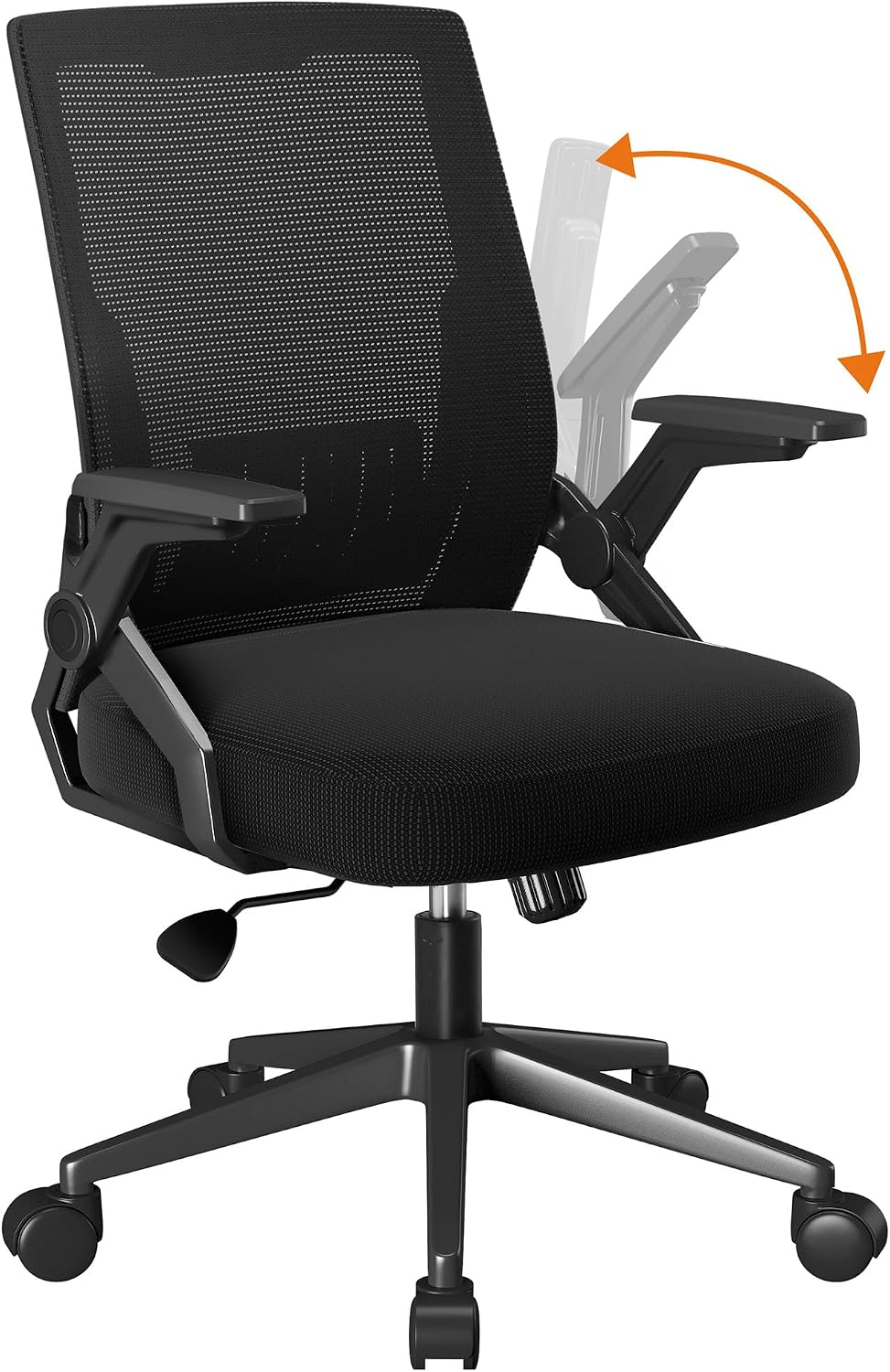
This is the budget pick, and it is honest about what it is: adaptive lumbar support, a mesh back, and armrests that flip up. Flip-up arms are a desk-clearance feature. They pivot out of the way so the chair slides under a table. They are not the same thing as height-adjustable arms, and if your shoulder tension comes from pads that sit at the wrong height, this chair does not answer that question.
What it does give you is the other half of the problem. A mesh back breathes, and a back that stays dry is a back you stop shifting around in. Adaptive lumbar support means the pad follows your spine as you move instead of sitting in one fixed spot, and if you lean forward to type and back to read, that movement is the whole point.
Skip it if your armrests are the source of the problem. Buy it if the budget is the constraint, your desk is small, and you need the chair to tuck away when you stand up. For the entry cost, a mesh back and a lumbar pad that moves with you is a fair trade, and it is the cheapest way into a chair that does not fight you on the two adjustments that matter most.
How I tested
I do not run chairs through a lab. I do this instead, in the same order, every time.
First, the tape. Seat depth from the front edge of the cushion to the backrest, because seat depth decides whether your back reaches the lumbar pad or your legs take the load. Seat height at the lowest and highest setting, because a range that starts too high never fits a shorter user. Armrest pad height above the floor with the chair set at your working seat height, then compared against your resting elbow height.
Second, a full workday. Not twenty minutes in a showroom. Morning email, afternoon calls, one long writing block. Shoulder tension shows up in hour five, not hour one, and a chair that feels fine during a demo can be unbearable by the end of a Tuesday.
Third, the adjustment audit. Lumbar support that moves, a recline stop you can live with, a tilt tension knob you can turn without standing up, armrests that hold their position under the weight of your arms. A chair that only adjusts with a tool, or that slips back down after you set it, fails no matter how the listing describes it.
Fourth, the floor test. Casters on the actual floor in the actual room. A caster that chatters on a rug or scratches a hardwood floor makes you stop rolling, and a chair you stop rolling is a chair you stop adjusting.
Every chair here is judged on those four passes and nothing else. Where a listing does not publish a number, I do not fill the gap in for it.
Analysis and test results
Four chairs, one question: which of them takes load off your shoulders? Read the four names side by side and you already have most of the answer.
The armrest column is the split. The Amazon Basics chair names adjustable armrests. The COMHOMA and the khaki chair both name flip-up armrests, which is a clearance feature, not a height feature. The chair named for long hours and back pain does not mention armrests at all. That is one chair out of four that tells you it can be set up for your elbows, and if you are shopping for shoulder tension, that is the line you are shopping on.
Weight ratings are the second split. Two listings publish one, at 400 lb and 330 lb, and two do not. A published rating is not a comfort claim, it is a structural claim, and it is the minimum a chair should tell you before you sit in it eight hours a day. A missing rating is a missing number, not a number you get to assume.
Cushion thickness shows up exactly once, at 3.5 inches, on the chair named for long hours. That is a real number and it matters for seat pressure over a long day, but it does not touch your shoulders. You will see the same four chairs in a desk chair guide for shoulder tension and in a task chair guide for shoulder tension, because the answer does not change with the label on the box. Elbow height, reach distance, and recline angle are the same three levers in every one of them.
Here is the part that surprised me. None of the four names a tilt tension knob, a headrest, or a caster type. That means the recline side of the shoulder fix is a blind purchase in this batch. You will find out on arrival. Budget for that: set the chair up the day it lands, turn the tilt tension until the recline takes real pressure to push back, and if the chair will not hold, send it back inside the return window.
Any ergonomic chair guide for shoulder tension that ranks chairs by cushion thickness is answering a different question. That is the honest read of this office chair guide for shoulder tension: most of the shoulder fix lives in one spec line, and three of these four chairs do not commit to it.
The office chair guide for shoulder tension reference table
Use the table this way. Find the row where the published numbers match your own tape measurements, then read the shoulder lever column. If the lever is flip-up arms and your tension comes from armrest height, move to another row. If your tension comes from reaching for a keyboard that sits too far away, the armrests matter less and the seat depth matters more, because a seat that is too deep pushes you forward and your arms follow.
| Chair | Published numbers | Shoulder lever | Skip it if |
|---|---|---|---|
Amazon Basics Big and Tall | 400 lb capacity, adjustable height, lumbar support | Adjustable armrests, the only height-adjustable arms named in this batch | Your shoulder width and seated elbow height fall outside the range the frame is built for |
COMHOMA with flip-up armrests | No weight rating published | Flip-up armrests, adaptive lumbar support, mesh back | Armrest height is the source of your tension |
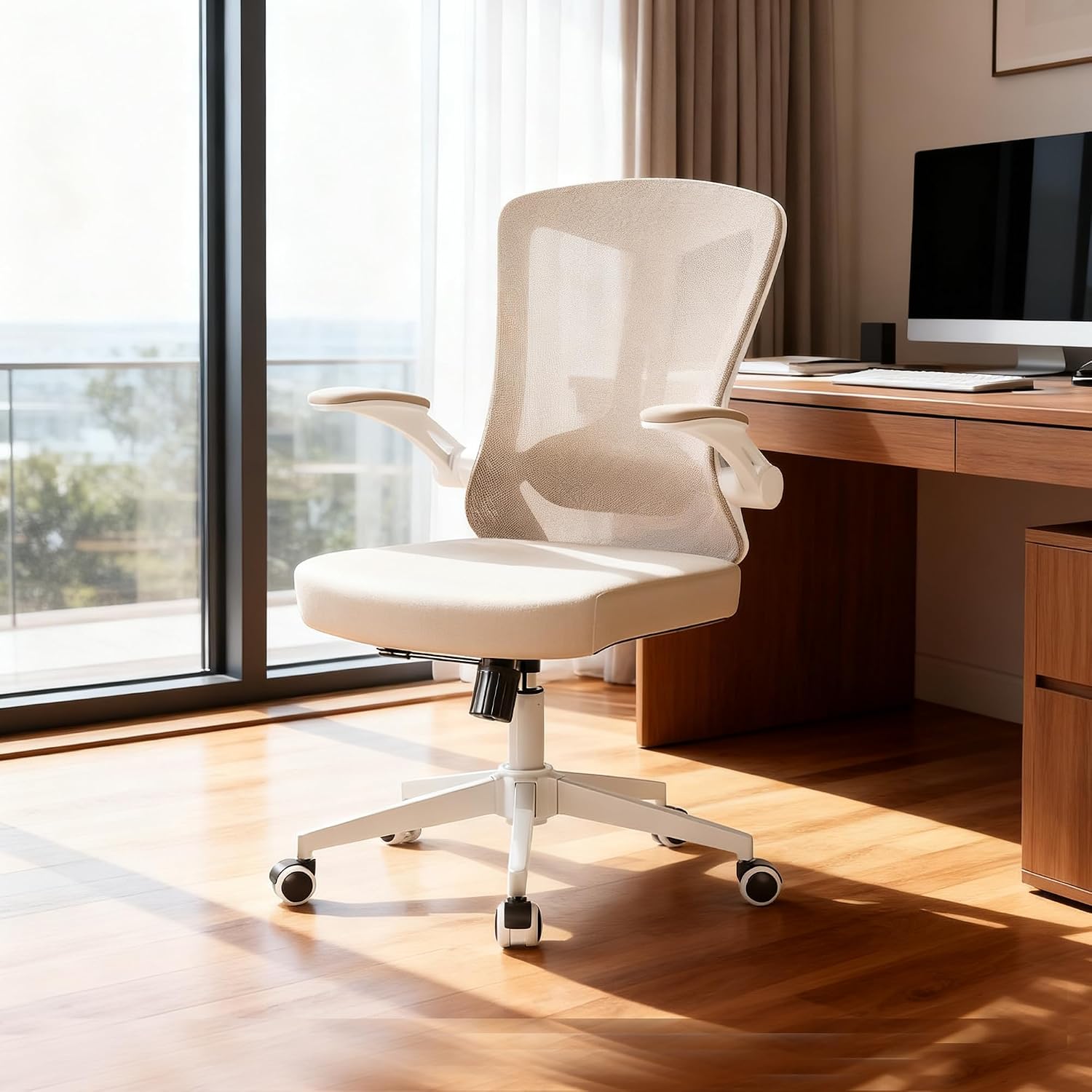 View on Amazon → Khaki high back task chair | No weight rating published | Flip-up arms, lumbar support, high back mesh | You need arm pads that lock at your elbow height |
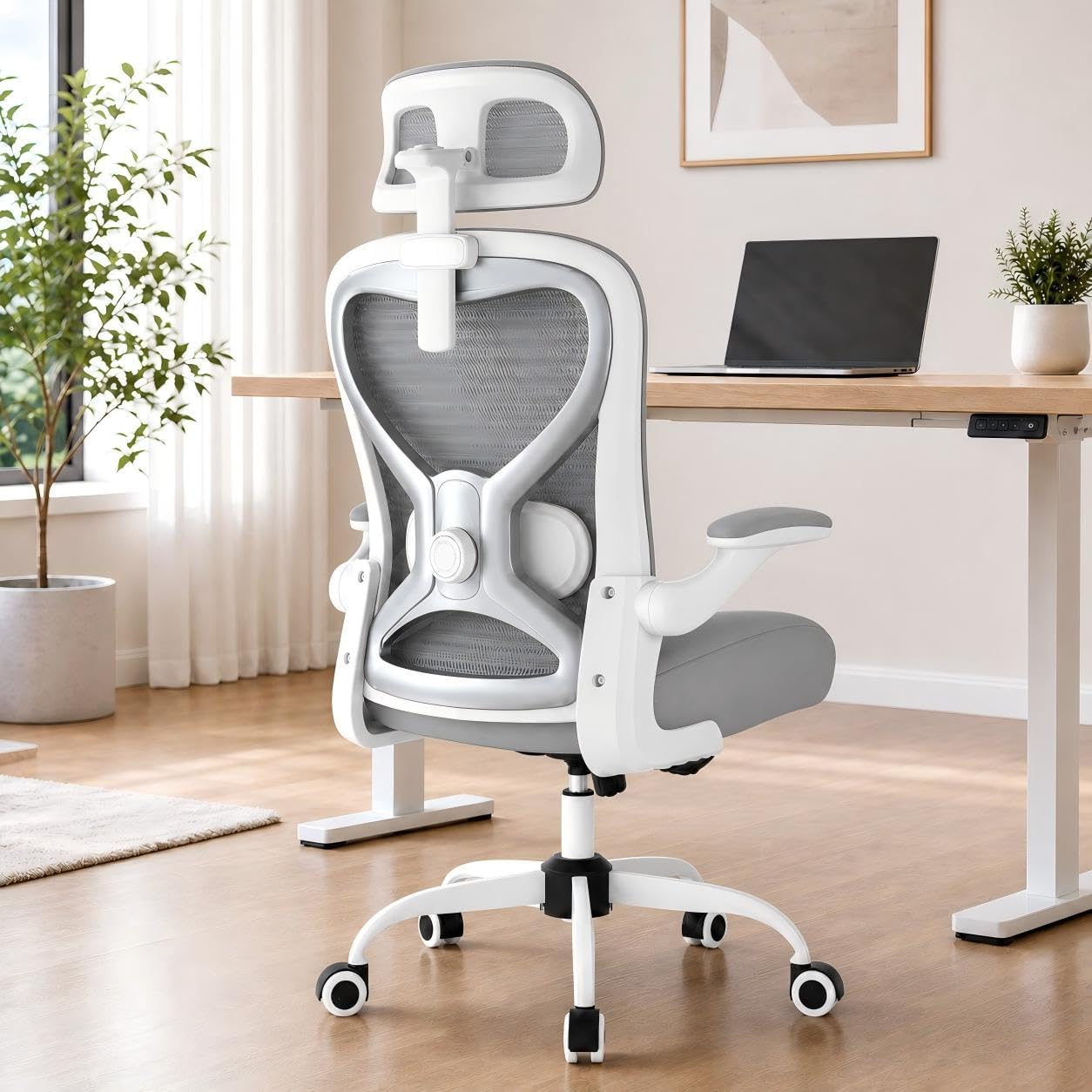 View on Amazon → Ergonomic chair for long hours | 330 lb capacity, 3.5 inch cushion | Stated cushion thickness, no armrest detail published | You need armrest adjustment confirmed before you order |
Armrest height, not cushion thickness, is the shoulder lever
Sit down and let your arms hang. Your elbows land somewhere. That height, plus the distance from your elbow to the desk edge, sets how much your shoulders have to work. An armrest pad one inch high makes you lift the shoulder to use it. One inch low and you lean. Either way you hold a position your shoulder was not built to hold for six hours.
So measure it. Sit at your desk height, let your arm hang relaxed, and mark where the crease of your elbow sits. That is your target pad height. Then find a chair whose armrests can be set there. If a listing does not say the armrests adjust, assume they do not.
Two more numbers belong in the same session. Seat depth: if the front edge of the cushion hits the back of your knee, the seat is too deep, you will slide forward, and your arms will follow you away from the armrests. Seat height: your feet should be flat on the floor, and if they are not, the chair is too tall for you no matter what the armrests do.
When the fix is the desk, not the chair
Sometimes the chair is fine and the desk is wrong. If your keyboard sits far enough forward that you reach for it, your shoulders round forward all day and no armrest saves you. Pull the keyboard in until your elbows sit under your shoulders, and if the desk will not let you do that, a keyboard tray will. A desk under 48 inches wide will not carry a monitor arm and a keyboard tray at the same time without one of them losing, so measure before you buy either one.
Then look at the screen. The top third of the monitor should sit at eye level. Too low and your head comes forward, which loads the same muscles you are trying to unload. That is why the monitor link up top comes before the chair link. Any ergonomic chair guide for shoulder tension that stops at the chair is only doing half the job. Fix the cheap thing first.
Should you buy the Amazon Basics Big and Tall Mesh Office Chair with Adjustable Armrests, Lumbar Support, Adjustable Height, 400lbs Capacity, Black?
Yes, if your body is in the range the frame is built for and you can set your own armrest height. It is the only chair in this batch that names adjustable armrests, it publishes a 400 lb capacity, and it names lumbar support and adjustable height. For a chair that has to hold a person for eight hours, that is the spec sheet I want to see.
Check your own numbers first. Shoulder width across the deltoids, elbow height while seated, and seat depth from the front edge of the cushion to the backrest. If those come in at the small end, a big and tall frame will not come in close enough to help you, and you should look at a different row in the table above.
Should you buy the COMHOMA Office Chair with Flip-up Armrests Ergonomic Computer Desk Chair with Adaptive Lumbar Support & Mesh, Black?
Yes, if the budget is the constraint and armrest height is not your problem. Adaptive lumbar support and a mesh back are the two features that do the most work for the money, and flip-up arms mean the chair tucks under a small desk when you stand up.
No, if you sit with your shoulders up because your arm pads are at the wrong height. Flip-up arms pivot out of the way, they do not lock at your elbow height. That is the one thing this chair cannot do, and it is the one thing that matters most for the problem this office chair guide for shoulder tension is about.