Related: Under desk keyboard tray mounts that survive a lease
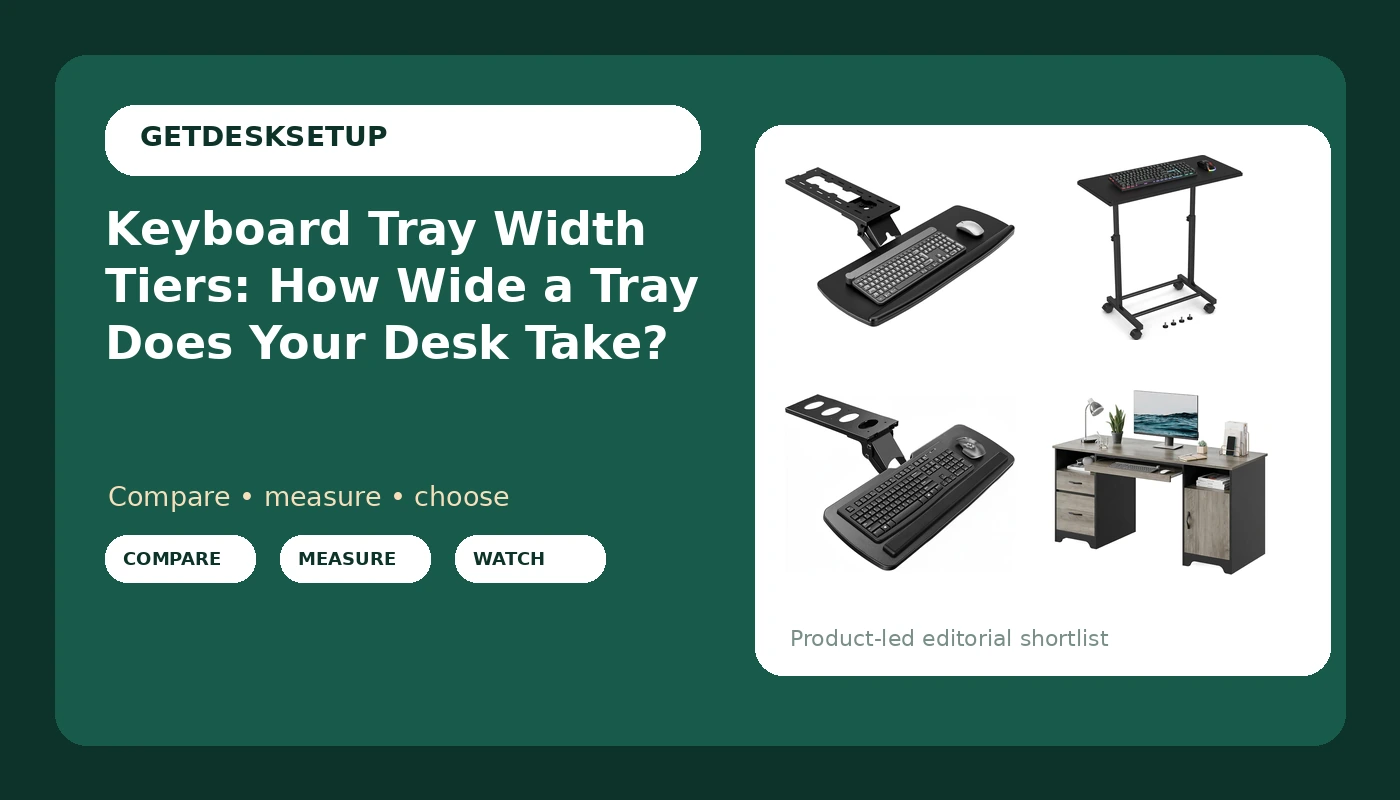
Keyboard tray width tiers are the first thing I check on any listing, because width decides whether you get a mouse on the tray or a bruise on your thigh. I carried a tape measure in my jacket pocket through nine years of buying furniture for 400-person floors, and six more years building out 310 home offices have not changed the rule: measure the clear span under the desktop before you shop. Most people do it backwards, order the widest tray on the page, and find out on install day that it fights a drawer bank or the desk's center support.
This keyboard tray width tiers guide covers the three bands I plan around, the tray I would mount in a client's office and leave there for a year, the cheap one I would hand to someone in a rental, and the desk that arrives with a tray already built in. Everything below is a clamp-on tray, a freestanding tray, or a desk, so the tool list is a tape measure and a Phillips head.
Best Overall: AX WABER Keyboard Tray Under Desk with Storage Drawer
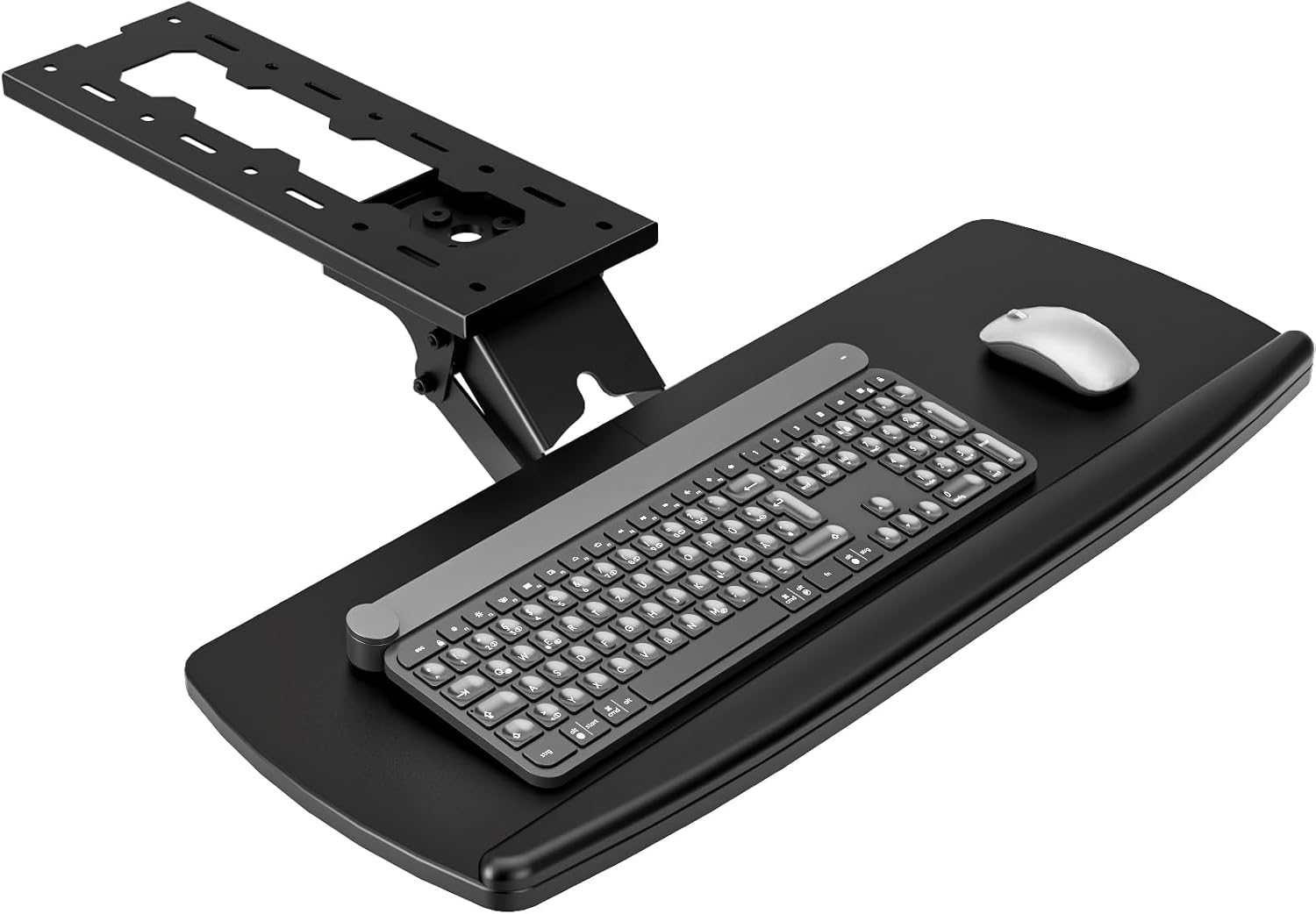
This is the tray I reach for when the desk has open space underneath and the person wants their work surface back. The AX WABER Keyboard Tray Under Desk with Storage Drawer, Height Adjustable Keyboard Tray Slide Out 360° Swivel Tilt, Ergonomic Under Desk Mount Keyboard & Mouse Holder for Gaming Home Office, Black is a mount, a slide, and a drawer in one unit, and it is the only pick here that stores anything.
Height adjustment and the 360 degree swivel and tilt matter more than they sound on paper. Swivel lets you push the tray out of the way without unclamping it, and tilt lets you set a slight negative angle so your wrists stay neutral instead of breaking upward over the front edge. The slide out rail is what makes a keyboard shelf usable on a deep desk: you type on the tray, then push it in when you switch to writing or drawing.
The storage drawer is what pushes it up a tier. A drawer needs swing room, so this one belongs on the middle and wide tiers, not the compact one. If your desk has a full-width apron, a center drawer, or a crossbar near the front edge, measure before you buy. On a normal open frame, it turns a keyboard shelf into a piece of furniture.
Install order matters and it is the same every time: clamp or bolt first, then load the tray with the keyboard and mouse, then tighten the final screws with the weight already on it. Reversing that order is how people crack a desktop or end up with a tray that sits crooked for the rest of its life.
Best Value: Snughome Mobile Keyboard Tray with Mouse Pad
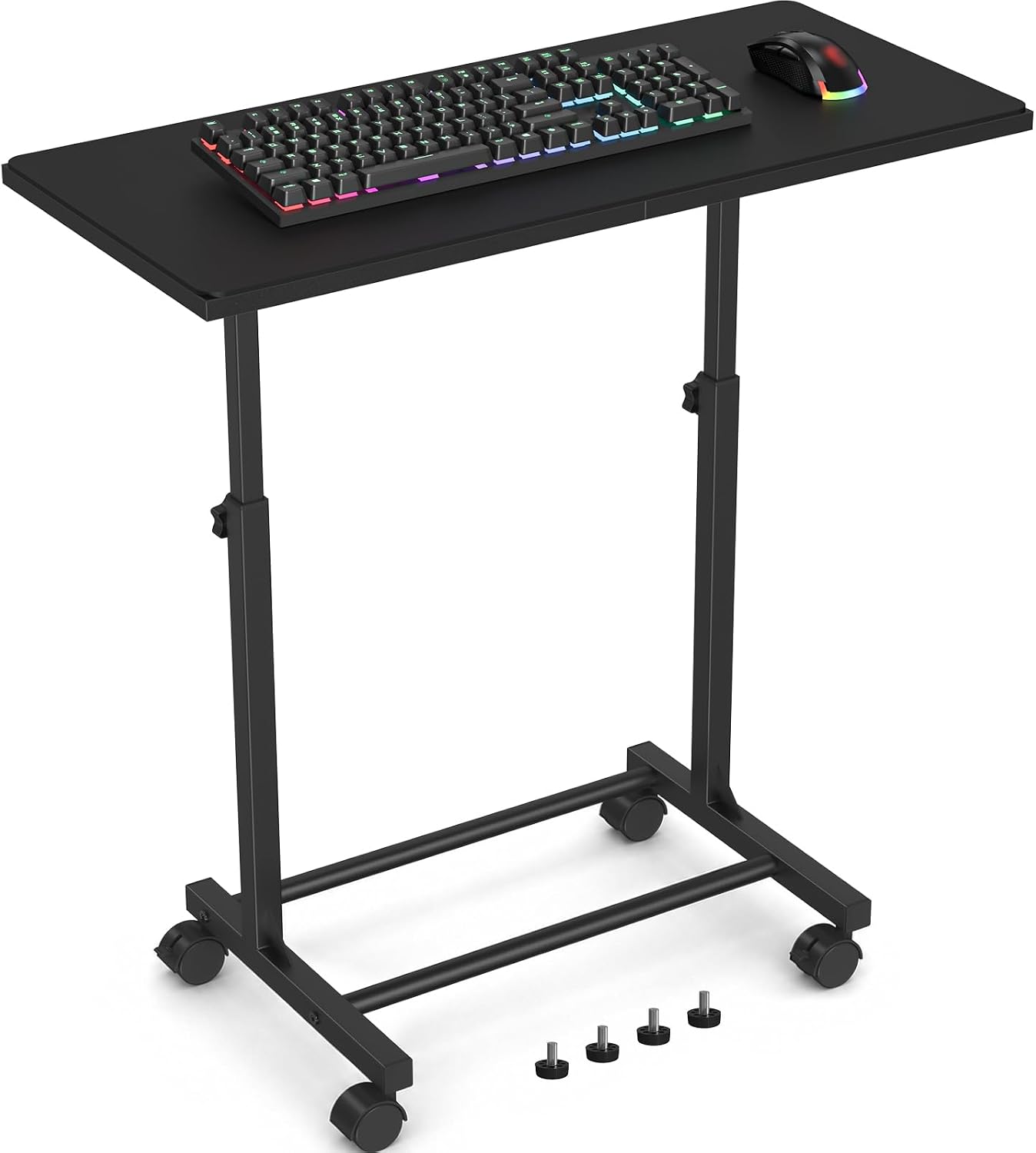
Not every desk can take a clamp. Rentals, glass tops, welded aprons, and a shared table that gets cleared every night all push you to a freestanding tray, and the Snughome Mobile Keyboard Tray with Mouse Pad, Adjustable Keyboard Stand is the one I hand to people in that spot. It brings its own mouse pad, it adjusts without a single screw going into your desk, and it moves when you do.
The trade is real, and I will not pretend otherwise. A freestanding tray lives on the floor, so it shares space with your feet and your footrest angle, and it is a keyboard-and-mouse tier with no room for a notebook. If you keep a second device or a paper pad under your hands, size up to a mounted tray.
If you move between rooms, or you cannot put a clamp mark or a screw hole in the desk you are borrowing, that same limitation becomes the reason to buy it. It is also the pick for someone who has not measured anything yet, because nothing about it depends on your desk's clear span.
How I tested
I size every tray the same way, with a tape, before I look at the listing photo.
Step one is the clear span: the distance from the underside of the desktop to whatever is in the way, whether that is a drawer bank, a crossbar, a filing cabinet, or a wall. Step two is the knee test. Sit down, feet flat, and find where your thighs actually end. A tray that clears the desktop but not your knees gets removed within a week, and it always gets removed after the return window closes.
Step three is the mouse reach test. A keyboard-only tier looks fine until the mouse stays on the desktop and your shoulder starts travelling. I load a full-size keyboard plus a mouse and check whether the mouse platform holds its angle after a week, not after an hour.
Step four is cable management. Does the tray give the keyboard cable a path, or does it hang? I want a cable sleeve or an adhesive clip under the tray, with the slack routed back to a raceway on the desk leg rather than swinging under my shins. That is not aesthetics. A cable that snags on a knee every time you sit down pulls the tray out of level within a month.
Step five is the end of the day. A tray changes how high your chair sits, which changes your footrest angle, and if you use a chair mat, mat thickness and mat density decide how much of that height comes back. That gap is the difference between keyboard shelf width tiers on paper and a setup you keep.
Analysis and test results
The under desk keyboard tray width tiers I plan around come down to three questions: what sits under your hands, how far your mouse travels, and whether anything on the desk blocks the mount.
Tier one is keyboard only. It is the right call for a shallow desk, a laptop-first setup, or anyone who keeps the mouse up on the desktop. Tier two is keyboard plus mouse, side by side, and it is where most people land once they realise their shoulder was doing the travelling. Tier three is wide, with room for a mouse and a notebook, or a tray with its own storage drawer.
That is also the difference between keyboard drawer width tiers and tray width tiers. A drawer is built into the desk, so its width is fixed the day you buy the desk. A tray is bolted on, so its width is a decision you can revisit, move to another desk, or hand to someone else.
Mounts fail in predictable ways, and the clamp is rarely the culprit. The desktop is. A tray that sags under its own screws after a month usually has a single-point clamp biting into a hollow-core top. Spread the load across a wider plate, or accept that this desk should keep its keyboard on the surface.
The integrated option is a different animal. When the tray ships with the desk, the tier is decided at purchase and you cannot re-tier it later. What you get instead is a tray cut to the desk's clear span and a drawer stack that already clears your knees. What you give up is every option to change your mind.
One more thing nobody mentions in reviews: when the tray takes the keyboard off the desktop, you get that surface back. That is where a desk lamp earns its place, and it is why desk lamp lumens matter more after you mount a tray than before. The light lands on your work instead of on the backs of your hands.
Keyboard tray width tiers reference table
Three tiers, one integrated option. Measure your clear span first, then find the row that matches.
| Tier | What the desk needs | What fits on the tray | Product for this tier |
|---|---|---|---|
| Tier 1: keyboard only | A clear span that clears your thighs when you are seated | A keyboard and nothing else | Check current Amazon price |
| Tier 2: keyboard plus mouse | Width for a mouse beside the keyboard, with no center drawer in the way | Keyboard and mouse, side by side | 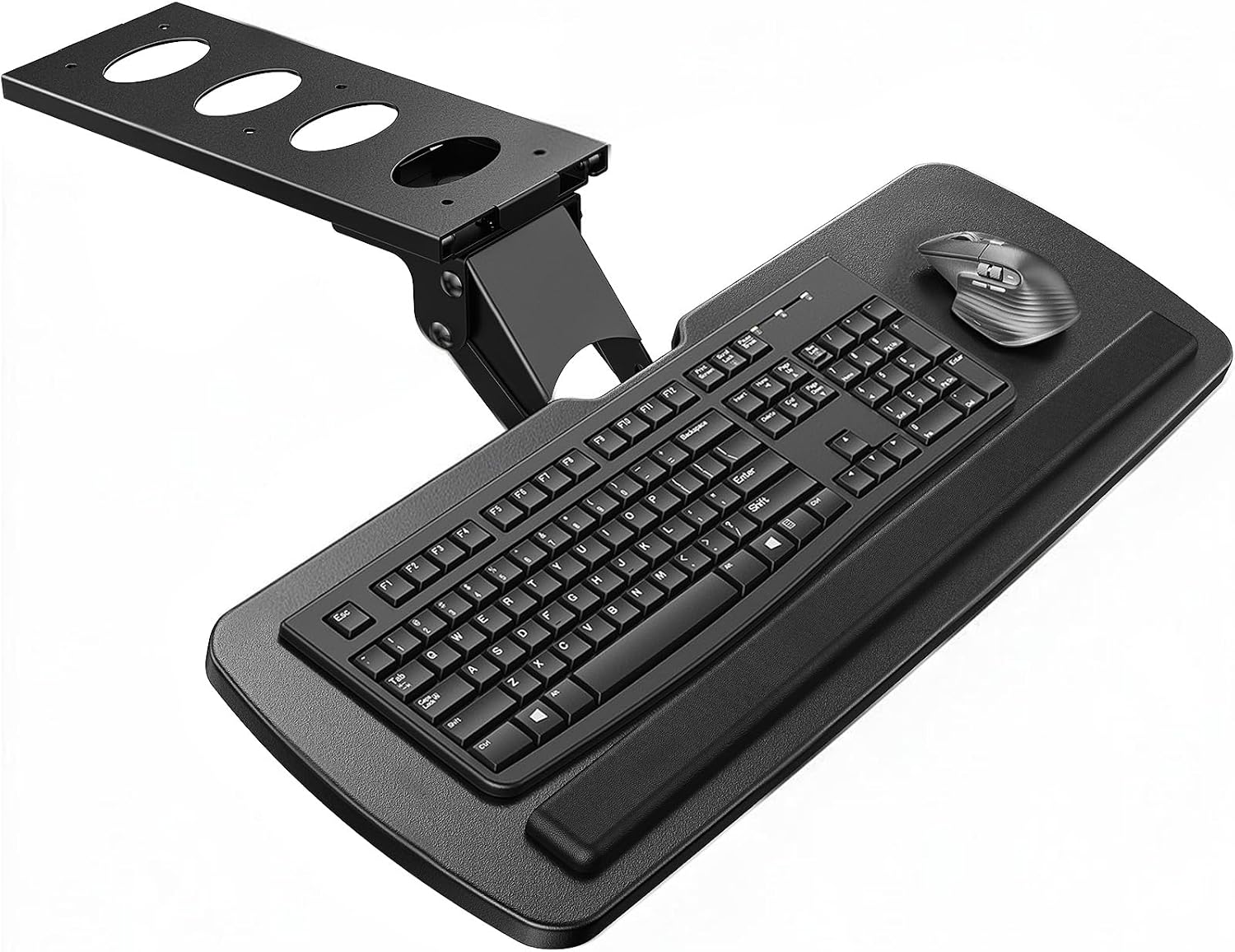 View on Amazon → |
| Tier 3: wide, with storage | Swing room for a drawer plus knee clearance at your seated height | Keyboard, mouse, and a notebook or a drawer | Check current Amazon price |
| Integrated: tray comes with the desk | Desk width, not tray width | Whatever the desk ships with | 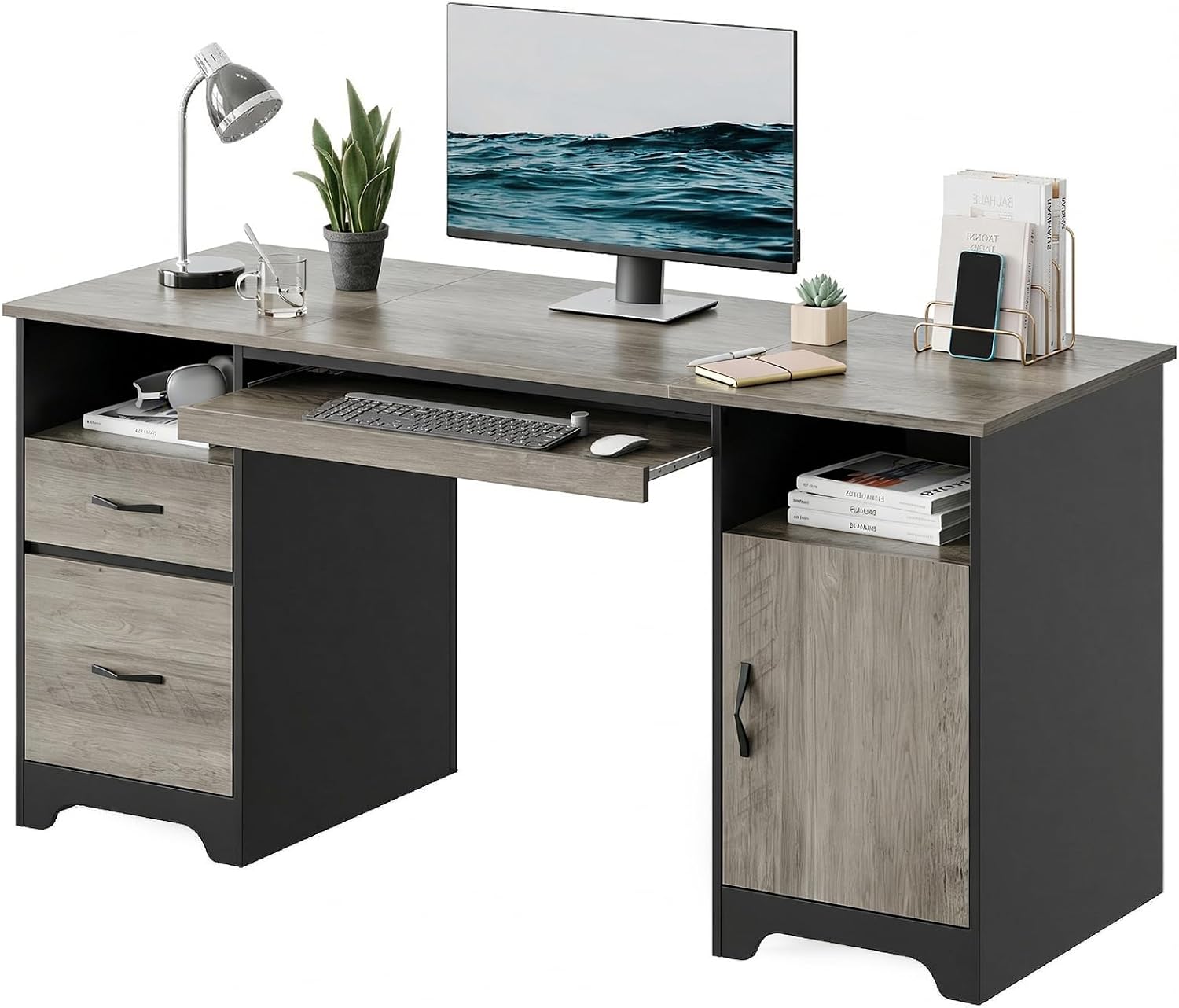 View on Amazon → |
The table is a planning tool, not a spec sheet. Confirm the clear span and the mount type against your own tape and your own desk before you order, and check the return window before you clamp anything.
The 360 degree mouse platform: HUANUO Under Desk Keyboard Tray
This one earns its place on the middle tier because the mouse platform is not an afterthought. The HUANUO Under Desk Keyboard Tray, 360 Degree Adjustable Mouse Platform swings the mouse surface out and back independently of the keyboard, which matters if you alternate between typing and mousing all day instead of parking the mouse in one spot.
Skip it if your desktop has a beveled or very thin front edge that a clamp cannot grip, or if you need the tray to swallow a notebook as well. It is a keyboard-and-mouse tray, and it is honest about that. For a tier two desk, that is exactly the brief.
Desks that ship with the tray: Bestier 59" Executive Desk
The Bestier 59" Executive Desk, File Drawer, Keyboard Tray & 2 Drawers, Gray solves the tier problem by deciding it for you. The tray is cut to the desk, the drawer stack is sized to clear your knees, and there is no clamp biting into a hollow-core top.
The catch is the same as any integrated desk: you need 59 inches of wall, and you are buying a desk, not a tray. If you already own a desk you like, this is not the fix, and no amount of measuring will change that. If you are starting from nothing in a room with the space, it is the one purchase that removes the measuring step entirely.
Should you buy the AX WABER Keyboard Tray Under Desk with Storage Drawer?
Yes, if your desk has open space underneath and you want the surface back. The height adjustment and the 360 degree swivel mean you can push it out of the way without unclamping, and the storage drawer is what keeps pens, a dongle, and a cable sleeve off the desktop instead of rolling around next to your coffee. The tilt is the detail that keeps wrists neutral at the end of a long day.
Skip it if your desk has a center drawer, a full-width apron, or a crossbar near the front edge, because the drawer needs swing room and the tray will not have it. Also skip it if you want a tray that folds completely flat and disappears when you stand up. Everyone else: this is the tray I would mount in a client's office and leave there for a year.
Should you buy the Snughome Mobile Keyboard Tray with Mouse Pad?
Buy it if you cannot clamp or drill, which covers rentals, glass desktops, and shared tables. It adjusts without touching the desk, it brings its own mouse pad, and it moves with you when the lease ends.
Skip it if you need room for a notebook or a second device beside the keyboard, or if you already know your footrest angle changes when something sits on the floor where your feet go. In that case, put the money toward a mounted tray and keep the floor clear. For a rental or a temporary setup, this is the cheapest correct answer, and the cheapest correct setup beats the most expensive wrong one.