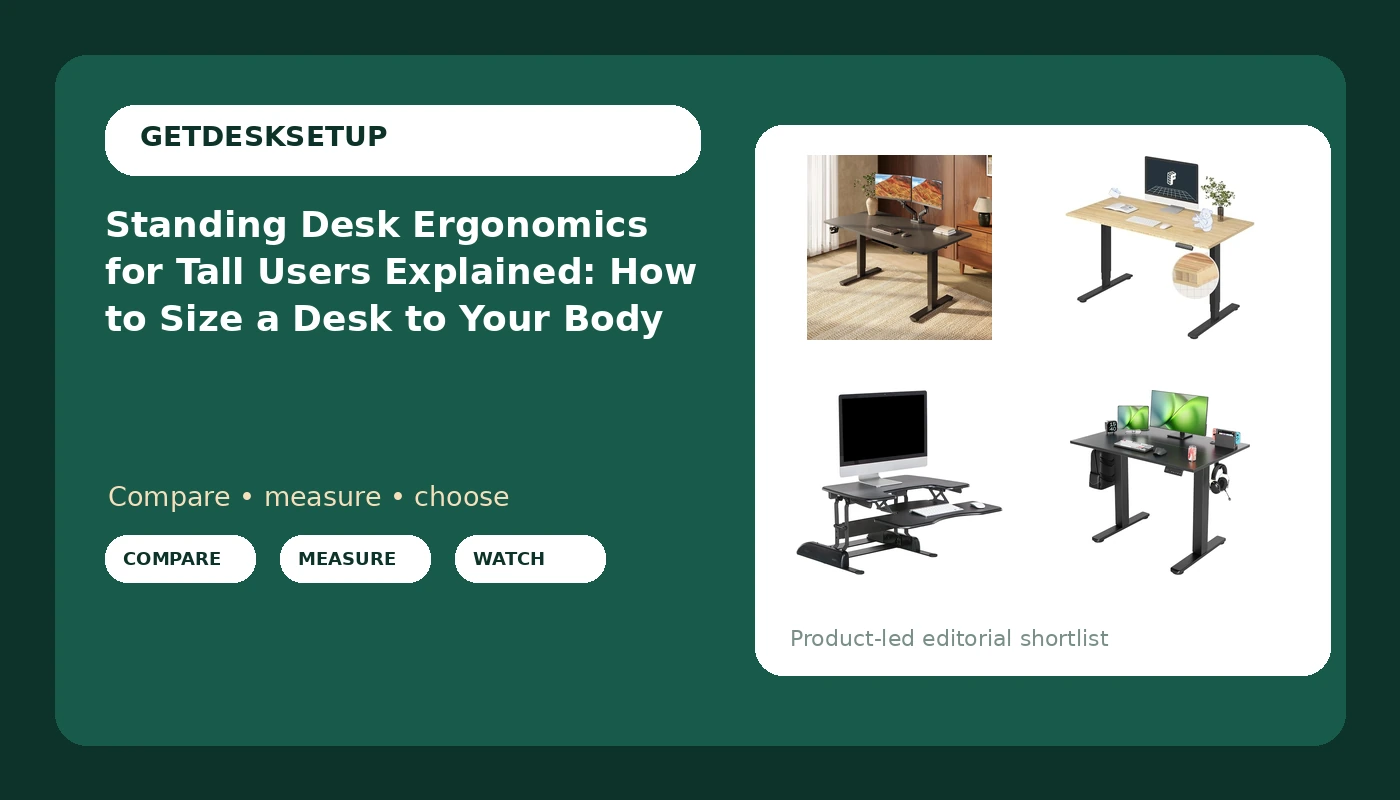
If you are six feet two or taller, most standing desks were not sized for you. A frame can top out at a height where your elbows sit below the desktop, and a shallow top pushes the monitor closer than your eyes want. Standing desk ergonomics for tall users comes down to three measurements: the top of the height range, the desktop depth, and how much the frame moves at that top height. Motor speed, finish, and price are secondary until those three numbers match your body. Below are four verified options, with what each one does for a tall frame and who should skip it.
Related: Standing Desk Height Setup: Elbows, Monitor, and Keyboard →
Quick answer
Measure your standing elbow height with your shoes on, then add one to two inches for keyboard thickness. A frame that cannot reach that number at its top setting will never fit you, no matter how solid it feels lower down. Look for a top height of at least 48 inches, a desktop at least 28 inches deep, and either a dual motor frame or a crossbar that stiffens the top of the travel. If your existing desk is already the right height, a converter can add standing without a new frame.
Four useful options
| Model | Best fit | What stands out |
|---|---|---|
| SANODESK 63×32'' Large Height Adjustable Ergonomic Electric Standing Desk | Two-monitor setups that sit inside a tall user's reach | 63 by 32 inch top, the widest in this group |
| FlexiSpot E6 Bamboo 3-Stage Dual Motor Electric Standing Desk 55 x 28 Sit Stand Up Desk, Holds 220 lbs, Adjustable Height w/ Memory Presets, Solid Bamboo Desktop & Black Frame, Ships in 2 Boxes | Tall users who want a stated lift capacity and memory presets | 3-stage dual motor, 220 lb capacity, bamboo top |
| Vari VariDesk Pro Plus 30 Height Adjustable Standing Desk Converter for Home Office – Sit to Stand Desk with 11 Height Settings, Spring-Assisted Lift, and Weighted Base – Fully Assembled, Black | Adding standing height to a desk that already fits | 11 height settings, spring-assisted lift, fully assembled |
| Seang Electric Standing Desk Adjustable Height, 40 x 24 Inch Sit Stand Desk with T-Shaped Frame, 3 Memory Presets & Cable Management for Home Office Computer Workstation, Black Frame/Black Top | Small rooms and a single monitor | T-shaped frame, 3 memory presets, cable management |
The large-desktop pick: SANODESK 63×32'' Large Height Adjustable Ergonomic Electric Standing Desk
The 63 by 32 inch top is the reason to look here first if you are tall and run two monitors: width and desktop depth both matter once your eye distance grows. The electric frame is the part you have to verify. The listing name does not publish a height range, so confirm the top height reaches your standing elbow number before you buy, and check how the frame behaves there. A wide top on a thin frame flexes at full extension, which is exactly the height a tall user lives at. If you are under 5'10", you are likely paying for width you do not need.
The dual motor workhorse: FlexiSpot E6 Bamboo 3-Stage Dual Motor Electric Standing Desk 55 x 28 Sit Stand Up Desk, Holds 220 lbs, Adjustable Height w/ Memory Presets, Solid Bamboo Desktop & Black Frame, Ships in 2 Boxes
This is the one option here with a stated lift capacity and a three-stage dual motor column, and both matter at standing height. A three-stage column is built to travel further than a two-stage one, and a 220 lb capacity leaves room for a monitor arm, a heavy top, and a grommet-mounted accessory. Memory presets help a tall user more than most, because two standing heights are common: one for typing and one for reading. It ships in two boxes, so plan the order: frame, then desktop, then cable tray last.
The keep-your-desk option: Vari VariDesk Pro Plus 30 Height Adjustable Standing Desk Converter for Home Office – Sit to Stand Desk with 11 Height Settings, Spring-Assisted Lift, and Weighted Base – Fully Assembled, Black
A converter is the cheapest correct answer when your existing desk already sits at the right height, and this one arrives fully assembled with a weighted base and 11 height settings. The trade-off for a tall user is stacking. The converter adds its range on top of your desk, so if your desk is already tall, the keyboard tray can end up above elbow height. Measure your desk height and the converter's listed range before you buy. Also check the tray depth: long forearms need the keyboard well forward of the monitor.
The compact starter: Seang Electric Standing Desk Adjustable Height, 40 x 24 Inch Sit Stand Desk with T-Shaped Frame, 3 Memory Presets & Cable Management for Home Office Computer Workstation, Black Frame/Black Top
The 40 by 24 inch top is the smallest here, and that is the point: it fits a small room and a small budget. The T-shaped frame, three memory presets, and integrated cable management cover the basics. For a tall user the 24 inch depth is the number to think about, because a monitor placed at a comfortable reading distance takes most of it and leaves little for a keyboard and a notebook. If your arms are long, plan on a monitor arm to reclaim desktop depth, and confirm the top height before you buy.
Prices and availability may change. Product images, names, and retailer links are matched to verified listings. No current price, rating, stock status, or measured result is stated here without current evidence.
Standing desk ergonomics for tall users: the numbers that matter
The rules of standing desk ergonomics for tall people are the same as for anyone else. Elbows near 90 degrees, keyboard at elbow height, monitor top near eye level. What changes is the arithmetic. A 5'4" user may need a desk at 40 inches when standing; a 6'4" user may need 46 to 48 inches. That gap decides whether a frame is usable at all. Desktop depth matters for the same reason: the taller you are, the further your eyes sit from the screen, so a shallow top pulls you into a lean. Write down three numbers before you shop: standing elbow height in inches, the depth your monitor stand eats, and the width you need for two screens.
Why the top of the height range decides the purchase
The usual failure point in sit stand desk ergonomics for tall users is the top of the frame's travel, not the middle. A frame that feels planted at 38 inches can sway at 47, because the columns are fully extended and the crossbar, if there is one, is doing less work. Test the top number, not the middle. Lift capacity follows the same logic: a dual motor frame with headroom has less strain at full extension than a single motor frame working near its limit. An anti collision sensor matters too, because a tall desk travels a long way and the top can meet a shelf or a window sill on the way up. If you use a monitor arm, the desk also has to hold the arm, the monitor, and the clamp torque without flexing.
- Stand in your normal shoes and measure from the floor to the bottom of your elbow, arm relaxed at your side.
- Add one to two inches for keyboard thickness and a wrist rest.
- Compare that number against the top height of the desk, not the middle of its range.
- Measure the depth of your monitor stand, subtract it from the desktop depth, and see what is left for a keyboard.
- Set two memory presets, one for typing and one for reading, so you actually move between them.
Setup details that decide whether the fit holds
These details decide whether standing desk ergonomics for tall users survives the first month.
- Clamp the monitor arm first, then load the monitor, then tighten, because reversing that order can crack a thin desktop.
- Route cables through a grommet or a cable tray with slack, so raising the desk does not pull the monitor arm out of angle.
- Leave clearance behind the desk at standing height for the frame's travel and any anti collision sensor.
- Check that the crossbar and the leg base clear your chair arms when the desk comes down to seated height.
- Re-measure the top height with a tape after assembly, since the number that matters is the one your desk actually reaches.
Which option should you choose?
Choose the SANODESK 63×32'' Large Height Adjustable Ergonomic Electric Standing Desk when you need width and depth for two monitors and will confirm the top height reaches your standing elbow number. Choose the FlexiSpot E6 Bamboo 3-Stage Dual Motor Electric Standing Desk 55 x 28 Sit Stand Up Desk, Holds 220 lbs, Adjustable Height w/ Memory Presets, Solid Bamboo Desktop & Black Frame, Ships in 2 Boxes when you want a dual motor frame with a stated lift capacity, memory presets, and a bamboo top. Choose the Vari VariDesk Pro Plus 30 Height Adjustable Standing Desk Converter for Home Office – Sit to Stand Desk with 11 Height Settings, Spring-Assisted Lift, and Weighted Base – Fully Assembled, Black when your current desk already fits and you want standing height without a new frame. Choose the Seang Electric Standing Desk Adjustable Height, 40 x 24 Inch Sit Stand Desk with T-Shaped Frame, 3 Memory Presets & Cable Management for Home Office Computer Workstation, Black Frame/Black Top when space is tight and one monitor is enough.
One caveat applies to all four: the height range is the deciding number, and standing desk ergonomics for taller users cannot be judged from a photograph or a desktop size alone. If a listing will not state a top height you can verify, keep looking.
The bottom line
Buy the desk that reaches your standing elbow height and gives you enough desktop depth to sit back from the monitor, then test it at the top of its range before you trust it. For a tall frame, width and depth are not luxuries; they are what keeps the monitor at a readable distance. That is standing desk ergonomics for tall users explained in one line: measure the top height, then buy. If no listing states a range you can check, the correct answer is to wait for one that does.