Related: Standing desk cable management that survives a monitor arm
A standing desk anti collision sensor is a stall detector, not a magic eye. The control box watches how much current the motor pulls, and when that number jumps, the frame stops and reverses a few millimeters. That is the entire mechanism behind the standing desk anti collision sensor I check first on any frame, and it is the part of a spec sheet buyers read wrong. Two desks can advertise the same feature and behave nothing alike: one stops cleanly on a chair arm, the other panics when a cable tray nudges a baseboard.
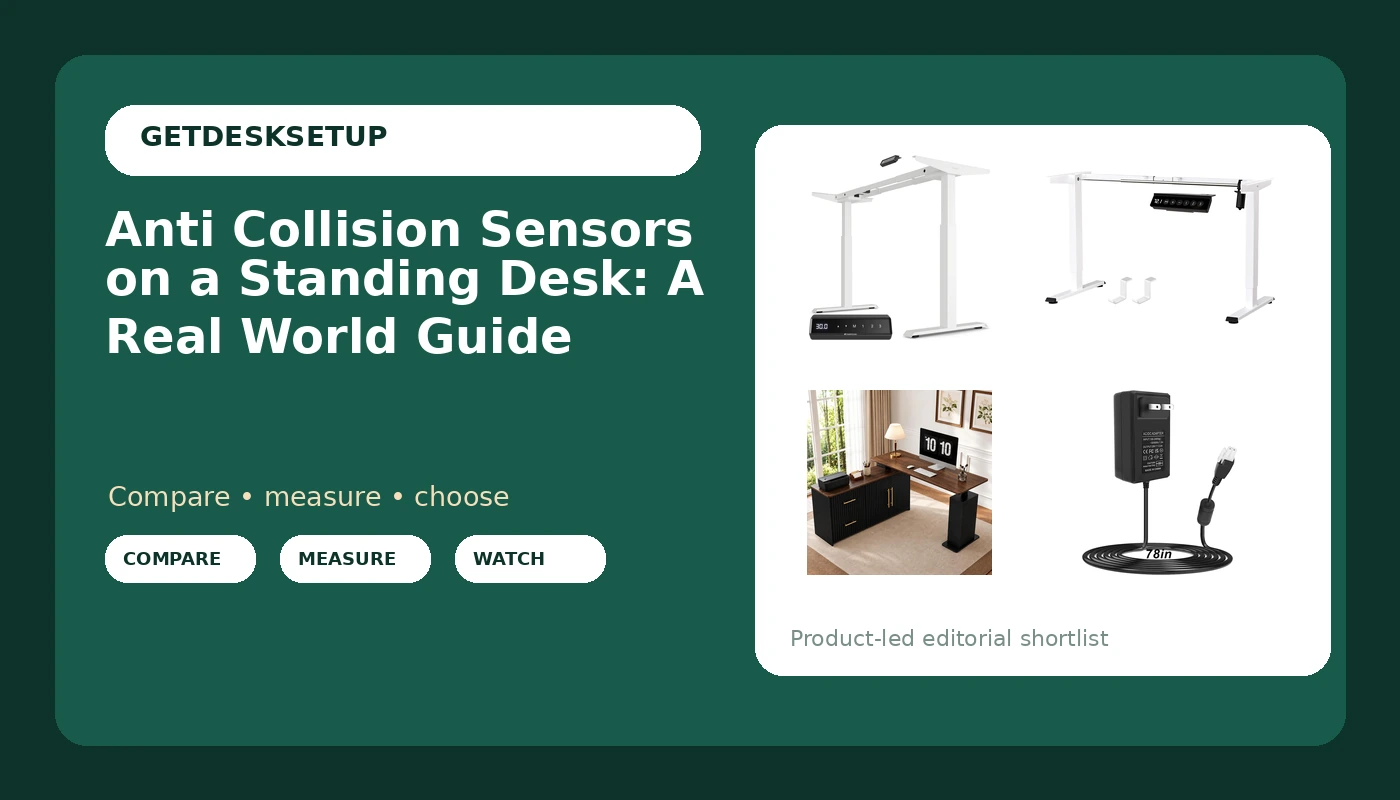
This standing desk anti collision sensor guide covers four pieces of hardware I would put in a client's office without arguing: a dual motor frame with USB-C charging, an L-shaped corner desk with drawers, a budget frame, and the replacement power supply that keeps a single motor desk alive. Two of them take the headline spots below. The other two live in the reference table, because a frame, a corner desk, and a 24V brick solve three different problems. If you have watched a desk climb into a window sill, you already know the sensor matters more than motor speed. Wobble at standing height is the other half of that story.
Best Overall: Desktronic Height Adjustable Standing Desk Frame – Ergonomic Sit Stand Desk Frame, Electric Dual Motor, USB & USB-C Charging, Wobble-Free, Touchscreen, 3 Memory Presets, Anti-Collision
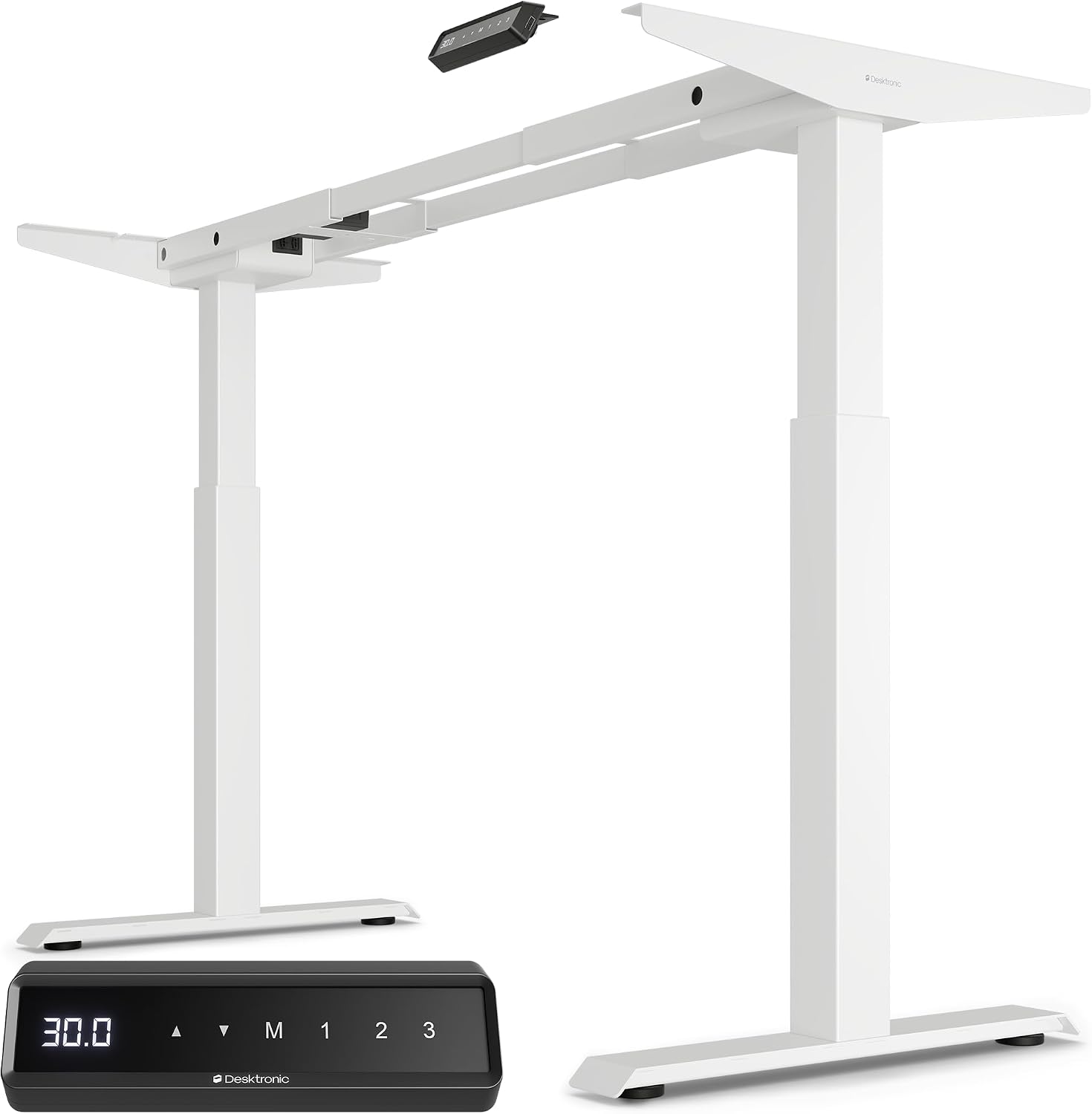
This is the frame I would bolt a top to for someone who wants one desk to do everything: dual motor lift, USB and USB-C charging on the frame itself, a touchscreen controller with 3 memory presets, and anti-collision. The dual motor detail matters for the sensor, not just for speed. Two motors share the load, so a current-based detector has a cleaner signal to read and a stall is easier to catch before the frame fights the obstacle.
The touchscreen and the memory presets are the parts you touch daily. Three presets covers sitting, standing, and the odd third position people use for a drafting stool or a walking pad. The charging ports move the phone and the headset off the desktop, which keeps the desktop depth you paid for actually usable.
Install order, because I have watched people crack a top on this step: build the frame upside down, fit the side brackets, then set the top on and drive the screws with the whole assembly still upside down on a blanket. Flip it with two people, not one. Reverse that order and you are lifting a top onto a frame that is already wobbling.
Who should skip it: anyone who wants a complete desk in one box. This is a frame, so you supply the top, and a heavier top changes how the anti-collision feels, because the sensor is reading load. If you are not willing to drill, buy a complete desk instead.
Best Value: BIZUM Electric Standing Desk Frame, Height Adjustable Sit Stand Desk Base with Memory Preset Button, USB Port for Home Office, White Frame Only
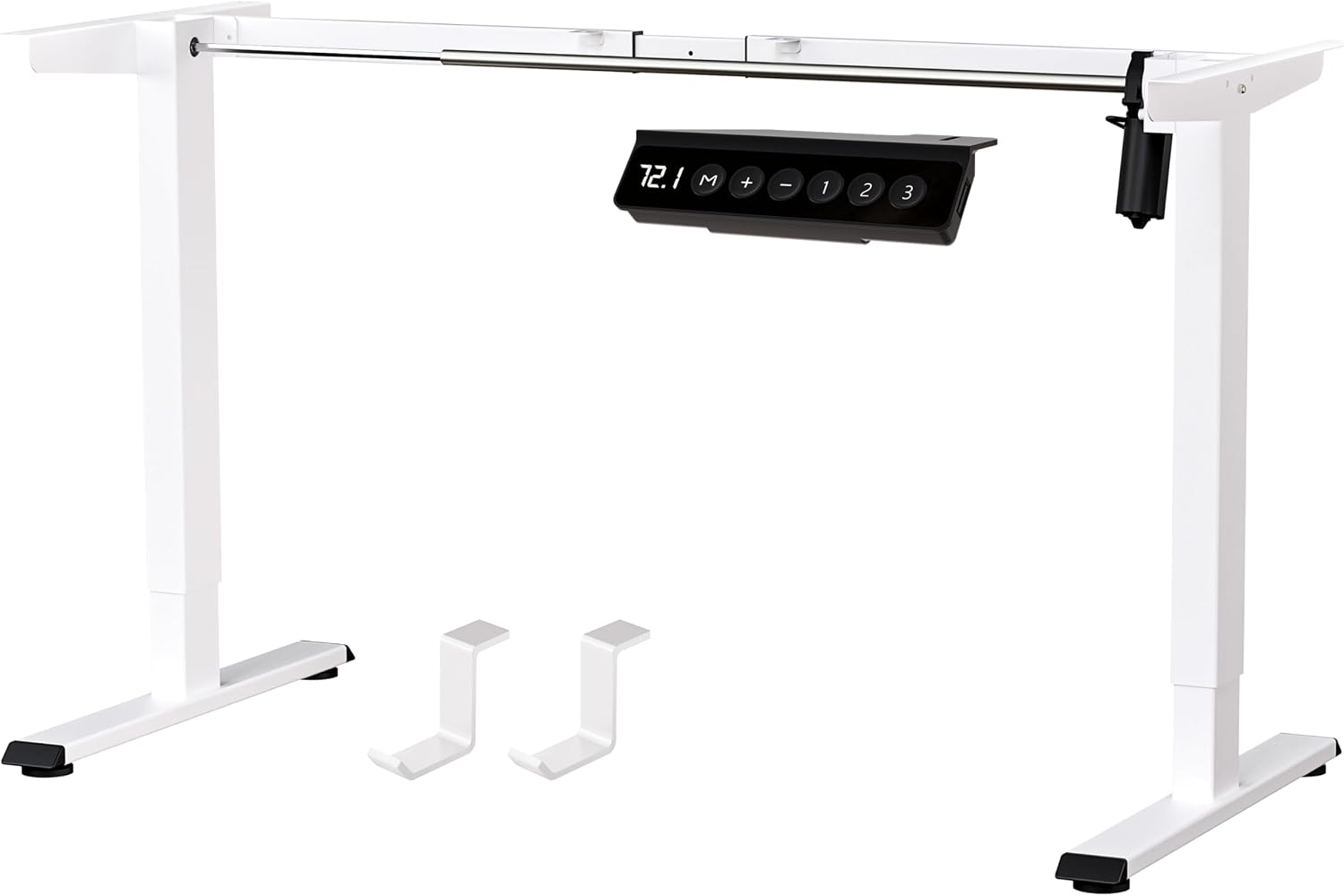
The value pick is white, frame only, and honest about it: a memory preset button, a USB port, and a lift system you pair with your own top. For a spare room office or a first sit stand build, that is enough hardware. The preset button saves the position you actually use, and the USB port keeps one cable off the floor.
What you give up at this end of the range is redundancy. One lift system, one controller, one power brick. Nothing wrong with that until a part fails, which is exactly why the 24V adapter below earns a place on this list: a dead brick looks identical to a dead controller, and the cheap fix is usually the brick.
Who should skip it: anyone who needs two motors because the top is heavy, or because the desk will be shared and cycled dozens of times a day. Also skip the white frame if your top is dark walnut and you care about the seam, because frame color shows at the edges.
How I tested
I run every frame through the same sequence before it goes into a client's office, and the anti-collision check comes before the wobble check, because a frame that will not stop is a liability.
Step one: cycle the full height range empty, three times, and watch the controller. Step two: put a chair arm, then a low shelf, then a rolled rug in the path and run the frame into it at normal speed. A sit stand desk anti collision sensor should stop, back off, and accept a resume command without a power cycle. Step three: repeat the obstruction test with the desk loaded, because load is the variable a current sensor reads.
Then I check the top of the range, slowly, with a hand on the desktop. That is where wobble lives and where most frames fail. I also watch the cable tray under load, since a tray that sags turns into an obstacle the sensor will eventually find.
I do not publish a deflection number I cannot reproduce with the same tape on the same floor the next day. What I publish is whether a frame stops, whether it resumes, and whether it is still tight after a month of daily cycling.
Analysis and test results
Every height adjustable desk anti collision sensor I have dealt with is a current sensor at heart, and that single fact explains most of the behavior you will see.
It cannot see. It reacts. The controller infers an obstacle from motor load, so the frame always touches something before it stops. On a soft obstacle, a curtain or a thin cable, the trip may not register at all. On a hard obstacle, a wall or a chair base, the frame stops and backs off within a few millimeters. That is the design, not a defect.
Load changes the trip point. This is why lift capacity and the top you choose matter to a feature that sounds unrelated. A frame rated for a heavy load running a light top can feel over-sensitive; the same frame under a solid hardwood top and two monitors may feel slower to react. When a client says the anti-collision "stopped working," nine times out of ten nothing failed. They changed the top, or added a cable tray, or moved the desk against a baseboard the tray now rubs.
Dual motor versus single motor is not a speed argument. It is a signal argument and a load argument. Two motors share the work, run cooler, and give the controller a cleaner reading. If the desk carries a lot of weight, or you cycle it all day, that matters more than the lift capacity number on the box.
The small parts decide the daily experience. A crossbar adds rigidity at the top of the range. A grommet keeps cables from sawing against a metal edge. A memory preset that lands in the same spot every time is the difference between a desk you adjust and a desk you avoid. And a cable tray mounted past the desktop depth is the obstacle your sensor meets first, every single time.
The standing desk anti collision sensor reference table
Four products, four jobs. Use the table to pick the category you need, then read the section for it. Every link goes to the listing, so you can check the current height range and load figures against your own measurements instead of trusting a summary.
| Product | Type | Controls and anti-collision | Best for |
|---|---|---|---|
Desktronic Height Adjustable Standing Desk Frame | Dual motor frame, no top included | Touchscreen, 3 memory presets, anti-collision, USB and USB-C charging | One desk for sitting, standing, and charging |
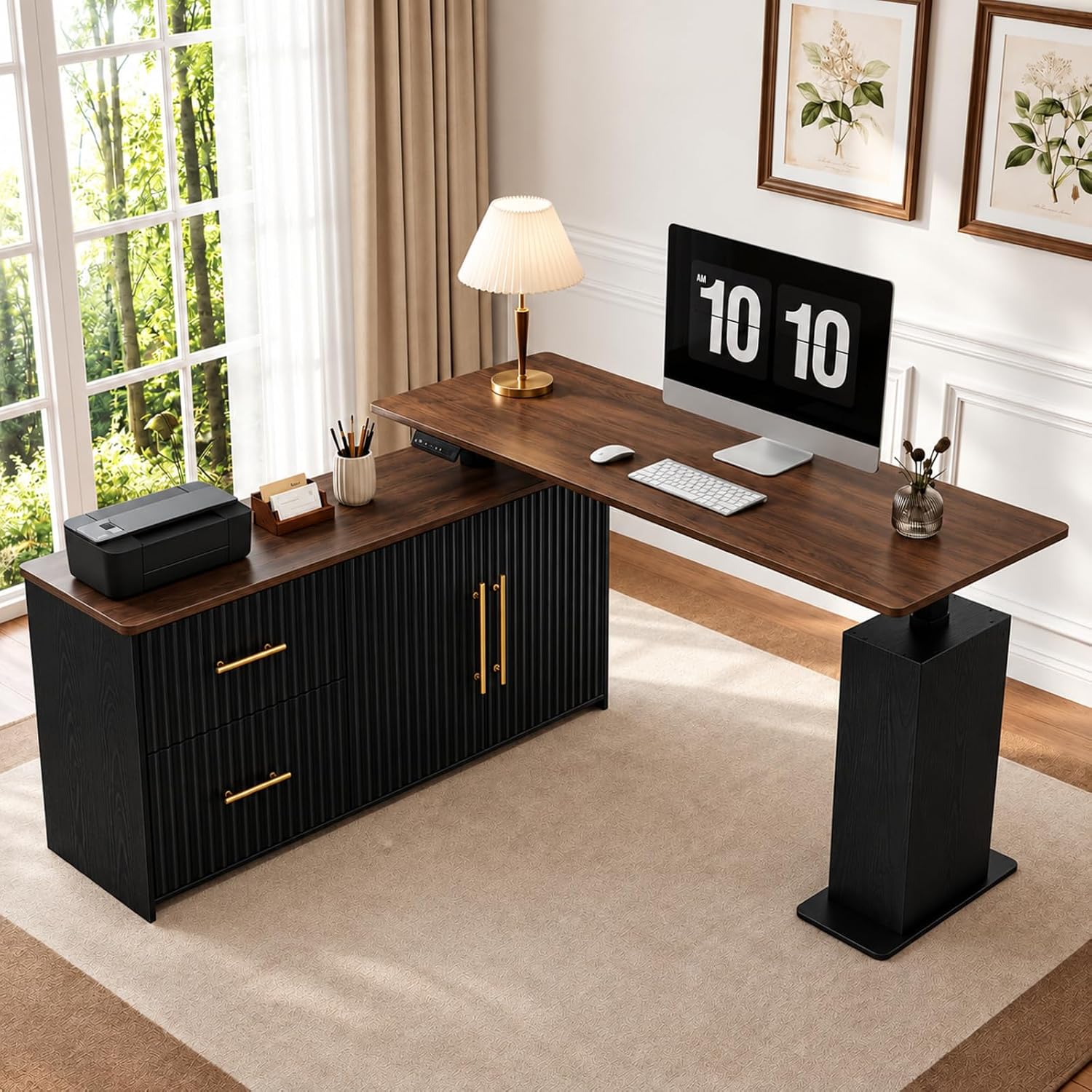 View on Amazon → NORTHSKY 55" L-Shaped Electric Standing Desk | Corner desk with drawers and storage cabinet | Electric height adjustment, 3 memory presets | A corner with a 55 inch wall run and storage needs |
BIZUM Electric Standing Desk Frame | Frame only, white | Memory preset button, USB port | A first sit stand build on a budget |
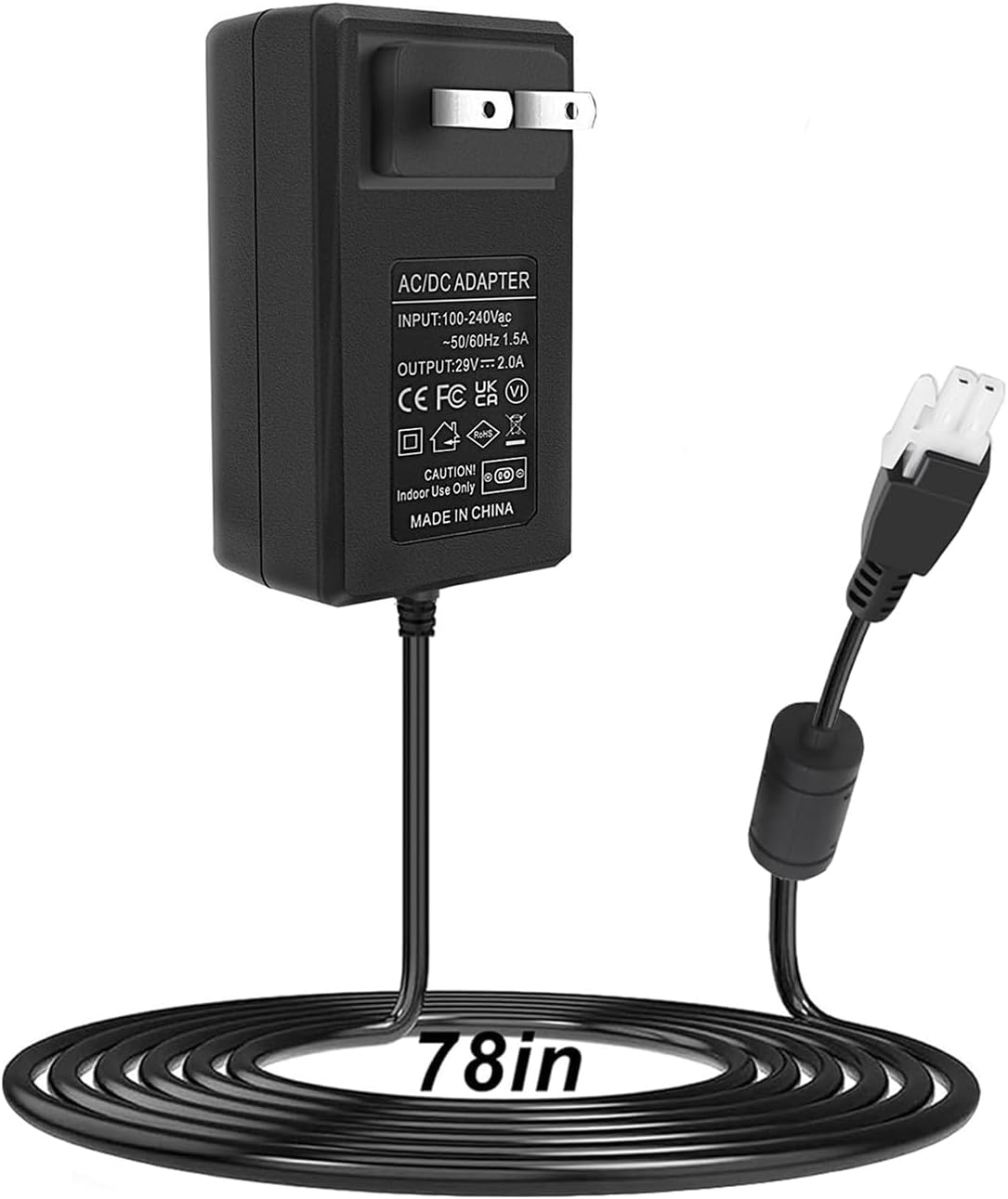 View on Amazon → 24V 2A Wall Plug-in Adjustable Desk Power Adapter | Replacement power supply | Direct plug design, single motor desks | Reviving a single motor desk whose brick died |
The sensor question is really a placement question. If the desk sits in a corner with a wall behind it and a cabinet beside it, buy the frame with the best anti-collision behavior you can afford, because it will be tested daily. If the desk stands in open floor, the sensor is a safety net, not a daily feature.
Single motor desks and the power supply question
The 24V 2A wall plug-in adapter is the least glamorous item here and the one that saves the most desks from the curb. It is a compact direct plug design for single motor standing desks, which means no brick on the floor and one less thing for the cable tray to hold.
A dead power supply looks exactly like a broken stand up desk anti collision sensor. The desk stops mid-cycle, the controller blinks or goes dark, and the owner assumes the safety feature failed. Before you order anything, unplug the desk, check the barrel size and polarity on your control box against the listing, and confirm your desk is single motor. This adapter is not the part for a dual motor frame, and it will not fix a controller.
Who should skip it: dual motor owners, anyone still inside a warranty, and anyone who has not matched the plug to their control box.
Corner desks and drawer storage
The NORTHSKY is the only complete desk here, and the only one with drawers and a storage cabinet. It is 55 inches across the main run, L-shaped, with 3 memory presets and electric height adjustment. The L is the point: it puts a second work surface in the corner instead of dead space.
Minimum footprint is the thing to check first. You need at least 55 inches of wall for the main run, plus the depth of the return leg. In a room narrower than that, an L-shaped desk becomes a wall.
The cabinet changes the cable story too. It gives the power brick and the cable tray somewhere to live, which keeps the desktop depth clear and keeps the anti-collision path clean, because nothing hangs below the frame to catch on a wall.
Who should skip it: renters who move often, anyone with less than 55 inches of clear wall, and anyone who needs the frame color to match a specific top.
Should you buy the Desktronic Height Adjustable Standing Desk Frame?
Yes, if you are building around a top you already like and you want dual motor hardware with anti-collision, a touchscreen, 3 memory presets, and USB-C charging on the frame. It is the frame I would put in a client's office for a year, and the one I would recommend to anyone who cycles between sitting and standing ten times a day.
Skip it if you want one box to arrive with everything, or if you will not drill into a top. The sensor is good, but the sensor is not the reason to buy it. The reason is that the rest of the frame holds its position at the top of the range, and that is what you feel every afternoon.
Should you buy the BIZUM Electric Standing Desk Frame?
Yes, if budget is the constraint and you already own a top. A white frame with a memory preset button and a USB port covers the basics, and the anti-collision behavior is the safety net you want when the desk shares a room with a chair and a cabinet.
Skip it if the desk will carry a heavy top, if two people will cycle it all day, or if you want the frame to disappear against a dark top. And budget for a replacement power supply at some point, because a single lift system has exactly one brick between it and a dead desk.