If your foot goes numb forty minutes into a work session, the chair is usually the first suspect and the last thing anyone checks. Office chair and leg numbness is a fit problem before it is a health problem. A seat edge that presses into the back of the thigh, a seat height that leaves your feet dangling, or a seat so deep that you slide forward to reach the keyboard all load the same two zones: the soft tissue under the thigh and the crease behind the knee. Both carry nerves and blood vessels. Change the geometry and the tingling usually stops. This guide covers what causes it, which measurements matter, and four chairs whose listed features address different parts of the problem.
Related: How to Measure Seat Depth and Seat Height at Home →
Quick answer
Leg numbness in an office chair is usually a pressure problem, not a cushion problem. The two culprits are a seat edge digging into the underside of the thigh and a seat height that lets your feet hang, which concentrates weight on a narrow band of tissue. The fix order is: set the seat height until your feet sit flat, set the seat depth so a small gap remains behind the knee, tune the recline and tilt tension so you are not sliding forward, and add a foot ring or footrest if the desk forces the seat high. If you want office chair and leg numbness explained in one line: the seat edge and the seat height are the two variables you can change today.
Four useful options
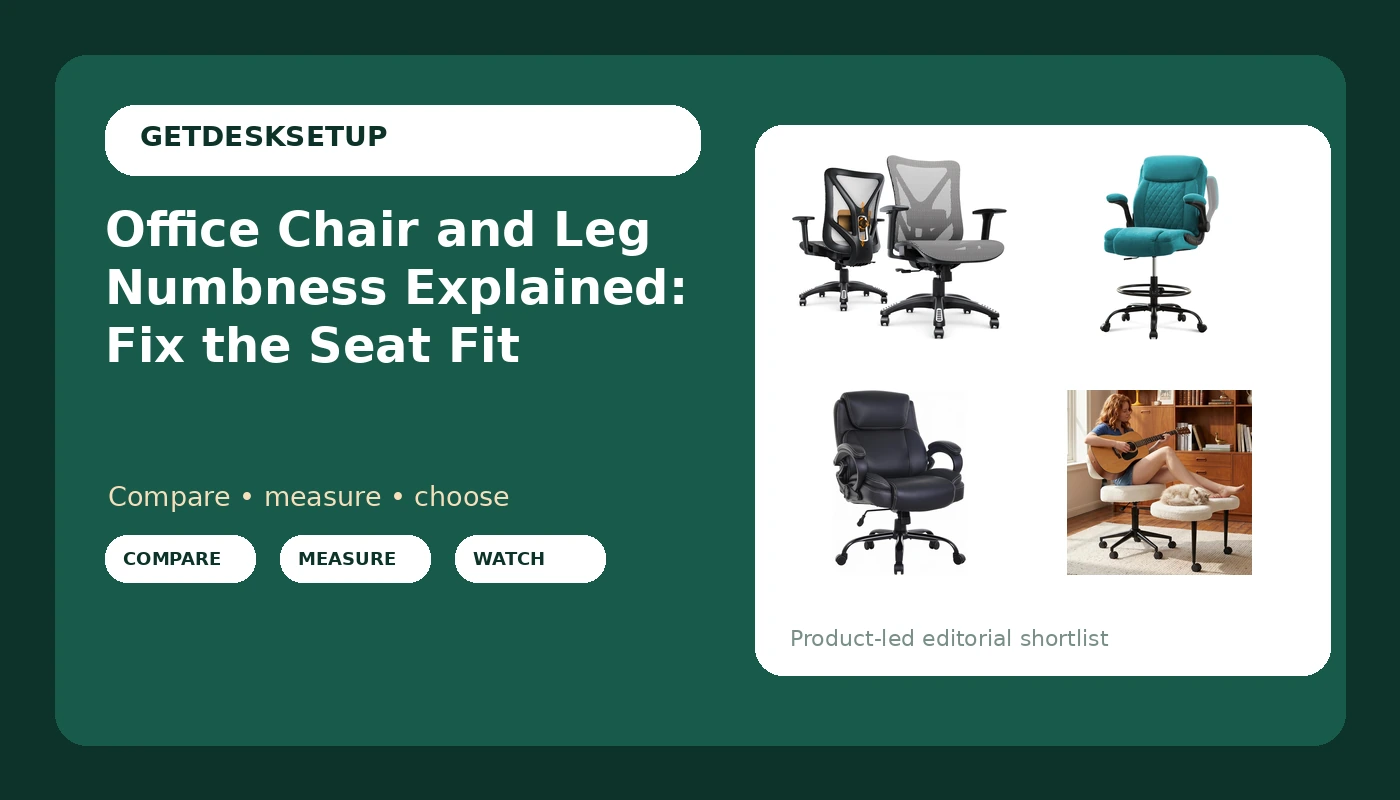
Every chair below takes a different route to the same goal, which is less pressure under the thigh. Two are mainstream task chairs with adjustable lumbar support, one is built for a standing desk, and one is shaped for cross-legged sitting.
| Model | Best fit | What stands out |
|---|---|---|
| Ergonomic Office Chair, Mesh Computer Desk Chairs with BIFMA X5.1 Certified, Adjustable Lumbar Support, 3D Arm, Tilt Back, Wide Seat, Comfy Swivel Work Task Chair for Company and Home (Dawn Grey) | The adjustable baseline for a standard-height desk | BIFMA X5.1 certified listing, adjustable lumbar support, 3D armrests, tilt back, wide seat |
| Drafting Chair Tall Office Chair for Standing Desk, Ergonomic Tall Desk Chair with Adjustable Foot Ring, Flip-Up Armrests, Lumbar Support, Comfortable Fabric Seat, Ideal for Home and Office Use | Standing desk and tall-desk users | Adjustable foot ring, flip-up armrests, lumbar support |
| Big and Tall Heavy Duty Office Chair 400lbs Wide Seat Ergonomic Computer Desk Chair with Arms and Lumbar Support High Back PU Leather Executive Task Computer Chair for Back Pain, Black | Heavier users who need a wide seat and a high back | Listed 400 lb capacity, wide seat, high back, lumbar support, PU leather |
| DUMOS ADHD Meditation Chair, Cross Legged Home Office Desk Chair | Cross-legged sitters | Seat shaped for cross-legged sitting |
The adjustable baseline: Ergonomic Office Chair, Mesh Computer Desk Chairs with BIFMA X5.1 Certified, Adjustable Lumbar Support, 3D Arm, Tilt Back, Wide Seat, Comfy Swivel Work Task Chair for Company and Home (Dawn Grey)
Why this one leads: the adjustments are the ones that change where pressure lands. Moving the lumbar support changes how far back you sit, which changes how much thigh hangs over the seat edge. Setting tilt tension and recline lets you lean back without bracing your feet against the floor, and that bracing is what pushes the seat edge into the back of the knee. Who should skip it: anyone who needs a seat higher than a fixed desk allows, and anyone who wants a documented high weight capacity, because this listing does not advertise one. The wide seat also helps only if the seat depth is right for your leg length, which is a tape measurement, not a feeling.
The tall option: Drafting Chair Tall Office Chair for Standing Desk, Ergonomic Tall Desk Chair with Adjustable Foot Ring, Flip-Up Armrests, Lumbar Support, Comfortable Fabric Seat, Ideal for Home and Office Use
The foot ring is the whole point. A dangling foot has no counter-pressure, so the thigh takes the load and the popliteal area behind the knee becomes a hinge point. A ring puts the foot back on a surface and lets the sit bones carry you again. The flip-up armrests matter if you work at a keyboard tray, because fixed armrests stop the chair from getting close enough to the desk, and reaching forward is what tilts your pelvis and pushes the seat edge up into the thigh. Who should skip it: anyone at a fixed-height desk. At a low desk a tall chair cannot drop far enough, and the thighs end up pressed against the underside of the desktop instead of the seat.
The wide-seat option: Big and Tall Heavy Duty Office Chair 400lbs Wide Seat Ergonomic Computer Desk Chair with Arms and Lumbar Support High Back PU Leather Executive Task Computer Chair for Back Pain, Black
This is the option for a user who is currently sitting on a seat that is too narrow, which forces the hips into a fixed position and leaves the outer thigh pressed against the seat side. A high back also gives the lumbar support somewhere to sit, and a headrest only earns its place if you recline far enough to actually use it. Who should skip it: anyone who runs warm, since PU leather holds heat differently than mesh, and anyone who needs adjustable armrest height, because these arms are fixed. Check the seat depth here too. A wide seat that is also deep will still press behind the knee.
The cross-legged option: DUMOS ADHD Meditation Chair, Cross Legged Home Office Desk Chair
Be clear about the trade. The chair removes the hard edge, but crossing the legs is itself a compression source, so a chair built for the position reduces the edge pressure rather than the crossing pressure. The practical move is rotation: cross for a while, then put both feet flat, then shift again. Who should skip it: anyone who wants a deep recline, adjustable lumbar support, or armrest tuning for a full workday. This is a different category of chair, not a cheaper version of the first one.
Prices and availability may change. Product images, names, and retailer links are matched to verified listings. No current price, rating, stock status, or measured result is stated here without current evidence.
What actually causes office chair and leg numbness
Numbness and tingling during sitting is a pressure story. Something is pressing on tissue that carries nerves and blood vessels, and the chair decides where that pressure lands. Three mechanical factors do most of the work.
Seat height. If the seat is too high, the feet leave the floor and body weight shifts forward onto the underside of the thighs instead of the sit bones. If it is too low, the knees rise above the hips and the same underside gets squeezed from a different angle.
Seat depth. A seat that is too deep drives the front edge into the crease behind the knee. A seat that is too shallow puts your weight on a smaller area than your body needs. Both are seat depth problems, and both are measurable with a tape.
Seat edge and surface. A hard front lip concentrates pressure on one narrow band of tissue. A rounded front edge spreads it out. A thin or worn cushion does the same damage from the other direction.
None of that is a diagnosis. If numbness continues after you change the setup, or if it comes with pain, weakness, or swelling, that is a conversation for a clinician rather than a chair review.
Desk chair and leg numbness: the four contact points
- The crease behind the knee, where a deep seat pan or a hard front edge presses on the popliteal area.
- The underside of the thigh, where a high or low seat height concentrates weight instead of spreading it across the sit bones.
- The sit bones themselves, where a thin cushion turns a long session into a pressure test.
- The foot and ankle, which complain when a tall seat leaves them hanging with nothing to push against.
Two habits stack on top of those points: a wallet in a back pocket, which lifts one hip and loads one side, and crossing the legs, which presses one calf against the other shin. A task chair and leg numbness complaint usually traces back to one contact point plus one habit, and both are cheaper to change than a chair.
- Sit on a hard chair with your feet flat and measure from the floor to the crease behind your knee. That number is your target seat height.
- Measure from the back of your buttocks to the crease behind your knee, then subtract roughly two inches. That is your target seat depth.
- Compare both numbers against the listed seat height range and seat depth of any chair you are considering. If a listing does not publish them, keep looking.
- Set the seat height first, then the seat depth, then the armrest so your elbows rest at desk height without your shoulders rising.
- Set the recline and tilt tension last, so you stay against the lumbar support without hooking your feet under the chair to hold position.
Practical fixes for ergonomic chair and leg numbness
- Move the wallet out of your back pocket before you adjust anything else. One-sided symptoms usually start there.
- Stop hooking your heels on the base or wrapping your feet around a caster leg. That tilts the pelvis and moves the pressure to the seat edge.
- Stand up for two minutes every half hour. Numbness that clears when you stand is a pressure signal, not a defect in the chair.
- Add a footrest or foot ring when the desk height forces the seat above your measured seat height. A footrest is cheaper than a new chair.
- Check the caster and base. A chair that rolls away when you lean back makes you brace your feet, and bracing is what puts pressure behind the knee.
Which option should you choose?
Choose the Ergonomic Office Chair, Mesh Computer Desk Chairs with BIFMA X5.1 Certified, Adjustable Lumbar Support, 3D Arm, Tilt Back, Wide Seat, Comfy Swivel Work Task Chair for Company and Home (Dawn Grey) when you work at a standard-height desk and want the full set of fit adjustments: lumbar support, 3D armrests, and a tilt back. Choose the Drafting Chair Tall Office Chair for Standing Desk, Ergonomic Tall Desk Chair with Adjustable Foot Ring, Flip-Up Armrests, Lumbar Support, Comfortable Fabric Seat, Ideal for Home and Office Use when you work at a standing desk or a tall desk and need a high seat with a foot ring so your feet are not hanging. Choose the Big and Tall Heavy Duty Office Chair 400lbs Wide Seat Ergonomic Computer Desk Chair with Arms and Lumbar Support High Back PU Leather Executive Task Computer Chair for Back Pain, Black when you need a wide seat and a stated 400 lb capacity. Choose the DUMOS ADHD Meditation Chair, Cross Legged Home Office Desk Chair when you sit cross-legged and want the seat built for that position.
One caveat applies to all four. None of these listings publishes a full fit table in its name, so verify the seat height range and seat depth against your own measurements before you buy, and treat any numbness that persists after a correct setup as a medical question rather than a shopping one.
The bottom line
Office chair and leg numbness usually traces back to two numbers and one edge: your seat height, your seat depth, and whether the front of the seat is a hard lip. Measure the crease behind your knee with your feet flat, subtract about two inches for seat depth, and set the chair to those numbers before you spend anything. If your current chair cannot reach them, the four options above cover the common cases: a standard task chair with adjustable lumbar support, a tall drafting chair with a foot ring for standing desks, a wide-seat chair with a stated 400 lb capacity, and a cross-legged chair for people who sit that way by default. Change the setup first. Replace the chair only when the measurements say you have to.