Sciatica does not negotiate. It flares when you sit too long, it flares when you stand too long, and it flares hardest in the transitions nobody plans for, the moment you look up and realize you have been in one position for two hours. Learning to use a standing desk with sciatica is not about standing more. It is about changing position on a schedule your nerve tolerates, at heights your body agrees with, and stopping before the pain does the talking.
I have built out 310 home offices in and around Seattle, first as a facilities manager buying and assembling furniture for 400-person floors, then running a two-person desk setup service. A lot of those clients hired me because sitting hurt. The desk is not the cure. It is a tool that lets you vary posture without leaving your work, and set up wrong it makes a bad back worse.
This is the setup I run, in the order I run it. The short version: measure your seated height before you touch the standing height, change position before you feel like you need to, and treat the first two weeks as a ramp rather than a switch.
One boundary up front. I measure desks, I do not diagnose backs. If you have sciatic nerve pain, get it looked at by a clinician before you build a daily standing routine around it.
Why you should trust me
Nine years as an office facilities manager, buying and assembling chairs and desks for 400-person floors. Six years running a two-person desk setup service that has built out 310 home offices. I keep a notebook with every chair seat depth and desk height range I have measured with a tape, not read off a spec sheet. That notebook is the reason I can tell you that most "ergonomic" desks and chairs are right for one body and wrong for the next one.
What I am good at is the physical part. Does the desk wobble at the top of its range. Does the crossbar eat your knee room. Does the cable tray sag under its own screws after a month. Does the desktop depth let you pull your keyboard close enough that you stop leaning forward. Those four questions decide whether a desk helps a bad back or feeds it.
When a client tells me they want to use a standing desk with sciatic nerve pain as their daily driver, my first question is never about the desk. It is about their seated height, because standing is the easy half of the problem and most people get the hard half wrong first.
How I picked and how I tested
The three pieces below are not a ranking of every desk on Amazon. They are the three shapes of answer I install for clients with nerve pain, at three levels of commitment: replace the desk, keep the desk and add a converter, or add a cheap second surface for movement breaks.
For this guide I set each one up and ran the same routine on it. Seated height set by elbow angle. Standing height set by elbow angle and monitor height. A cadence timer. A footrest swap. I checked desktop depth, the published lift capacity, whether the frame runs a dual motor or a single one, whether the memory preset buttons were reachable from a seated position, and how the anti collision behaved when the desk came down onto a chair arm.
The numbers I trust are the boring ones. Elbows at 90 to 100 degrees while typing. Monitor top at eye level. Keyboard within a forearm's reach so you are not leaning forward to reach it. If you cannot say your seated desk height in inches, you are guessing, and guessing is how people end up standing at a desk two inches too tall for a month and blaming the desk.
One thing I do not test: medical outcomes. I test whether a desk holds a position, holds a load, and lets you get out of it quickly.
Gear that helps you use a standing desk with sciatica
Three picks, three levels of commitment. None of them is a cure. All of them make the routine easier to actually run on a Tuesday afternoon when you are behind on work.
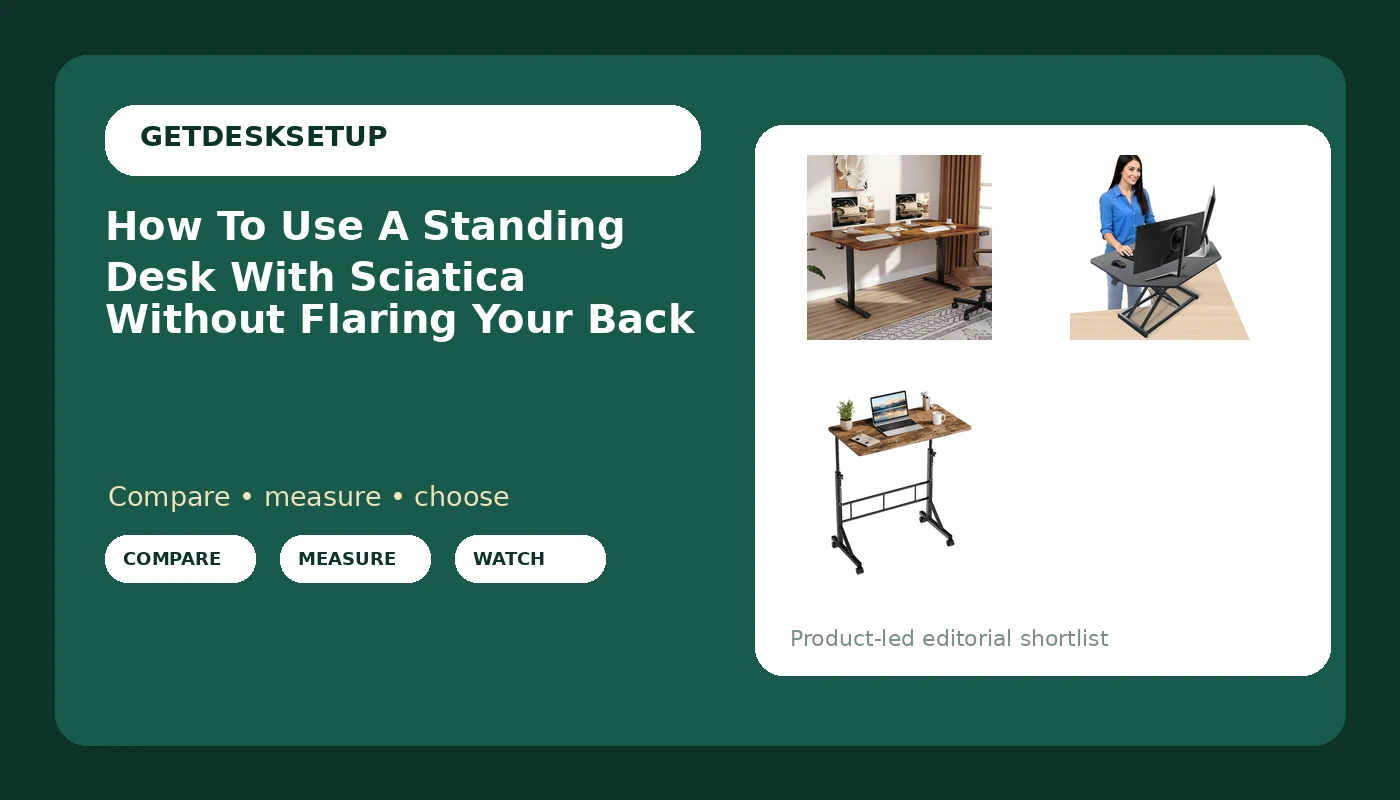
Our pick: Veken 63 x 28 Inch Electric Standing Desk, Sit to Stand Up, Work Home Office Computer Table for Study, Walking Pad, Writing, and Games, Wooden Desktop Desks, Brown
Our pick
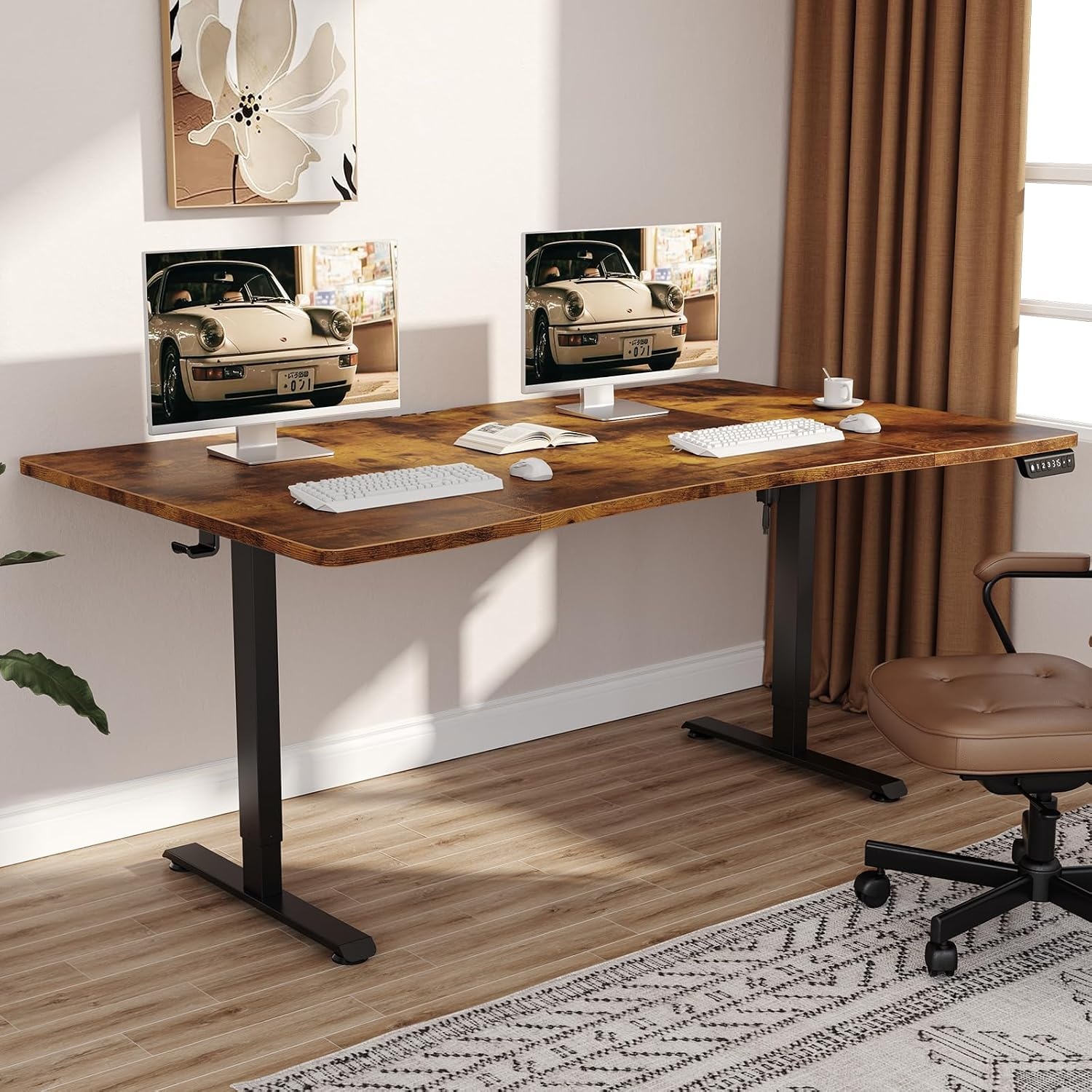
Veken 63 x 28 Inch Electric Standing Desk, Sit to Stand Up, Work Home Office Computer Table for Study, Walking Pad, Writing, and Games, Wooden Desktop Desks, Brown
If you are going to replace the desk, this is the shape I put in front of most clients: a 63 by 28 inch electric sit-stand desk with a wooden top. The 28 inch figure is the one that matters for a bad back. Desktop depth is what decides whether your keyboard sits close enough that you stop leaning forward, and 28 inches gives you room for a keyboard, a monitor, and the forearm clearance to type without reaching.
The 63 inch width is the number you plan the room around. Budget 63 inches of wall, plus a couple of inches of clearance behind you for the chair, and think about where your feet land when you stand up from it.
It also takes a walking pad underneath, which matters more than it sounds. The listing calls that use out directly, and it is the cheapest way to build movement into a workday: five minutes of slow walking instead of five minutes of scrolling.
Check current Amazon price.
Flaws but not dealbreakers: A brown wood top shows scuffs, coffee rings, and the grey smear a mouse pad leaves after a year. And check the published lift capacity before you load it up. A desk that holds a laptop and a lamp is not the same desk as one holding a monitor arm, two displays, and a docking station.
Who should skip it: anyone with less than about 63 inches of wall to give it, and anyone who cannot replace their current desk at all. That is what the next pick is for.
Runner-up: Aconcept 32 inch Black Corner Height Adjustable Standing Desk Converter, One-Click Sit to Stand up Desk Riser, Pre-Assembled for Dual Monitor and Laptop Workstation
Runner-up
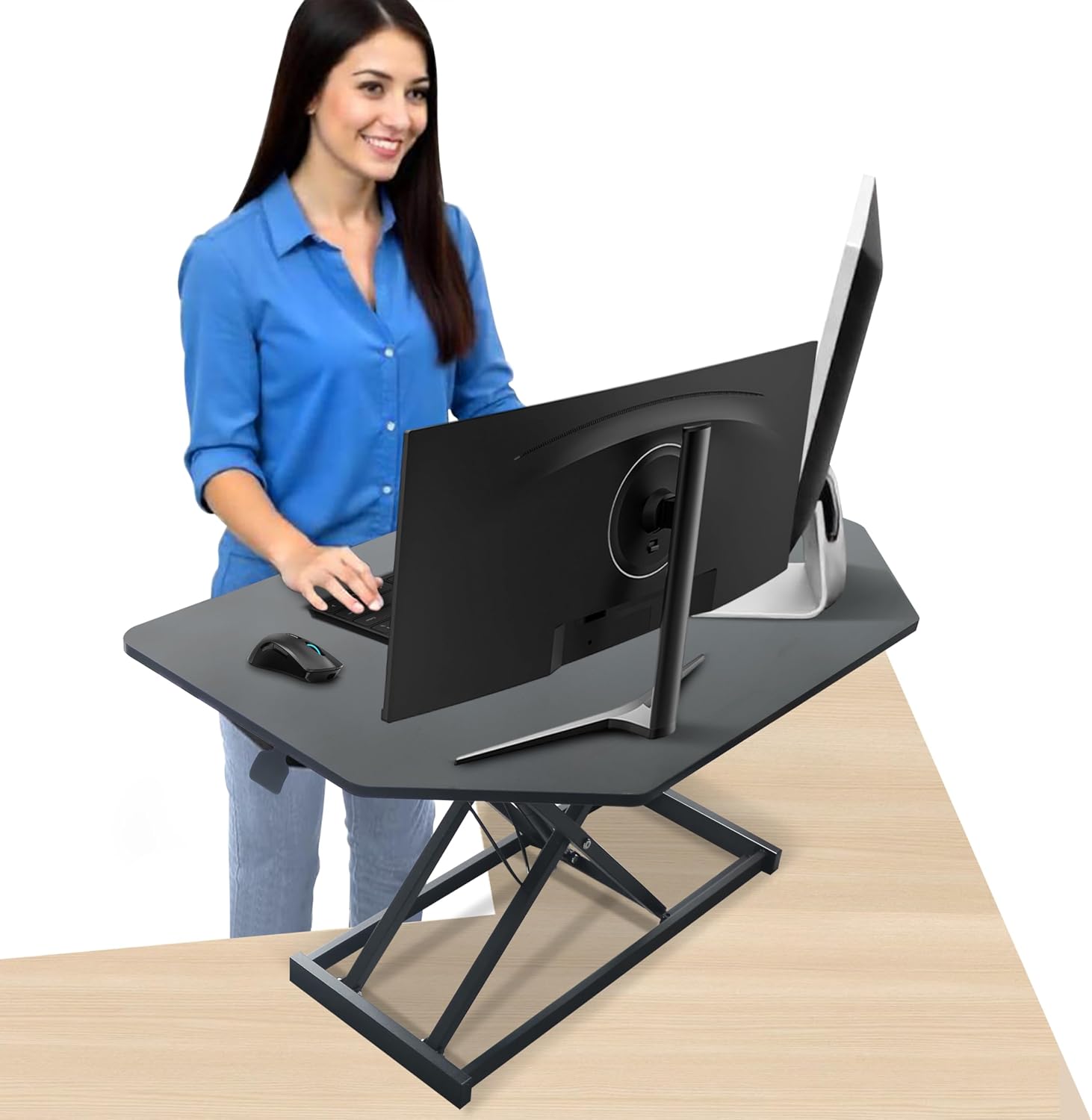
Aconcept 32 inch Black Corner Height Adjustable Standing Desk Converter, One-Click Sit to Stand up Desk Riser, Pre-Assembled for Dual Monitor and Laptop Workstation
A converter is the answer when the desk stays. This one is 32 inches wide, pre-assembled, corner shaped, and it goes up with one hand, which sounds like a gimmick until you are mid-task and want to stand for ten minutes without clearing your desk first.
If you want to use a sit stand desk with sciatica but a new desk is not in the budget or the lease, this is the cheapest way to get a standing option into the room you already have. Pre-assembled also means there is no wobble to chase, because there are no bolts for you to under-tighten on a Sunday.
The catch with every converter is that it lifts your keyboard and your monitor together. That is fine if your monitor already sits at eye level. If it does not, you fix it with a monitor arm, not by tilting your neck down for an hour.
The corner shape is genuinely useful on an L-desk. On a straight desk it just means you have a diagonal front edge.
Check current Amazon price.
Flaws but not dealbreakers: Pre-assembled means it is heavy out of the box, so have someone help you lift it onto the desktop rather than doing it with your back in a twist. And it stacks on top of whatever height your current desk already is. If you are already at the top of your comfortable seated range, the standing position will be past it.
Who should skip it: anyone whose existing desk is already too high for seated work, and anyone who needs three surfaces and a lot of weight up there.
Budget pick: DUMOS 31.5" Walking Pad Desk, Laptop Desk, Home Office
Budget pick
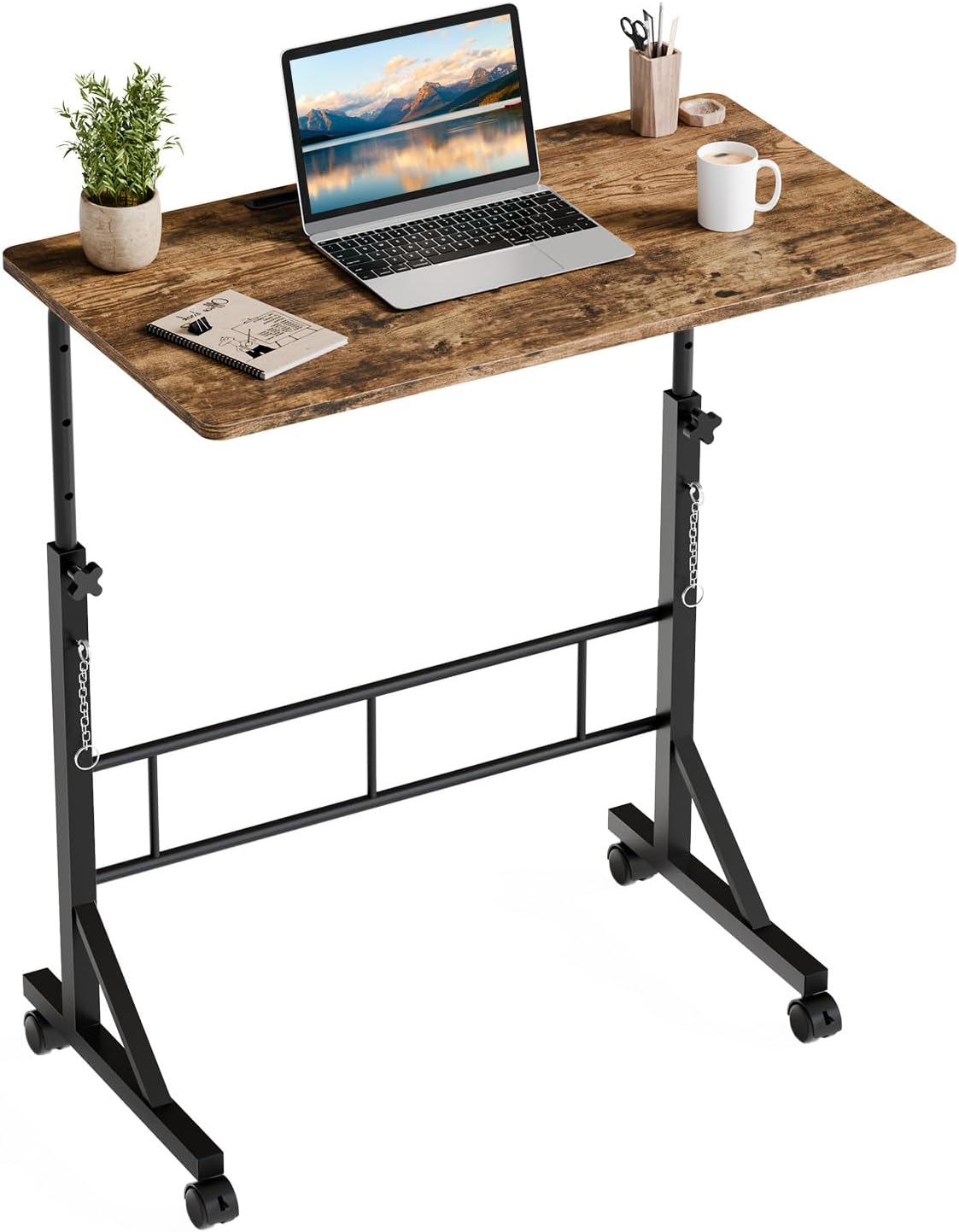
DUMOS 31.5" Walking Pad Desk, Laptop Desk, Home Office
Movement is the part of back care that people skip, because it sounds like exercise and nobody wants homework. This is a 31.5 inch laptop desk, light enough to move, sized for a laptop and a walking pad. I put one of these next to a client's main desk so a five minute walking break does not turn into a trip to the kitchen and a lost hour.
This is a laptop desk, not a sit-stand workstation. There is no motor here and no memory preset to save. What it does is give you a second surface, in a different posture, for the part of the day when sitting and standing both feel wrong and walking is the only thing that helps.
For anyone trying to use a standing desk with lower back pain without buying a second motorized frame, this is the cheap version of that idea: keep the main desk for real work, keep this one for movement.
Check current Amazon price.
Flaws but not dealbreakers: 31.5 inches is a laptop-and-notebook width. Two monitors and a keyboard are not happening on it. Check the height range on the listing before you buy, because a table two inches short of comfortable turns a five minute walk into a shoulder shrug.
Who should skip it: anyone who needs a full keyboard and monitor setup on that surface, and anyone who wants one desk to do everything.
The eight steps: how to use a standing desk with sciatica
None of this is complicated. It is just specific, and the specifics are where people go wrong.
Step one: Get the diagnosis first. If the pain has not been looked at, do that before you build a routine around standing. A desk cannot tell the difference between muscle tightness, a disc, and a hip problem, and the routine that helps one can aggravate another. I set up desks. Your clinician sets up the plan.
Step two: Set the seated height before you touch the standing height. Feet flat, hips at or slightly above knee level, elbows at 90 to 100 degrees while you type. If your chair cannot get you there, the chair is the problem, not the desk. Do not use standing as a workaround for a seated height that was never right in the first place.
Step three: Set the standing height by your elbows, not by the number on the frame. Elbows at 90 to 100 degrees, keyboard at elbow height, monitor top at eye level and about an arm's length away. Most people set standing height too high and end up leaning on the desk with their hips shifted, which is the exact posture that irritates a nerve.
Step four: Build a cadence, not a schedule of hours. Twenty minutes standing, forty seated, five moving, then repeat. If twenty is too much in week one, start at ten. Nobody trying to use a standing desk with sciatica needs to stand all day, and the people who try are the ones who quit by Friday.
Step five: Change your stance while you stand. Shift your weight, put one foot on a footrest or a low box, and swap feet every few minutes. Locked knees with one hip hiked up is how standing turns into a new problem. A mat helps, but a mat does not replace moving.
Step six: Use every height change as a movement break. When you raise or lower the desk, walk for thirty to sixty seconds. If you have a walking pad, this is where it earns its floor space: five slow minutes, three or four times a day, adds up to real movement without a real workout.
Step seven: Save the memory preset and let the desk do the work. Two saved heights, seated and standing, so you are not hunting for the right spot and settling for close enough. If the frame has anti collision, do not fight it when it stops; clear whatever it hit and start again. Check the lift capacity once, with everything on the desk, so you know the frame is not straining.
Step eight: Fix the cables and re-check the height once a month. Run power and display cables through the cable tray or a grommet so nothing pulls on your monitor arm, because a cable that tugs will change your monitor angle within a week and you will adjust your neck to match it. Then, once a month, sit down, set the height by feel, and measure it against your notebook number. Bodies change. Desks do not.
The competition and why it lost
The things that lost here are not bad products. They are the wrong shape for this problem.
The all-in-one treadmill desk loses because you cannot stand on a moving belt for a full workday with a nerve that is already irritated, and the frame costs more than a desk plus a walking pad. If you want to walk while you work, do it in short blocks with a separate walking pad and a laptop surface, which is exactly why the small laptop desk is in this guide.
Under-desk treadmills lose for the same reason when they are sold as the primary answer. A treadmill under a fixed desk also fights your knee room and anything running under the frame.
Non-adjustable laptop risers and standing-only fixed desks lose because they lock you into one height. If you want to use a standing desk with lower back pain in the picture, the entire point is being able to leave the position, not to hold a new one better. A desk that only stands is half a tool.
Standing mats and footrests are accessories, not answers. A mat under a desk that is two inches too tall just makes a taller problem softer. Buy them after the height is right, not instead of fixing the height.
Kneeling chairs and active stools show up in every sciatica thread and they belong in a chair guide, not this one. If that is what you are shopping for, start with ergonomic office chairs and come back when the desk is sorted.
The big executive-width desks lost because width is not the problem. Desktop depth and height range are the problem, and paying for width does not fix either one. A cheap frame with a dual motor and two memory preset slots beats an expensive slab with a single motor and no saved heights.
If you want the full ranking of sit-stand frames I have measured, that lives in the best standing desks.
What this all costs
Three tiers, and the spread is wide.
The small laptop desk is the cheapest entry point by a lot. The converter sits in the middle. The full electric sit-stand desk is the biggest single outlay, and it is the one that replaces furniture rather than adding to it.
Check current Amazon price on each before you decide, because these move more than people expect.
What I tell clients: do not price the desk alone. Price the desk plus the two accessories that make it usable for a bad back, which are a footrest and a mat, plus a monitor arm if your monitor is not already at eye level. Those three items are where most people try to save money, and they are the three that make the routine survivable.
Then divide by 1,825, which is five years of workdays. A desk you keep for five years costs a fraction of what the same money costs you in a year of flare-ups that cost you two afternoons a week.
The cost-per-day math is the easy part. The hard part is the first two weeks, when standing feels worse before it feels better, because your body is adapting to a position it has not held in years. Ramp slowly. Sit down when the nerve says so, not when a timer says so.
The cheapest correct setup beats the most expensive wrong one. Every time. That is the whole job: measure your seated height, set your standing height by elbow, change position before you need to, and let the desk hold the position while you get back to work. The routine for how to use a standing desk with sciatica is the same whether you spent the least or the most, and that is the part nobody sells you.
That's the job. Your back was built to move. Let it.