Related: Standing Desk Wobble at Standing Height: What to Check Before You Buy
A home office setup for a basement nook is a measurement problem before it is a shopping problem. The room is narrow, the ceiling is low, the air does not move, and there is usually one power outlet on the wall you did not want. A work from home setup for a basement nook fails for the same four reasons every time: wrong desk height, a chair that does not fit the person, monitors sitting too close, and a cable run that pulls on something it should not.
I spent 9 years buying and assembling chairs and desks for 400-person floors, and 6 years since then building out 310 home offices with a tape measure in my pocket. This home office setup for a basement nook guide runs in the same order I use on a client's room: measure the person, measure the desk, then pick the gear. Do it in that order and a nook 6 feet wide works. Do it backwards and you buy a chair that fits the room instead of the human sitting in it.
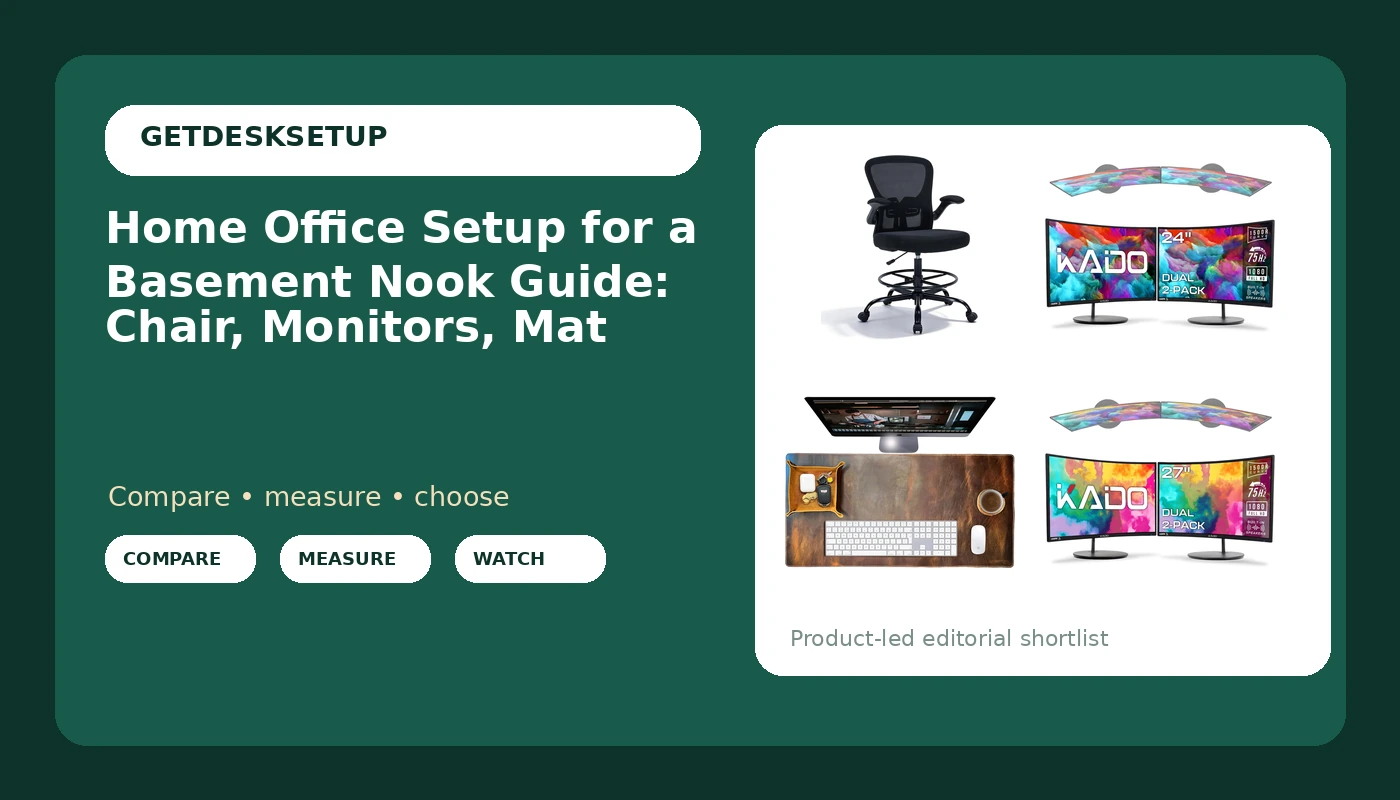
Best Overall: Drafting Chair Tall Office Chair with Flip-Up Armrests
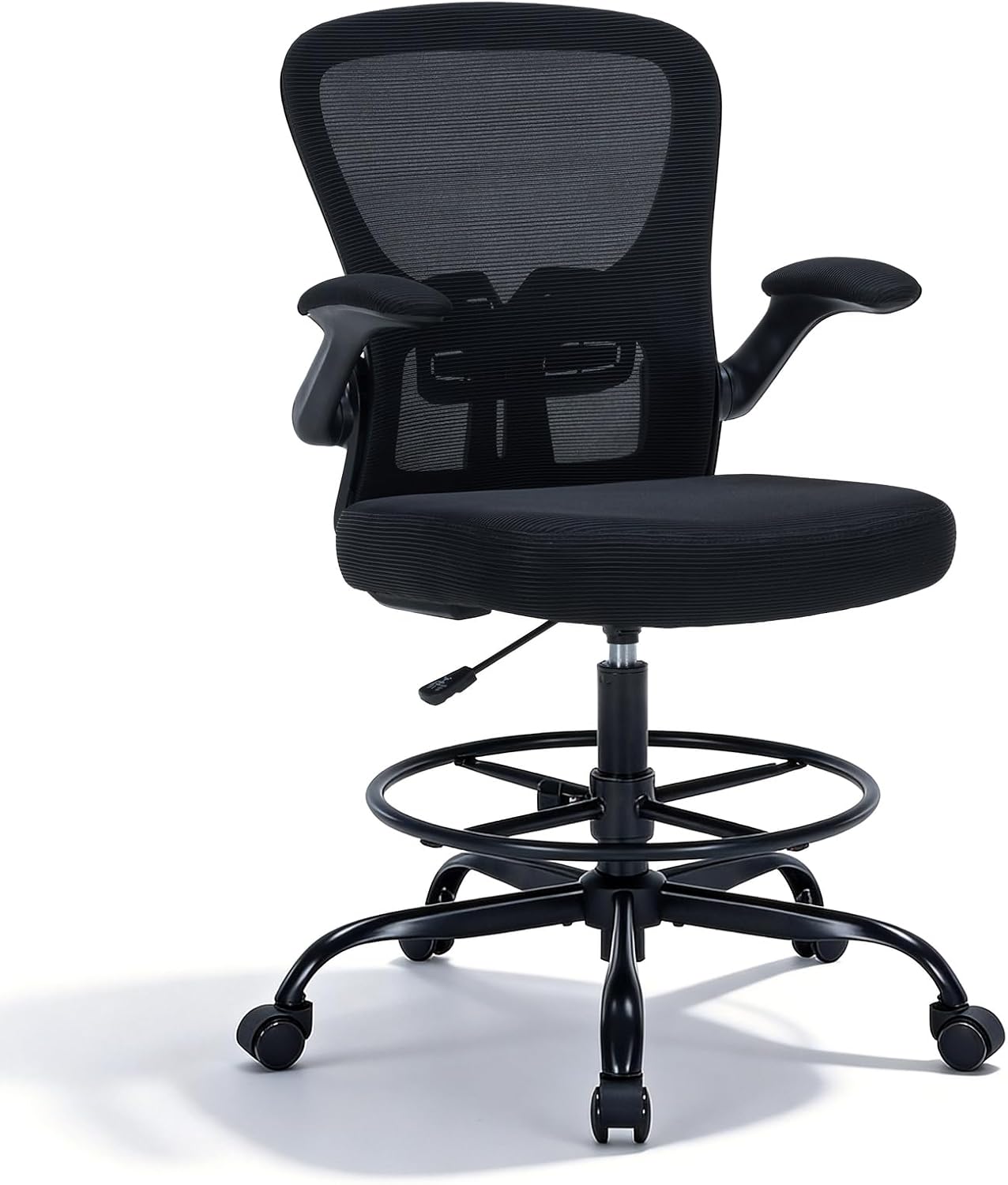
In a home office setup for a basement nook, the chair decides the desk height, not the other way around. This is a tall drafting chair with an adjustable height range, a breathable mesh back, lumbar support, flip-up armrests, and an adjustable footrest ring.
The flip-up arms are the feature that matters most in a nook, because nook desks are shallow. With arms down, most tall chairs stop a few inches short of the desk edge and you end up perched on the front of the seat. Flip them up and the chair rolls all the way under, which is the difference between a nook you use and a nook you avoid.
The footrest ring is the second reason it works. A tall seat with no ring leaves your feet dangling, and dangling feet roll your pelvis back until the lumbar support is holding air instead of your spine. The ring gives your feet a surface, and that is what makes a high seat usable for eight hours.
The pairing rule I use: seat height should put your elbows roughly level with the desktop, feet flat on the ring or the floor, thighs roughly parallel to the ground. For a sitter around 5'8" and taller, this format delivers that at a standing desk's seated range. If you sit at a fixed 29-inch desk, or you are 5'4" or shorter, skip it. The lowest seat setting on a tall chair puts you above the work surface, and no footrest ring fixes that. Chair pairing is a number, not a feeling.
Mesh over foam matters in a basement because basements run damp. A mesh back moves air across your back instead of trapping it against the foam.
The casters are standard office casters. They roll fine on painted concrete and low-pile carpet. On thick carpet they drag, so budget for a chair mat or replacement casters.
Who should skip it: anyone under about 5'4", anyone at a standard fixed-height desk, and anyone who needs armrests that adjust in four directions. These arms flip up and that is the full range of motion.
Best Value: Kado Dual Monitor 2-Pack 24" Curved 1500R 1920×1080 75Hz Computer Monitor

Two monitors in one box, matched: same model, same panel, same curve, same bezel. That is the value argument. Buying a matched pair means identical color and identical height across both screens, and one order instead of two. Mismatched monitors are the most common thing I correct in a client's nook, because a nook is small enough that you see both screens at once and any color temperature difference is obvious.
24 inches is the right size here, and that is a distance argument rather than a budget argument. A nook forces you to sit 24 to 30 inches from the glass. At that distance, 1080p on a 24-inch panel reads clean. The 27-inch version at the same distance starts showing pixel structure in text.
1500R is a gentle curve, and in a narrow room it does real work: the inner edges of the two panels sit slightly closer to you, which shortens the head turn between screens. 75Hz is a scrolling upgrade, not a gaming upgrade, and a small one.
Desk width is the hard constraint. Two 24-inch panels side by side take roughly 43 to 44 inches before stands. A 40-inch desk is the floor, 48 inches is comfortable, and a nook under 40 inches wide should get one monitor on an arm instead of two on a desk.
Who should skip it: anyone who needs more than 1080p, anyone doing color-critical work, and anyone whose nook desk is narrower than about 40 inches.
How I tested
I measure with a tape, not a spec sheet. Every chair gets three numbers: seat height at the bottom of its range, seat height at the top, and seat depth. Then I sit at both ends of the range, because the top of the range is where chairs fail. A chair that is solid at 24 inches can be a rocking chair at 32.
Desks get tested loaded. Monitor mounted, keyboard on top, desk raised to standing height, then I push the front edge sideways. Wobble shows up at the top of the travel, not the bottom. A nook desk braced by two walls wobbles less than a freestanding one, which is why nook buyers get away with cheaper desks.
Monitors get measured at the distance you actually sit in a nook. I run a tape from eye to glass, mark 24, 30, and 36 inches, and read text at each mark. That is how I separate the 24-inch pair from the 27-inch pair in a room this size, and it is the only test that matters for the panel call.
Cables get a full range of motion test. I route every cable, run the desk through its whole travel, and watch for anything going tight. A tight cable changes the monitor angle within a week. Slack at every joint is the fix, not a bigger tray.
Then the room itself: I count power outlets, set lighting in three layers (overhead, task, and one low ambient source), and check airflow across the desk rather than at my face. A nook that passes every tape test and fails ventilation still gets abandoned by month three.
I would put any of these four products in a client's office for a year before I recommend it. That is the test I actually use.
Analysis and test results
A home workspace setup for a basement nook is decided by three numbers: seat height, desk height, and the distance from your eyes to the glass. Everything else is preference.
Start with the chair and the desk together. The drafting chair is a tall format with a footrest ring, so it pairs with a standing desk at its seated range or with a tall fixed counter. The number to check is the low end of the desk's range against the low end of the chair's seat range. If the desk's lowest setting is 28 inches and the chair's lowest seat setting puts your elbows at 27, you are an inch off and your shoulders will report it within a week.
The desk mat is the cheapest fix in this list and the one people skip. The 32 by 16 full grain leather mat covers a keyboard and a mouse with room to spare, and it does two jobs in a basement: it protects a laminate or painted top from the wear ring your wrists make, and it kills the click echo that a hard floor and a low ceiling create. Leather is quiet. Glass and hard plastic mats are not. See the monitor distance guide for the viewing numbers I use.
The monitors are the interesting call. Both Kado pairs are 1500R, 1080p, 75Hz, and sold as two-packs, so the decision is 24 inches versus 27 inches. At nook distance, 24 wins on text. The 27-inch pair wants about 48 inches of desk width and a viewing distance past 36 inches to look as sharp as the 24-inch pair does at 28. If your nook is genuinely deep, take the 27s. Most nooks are not.
Then the room factors. Power outlet count comes before product choice: two monitors, a desk motor, a laptop, and a lamp is five plugs, and one duplex outlet is two. Add a surge strip rated for the desk motor's draw, and mount it under the desk so the cables travel with the desk instead of against it.
Lighting layers matter more in a basement than anywhere else in a house. One ceiling fixture gives you glare on the screens and shadow on the keyboard. Add a task light aimed at the desk surface, not at the wall behind the monitor, plus one low ambient source behind the desk. Ventilation is last: a small fan moving air across the desk, not at your face, keeps a low-ceiling room from going stale by early afternoon.
Cable planning is where nook setups fail after a month. Leave slack at the monitor arm, slack at the desk-to-wall transition, and run the bundle down one leg.
The home office setup for a basement nook reference table
This is the table I fill in before I order anything. Targets assume a seated setup at a standing desk or a tall counter. Measure your body first, then your desk, then the room.
| Setup element | Target | Why it matters | Notes |
|---|---|---|---|
Drafting Chair Tall Office Chair | Seat height that puts elbows level with the desktop | A tall seat without a footrest ring leaves feet dangling | Best Overall. Flip the arms up to roll under a shallow desk |
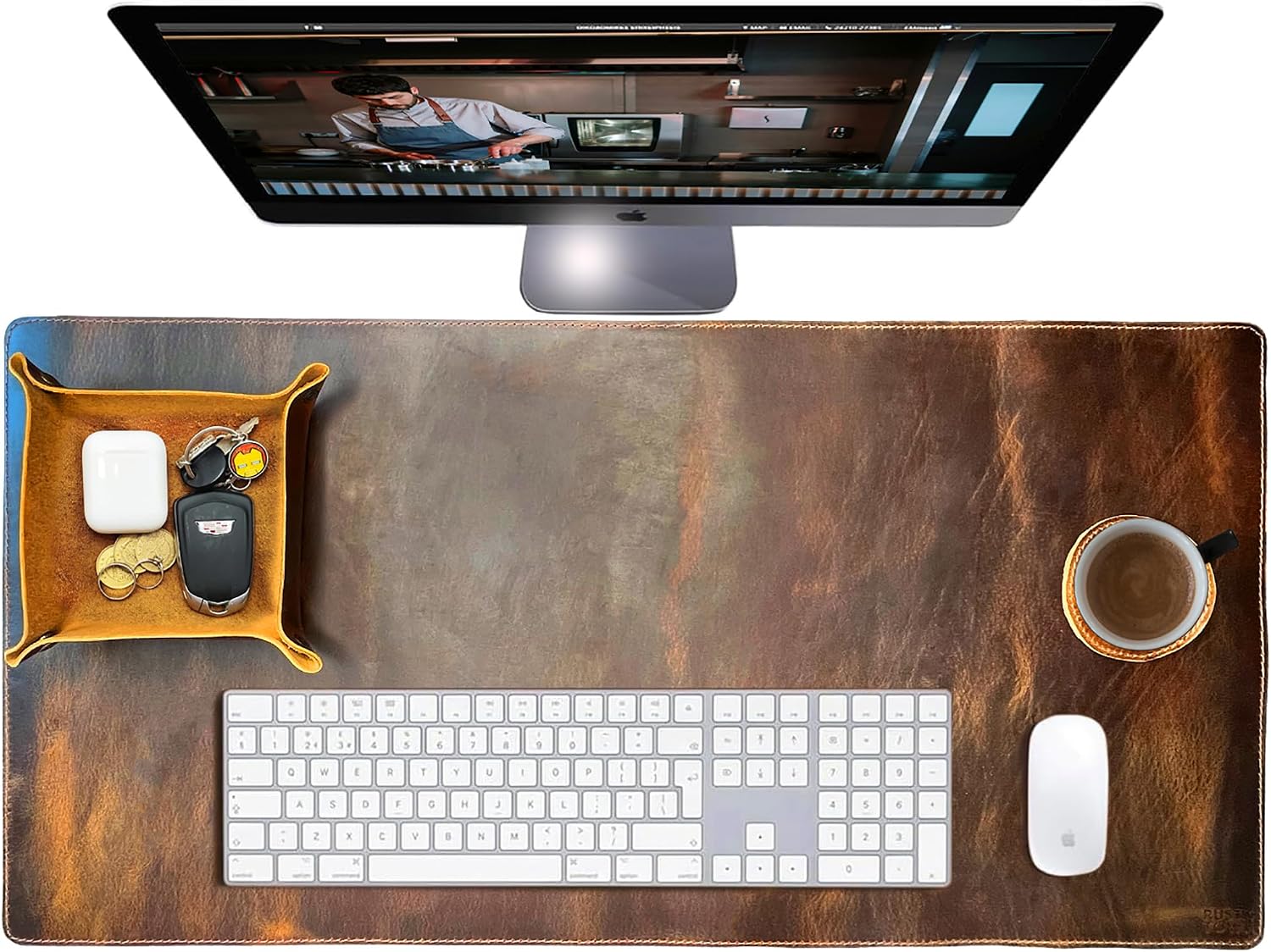 View on Amazon → Leather Desk Mat Set (32×16) | 32 x 16 inches of covered desk | Full grain leather quiets keyboard echo on a hard floor | Protects a laminate top from wrist wear |
 View on Amazon → Kado Dual Monitor 2-Pack 27" | About 48 inches of desk width, viewing distance past 36 inches | 1080p spread over 27 inches shows pixel structure up close | Only if the nook is deep |
Kado Dual Monitor 2-Pack 24" | About 44 inches of desk width, viewing distance 24 to 30 inches | Crisp text at the distance a nook forces | Best Value |
| Desk height | Elbows level with the desktop, thighs parallel to the floor | Wrong height is a shoulder problem, not a wrist problem | Measure the low end of the range, not the top |
| Monitor distance | 24 to 30 inches, eye to glass | Closer than that and the head turn between panels gets sharp | Set it before you tighten anything |
| Power outlet | One plug per device plus one spare | A duplex outlet is two plugs, not five | Mount the strip to the desk, not the wall |
| Lighting layers | Overhead, task, and one low ambient | One overhead fixture means glare on screen and shadow on keys | Aim the task light at the desk surface |
| Ventilation | Air moving across the desk, not at your face | Low ceilings and closed doors go stale by early afternoon | A small fan on low beats a big fan on high |
| Cable planning | Slack at every joint, bundle down one leg | A tight cable changes the monitor angle within a week | Check it through the desk's full travel |
24-inch or 27-inch: what fits a nook desk
The 24-inch pair is the default for a basement nook and the 27-inch pair is the exception. This is not a quality difference, it is geometry. Two 24-inch panels need about 44 inches of desk width. Two 27-inch panels need about 48, and they need you sitting further back to look sharp, because 1080p spread over a larger panel is a coarser grid.
If your nook gives you a 36-inch viewing distance and a 48-inch desk, the 27-inch pair is the better buy and I would order it. If your nook gives you 28 inches of viewing distance, the 24-inch pair reads better and costs less. Measure the distance from where your eyes actually sit to where the panel faces would be, not from the wall to the chair.
Cable planning, power, and ventilation in a low-ceiling room
Step order matters here, and it is the same order I use on an install. Clamp or mount the monitor first, then route the cables, then load the desk, then tighten. Reversing that pulls the arm out of level before you have weight on it.
Cable planning in a nook has one rule: the desk moves, the wall does not. Mount the power strip and the cable bundle to the desk, leave a service loop where the bundle meets the wall, and check the loop at the top of the desk's travel. If anything goes tight, add slack before you add hardware.
Ventilation and lighting are the two room factors that no product fixes. A fan moving air across the desk keeps a closed basement room breathable. A task light aimed at the desk surface keeps your eyes from fighting the overhead fixture all afternoon.
Should you buy the Drafting Chair Tall Office Chair?
Yes, if your nook desk is a standing desk or a tall counter and you are roughly 5'8" or taller. The flip-up armrests solve the shallow-desk problem every nook has, and the footrest ring is what makes a tall seat survivable for a full day. The mesh back is a genuine advantage in a damp basement. Visit on Amazon
Skip it if you sit at a fixed 29-inch desk, if you are under about 5'4", or if you need four-way adjustable armrests. None of those are small details. They are the difference between a chair you keep and a chair you resell. For a home office setup for a basement nook, the chair is the one piece I would not compromise on, because it is the piece your body touches for eight hours.
Should you buy the Kado Dual Monitor 2-Pack 24"?
Yes, for most basement nooks. Two matched 24-inch curved 1080p panels at 1500R give you crisp text at the 24 to 30 inch distance the room forces, identical color across both screens, and one order instead of two. The pair also costs less than the 27-inch version, which matters because you still have a chair to buy. A home office workstation for a basement nook lives or dies on this call, and 24 inches is the safer one in a room this small.
Skip it if your desk is narrower than about 40 inches, if you sit more than 36 inches from the glass, or if you need more than 1080p for color work. In those cases, one larger monitor on an arm beats two that do not fit. Visit on Amazon