Related: Best Cable Management Ideas for a Home Office Desk
I have built out 310 home offices, and this home office setup clearance guide is the conversation I have most often with clients: a cart full of cheap accessories, no idea which one to open first. The honest answer is that four small pieces do most of the work, and three of them are the least glamorous things in the cart. What none of them do is fix a room. That part is on you, and it starts with a tape measure.
I put the tape on the desk before anything gets unboxed. Desk height at the lowest and highest setting, the distance from your eyes to the screen, where the power outlet actually sits versus where the product photo pretends it sits. A home office setup clearance list that starts with a webcam instead of a tape is a list that ends with a webcam on a shelf. So here is the install order I use, the four items I keep buying, and the exact point where I tell a client to skip each one.
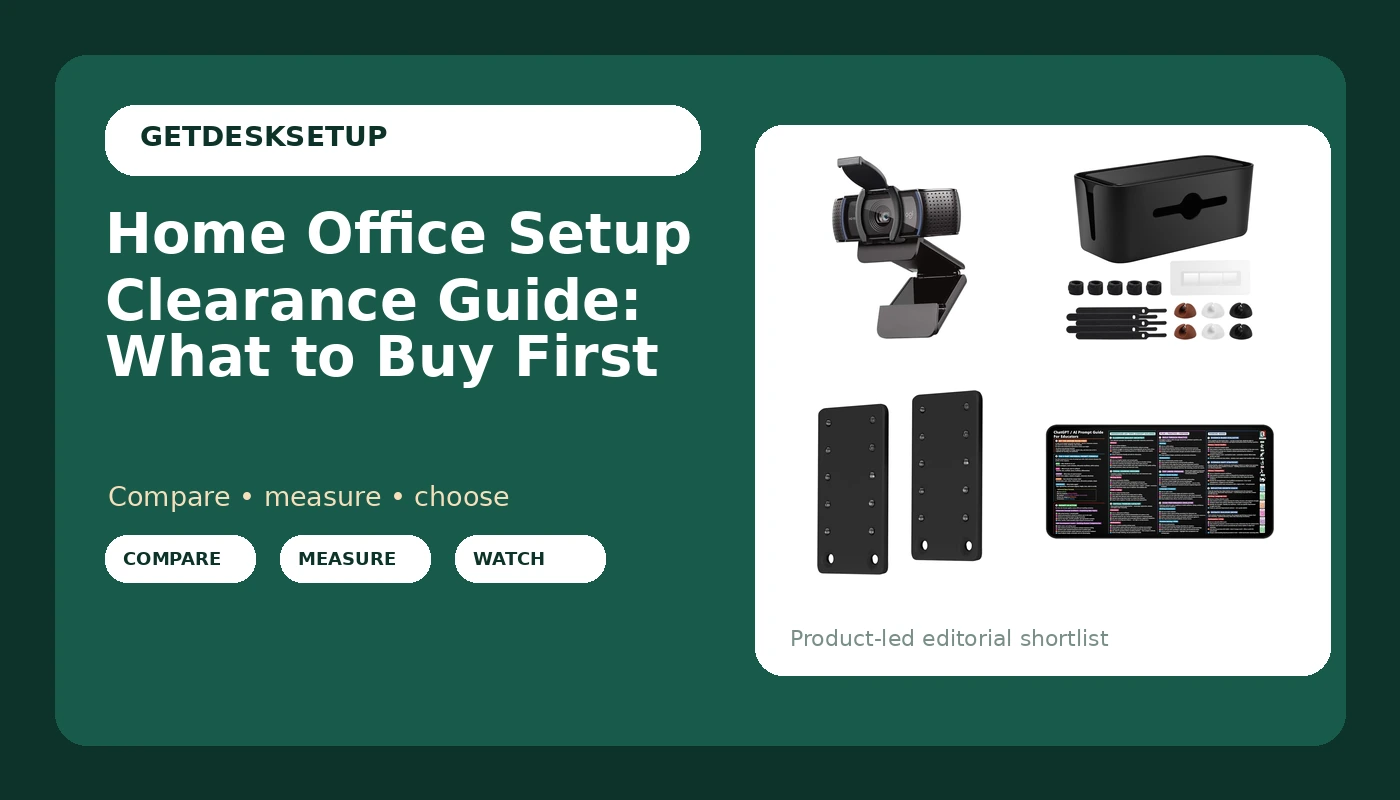
Best Overall: Logitech C920e HD 1080p Mic Enabled Webcam Certified Zoom Microsoft Teams
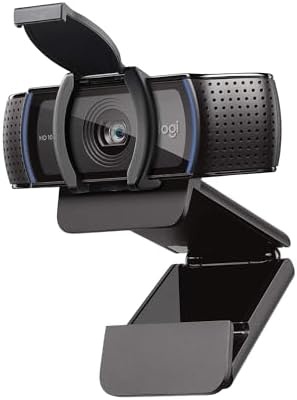
This is the one piece of gear in the group that other people look at every single day. It shoots 1080p HD, it has a microphone built in, and it is certified for Zoom and Microsoft Teams, which in my builds means one less thing to troubleshoot at 9 a.m. on a Monday. When a client's day is three hours of calls, this goes up before the second monitor does.
I mount mine on the top edge of the monitor, which puts the lens close to eye level once the desk height is set right. Monitor distance matters more than resolution here. If you sit closer than arm's length, any camera at this width makes your face look like you are inside a fish bowl, and no number of megapixels fixes that. Sit back, set the desk so the top of the screen is at or just below eye level, and let the camera sit there.
Lighting layers do the rest. A window in front of you is good. A window behind you turns you into a silhouette. If you can only add one layer, add a light in front and slightly above, and check it at 7 p.m. in winter rather than at noon in July, because that is when most people discover the problem.
Cable planning is the part people skip. This is one USB cable, and it should not cross the front of the screen or hang where your hand passes when you reach for the keyboard. Route it back over the monitor arm, down the back edge of the desk, and into the same channel as everything else. If your arm is already dragging cables out of position, the fix is routing, not a new arm, and I cover that in my monitor arm setup notes.
Who should skip it: if you never take a video call, skip it. If your laptop already sits on a riser at eye level and the built-in camera is good enough for you, skip it. And if you want to film documents or handwriting from above, this is the wrong tool, because that is a different mount and a different camera entirely.
Best Value: Cable Management Box,Cord Organizer for Home Office Cable Wire Hide,Black
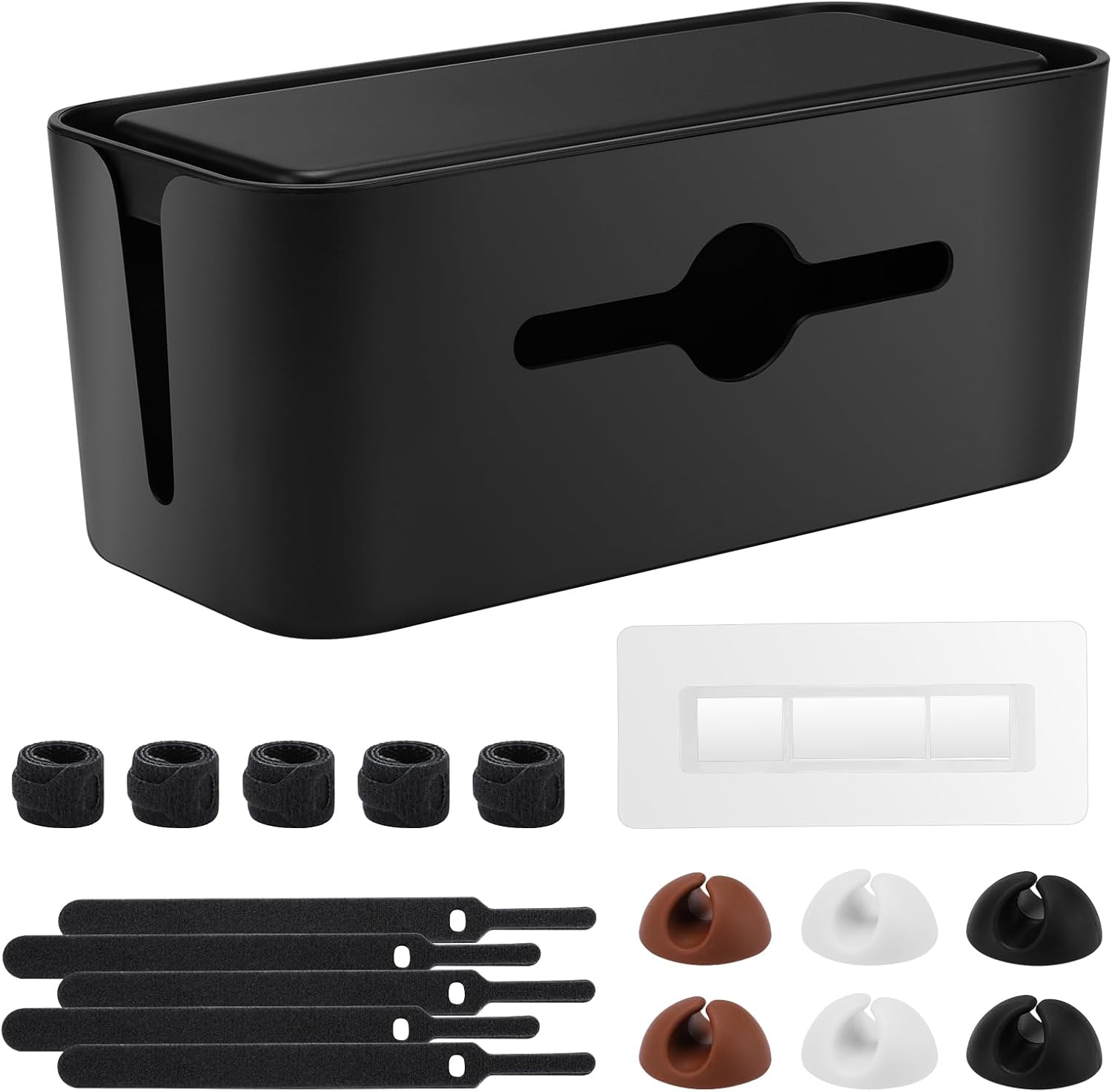
Everything that plugs into a wall gets planned before anything that plugs into the computer. That is the whole reason this box exists, and it is the cheapest way to make a desk look finished instead of abandoned.
The box goes on the floor behind the desk or on a low shelf. The power strip goes inside. The cables leave through the ends and get labeled with tape if you have more than four devices. When you swap a charger or add a monitor, you open it, you drop the cable in, you close it, and you move on. That is the test for any box: if you cannot open it with one hand while holding a cable in the other, you will stop using it inside a month and the nest comes right back.
Two things I check every time. Ventilation first, because a power strip sealed in a closed box with no airflow is a heat trap, so keep the ends open and do not stack anything on top of it. Second, the power outlet itself. If the only outlet is across the room, no box solves that, and you should price an electrician or a floor-rated extension cord before you buy a single accessory.
This is the item that ends up on almost every home office workstation clearance list I write for a client, because it is the one purchase that makes the previous three purchases look intentional.
Who should skip it: if your cables already drop into a floor channel or a wall grommet, you do not need a box. If you tear your setup down and rebuild it every week, a box is just one more thing to pack.
How I tested
I do not test accessories on a bench. Every item here went into a real client build and stayed there for at least 30 days, in a house with a cat, a kid, or a spouse who unplugs things without asking. That is the environment that finds the problems, not a table in a studio.
Most work from home setup clearance advice starts with the chair. Mine starts with the outlet, because everything else depends on where the power is. Then the checks get boring and repeatable. Desk height gets measured with a tape at both ends of its range, then sat at, because the number on a spec sheet and the number your elbows agree with are two different numbers. Chair pairing gets checked against the person, not the price: if the seat depth and the height range do not match, nothing else in the room matters. Monitor distance gets measured at arm's length from the eye to the glass, never guessed. Room layout gets walked on foot: where the door swings, where the window faces, where the outlet sits, whether the desk blocks the air vent.
Lighting layers get checked at night with the overhead off, since that is how the room is actually used in winter. Cable planning happens before anything gets mounted, because a cable that pulls on a monitor arm changes the monitor angle within a week, and then you are adjusting it every morning forever. Ventilation gets checked for anything that runs warm.
Four items survived that process and stayed in the builds. Not because they are fancy, but because no client has asked me to take them out.
Analysis and test results
Every home office setup clearance guide I have written comes back to the same order of operations. Power outlet, then cable planning, then monitor distance and camera placement, then desk height, then whatever sits on the desktop. Done in that order, a cheap setup feels solid. Done backwards, you spend three weekends redoing work you already paid for.
A home workspace setup clearance list that starts with the desk mat is backwards. The mat is the last 5 percent. Cables, height, and sight lines are the first 80, and they are the part that decides whether you still like the room in March.
The camera earned Best Overall because it is the only item here that changes how you are perceived at work rather than how the desk looks. It is also the item with the clearest skip condition: no calls, no camera. That is a rule I will defend in any build.
The cable box earned Best Value because the return per dollar is the highest in the group. Cable planning done once is done, and the box is what keeps it done when life adds a charger, a headset, and a second laptop. Nothing else in this article gets used as often.
The keyboard tray brackets are the specialist. They do nothing for a desk with no tray, and everything for a fixed-height desk where the tray is the only surface you can move. If your elbows sit above the desk surface and you cannot lower the desk, this is the fix that does not require buying a new desk.
The desk mat is the reference layer, and I will say plainly that it is for a specific buyer. Teachers, tutors, and anyone running training sessions will use the prompt sheet printed on it every week. Everyone else will look at it twice and then set a mug on it.
The one thing I would not skip on any of them: measure first. Chair pairing, monitor distance, and desk height are numbers, not feelings. If you cannot say your seat depth in inches, you are guessing, and no accessory saves you from that.
Home office setup clearance reference table
Four items, what each one does, and who should walk away. Prices move constantly on Amazon, so check the listing rather than trusting a number a blog printed months ago.
| Product | Role in the setup | Best for | Who should skip it | Price |
|---|---|---|---|---|
Logitech C920e HD 1080p Mic Enabled Webcam Certified Zoom Microsoft Teams | Video calls | Anyone on calls more than an hour a day | People who never take video calls | Check current Amazon price |
Cable Management Box,Cord Organizer for Home Office Cable Wire Hide,Black | Cable planning and power | Desks with a power strip on the floor | Desks that already use a floor channel or wall grommet | Check current Amazon price |
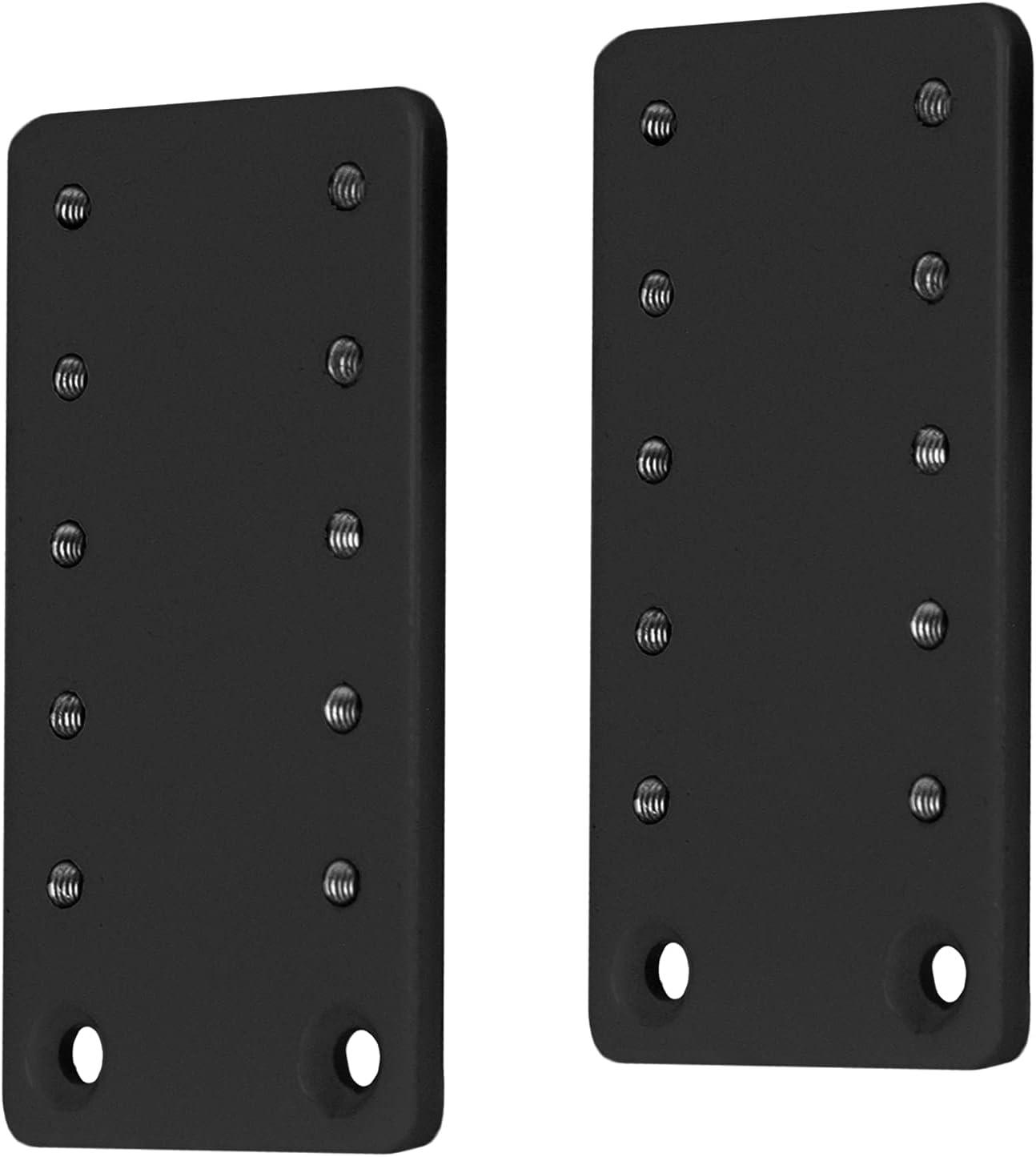 VIVO Black Height Adjustment Kit Brackets for Keyboard Trays, MOUNT-KB5SP | Desk height on a fixed desk | Fixed-height desks with an existing keyboard tray | Desks with no keyboard tray | View on Amazon → |
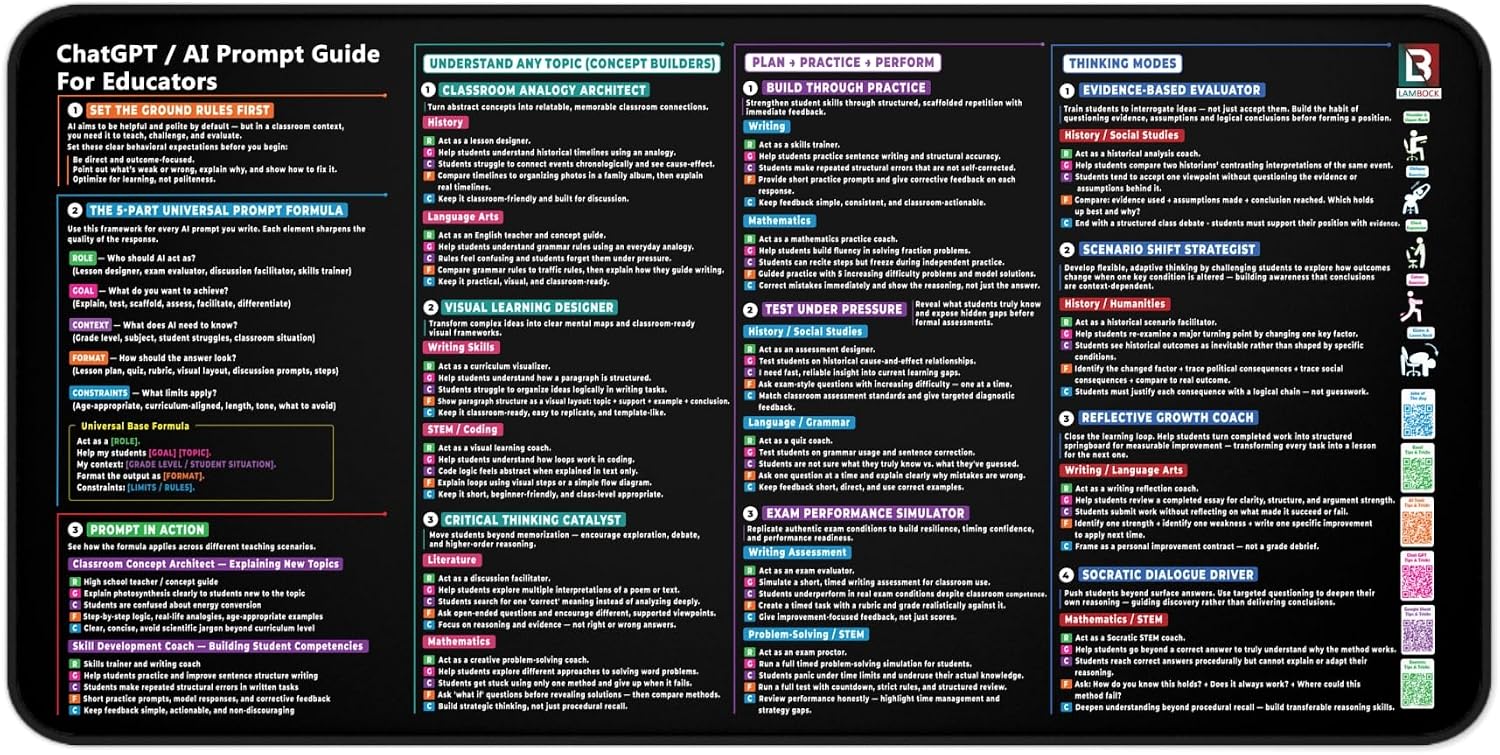 Teaching Effectively with ChatGPT, AI Prompt Cheat Sheet Desk Mat for Teachers & Educators, Black 16×32 in | Reference layer | Teachers, tutors, trainers | Non-teachers, and desks under 32 inches wide | View on Amazon → |
VIVO Black Height Adjustment Kit Brackets for Keyboard Trays, MOUNT-KB5SP
This is the item most people do not know exists, and the one I install most often in apartments where the desk is built in or bolted to the wall. A fixed-height desk cannot be lowered. So if your elbows sit above the surface and your shoulders creep up by 3 p.m., the keyboard tray is the only adjustable surface you have left, and these brackets are how you set it lower than the stock position and lock it there.
The install order matters, same as everything else: clamp or bolt first, then load the tray, then tighten. Reverse that and you crack a desktop. Who should skip it: if you have no keyboard tray, these brackets have nothing to attach to. If your desk already has a height range and you actually use it, you do not need them either.
Teaching Effectively with ChatGPT, AI Prompt Cheat Sheet Desk Mat for Teachers & Educators, Black 16×32 in
A desk mat is normally decoration. This one is a working reference: it is 16 by 32 inches, black, and printed with AI prompt material aimed at teachers and educators, so it earns its space if you plan lessons or run sessions and want the prompts in front of you instead of buried in a browser tab.
The size matters for room layout. At 32 inches wide, your desk needs at least 32 inches of clear width, and 48 if you want a mouse beside it without hanging off the edge. On a 40-inch desk it takes the entire surface, and you will be moving your keyboard onto it.
Who should skip it: anyone who does not teach, and anyone on a narrow desk. It is a reference tool, not a mouse pad with extra marketing.
Should you buy the Logitech C920e HD 1080p webcam?
Yes, if you are on video calls more than an hour a day. It shoots 1080p HD, it has a microphone built in, and it is certified for Zoom and Microsoft Teams, which means it behaves the way the software expects it to behave. Mounted at eye level on a monitor that sits at the right desk height, it does the one job that matters: it makes you look like you are paying attention.
Skip it if you never take calls, or if your laptop camera already sits at eye level and you are happy with the picture. Skip it too if you need overhead shots of documents or handwriting, because that is a different product for a different job.
Should you buy the Cable Management Box cord organizer?
Yes, if you have a power strip on the floor and a nest of cables behind the desk. It is the least expensive way to make a home office setup look deliberate, and the reason it keeps working is that loading it takes ten seconds. Cable planning that requires tools is cable planning that gets abandoned by week three.
Skip it if your cables already route into a floor channel or a wall grommet, or if you break your setup down and rebuild it every week. A box rewards a desk that stays in one place.