Related: Monitor Arm Cable Routing Without the Pinch Points
A home office setup cable raceway is the least exciting thing you will buy for the room, and it is the one I get called back about. I spent nine years as an office facilities manager buying and assembling desks and chairs for 400-person floors, then six more running a two-person setup service that has built out 310 home offices. The callbacks are almost never about the chair. They are about the cable that started pulling on a monitor arm, the power brick hanging off an adhesive strip, or the run that sagged against the underside of the desktop by month two.
This home office setup cable raceway guide covers the four products I keep in the van and under my own desk: two under-desk channels, one no-drill adhesive kit, and one pack of clips. I will tell you the run each one actually covers, what desk height and monitor distance it survives, and who should skip it.
Best Overall: Yecaye 62.8in(4×15.7in) No-Drill Large Cable Management, Under Desk Cord Organizer with Adhesive, Open Slot Cable Raceway for Home/Office/Network, Black
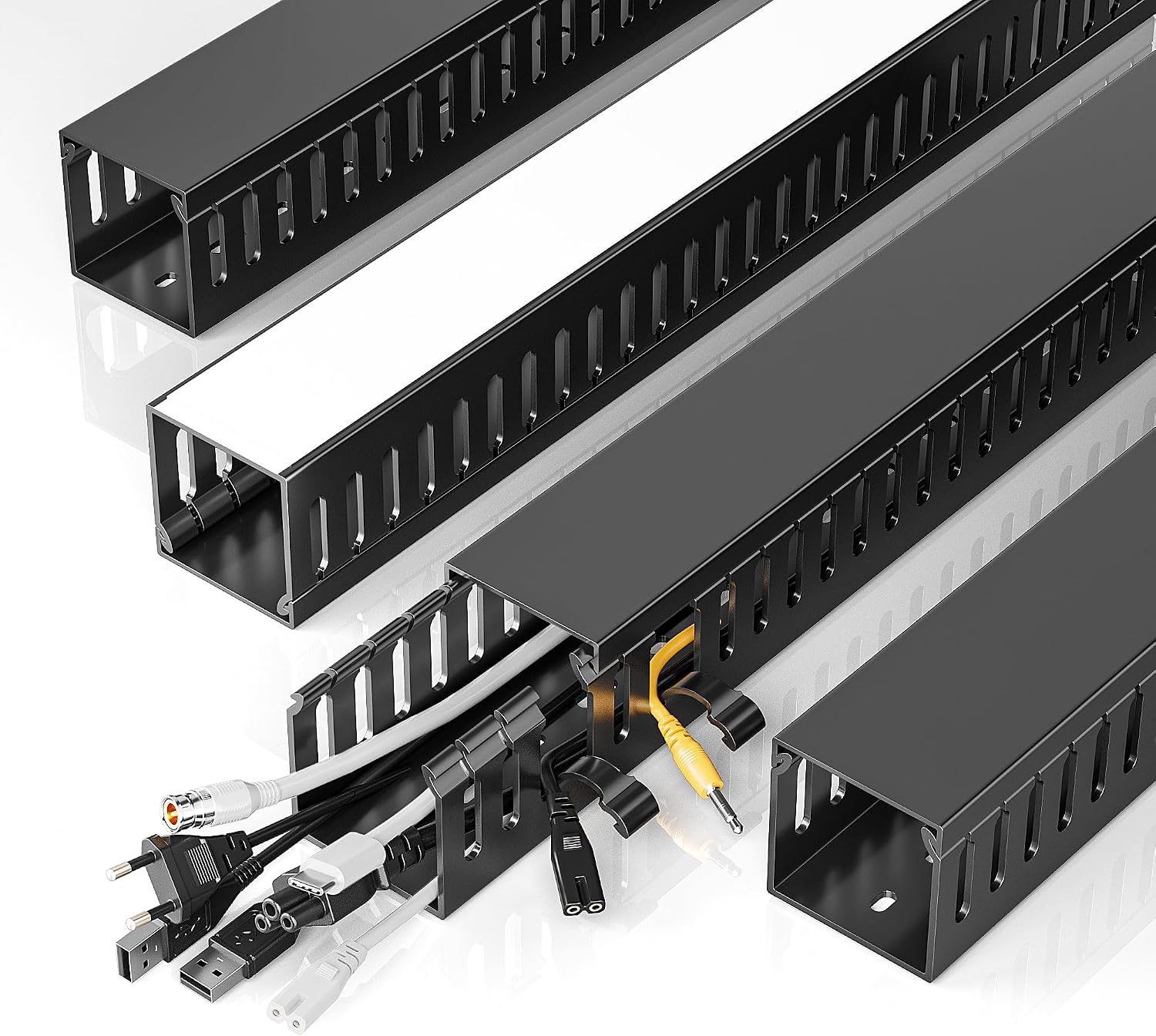
This is the one I hand to clients who rent, who have a laminate or glass desktop, or whose desk has a thin top that will split if you drive a screw into it. Four segments, 15.7 inches each, for 62.8 inches of total run. On a 60-inch desk that covers the trip from the left rear corner to the right rear corner with the bend at the back edge, which is where almost every route wants to go anyway. On a 48-inch desk you will have leftover segments for the leg run down to the floor.
The reason it wins is the open slot. A closed channel means you thread every cable through before you terminate it, and if you add a monitor or swap a laptop dock in month three, you are unplugging everything and re-running the entire bundle. The open slot lets you press cables in from the top and close it over them. For a home office setup cable raceway that has to survive upgrades, that single design choice matters more than capacity, color, or price.
Adhesive, no drill. That is a real advantage and a real limit. The strip holds the channel itself fine, even loaded with four or five cables. It will not hold a power brick, a dock, or a laptop power supply. Those go on the floor, in a tray, or on a shelf. I have watched people load an adhesive channel with a heavy brick and then blame the product when it lets go at week three. Do not hang weight from something that is only stuck on.
Who should skip it: if your cable count is five or more thick runs, meaning two display cables, a power cable, an Ethernet cable, and a USB bundle, this channel gets crowded and you will fight it every time you add something. If your desktop underside is unfinished particleboard that sheds dust, wipe it with alcohol first or the adhesive will lift. And on a sit-stand desk, this works only if you leave slack loops at both ends, because the channel moves with the desk and the cables below it do not.
Best Value: Lamicall 8 Pack Cord Organizer, [1s Lock] Cable Management Clips for Desk
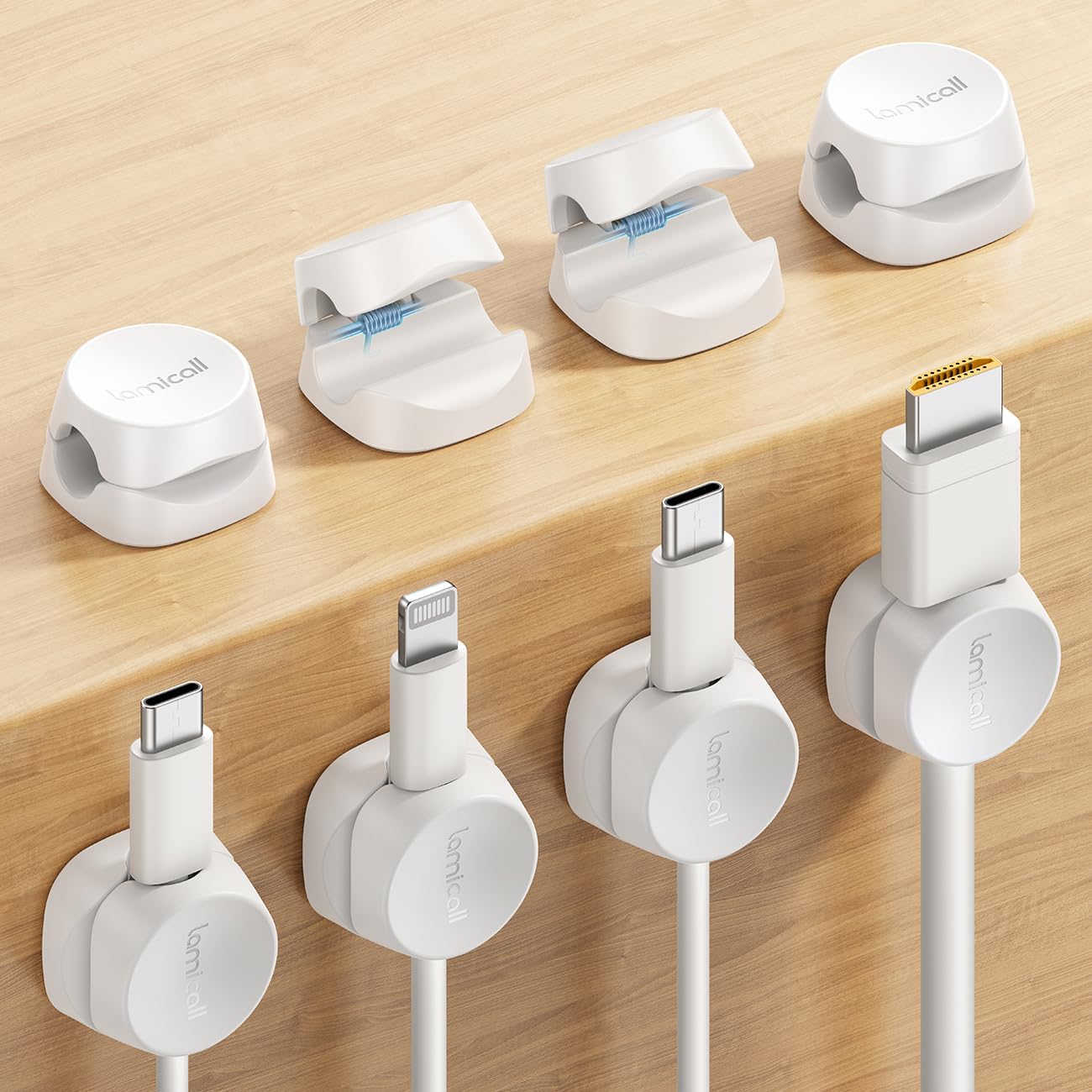
Eight clips. This is the lowest-cost way to fix the actual daily problem, which is the cable that moves: the charging cable, the headphone cable, the one you unplug when you carry the laptop to another room. A channel is for cables that stay put. Clips are for cables that come and go, and most desks have two or three of those.
The 1s lock is the part that earns the name. Press the cable in, it holds. Pull it out, it releases. No threading, no re-terminating anything, no pad that peels off the first time you yank a cable out at an angle. I run them along the back edge of the desktop and along the side of a monitor riser, where a cable needs to stay in reach but stop sliding off the back.
Where they fail: clips do not hide anything and they do not carry weight. If you are trying to clean up a bundle of six cables behind a desk, eight clips will make it tidy and still perfectly visible. That is not a concealment plan, it is an organization plan. For a work from home setup cable raceway you need a channel. For the two cables that live on the desktop, clips are the correct tool and a channel is overkill.
They are also adhesive, so on a painted desktop that gets wiped down weekly, expect to re-press them now and then. And keep them away from anywhere a chair armrest or a rolling base can catch them, because an adhesive clip that gets knocked sideways once usually comes off.
How I tested
I have run the same route in every build for six years, and the order matters: start at the power outlet, count the cables, then plan the run before anything gets stuck down. Channel first, then load, then check. Reversing that, loading a channel and then trying to reposition it, is how you tear adhesive off a finished desktop.
What I check on every install:
- Does the run reach the power outlet with slack left at the desk end? A channel that ends two inches short is worse than no channel at all.
- With the desk at full standing height, is anything taut? I raise every sit-stand desk to the top of its range and watch the cables, not the desk.
- Does the chair base roll over anything? Chair pairing matters here. If your chair tucks fully under the desk, the base travels across the floor exactly where a dangling cable would sit.
- At 30 days and 90 days: is the adhesive still holding, and has anything sagged? Sag is the failure I care about most. A channel that sags pulls the cable with it, and a pulled cable changes your monitor angle within a week.
I also measure the underside of every desk I work on, because the number that matters is not the length of the product. It is the length of the run. A 48-inch desk and a 72-inch desk need different amounts of channel, and the box does not know which one you own.
Analysis and test results
Four products, two jobs. A channel carries the permanent run. Clips hold the cable that moves. Buying one when you needed the other is the most common mistake I see.
Length is where the two channels separate. The 62.8-inch no-drill kit covers a single 60-inch desk run with segments to spare, and the adhesive means no holes. The two 99-inch channels cover a full desk run plus a drop down one leg, or two desks in the same room. If you have ever finished a run and come up 18 inches short, you know why that headroom is worth having.
Width is the other split. A 2 inch by 1 inch channel handles a lean route: power, one display cable, one USB. A 2 inch by 2 inch channel handles the bundle: two displays, power, Ethernet, USB, and a speaker cable, without you fighting the lid closed. Both are 2 inches tall, which is enough clearance to pass under a monitor arm clamp and still press cables in without a fight. If you know your bundle is thick, buy the wider one the first time.
Color is cosmetic. Grey disappears under a light desktop, black under a dark one. Nobody looks under a desk. Grey shows dust slightly less.
Cable planning beats product choice. Keep power and data on separate sides of the channel when the width allows, run the drop at the back corner instead of the middle where your feet go, and leave a service loop at both ends of any run that touches a moving part. On a home workspace setup cable raceway for a sit-stand desk, that service loop is the whole game. The desk travels; the wall outlet does not.
Ventilation is the one people forget. Do not bury a power strip inside a closed channel with the vents blocked. Leave the strip on the floor or on an open tray where air moves around it, and run only the cables through the channel.
Room layout decides how much channel you need. A desk against a wall gets a short run to the nearest outlet. A desk floating in the middle of the room needs a floor run or a wall drop, and that is a different purchase. One minimum worth stating: for two monitors side by side, plan on a 60-inch desk at minimum. Below that the displays crowd each other, your monitor distance shrinks, and you end up with your nose in the screen no matter how good your lighting layers are.
Lighting layers add cables too. An LED strip or a monitor light bar each brings its own thin cable, and those are perfect candidates for clips rather than a channel, because they are light, they rarely move, and they are usually within reach of the desk edge.
If you are mid-build, the routing rules for a motorized desk are their own topic: standing desk cable management that survives the travel covers the slack math.
The home office setup cable raceway reference table
| Product | Run and size | Mounting | Best for | Price |
|---|---|---|---|---|
Yecaye 62.8in No-Drill Large Cable Management | 4 segments, 15.7 in each, 62.8 in total | Adhesive, no drill, open slot | Renters, laminate and glass tops, routes you will add to later | Check current Amazon price |
Lamicall 8 Pack Cord Organizer | 8 clips, 1s lock | Adhesive clip | Charging, headphone, and any cable you unplug daily | Check current Amazon price |
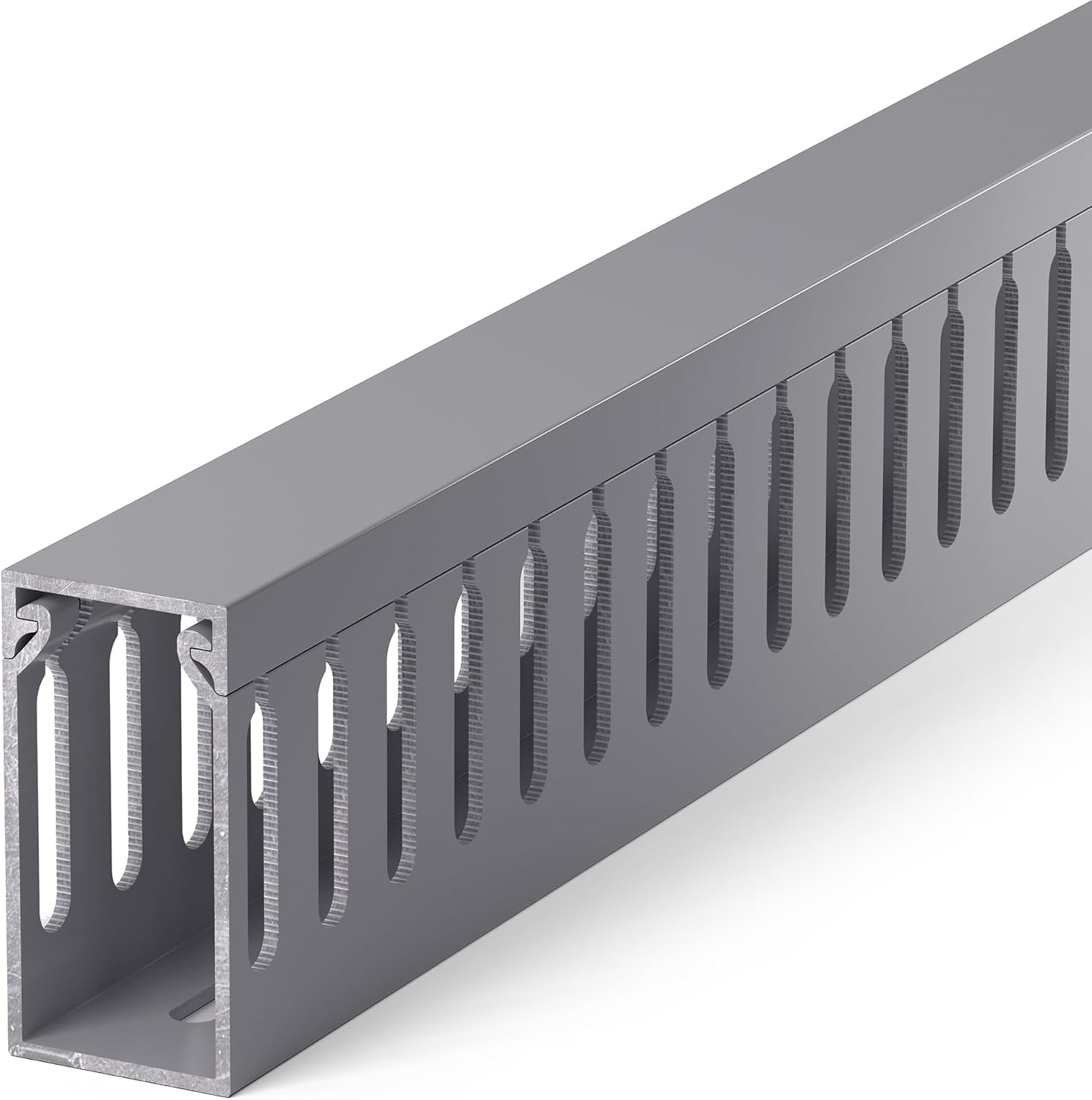 ZhiYo 2" H x 1" W Cable Management Raceway, Grey | 2 in H x 1 in W, 99 in total | Under-desk channel | A lean run: power plus one display cable plus USB | View on Amazon → |
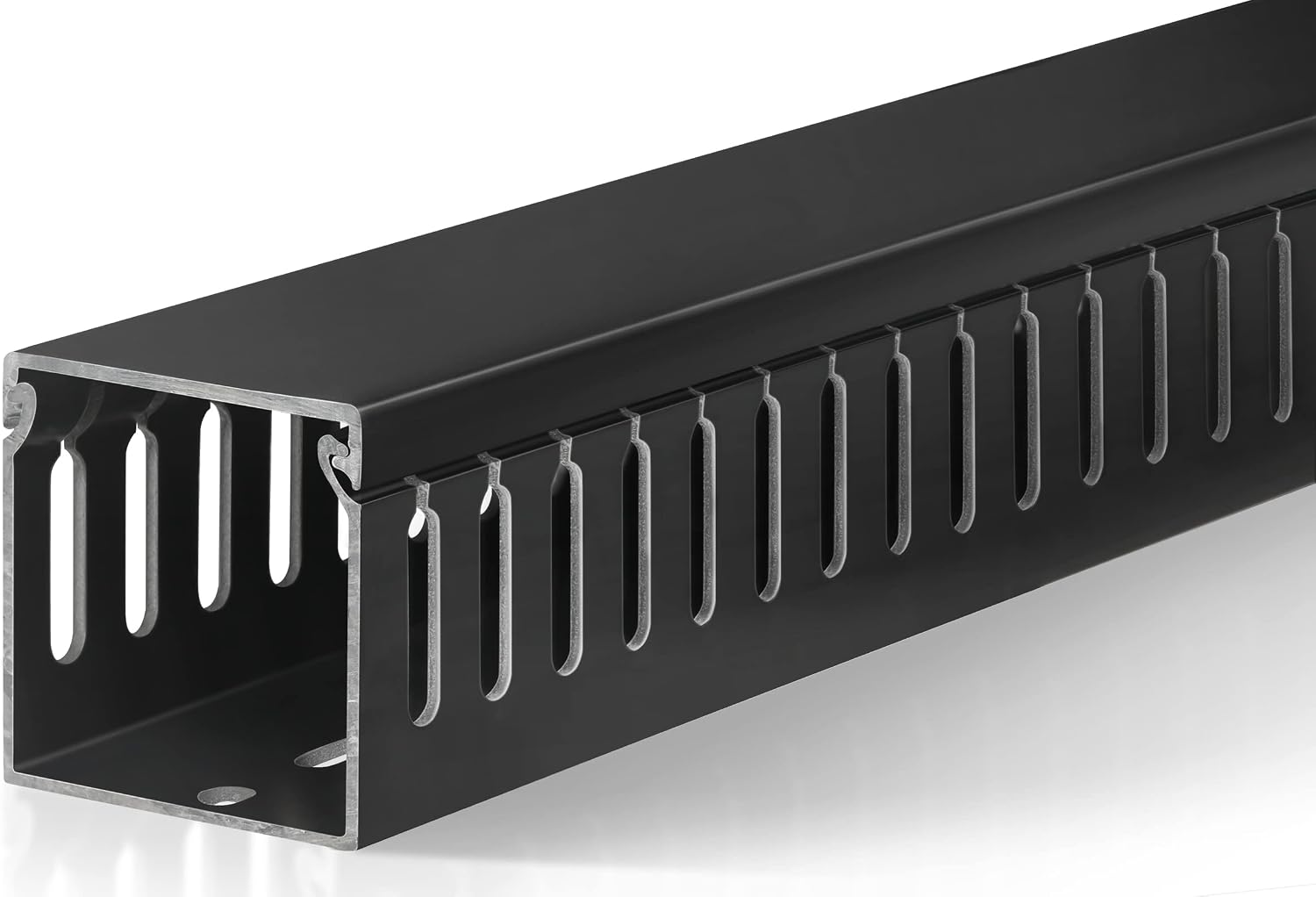 2" H x 2" W Cable Raceway, Black | 2 in H x 2 in W, 99 in total | Under-desk channel | Full bundles: two displays, power, Ethernet, USB | View on Amazon → |
When a 2 inch by 1 inch channel is the right call
The ZhiYo channel is the one I reach for when the route is honest about what it carries. Power, one display cable, one USB run. That is a single-monitor desk with a laptop dock, and it is most desks. At 2 inches tall and 1 inch wide you get a slim profile under a shallow desktop, and the 99 inches means you can run the full desk width and still have channel left for the drop down the leg to the floor.
Buy the 1-inch width when your bundle is three or four cables. Do not buy it hoping to grow into six. A 1-inch channel with a six-cable bundle is a channel with its lid held on by hope, and the lid is the part that pops off at 2 a.m. when the Ethernet cable decides to relax.
When you want the wider 2 inch by 2 inch channel
Double the width, same 2-inch height, same 99 inches of total run. This is the one for a home office workstation cable raceway where the bundle is real: two displays, a dock, power, Ethernet, and a set of speaker cables. The extra inch of width is the difference between pressing the lid on and pressing the lid on while holding three cables down with your chin.
If you have ever measured a bundle and told yourself it will fit, buy this one instead. The cost difference between the narrow channel and the wide one is small compared with doing the job twice, and the wide channel still disappears under a 60-inch desk.
Clips, channels, and the cable that moves
The cleanest installs I do use both. Channel for the permanent run along the back edge and down the leg. Clips for the two cables that leave the desk. If you are trying to pick one, pick based on the cable, not the desk: does this cable stay plugged in for a year, or does it come out on Tuesday?
Should you buy the Yecaye 62.8in(4×15.7in) No-Drill Large Cable Management, Under Desk Cord Organizer with Adhesive, Open Slot Cable Raceway for Home/Office/Network, Black?
Yes, if you rent, if your desktop is laminate or glass, or if your cable count is going to change. The adhesive mount means no holes and no splitting a thin top, and the open slot means adding a monitor in month four takes thirty seconds instead of an afternoon. That is the test I apply to every home office setup cable raceway: can the person living with it add a cable without dismantling the run?
Skip it if you run five or more thick cables, if you need to support a power brick or a dock off the underside of the desk, or if your desktop underside is bare particleboard that sheds. In those cases go wider, and put the heavy stuff on the floor where it belongs.
Should you buy the Lamicall 8 Pack Cord Organizer, [1s Lock] Cable Management Clips for Desk?
Yes, if the actual annoyance is the charging cable sliding behind the desk or the headphone cable falling to the floor every evening. Eight clips is a small outlay, the 1s lock means you never thread anything, and they solve a problem no channel can solve, because a channel assumes the cable stays put.
Skip it if you need cables hidden, if your cables are thick power leads that a clip will not close over, or if you want one purchase to clean up an entire six-cable bundle. Clips organize. They do not conceal. Buy them for the cables that move, and buy a channel for everything else.