Related: Standing Desk Wobble Test: What I Measure at Full Height
I have built out 310 home offices, and the ones that fail are never the ones with cheap gear. They are the ones where the desk, the chair, and the monitor were chosen separately, by three different people, on three different days. This home office guide for editors is the fix for that: one room, measured once, in the right order.
Editors are a special case. You are not only typing. You are reading a second document, comparing two versions of the same paragraph, and keeping a page of notes somewhere your eyes can reach without a head turn. That means two things generic advice skips: surface area, and monitor distance. I spent nine years as a facilities manager buying chairs and desks for 400-person floors, then six years running a two-person desk setup service. Every number below came off a tape measure, not a spec sheet. If you want the short version of the same order of operations, the work from home guide for editors covers it with fewer words.
Best Overall: OLIXIS 66 Inch L Shaped Desk, Corner Computer Gaming Desks with Shelves
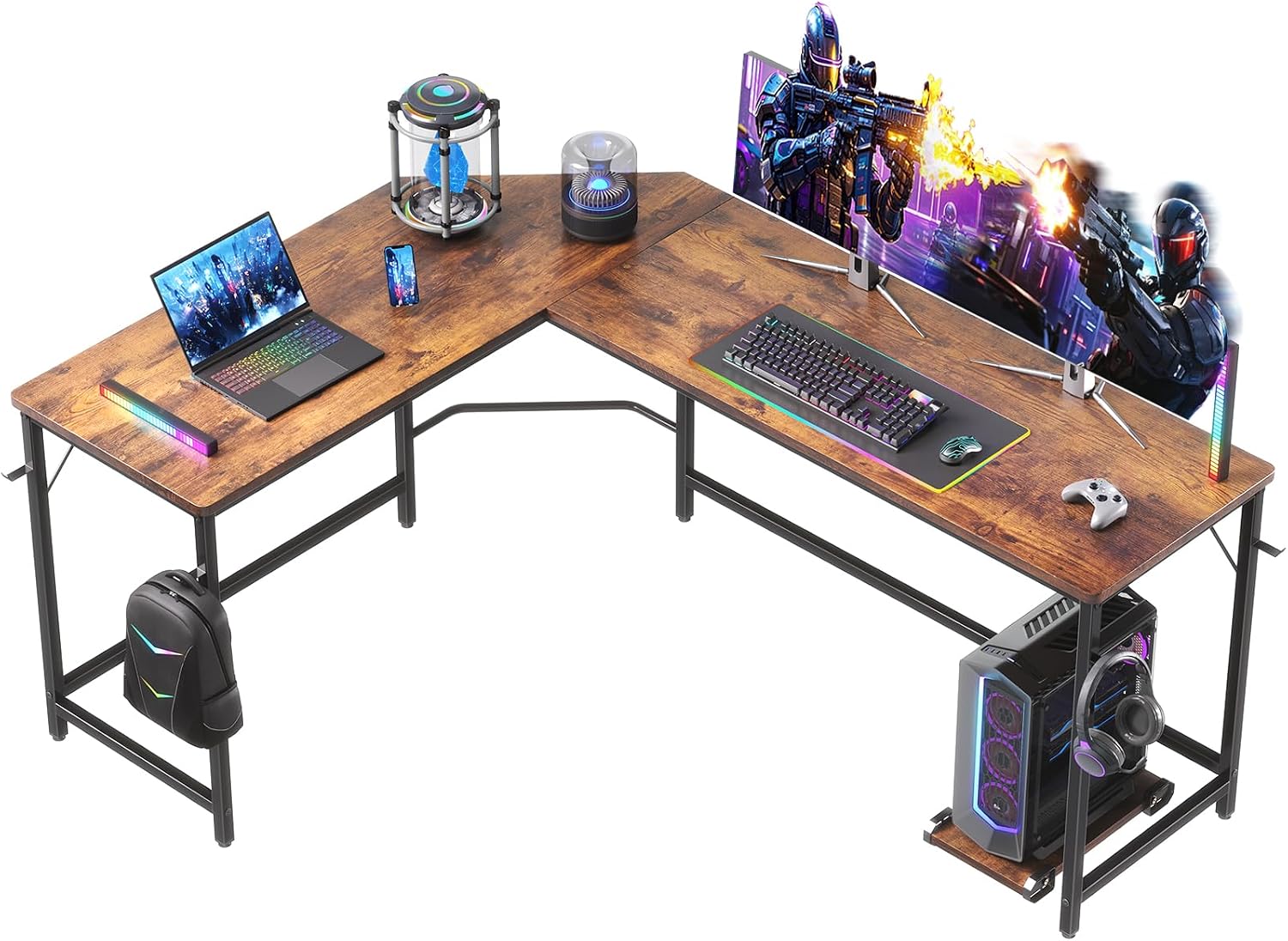
An L shaped desk solves the editor's core problem, which is that you need a second document at the same viewing distance as the first. Put a page of notes flat on the desk in front of you and you look down, which drops your chin and loads your neck. Put that page on the return of an L and it sits at roughly the same distance and roughly the same angle as your monitor. That single change is why this desk sits at the top of this guide.
The 66 inch figure is the long run of the corner. That matters more than it sounds. A 66 inch primary surface takes a monitor on an arm, a laptop on a stand, and still leaves a clear stretch for a keyboard and a notepad. In a corner, the return adds the second surface without eating extra wall.
The shelves are the part I did not expect to spec on purpose, and now I do. Reference books, a drive, a router, a stack of style guides: anything that lives at the desk but is not used every hour goes on a shelf, and the work surface stays clear. A clear surface is not tidiness. It is desk height. Every inch of clutter in front of your keyboard pushes your hands back and your shoulders up, and by Thursday your neck knows about it.
Who should skip it: anyone whose available wall run is under about 60 inches, and anyone who wants a sit-stand. This is a fixed-height desk. If changing posture through the day is the point for you, pair a standing desk with the drafting chair below instead, and use this desk for the second room.
Best Value: DUMOS 52” Reversible Gaming Computer Desk with Drawers and Power Outlet
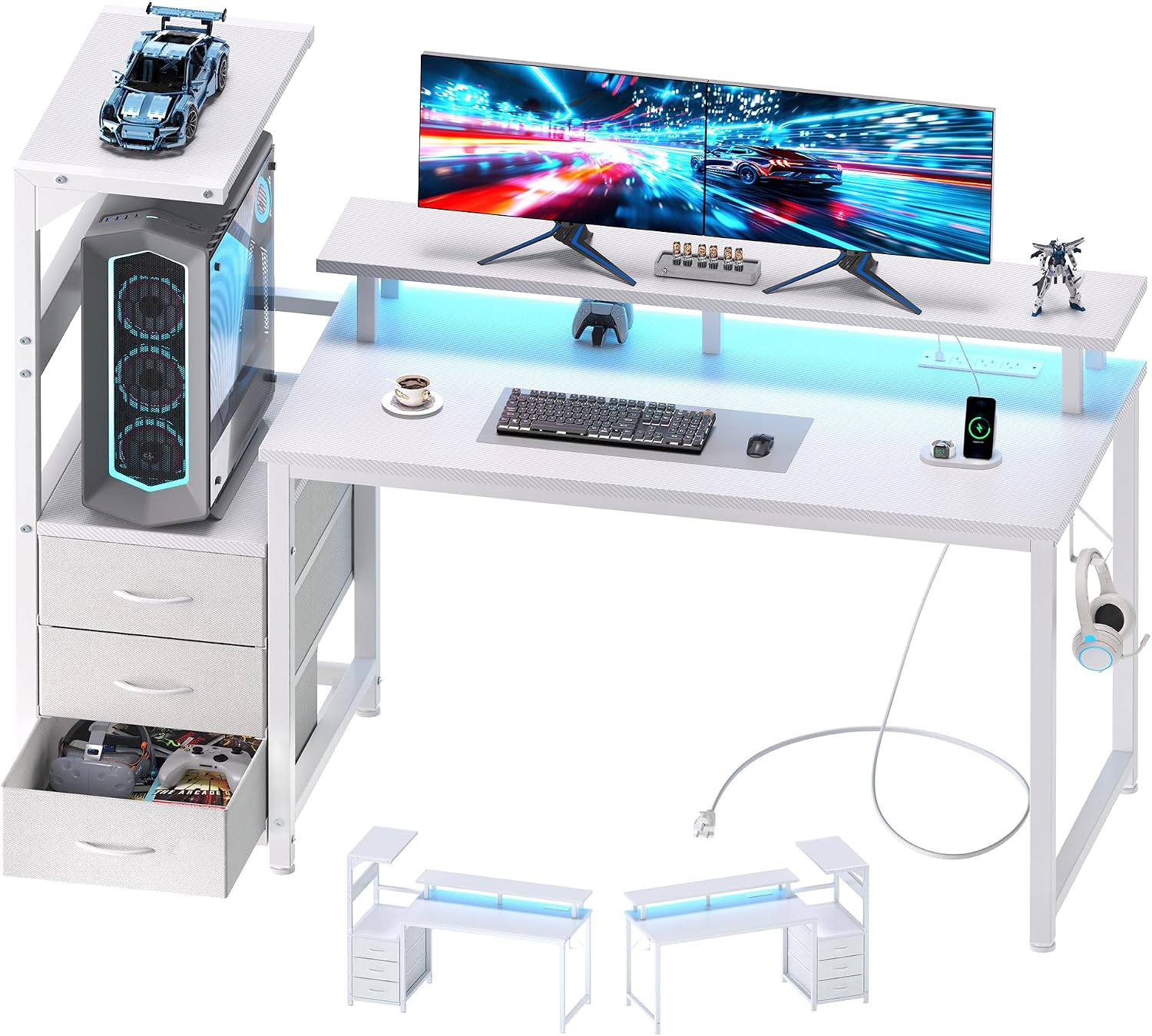
52 inches is the smallest width I will call a full editor setup. Below that you are choosing between a monitor and a notebook, and the notebook loses, which means the notebook ends up on your lap and your neck ends up bent. At 52 inches you can run one screen at arm's length plus a keyboard and a paper copy on the surface. That is the whole job.
Two features earn this the value slot. The first is the built-in power outlet. Power at the desk instead of power at the wall removes a power strip, removes a cable run along the floor, and removes the extension cord you would otherwise trip over twice a week. The second is the drawers. Editors generate paper, and paper on the work surface is the same problem as clutter: it pushes your keyboard back. A drawer is a desk-height tool.
Reversible matters in a real room. Most rooms have one usable outlet and one wall long enough for a desk, and those two things are rarely on the same side. Being able to flip the drawer bank and the return means the desk fits the room you have instead of the room you wish you had.
Who should skip it: if you run two large monitors plus a laptop, 52 inches gets tight and the primary screen creeps inside arm's length. Go to the 66 inch L. If you want a desk you can raise, this is not it either.
How I tested
I run the same five checks on every desk and chair before it goes into a client's office, and I run them with a tape, not a product page.
One, desk height. I measure floor to the top of the work surface with the tape flat, then measure the user's elbow height with the shoulders relaxed. Those two numbers have to line up, or the desk is wrong no matter how good it looks.
Two, wobble. For any desk with a range, I check the top of that range, not the bottom. A desk that is solid at sitting height and shaky at standing height fails, because standing height is the entire reason you bought it.
Three, chair pairing. Seat depth front to back, seat height at its lowest and highest setting, and whether the user's feet reach the floor at their working height. If the feet dangle, the thighs carry the load and the lower back pays.
Four, monitor distance. Nose to glass, arm out. One arm's length for the primary screen, top of the screen at or just below eye level.
Five, cable pull. I move the desk and the chair through their full range and watch every cable. If anything tugs, the monitor angle changes within a week, and the user blames the monitor arm.
Then the last check is the only one that really matters: would I leave this in a client's office for a year without a follow-up call? That is the test I apply to every recommendation in this home office guide for editors.
Analysis and test results
Desk height comes before everything. The order is desk height, then chair, then monitor. People do it backwards, buy a chair they like, and then discover the desk is two inches too tall for it. If your elbows sit above the surface, your shoulders ride up all day. If they sit below it, you slump forward to reach. Neither is fixable with a cushion.
Chair pairing is a measurement, not a feeling. Seat depth should land within about an inch of your thigh length, measured from the back of the knee to the back of the seat. Too deep and the front edge digs into the back of your legs and you slide forward. Too shallow and your thighs take weight they should not carry. A tall chair with an adjustable footrest ring is the correct answer when the desk sits high, because it lets your feet find a surface at any seat height.
Monitor distance is the one editors get wrong most often. One arm's length from nose to glass is the target. Editors want two screens, one for the draft and one for the source, and the temptation is to push both closer so the text is bigger. That trades a small font problem for a large neck problem. If you cannot get both screens to arm's length, keep the primary at arm's length and angle the second one in, rather than pulling both forward.
Room layout is a wall measurement, not a furniture measurement. Measure the wall run before you measure a desk. A 31 inch desk needs 31 inches plus a little air on each side. A 52 inch desk needs a clear 52. The 66 inch L needs a corner and roughly 60 inches of usable wall on the long side. Get this wrong and no amount of adjustment saves the setup. This is the part of a home workspace guide for editors that people skip, and it is the part that decides whether the room works.
Lighting layers beat one bright light. You want ambient light for the room, a task light for paper, and control over the screen. Put the task light to the side of your dominant hand, not in front of the screen. A window directly behind the monitor turns every document into a squint, and a window directly in front of it turns the screen into a mirror.
Cable planning is structural. Plan the cable route before the first device goes on the desk, and leave slack at both ends, at the device and at the wall. A cable that is tight at the endpoint is a cable that will fail at the endpoint.
Power outlet placement decides the layout. Count the outlets in the room before you choose a desk position, and remember that a desk with power built in removes one strip and one floor run. That is worth more than it sounds when you are trying to keep the floor clear.
Ventilation is the forgotten layer. Editors sit still for hours, and a desk pushed into a dead corner with the door closed turns a productive afternoon into a sluggish one. Leave air moving across the room, and do not block the return vent with a shelf.
The home office guide for editors reference table
This is the table I keep in the notebook. Measure in this order, write the numbers down, and buy against the numbers rather than against a photograph of a room that is not yours.
| Setup element | What I measure | Target | Notes |
|---|---|---|---|
| Desk height | Floor to the top of the work surface, tape flat | Elbow height with the shoulders relaxed | Measure the desk, not the chair, on fixed-height models |
| Chair pairing | Seat depth, and seat height at both ends of its range | Seat depth within about an inch of thigh length | A tall chair needs an adjustable footrest ring |
| Monitor distance | Nose to glass, arm out | One arm's length, screen top at or below eye level | Two screens, not one wide one |
| Room layout | Available wall run, straight or corner | 31 inches minimum, 52 for a full setup, 66 for an L | Measure the wall before you shop |
| Lighting layers | Ambient, task, and screen brightness | Task light to the side, no window behind the screen | Control the screen, not the room |
| Cable planning | Every cable that moves when the desk moves | Nothing pulls at full range | Leave slack at both ends |
| Power outlet | Outlets within reach of the seated position | One at the desk, one at the floor | A built-in outlet removes a strip |
| Ventilation | Air movement across the work position | Moving air, no blocked vents | Do not park the desk in a dead corner |
The row people ignore is chair pairing, and it is the row that decides whether they still like the setup in March. If you cannot say your seat depth in inches, you are guessing, and guessing is how you end up buying a second chair.
The drafting chair that makes a tall desk work
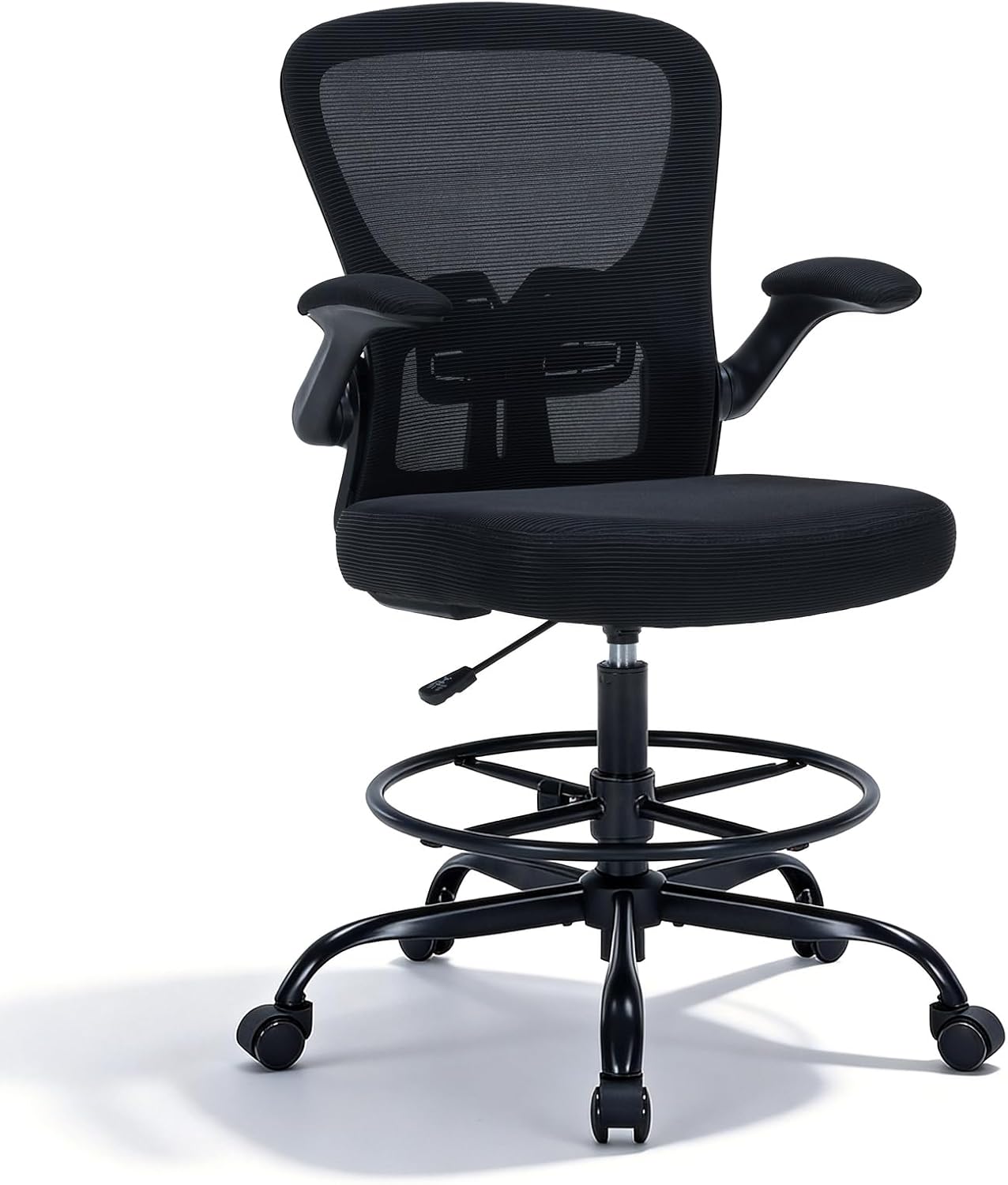
This is the chair I spec against a standing desk and against any counter-height surface. Three details do the work.
The flip-up armrests matter more for editors than for anyone else. With the arms flipped up, the chair slides fully under the desk and your forearms rest on the work surface instead of on the armrests. That keeps your elbows at desk height, which is the whole point of the measurement. With the arms down, you get support for reading and for calls.
The adjustable footrest ring is not a gimmick. On a tall chair your feet will not reach the floor at working height, and dangling feet rotate the pelvis back and load the lower spine. The ring gives your feet a surface at whatever height the seat lands on.
The mesh back and the lumbar support are the parts you notice in hour three, not hour one. Breathable mesh keeps you from sliding forward as the day warms up, and lumbar support that adjusts is the difference between a chair you sit in and a chair you fight.
Who should skip it: if your desk is a standard fixed height rather than a standing desk or a tall surface, a drafting chair puts you too high and you will end up perched. Check the lowest seat height against your own floor-to-knee measurement before you buy, and check the highest setting against the desk you actually own. If the chair cannot go low enough for your legs, it is the wrong chair, and no footrest fixes it.
OLIXIS Small Computer Desk, 31 Inch: the minimum correct desk
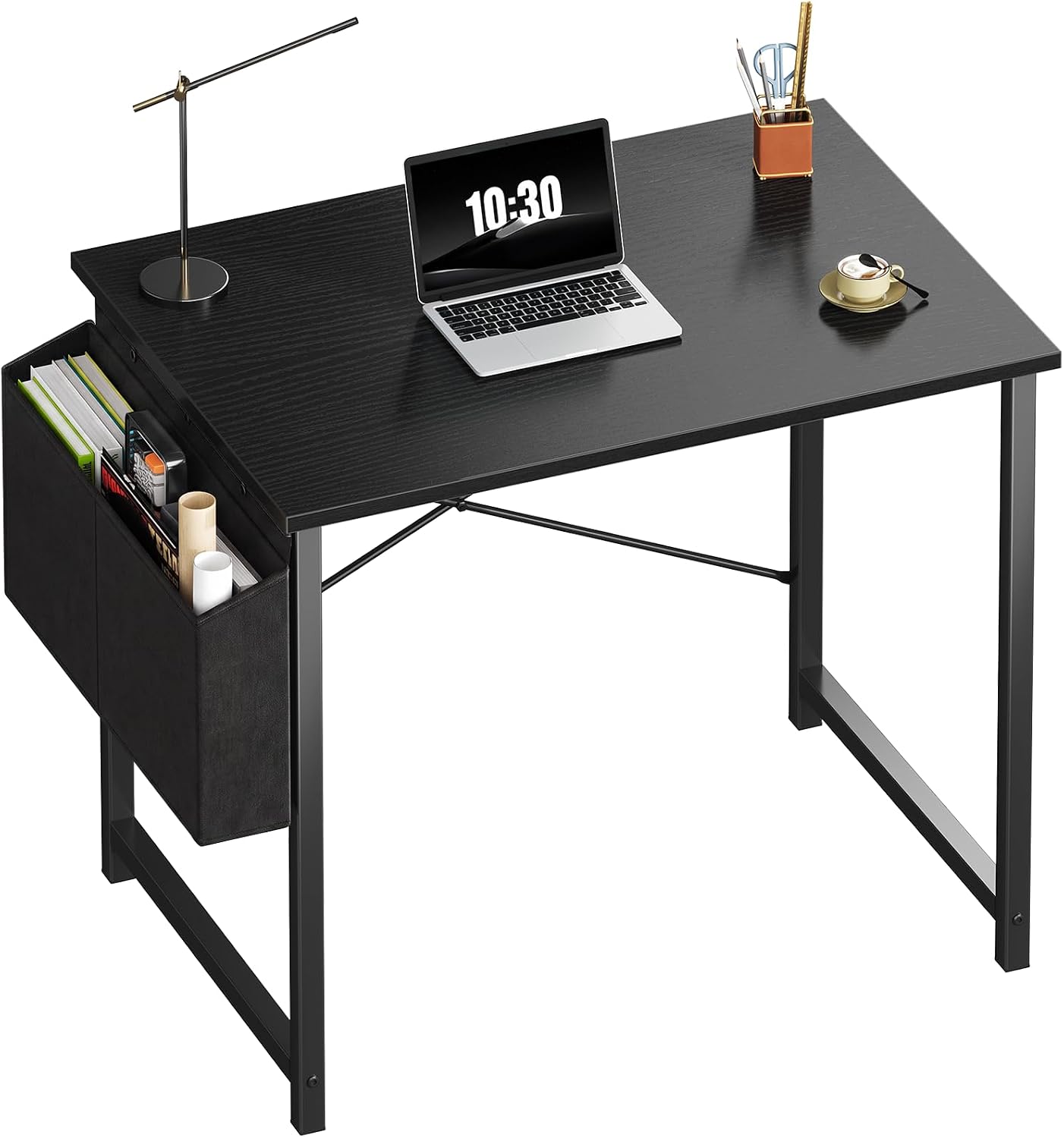
A 31 inch desk is a laptop desk, and it is correct when your work is one laptop and one notebook. It is the cheapest way to get a flat, dedicated surface out of a kitchen, and for a spare room or a first setup it does the job without apology.
It is the wrong desk the moment you add a large monitor, a keyboard, and a paper copy. Something has to leave the surface, and it is always the paper, which means the paper ends up on your lap. If you plan to add a screen, start at 52 inches and skip this one. If you want a second desk for a laptop-only corner, this is the one I would buy. This is the same reasoning I use in the work from home office guide for editors when a room is genuinely too small for a full setup.
Two screens, one arm's length apart
The single most useful thing you can do for your neck costs nothing: set both screens at one arm's length and put the tops at or just below eye level. Most people run their primary screen too close and their secondary screen too far, then turn their head to read the far one and lean in to read the near one. Match the distance and you stop doing both.
If the desk is too narrow for two screens at arm's length, do not pull them closer. Keep the primary correct and bring the secondary in at an angle. A monitor arm is what makes this possible, and it is the one accessory I would buy before a second monitor.
Should you buy the OLIXIS 66 Inch L Shaped Desk?
Yes, if you have a corner and roughly 60 inches of usable wall on the long side, and if your work involves comparing two documents. The return is what makes it worth the footprint: your source material sits at the same distance as your screen, and your neck stops doing the down-and-up all day. The shelves keep the work surface clear, and a clear surface is what keeps your elbows at the right height.
Skip it if the room has no corner, if you are renting and cannot commit to a fixed footprint, or if you want to stand part of the day. It is a fixed-height desk, and no riser turns it into a standing desk safely. If standing is the point, put the drafting chair against a standing desk and use this L for the main editing station.
Should you buy the DUMOS 52” Reversible Gaming Computer Desk?
Yes, if you want a full editing setup in a straight run of wall and you want power and storage handled in the same purchase. The built-in outlet kills the floor strip, the drawers keep paper off the work surface, and the reversible build means the drawer bank can go on whichever side your outlet actually is. At 52 inches it holds a monitor at arm's length plus a keyboard plus a paper copy, which is the definition of a working editor's desk.
Skip it if you run two large monitors, if you need to raise the desk through the day, or if you want the second surface of an L. In those cases the 66 inch corner desk is the better answer, and the 52 inch becomes the second desk in the house.