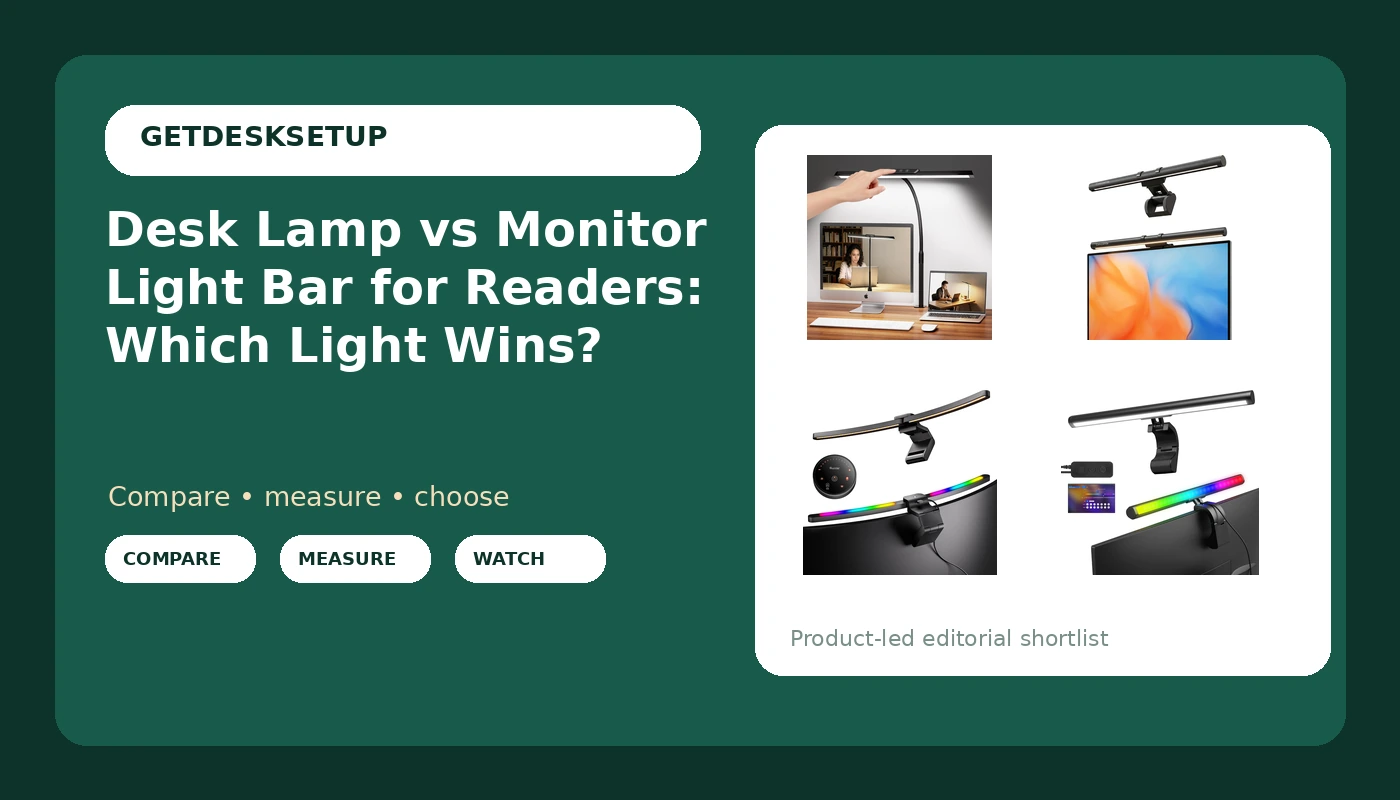
I have built out 310 home offices in six years, and no question comes back to me more often than the desk lamp vs monitor light bar for readers one. The person asking is almost always holding a paperback, a printed manuscript, or a stack of sheet music, and they have already worked out that the ceiling light in their office does nothing for them. What they want to know is simple: clamp a lamp to the desk edge, or hang a bar off the top of the monitor?
Related: How to Measure Your Desk Before You Buy a Monitor Light Bar
For a desk where paper reading is the main event, a clamp desk lamp wins. For a desk where you read on the screen and only glance at paper, a monitor light bar wins. That short answer has held up across every build I have done, including the ones where the client had already bought the wrong thing and wanted me to make it work. The long answer is about where the light lands, how much clamp space your desktop actually has, and whether you can live with a light source you cannot aim.
Measure before you spend. Measure your desk depth, the thickness of the desktop at the edge you plan to clamp to, and the distance from that edge to where your chair sits. A light that lands behind your book is not a reading light, it is a decorative one. Those three numbers settle the desk lamp vs monitor light bar for readers argument for your room before any product does.
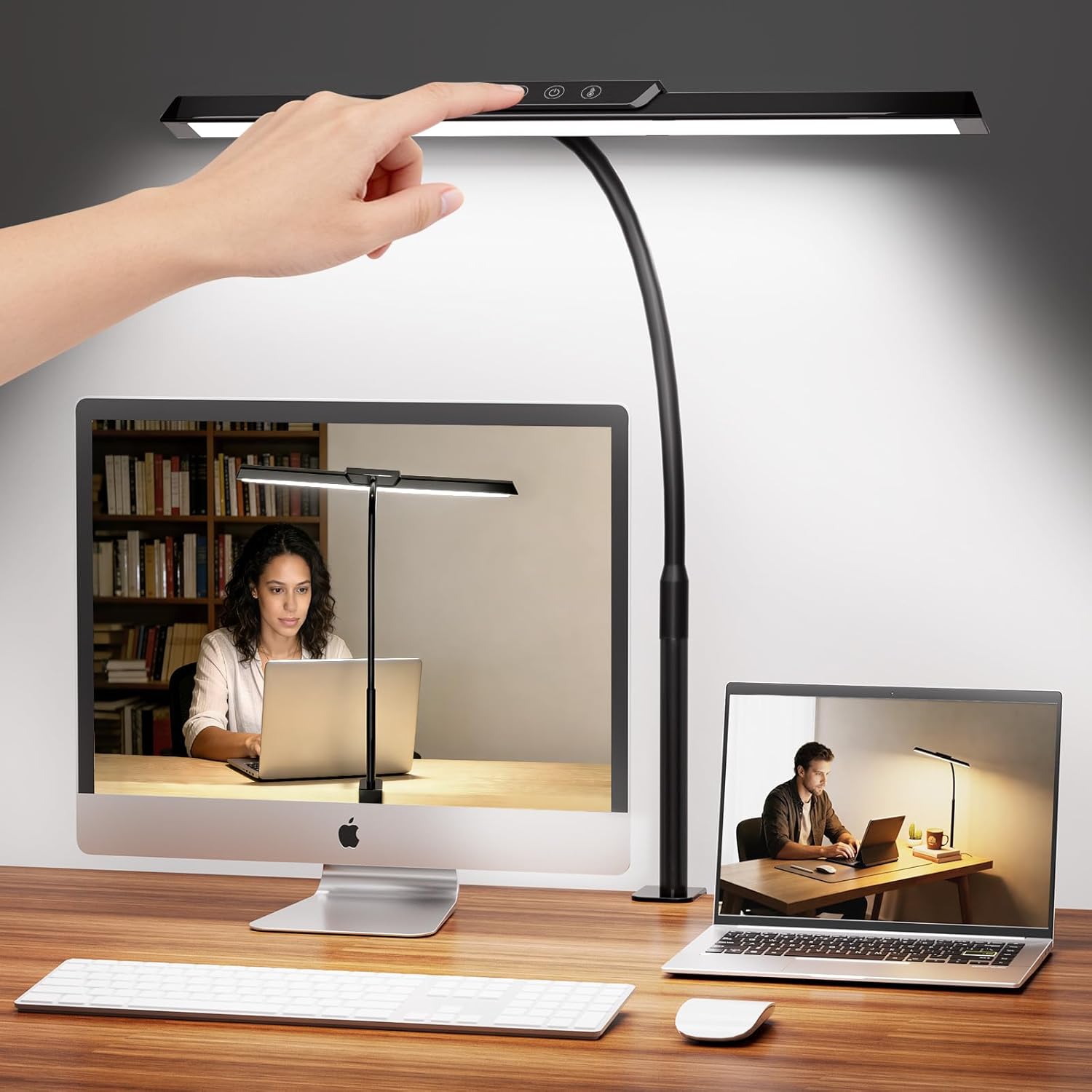
MOICO LED Desk Lamp with Clamp for Office Home
The only light here you can aim at a page you are holding, and the clamp base leaves the desktop clear
Nothing here lights your screen area, and the head has to be repositioned by hand every time
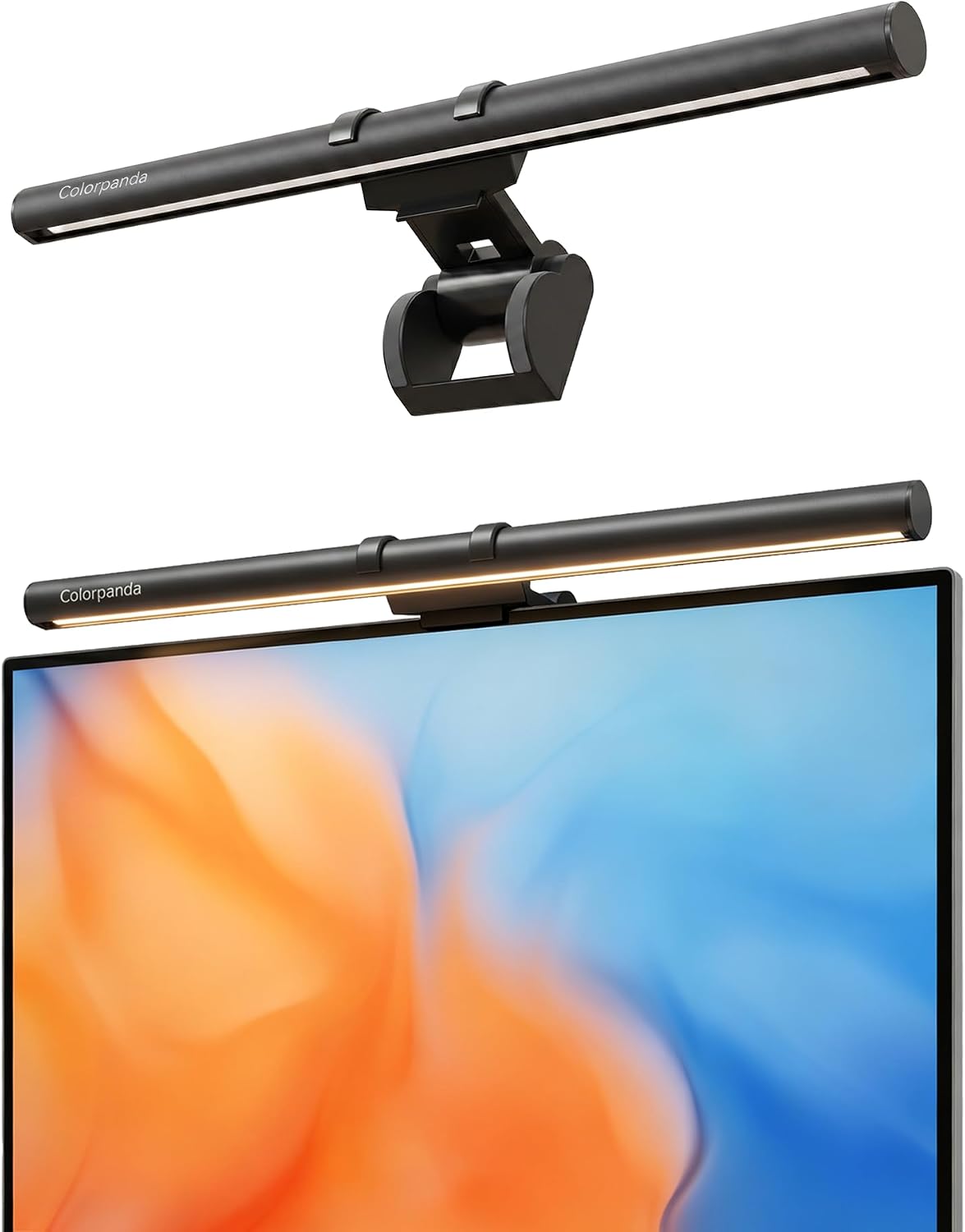
16.14-inch Monitor Light Bar, 250LM USB LED Desk Lamp
Sits above the monitor with no desk footprint, and 250LM covers a keyboard and a closed book
Fixed downward throw, so it cannot follow a book into your lap
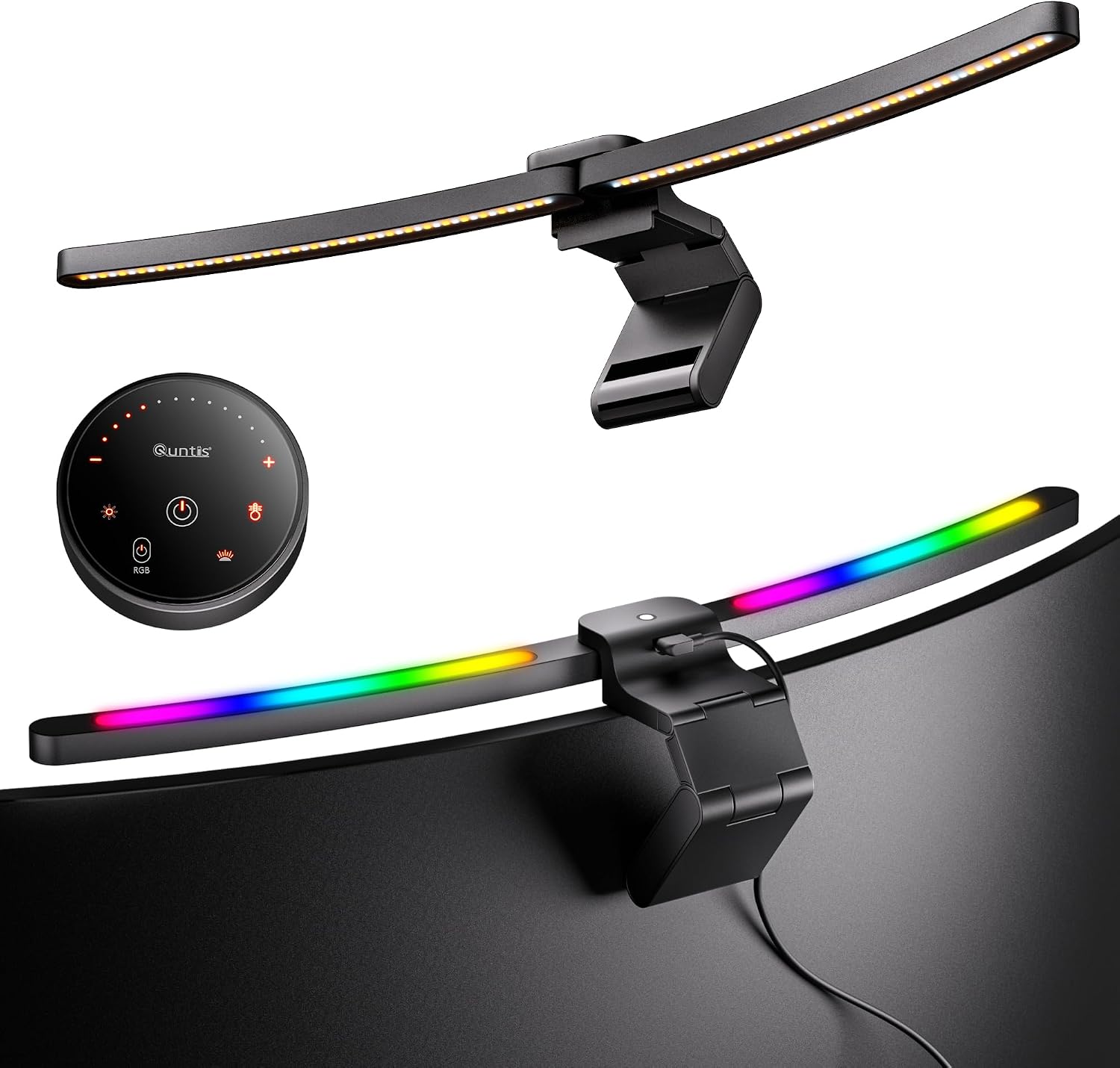
Quntis Curved Monitor Light Bar 15 RGB Backlight
Built for 34-inch and wider curved screens, with foldable dual light and stepless color temperature
The curve is wasted on a flat 24-inch panel, and it costs more than a paper reader needs
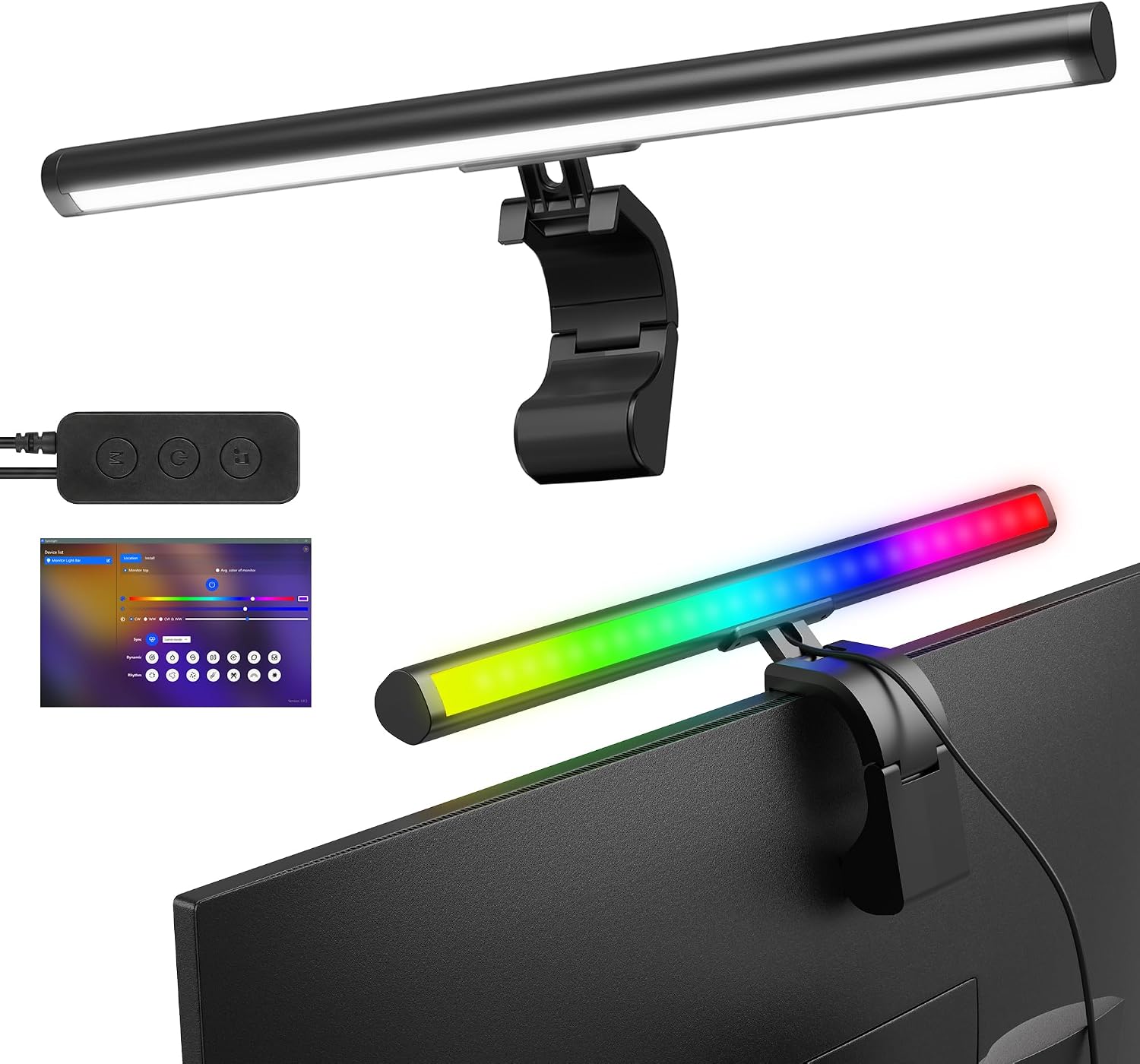
Smart Monitor Light Bar with RGB Backlight
Software control, 16M colors, 18 modes and music sync, with a 16-inch housing for wide screens
You are paying for gaming ambience, not for light on a page
Prices and availability may change.
How I judge a reader's light
I judge lighting the way I judge chairs: by numbers, and by who it fails. Four things matter to somebody who reads on paper at a desk.
First, where the beam lands. A reading light has to put usable light on the surface where the page is, not just on the keyboard or the mouse pad. Second, glare. A bright source in your field of view while you read is worse than a dim room, because your eye keeps re-adjusting between the page and the light. Third, footprint: what the thing takes from the desk, and what it takes from the desktop edge. Fourth, control range, meaning whether you can change brightness and color temperature without standing up, and whether the light remembers your setting.
One number deserves its own paragraph: desk lamp lumens. Manufacturers quote them at the emitter, not at your book. A 250LM bar and a 250LM lamp head can look nothing alike a couple of feet away, because the housing and the reflector decide how much of that output survives the trip across your desk. Treat the lumen figure as a starting point, then ask what shape the beam is. A wide, soft wash is right for reading. A tight hotspot is right for soldering and wrong for a novel.
The last thing I check is the cable, because a reading light that drags on your monitor arm or crosses your keyboard is a light you will stop using. More on that below.
The desk lamp vs monitor light bar for readers question starts with your reading surface
The difference between desk lamp and monitor light bar for readers is not brightness. It is aim. A desk lamp is a pointable source on an arm. A monitor light bar is a fixed source that hangs off the top of your screen and throws light down and slightly forward, which is exactly what you want if your reading surface is the desk itself, and exactly what you do not want if your reading surface is a book in your hands.
So ask what you actually read. If you read printed books, sheet music, contracts, or annotated drafts at the desk, you need a light you can tilt toward the page and lower close to it. If you read mostly on the screen and use paper for notes, a bar does the job and keeps your desk edge free. That is the whole decision in two sentences, and it is why I do not recommend one product to every reader.
There is a third case worth naming: the reader who does both and has a small desk. For that person I usually recommend a clamp lamp and a cheap screen bias light, rather than one expensive product trying to do two jobs.
The clamp lamp: MOICO LED Desk Lamp with Clamp for Office Home
This is the pick for paper readers, and it is the least expensive of the four, which is the part I like most about it. The clamp base grips the desktop edge and leaves the whole surface clear, so you can slide a book, a keyboard, and a notebook around without dragging a lamp base through them.
What it does that the bars cannot: it aims. You bring the head down and over the page, which shortens the distance between the light and the paper and makes a modest output do real work. For reading at night with the room light off, that is the difference between comfortable and squinting.
What it does not do: it will not light your screen area from above, and it does not have a backlight for ambience. The head is also something you will adjust by hand, and if you share the desk with a keyboard you will adjust it often. That is a two-second habit, not a flaw, but it is friction.
Skip it if your desk edge is not clampable, if you work at a standing desk and want the light to stay out of your way when the desk is up, or if you read almost entirely on the screen.
The budget bar: 16.14-inch Monitor Light Bar, 250LM USB LED Desk Lamp
This is the entry point into bar lighting and the one I put on client desks when the budget is tight and the monitor is flat. The 16.14-inch housing sits on top of the monitor, runs off USB, and throws 250LM down onto the desk. No footprint, no clamp, no arm to knock.
For a reader, the useful part is that it lights the strip of desk directly in front of you, which is where a closed book, a notebook, or a printed page lies. It also kills the contrast problem: with the room dark and the screen bright, your eyes work harder than they should. A bar closes that gap.
The limit is aim. A bar cannot follow a book into your lap or tilt toward a page you are holding up. If your reading happens with the book flat on the desk, you are fine. If it happens with the book in your hands and your chair reclined, this is the wrong tool.
One practical check before you buy: a bar that sits on the monitor bezel can sit in front of a webcam that lives on the same edge. Look at where your camera is before you commit.
The wide curved bar: Quntis Curved Monitor Light Bar 15 RGB Backlight
This one is built for 34-inch and wider curved screens, and it shows. The housing follows the curve, the dual light folds, and the color temperature adjusts steplessly rather than in steps. For someone with a curved ultrawide, the curve is not a gimmick: a straight bar on a curved panel leaves the ends of the screen in a different relationship to the light, and you can see it.
For readers, the foldable dual light is the interesting part, because it lets you put some light on the desk surface and some behind the monitor instead of all of it in one direction. The RGB backlight is ambience. It does nothing for a page.
Here is the honest trade-off: if you have a flat 24-inch or 27-inch monitor, you are paying for a curve you cannot use and a backlight you may not want. This is the most expensive of the four, and for paper reading it buys you nothing a clamp lamp does not already do. It is the right answer to a different question, and that question is a curved ultrawide.
The smart bar: Smart Monitor Light Bar with RGB Backlight
This is the gaming pick of the group, and I want to be blunt about what that means for a reader. Software control, 16M colors, 18 modes, and music sync are features for ambience and atmosphere. They are fun. They will not help you read a page, and the 16-inch housing is there to cover a wide monitor, which is a screen-coverage feature rather than a reading feature.
Where it earns its place on a reader's desk: the main downward light still does the work of lighting the desk strip, and the wide housing means the light is even across a broad area rather than hot in the middle. If your desk is wide and your monitor is wide, that evenness matters.
Where it fails a reader: the controls live in software, which means your light is tied to your computer being awake. If you read after shutting the machine down, you are reading in the dark, or you are turning the light on with your phone. That is a real scenario for paper readers, and it is the reason I do not put this one on a client desk for someone whose main habit is a paperback at 11 p.m.
The trade-offs you cannot design around
Aim versus coverage. A clamp lamp aims but covers a small area. A bar covers a wide strip but cannot aim. There is no product that does both well at this price level, and anyone who tells you otherwise is selling something.
Desk edge versus monitor top. A clamp takes the edge you may want for a keyboard tray, a drawer, or a monitor arm base. A bar takes the top of the monitor, where a webcam may already live. Pick which one you can spare.
Ambience versus reading light. The RGB backlights on the Quntis and the smart bar are for the room, not the page. If you want them, buy them for that reason and not because they will improve your reading.
Power. All four run off USB, which is convenient and also a constraint: you need a free port or a powered hub, and you need to think about where that cable goes before you install anything. Speaking of which.
Cable management, raceways, and the clamp you forgot to measure
A clamp lamp adds a cord that has to cross the desk, and that cord is the reason a lot of lamps end up pushed to the back corner and forgotten. Route it once and it stops being a problem: a raceway along the back edge, an adhesive clip every few inches, and a cable sleeve to bundle the lamp cord with the monitor cable so you are not looking at a loose wire all day. That is real cable management, and it takes fifteen minutes.
A monitor light bar is easier on this front. One USB cable, one route, usually straight down the back of the monitor with the display cable. If you already run a cable sleeve for your monitor and keyboard, you can fold the bar's cord into it and never think about it again.
Two things people forget when they set up a reading position. The first is a footrest angle that raises your knees, because that changes how far forward you sit, which changes where the light needs to land. The second is the floor surface under your chair. A chair mat's thickness and density decide whether your chair rolls smoothly or stutters, and a chair that stutters is a chair you drag, and a chair you drag moves you out of the light you just aimed. I have watched that exact chain of events ruin a perfectly good lamp placement.
Who should skip each of these four
- Skip the MOICO clamp lamp if you cannot clamp to your desktop edge, or if you read only on screen and want zero desk clutter.
- Skip the 16.14-inch bar if you read with a book in your hands rather than flat on the desk, or if a webcam occupies the top center of your monitor.
- Skip the Quntis curved bar if your monitor is flat. The curve is the point, and on a flat panel you are paying for a shape you cannot use.
- Skip the smart bar if you read after your computer is off, or if you do not want your lighting tied to software at all.
What I would put on a client's desk
For a paper reader with a normal desk: the clamp lamp, a raceway, and an adhesive clip. That is the cheapest correct setup in this article and it beats everything else here for reading a printed page.
For a screen-first reader with a flat monitor: the 16.14-inch bar. It lights the desk strip, removes the dark room versus bright screen contrast, and takes nothing from your desktop edge.
For a screen-first reader with a curved ultrawide: the Quntis, because the curve and the stepless dimming are the reason to spend more.
For a gamer who reads occasionally: the smart bar, bought for the ambience, with the understanding that the reading performance is the same downward wash as the budget bar.
FAQ: desk lamp or monitor light bar for readers
Can a monitor light bar replace a desk lamp for reading? For a book lying flat on the desk, yes. For a book in your hands, no, because the bar cannot aim. That is the whole answer.
People email me framing it as monitor light bar for readers vs desk lamp, as if the two products do the same job. They do not. One is an aimable source, the other is a fixed wash. Choose by where your page is, not by which one looks better in a photo.
Does color temperature matter for reading? It matters more than most people expect. A warm setting at night is easier on the eyes, and a cooler setting helps in daylight. The Quntis gives you stepless control, which is the most useful version of that feature.
Is a bar bad for my eyes because it is close to the screen? Not if it is positioned correctly. The point of a bar is that it lights the desk without putting a bright source in your field of view. If you can see the emitter while you read, it is aimed wrong.
What about brightness? Start low. Most readers run their light far brighter than they need, then wonder why their eyes ache at midnight. Set it so the page is comfortable, not so the desk looks like a showroom.
The desk lamp vs monitor light bar for readers decision is not about which product is better. It is about whether you need to aim light at a page or wash light across a desk. Answer that honestly, measure your desk edge, and the product picks itself.