
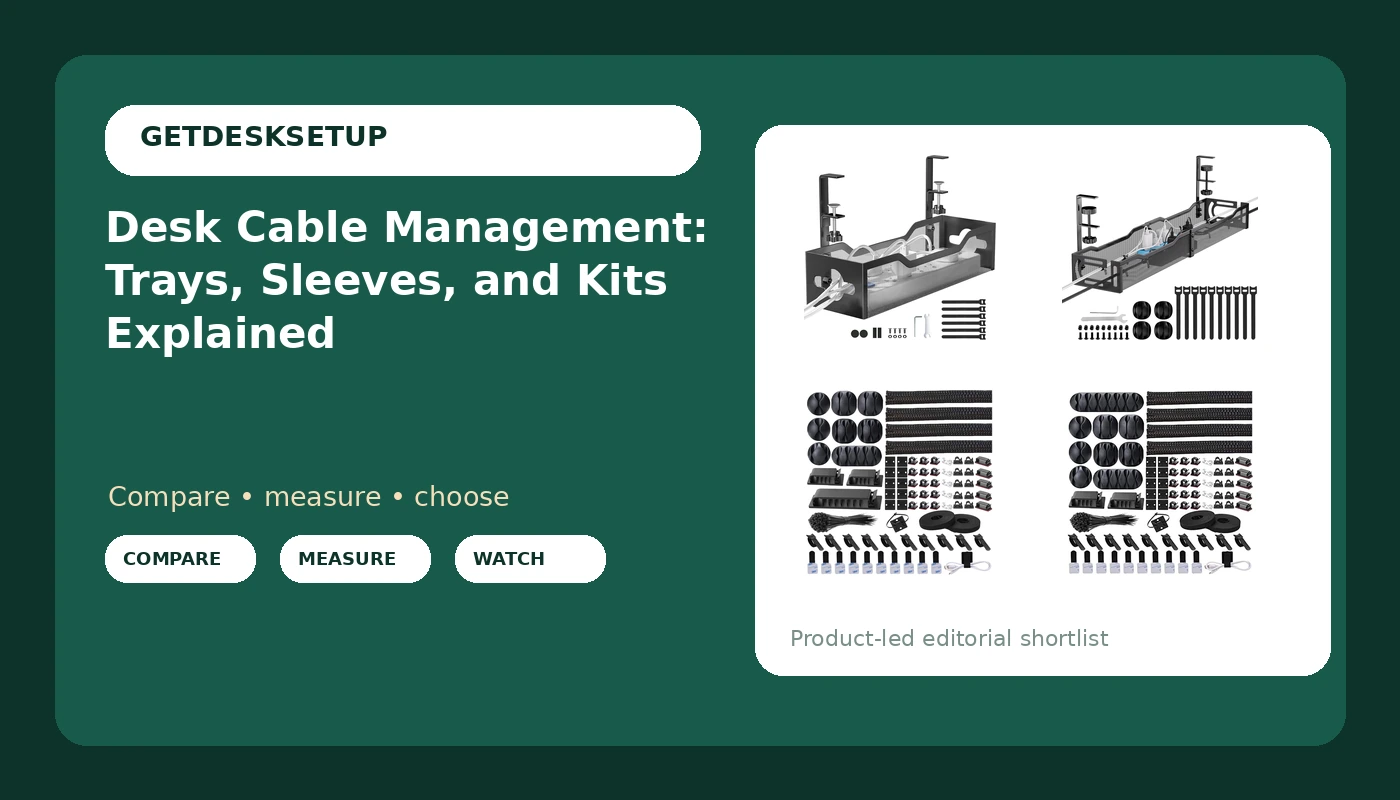
Desk cable management fails in two different ways, and the two failures need two different fixes. The first is load: a power brick, a dock, and a laptop charger sitting on the floor drag down on whatever is holding them. The second is slack, or the lack of it. A bundle strapped too tight turns every height change of a standing desk into a tug on the monitor arm, and that arm drifts a degree or two out of level within a week. Trays solve the first problem. Sleeves and ties solve the second. Most home offices end up needing one of each rather than the single all-in-one kit people buy first.
Related: Standing Desk Wobble: What to Check Before You Buy →
Quick answer
Put a tray under the desk first, then bundle the cables that run inside it. A tray keeps the heavy parts off the floor and out from under your feet, and a sleeve kit keeps the bundle from fanning out and catching on the desk frame as it moves. If you only buy one thing today, buy the tray: bundled cables still rest on the floor and still pull, while a tray holding loose cables is already doing the job that matters. The four listings below cover the two tray styles and the two sleeve kits that come up most often, and the tray options are listed as no-drill or long-run, so the mounting question gets answered before you buy.
4 useful options
| Model | Best fit | What stands out |
|---|---|---|
| Under Desk Cable Management Tray No Drill, Metal Mesh Cable Management Under Desk with Clamp Mount, 2 Hole Cable Tray with Wire Management and Cord Organizer for Home Office Standing Desk | Desks you cannot or will not drill into | Clamp mount plus a metal mesh body with two cable holes |
| Cable Management, 25'' Cable Management Under Desk, Cable Tray | Wider desks that need a single long run under the top | 25 inch tray length stated in the listing |
| N NOROCME 192 PCS Cable Management Kit 4 Wire Organizer Sleeve | Grouping many thin cables into four tidy runs | 192 pieces with four organizer sleeves |
| Cord Management Organizer Kit 4 Cable Sleeve split 192PCS Cable Management | The same grouping job, with split sleeves called out | 192 pieces, four sleeves described as split |
The no-drill option: Under Desk Cable Management Tray No Drill, Metal Mesh Cable Management Under Desk with Clamp Mount, 2 Hole Cable Tray with Wire Management and Cord Organizer for Home Office Standing Desk
The trade-off with any clamp tray is the clamp itself. It grips the desktop edge or the frame rail, which means the desktop thickness and the clearance under the edge decide whether it fits at all. Measure both before ordering: the thickness of the top at the point you want to clamp, and the distance from that edge inward to the first crossbar or leg bracket. Mesh is the right body material here because you can see the bundle and reach a cable without pulling the whole tray down. The two holes in the body are what let you separate the run that goes to the wall outlet from the run that stays under the desk.
The long-run tray: Cable Management, 25'' Cable Management Under Desk, Cable Tray
Length is the whole reason to pick this one, and length is also the thing to check hardest. A 25 inch tray under a 55 inch desk leaves gaps at both ends, which is fine if your hardware clusters in the middle and wrong if your power strip sits at one corner. Confirm the mounting method on the listing before you commit, because a tray that long carries more leverage than a short one, and leverage is what pulls screws out of particleboard over a season. If your desk has a full-width rear frame rail, a long tray that lines up with it will sit flatter than one clamped to a single edge.
The sleeve kit: N NOROCME 192 PCS Cable Management Kit 4 Wire Organizer Sleeve
Four sleeves is the number that matters, because a typical desk has four runs worth bundling: power to the wall, display cables to the monitor, USB to a dock or hub, and whatever runs down the leg to the floor. Sleeves only help if you leave the bundle slack enough to move. Wrap the run with the desk at sitting height, then run the desk to standing height with your hand on the bundle. If the sleeve goes tight and straight, you wrapped it too short. Check the listing for the piece-by-piece breakdown, since the sleeve length and the clip count are what decide whether the kit covers your run.
The split-sleeve kit: Cord Management Organizer Kit 4 Cable Sleeve split 192PCS Cable Management
This listing and the sleeve kit above cover the same job, and I am not going to pretend they do not. Both are 192-piece kits built around four sleeves. The difference that shows up in the listing names is the sleeve style: this one calls out split sleeves, which means you open the sleeve along its length and push cables in rather than threading them end to end. That matters on a finished setup, because threading a sleeve means unplugging everything, and splitting one means you do not. If your desk is already built and working, split is the version that saves an afternoon. If you are wiring from scratch, either style does the job.
Prices and availability may change. Product images, names, and retailer links are matched to verified listings. No current price, rating, stock status, or measured result is stated here without current evidence.
Why a pulling cable is a fit problem, not a looks problem
A cable that pulls is doing something to your hardware, and it is measurable. On a monitor arm, a display cable with no service loop adds a small constant load to the joint. That load does not announce itself. It shows up over a week or two as a monitor that will not hold the angle you set, and the usual fix people reach for is tightening the arm's tension screw, which treats the symptom. The same thing happens at the port: a run that is too short transfers any desk movement straight into the connector on the back of the monitor or the dock, and that connector is soldered to a board.
Standing desks make this worse because the desk is a moving object with a fixed wall outlet. Every raise and lower cycle changes the distance between the two by the full height range, and any cable that spans that gap without slack is being cycled every time you press the button. That is the case for trays and sleeves together rather than either one alone. The tray holds the hardware and the coiled excess. The sleeve manages the run so the excess stays coiled instead of hanging.
What each part of a cable system actually does
A tray, a sleeve, and a clip are three different tools and they are not interchangeable. A tray is a shelf. It holds weight: power strips, bricks, docks, the coiled loop of a cable that is longer than the run. Sleeves and ties are bundling tools. They take several cables and turn them into one object, which stops individual cables from snagging on the frame or dropping into the footwell. Adhesive clips and mounts are routing tools. They pin a run to a surface where there is no tray.
Raceway is a fourth category worth knowing about even though none of the four listings here are raceways. A raceway is a rigid channel, usually run along a wall or a desk leg, that hides a run completely. Trays go under the desk, raceways go along surfaces, sleeves wrap the bundle. Most home offices end up with a tray under the desk and a sleeve inside it, which is why those two products keep appearing together in the same purchase.
A five-step order that avoids rework
- Measure the underside of the desk: total width, usable depth from the front edge to the frame, and the position of every crossbar and leg bracket.
- Decide drill or no drill before you shop. Clamp if the desktop is thin, rented, or finished in something you do not want to mark.
- Count the cables and group them into runs. Four groups is typical: power, display, USB, and the run down to the floor.
- Mount the tray with the desk at sitting height, and tighten the hardware before you load it, not after.
- Run the desk to its full standing height with the bundle in place and watch for anything that goes tight.
Practical guidance
- Clamp first, then load, then tighten. Reversing that order puts the clamp under load while you are still turning it, and that is how desktops get cracked.
- Leave a service loop at every device. A loop of a few inches at the monitor and the dock is what lets the desk move without loading a connector.
- Check the tray against the frame at the lowest desk height, not just the highest. The lowest position is where a deep tray meets a leg bracket.
- Keep power bricks and power strips out of a fully closed sleeve. Bundling is for cables; bricks need air.
- Re-check every clamp and screw about a month in. Trays that sag are usually trays that were never re-tightened after the first week of load.
Which option should you choose?
Choose the Under Desk Cable Management Tray No Drill, Metal Mesh Cable Management Under Desk with Clamp Mount, 2 Hole Cable Tray with Wire Management and Cord Organizer for Home Office Standing Desk when you cannot drill, when the desktop is thin or rented, or when you want to be able to reach in and move a cable without dismantling anything. Choose the Cable Management, 25'' Cable Management Under Desk, Cable Tray when your hardware spreads across a wide desk and one long run beats two short trays. Choose the N NOROCME 192 PCS Cable Management Kit 4 Wire Organizer Sleeve when you are wiring a desk from scratch and want the bundle grouped as you build it. Choose the Cord Management Organizer Kit 4 Cable Sleeve split 192PCS Cable Management when the desk is already assembled and you want to wrap the existing runs without unplugging everything.
The honest caveat on the two kits is that they are near-identical in format, both 192 pieces with four sleeves, and the listing names differ mainly in the sleeve style they call out. If you already own ties and clips, a sleeve kit is largely redundant, and the tray is the part doing the structural work. Nothing here states a current price or rating, because those change; check each listing for the current figure and for the piece-by-piece contents before you buy.
The bottom line
Under-desk cable management is a two-part job and the parts are cheap relative to the hardware they protect. Hold the weight with a tray, then bundle the runs with sleeves so the bundle moves with the desk instead of pulling against it. Pick the clamp tray if you cannot drill or want to reach the cables, the 25 inch tray if your hardware spans a wide desk, and either 192-piece kit if you still need to group the runs, with the split-sleeve version making more sense on a desk that is already built. Measure the underside before you order, mount with the desk at sitting height, and re-check the hardware a month later.