Two people, one desk, and twice the power bricks. That is the problem behind cable management on a shared desk, and it does not get solved by buying a bigger bag of zip ties. A solo desk has one cable run to hide. A shared desk has two, they cross somewhere near the middle, and each person needs to unplug their own laptop without disturbing the other. The failures in shared setups are almost never about looks. They are about a cable that runs taut to a monitor arm, a power strip that slides when a foot hits it, or a run that has to be torn apart every time somebody takes a laptop home. This guide covers the four accessory types that do the actual work, and the sizing questions to answer before you buy any of them.
Related: Under-Desk Cable Tray Sizing: Width, Load, and Mounting →
Quick answer
The short version, with cable management on a shared desk explained in one sentence: give each person their own managed path from the desk edge to the floor, keep both paths out of the other person's legroom, and make every cable that leaves the desk removable without tools. That means three jobs, not one. A tray handles the fixed route under the desktop. Hook and loop straps handle the parts you re-route. A loom sleeve handles the run that stays put and gets kicked. Clips and sleeves fill the gaps at the desk edge. Buy for the job you have, and do not bundle a moving cable and a fixed cable into the same tie.
Four useful options
| Option | Best fit | What stands out |
|---|---|---|
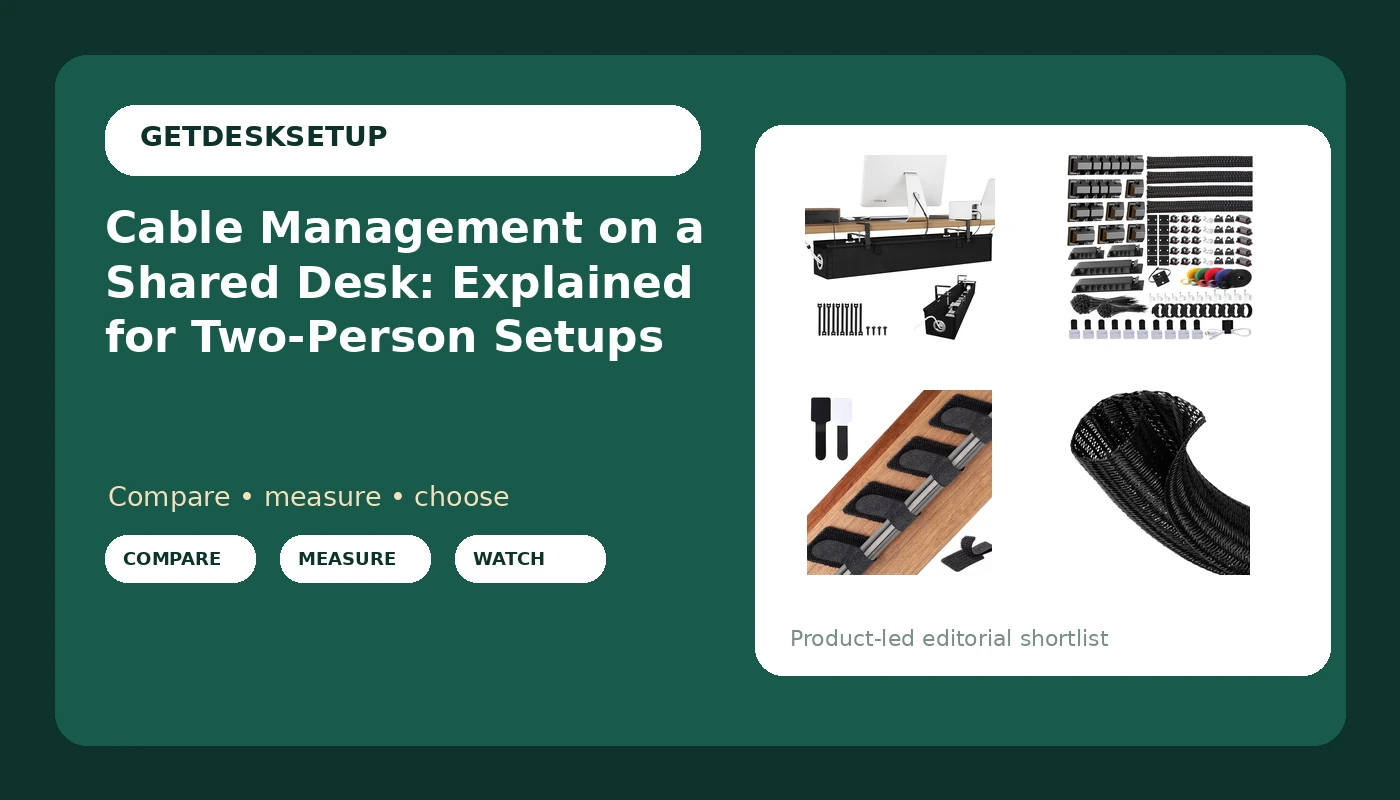
| KEEGH Under Desk Cable Management Tray 36", No Drill Cord Organizer, Black | Keeping power bricks and a strip off the floor | 36-inch tray with no-drill mounting |
| ELII 327 PCS Cable Management Kit 4 Cable Sleeves, 65 Cable Clips | Covering clips and sleeves in one purchase | 327 pieces, four sleeves, 65 clips |
| 100 Pcs Cable Management Under Desk, Hook and Loop Cable Straps, Black | Cables that get re-routed every week | 100 reusable hook and loop straps |
| 1 Inch 8ft Cable Management Loom Sleeve Cord Protector Wire Wrap Cover | Turning a loose bundle into one protected run | 8 ft loom sleeve at 1 inch diameter |
The fixed route: KEEGH Under Desk Cable Management Tray 36", No Drill Cord Organizer, Black
A tray is the base layer, and it is the piece that changes how the desk feels to sit at. Anything you mount under a two-person desktop eats clearance, so measure from the underside of the desk to the floor and compare that number to what the shorter person needs for a footrest angle that does not put their knees into a power strip. No-drill mounting matters more on a shared desk than on a solo one. If the desk is leased, shared with a partner, or likely to be sold in two years, clamp-on hardware leaves the desktop untouched. The trade-off is load. A tray carries a fixed set of bricks and strips, and every cable you add later makes it heavier, so route the moving cables somewhere else and keep the tray for the things that never leave.
The mixed kit: ELII 327 PCS Cable Management Kit 4 Cable Sleeves, 65 Cable Clips
Clips and sleeves are the parts people buy wrong. A kit like this one covers both jobs at once, which matters because a shared desk usually needs a clip at the desk edge and a sleeve for the run behind it. The clip is where most setups fail. An adhesive clip holds best on a clean, smooth, dust-free surface, and it holds worst on a textured or dusty underside, which is exactly what a lot of budget desktops have. Wipe the surface, press, and give the adhesive time before you load it. A raceway or a cable sleeve takes the weight off the clip, so the clip only has to stop the cable from swinging. If you have to choose, spend the clips on the desk edge and the sleeve on everything behind it, and leave the middle of the run to the tray.
The adjustable layer: 100 Pcs Cable Management Under Desk, Hook and Loop Cable Straps, Black
Hook and loop is the answer to the one question that decides whether a shared setup stays tidy: what happens when somebody leaves for the day. A zip tie makes that a two-minute job with scissors. A strap makes it a five-second job with one hand. With 100 straps, you can afford to be generous: one at each end of a run, one at every turn, and one where a cable crosses the desk edge. The trade-off is neatness. Straps are bulkier than ties and they will not hold a bundle as tight, so they are the wrong choice for a run you want to look like a single line. Use them where the run changes, and use a sleeve where it does not.
The floor run: 1 Inch 8ft Cable Management Loom Sleeve Cord Protector Wire Wrap Cover
The floor run is where cable damage happens, because it is where feet, chair wheels, and a vacuum cleaner all meet the same bundle. A loom sleeve wraps that bundle in a single protected tube, and 8 feet is enough length to go from the back of the desk down to a wall outlet with slack left over for moving the desk out to clean behind it. The trade-off is that a sleeve is not adjustable the way a strap is. Once a bundle is inside, adding a cable means re-threading the whole run or leaving the new cable outside the sleeve. That is fine for a run that is fixed. It is the wrong tool for the laptop charger that leaves every night. Pair it with straps on the moving cables and you get a clean floor line without locking anyone in.
Prices and availability may change. Product images, names, and retailer links are matched to verified listings. No current price, rating, stock status, or measured result is stated here without current evidence.
How cable management on a shared desk differs from a solo setup
A solo desk has one failure point: the run between the desk and the wall. A shared desk has three. The first is the crossing point, usually somewhere in the middle, where two people's power and data cables want to occupy the same space. The second is legroom. Anything you mount under the center of a two-person desk sits inside somebody's knee zone, and that changes the footrest angle a person can actually use. The third is turnover. On a shared desk, at least one person unplugs something most days, and every permanent tie in that path becomes a small obstacle.
That is why good cord management on a shared desk splits into two categories. Fixed runs stay where they are for months: monitor power, the desk's own feed, a dock that never moves. Moving runs change weekly: a laptop charger, a headset, a phone cable. If you bundle both categories the same way, you either re-tie the fixed run constantly or you leave the moving run loose. Fixed runs want a raceway, a tray, or a cable sleeve. Moving runs want hook and loop.
The other difference is symmetry. Two people rarely have identical setups, so plan the desk in two halves with a neutral zone in the middle. The rule for cable management on a shared desk is that each half owns its own route from the desk edge down to the floor, and the middle stays empty except for the desk's own power feed. When the routes are separate, cable organization on a shared desk stops being a weekly negotiation about who moved whose charger. A cable tidy on a shared desk has to survive two people unplugging things, which is a different requirement from looking good in a photograph once.
Sizing the run before you buy anything
Do the measuring first. Every accessory on this page is cheap enough that the real cost of getting it wrong is the afternoon you spend redoing it, and the fastest way to avoid that is to write down five numbers before you open a product page. If you want the full method, the under-desk cable tray sizing walkthrough covers the load side in more detail.
- Measure the usable under-desk width in inches, then divide by two. Each half gets its own route, and a tray that spans the full width puts hardware in the middle where nobody wants it.
- Measure the drop from the underside of the desktop to the floor. This is the number that tells you whether an 8 ft sleeve is generous or barely enough once you add slack.
- Count the cables that will never move and the cables that move weekly. If the second number is above two, plan for straps, not ties.
- Check knee clearance against a footrest and a chair mat. Mat thickness and mat density decide whether a rolling chair glides or digs in, and a thick mat quietly removes clearance you were counting on.
- Confirm what the desk owner allows you to attach. A lease, a shared purchase, or a glass top can rule out screws entirely, which pushes you toward no-drill hardware.
The order matters. Width and drop come first, because they eliminate options. Cable counts come second, because they decide which accessory type you need rather than which brand. Permission comes last, and it is the step people skip right up until they are holding a drill over a desktop that is not theirs.
Practical guidance for two people, one desk
- Label both ends of every cable before you bundle it. Two people plus an unlabeled bundle is how a monitor ends up on the wrong dock.
- Keep the middle third of the desk empty. That neutral zone is what makes the two halves independent.
- Mount the tray or raceway toward the back edge, not the front. Front-mounted hardware is the first thing a knee finds.
- Match a chair mat to the floor and the chair, not to the color scheme. Mat thickness and mat density matter more than the finish.
- If you add a desk lamp, check desk lamp lumens against the room before you commit. Two people rarely want the same light level at the same time, and a bright lamp on one half is glare on the other.
- Leave a service loop at every device. A cable with no slack turns into a pulled monitor arm within a week.
One more habit worth building: re-check the underside every few months. Adhesive clips lift, straps stretch, and trays loosen at the screws. A two-minute inspection beats a cable that has been quietly pulling on a connector since March. Every decision in cable management on a shared desk comes back to clearance and access, and both of those change as soon as somebody adds a new device.
Which option should you choose?
Choose the KEEGH Under Desk Cable Management Tray 36", No Drill Cord Organizer, Black when the problem is a pile of power bricks and strips on the floor and you cannot put screws into the desktop. Choose the ELII 327 PCS Cable Management Kit 4 Cable Sleeves, 65 Cable Clips when you are starting from nothing and need clips and sleeves in one purchase, especially if two people are adding devices at the same time. Choose the 100 Pcs Cable Management Under Desk, Hook and Loop Cable Straps, Black when at least one person takes a laptop home and the run has to open and close without tools. Choose the 1 Inch 8ft Cable Management Loom Sleeve Cord Protector Wire Wrap Cover when the desk-to-wall drop is fixed and the bundle keeps getting kicked.
Most shared desks end up using two of these, not one. The common pairing is a tray for the fixed route plus straps for the moving cables, with a sleeve added later if the floor run is long enough to be worth protecting.
That pairing assumes a rectangular desk with an open underside and a wall outlet within reach. A desk with a solid modesty panel, a glass top, or an outlet on the far side of the room changes the plan, and no accessory here solves a run that has to cross a doorway. Measure before you buy, and treat any product page that promises a tidy desk without knowing your drop distance as marketing rather than a plan.
The bottom line
Cable management on a shared desk is a two-route problem, and the fix is to stop treating it as one bundle. Give each person a path from the desk edge to the floor, keep the middle clear, mount the fixed hardware toward the back, and use hook and loop anywhere a cable has to come out. A tray, a clip-and-sleeve kit, a bag of reusable straps, and a loom sleeve cover the four jobs, and you rarely need all four at once. Start with the drop measurement and the cable count, and the rest of the decision makes itself.