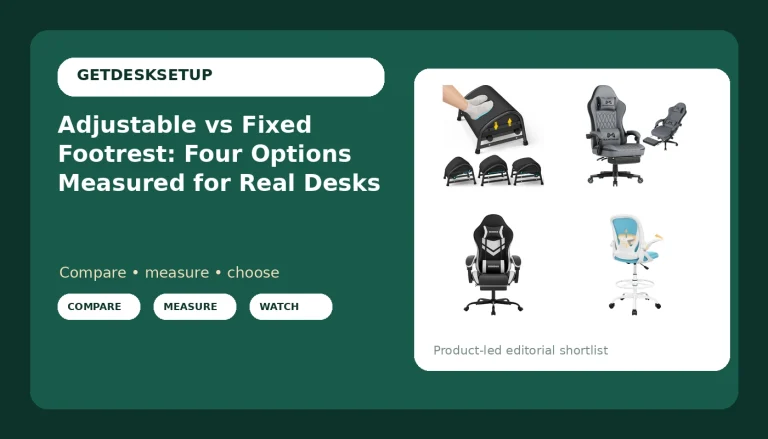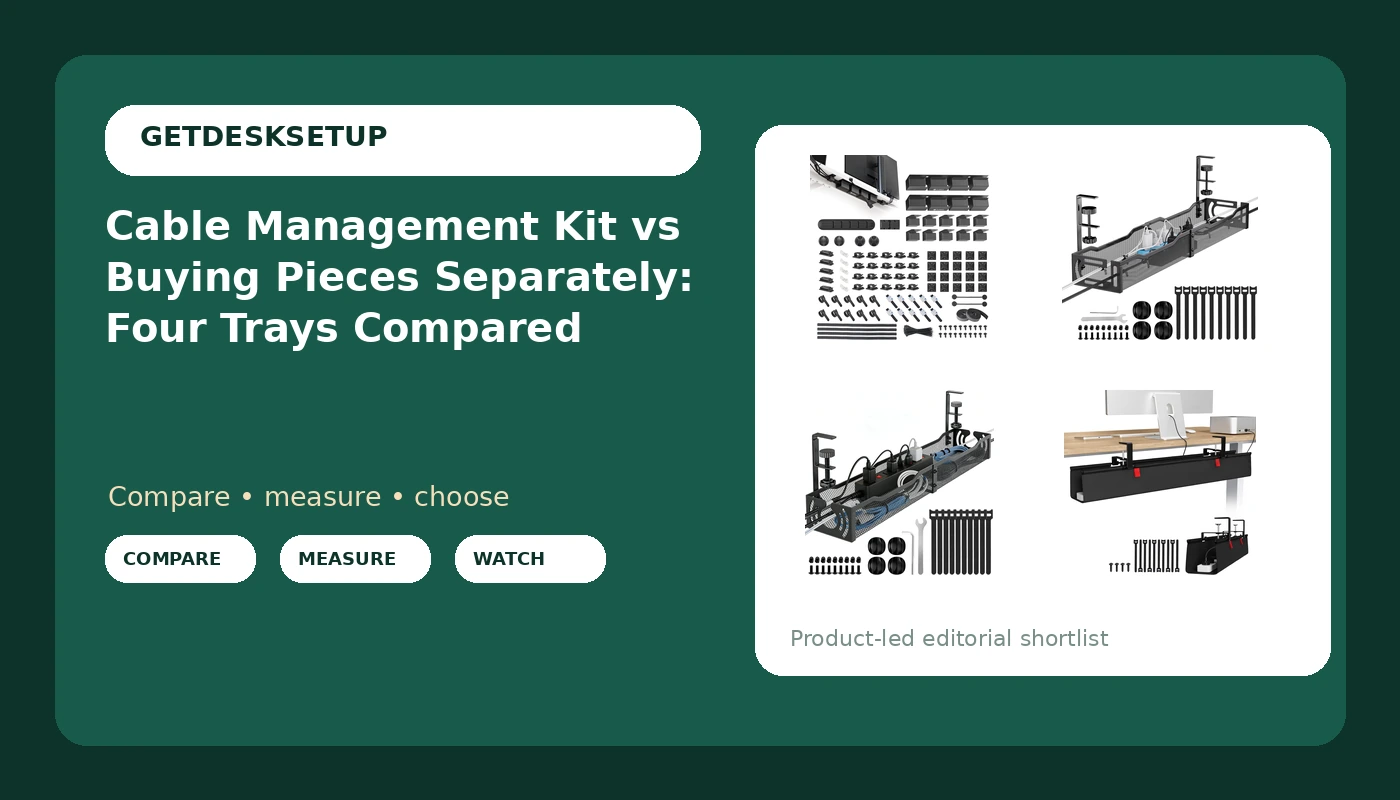
I have pulled cable through 310 home offices, from one-desk apartments to full floors, and the argument that never settles is cable management kit vs buying pieces separately. It sounds like a shopping preference. It is really a question about how many devices you own, whether the desk moves up and down, and how much of a Saturday you want to spend matching a raceway to your wall paint.
Related: Under desk cable tray installation without drilling
For most single-desk home offices, buy one under desk tray sized to your desk, then buy the small pieces separately as you need them. A 316-piece kit earns its place when you are outfitting two or more desks at once, or when you want one box, one return window, and no second trip to the hardware store.
Here are the four under desk trays worth comparing, with what each one solves and what it costs you in leftover parts.
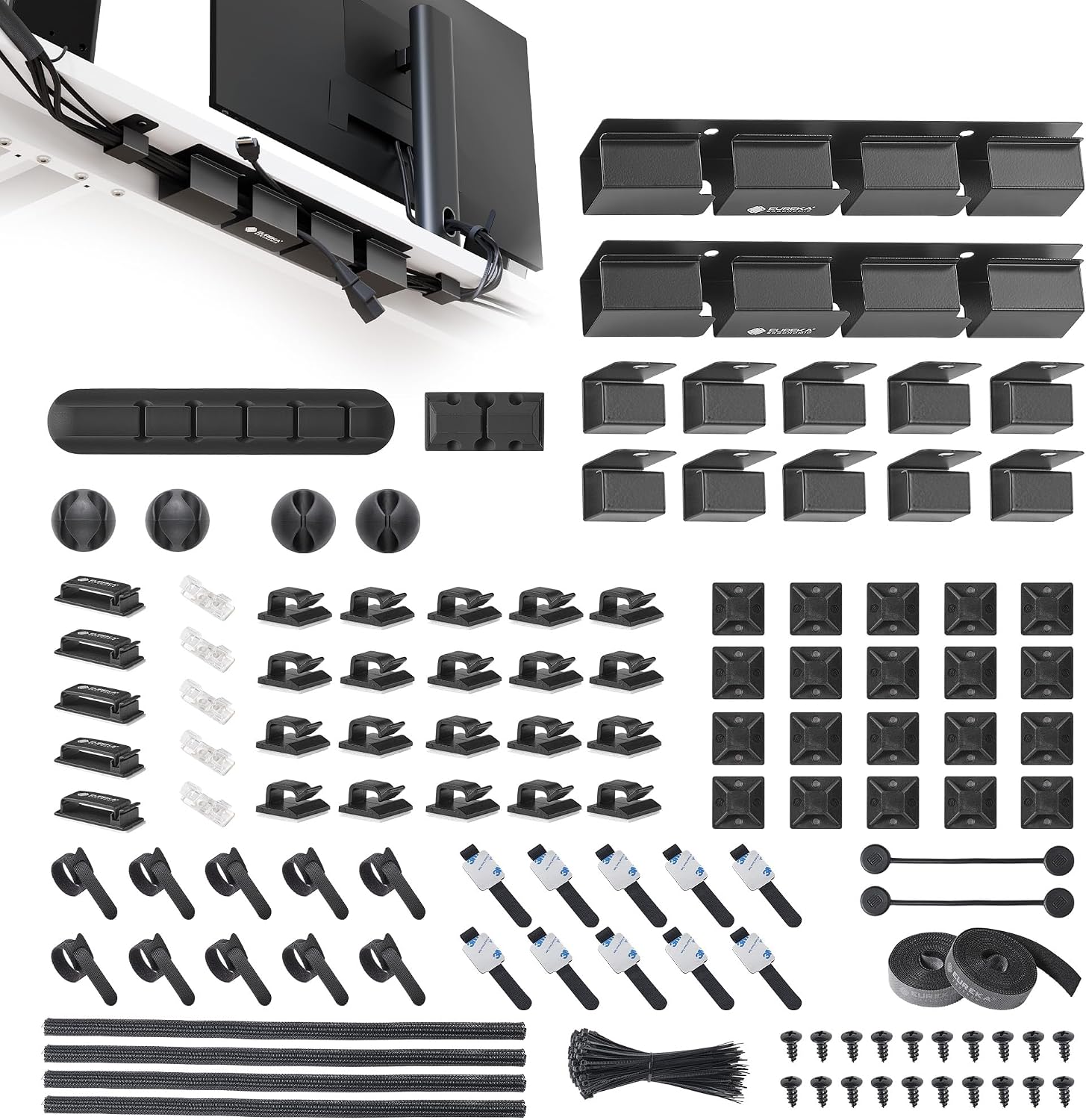
EUREKA ERGONOMIC 316PCS Under Desk Metal Cable Kit, Black
One order covers the tray, cable sleeve, adhesive clips, and raceway; metal construction; spares included
More pieces than one desk needs; the most expensive item in this group; no-drill mounting is not stated
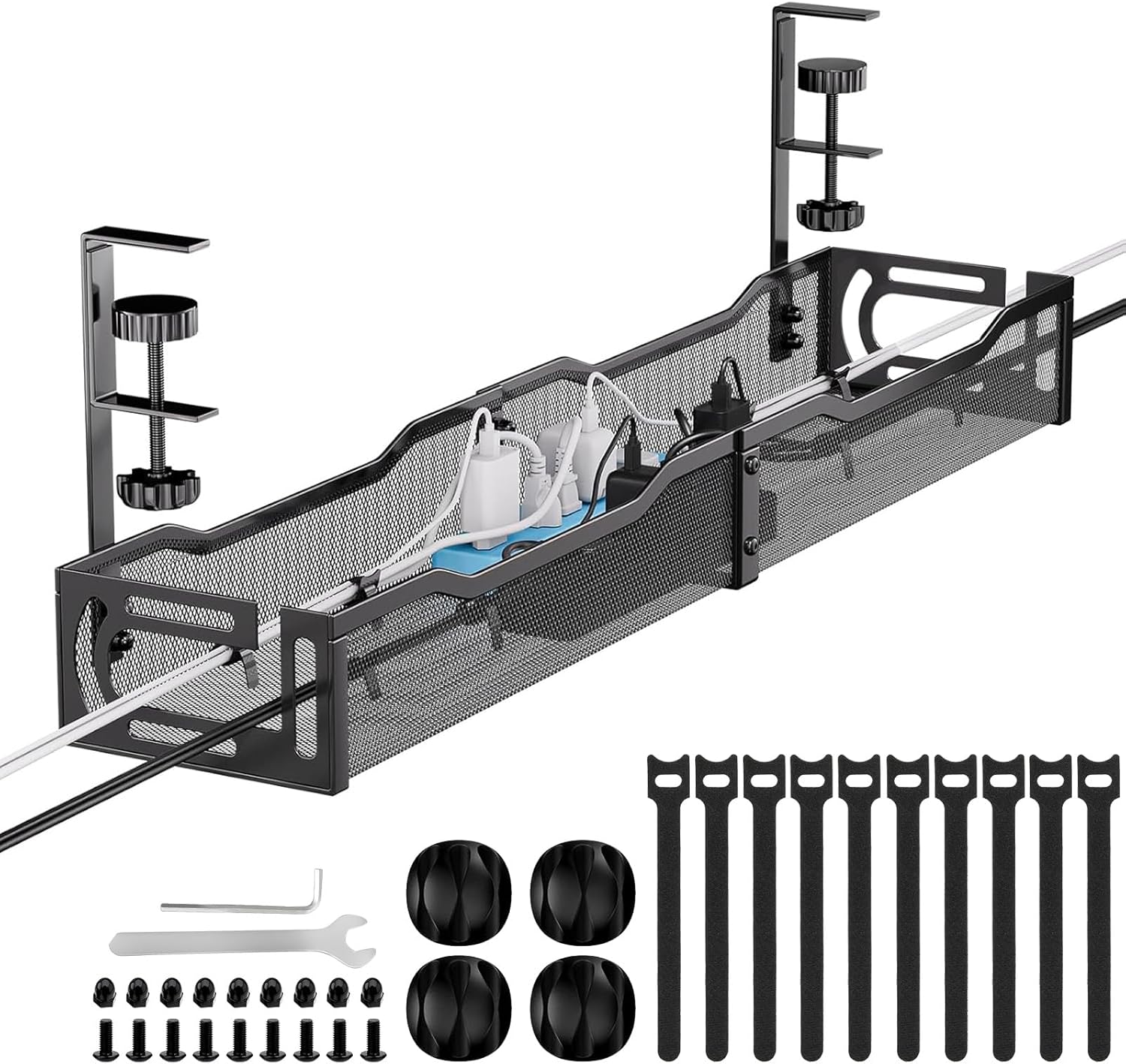
Cable Management, 25'' Cable Management Under Desk, Cable Tray
Lowest outlay of the four; 25 inch span suits compact desks; tray only, so nothing you did not ask for
The listing does not call it no drill, so plan on screws; a short span means two trays on a wide desk
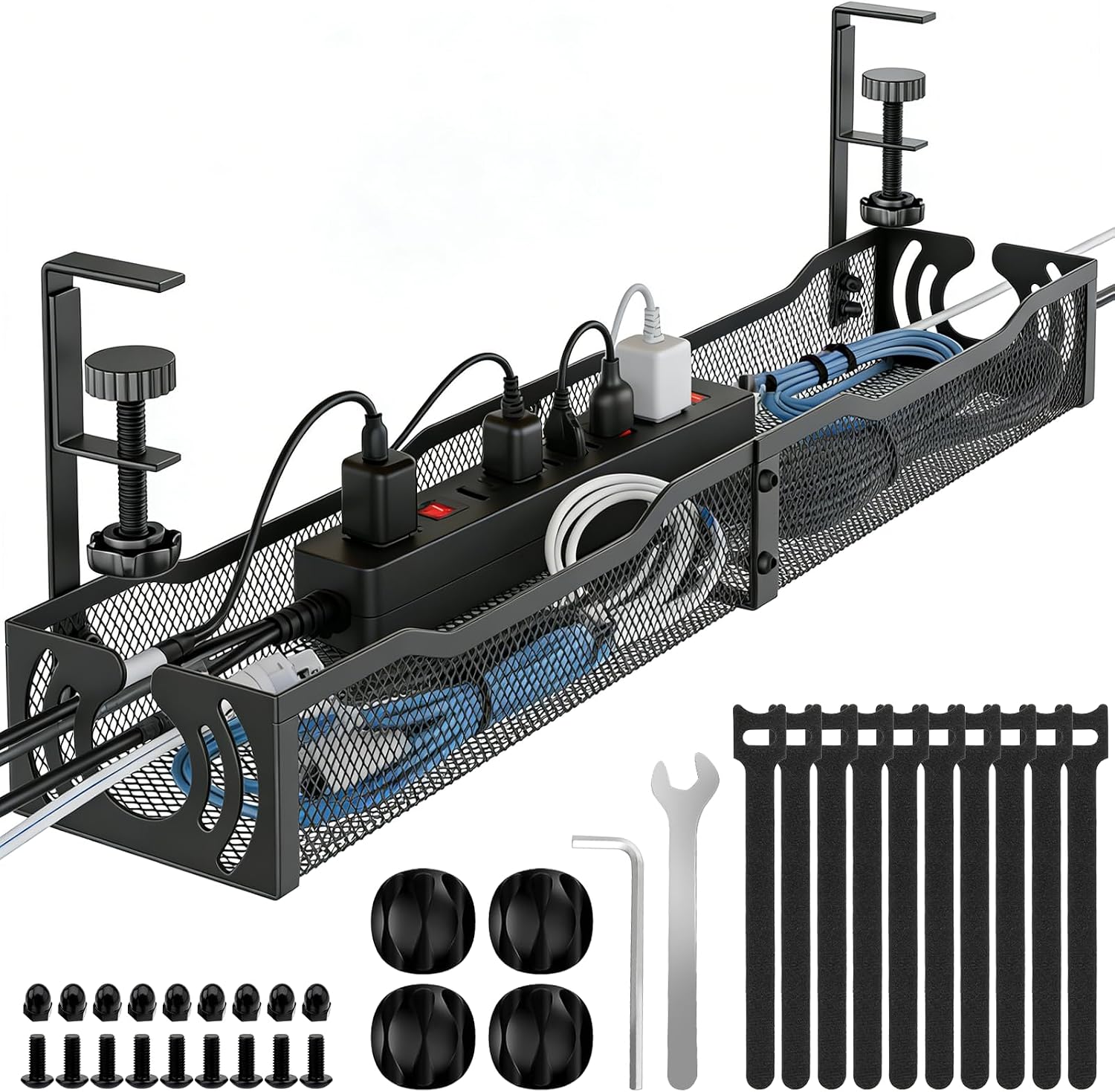
Cable Management, 25.3'' Under Desk Cable Management Tray No Drill
No drill mounting is right in the name; 25.3 inch span; sits between the two extremes on cost
Short span for a 60 inch desk; a no drill mount still wants a clean, flat underside to grip
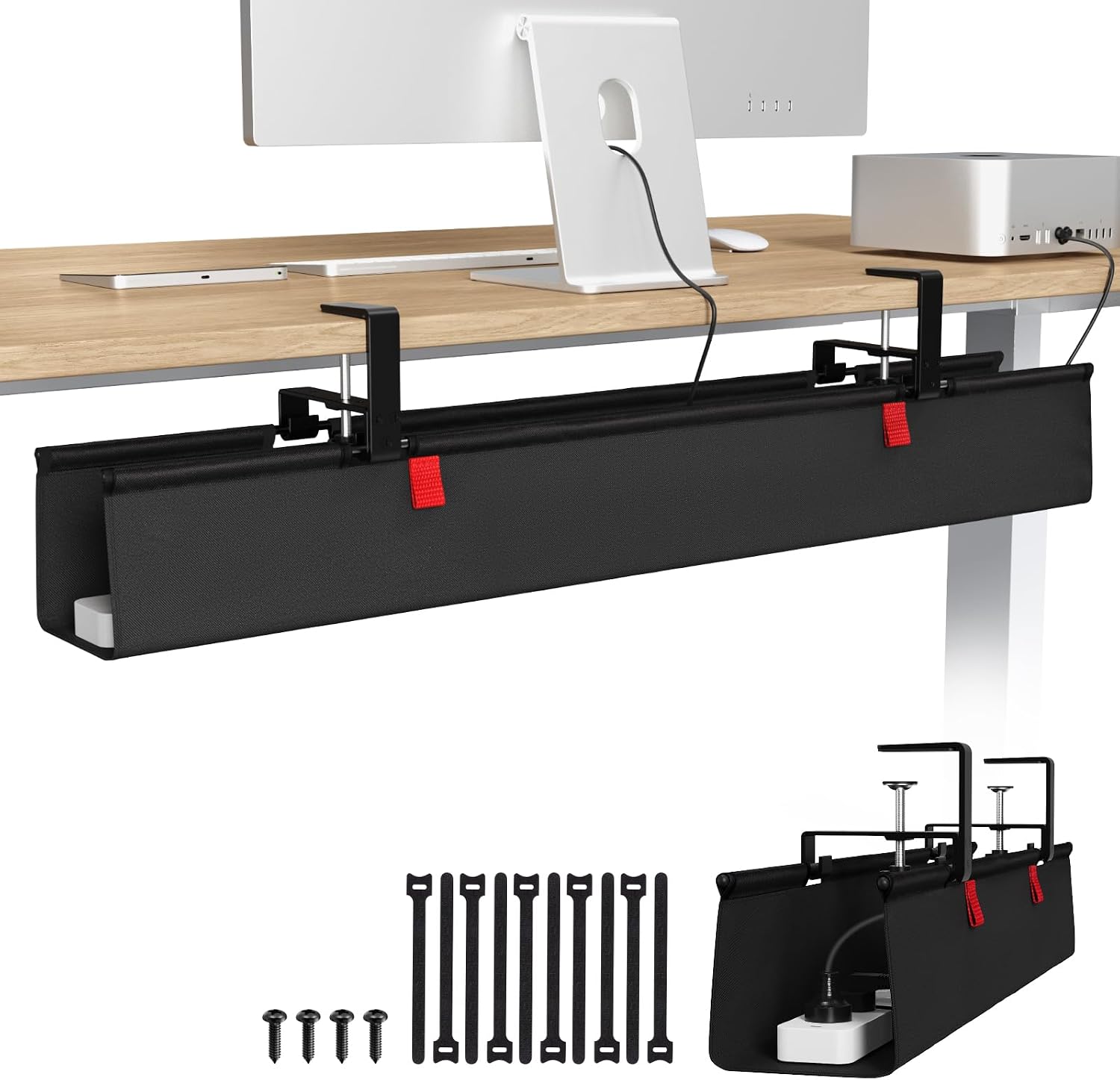
KEEGH Large No Drill Under Desk Cable Management Tray 36 in, Black
36 inch span covers a wide desk in one piece; no drill mounting; the largest single tray here
Overhangs anything under 48 inches wide; priced above the two 25 inch trays
Prices and availability may change.
Cable management kit vs buying pieces separately: the short answer
Two paths, and they are not as far apart as the packaging suggests.
Path one is the kit. One box arrives with a tray, a cable sleeve, hook-and-loop ties, adhesive clips, and enough raceway segments to run a wall drop from the desk to the outlet. You unpack it once and you are finished. The EUREKA ERGONOMIC 316PCS Under Desk Metal Cable Kit is that path in this comparison, and the piece count means something real: it is roughly three desks of hardware in a single box.
Path two is the à la carte build. You buy a tray, then a sleeve when a third monitor shows up, then clips when the sleeve starts hanging low, then raceway when the router moves to the floor. Nothing arrives early, nothing sits in a drawer, and nothing is sized for a desk you do not own.
The short answer to cable management kit vs buying pieces separately is that the kit wins on certainty and the separate route wins on fit. Certainty has a price, and fit has a time cost, and which one hurts more depends on the desk in front of you.
The deciding variables are boring and countable: how many devices plug in at your desk, how wide the desk is, whether it stands, whether you are allowed to drill, and how you feel about a drawer full of spare parts.
Visit on Amazon if you already know you want the kit route.
What is the difference between cable management kit and buying pieces separately?
The difference between cable management kit and buying pieces separately comes down to three things: quantity, fit, and waste.
Quantity is the one people underestimate. A kit decides for you. Someone in a warehouse settled on 316 pieces because that number reads as generous, and it is, but generosity is not the same as sizing. A desk with a laptop, one monitor, and a dock needs a tray and maybe eight ties. A desk with two monitors on arms, a dock, speakers, a lamp, and a charging brick needs most of what is in the box. Same kit, two very different levels of usefulness.
Fit is where the separate route pulls ahead. Tray length is a measurement, not a preference. A 25 inch tray under a 72 inch desk leaves the right third of the run open, which is exactly where the monitor arm cables and the power brick usually live. A 36 inch tray under a 40 inch desk overhangs both ends and looks like a mistake. Buying separately lets you match the span to the desk in inches rather than guessing at a bundle.
Waste runs both directions, which is why this is not a clean win for either side. Framed as buying pieces separately vs cable management kit, the trade is flexibility against certainty. The kit leaves you with spares you did not choose, and those spares are worthless until the day they are not. The separate route leaves you with nothing spare, which is fine right up until you want to reroute one cable and need a clip you do not have.
There is one more difference worth naming: returns. One kit is one return. Six small purchases are six return windows, six tracking numbers, and six chances for a package to sit on a porch.
The four trays, one at a time
EUREKA ERGONOMIC 316PCS Under Desk Metal Cable Kit, Black
This is the only true kit in the group, and it is the one to buy if you are setting up a desk from scratch and you do not want to think about sourcing. Metal tray, black finish, 316 pieces, and a parts assortment that covers the whole job: sleeve, clips, ties, and raceway.
Who it fits: someone with a standing desk, a monitor arm, a dock, a laptop, speakers, and a lamp, who would rather place one order than five. Also anyone outfitting a second desk in the same month, because the leftover pieces stop being leftover and start being inventory.
Who should skip it: the single-desk, single-monitor household. You will use a fraction of the box, and the unused portion is the part you paid for. If your entire cable problem is one laptop charger and one HDMI cable, this is a large solution to a small problem.
Cable Management, 25'' Cable Management Under Desk, Cable Tray
The plain tray, and the least expensive way into the category. Twenty-five inches of span, a tray shape that holds a power strip and a coil of slack, and no accessories to pay for.
Who it fits: a compact desk, a laptop plus one external monitor, and a renter who wants to start small and add a cable sleeve or adhesive clip later. On a desk at least 48 inches wide, a single 25 inch tray covers the center, which is where most of the weight sits anyway.
Who should skip it: anyone with a glass or thin-laminate desktop who cannot put screws into it. The listing does not call this one no drill, so plan on drilling, and plan on a desk you own rather than rent. Anyone running three or more devices across a 60 inch desk should also skip it, because one 25 inch tray will not reach both ends.
Cable Management, 25.3'' Under Desk Cable Management Tray No Drill
Almost the same span as the tray above, with the mounting question answered in the product name. No drill means no holes in the desktop and no hardware in a rental unit, which matters more than most buyers expect until they move out.
Who it fits: renters, glass-top desks, and anyone who has already decided that a screwdriver is not touching a the quoted price standing desk. The 25.3 inch span works on desks from roughly 48 inches up, and it pairs well with a separate cable sleeve for the cables that drop to the floor.
Who should skip it: the same person who should skip any short tray on a wide desk. On a 60 inch desk, one 25.3 inch tray covers the middle and leaves the outer thirds to the adhesive clip and the raceway, which is more work than buying a longer tray once. A no drill mount also depends on a clean, flat underside, so a desk with a deep apron or a frame beam running down the center may not have a good surface to grip.
KEEGH Large No Drill Under Desk Cable Management Tray 36 in, Black
The widest tray here, and the one I would put on a standing desk with two or three monitor arms. Thirty-six inches of span in one piece means one mounting job instead of two, and one continuous run for cables that need to travel from the left edge to the right.
Who it fits: a 60 inch desk or wider, no drill mounting, and a device count high enough that cable slack has to be stored rather than hidden. This is also the tray that makes the most sense on a desk where the monitor arm clamps at the back edge, because the arm cables and the display cables can share one run instead of crossing.
Who should skip it: anyone with a desk narrower than 48 inches. A 36 inch tray on a 40 inch desk overhangs both ends, and the overhang is the first thing a guest notices. It also costs more than the two 25 inch trays, so if the span is not needed, the money is better spent elsewhere.
Buying pieces separately vs cable management kit: the pieces you would actually buy
If you go the separate route, the shopping list is shorter than the kit's parts count suggests.
A cable sleeve handles the drop from the desk to the floor. One sleeve covers three to four cables, and it is the piece that turns a dangling mess into a single line.
Adhesive clips handle the horizontal runs under the desk and along the back edge. You want more than you think, because clips are the first thing to get repositioned when a device moves.
Raceway handles the wall. It is the only piece here that shows from across the room, and it is the one worth buying in the right color rather than the cheapest color.
Hook-and-loop ties handle slack. Zip ties are permanent, which is a problem the first time you swap a monitor.
One bracket for the power strip, so the strip hangs instead of lying on the floor where it collects dust and gets kicked.
The honest math on buying pieces separately vs cable management kit: the separate route costs less up front if you buy only what the desk needs today, and it costs more over two years if you keep adding devices. The kit route costs more today and less every time you change something, because the drawer already has the answer.
Cost, returns, and the rest of the desk budget
Cost is where cable management kit vs buying pieces separately stops being theoretical. The kit here is the most expensive item of the four, and the 25 inch tray is the least expensive. Two 25 inch trays still come in under one kit, which is the argument for separate buying on a wide desk with a small device count.
That said, the difference is small enough that it should not decide the question on its own. Cable management is one line in a desk budget, and it competes with everything else on the list. If the same money is choosing between a bigger tray and a footrest, think about what you actually feel at hour six. A footrest angle that suits your chair height changes how your legs sit all afternoon. Mat thickness and mat density decide whether a standing mat is still comfortable in month three or flattened by month two. Desk lamp lumens decide whether your camera looks like a person or a silhouette on the 9 a.m. call.
Cable management does not show up in any of those numbers, which is exactly why it gets skipped and then redone. A cable that pulls on a monitor arm changes the monitor angle within a week, and you will adjust that arm every few days without ever connecting the two problems.
Cable management kit or buying pieces separately: who should skip which
Read this list against your own desk before you order anything.
Choose the kit if: you are outfitting two or more desks, you have six or more devices on one desk, you are building the setup from zero and want a single order, or you want spares on hand because you know you will rearrange things.
Choose separate pieces if: you have one desk, one or two displays, and a clear idea of where the cables run; you rent and cannot drill; you already own a sleeve or a roll of ties; or you want to spend the tray money on a longer span instead of a box of extras.
Skip both and start with one tray if you cannot yet say how many devices will live on the desk in six months. That is the most common situation, and it is the one where a single well-sized tray plus a handful of clips beats a bundle every time.
One more piece of advice from someone who has measured a lot of desks: write down your desk width before you buy. Not the diagonal, not the marketing size. The actual width in inches, from edge to edge, plus the depth of any frame beam under the top. Every tray decision in this article follows from those two numbers.
Related: Monitor arm cable slack and why it changes your screen angle
What I would specify for a 60 inch standing desk
If the desk is 60 inches wide and it moves, the KEEGH 36 inch no drill tray is the piece I would start with. One mount, one span, no holes, and enough room for the arm cables and the power brick to share a run without fighting.
If the desk is 48 inches wide, I would take the 25.3 inch no drill tray instead. The 36 inch version overhangs at that width, and an overhang under a desk you look at every day is a small annoyance that never goes away.
If two desks are going up in the same house, the EUREKA ERGONOMIC kit is the efficient buy. One order, one return window, and enough sleeve and clips that the second desk does not need a second shipment.
If the desk is 48 inches wide and you own the desk and own a drill, the 25 inch tray is the value pick. It is the least expensive route into a real tray, and the money you do not spend there can go toward the sleeve that makes the floor drop disappear.
And whatever you pick, leave slack. A standing desk needs a loop of cable that grows and shrinks with the frame. Route the loop behind the tray, not through it, so the cable never pulls tight at standing height. That single habit prevents more monitor angle drift than any clip or sleeve you can buy.
The bottom line
The cable management kit vs buying pieces separately question has one honest answer: match the hardware to the desk you actually own, not the desk you might own later. Buy the kit if you are building more than one desk or you want the whole job done in one order. Buy the tray alone if you can measure your desk width and count your devices, and add the sleeve, clips, and raceway as the setup tells you it needs them.
Ray's rule, from nine years of facilities work and six years of home office builds: the cheapest correct setup beats the most expensive wrong one, and in cable management the wrong one is almost always a tray that does not fit the desk under it.