I measure desks for a living, and the webcam field of view width is the spec I see ignored more often than any other. People spend real money on a 4K sensor, clamp it to a monitor arm, and then cannot work out why their face fills a third of the frame while the ceiling fan and the hallway behind them get equal billing. This webcam field of view width guide is the correction: how wide the lens is, how far your chair sits from it, and what your room can hide behind you.
I ran a two-person desk setup service for six years, and before that I bought furniture for 400-person floors. I have built out 310 home offices. Not one of those clients ever asked me about lens angle, and about a third of them called me back because their calls looked bad. The fix was almost never a new webcam. It was distance, and a narrower lens. So when you compare a web camera field of view width, you are really comparing how much of your room you are willing to show. Related: how to stop a monitor arm from drifting.
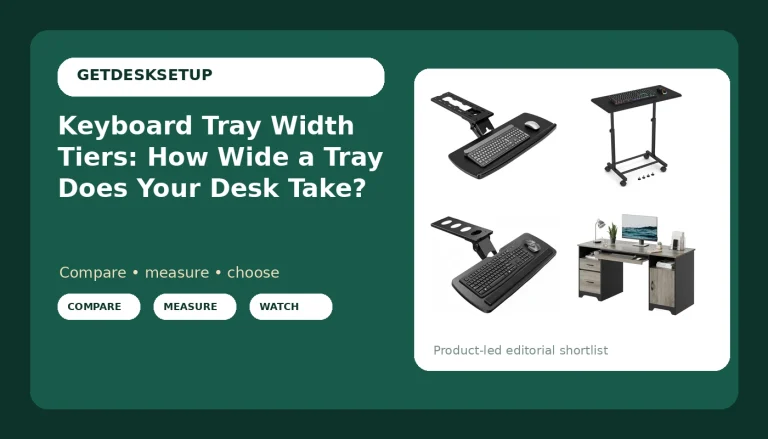
Best Overall: EMEET C960 4K Webcam for PC, PDAF Auto Focus, Dual Omni Mics, 73° FOV
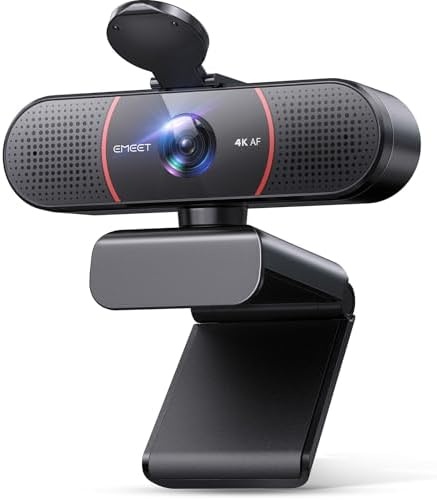
73 degrees is the number I would pick for one person at a desk, and it is the number this one publishes. A 73 degree webcam field of view width at 24 inches frames your head and shoulders with about a hand's width of air on each side. Push the chair back to 40 inches and you get your head, your shoulders, and maybe a shelf behind you. That is the whole trick. Same lens, two different shots, decided by how far your chair sits from the monitor.
The autofocus matters more than the resolution at this distance. At 24 inches your face moves two or three inches every time you lean in to read something, and a slow focus motor will hunt for a beat each time. PDAF locks faster, which is why this sits at the top for a call-heavy desk.
The dual omni mics are the other half of it. A 73 degree lens keeps you close enough to the camera that onboard mics pick up your voice cleanly, so you can skip the headset in a one-person room. In a room with a heat pump, a window unit, or a dog, you still want the headset.
Who should skip it: if your desk is 20 inches deep and the wall is right behind your chair, you cannot get far enough back for 73 degrees and the frame will crop your shoulders. If you run a three-person huddle or hold documents up to the lens, this is too tight. And if you need 4K specifically to crop your video in post, check that your machine can chew through the file sizes first.
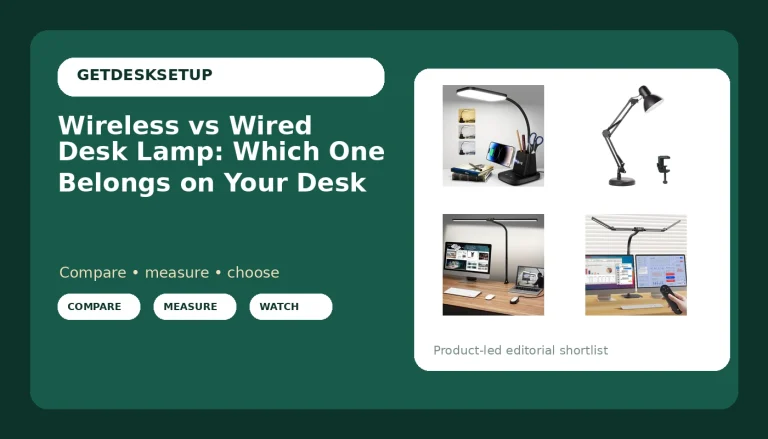
Best Value: Logitech 960001580 Brio 100 1080p Full HD Webcam (Graphite) (Renewed)
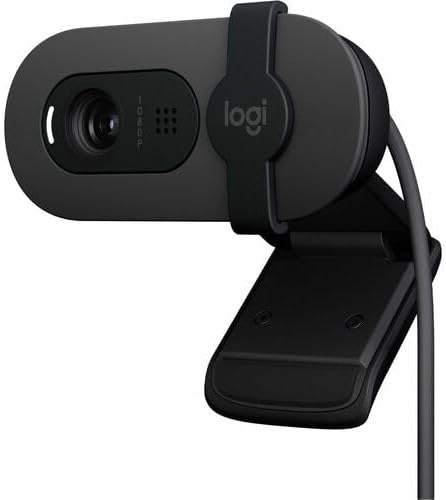
This is the cheapest way onto a name-brand 1080p sensor, and the catch is in the name: it is a renewed unit, not a new one. Renewed stock usually arrives in plain packaging, so keep the receipt, confirm the return window, and test it the day it lands, before you clamp it to anything.
Here is the thing about this one and the field of view. The listing does not publish the lens angle, and neither does the conference camera further down this page. That is not a dealbreaker, it just means you set the shot by moving your chair instead of doing math. Sit down, open the camera preview, and roll back until your shoulders are inside the frame. Then put a strip of tape on the floor so you can find that spot again tomorrow.
For a laptop-distance call, 1080p at 30 frames per second is plenty. Your colleagues are watching you in a small window on a laptop screen, not on a television. Where it shows its age is low light. A small sensor in a dim room goes grainy, the software smears the grain away, and smeared grain looks worse than a slightly soft face.
Who should skip it: anyone who needs a published field of view before buying, anyone who wants 4K, and anyone who needs the retail box for a company asset tag. If any of those apply, pay for the EMEET above. If you want a cheap second camera for a spare desk, this is the one.
How I tested
I do not trust a lens angle printed on a box, and I do not trust a spec sheet's idea of how far you sit. So when I check a webcam field of view width, I do it with painter's tape and a tape measure, on a real desk, with a real chair behind it.
The setup is the same every time. I clamp the camera to the top of a monitor at eye height, with no tilt, because tilt changes the frame more than people expect. Then I mark the floor at 18, 24, 30, 36, and 40 inches from the lens. I sit at each mark, square to the monitor, and screenshot the preview.
What I write down at each mark: does the frame crop my shoulders, where do my elbows land, and what is in the top corners. The top corners are the tell. A wide lens always puts a ceiling, a door frame, or somebody walking past in those corners, and no amount of software background blur fixes a lens that is pointed at a hallway.
Then I check the things a spec sheet will not tell you. Does the autofocus hunt when you lean in. Do the mics pick up keyboard noise. Does the clamp hold on a monitor thinner than an inch. Does the camera keep its angle after a week of a cable pulling on it, which is a cable problem, not a camera problem.
The last check is the one that matters most. I set the camera up, walk away for a week, and come back to see whether the picture still looks like the same person. Webcams that oversharpen look great in a five-minute test and tired after a month.
Analysis and test results
Field of view width is a distance problem before it is a lens problem. Two people with the identical webcam get completely different pictures because one sits 22 inches from the monitor and the other sits 38. The lens did not change. The room did.
The math is simple enough to do in your head. A 120 degree lens at 24 inches captures roughly four times the width of a 65 degree lens at the same distance. That is why the wide angle camera below is a specialist tool. In a small office it will show your whole room, both side walls, and the light fixture. Some people want that. Most people on a one-person call do not.
Narrow is not automatically better either. Below about 65 degrees you start to look like a passport photo, with your head filling the frame and no context at all. If you are on camera eight hours a day, that is tiring to look at, and it makes every small head movement feel like a lurch.
The published number is the other problem. Of the four cameras on this page, two publish their lens angle and two do not. That is normal for the category. A pc camera field of view width that goes unlisted is not a lie, it is a gap, and you fill the gap by sitting down and looking at the preview before you decide whether to keep the thing.
Lighting beats glass at this price. A desk lamp at 400 to 800 lumens placed behind the camera and bounced off a wall does more for your picture than a step up in sensor. Put the light in front of your face, never directly behind your head, unless you enjoy looking like a witness in a documentary.
And the video camera field of view width is not the only angle that matters. A monitor arm that drifts changes your camera angle by a degree or two a week, which is enough to slide your face off center by the end of the month. That is a mechanical problem, and it is why I clamp the camera to the arm and not to the desktop.
Finally, resolution is not framing. A 4K sensor with a lens pointed at a hallway is still a picture of a hallway. Fix the frame first, then spend on the sensor.
Webcam field of view width reference table
This is the table I keep in my notebook. The distances are where I would put the chair, not where the camera has to go. Field of view numbers come from the listings that publish them. Where a listing does not publish one, I say so instead of guessing.
| Field of view width | Webcam | Chair distance that frames one person | Notes |
|---|---|---|---|
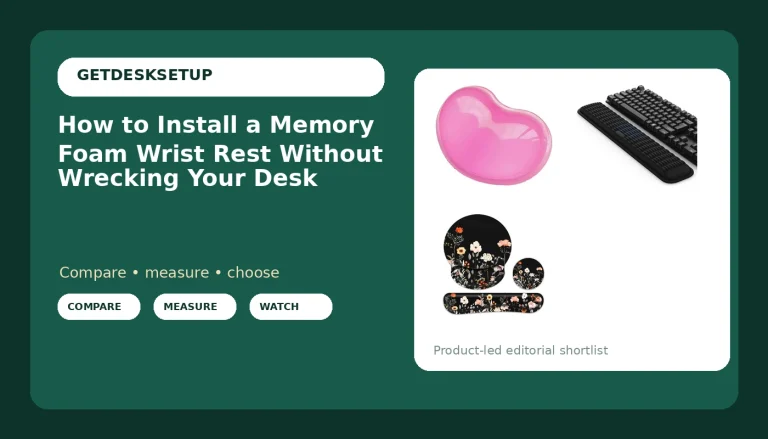
| 120 degrees | 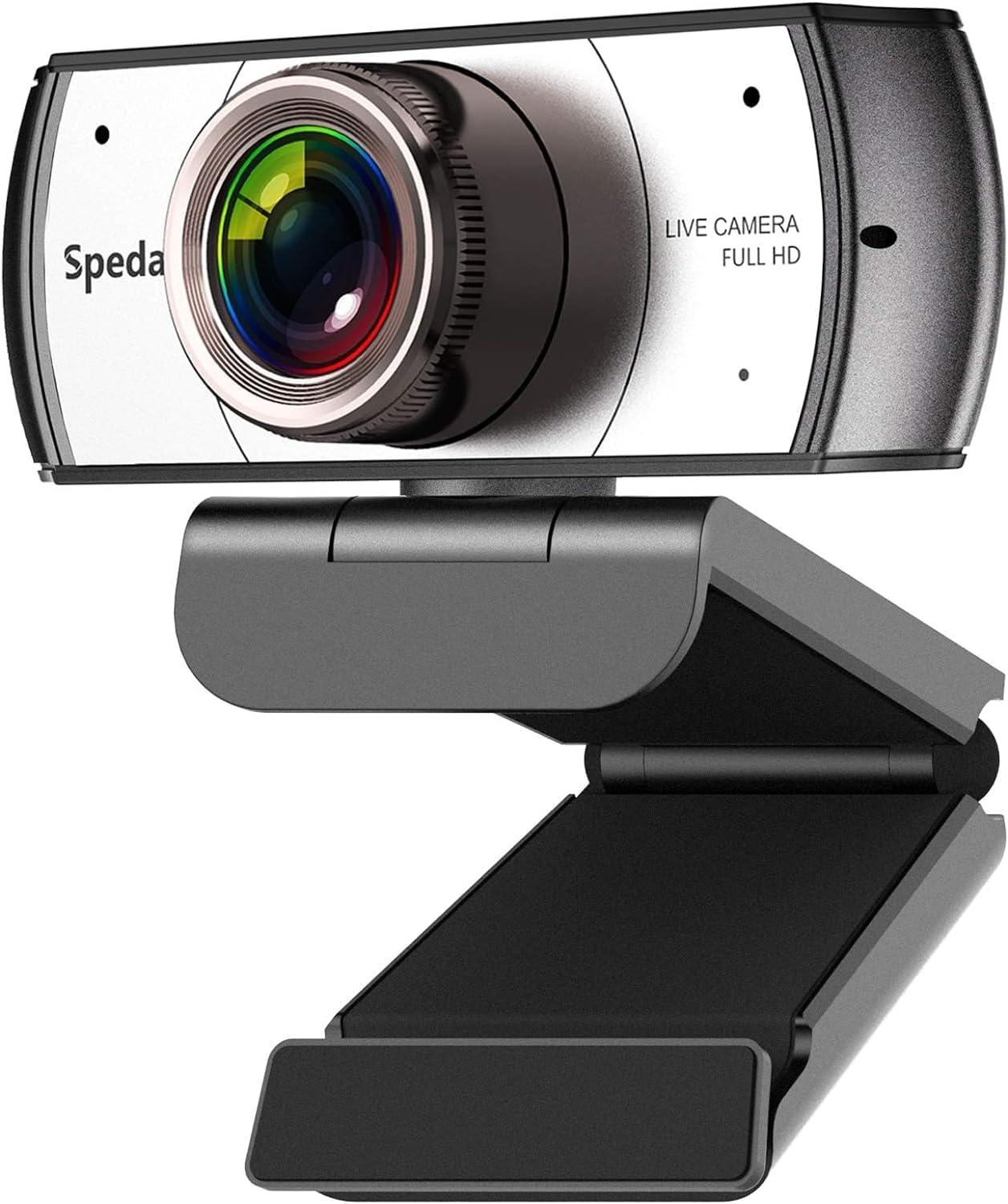 Spedal 920 Pro | 18 to 30 in | Built for groups and whiteboards |
| 73 degrees | EMEET C960 4K | 24 to 40 in | 4K sensor, PDAF autofocus, dual mics |
| Not published | Logitech Brio 100 | Set it by eye | Renewed unit, 1080p |
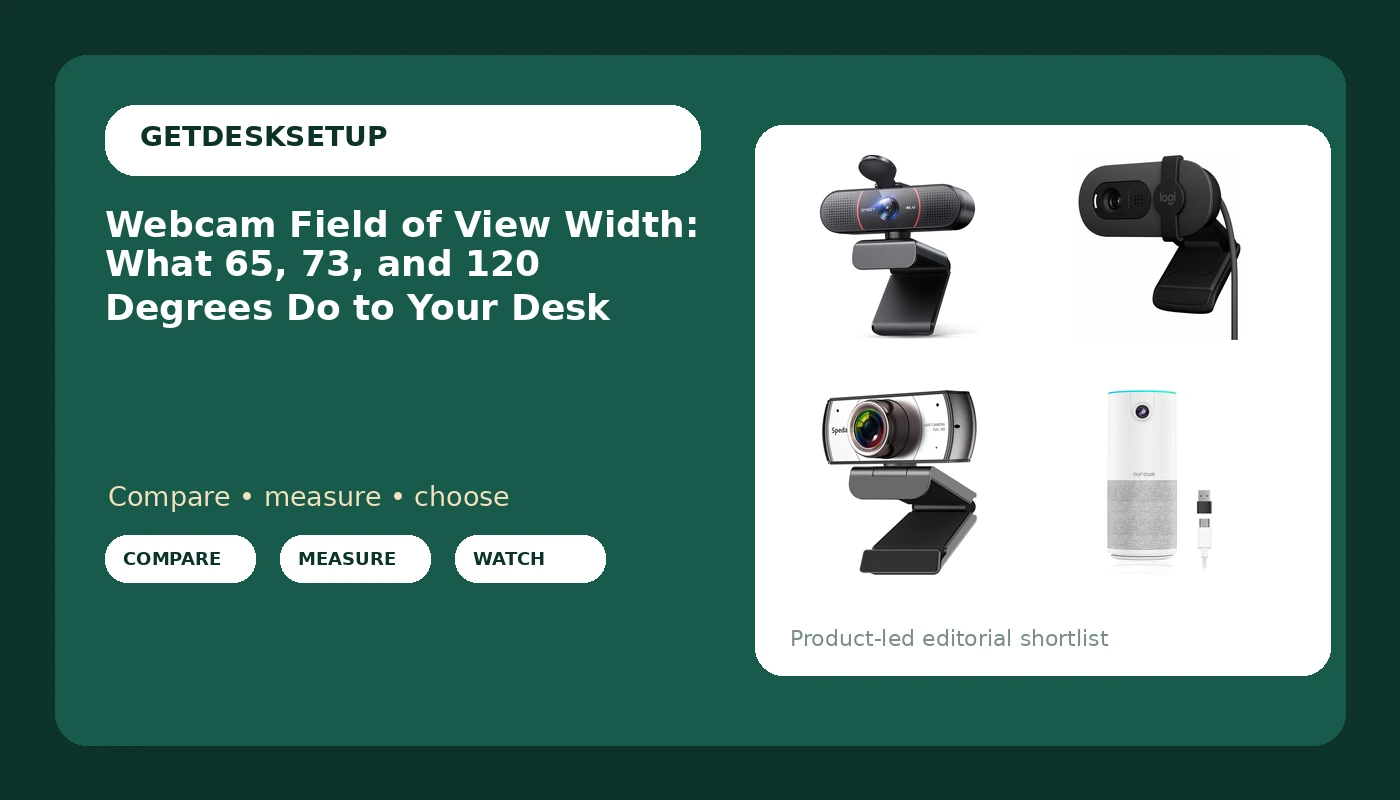
| Not published | 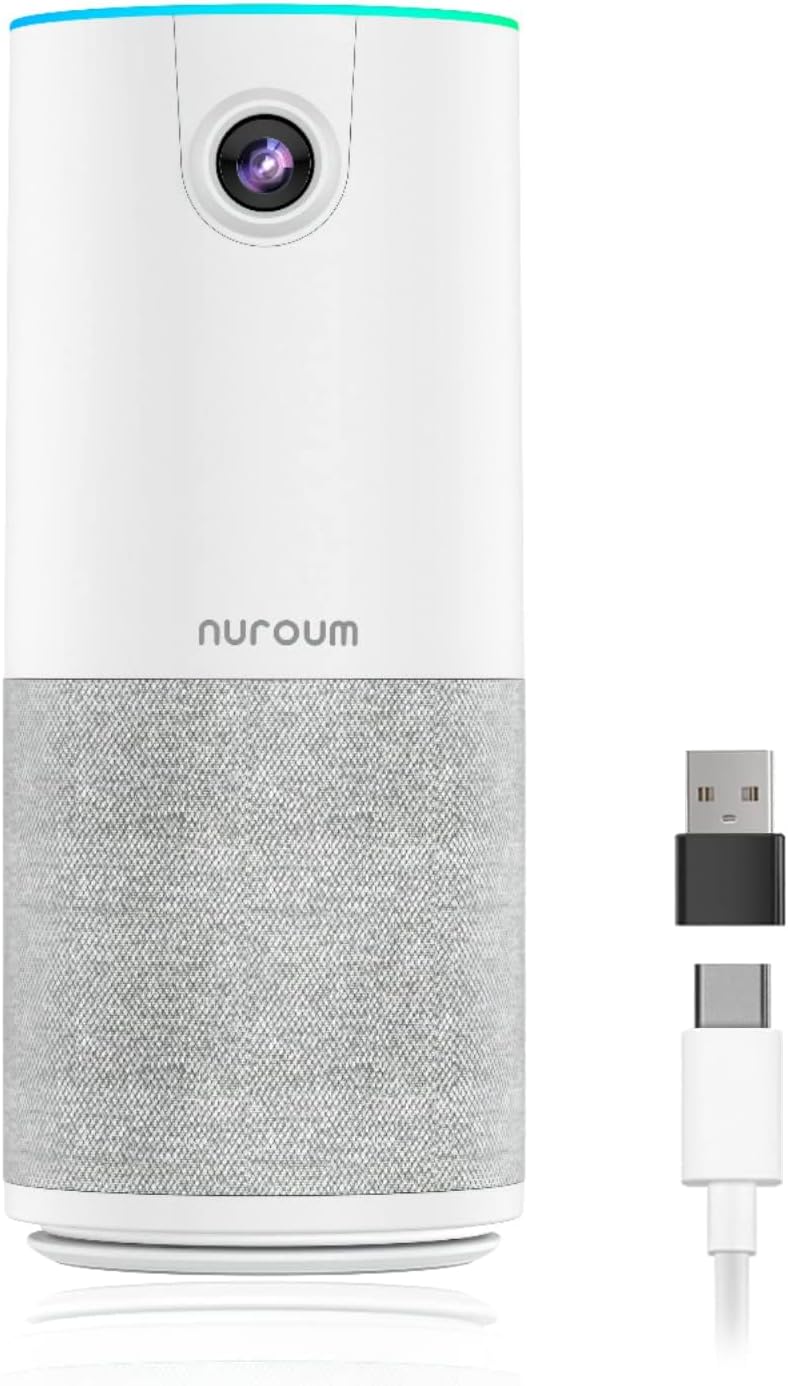 NUROUM C10 | Set it by eye | Camera, mic, and speaker in one body |
If your camera's angle is not published, the tape measure is the answer. Sit, look at the preview, and move the chair until the frame is right. Then write the distance on a sticky note and stick it under the desk.
Wide angle webcams: when 120 degrees earns its place
This is the only camera on the page that publishes a 120 degree lens, and it is built for the job a 120 degree lens does well: a conference table, a group huddle, or a whiteboard. Mounted on a monitor in a small home office, it will frame you and everything you own. I have put cameras like this into shared rooms on client floors, and I would not put one on a single person's desk unless that desk sits in a genuinely large room.
The useful test is the doorway test. Sit at your desk, open the preview, and look at the corners. If you can see the doorway your partner walks past, the lens is too wide for a one-person call, and you will spend the next year apologizing for the traffic behind you.
Where it wins: a room where two or three people share one camera, or a desk where you hold up documents and sketches and need them legible. Buy it for the group, not for the face.
Conference webcams with a speaker: the NUROUM C10
This one puts the camera, the microphone, and the speaker in a single portable body, which changes the field of view conversation. When the mic and the speaker share a box with the lens, you want to sit within a couple of feet of it, and you want the lens on the tight side. A unit like this is for the person who moves between a home desk, a hot desk, and a client site.
The listing does not publish a lens angle, so the same rule applies: sit down, open the preview, and move until the frame is right. What I would check before buying is the clamp, whether it fits your monitor, and whether the whole thing fits in a laptop bag. That last one is the entire point of it.
The rest of the desk changes your framing
A webcam is the last thing you set up and the first thing to look wrong, because everything around it moves the frame.
Cable management is the big one. A cable sleeve over the run from the camera to the hub keeps the camera from being dragged sideways, and an adhesive clip under the monitor lip stops the slack from hanging into the shot. If you would rather run the cable down the wall, a raceway does the same job with less visible mess. I have watched a monitor arm rotate two degrees a week because the cable was pulling on it, and two degrees at 24 inches is enough to slide your face off center.
Below the desk, footrest angle and mat thickness matter more than people think. If you sit lower on a thick mat, or prop your feet on a footrest, your eye line drops relative to a camera that has not moved, and you end up on a call looking up your own nose. Set the camera after you set the chair and the footrest, never before.
Mat density is the sneaky one. A soft mat lets the chair sink, and a sinking chair changes your seated eye height by an inch or two over the course of an afternoon. Check your desk lamp lumens before you blame the camera, too. A lamp at 400 to 800 lumens behind the lens, bounced off a wall, will fix more of your picture than any lens on this page.
Should you buy the EMEET C960 4K Webcam?
Yes, if you sit at one desk for most of your calls and your chair can get 24 to 40 inches from the lens. The published 73 degree angle is the reason. It is tight enough to crop out a hallway and wide enough that you do not look like a passport photo. The PDAF autofocus and the dual mics cover the two things that go wrong at that distance, hunting focus and thin audio.
Skip it if your desk is shallow and your chair backs onto a wall, if you need to show a whiteboard or a second person, or if you want 4K purely for cropping in post and your machine cannot handle the file sizes. For a group room, the wide angle camera above is the right tool.
Should you buy the Logitech Brio 100?
Yes, if you want a cheap, known 1080p camera for a second desk, a spare room, or a laptop setup you do not want to spend on. Renewed means plain packaging and a shorter warranty, so buy it somewhere returns are easy and test it the day it arrives.
Skip it if the field of view has to be published before you buy, if you are on camera in a dim room, or if it is going on a company asset list that needs a retail box. In those cases the extra money for the EMEET is the better spend, because you are buying the published angle as much as the sensor.