Related: Best standing desks for a small home office
I have built out 310 home offices, and the question I get more than any other is what the standing desk price tiers actually buy. After nine years buying desks for 400 person floors as a facilities manager and six years running a two person setup service, my answer is blunt: the tier describes the frame, not the finish. The entry tier is a single column and a small top. The middle tier is a real two leg frame with a rated lift capacity. The top tier adds the features you cannot retrofit, which are a memory preset, anti collision, and a control box that does not sag under a cable tray. Buy the cheapest tier that holds your monitor load at the height you actually stand at, and put the rest of the budget into the chair.
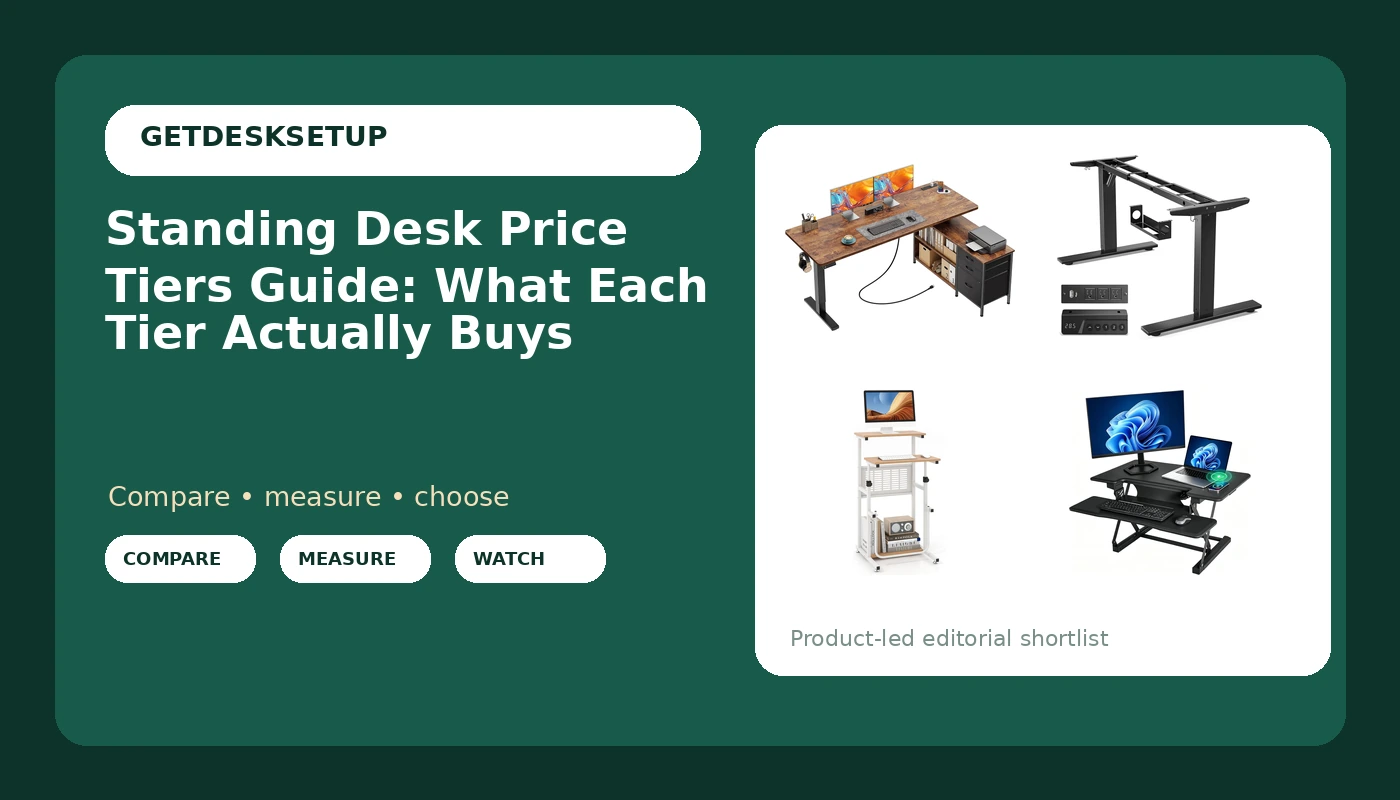
This standing desk price tiers guide covers four desks at four different tiers: a compact podium, a frame you supply a top for, a converter, and a full desk with storage. Two are the headline picks and get their own verdicts at the end. The other two are the ones I send people to when the headline picks are wrong for the room, and I will say plainly who should skip each one. Before any of that, measure two things: the width of the wall you are using, and your desktop depth in inches. No tier fixes a top that is too shallow for your monitor arm clamp.
Best Overall: PRAISUN 55.1'' L Standing Desk with Outlets, Cabinet with Shelves, Drawers
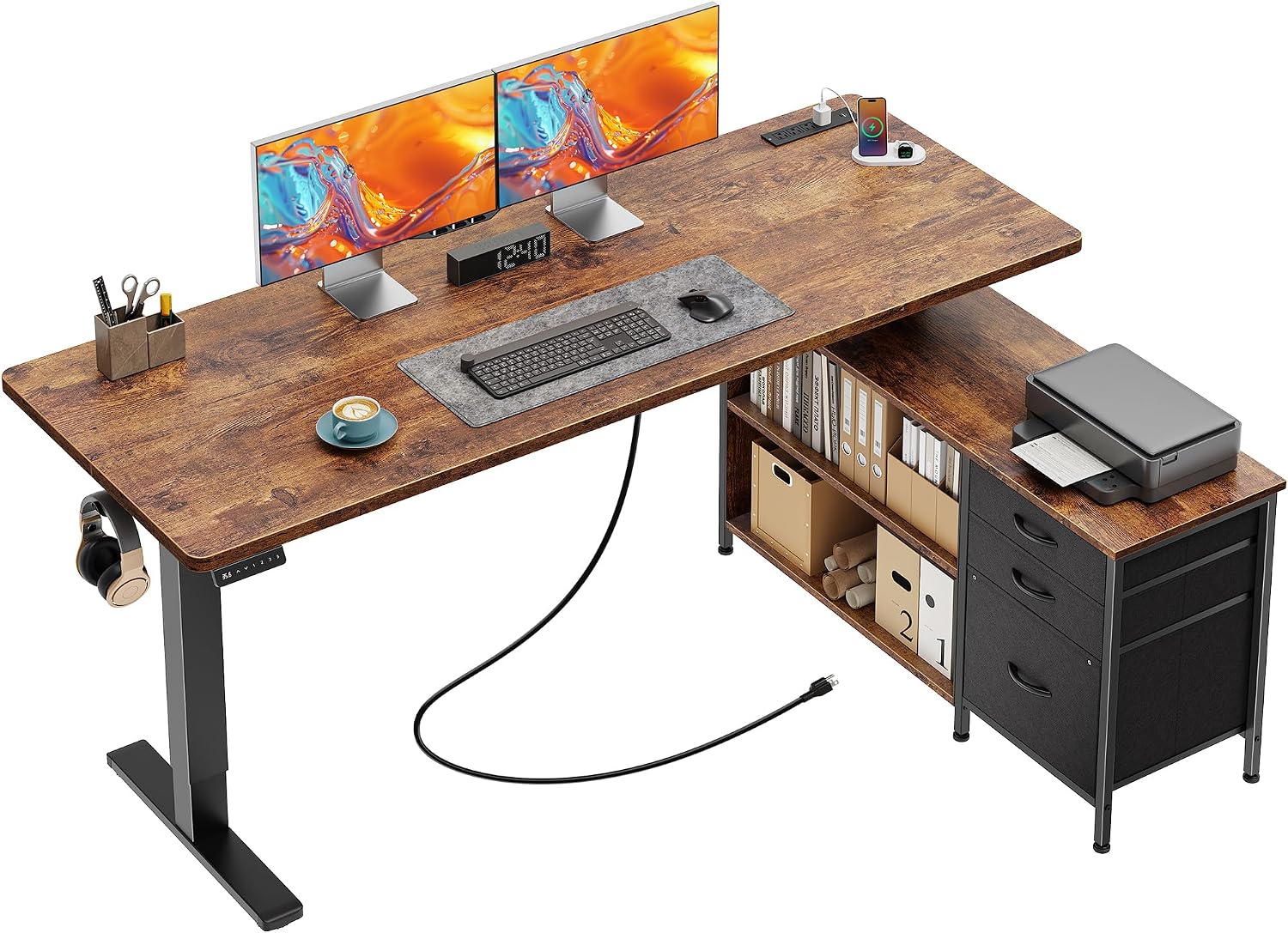
This is the desk I would put in a client's office for a year, and it is the tier most people land on after they stop shopping photos and start shopping frames. The top is 55.1 inches long, which is the first number to check. Measure the wall or the nook you plan to use. If it is not at least 55.1 inches wide, this desk does not fit, and no other feature matters.
What separates this from the tier below it is storage that is part of the desk rather than clamped onto it. The outlets are built into the top, the cabinet has shelves, and there are drawers. That combination solves two problems at once. You stop taping a power strip under the desktop, and you stop needing a cable tray wide enough to swallow a laptop brick and a monitor adapter. I would still run a grommet for the monitor cable, because a cable that pulls on a monitor arm changes the monitor angle within a week, but the run is short and it stays put.
The honest tradeoff at this tier is weight and assembly time. A desk with a cabinet is heavier than a bare frame with a top, and it does not move easily once it is built. Do the build in the room where it will live. I clamp first, then load, then tighten, and I would do the same here: get the frame square before the cabinet goes on, because a cabinet bolted to a frame that is out of square will rack every time the desk moves.
Two things to verify on the listing before you commit. First, whether the controller has a memory preset. At this tier you should not have to hold a button to reach standing height, and if the listing does not mention it, assume it is not there. Second, whether the frame is a dual motor design or a single motor one. Dual motor is the version that lifts a loaded top without groaning.
Who should skip it: anyone with less than 55.1 inches of wall, anyone who moves apartments every year, and anyone who already owns a good desktop and only wants a frame. If you are in that third group, the SIAGO frame below is the better spend.
Best Value: SIAGO Dual Beam Standing Desk Frame for 44-75" Desktops – 220 lbs Capacity
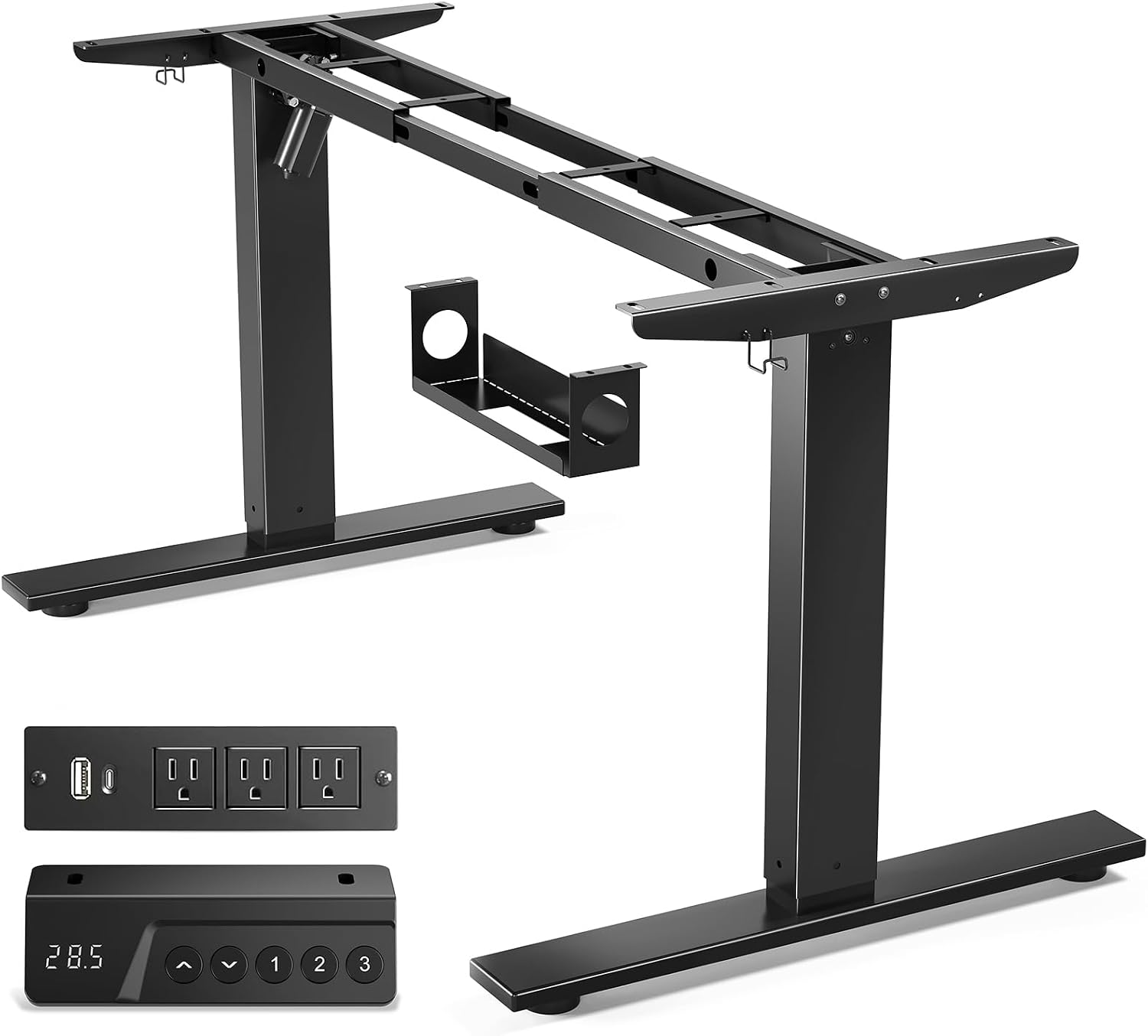
The best value in standing desks is almost never a desk. It is a frame, and you bolt your own top to it. This frame takes desktops from 44 to 75 inches wide and is rated at 220 lbs of lift capacity. That rating is the number that decides whether this tier works for you. Weigh your monitors, your monitor arm, your speakers, and your tower if it sits on the desk. If the total is well under 220 lbs, you have room. If you are loading a 75 inch hardwood top with two large monitors and a desktop PC, you are closer to the ceiling than you think, and a rating is a ceiling, not a promise at the top of the range.
Dual beam means two beams per leg rather than one, and that is the design choice that matters most at standing height. A crossbar between the legs is the second thing I look for, because it keeps the legs from walking apart when the desk is raised. Neither of those fixes a bad top, which is why desktop depth matters as much as width here. A shallow top with a clamp mount puts the monitor closer to your eyes than a deeper one does, and the frame does not care either way.
The frame route costs less because you are not paying for a top, and the top is the part that scratches, chips, and goes out of style. If you already own a solid core door or a butcher block slab, this is the tier to buy. If you do not, price the top before you call this the budget option, because a good top is not free.
Who should skip it: anyone without a drill, anyone who does not want to measure and drill their own desktop, anyone with less than 44 inches of width to work with, and anyone who wants one box that goes up in twenty minutes. A frame build is a weekend afternoon, not a twenty minute job.
How I tested
I do not test standing desks by standing at one for an afternoon. I test them the way a client will live with them, and it comes down to four checks in this order.
First, the top of the range. Almost every standing desk is fine at sitting height and fine at the bottom of its travel. The failure is at the top, and the top is the exact height a tall user needs. I put a hand on the far corner of the desktop, push sideways, and watch the monitor. If the monitor moves, the desk moves. A crossbar and a dual beam leg design help here. Nothing else does.
Second, lift capacity against the real load. The number on the box describes the frame with nothing on it. I compare that number to the actual weight of the monitors, arms, and whatever else lives on the top.
Third, desktop depth against the monitor arm clamp. A clamp needs enough depth behind the work surface, plus a clear edge or a grommet. If the clamp sits on a thin top with a cable tray underneath, the tray sags under its own screws and the clamp loosens within a month.
Fourth, cable management and control behavior. Where does the cable tray mount, does it hold a power brick, is there a grommet, and does the controller have a memory preset. Anti collision is the feature that stops the desk from crushing a drawer unit on the way down, and it is worth checking whether the listing mentions it at all.
Then I install it the way the instructions should have: clamp first, load, then tighten. Reversing that order cracks a desktop, and I have seen it happen on particle board more than once.
Analysis and test results
The height adjustable desk price tiers ladder is confusing from the outside, and the sit stand desk price tiers question gets the same answer every time: you are buying mechanism, not brand. If you came in searching for stand up desk price tiers, the sorting rule is the one I use for clients. Sort by what the frame does at the top of its range, then by storage, then by price.
The entry tier is a single column with a small top. The Tangkula podium is that tier: compact, height adjustable, with a footrest, built for sitting or standing with a laptop. What you get is a small work surface and a low ceiling on what it can hold. What you do not get is width, and you should not expect any. If your setup is a laptop and a notebook, this tier is honest. If your setup is two monitors and a tower, this tier is not for you, and no accessory fixes that.
The frame tier is where real standing desks start. This frame takes a 44 to 75 inch desktop and is rated for 220 lbs. That rating is the number to hold against your load. The tier buys a dual beam leg design and a crossbar, which are the two things that matter when the desk is at standing height. It does not buy a desktop and it does not buy storage.
The converter tier is the one people skip and then regret. A 36 inch electric converter with wireless charging sits on top of a fixed desk and raises your work surface. You keep the desk you own, you keep the storage underneath it, and you spend the least assembly time of any tier. The tradeoff is that the raised platform is narrower than a full desk, and the whole thing sits on a surface that was not designed to be raised.
The full desk tier is where outlets, cabinets, drawers, and a wide top come together. The PRAISUN at 55.1 inches is that tier. You pay for storage and for the fact that everything is one object instead of three. What you give up is portability and floor space.
The features that separate the tiers are consistent across the category: dual motor or single motor, memory preset or hold the button, anti collision or no anti collision, and whether a cable tray and grommet are included or bolted on as an afterthought. Two of those you notice daily, the motor count and the memory preset. Anti collision is the one you notice exactly once, on the day it saves your drawer unit.
My blunt verdict on the ladder: the middle is the best value, the bottom is fine if your load is small, and the top is worth it only if you need the storage. The most expensive desk in a room is not the one that fits you best.
Standing desk price tiers compared
This is the table I keep for clients: tier, desk, what the tier buys, and who should skip it. Check current Amazon price on each one before you decide, because prices in this category move more than the desks do.
| Tier | Desk | What the tier buys | Who should skip it |
|---|---|---|---|
| Entry, compact podium | 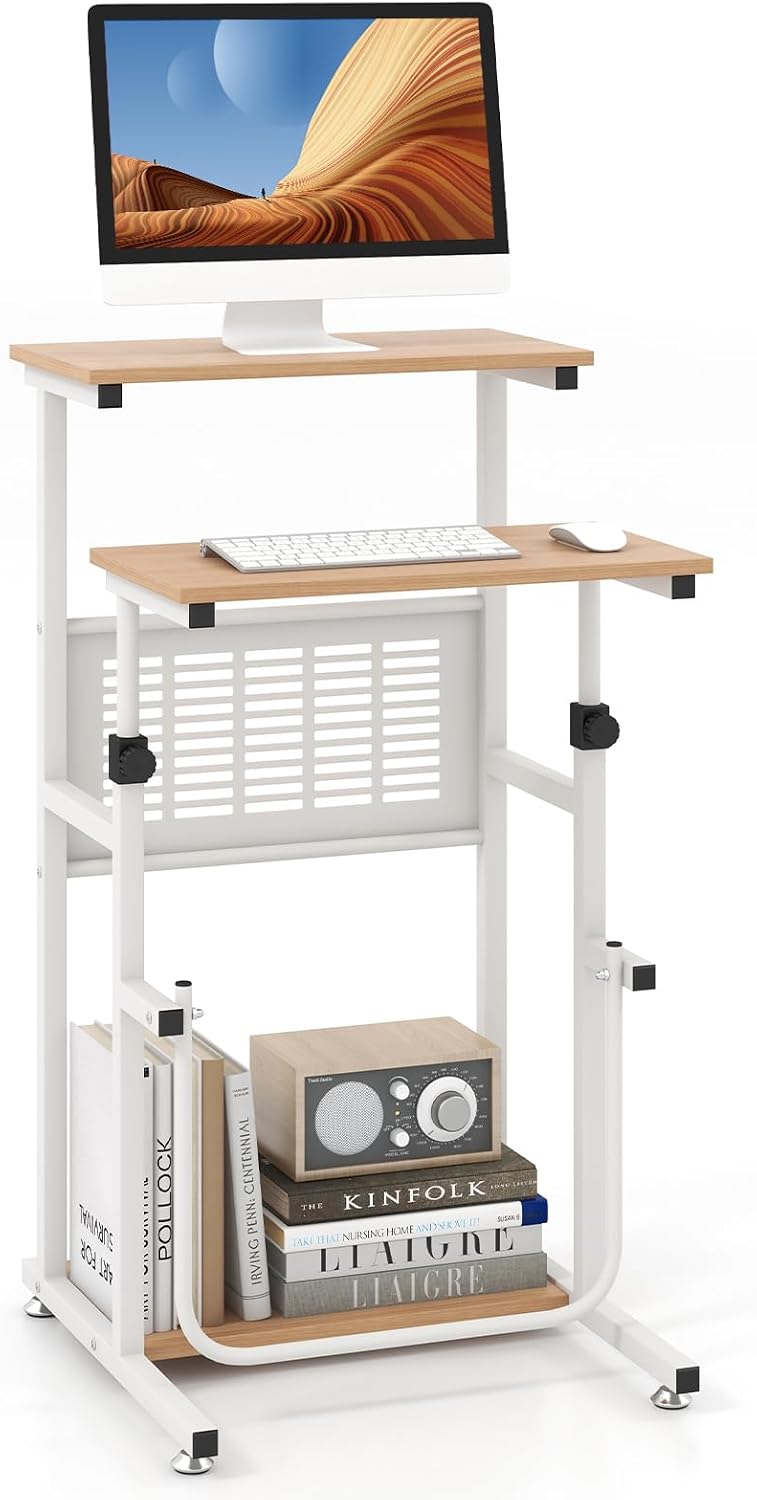 Tangkula Small Standing Desk View on Amazon → | A small height adjustable top with a footrest, sized for a laptop and a notebook | Anyone running two monitors or a tower on the desk |
| Frame only | SIAGO Dual Beam Standing Desk Frame Check current Amazon price | A dual beam frame for a 44 to 75 inch desktop, 220 lbs lift capacity, your choice of top | Anyone who does not want to drill a top, or has less than 44 inches of width |
| Converter | 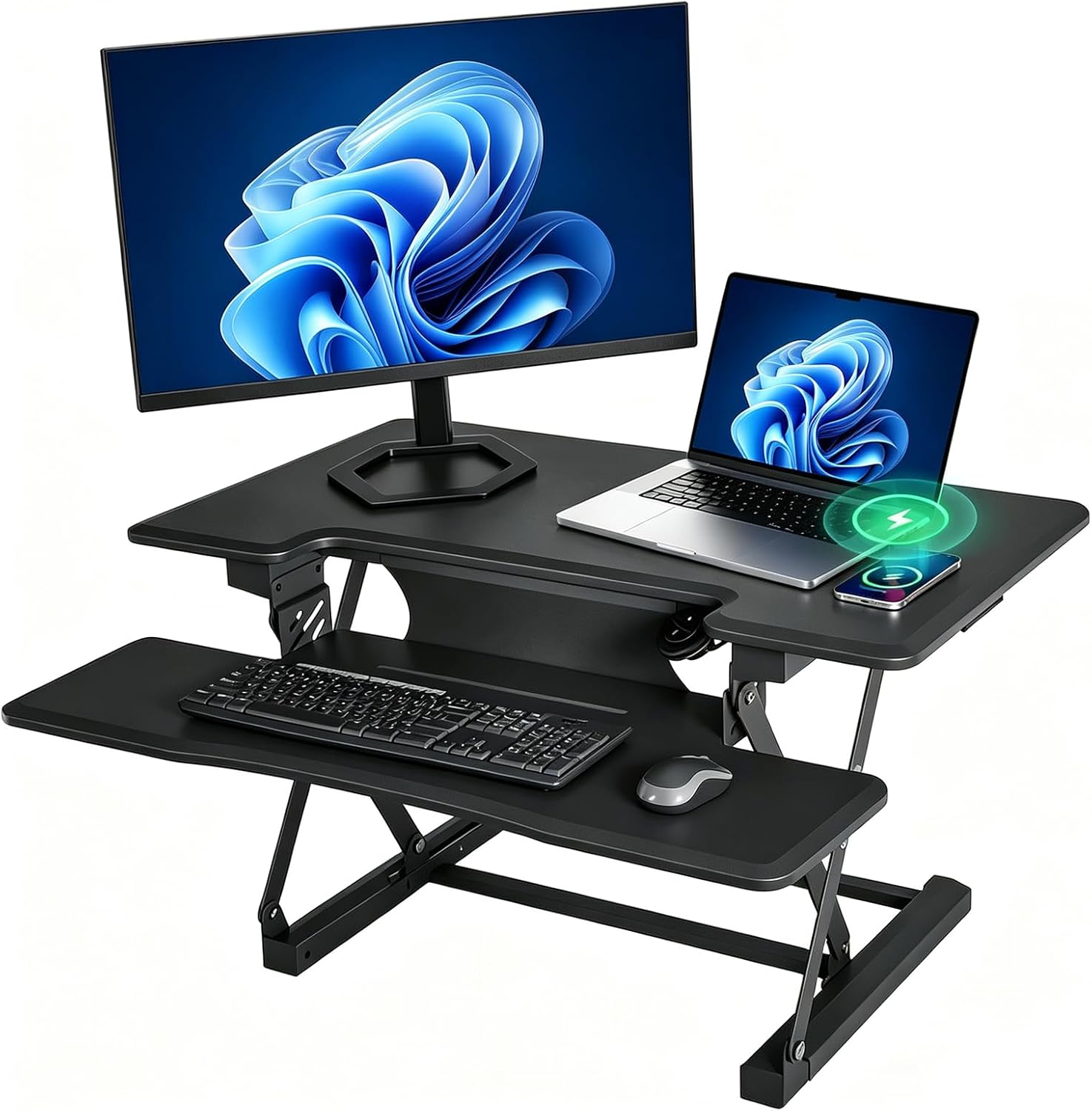 36 inch Electric Standing Desk Converter View on Amazon → | Raises the desk you already own, wireless charging, the least assembly of any tier | Anyone who needs a full width work surface or a monitor arm clamp on the top |
| Full desk | PRAISUN 55.1'' L Standing Desk Check current Amazon price | A 55.1 inch top with outlets, a cabinet with shelves, and drawers | Anyone with less than 55.1 inches of wall, or anyone who moves often |
The converter tier: 36 inch Electric Standing Desk Converter with Wireless Charging, Dark Gray
This is the tier I recommend to renters and to anyone with a desk they cannot remove. The converter sits on top of your existing surface, raises it, and gives you wireless charging while it is at it. Assembly is minutes, not an afternoon, and you keep every drawer your current desk already has.
The limits are real. The platform is 36 inches wide, which is narrower than the desks in the tiers above it, and a converter is not the place for a heavy clamp mount. If your monitor is on an arm that clamps to the back edge, think twice. If your monitor sits on its own stand, this tier is the least disruptive way to get a sit stand setup in a room you do not own.
The compact podium tier: Tangkula Small Standing Desk
This is the entry tier, and I mean that in the kindest way. It is a compact height adjustable podium with a footrest that works sitting or standing, sized for a laptop, a notebook, and a coffee. In a tight apartment, a classroom, or a hallway nook, it is the difference between standing up sometimes and never standing up at all.
Where it stops is load and width. There is no version of this desk that holds two monitors and a tower, and no cable tray is going to change that. If your work is a laptop and a call, buy it and stop reading. If your work is a three monitor trading setup, this tier is not the one, and the frame tier is.
Should you buy the PRAISUN 55.1'' L Standing Desk?
Yes, if you have the wall for it. The 55.1 inch top with outlets, a cabinet, and drawers is the tier that removes the accessories you would otherwise buy: no power strip, no clamp on storage, no separate filing cart. Check current Amazon price against the frame plus a top plus a cabinet, and the math usually favors the one box.
Skip it if your space is under 55.1 inches wide, if you move every year, or if you already own a good desktop. It is heavy, it wants a helper for the cabinet step, and it does not fold. For a home office that stays put, it is the desk I would put in a client's office for a year and expect to still be there.
Should you buy the SIAGO Dual Beam Standing Desk Frame?
Yes, if you own or want to choose your own desktop. The 44 to 75 inch range covers almost every top you will find, the 220 lbs lift capacity covers a normal monitor load with room to spare, and the dual beam design with a crossbar is what keeps the desk steady where it counts, which is the top of the range.
Skip it if you do not want to drill, if you have less than 44 inches of width, or if you want the desk to arrive finished. Check current Amazon price on the frame and then price a top before you commit, because the frame is only half a desk. If you want one object that arrives complete, the full desk tier above is the better spend.