I have measured out 310 home offices, most of them built around a corner desk, and the corner is the one layout where the mat decision stops being cosmetic. The desk pad vs full desk mat in a corner desk question is really a question about a few inches of geometry: where your keyboard lands relative to the 90 degree inside corner, how far your mouse arm travels to reach a surface that is not bare laminate, and whether the mat edge crosses the seam where the two desktop panels meet.
Related: Standing Desk Wobble At Standing Height: How To Test Before You Buy
My default for a corner desk is a mat that covers the whole work zone and is shaped so the inside corner stays flat. For most people that is the L shaped mat in the table below. A rectangular desk pad wins only when the inside corner is a dead zone you never reach into.
Here is the short list, with the honest reason each one loses as well as wins.
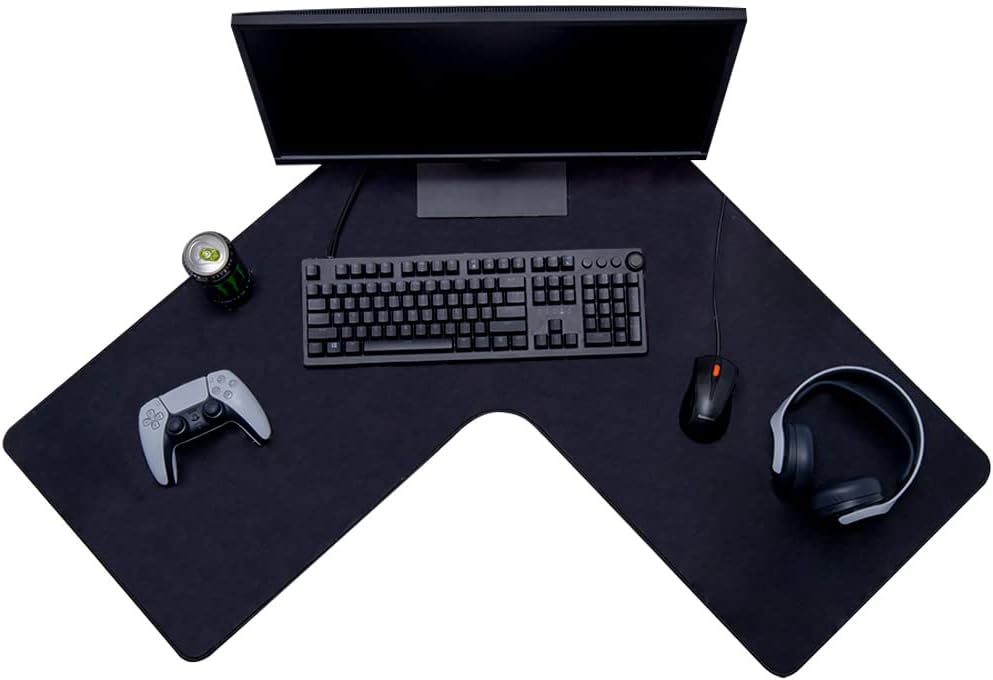
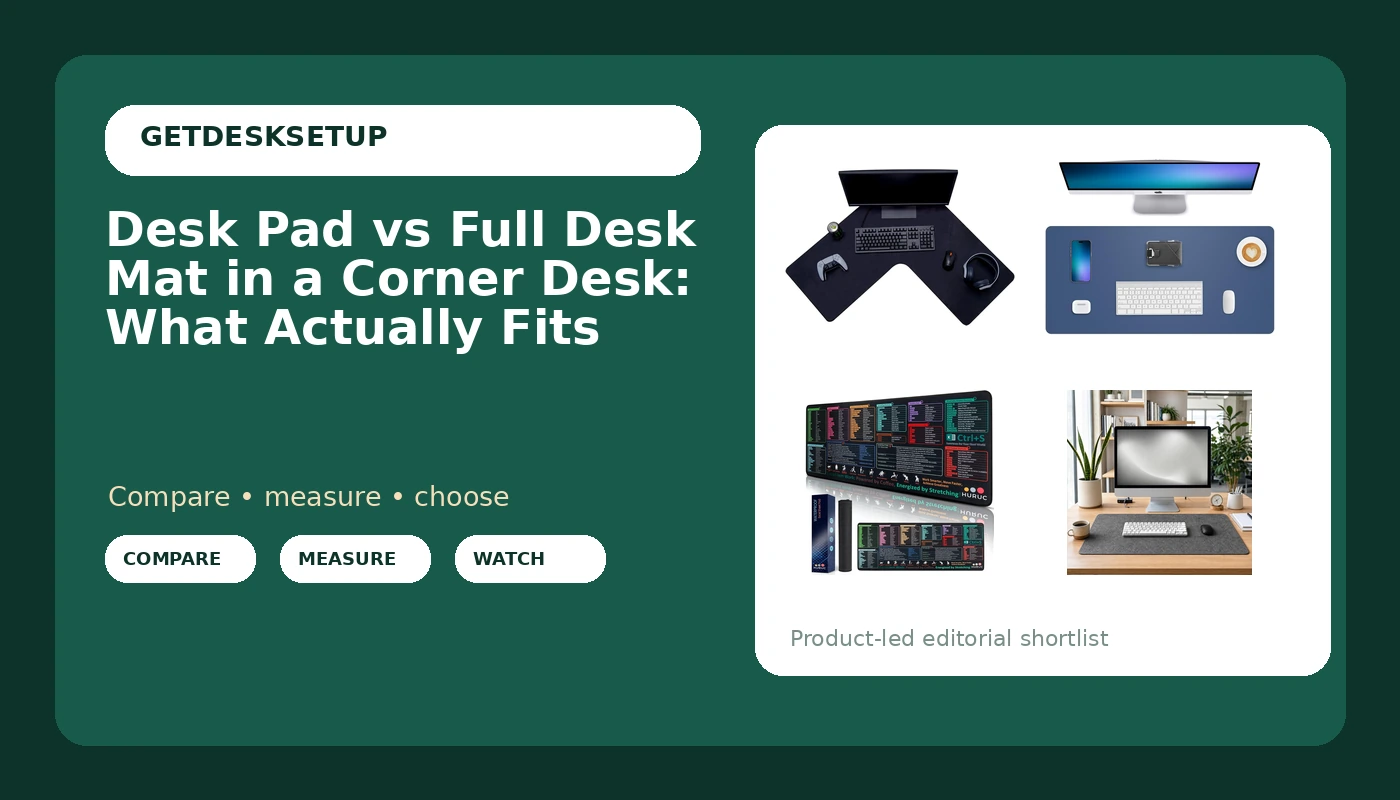
Con-Tact Brand XL Gaming Mouse Pad, L Shape (Black), 36.22 x 15.74 in
The only L shaped mat here, so the cutout follows the inside corner instead of fighting it
Gaming graphics and an all black surface that shows every speck of dust
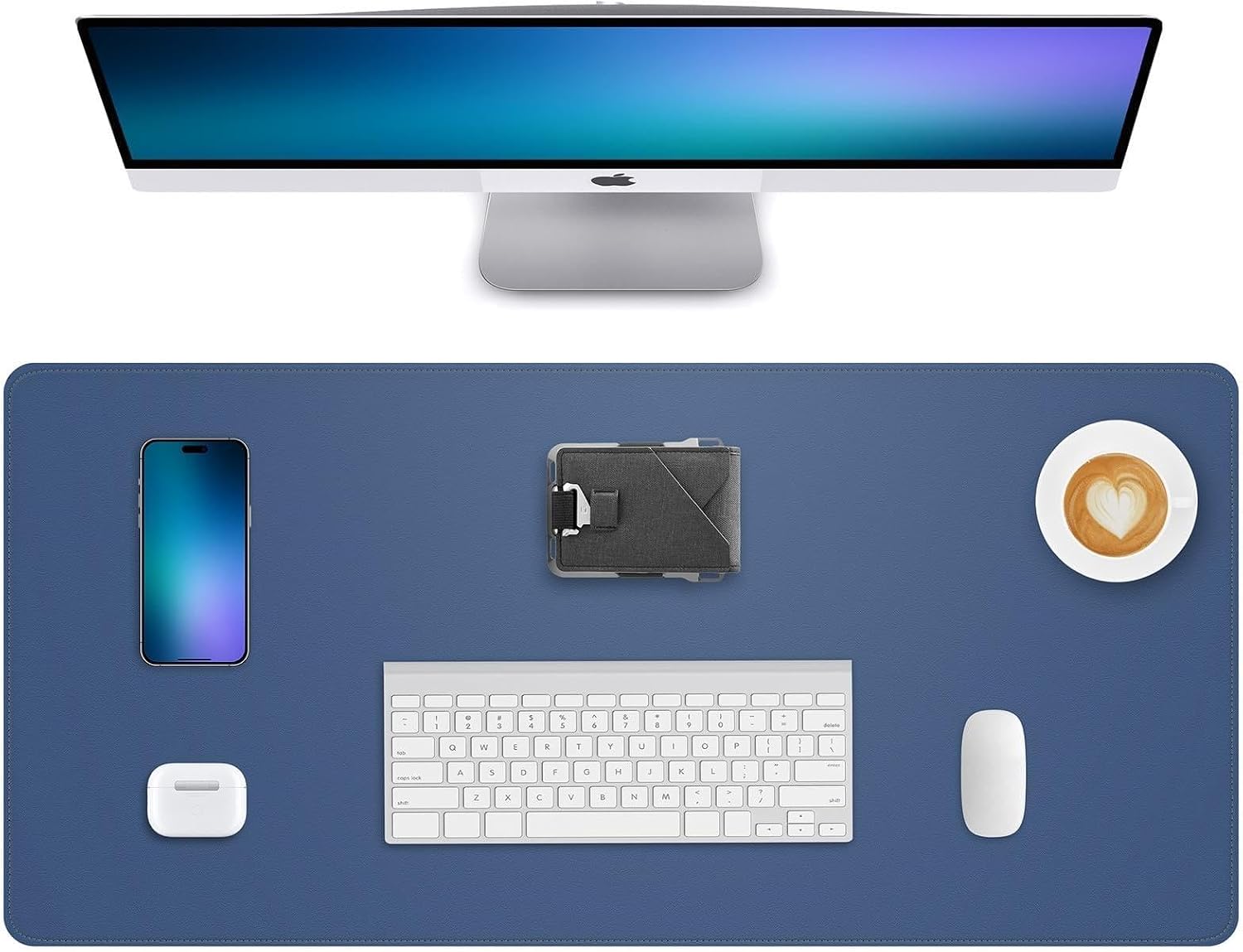
Leather Desk Pad Protector, Grey Blue, 31.5 x 15.7 in
A neutral rectangle that covers a keyboard and a mouse in one straight run and wipes clean
A rectangle cannot track a 90 degree corner, so it overhangs the rear edge or leaves the corner bare
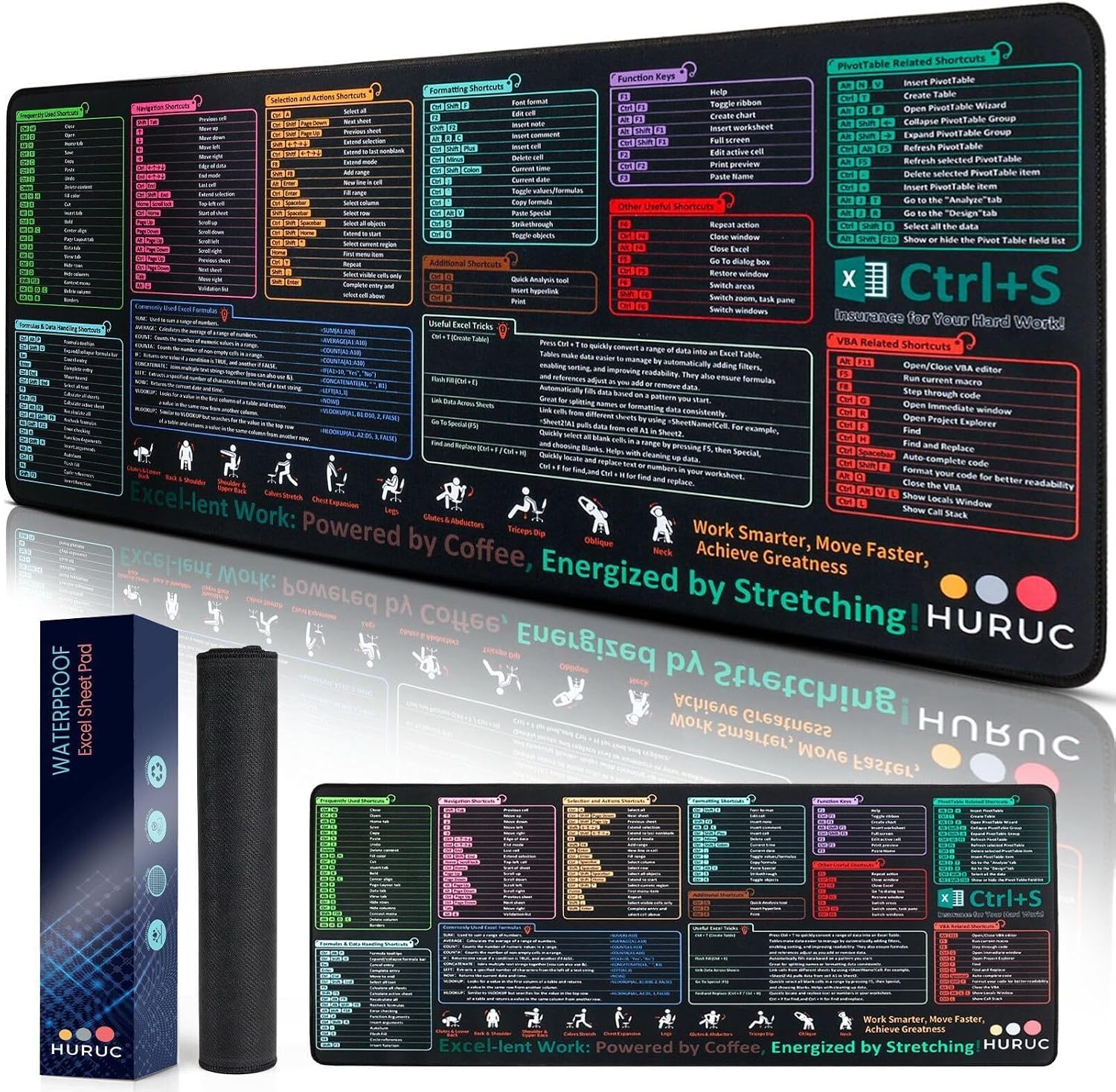
HURUC Excel Cheat Sheet Desk Pad, Large Excel Desk Mat with Shortcuts
The shortcut legend lives in your field of view while you work instead of on a sticky note
The print is fixed, so once you know the shortcuts it is just a pattern
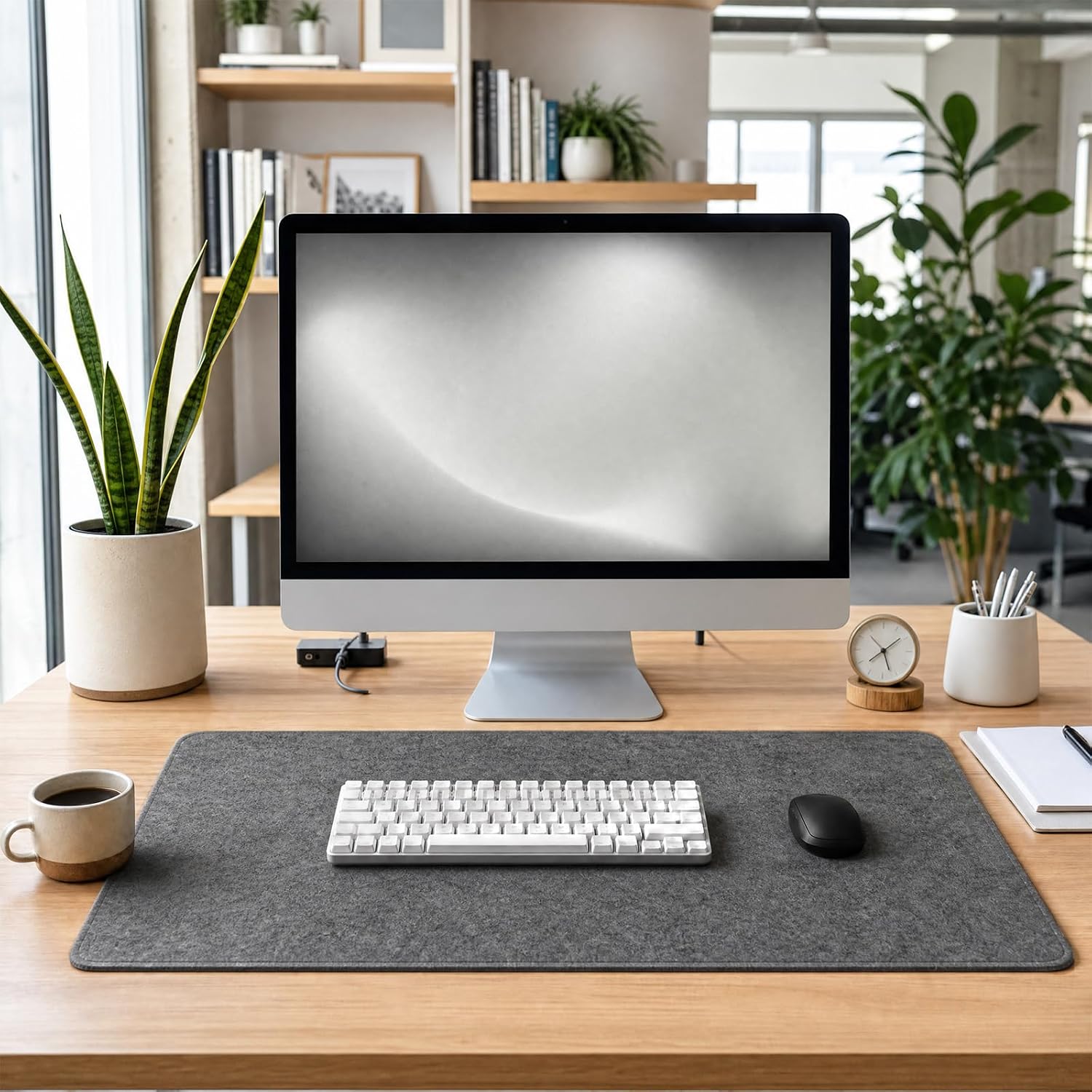
Large Felt Desk Mat for Keyboard and Mouse, Computer Desk Pad Protector
Felt is quiet, warm, and kills the glare band a desk lamp throws back at your eyes
Felt is the hardest surface in this group to keep clean
Prices and availability may change.
The desk pad vs full desk mat in a corner desk question, in numbers
A corner desk is two rectangles meeting at 90 degrees, and the inside corner is the part that breaks mat shopping. A rectangular mat has four straight edges and four right angles, which is exactly what the desk does not offer. Lay a rectangular pad against the back wall of one leg and it can sit flush along that wall, but the moment the desktop turns away, the mat's rear edge keeps going straight. You get one of two outcomes.
The first outcome is the safe one. The mat lives in a single leg, your keyboard and mouse sit in one straight run, and the inside corner stays bare desk. That works, and it is what most people actually end up doing.
The second outcome is the one that fails after a month. The mat bridges the corner. Now the rear corners of the mat hang over the desk's rear edge, and the middle of the mat floats above the corner void with nothing under it. Press down there with your forearm and the mat rocks. Add a heavy keyboard and the floating section sags into the gap.
An L shaped mat removes the choice, because its cutout follows the inside corner. The rear edge tracks the desktop on both legs and there is nothing to catch your forearm.
Two numbers decide everything here, and you take them with a tape, not from a listing:
- With the chair locked at your working height and your keyboard centered on your sternum, measure from the desk's inside corner to the front edge of the keyboard.
- From that same corner, measure to the far edge of the zone your mouse actually travels.
Write both down. If the keyboard number is bigger than the mat's short side, the mat cannot reach the corner. If the mouse number is bigger than the mat's long side, your mouse hand spends the day on bare laminate.
That is the desk pad vs full desk mat in a corner desk rule I repeat to clients: a mat is sized to your reach, not to your desk.
Full desk mat in a corner desk vs desk pad: coverage versus maintenance
The full desk mat in a corner desk vs desk pad argument comes down to one trade. A full mat makes the entire work surface one material, so the mouse never drops off an edge, the keyboard never sits half on and half off, and you stop noticing where the mat ends. The cost is that you now own a large soft object that traps crumbs, covers the desk grommet, and has to be lifted every time you reroute a cable.
That last point is not aesthetic. I have watched a mat edge creep under a monitor arm base and change the arm's angle over a week, because the mat compressed under the base. If your monitor arm clamps to the desk, put the mat around the clamp, not under it.
Who should skip a full mat: anyone who eats lunch at the desk, anyone with a shedding pet, and anyone who shares the surface with a second person who needs it clear. A full mat turns a shared desk into a personal one.
Who should skip a small pad: anyone whose mouse arm crosses the corner, and anyone who has already worn through the finish on a bare laminate desk where their wrist rests.
Choosing between a desk pad or full desk mat in a corner desk
Desk pad or full desk mat in a corner desk is a task question before it is a looks question. Three patterns cover almost everyone I have built for.
Typing first. If your day is 80 percent keyboard, a 31.5 by 15.7 inch pad in one leg is enough, and it is easier to keep clean. Your keyboard sits inside the pad, your mouse sits on the pad's near corner, and the inside corner of the desk holds a lamp or a notebook.
Mouse first. If you are in CAD, video editing, or a game with low sensitivity, buy the biggest surface you can fit and keep it flat. That is a full mat, and on a corner desk the L shape is the only one that stays flat across the turn.
Spreadsheet first. If you live in a grid, the printed shortcut pad earns its place, and you want it in one leg with the numeric keypad inside the mat.
One more thing to check before you commit: chair armrest height. A mat adds height under your wrists, and if your armrests are already set so your forearms rest flat, a thick mat can push your shoulders up. I set armrests after the mat is down, never before.
The difference between desk pad and full desk mat in a corner desk, mat by mat
Four mats, four different answers to the same corner. I have not run all four on one desk side by side, so what follows is what the listings state plus what I check before any mat goes into a client's office.
Con-Tact Brand XL Gaming Mouse Pad, L Shape
The listing states an L shape, 36.22 by 15.74 inches, stitched edges, a non slip backing, and a water resistant surface in black. This is the only mat in the group whose shape matches a corner desk, and that is the whole reason it sits first. The cutout follows the inside corner, so the mat lies flat across the turn instead of floating over it. The stitched edge matters more than it sounds: a raw cut edge on a corner mat is where peeling starts.
Minimum desk width: I would not put this on a leg narrower than 40 inches. The long dimension is 36.22 inches, and you want a couple of inches of bare desktop past the mat so the edge is not hanging in the air where your forearm crosses it.
Who should skip it: anyone whose inside corner runs the other way, because an L mat cut for the opposite orientation will not sit flat, so check the product photos against your own desk before ordering. Skip it too if the desk faces clients, because the gaming graphics and the all black surface are not the neutral look most home offices want.
Leather Desk Pad Protector, Grey Blue
The listing states 31.5 by 15.7 inches, a grey blue finish, and a protector surface for the desktop. This is the classic rectangular pad, and on a corner desk it works best parked in one leg. It covers a keyboard and a mouse in one straight run, it wipes clean, and the color is quiet enough for a room with a window behind the camera.
Where it loses on a corner desk: it cannot track the 90 degree turn. Put it in one leg and the inside corner stays bare, which is fine if you never reach there. Bridge the corner with it and the rear corners overhang the desktop while the middle of the pad sits over the void.
Minimum desk width: a 31.5 inch pad wants a leg at least 34 inches wide to leave margin on both sides.
Who should skip it: anyone who rests a wrist on the front edge for hours and wants cushion underneath, because a thin protector layer does not give you any. Skip it too if the corner is where you actually work.
HURUC Excel Cheat Sheet Desk Pad
The listing states a large desk mat with Excel shortcuts printed on it. The value here is placement: reference material that lives under your hands is reference material you actually read. If you spend your day in a spreadsheet, the shortcuts sit in your field of view instead of on a second monitor or a sticky note, and that is a real gain for the money.
Where it loses: the print is fixed. Once you have internalized the shortcuts, the pad is a pattern. It is also a pad, not a full mat, so it does not solve corner coverage at all.
Minimum desk width: treat it like the rectangular pad and give it a single leg with at least a few inches of margin.
Who should skip it: anyone who does not work in a spreadsheet, and anyone who needs a large uninterrupted surface for a mouse, because a printed pad competes with your mouse zone for the same leg.
Large Felt Desk Mat for Keyboard and Mouse
The listing states a large felt mat for a keyboard and mouse. Felt is the quietest surface in this group, and it is the one I would pick for a room where a desk lamp sits close to the work surface, because felt absorbs light instead of throwing a reflection band back at your eyes.
Where it loses: felt is the hardest surface here to keep clean. It holds crumbs, it holds pet hair, and it holds the fine dust that comes off paper. A lint roller lives in the drawer if you go felt.
Minimum desk width: it is a large mat, so measure it against your leg before you buy and leave margin at the outer edge so the edge does not hang off the desktop.
Who should skip it: anyone who eats at the desk, anyone with a shedding pet, and anyone whose mouse has tracked badly on cloth before. Test your mouse on it in the first week while a return is still easy.
Cable management under a mat: raceway, cable sleeve, adhesive clip
A mat changes your cable management whether you plan for it or not. This is the order I use, every time.
- Route first. Run the desk's power and data under the desk in a raceway or a cable sleeve before the mat goes down. Once the mat is on, you are working blind.
- Anchor the slack. An adhesive clip on the underside of the desk, or on the rear edge where the mat cannot reach, keeps slack from pulling on a monitor arm.
- Lay the mat, then re-check the clamp. If a monitor arm clamps through the mat, the mat's density decides how much the base sinks, and a base that sinks is a base that changes angle. Clamp to the bare desktop where you can.
- Re-check the keyboard cable. A keyboard cable that disappears under a full mat needs a channel, or it will pull the keyboard toward the rear edge all day.
Related: Under Desk Cable Management That Survives A Monitor Arm
That is the part nobody puts in a listing, and it is the part that decides whether you still like the mat in three months.
Mat thickness, mat density, and footrest angle
Three specs decide how a mat feels under your hands, and only one of them is usually printed.
Mat thickness is the one you can measure with a tape in ten seconds once the mat arrives. It changes your wrist angle at the keyboard, it changes how much a footrest tilts if the footrest sits on the mat, and it changes whether your chair's casters clear the mat edge when you roll in.
Footrest angle is the one people forget. Put a footrest on top of a mat and its working angle changes by the mat's thickness, which is enough to matter if you set the footrest to a specific tilt. Set the footrest after the mat is down, not before.
Mat density is the spec almost nobody prints. A dense mat does not compress under a mouse, so your tracking stays consistent. A soft mat compresses where your wrist rests and slowly develops a dip. If the listing does not state thickness, buy knowing you may return it, and keep the packaging until you have sat at the desk for a week.
Desk lamp lumens and how the surface reads
One last variable, and it decides which of these four looks right in your room. A desk lamp with enough output to read paper by will show a reflection band on a smooth protector surface and almost nothing on felt. If your lamp sits low and close to the desk, a smooth pad can throw glare right where you are trying to read.
The fix is cheap: move the lamp so the beam crosses the work zone instead of pointing straight down into it. Then the pad's finish stops being a problem, and you can buy the mat that fits the desk rather than the mat that fights your lighting.
What I would put on a client's corner desk for a year
If the desk has a real 90 degree inside corner and the client works in it, I spec the L shaped mat, and I measure the leg first to confirm at least 40 inches of width. If the client works in one leg and the corner holds a lamp, I spec a rectangular pad and stop worrying about the corner entirely. If the client lives in a spreadsheet, the printed shortcut pad earns its place in one leg. If the room has a low lamp and no window behind the desk, felt.
That is the whole desk pad vs full desk mat in a corner desk decision, and it has nothing to do with which one looks better in a product photo. It has to do with a tape measure, the inside corner, and whether the edge you rest your forearm on stays flat.
What I am checking next
I am waiting on thickness numbers for two of these mats, because a corner mat that arrives at a thickness that changes wrist angle is a return, not a setup. I am also testing whether a full mat under a monitor arm clamp is ever a good idea, or whether it is always a mistake. My working answer is that it is always a mistake, and I will report back with the measurement.