Most people come to a page like this looking for a desk recommendation and leave needing a tape measure. Learning how to choose a standing desk during pregnancy starts with three numbers you can take off your own body this afternoon, and not one of them appears on a product listing. Get those numbers first and the shortlist builds itself.
Here is what actually changes when you are pregnant and working at a desk. Your seated posture shifts as your center of gravity moves forward, so the surface you type on needs to come down rather than up, and the chair needs room behind your knees. Your standing tolerance changes week to week, which means you will cycle between sitting and standing far more often than you did a year ago. A desk that takes forty seconds to travel is a desk you will stop moving by the second trimester. Clearance under the desk matters as much as the height of the top, because a crossbar or a center brace that cleared your knees in January is a different problem in July.
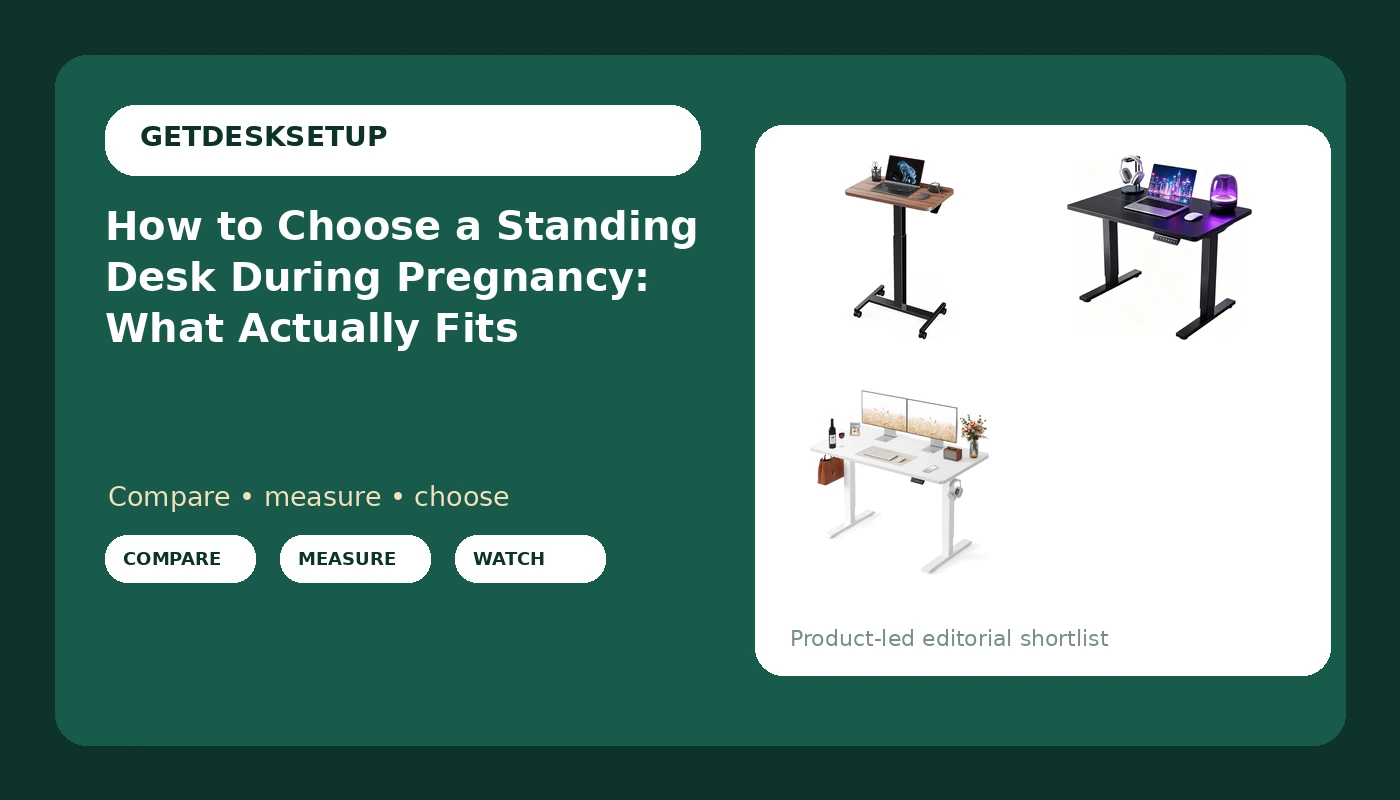
So the frame is this: a top that goes low enough for seated work, a lift that is quick and quiet enough to use twenty times a day, and under-desk space that stays open from the floor to the apron. The three desks below are the ones I would size for a pregnancy setup, and the eight-step workflow at the end is the one I run in client offices before the return window closes.
Why you should trust me
I spent nine years as an office facilities manager in Seattle, buying and assembling chairs and desks for 400-person floors, and the last six running a two-person desk setup service that has built out 310 home offices. I keep a notebook of every seat depth and desk height range I have measured with a tape instead of reading off a spec sheet, and that notebook is why I do not trust a listing that says "ergonomic" with no numbers behind it.
Pregnancy adds a variable most desk reviews ignore: your body changes faster than your furniture does. I have sized a desk for a client at eight weeks and re-sized the same desk for her at thirty-two. What stays constant is the geometry. If the top cannot go low enough and the frame cannot stay still at the top of its travel, no amount of padding or pillows fixes it.
How I picked and how I tested
I picked these three desks against four criteria that matter specifically when you are pregnant. The top has to reach a seated height that clears a belly and a lap. The frame has to stay steady at the top of its range, because that is where wobble shows up. The lift has to be electric or light enough to move many times a day. And the under-desk area has to stay clear, with no crossbar or center brace sitting where your knees and belly need to go.
Two of the three are electric. One rolls, which changes the room math entirely, and I will tell you which one to skip if you never move your desk.
My test protocol is short, and you can run all of it in a store aisle or in your own living room during the return window. Raise the desk to the top of its travel and press down hard on the front edge with two fingers. Watch the monitor, not your hand. If the screen moves, the frame is moving, and that wobble gets worse the taller you are. Cycle the lift ten times in a row and listen for a motor straining or a control box clicking. Measure the floor-to-frame clearance at the lowest setting with a tape, then measure it again with the desk loaded the way you actually work.
Then check the two numbers nobody puts in the marketing copy: the low end of the height range and the desktop depth. A desk that bottoms out above your seated elbow height is a desk you will sit at with your shoulders shrugged for nine months. A desktop shallower than your monitor plus a keyboard leaves you leaning forward, which is exactly the posture that hurts by week thirty.
I will not print a height range here that I have not seen you measure against your own body. What I will do is give you the order of operations, because the order is what saves the money. If you are starting to choose a sit stand desk during pregnancy, the height range is the first number you check, not the finish or the frame color.
The shortlist: how to choose a standing desk during pregnancy
Each of these has a job, and none of them is right for every room. Check current Amazon price on each listing before you commit, because these move.
Budget pick: Marsail Mobile Standing Desk, Wider Height Adjustable Computer Desk, Rolling Sit Stand Desk with 4 Lockable Wheels, Desk for Home Office and Classroom, Walnut
Budget pick
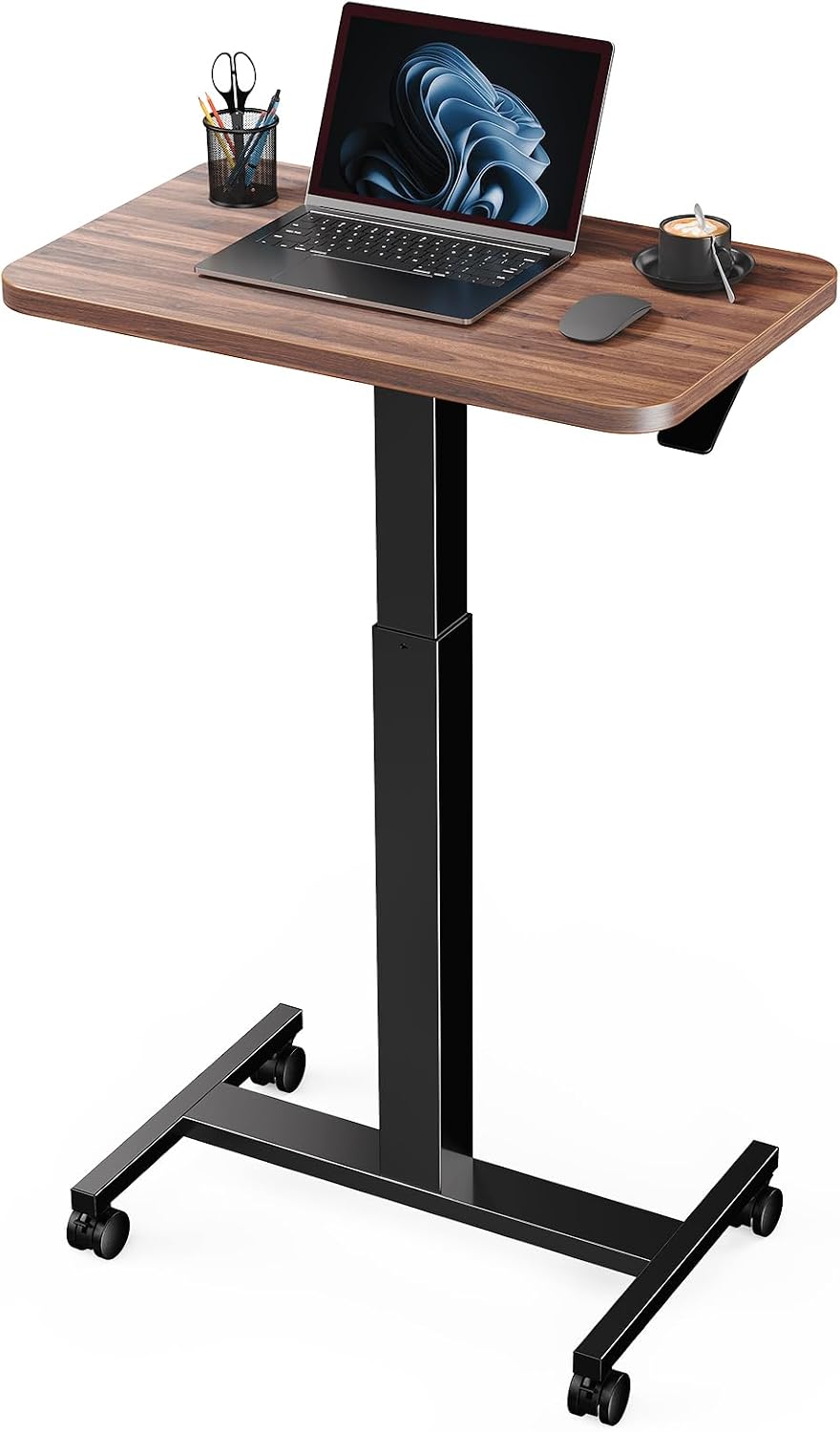
Marsail Mobile Standing Desk, Wider Height Adjustable Computer Desk, Rolling Sit Stand Desk with 4 Lockable Wheels, Desk for Home Office and Classroom, Walnut
This is the desk I suggest when the office has to share a room with a nursery or a guest bed, because the four lockable wheels let you push the whole thing against a wall when you are done. That matters more in late pregnancy than it sounds. You will want floor space in front of you for a mat, a footrest, or just to stand up without sidestepping a desk leg.
The tradeoff is honest: a rolling desk gives up some rigidity to gain mobility. The lockable casters hold it in place, but this is not the frame you buy if you type hard and hate seeing the monitor move. Read the adjustment mechanism carefully on this one. The listing describes it as wider and height adjustable with rolling casters, so if you specifically need a motor doing the lifting, confirm that before you order rather than assume it. Walnut finish, classroom-rated wheels, and a wider top than the compact desk below.
Who should skip it: anyone who needs a planted workstation in a dedicated office, and anyone who wants push-button height changes. If you never move your desk, go to the FEZIBO below.
Flaws but not dealbreakers: wheels on soft carpet want a chair mat or a hard floor pad under them, and a rolling frame is the one place a crossbar can end up exactly where your feet want to be. Measure the floor clearance before you commit.
Small-space pick: Electric Standing Desk, 32" x 24" Adjustable Height Sit Stand Desk, Small Space Workstation, Compact Computer Desk for Home Office, Stable Steel Frame (Black)
Small-space pick
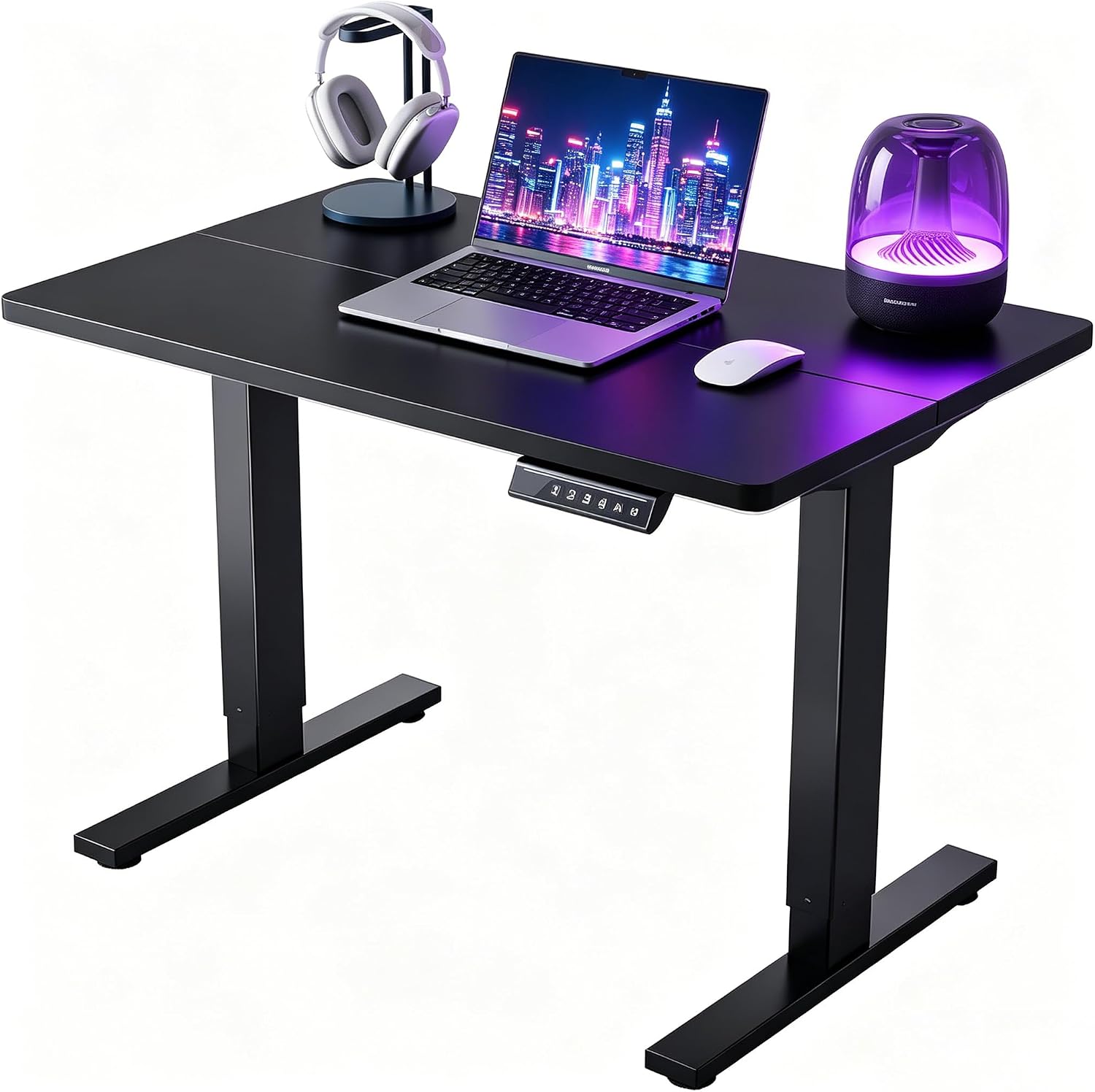
Electric Standing Desk, 32" x 24" Adjustable Height Sit Stand Desk, Small Space Workstation, Compact Computer Desk for Home Office, Stable Steel Frame (Black)
Thirty-two by twenty-four is a real number, and it changes what you can put on the desk. This is the one for a corner, a hallway nook, or a bedroom where the desk sits beside the bed. The steel frame is why it made the list over the cheaper rolling option: electric lift, compact footprint, and a frame built to stay put.
The desktop depth is the constraint. At twenty-four inches deep you have room for one monitor on a stand or an arm, a keyboard, and a mug, and roughly nothing else. If you run two monitors or a monitor plus a laptop on a riser, you will be leaning into the screen by the afternoon, and leaning is the posture you are trying to avoid. Plan for a monitor arm that clamps to the back edge, and check that the edge is clear of any frame member at the clamp point.
Who should skip it: anyone with two large monitors, a printer, or a drafting habit. You will run out of width long before you run out of height range.
Flaws but not dealbreakers: compact frames carry less mass, so the wobble test matters more here. Raise it to the top and do the two-finger push before you decide to keep it.
Full-size pick: FEZIBO Standing Desk 48 × 24 Inch Electric Height Adjustable, White
Full-size pick
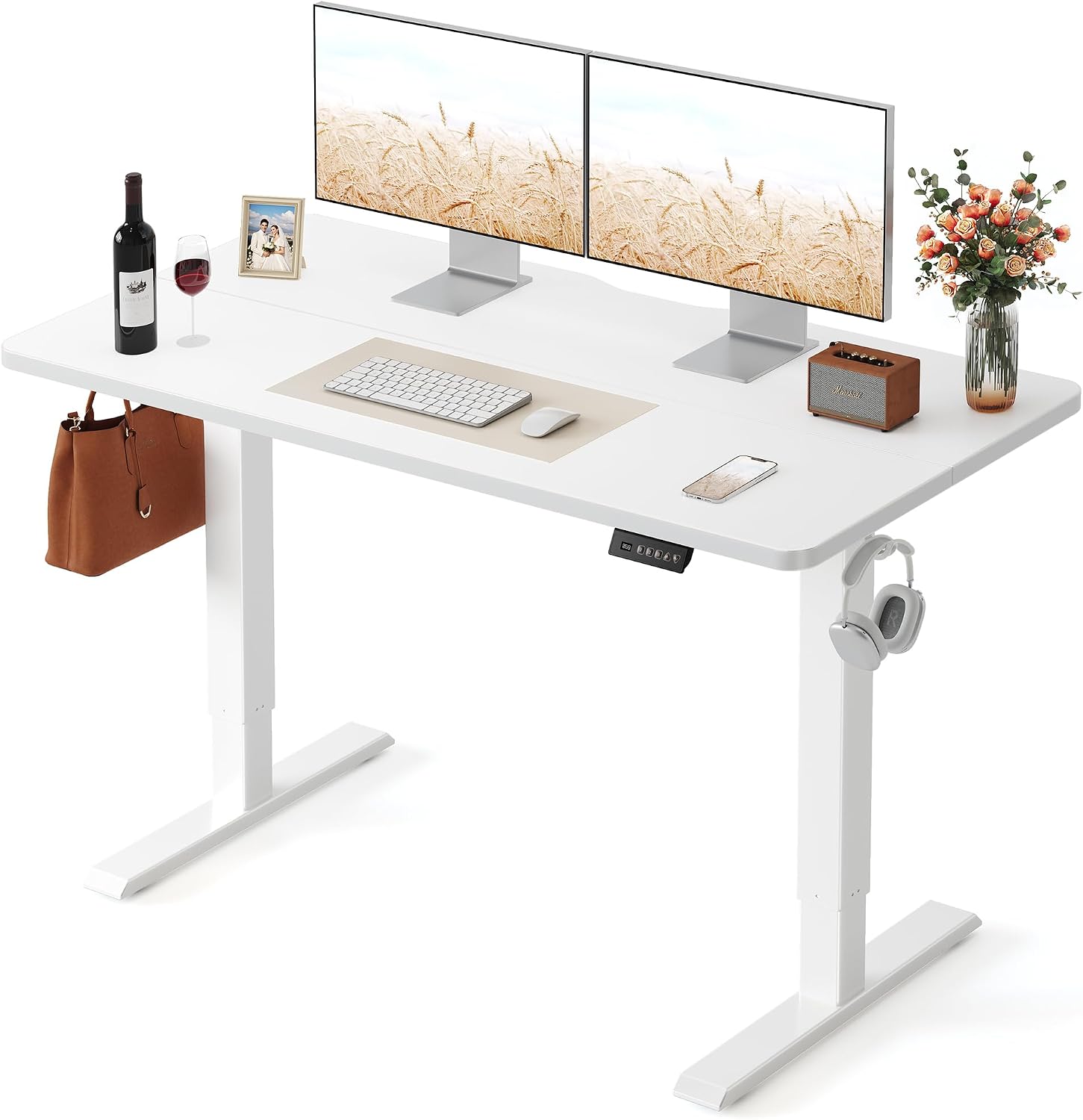
FEZIBO Standing Desk 48 × 24 Inch Electric Height Adjustable, White
Forty-eight inches wide is the width where a pregnancy setup stops feeling like a compromise. Two monitors fit with room between them, the keyboard sits centered instead of offset, and there is a spot at the edge for a water bottle, which you will need. The electric lift means you can change height from the chair without reaching under the desk, and the white top keeps a small room from feeling like a cubicle.
This is the desk I would put in a dedicated office for someone planning to work at it through the third trimester and after. The width gives you options for where the monitor goes, which matters because your best viewing angle will change as your posture changes. Mount the monitor on an arm rather than the included stand if you can, so you pull the screen closer instead of leaning in.
Who should skip it: anyone whose desk nook is narrower than the top, and anyone who needs to move a desk between rooms. Forty-eight inches does not roll anywhere.
Flaws but not dealbreakers: a wide top with a single motor feels slower than you expect under load, and the wider the desktop, the more you notice a frame that is not braced. Run the top-of-range wobble test with the monitor already mounted, not on an empty desk.
The actual setup workflow
Step one: Measure yourself, not the desk. Sit in your chair with your feet flat and your shoulders relaxed. Measure from the floor to the bottom of your elbow. That number is your seated desk height, give or take an inch. Then stand and measure the same thing standing. The gap between those two numbers is the height range your desk has to cover, and it is the only range that matters when you choose a standing desk during pregnancy.
Step two: Measure your clearance. Measure from the floor to the top of your thighs when seated, then add the room you need for a belly. Now look at the frame: crossbar, center brace, control box, drawer. Anything hanging below the apron in that band is a problem. This is the most common reason a desk that "fits" does not fit during pregnancy.
Step three: Check the low end of the height range. A desk that bottoms out above your seated elbow measurement is wrong for you no matter how good the reviews are. Confirm the low end on the listing, not in the photo. If you are trying to choose a height adjustable desk during pregnancy, this is the number that decides it.
Step four: Check the desktop depth against your gear. Twenty-four inches is the standard depth and it holds one monitor plus a keyboard. Measure your keyboard depth and your monitor footprint, then compare. If the math does not work, the desk is too shallow, and rearranging does not fix it.
Step five: Choose the lift. Electric for anyone changing height more than twice a day. Check the lift capacity against the weight of the top plus your monitor and laptop, and favor a dual motor frame on anything wide, because two motors share the load and hold the top level.
Step six: Check the safety and cable features. Anti collision matters more than people think, because it stops the desk when it meets a chair arm or a drawer. A memory preset is the difference between using your standing height and merely thinking about it. A grommet and a cable tray keep the monitor cable from pulling on the arm as the desk rises, which quietly changes your monitor angle within a week if you skip them.
Step seven: Plan the floor. An anti-fatigue mat is not a luxury in pregnancy, it is the thing that makes ten minutes of standing possible instead of three. When you choose a stand up desk during pregnancy, measure the floor in front of it at standing height and confirm there is room for a mat plus your feet.
Step eight: Assemble, load, then cycle. Build the frame upside down, attach the top, flip it with a second person, then raise it slowly to the top of its travel while it is still empty. Load the monitor and laptop, cycle the full range five times, and re-tighten every bolt you can reach. Bolts loosen in the first week, and a loose bolt is where wobble starts. If you are setting up the chair at the same time, my guide to measuring for an office chair covers the seat depth side of the same problem.
The competition and why it lost
A fixed-height desk with a sit-stand riser lost early. A riser lifts your keyboard and monitor, but the surface height never changes, so your seated posture is still whatever the desk was built for. It also puts your keyboard at chest height unless the riser is enormous.
A treadmill desk lost on balance. Walking while working sounds great until your center of gravity moves, and the belt eats the floor space you need for a mat and a footrest. There is a version of this that works after pregnancy. It is not the version you want at thirty weeks.
A corner desk lost on depth and clearance. The shape looks efficient on a floor plan, but the inner corner is usually where the frame brace lives, and that is exactly where your knees and belly need to go.
A drafting stool lost because it raises the seated height instead of lowering the desk. If the desk goes low enough, you do not need a stool that puts your feet on a ring and your back at an angle. A keyboard tray lost on clearance too, since under-desk trays eat the exact space you measured in step two and add a wobble point while they do it.
The chairs that pair with these desks are a separate problem, and a bigger one, because a chair either fits your body or it does not.
What this all costs
The three desks here sit in three different budget bands. The rolling Marsail is the least expensive of the three, the compact electric desk sits in the middle, and the FEZIBO is the top of this trio. Check current Amazon price on each listing before you order, because these move.
The extras are where the budget quietly goes. An anti-fatigue mat, a monitor arm, a footrest, and a cable tray together can cost more than the spread between the cheapest desk and the most expensive one here. Buy them in order of importance: mat first, monitor arm second, footrest third, tray last. Check current Amazon price on those too, and remember that a mat you stand on every day beats a desk feature you never touch.
Budget is the last question to answer when you choose a standing desk during pregnancy, not the first. A desk that goes low enough and stays still at the top of its range gets used twenty times a day for a year. A desk that wobbles or sits two inches too high gets abandoned in the seated position by week twenty, and then you have paid for furniture you do not use.
Measure first, then buy once. That is the job.