
Nine years of buying furniture for 400-person floors taught me the lesson that home office shoppers pay for twice: the standing desk vs desk converter question is not about which category is built better. It is about floor space, wall width, and whether you are willing to clear a desktop twice a day. Since then I have built out 310 home offices, and the split between these two categories almost always comes down to one measurement, the width of the wall you are working with and how much of it you are willing to give up.
Related: Standing Desk Height and Seat Depth: The Two Numbers to Write Down
The short answer for most rooms: if you have at least 48 inches of clear wall and you sit at the desk more than four hours a day, buy a full electric desk. If you are renting, moving within a year, or working from a table you cannot drill into, a converter is the cheaper correct answer. Everything below is the sizing work behind that call, plus four products I would put in front of a client without hedging.
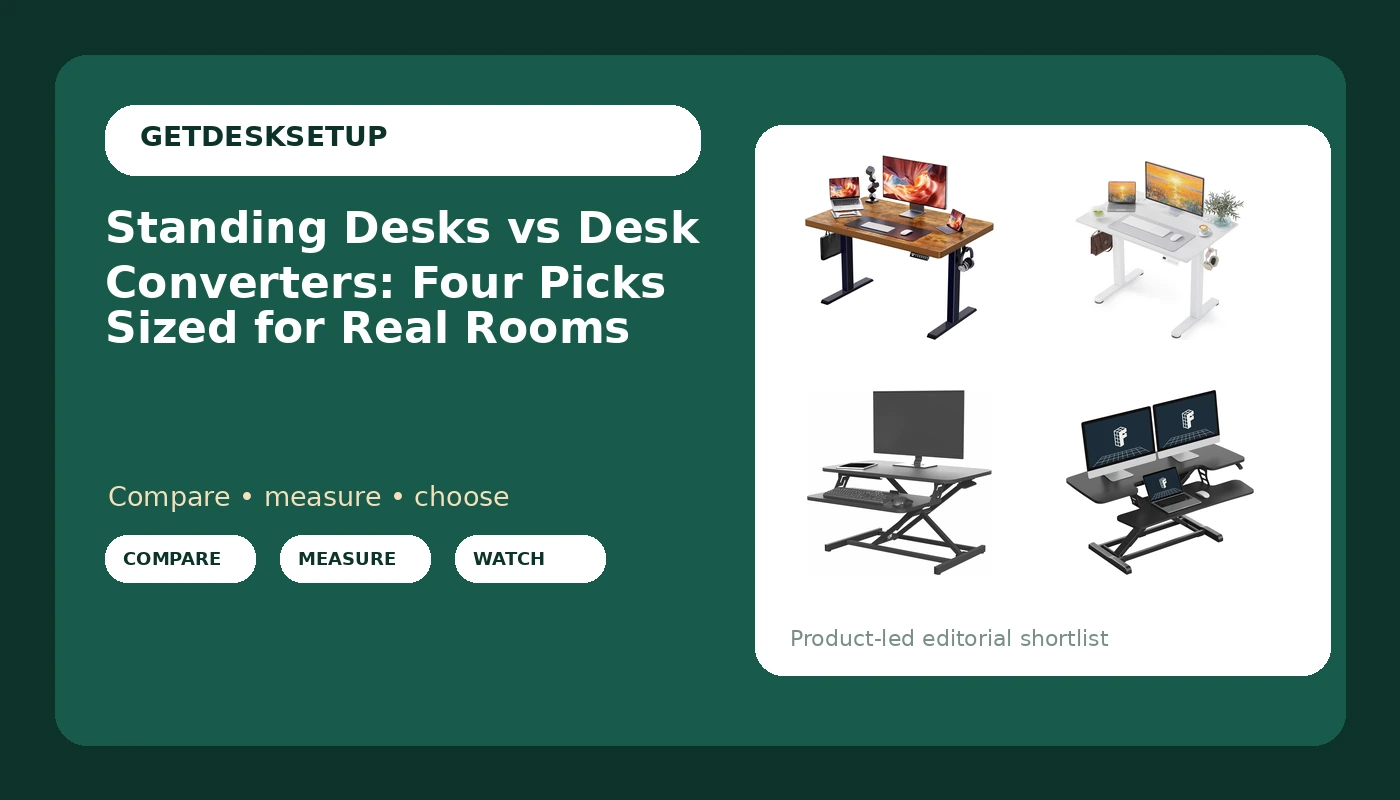
ErGear Electric Standing Desk with 6 Drawers
Electric height change plus real storage, so the desktop stays clear enough to raise without unloading it
The drawer bank takes knee room, and it is the heaviest piece here to move
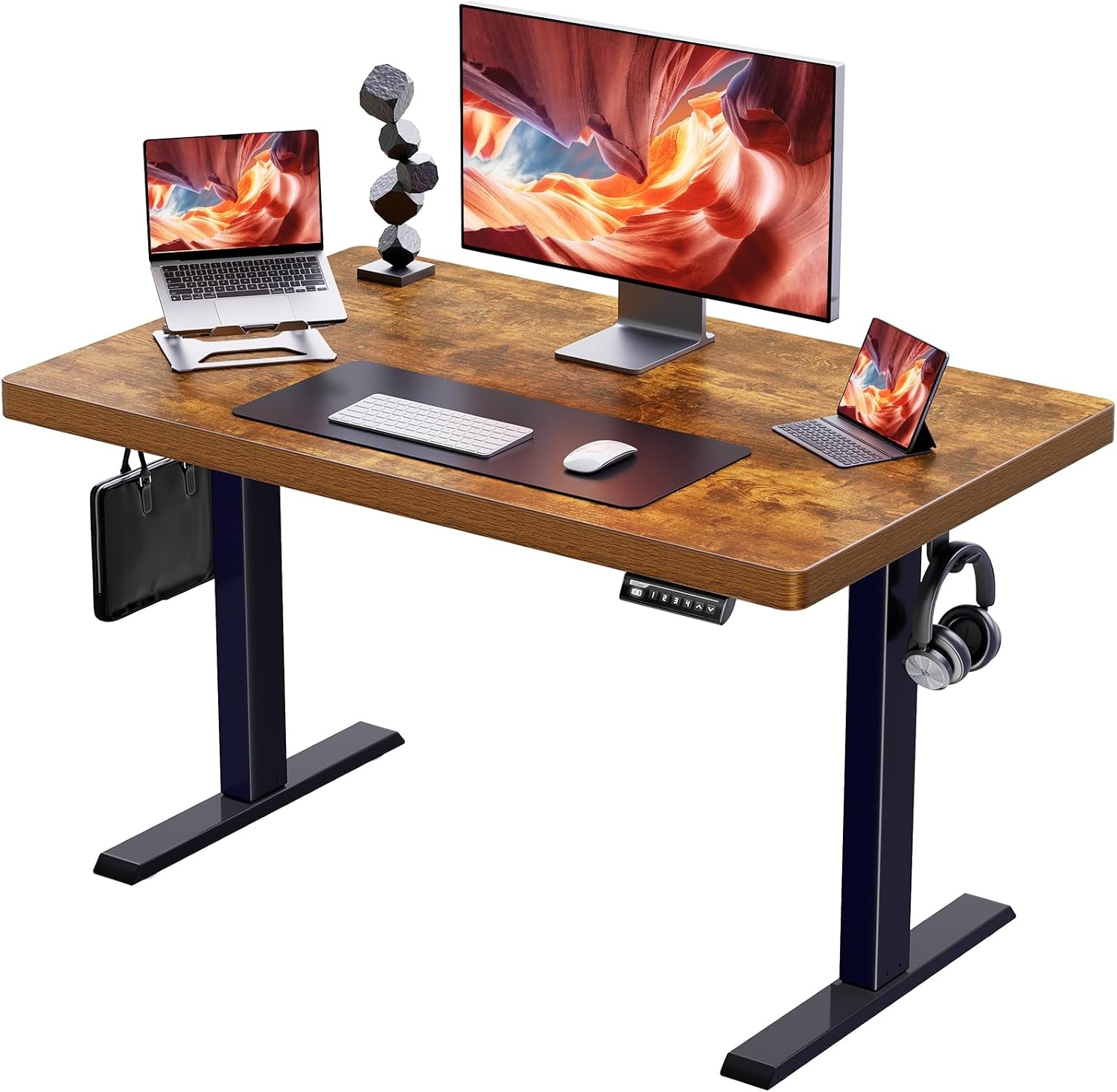
YDN 40 x 24 Inch White Electric Standing Desk
The smallest true desk footprint in this group, and the least expensive way into a motorized top
Forty inches wide is one monitor and a laptop, nothing more, and white shows every cable rub
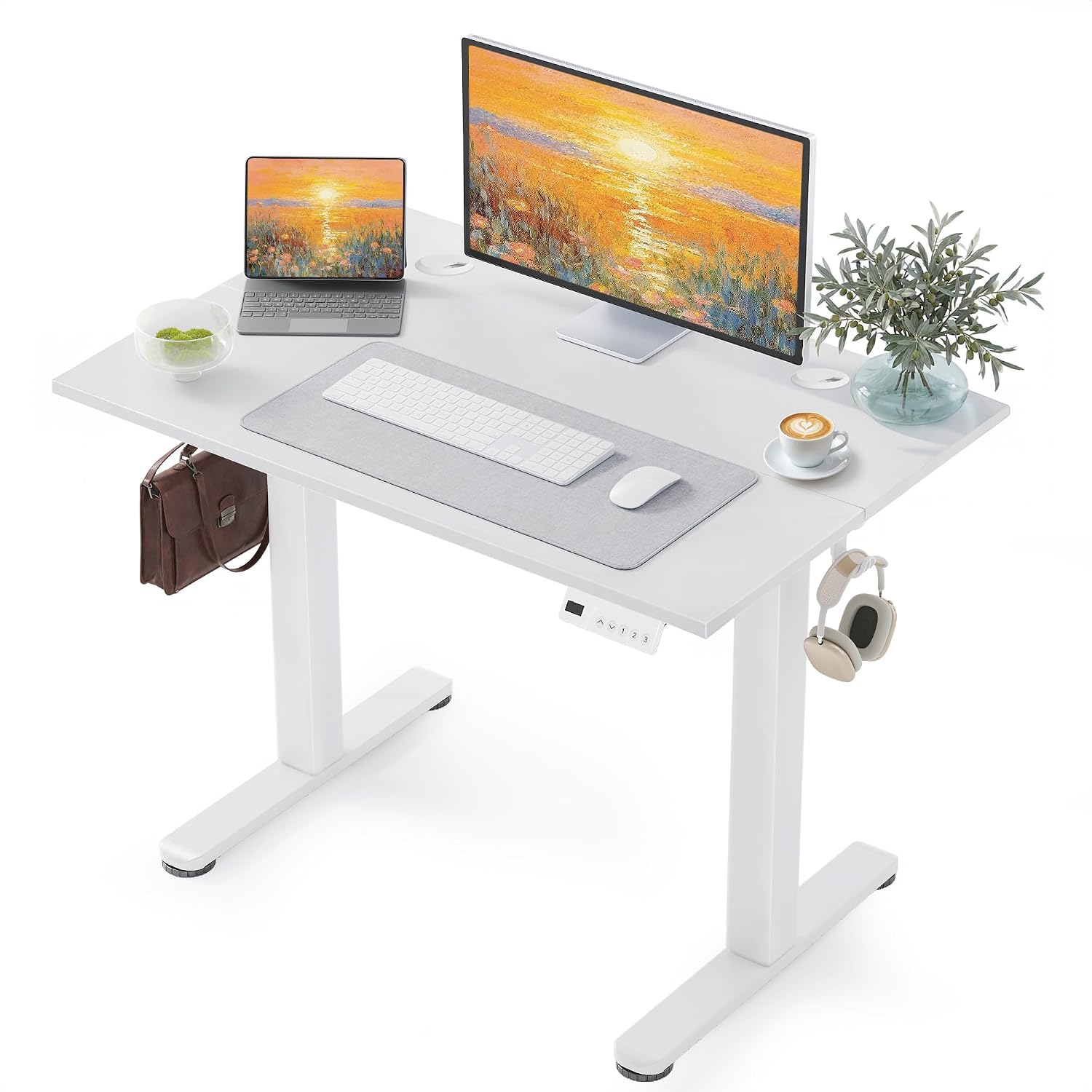
VIVO Black 28 in Standing Desk Converter
Smallest footprint of all four, sits on a desk you already own, no base to assemble
A 28 inch platform is a single screen, and it inherits every wobble in the desk below it
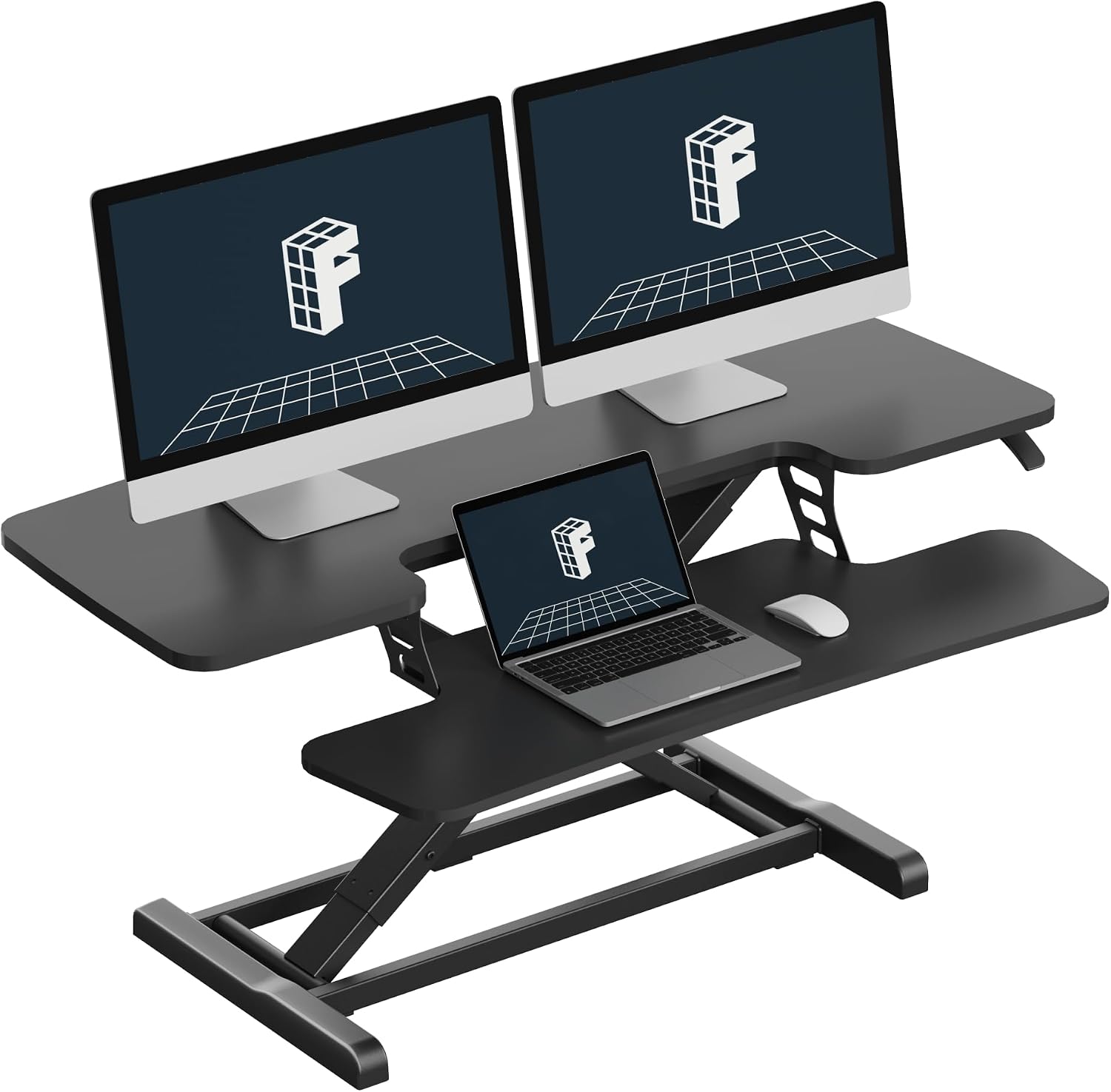
FLEXISPOT Standing Desk Converter, 42", Black
Forty-two inches of platform takes dual monitors and keeps a keyboard in front
Heaviest lift of the two converters, and a light desk underneath ruins the whole point
Prices and availability may change.
Measure these four things before you compare anything
Sizing a desk is not a feeling. Write down four numbers and the choice usually makes itself.
Wall width. The minimum I will put a single-monitor setup on is 40 inches of clear wall, which is why the YDN desk is the floor of this list and not the middle of it. Dual monitors side by side want 55 inches or more, and that pushes you toward a converter on an existing wide desk, or a full desk in a bigger room.
Standing height. Set your standing elbow height with a tape against a wall, then check the desk's listed height range reaches that number with a little room above it. A desk that tops out below your standing elbow height is wrong for you no matter how smooth the motor is.
Knee and legroom. Drawer stacks, crossbars, and thick frames all eat the space your knees and chair need. Measure from the floor to the underside of the top, then compare that against your chair arm height and your thigh clearance while seated. This is the number people skip and then complain about.
The desk you already own. Converters sit on top of a desk, so their footprint is your desk's footprint plus the platform. If the converter has no keyboard tier, you also need depth in front of it for your keyboard, which is where most people discover their 24 inch desk has quietly become a 12 inch desk.
The full desks: nothing to lift, more floor committed
Two of these four are complete desks. They cost more floor, they take longer to assemble, and in exchange you get a top that moves without you lifting anything.
The ErGear Electric Standing Desk with 6 Drawers is the one I would pick for a room that doubles as an office and a storage closet. The drawers are the point: they take the notebook, the pens, the spare cable, and the thing you would otherwise pile on the desktop, which keeps the work surface clear enough to raise and lower without unloading it first. Electric height change means you are not lifting a loaded platform by hand, and that matters more than people expect on the days they are already tired.
What to check before you buy: a drawer stack sits under the top, so confirm your knee clearance and your chair arm height against the underside of the desk, not against the floor. Skip it if you move apartments every year, because a full desk with a drawer bank is the heaviest thing in this comparison to break down and carry.
The YDN 40 x 24 Inch White Electric Standing Desk is the smallest real desk here and the least expensive way into a motorized top. Forty inches wide and 24 inches deep is one monitor, a laptop, a keyboard, and a mug. That is the honest limit. The white finish reads clean in a small room and shows every cable rub, so plan the cable route before the desk arrives, not after.
Skip it if you run two monitors side by side, if you want a printer on the desktop, or if you keep a second screen for calls. Those rooms need width, and 40 inches does not have it.
The converters: keep the desk, give up the platform
Converters trade platform area and stability for footprint and price. You keep the desk you already own, you give up the width of the top, and you add a lifting mechanism that sits between you and your screens.
The VIVO Black 28 in Standing Desk Converter is the smallest footprint of the four and the only one that needs nothing but a flat surface you already have. Twenty-eight inches of platform takes one screen and a keyboard, and that is the limit. The trade is that everything about it depends on the desk underneath: a converter inherits the wobble of the desk below it and adds its own lift on top of that. If your current desk flexes when you lean on it, fix the desk first or the converter will feel worse than it is.
The FLEXISPOT Standing Desk Converter, 42", Black is the one for a wide desk and two monitors. Forty-two inches of platform is enough for a pair of screens with a keyboard in front, and that width is the entire reason to spend more here than on the smaller unit. The costs are weight and leverage: a wider platform is heavier to raise, and the wobble rule still applies, so a light desk under a 42 inch converter is a bad pairing.
Check the depth of your existing desk as well. A converter that leaves no room for your keyboard in front pushes you into a keyboard tier, which changes the height you are actually typing at.
Wobble at the top of the range
Most standing desks and converters fail at standing height, not at sitting height. A top that feels solid at 29 inches can shake at 45, and you will feel that shake in your typing long before you notice it in a review.
So the test is the top of the range. Raise the desk all the way, put a hand on one corner, and push gently side to side. If the top moves more than the monitor does, the desk is going to bother you. On a full desk, wobble usually traces back to the frame and the feet, so check whether the frame has a crossbar and whether the feet sit flat on your floor rather than sinking into carpet pile.
On a converter, wobble is your desk plus the lift mechanism, which is why I tell people to buy a converter only if the desk under it is already stable. You cannot fix a shaky desk by adding a platform to it.
Who should skip which
- Skip the ErGear Electric Standing Desk with 6 Drawers if you need maximum knee room under the top, or if you relocate often. The drawer bank is storage you pay for in legroom and in moving weight.
- Skip the YDN 40 x 24 Inch White Electric Standing Desk if you run two monitors side by side, keep a printer on the desktop, or share the desk with a second person. Forty inches is a one-person, one-screen desk.
- Skip the VIVO Black 28 in Standing Desk Converter if you need two screens, if you want a keyboard tier at a fixed height, or if the desk under it already wobbles. Twenty-eight inches of platform is a single-screen device.
- Skip the FLEXISPOT Standing Desk Converter, 42", Black if your existing desk is shallow or lightweight, or if lifting a loaded platform is a problem for you. The wider platform is the heaviest lift in this comparison.
Cable management decides whether you keep using it
A cable that pulls on a monitor arm changes the monitor angle within a week. That is not an aesthetics problem, it is your ergonomics drifting while you work, and it is the most common failure I find when I walk into a home office six months after it was set up.
Converters move the platform and the screens together, so every cable on the platform needs a service loop long enough for the full travel. Leave that loop first, then tidy the rest. On a full desk, route the monitor and laptop cables down one leg and leave slack at the top, because the top is the part that moves. The drawer bank on the ErGear gives you somewhere to put the spare cable and the adapters you are not using, and keeping those off the desktop is half of what makes a desk usable at standing height.
What I would put in a client's office
For a 48 inch wall and a workday longer than four hours, the ErGear Electric Standing Desk with 6 Drawers is the pick, because the drawers keep the top clear and you never lift a load.
For a rental or a table you cannot drill into, the VIVO Black 28 in Standing Desk Converter is the smallest correct answer, as long as you are working on one screen.
For dual monitors on a wide desk you already own, the FLEXISPOT Standing Desk Converter, 42", Black gives you the platform width to keep both screens and a keyboard in front.
For a small bedroom office where 40 inches is all the wall you have, the YDN 40 x 24 Inch White Electric Standing Desk is the cheapest way to get a motorized top without giving up the room.
Bottom line
Buy the width you need first, then the stability, then the storage, and let the price sort itself out last. A converter on a solid desk beats a cheap full desk that shakes at standing height, and a 40 inch desk in the right room beats a 60 inch desk that does not fit. Measure your wall, measure your standing elbow height, and measure the underside clearance for your knees. The cheapest correct setup beats the most expensive wrong one every single time.