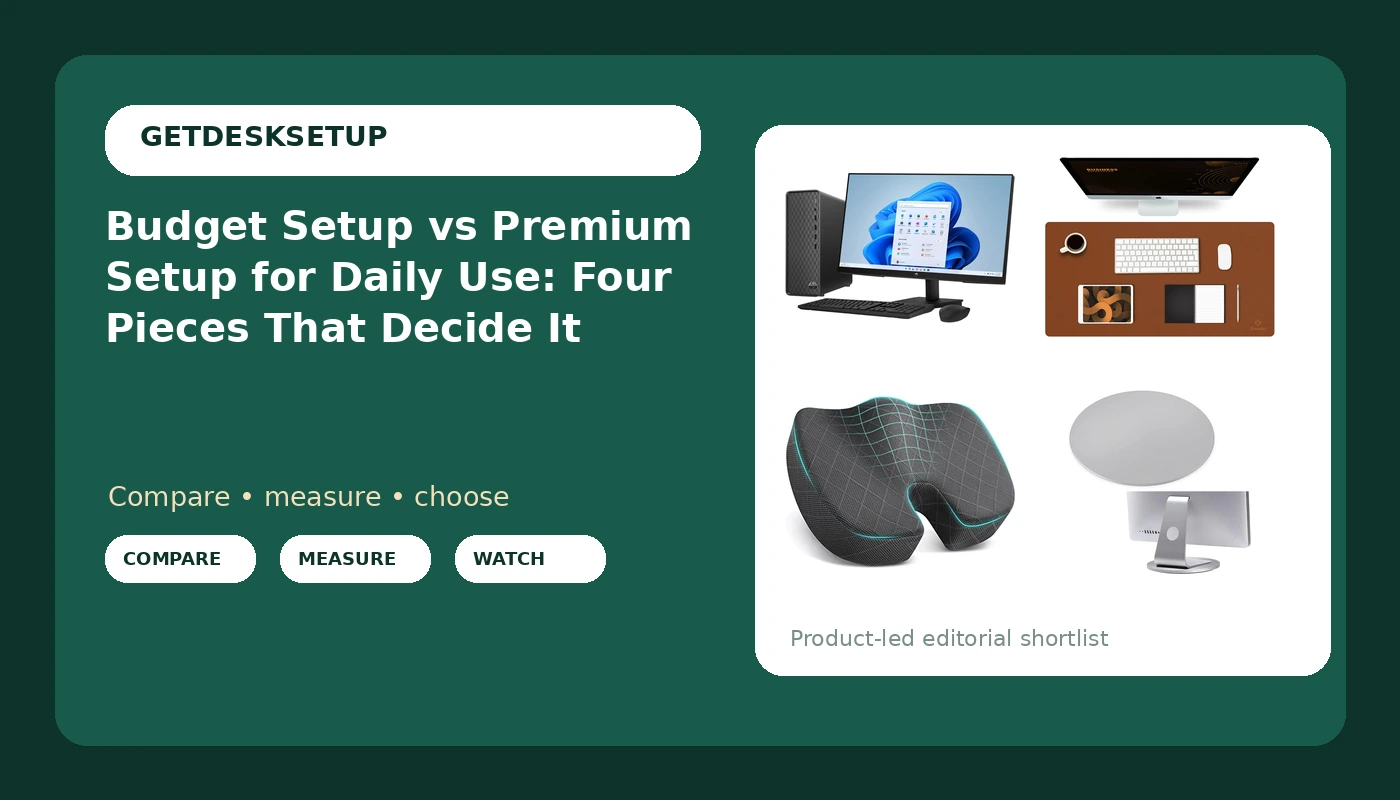
I have built out 310 home offices in six years, and not one of them was rescued by spending more money. Every single one was rescued by measuring something first. So when someone asks me about a budget setup vs premium setup for daily use, I give the same answer I gave as a facilities manager buying chairs for 400-person floors: money only starts mattering after the geometry is right. A cheap piece that fits your body beats a premium piece that does not, and it is not close.
Related: Matching Desk Height to Chair Height at Home
The best setup for most people is mixed: spend on the one piece that fixes your body's problem, go cheap on everything that is only surface area. The four products below show that split clearly. One is a complete computer and display bundle that deletes an entire category of shopping. Three are small accessories, each of which solves exactly one problem, and only if you actually have that problem.
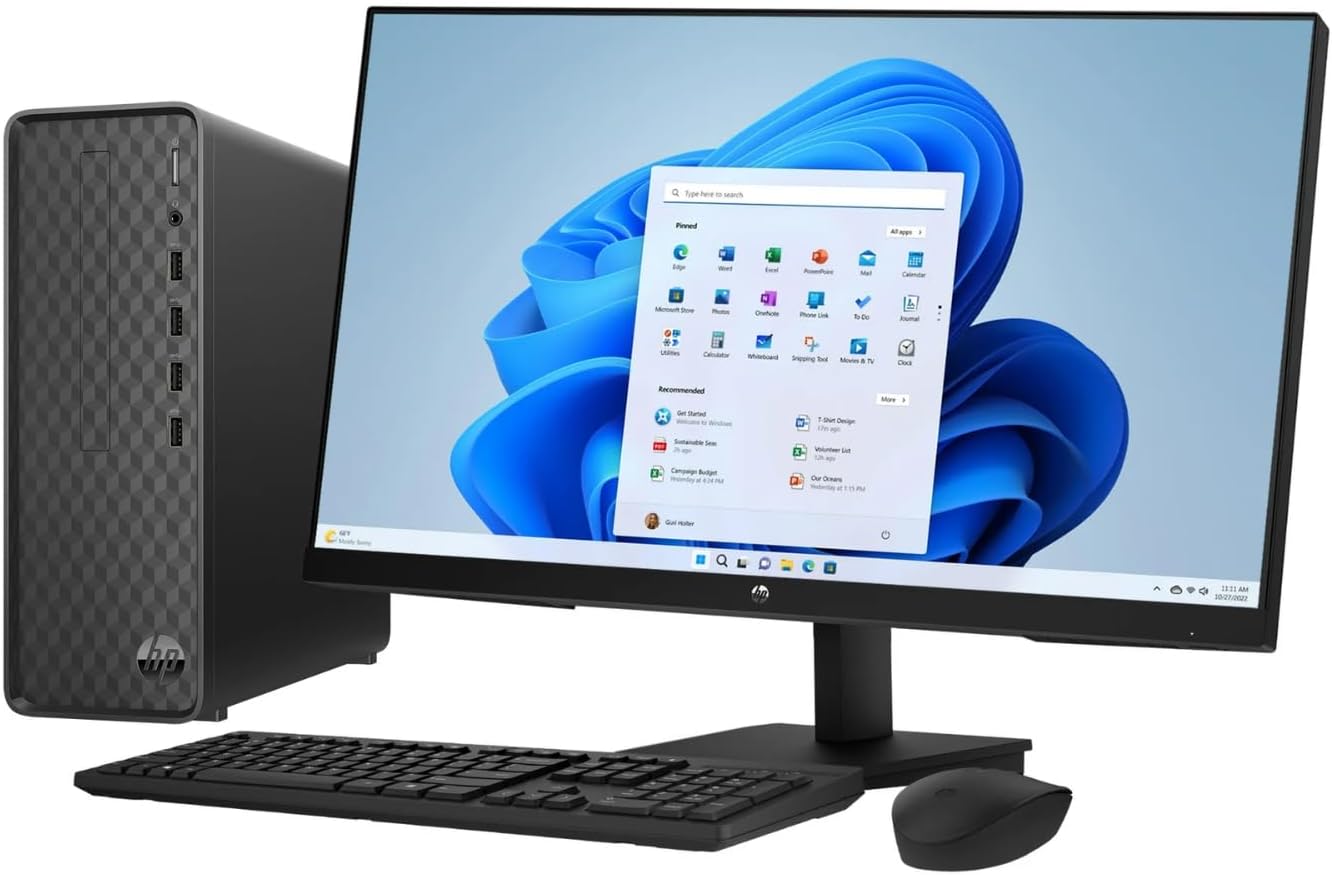
HP 27-inch Monitor, Slim Desktop Bundle
Collapses a whole shopping list: display, tower, Windows 11, keyboard and mouse arrive as one system
Fixed panel and fixed stand, so screen height and angle are whatever your desk happens to give you
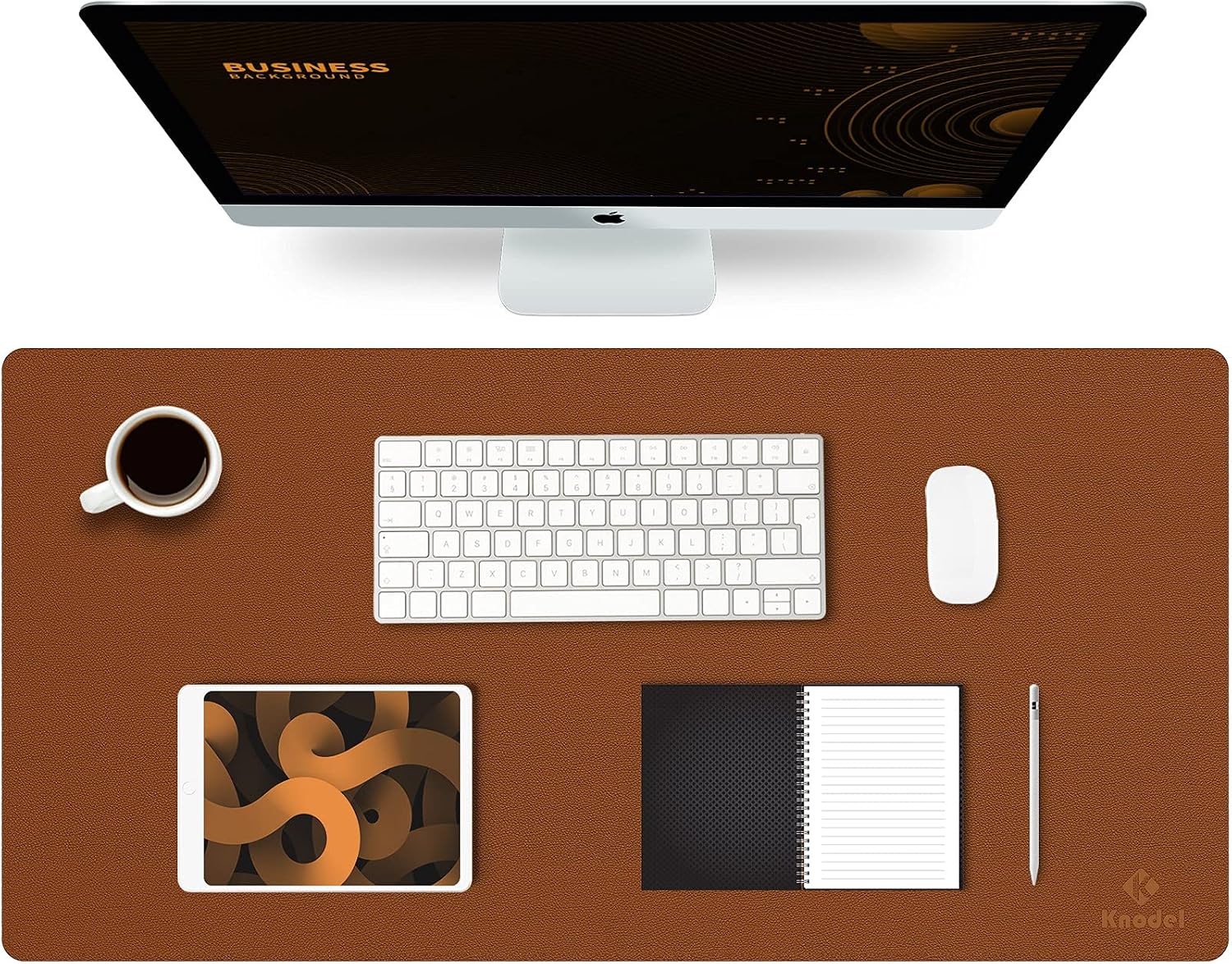
K KNODEL Large Office Desk Mat, Leather Mouse Pad
31.5 by 15.7 inches covers a keyboard and a mouse, and the leather surface wipes clean
A mat protects the desktop and quiets it. It does nothing for wrist angle, seat depth, or screen height
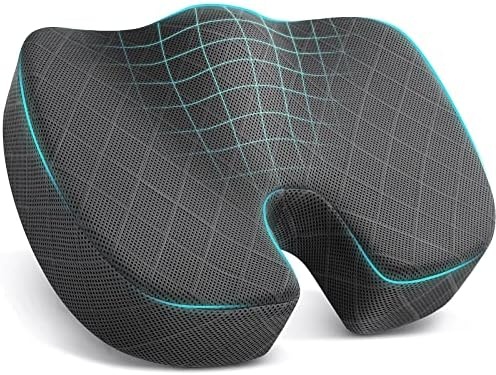
TushGuard Seat Cushion, Memory Foam Office Chair Cushion
Adds pressure relief and a little seat height for a chair that is one size off
If your seat depth is already correct, it lifts your knees and shortens your effective seat depth
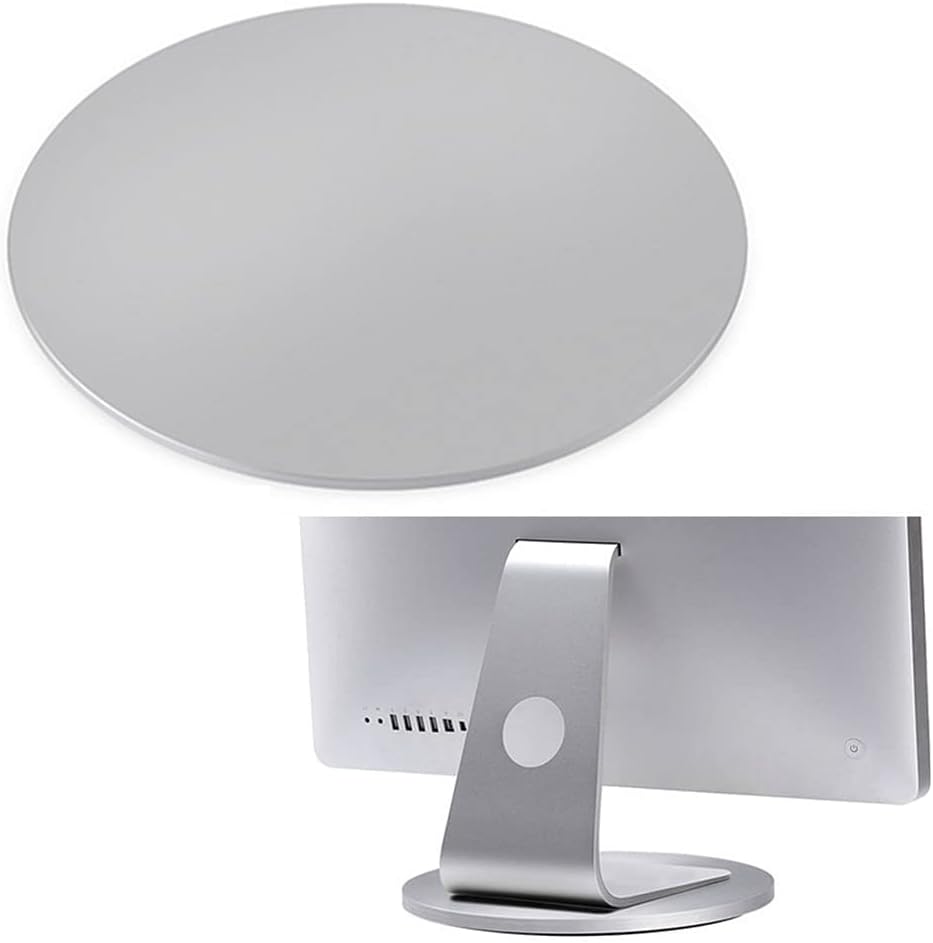
Aluminum 360° Rotation Monitor Swivel Base
Gives a fixed-stand monitor rotation, so you can swing the panel toward you or toward a visitor
Rotation is not height. It will not lift the panel to eye level, and it adds a footprint under the screen
Prices and availability may change.
Where a budget setup vs premium setup for daily use actually diverges
The difference between budget setup and premium setup for daily use is not build quality, and it is not brand. It is how many of your specific problems the money removes. Framing it as premium setup for daily use vs budget setup makes it sound like a ladder with better gear at the top. It is not a ladder. It is a checklist, and every item on the checklist is a measurement I take with a tape in the room, not a number I read off a listing.
This is the order I work in:
- Desk height against your seated elbow height. If your elbows drop below the desktop, you will lean and shrug all day.
- Chair pairing: seat depth and seat height together, because a chair is only right relative to a desk.
- Monitor distance: how far the panel sits from your eyes, and whether you can change it at all.
- Room layout: which way you face, what sits behind the screen, where the door and the window are.
- Lighting layers: ceiling light, task light, and the light coming off the screen itself.
- Cable planning: where every cable runs when the desk moves up or out.
- Power outlet: how many you need, and whether you can reach them without crawling.
- Ventilation: airflow across the desk, not just a window somewhere in the room.
A budget setup that nails the first four beats a premium setup that misses them. I have watched that happen in client rooms more times than I can count, and the expensive failure always looks the same: a strong computer and a good panel on a desk that is too tall, with the screen fixed at a height your neck has to negotiate every day.
Desk height and chair pairing come before anything you plug in
Most fixed desks sit somewhere around 29 to 30 inches at the top. That number is fine for a slice of the population and wrong for everyone else, which is why the chair is your adjustment lever. Raise the chair until your elbows sit level with the desktop, then deal with what happens to your feet. If they dangle, you need a footrest. If the chair will not go high enough, you need a taller chair or a lower desk, and no accessory in this article fixes that.
Chair pairing is the part people skip. Seat depth should leave two or three fingers of space between the front edge of the seat and the back of your knee. Seat height should put your feet flat with your thighs roughly level. When those two numbers are right, the chair disappears. When they are wrong, you feel it in your lower back by Thursday.
This is where the TushGuard cushion earns its place. It is a memory foam pad, large, grey, and it does two jobs: pressure relief under the sit bones and a bit of added seat height. For someone around 5'4" to 5'8" sitting in a chair that is a size too deep or a touch too low, it is the cheapest correction on this list, and I have used the same trick in client offices for years.
Who should skip it: anyone whose seat depth is already correct. Add a cushion and you effectively shorten the seat while raising your knees, which is exactly the geometry that causes thigh pressure and a slouch. If your chair already fits you, this product has nothing to sell you. The same rule bites at the other end. If you are well over six feet and your chair's seat is already at its limit, a cushion makes a too-short seat shorter.
One more thing about desk height, because this is where standing desks fail. The wobble people complain about rarely shows up at sitting height. It shows up at the top of the range, which is exactly where tall users live. If you are over six feet and you plan to stand, test the desk at its highest setting with both hands on the edge before you trust it. A desk that feels solid at 30 inches and shivers at 48 will annoy you every afternoon.
Monitor distance and room layout decide whether the bundle works
The HP 27-inch Monitor, Slim Desktop Bundle is the one product here that changes the category of the purchase. It is a complete daily-use computer: a 27-inch Full HD display, an Intel Core i3-12100 processor, 8GB of RAM, a 512GB SSD, Windows 11, and a wireless keyboard and mouse in the box. If you are starting from nothing, that is a genuinely shorter shopping list than assembling a tower, a panel, a keyboard, and a mouse separately.
Two things decide whether it works in your room. The first is monitor distance. A 27-inch panel wants roughly 20 to 30 inches between your eyes and the screen, and the top of the display should land at or slightly below eye level. Measure that before you buy anything, because the bundle's stand is fixed. There is no height adjustment, so the panel sits wherever the desk puts it. On a 29-inch desk that is often close to right for an average-height adult. On a standing desk at standing height, it is not.
The second is room layout. If the window is behind your monitor, you will spend the winter squinting into a bright rectangle. If the window is behind you, you will spend it looking at your own reflection. Neither is a product problem, and neither can be fixed by spending more on the computer.
On the compute side, 8GB of memory and a 512GB solid state drive cover browsing, documents, spreadsheets, and video calls comfortably for a daily-use machine. If your day involves large video renders or a big local game library, this is the wrong bundle, and no accessory here changes that. Memory and storage are where a bundle's limits show up first.
This is where the Aluminum 360° Rotation Monitor Swivel Base comes in. It is a swivel base for a monitor with a fixed stand, and it does one thing well: it rotates the panel, up to a full turn, so you can angle the screen toward you or toward a visitor sitting beside the desk. If you share your screen in a small room, or you want to swing the monitor out of the way when you are not using it, it solves a real annoyance. This is the part of a budget setup vs premium setup for daily use that no spec sheet covers.
Who should skip it: anyone who needs the panel higher or lower. Rotation is not height. A swivel base will not raise a screen to eye level, and if you already own a monitor with a height-adjustable stand, you probably do not need it at all. Buy a monitor arm instead if your problem is vertical rather than angular.
Lighting layers, cable planning, and the desk mat
Lighting is three jobs, and most home offices only do one of them. The ceiling light fills the room. A task light puts useful light on the desk without washing out the screen. A dim bias light behind the monitor cuts the contrast between a bright panel and a dark wall, which is what makes late sessions feel like staring into a flashlight. Fix the layers in that order, cheapest first, and stop when your eyes stop complaining.
Cable planning is next, and it is not aesthetics. Every cable that reaches a monitor should have slack at the joint that moves. With a swivel base, that matters more than usual: if the display cable is pulled tight, rotating the panel will drag on the connector, and within a week your screen angle will drift back on its own. Give the cable a loop and tie the loop to the desk, not to the panel.
Related: Desk Cable Planning for a Movable Desk
The K KNODEL Large Office Desk Mat is the least important product in this article and the one I recommend most often, because it does three small jobs at once. It covers the keyboard and mouse area with one continuous leather surface, it protects a desktop that would otherwise collect scratches, and it deadens the hollow clatter of a cheap tabletop under a keyboard. At 31.5 by 15.7 inches, it fits a full-size keyboard with room for a mouse, and brown leather is a style decision you have to make for yourself.
Who should skip it: anyone expecting ergonomic help. A desk mat does not change wrist angle, seat depth, or screen height. If your setup hurts, a mat is not the fix, and no amount of surface area will be.
Power outlet and ventilation: the two things people forget
Count your plugs before you buy a bundle. A complete desktop setup like the HP bundle needs one outlet for the tower and one for the monitor, and then the lamp, the phone charger, the speakers, and the router want their own. That is six devices fighting over a wall plate, and the failure mode is a power strip on the floor behind the desk that you have to crawl to reach. Plan the outlet, then plan the strip, then mount it somewhere you can reach while seated. A strip screwed to the underside of the desktop is the difference between a two-second fix and a twenty-minute one.
Ventilation is the other quiet one. A desktop tower pulls air in and pushes it out, and it needs clearance on the intake side. Pushing a tower against a wall, or closing it into a cabinet with a door, turns a quiet machine into a warm one, and the fan noise will find you on a call. Leave a hand's width behind the tower and keep the cabinet door open if you use one. In a small room, a cheap desk fan moving air across the desk does more for afternoon alertness than a more expensive chair, which is not something a chair brand wants to hear.
Also think about where the air goes, not just how much there is. If your desk faces a heating vent or a radiator, warm air rises straight into your face, and no monitor setting fixes that. Move the desk, or move the airflow. Room layout and ventilation are the same decision made twice.
Who should skip each piece
This is where a budget setup vs premium setup for daily use gets decided, one piece at a time.
- HP 27-inch Monitor, Slim Desktop Bundle: skip it if you already own a desktop or a laptop you are happy with, or if you need an adjustable-height display and do not want to add a base or an arm. It fits someone who wants one purchase, one warranty, and no compatibility homework: a student, a first home office, or a front-desk machine.
- K KNODEL Large Office Desk Mat: skip it if your desktop is glass, if brown does not suit the room, or if you are buying it hoping it will fix wrist pain. It will not.
- TushGuard Seat Cushion: skip it if your chair's seat depth is already correct, or if you are tall enough that your chair is already at its top adjustment. It is a correction for a chair that is a size off, not an upgrade.
- Aluminum 360° Rotation Monitor Swivel Base: skip it if your monitor already swivels, or if your problem is screen height rather than screen angle. It fixes rotation and nothing else.
What I would put in a client's office for a year
If I were furnishing a room tomorrow for someone who works eight hours a day and does not want to think about gear again, I would split the money by problem.
If the problem is that you have no computer, the HP bundle is the correct starting point, because it collapses four purchases into one and it will run a browser, a spreadsheet, and a video call without drama. Add the swivel base if you share your screen or want to angle the panel. Skip the cushion unless your chair is measurably wrong for your body.
If the problem is that you have a computer and a desk and everything still hurts, do not buy the bundle. Buy a tape measure first, then the cushion if your seat depth is off, then the mat if your desktop is scratched or loud. That is a mixed setup, and mixed is usually right. Whether you are weighing budget setup or premium setup for daily use, the order of operations is the same: fix desk height and chair pairing, then monitor distance and room layout, then lighting, cable planning, power outlet, and ventilation.
I have never seen a client regret the cheaper correct answer. I have seen plenty regret the expensive wrong one. A budget setup vs premium setup for daily use is not really a question about money. It is a question about whether you measured the room before you spent in it.