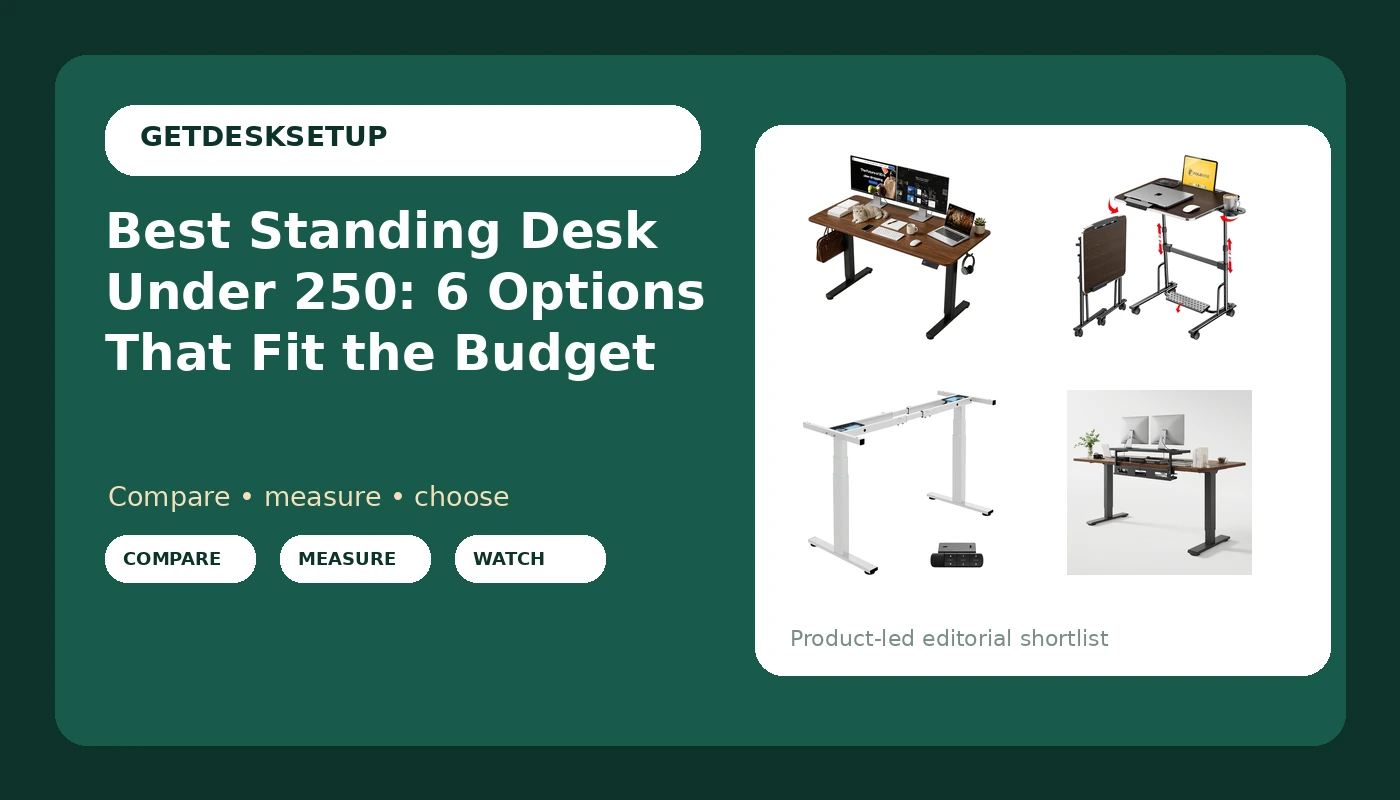
The hard part of shopping for a standing desk under 250 is not finding options. It is telling them apart. At this budget you are choosing between three kinds of product: a complete desk with the top already attached, a bare frame that needs a desktop you buy separately, and a converter that lifts your keyboard and monitor off the desk you already own. Listings rarely make that distinction obvious, and the numbers that decide whether a desk actually works for you, desktop depth, height range, and lift capacity, are usually buried under phrases like heavy duty and ergonomic.
This guide covers six options at or near the the quoted price line. Two are complete desks, one is a dual motor frame, one folds and rolls, and two are converters. For each one I say what it is, who it fits, and who should skip it. Nothing here is a lab test. It is published product information, organized so you can compare like with like.
Related: Best Standing Desk Converters for Small Home Offices
Quick answer
The 55 Inch Height Adjustable Standing Desk for Home Office, Brown is the strongest fit for a complete desk inside the budget because it arrives as a full 55 inch wide height adjustable desk, so you are not buying a frame and a top separately or bolting a converter onto an old table. Choose the VIVO Black 29 in Single Top Standing Desk Converter, DESK-V000U instead when you already like your current desk and only want the keyboard and screen to rise above it.
What to compare in a standing desk under 250
At this price the differences between products are structural, not cosmetic. A frame-only option and a complete desk are not the same purchase even when the boxes cost about the same, because a frame needs a top, and a top needs to be the right size and thick enough to hold screws. A converter is a third category again: it never touches the floor, it sits on a surface you already own, and its stability is capped by that surface.
The six products below cover all three approaches, plus one folding design for people who need the desk to move rather than the person. Compare them on desktop depth, lift capacity, frame type, and what actually ships in the box.
Top pick
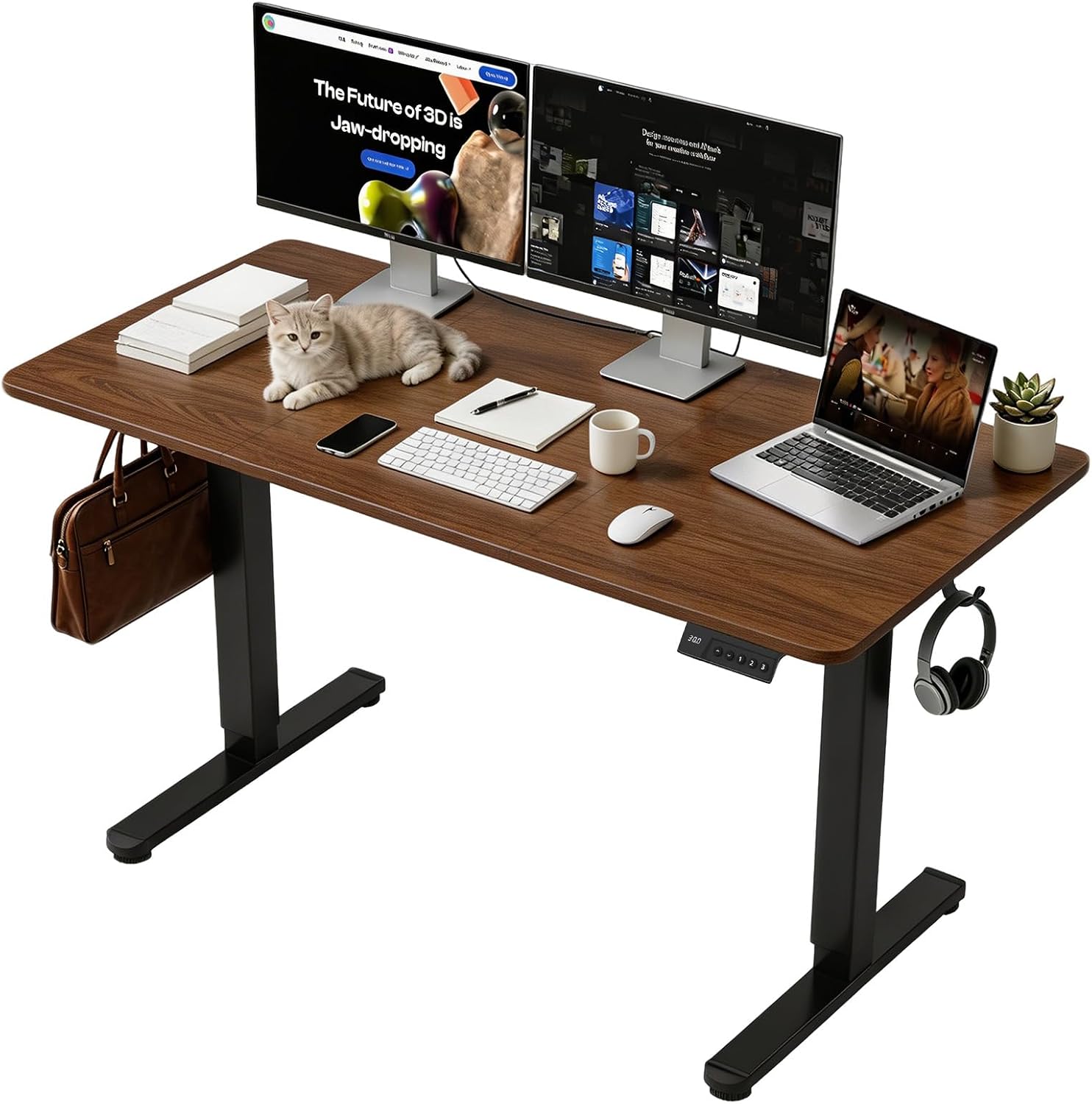
55 Inch Height Adjustable Standing Desk for Home Office, Brown
Check current Amazon price
A complete 55 inch wide height adjustable desk in a brown finish, aimed at home office use. The top is included, so there is no second purchase and no drilling a desktop onto a frame.
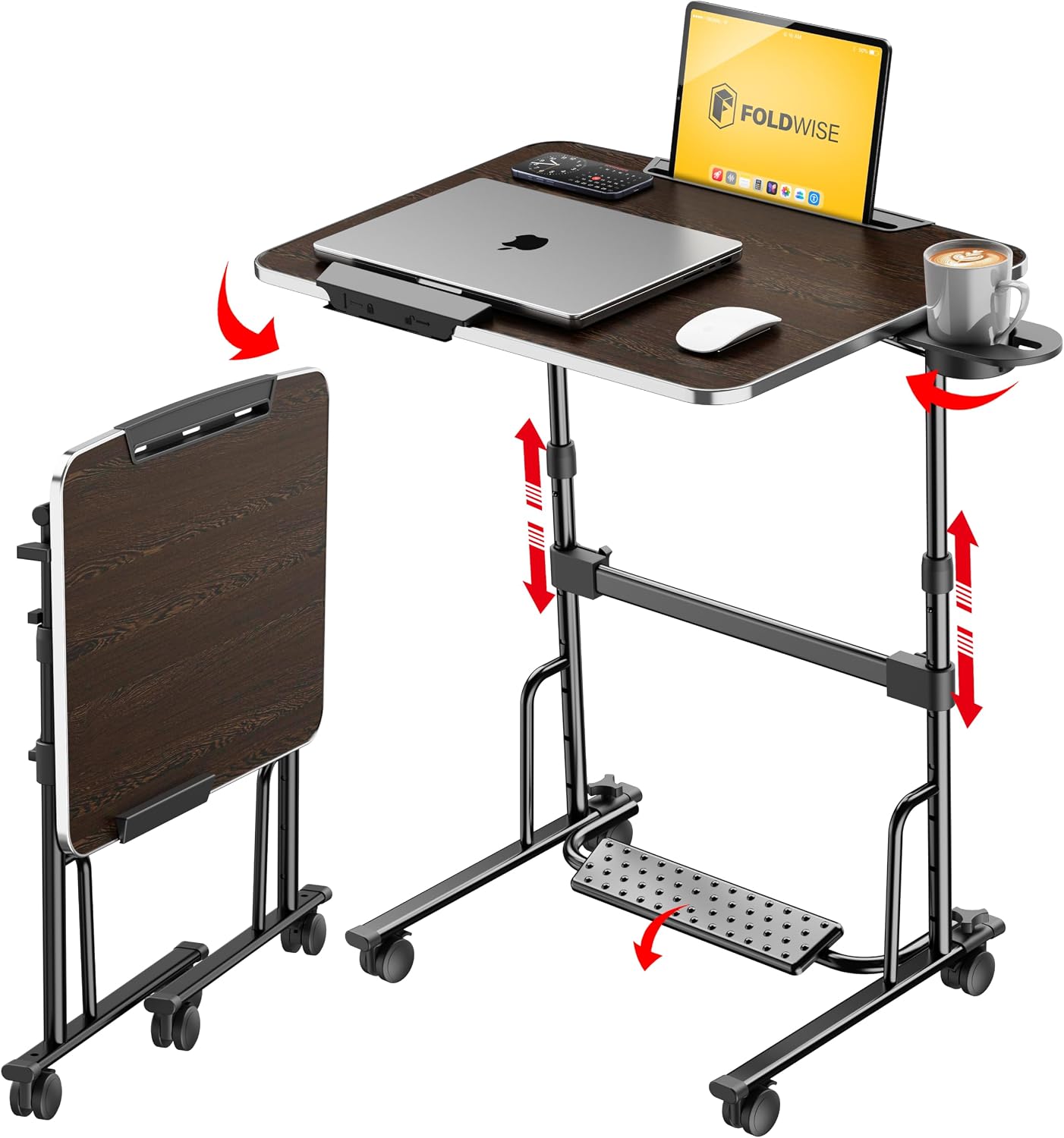
FoldWise Foldable Standing & Rolling Desk, Upgraded Portable Desk on Wheels
Check current Amazon price
A foldable standing desk on wheels. It folds down and rolls, which suits shared rooms, temporary setups, and anyone who has to clear the floor at the end of the day.
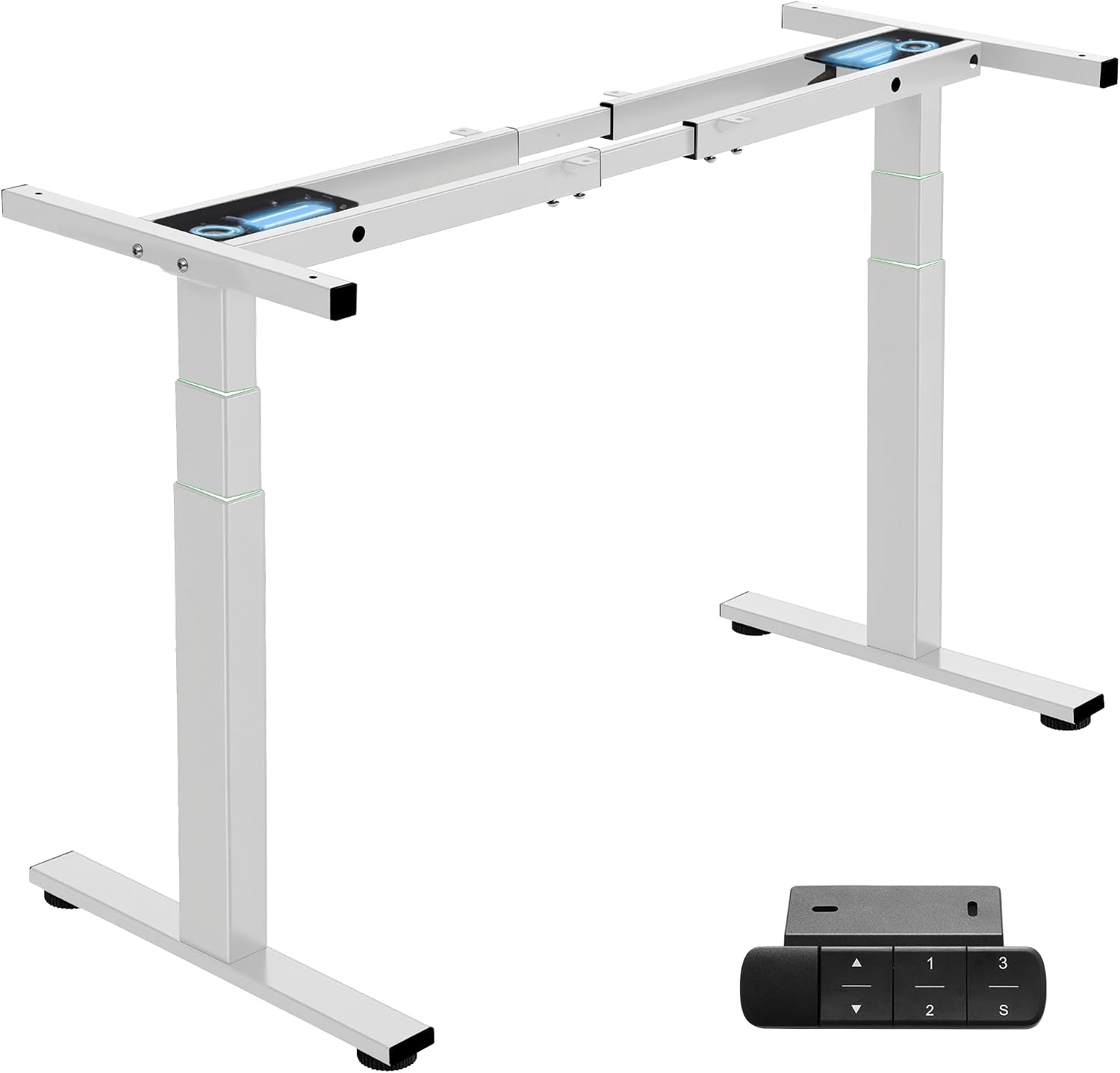
TOPSKY 3-Stage Dual Motor Standing Desk Frame, 300 lb Capacity
Check current Amazon price
A three-stage dual motor frame with a 300 lb rated capacity. It is a frame only, so you supply the desktop, and the frame alone sits above the $250 line.
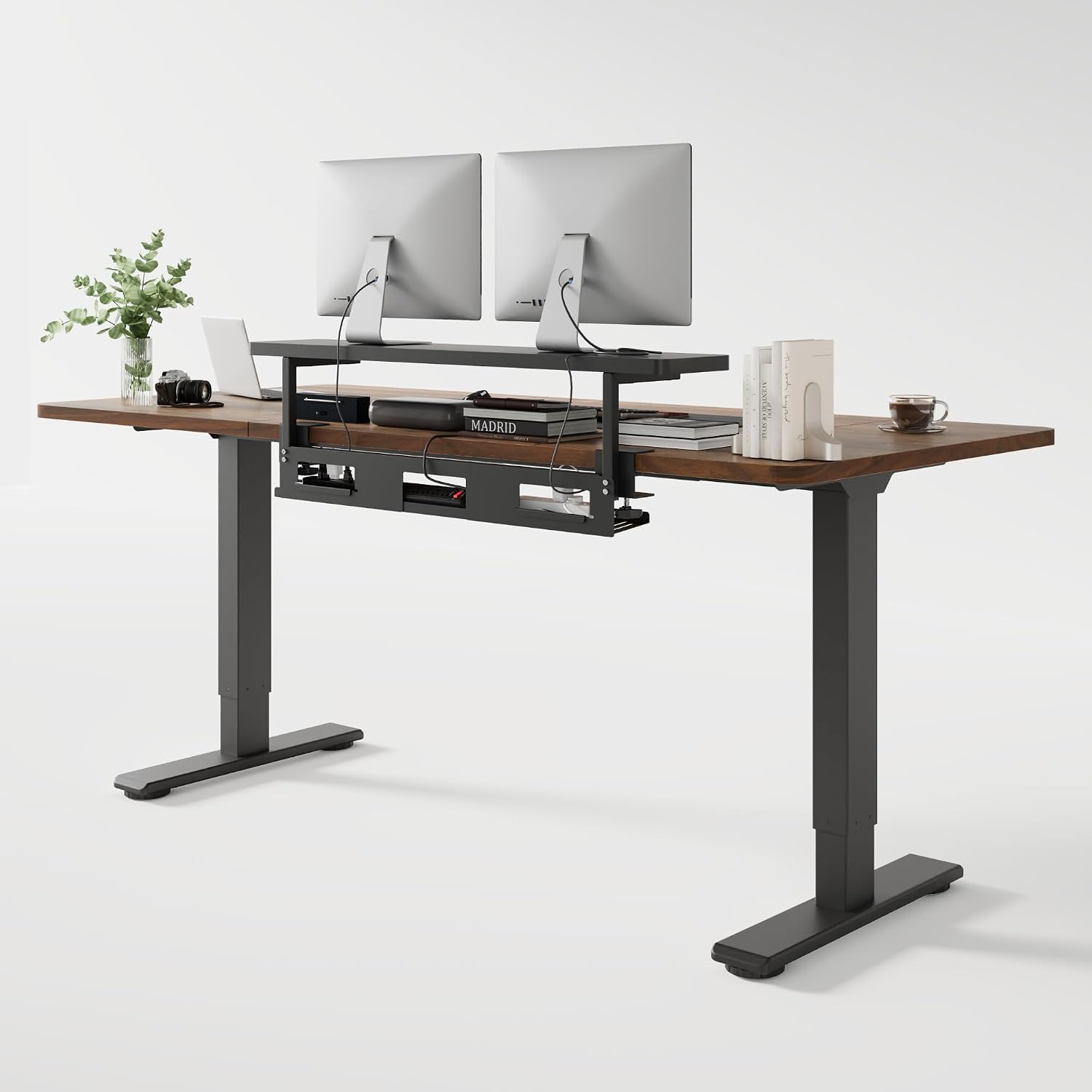
FLEXISPOT Standing Desk with Monitor Riser & Cable Management
Check current Amazon price
A FLEXISPOT standing desk that ships with a monitor riser and cable management included, so two of the accessories you would otherwise buy separately arrive in the same order.
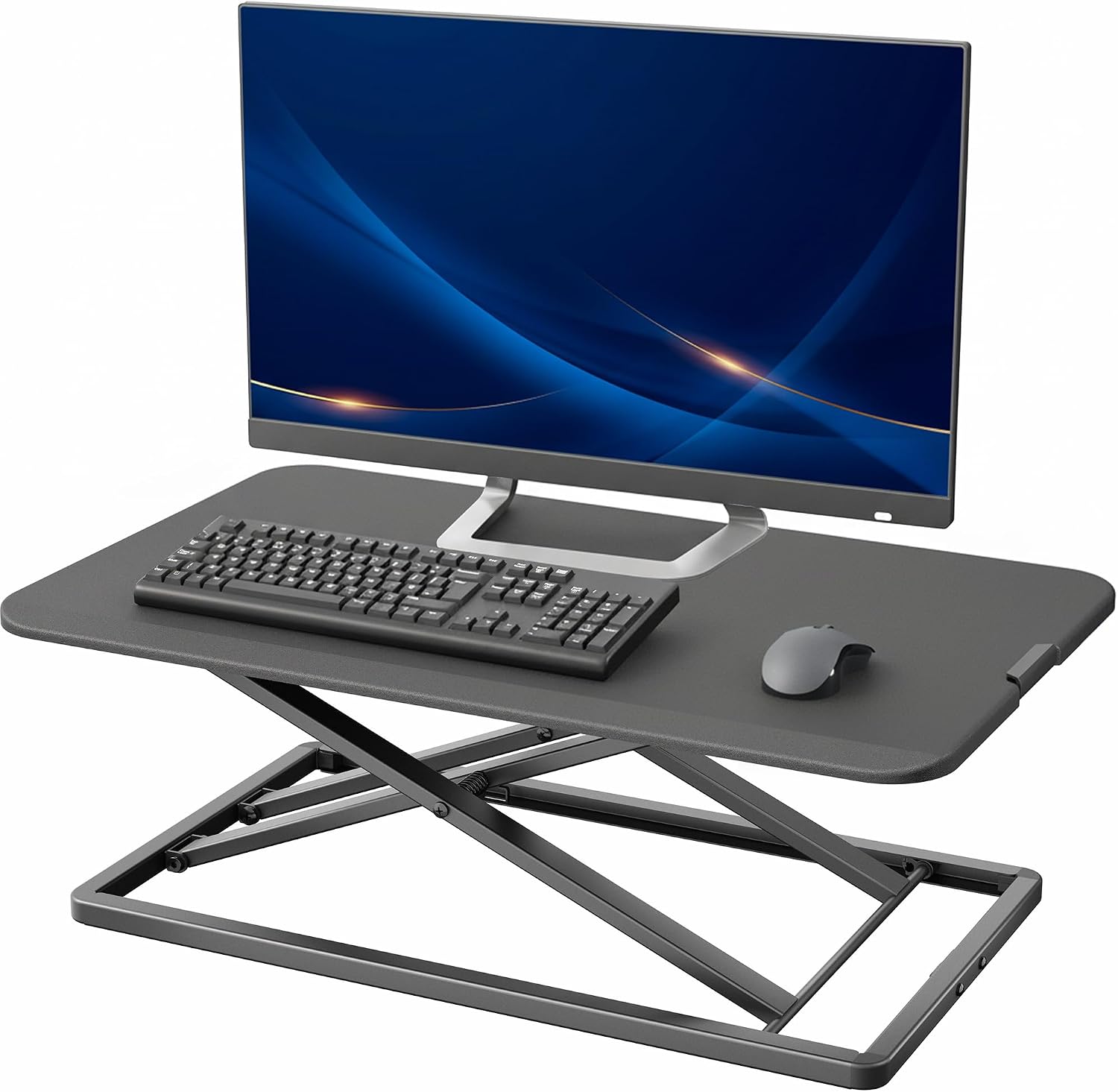
VIVO Black 29 in Single Top Standing Desk Converter, DESK-V000U
Check current Amazon price
A single top standing desk converter, 29 in wide, in black. It sits on an existing desk and raises the keyboard and screen together, so nothing has to leave the room.
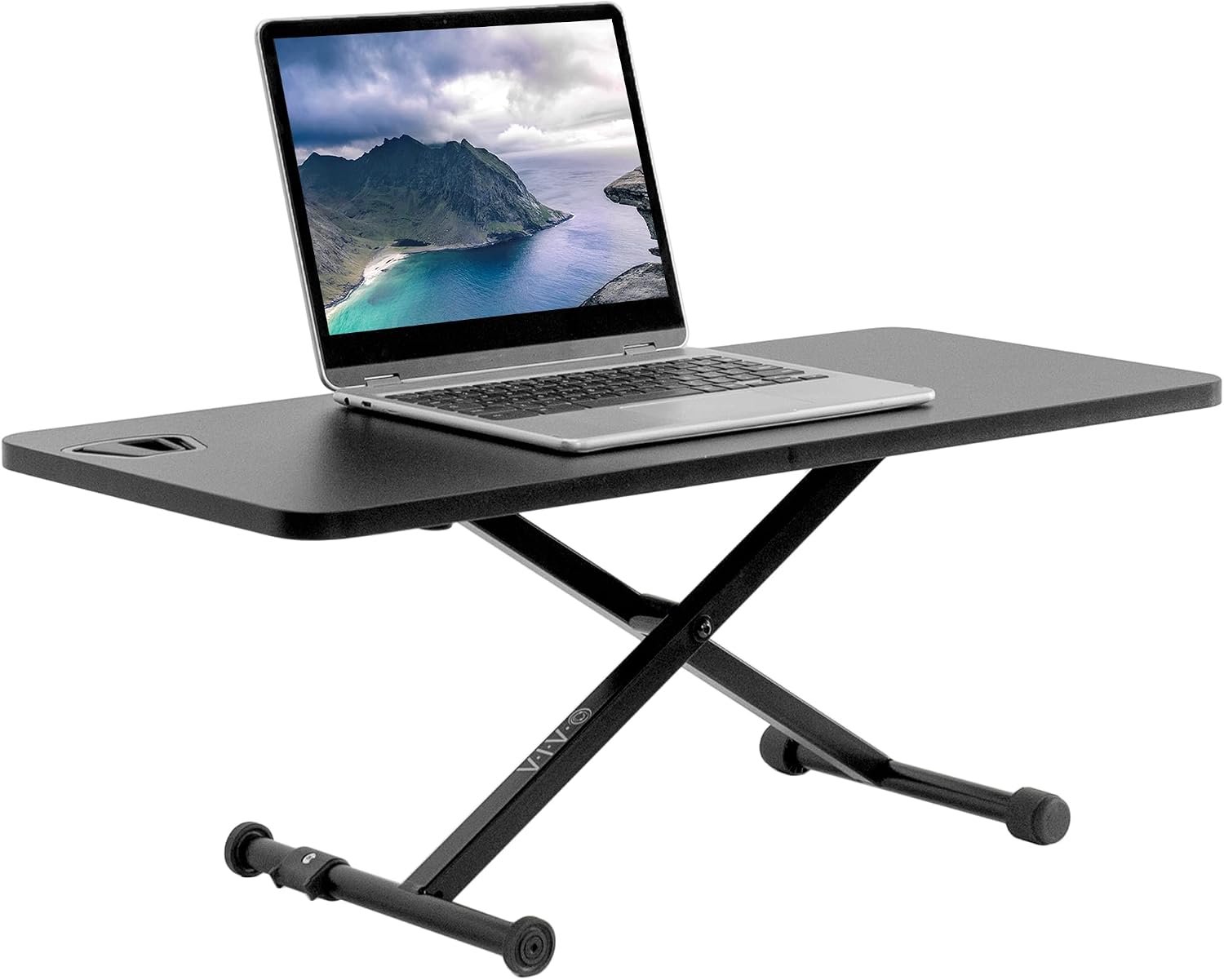
VIVO Black 28 in Single Top Standing Desk Converter, DESK-V011F
Check current Amazon price
The same converter approach in a 28 in single top, in black. The narrower footprint matters when the existing desktop has to keep room for a mouse and a notebook.
How these products were compared
This guide to the best standing desk under 250 compares five things: desktop depth, lift capacity, frame and motor type, the floor and wall space each product needs, and what ships in the box. Those five decide most of the outcome. A height adjustable desk under 250 can be a complete desk, a frame, or a converter, and comparing them as if they were the same product is the most common mistake buyers make.
Desktop depth sets how far the monitor ends up from your eyes. Lift capacity sets how much monitor arm, laptop, and clutter the frame will carry. Frame and motor type sets how the height changes and how the top behaves at the top of its travel. Footprint decides whether the desk fits the room at all. And what ships in the box decides the real total cost, because a frame without a top is not a desk yet.
Product names, images, and retailer links are matched to the same listing so that every card points to the product shown. Prices move constantly, so no price is printed here. Use the link on each card to confirm current price and availability.
How to choose the right standing desk
Start with your own numbers, not the desk's. Sit at your current setup and measure the height of your elbows with your shoulders relaxed. That is roughly the keyboard height you want when seated. Then stand and measure the same thing. The difference between those two numbers is the height range the desk has to cover, and it is the most common reason a cheap standing desk disappoints. A top that stops below your standing elbow height has you reaching up to type, and you will stop using the standing position within a month. For a sit stand desk under 250, that range matters more than the number of motors, because a second motor does not help if the top does not reach.
Then measure the space you can give up. A 55 inch desk needs roughly 55 inches of wall plus a couple of inches of clearance on each side. Depth matters more than width for monitor distance, because a shallow desktop pushes a monitor closer, and the usual fix is a monitor arm, which is why the grommet and cable tray layout is worth checking before you buy rather than after.
The second decision is what you are actually buying. If your current desk is solid and you like it, a converter is the cheapest route and the least disruptive: nothing leaves the room and you keep your existing storage. If your current desk is thin particleboard on light legs, a converter will wobble at standing height and a complete desk is the better spend. If you want a specific top, a frame gives you the choice, but you then own two purchases and a drilling job. For the accessories that finish the setup, see our guide to desk accessories that keep a monitor at eye level.
Desktop depth and lift capacity on a standing desk under 250
Three features separate a desk you keep from one you resell.
A memory preset is the difference between standing twice a day and standing eight times a day. If every transition means holding a button until the top reaches the right height, you will skip it. One or two saved heights is enough. More than four is marketing.
Anti collision is the safety feature that stops the frame when the top meets an obstacle, usually a drawer unit or a chair arm you forgot about. On a dual motor frame rated for a high lift capacity, that protection matters more, because the frame will not notice a chair on its own.
A crossbar is the horizontal brace between the legs. It adds rigidity at standing height, which is exactly where budget desks wobble, and it also costs you legroom and, on some frames, the ability to slide a drawer unit underneath. Decide which of those you want before you order.
Then check the small hardware. Grommet holes let you route cables down through the top instead of over the front edge, and a cable tray under the rear edge keeps slack where the desk can use it. A tray that sags under its own screws after a month is worse than no tray at all, so look at how it attaches to the frame before you trust it.
55 Inch Height Adjustable Standing Desk for Home Office, Brown
Of the six, this is the only product that is a complete standing desk with the top included at a price inside the budget. It is 55 inches wide, height adjustable, and finished in brown, and it is positioned for home office use rather than a shared floor. For a reader who wants one box, one assembly, and a full width working surface, that combination is the shortest path to a sit stand setup.
A 55 inch top is a real desk, not a laptop riser. It takes a monitor or two, a keyboard, and a lamp without a fight, and it leaves room for a notebook and a mug. Because the top is part of the product, the height range and the frame are matched to each other by the manufacturer, which removes the most common failure in frame only builds: a top that is too thin for the mounting screws or too wide for the frame's support points.
Who should skip it: anyone who needs to roll the desk between rooms, anyone who needs a specific top material or finish to match existing furniture, and anyone who wants to choose the frame independently of the top. If you are tall, check the published height range on the listing before you order, because that is the one number that decides whether this desk works for you. A stand up desk under 250 lives or dies on what it does at the top of its range.
The trade-off is flexibility. You cannot swap the top later, you cannot add a second motor, and you cannot pick a frame with a crossbar for extra rigidity. If any of those matter, the frame only route is the better purchase even though it costs more in total.
Alternatives to consider
The FoldWise Foldable Standing & Rolling Desk, Upgraded Portable Desk on Wheels is better suited to shared or temporary rooms where the desk has to move or disappear at the end of the day, while the TOPSKY 3-Stage Dual Motor Standing Desk Frame, 300 lb Capacity is a stronger fit when you want to choose the top yourself and want the travel of a three-stage dual motor frame with a high rated lift capacity.
The FLEXISPOT Standing Desk with Monitor Riser & Cable Management, the VIVO Black 29 in Single Top Standing Desk Converter, DESK-V000U, and the VIVO Black 28 in Single Top Standing Desk Converter, DESK-V011F cover the rest of the range. The FLEXISPOT is the one to look at if you want the riser and the cable routing included in the same purchase and can stretch past the the quoted price line. The two VIVO converters are the budget answer for keeping the desk you already own, and the 29 in and 28 in versions differ mainly in how much of your existing surface they take over. On a narrow desk, the smaller converter leaves room for a mouse; on a wide one, the 29 in version gives you more room to spread out.
Day-to-day use and maintenance
Assembly order matters more than strength. Build the frame or the legs first with the hardware loose, turn the desk upside down on a soft surface, attach the top, and then tighten everything in a diagonal pattern. Tightening the legs before the top is attached is how desktops crack and how a frame ends up with a twist that shows up later as wobble at standing height.
Route cables before you load the desk. Run power and display cables down through the grommet or along the cable tray with enough slack for the full travel of the desk, then check that slack at the top of the range, not the bottom. A cable that goes tight at standing height will pull on a monitor arm, and the monitor angle will drift within a week. Velcro straps or a tray with a lid keep things in place, because loose cables find the leg of the desk every time.
Once a month, check the bolts. Height adjustable frames work loose slightly as the desk moves up and down, and the bolts that loosen first are the ones holding the top. A quarter turn on each is usually all it takes. Wipe the top with a damp cloth and a mild cleaner rather than a solvent, and keep liquids away from the control box and the motor housings.
Test wobble early. Raise the desk to your standing height on the first day and push the front edge gently side to side. If it moves more than you are willing to live with, the usual fixes are a crossbar, a heavier top, or moving the desk off deep carpet onto a hard floor or a set of leveling feet.
Buying checklist
- Measure your seated elbow height and your standing elbow height, and write down the difference. That is the height range the desk has to cover.
- Measure the wall space and the clearance you can give up. A 55 inch desk needs roughly 55 inches plus a little on each side.
- Choose a complete desk, a frame, or a converter based on the desk you have now, not the one you might buy later.
- Confirm that the exact model includes the feature you care about, whether that is a memory preset, anti collision, a crossbar, or a grommet.
- Check what ships in the box, because a frame without a top is not a desk yet.
- Read the assembly and care instructions before the first bolt goes in.
- Verify the current retailer price, availability, and return terms on the listing before you order.
Final recommendation
Choose the 55 Inch Height Adjustable Standing Desk for Home Office, Brown when you want one purchase, one assembly, and a full width top inside the budget. Choose the VIVO Black 29 in Single Top Standing Desk Converter, DESK-V000U when your existing desk is solid and you only want the keyboard and screen to rise, or the FoldWise Foldable Standing & Rolling Desk, Upgraded Portable Desk on Wheels when the desk itself has to move between rooms.
Choose the TOPSKY 3-Stage Dual Motor Standing Desk Frame, 300 lb Capacity when you want to supply your own top and need the rated lift capacity, and the FLEXISPOT Standing Desk with Monitor Riser & Cable Management when the included riser and cable management are worth going over budget for. The two VIVO converters remain the cheapest way to try standing without replacing furniture, and the 28 in version is the one for a small desktop.
If none of those distinctions match your measurements, wait and measure again. The cheapest correct setup still beats the most expensive wrong one, and the best standing desk under 250 for you is the one that actually reaches your standing elbow height.